buttons BUICK LESABRE 2003 User Guide
[x] Cancel search | Manufacturer: BUICK, Model Year: 2003, Model line: LESABRE, Model: BUICK LESABRE 2003Pages: 380, PDF Size: 2.75 MB
Page 136 of 380

MID:This mode directs air¯ow through the instrument
panel outlets.
MID-FLOOR:This mode directs air¯ow through both
the ¯oor and the instrument panel outlets. There is also
a small amount of air directed to the windshield and
the outboard outlets (for the side windows).
FLOOR:This mode directs most of the air¯ow to the
¯oor outlets with some directed to the outboard
outlets (for the side windows) and the windshield.
OFF:Press the OFF button once to turn off the
passenger climate control, if it has been activated.
Pressing the OFF button a second time will turn off the
main system. The outside temperature will be shown
on the display when the system is off.
VENT (Flow-Through Ventilation):Pressing the VENT
button allows outside air to ¯ow through your vehicle
without the air conditioning compressor working. To turn
off the VENT selection, push the VENT button again.
Selecting the VENT and AUTO buttons at the same time
allows the system to control the air¯ow automatically
without using the air conditioning compressor or
the recirculation mode.RECIRC (Recirculation):Press this button to limit the
amount of outside air coming into the vehicle. It can
be used to prevent outside air and odors from entering
your vehicle or to help heat or cool the air inside
your vehicle more quickly. Press this button to turn the
recirculation mode on or off. When the button is
pressed, an indicator light will come on. The recirculation
mode cannot be used with the FRONT defrost or
VENT mode.
On hot days, open the windows to let hot air escape;
then close them. This helps to reduce the time it takes
for your vehicle to cool down. It also helps the system
to operate more efficiently.
For quick cool down on hot days, press the AUTO
button and the system will automatically enter
recirculation mode and the temperature will be at the full
cold position for maximum cooling.
Using these settings together for long periods of time
may cause the air inside of your vehicle to become too
dry. To prevent this from happening, after the air in
your vehicle has cooled, turn the recirculation mode off.
The air conditioning system removes moisture from
the air, so you may sometimes notice a small amount of
water dripping underneath your vehicle while idling or
after turning off the engine. This is normal.
3-28
Page 137 of 380
Sensors
The solar sensor on your vehicle monitors the solar
radiation and the air inside of your vehicle, then uses the
information to maintain the selected temperature by
initiating needed adjustments to the temperature, the fan
speed and the air delivery system. The system may
also supply cooler air to the side of the vehicle facing the
sun. The recirculation mode will also be activated, as
necessary. Do not cover the solar sensor located in the
center of the instrument panel, near the windshield,
or the system will not work properly.
Defogging and Defrosting
Fog on the inside of windows is a result of high humidity
(moisture) condensing on the cool window glass. This
can be minimized if the climate control system is
used properly.
1FRONT:Press the FRONT button to defrost the
windshield by directing air¯ow toward the windshield and
outboard outlets (for the side windows). To turn off
FRONT, press the AUTO or AIR FLOW buttons.
If the AIR FLOW up button is pressed while in the
FRONT defrost mode, the system will direct the
air toward the instrument panel outlets. If the AIR FLOW
down button is pressed while in the FRONT defrost
mode, the system will direct the air toward the ¯oor, and
the FRONT defrost mode will cancel. Do not drive the
vehicle until all the windows are clear.
Rear Window Defogger
The rear window defogger uses a warming grid to
remove fog or frost from the rear window.
=REAR:Press this button to turn the rear window
defogger on or off. Be sure to clear as much snow from
the rear window as possible.
At speeds above 35 mph (55 km/h), the defogger will
operate continuously until you press the REAR
button again. After 10 minutes of driving below 35 mph
(55 km/h), the defogger will turn off automatically. If
you need additional warming time, push the button
again. The system will then operate for ®ve minutes
before going off by itself.
If your vehicle has heated outside rearview mirrors, the
mirrors will heat to help clear fog or frost from the
surface of the mirror when the rear window defogger
button is pressed.
Notice:Don't use a razor blade or something else
sharp on the inside of the rear window. If you
do, you could cut or damage the defogger and the
repairs would not be covered by your warranty.
Do not attach a temporary vehicle license, tape, a
decal or anything similar to the defogger grid.
3-29
Page 139 of 380

Operation Tips
·
Clear away any ice, snow or leaves from the air
inlets at the base of the windshield that may
block the ¯ow of air into your vehicle.
·Use of non-GM approved hood de¯ectors may
adversely affect the performance of the system.
·Keep the path under the front seats clear of objects
to help circulate the air inside of your vehicle more
effectively.
Steering Wheel Climate Controls
If your vehicle has this
feature, you can control
the temperature function
by using the switch located
on your steering wheel.
wTEMPx(Temperature):Press the up or down
arrow on this switch to increase or decrease the
temperature.
Climate Controls Personalization
If your vehicle is equipped with this feature, up to two
drivers are able to store and recall climate control
settings for the temperature, the fan speed and the
direction of the air¯ow.
Memory buttons 1 and 2 are located on the driver's
door panel and correspond to the numbers 1 or 2 found
on the back of each remote keyless entry transmitter.
To store settings, do the following:
1. Select the desired temperature, fan speed and
air¯ow mode. If desired, a separate temperature
setting may also be selected for the front seat
passenger. For information on how to do this, see
Dual Automatic Climate Control System on
page 3-26.
2. Locate memory buttons 1 and 2 on the driver's
door panel.
3. Press the memory button on the door panel that
corresponds to the number on the back of the
transmitter you are programming, until you hear two
beeps. The beeps con®rm that your selection has
been saved and can now be recalled. For more
information on the memory feature, see
Memory
Seat and Mirrors on page 2-44.
Follow these steps each time you want to change the
stored settings.
3-31
Page 154 of 380

DIC Controls and Displays
When you turn the ignition on, the DIC will display your
DRIVER NUMBER. You can have your dealer
program your name to appear on this display line. See
your dealer for more information.
The system will then perform a status check and display
any messages if a problem is detected. If there are
no problems detected, the display will return to the mode
selected by that driver the last time the ignition was
turned off.
If a problem is detected, a diagnostic message will
appear in the display. The following pages will show the
messages you may see on the DIC display.
The message center is continuously updated with the
vehicle's performance status.The following buttons are
on the DIC control panel
which is located to
the left of the steering
column:
ODO/TRIP (Odometer/Trip):When this button is
pressed, the display will show the total mileage, and
Trip 1 or Trip 2 miles. Trip 1 and Trip 2 will display the
miles traveled since the last reset. To reset the trip
odometer, press the ODO/TRIP button until the preferred
trip number (1 or 2) is shown in the DIC display, then
press the RESET button. The trip odometer will
now accumulate miles until the next reset.
3-46
Page 156 of 380

Press the GAGE INFO button until OIL LIFE INDEX
appears in the display. The OIL LIFE INDEX NORMAL
display will show an estimate of the oil's remaining
useful life. When the oil life index is less than 10 percent,
the display will show OIL LIFE INDEX CHANGE OIL.
When you have the oil changed according to the
maintenance schedule (see
Part A: Scheduled
Maintenance Services on page 6-4), you will have to
reset the oil life monitor. To reset the Oil Life System,
see
Engine Oil on page 5-13.
Press the GAGE INFO button until TIRE PRESSURE
appears in the display. TIRE PRESSURE NORMAL
is displayed when the check tire pressure system
believes your vehicle's tire pressures are normal. If a
potential tire pressure problem is detected, the display
will show CHECK TIRE PRESSURE.
If you see the CHECK TIRE PRESSURE message, you
should stop as soon as you can and check all your
tires for damage. If a tire is ¯at, see
If a Tire Goes Flat
on page 5-66. Also check the tire pressure in all four
tires as soon as you can. SeeIn¯ation -- Tire Pressure
on page 5-58andCheck Tire Pressure System on
page 5-59. There are times when you will have to reset
(calibrate) the Check Tire Pressure System. See
Check Tire Pressure System on page 5-59.RESET:This button, used along with other buttons, will
reset system functions.
ENG/MET (English/Metric):Use this button to change
the display between English and metric units.
DIC messages can be displayed in one of three
languages: English, French or Spanish. The language
of the display is set by pressing both the FUEL
INFO and RESET buttons for ®ve seconds. As the
buttons are held, each language will be displayed for
three seconds. Release the FUEL INFO and RESET
buttons when the desired language is displayed. All DIC
messages will now be in the selected language.
Language selection can also be done through the DIC
Personal Choice Programming. See ªLanguage
Selectionº later in this section.
3-48
Page 157 of 380
DIC Warnings and Messages
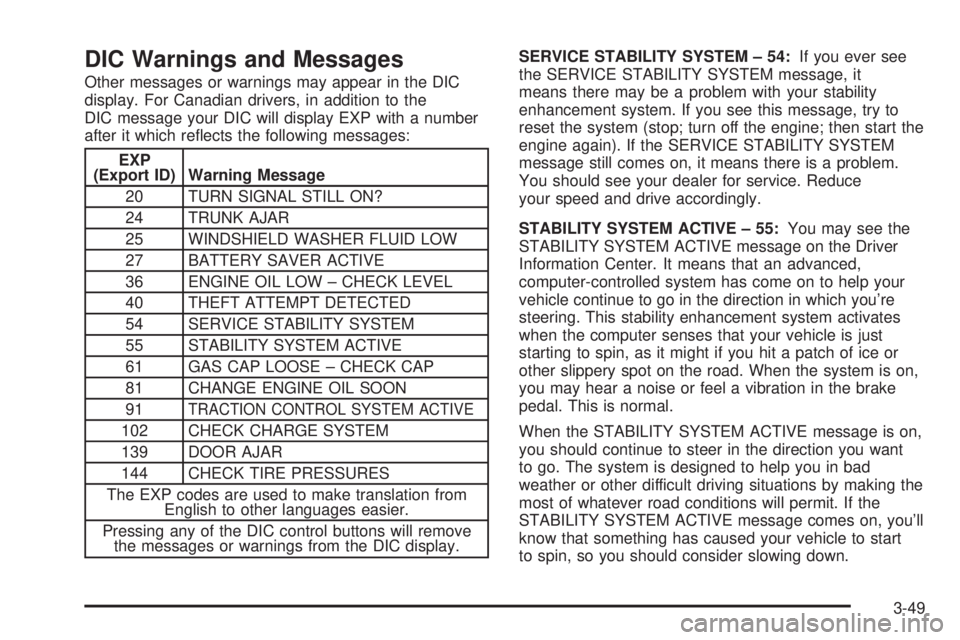
Other messages or warnings may appear in the DIC
display. For Canadian drivers, in addition to the
DIC message your DIC will display EXP with a number
after it which re¯ects the following messages:
EXP
(Export ID) Warning Message
20 TURN SIGNAL STILL ON?
24 TRUNK AJAR
25 WINDSHIELD WASHER FLUID LOW
27 BATTERY SAVER ACTIVE
36 ENGINE OIL LOW ± CHECK LEVEL
40 THEFT ATTEMPT DETECTED
54 SERVICE STABILITY SYSTEM
55 STABILITY SYSTEM ACTIVE
61 GAS CAP LOOSE ± CHECK CAP
81 CHANGE ENGINE OIL SOON
91
TRACTION CONTROL SYSTEM ACTIVE
102 CHECK CHARGE SYSTEM
139 DOOR AJAR
144 CHECK TIRE PRESSURES
The EXP codes are used to make translation from
English to other languages easier.
Pressing any of the DIC control buttons will remove
the messages or warnings from the DIC display.SERVICE STABILITY SYSTEM ± 54:If you ever see
the SERVICE STABILITY SYSTEM message, it
means there may be a problem with your stability
enhancement system. If you see this message, try to
reset the system (stop; turn off the engine; then start the
engine again). If the SERVICE STABILITY SYSTEM
message still comes on, it means there is a problem.
You should see your dealer for service. Reduce
your speed and drive accordingly.
STABILITY SYSTEM ACTIVE ± 55:You may see the
STABILITY SYSTEM ACTIVE message on the Driver
Information Center. It means that an advanced,
computer-controlled system has come on to help your
vehicle continue to go in the direction in which you're
steering. This stability enhancement system activates
when the computer senses that your vehicle is just
starting to spin, as it might if you hit a patch of ice or
other slippery spot on the road. When the system is on,
you may hear a noise or feel a vibration in the brake
pedal. This is normal.
When the STABILITY SYSTEM ACTIVE message is on,
you should continue to steer in the direction you want
to go. The system is designed to help you in bad
weather or other difficult driving situations by making the
most of whatever road conditions will permit. If the
STABILITY SYSTEM ACTIVE message comes on, you'll
know that something has caused your vehicle to start
to spin, so you should consider slowing down.
3-49
Page 158 of 380

DIC Vehicle Personalization
The DIC can be used to program the following personal
choice features available with your vehicle:
·Automatic Door Locks
·Window Lock Out
·Security Feedback
·Delayed Locking
·Perimeter Lighting
·Memory Seats
·Outside Curb View Assist Mirror
·Driver ID
·Language Selection
The personal choice settings displayed on the DIC are
determined by the transmitter used to enter the
vehicle. Each remote keyless entry transmitter was
pre-programmed to belong to DRIVER 1 or DRIVER 2
and is numbered on the back. After the unlock button on
a remote keyless entry transmitter is pressed and the
ignition is in RUN, the DIC will display the identi®ed
driver and recall the settings previously programmed for
that driver. The settings can also be recalled by
brie¯y pressing one of the MEMORY buttons located on
the driver's door.If you unlock the vehicle using your door key instead of
your transmitter, the DIC will not change drivers and
will recall the information from the last transmitter used
or the last driver using the memory seat controls. If
this happens and you were not the last driver of
the vehicle, simply press your correct driver number on
the memory seat controls or press the unlock button
on your remote keyless entry transmitter.
Use the following steps for personalization programming
instructions.
1. Turn the ignition on and keep the transaxle in
PARK (P).
2. Inform the DIC which driver you are by pressing the
unlock button on your remote keyless entry
transmitter or the appropriate memory seat control.
3. Press and hold the ENG/MET button for ®ve
seconds. WELCOME TO BUICK OPTION
FEATURE will appear in the display.
4. The ®rst choice to be made will be DRIVER
ID 1 or 2. Press the ENG/MET button to toggle
between your selections within a display and
RESET to choose the current selection and move
on to the next personal choice feature.
3-50
Page 165 of 380
To scan preset stations, press and hold one of the
SEEK arrows for more than four seconds until PSCAN
and the preset number appear on the display. You
will hear a double beep. The radio will go to the ®rst
preset station stored on your pushbuttons, play for a few
seconds, then go on to the next preset station. Press
one of the SEEK arrows again to stop scanning presets.
The radio will seek and scan only to stations that are
in the selected band and only to those with a strong
signal.
Setting Preset Stations
The six numbered pushbuttons let you return to your
favorite stations. You can set up to 18 stations (six FM1,
six FM2 and six AM) by performing the following
steps:
1. Turn the radio on.
2. Press BAND to select FM1, FM2, or AM.
3. Tune in the desired station.
4. Press EQ to select the EQ setting. It will be stored
with the preset station.
5. Press and hold one of the six numbered
pushbuttons. When you hear the radio produce one
beep, release the pushbutton. Whenever you
press that numbered pushbutton, the station you
set will return.
6. Repeat the steps for each pushbutton.
Setting the Tone (Bass/Treble)
AUDIO:Push and release AUDIO until BASS, MID, or
TREBLE appears on the display. Then turn the
AUDIO knob to increase or to decrease. If a station is
weak or noisy, you may want to decrease the treble.
To adjust bass, midrange or treble to the middle
position, select BASS, MID, or TREBLE. Then push and
hold AUDIO for more than two seconds until you hear
a beep. BASS and a zero, MID and a zero or TREBLE
and a zero will appear on the display.
To adjust both tone controls and both speaker controls
to the middle position, end out of audio mode by
waiting ®ve seconds without making any changes. Then
push and hold AUDIO for more than two seconds
until you hear a beep. ALL CENTERED will appear on
the display.
Adjusting the Speakers (Balance/Fade)
AUDIO:To adjust the balance between the right
and the left speakers, push and release AUDIO until
BAL appears on the display. Then turn the AUDIO knob
to move the sound toward the right or the left speakers.
A bar graph with indicators will show how the sound
is balanced between the right and the left speakers.
3-57
Page 172 of 380
Finding a Station
BAND:Press this button to switch between FM1, FM2,
or AM, XM1 or XM2 (USA only, if equipped). The
display will show your selection.
TUNE:Turn this knob to choose a radio station.
©SEEK¨:Press the right or the left arrow to go to
the next or to the previous station and stay there.
To scan stations, press and hold one of the SEEK
arrows for two seconds until SCAN appears on
the display. The radio will go to a station, play for a few
seconds, then go on to the next station. Press one of
the SEEK arrows again to stop scanning.
To scan preset stations, press and hold one of the
SEEK arrows for more than four seconds until SCAN
and the preset number appear on the display. You
will hear a double beep. The radio will go to the ®rst
preset station stored on your pushbuttons, play for a few
seconds, then go on to the next preset station. Press
one of the SEEK arrows again to stop scanning presets.
The radio will seek and scan only to the stations that
are in the selected band and only to those with a strong
signal.
Setting Preset Stations
The six numbered pushbuttons let you return to your
favorite stations. You can set up to 30 stations (six FM1,
six FM2, and six AM, six XM1 and six XM2 (USA
only, if equipped), by performing the following steps:
1. Turn the radio on.
2. Press BAND to select FM1, FM2, or AM, XM1
or XM2.
3. Tune in the desired station.
4. Press EQ to select the EQ setting. It will be stored
with the preset station.
5. Press and hold one of the six numbered
pushbuttons. When you hear the radio produce one
beep, release the pushbutton. Whenever you
press that numbered pushbutton, the station you
set will return.
6. Repeat the steps for each pushbutton.
3-64
Page 183 of 380

Close the door by sliding it all the way to the right.
When the door is closed, the changer will begin
checking for discs in the magazine. This will continue
for up to one and a half minutes depending on the
number of discs loaded.
To eject the magazine from the player, slide the CD
changer door all the way open (to the left). The
magazine will automatically eject. Remember to keep
the door closed whenever possible to keep dirt and dust
from getting inside the changer.Whenever a CD magazine with discs is loaded in the
changer and the door is closed, the CD changer
stack symbol will appear on the radio display. If the CD
changer is checking the magazine for CDs, the CD
changer stack symbol will ¯ash on the display until the
changer is ready to play. When a CD begins playing,
the disc and track number will be displayed. The
disc numbers are listed on the front of the magazine.
All of the CD functions are controlled by the radio
buttons except for ejecting the magazine.
Playing a Compact Disc
If an error appears on the display, see ªCompact Disc
Errorsº later in this section.
1
s(Reverse):Press and hold this pushbutton to
quickly reverse within a track. As the CD reverses,
elapsed time will be displayed to help you ®nd
the correct passage.
2
\(Forward):Press and hold this pushbutton to
quickly advance within a track. As the CD advances,
elapsed time will be displayed to help you ®nd the
correct passage.
3-75