time BUICK LESABRE 2004 Owner's Guide
[x] Cancel search | Manufacturer: BUICK, Model Year: 2004, Model line: LESABRE, Model: BUICK LESABRE 2004Pages: 392, PDF Size: 4.3 MB
Page 98 of 392
Mirror Operation
MIRROR:Press this button to turn on the automatic
dimming feature. Press it again to turn off the automatic
dimming feature.
O(On/Off):For mirrors equipped with OnStar®
controls, press and hold this button for several seconds
to turn on the automatic dimming feature. Press and
hold it again to turn the automatic dimming feature off.
The green indicator light will come on when this
feature is active. The automatic dimming feature will be
active each time the vehicle is started.
Compass Operation
COMPASS:Press this button once to turn the compass
on or off.
O(On/Off):For mirrors equipped with OnStar®controls,
press this button once to turn the compass on or off.
When the ignition and the compass feature are on, the
compass will show two character boxes for about
two seconds. After two seconds, the mirror will display
the compass heading.
Compass Calibration
When on, the compass automatically calibrates as the
vehicle is driven. If, after two seconds, the display
does not show a compass heading (N for North, for
example), there may be a strong magnetic eldinterfering with the compass. Such interference may be
caused by a magnetic antenna mount, magnetic
note pad holder or a similar magnetic item. If the letter
C should ever appear in the compass window, the
compass may need calibration.
The mirror can be calibrated by driving the vehicle in
circles at 5 mph (8 km/h) or less until the display reads a
direction.
Mirrors equipped with OnStar
®controls can be placed
in calibration mode by pressing and holding the
on/off button untilaCisshown in the compass display.
Compass Variance
Compass variance is the difference between earth’s
magnetic north and true geographic north. The mirror is
set in zone eight upon leaving the factory. It will be
necessary to adjust the compass to compensate for
compass variance if you live outside zone eight. Under
certain circumstances, as during a long distance
cross-country trip, it will be necessary to adjust for
compass variance. If not adjusted to account for compass
variance, your compass could give false readings.
To adjust for compass variance, do the following:
1. Find your current location and variance zone
number on the following zone map.
2-34
Page 104 of 392
2. Position the end of your hand-held transmitter
about 1 to 3 inches (3 to 8 cm) away from the
HomeLink
®buttons while keeping the indicator light
in view.
3. Simultaneously press and hold both the desired
button on HomeLink
®and the hand-held transmitter
button. Do not release the buttons until Step 4
has been completed.
Some entry gates and garage door openers may
require you to substitute Step 3 with the procedure
noted in “Gate Operator and Canadian
Programming” later in this section.
4. The indicator light will ash slowly at rst and then
rapidly after HomeLink
®successfully receives the
frequency signal from the hand-held transmitter.
Release both buttons.
5. Press and hold the newly-trained HomeLink
®button
and observe the indicator light.
If the indicator light stays on constantly,
programming is complete and your device should
activate when the HomeLink
®button is pressed and
released.
To program the remaining two HomeLink
®buttons,
begin with Step 2 under “Programming HomeLink®.”
Do not repeat Step 1 as this will erase all of the
programmed channels.If the indicator light blinks rapidly for two seconds
and then turns to a constant light, continue with
Steps 6 through 8 following to complete the
programming of a rolling-code equipped device
(most commonly, a garage door opener).
6. Locate in the garage, the garage door opener
receiver (motor-head unit). Locate the “Learn”
or “Smart” button. This can usually be found where
the hanging antenna wire is attached to the
motor-head unit.
7. Firmly press and release the “Learn” or “Smart”
button. The name and color of the button may
vary by manufacturer.
You will have 30 seconds to start Step 8.
8. Return to the vehicle. Firmly press and hold the
programmed HomeLink
®button for two seconds,
then release. Repeat the press/hold/release
sequence a second time, and depending on the
brand of the garage door opener (or other rolling
code device), repeat this sequence a third time
to complete the programming.
HomeLink
®should now activate your rolling-code
equipped device.
To program the remaining two HomeLink
®buttons,
begin with Step 2 of “Programming HomeLink®.” Do not
repeat Step 1.
2-40
Page 105 of 392
Gate Operator and Canadian
Programming
Canadian radio-frequency laws require transmitter
signals to “time out” or quit after several seconds of
transmission. This may not be long enough for
HomeLink
®to pick up the signal during programming.
Similarly, some U.S. gate operators are manufactured to
“time out” in the same manner.
If you live in Canada, or you are having difficulty
programming a gate operator by using the
“Programming HomeLink
®” procedures (regardless of
where you live), replace Step 3 under “Programming
HomeLink
®” with the following:
Continue to press and hold the HomeLink
®button while
you press and release every two seconds (cycle)
your hand-held transmitter until the frequency signal has
been successfully accepted by HomeLink
®. The
indicator light will ash slowly at rst and then rapidly.
Proceed with Step 4 under “Programming HomeLink
®”
to complete.
Using HomeLink®
Press and hold the appropriate HomeLink®button for at
least half of a second. The indicator light will come
on while the signal is being transmitted.
Erasing HomeLink®Buttons
To erase programming from the three buttons do the
following:
1. Press and hold down the two outside buttons until
the indicator light begins to ash, after 20 seconds.
2. Release both buttons. Do not hold for longer than
30 seconds.
HomeLink
®is now in the train (learning) mode and can
be programmed at any time beginning with Step 2
under “Programming HomeLink
®.”
Individual buttons can not be erased, but they can be
reprogrammed. See “Reprogramming a Single
HomeLink
®Button” next.
Reprogramming a Single HomeLink®
Button
To program a device to HomeLink®using a HomeLink®
button previously trained, follow these steps:
1. Press and hold the desired HomeLink
®button. Do
not release the button.
2. The indicator light will begin to ash after
20 seconds. While still holding the HomeLink
®
button, proceed with Step 2 under “Programming
HomeLink®.”
2-41
Page 109 of 392

To set the seat and mirror positions for a second driver,
follow the previous steps, but start by pressing the
unlock button on the transmitter that displays the other
DRIVER # on the DIC. Be sure to use the MEMORY
button which corresponds to the DRIVER # identied by
the second transmitter.
To recall your memory positions, your vehicle must be
in PARK (P). Push and release the MEMORY button
corresponding to the desired driving position. The seat
and mirrors will move to the position previously
stored for the identied driver. You will hear one beep.
To store the exit position for an easy exit, use the
following procedure:
1. First identify the DRIVER # by pressing the
MEMORY button 1 or 2 or by pressing the unlock
button on the transmitter.
2. Adjust the driver’s seat to the desired exit position.
3. Press and hold the EXIT button for longer than
three seconds. You will hear two beeps conrming
that the seat exit position has been entered into
memory.To set the exit position for a second driver, follow the
previous steps, but start by pressing the unlock
button on the transmitter that displays the other
DRIVER # on the DIC. Be sure to use the MEMORY
button which corresponds to the DRIVER # identied by
the other transmitter.
To recall the exit position, your vehicle must be in
PARK (P). Push and release the EXIT button and the
seat will move to the exit position previously stored
for the current identied driver. You will hear one beep.
If an exit position has not been stored for the current
identied driver, the seat will move all the way back.
To stop recall movement of the seat at any time, press
the driver’s power seat control located on the outboard
side of the front seat.
Mirrors and lumbar positions will not be stored or
recalled for the exit position.
If you would like your stored driving or exit position to
be recalled when unlocking your vehicle with the
transmitter, seeDIC Vehicle Personalization on
page 3-50.
2-45
Page 112 of 392
Audio System(s).............................................3-55
Setting the Time...........................................3-55
Radio with CD..............................................3-56
Radio with Cassette and CD..........................3-62
Trunk-Mounted CD Changer...........................3-73
Personal Choice Radio Controls......................3-77
Theft-Deterrent Feature..................................3-78
Audio Steering Wheel Controls.......................3-78Understanding Radio Reception......................3-79
Care of Your Cassette Tape Player.................3-80
Care of Your CDs.........................................3-81
Care of Your CD Player................................3-81
Diversity Antenna System..............................3-81
XM™ Satellite Radio Antenna System
(48 Contiguous US States).........................3-82
Chime Level Adjustment................................3-82
Section 3 Instrument Panel
3-2
Page 119 of 392

Flash-To-Pass
This feature lets you use the high-beam headlamps to
signal the driver in front of you that you want to pass. It
works even if your headlamps are off.
Pull the turn signal lever toward you briey to
ash-to-pass.
If the headlamps are off or on low beam, the high-beam
headlamps will turn on. They will stay on as long as
you hold the lever toward you and the high-beam
indicator on the instrument panel cluster will come on.
Windshield Wipers
The windshield wipers are controlled by turning the
band marked WIPER.
If your windshield wipers are on for more than six
seconds while you are driving, the low-beam headlamps,
instrument panel cluster backlighting and taillamps will
turn on. For more information see “Wiper Activated
Headlamps” underExterior Lamps on page 3-14.
OFF:Turn the band to OFF to turn the wipers off.
MIST:For a single wiping cycle, turn the band to MIST.
Hold it there until the wipers start, then let go. The
wipers will stop after one cycle. If you want more cycles,
hold the band on MIST longer.LO (Low Speed):Turn the band to LO for steady
wiping at a slow speed.
HI (High Speed):Turn the band to HI for steady wiping
at a high speed.
The wiper speed may be set for a long or short delay
between wipes. Turn the band to choose the delay time.
The closer to LO, the shorter the delay.
Heavy snow or ice can overload your wiper motor. A
circuit breaker will stop the motor until it cools.
Clear away snow or ice to prevent an overload.
Keep in mind that damaged wiper blades may prevent
you from seeing well enough to drive safely. To
avoid damage, be sure to clear ice and snow from the
wiper blades before using them. If your blades do
become damaged, get new blades or blade inserts.
Rainsense™ II Wipers
If your vehicle has this feature, the moisture sensor is
mounted on the interior of the windshield below the
rearview mirror and is used to automatically operate the
wipers. This system operates by monitoring the
amount of moisture build-up on the windshield. Wipes
occur as needed to clear the windshield depending
on the driving conditions and the sensitivity setting. In
light rain or snow, fewer wipes will occur. In heavy
rain or snow, wipes will occur more frequently.
3-9
Page 120 of 392
The system will operate in the delay, low speed and
high speed modes. If the system is left on for long
periods of time, occasional wipes may occur without any
moisture on the windshield. This is normal and
indicates that the Rainsense™ system is active.
The Rainsense™ system is activated by turning the
wiper control band to one of the ve sensitivity levels
within the delay area. The delay position closest to
OFF/MIST is the lowest sensitivity setting, level one. The
highest sensitivity setting, level ve, is closest to the
LO position. A single wipe will occur each time you turn
the wiper control band to a higher sensitivity level to
indicate that the sensitivity level has been increased.
Notice:Going through an automatic car wash with
the wipers on can damage them. Turn the wipers
off when going through an automatic car wash.
The MIST and wash cycles operate as normal and are
not affected by the Rainsense™ function. The system
can be overridden at any time by manually changing the
wiper control to LO or HI speed.
Notice:Do not place stickers or other items on the
exterior glass surface directly in front of the rain
sensor. Doing this could cause the rain sensor
to malfunction.Windshield Washer
At the top of the turn signal/multifunction lever, there is
a paddle with the word PUSH on it. To spray washer
uid on the windshield, push the paddle. The wipers will
clear the window and either stop or return to your
preset speed. For more washer cycles, push and hold
the paddle.
{CAUTION:
In freezing weather, do not use your washer
until the windshield is warmed. Otherwise the
washer uid can form ice on the windshield,
blocking your vision.
Ice build up can block washer nozzles. Remove ice for
proper operation.
SeeWindshield Washer Fluid on page 5-36for more
information.
3-10
Page 123 of 392
Increasing Speed While Using Cruise
Control
There are two ways to go to a higher speed:
Use the accelerator pedal to get to the higher
speed. Press SET/COAST, then release it and the
accelerator pedal. You will now cruise at the
higher speed.
Press RESUME/ACCEL. Hold it there until you get
up to the speed you want, and then release it. To
increase your speed in very small amounts,
briey press RESUME/ACCEL and then release it.
Each time you do this, your vehicle will go about
1 mph (1.6 km/h) faster.
The accelerate feature will only work after you have set
the cruise control speed by pressing SET/COAST.
Reducing Speed While Using Cruise
Control
There are two ways to reduce your speed while using
cruise control:
Press SET/COAST until you reach the lower speed
you want, then release it.
To slow down in very small amounts, push
SET/COAST briey. Each time you do this, you’ll go
about 1 mph (1.6 km/h) slower.
Passing Another Vehicle While Using
Cruise Control
Use the accelerator pedal to increase your speed.
When you take your foot off the pedal, your vehicle will
slow down to the cruise control speed you set earlier.
Using Cruise Control on Hills
How well your cruise control will work on hills depends
upon your speed, load and the steepness of the
hills. When going up steep hills, you may have to step
on the accelerator pedal to maintain your speed.
When going downhill, you may have to brake or shift to
a lower gear to keep your speed down. Applying the
brake or shifting into a lower gear will take your vehicle
out of cruise control. If you need to apply the brake
or shift to a lower gear due to the grade of the downhill
slope, you may not want to attempt to use your
cruise control feature.
Ending Cruise Control
There are two ways to turn off the cruise control:
Step lightly on the brake pedal.
Press ON/OFF.
Erasing Speed Memory
When you turn off the cruise control or the ignition, your
cruise control set speed memory is erased.
3-13
Page 125 of 392
Daytime Running Lamps
Daytime Running Lamps (DRL) can make it easier for
others to see the front of your vehicle during the
day. DRL can be helpful in many different driving
conditions, but they can be especially helpful in the short
periods after dawn and before sunset. Fully functional
daytime running lamps are required on all vehicles
rst sold in Canada.
A light sensor on top of the instrument panel monitors
the exterior light level for the operation of DRL and
Twilight Sentinel
®, so be sure it is not covered.
The DRL system will make your high-beam headlamps
turn on at reduced brightness in daylight when the
following conditions are met:
The ignition is on.
The exterior lamp button for the headlamps is off.
The transaxle is not in PARK (P).When the DRL are on, only your high-beam headlamps
will be on. The parking lamps, taillamps, sidemarker
and other lamps will not be on.
When it is dark enough outside, your low-beam
headlamps will come on. The other lamps that turn on
with your headlamps will also turn on. When it is
bright enough outside, the regular lamps will go off, and
your high-beam headlamps change to the reduced
brightness of DRL.
To turn off all exterior lighting at night when you are
parked, turn off the headlamps and move the Twilight
Sentinel
®lever all the way toward OFF. The exterior
lamps will turn back on automatically when you move
the transaxle out of PARK (P).
As with any vehicle, you should turn on the regular
headlamp system when you need it.
Cornering Lamps
If your vehicle has this feature, the cornering lamps
come on when the headlamps or parking lamps are on
and you signal a turn with the multifunction lever.
They provide more light for cornering.
3-15
Page 126 of 392
Twilight Sentinel®
Twilight Sentinel®turns your headlamps on and off by
sensing how dark it is outside.
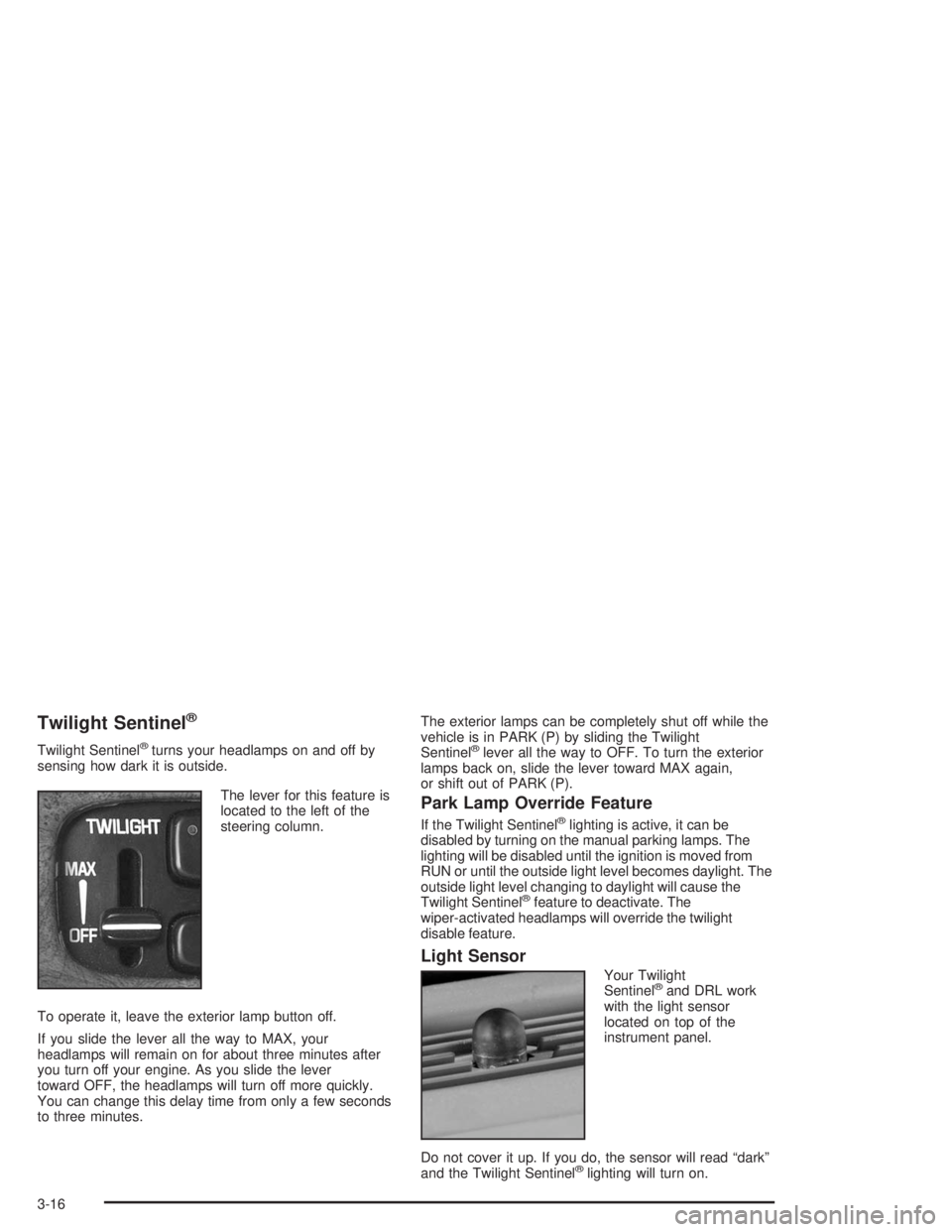
The lever for this feature is
located to the left of the
steering column.
To operate it, leave the exterior lamp button off.
If you slide the lever all the way to MAX, your
headlamps will remain on for about three minutes after
you turn off your engine. As you slide the lever
toward OFF, the headlamps will turn off more quickly.
You can change this delay time from only a few seconds
to three minutes.The exterior lamps can be completely shut off while the
vehicle is in PARK (P) by sliding the Twilight
Sentinel®lever all the way to OFF. To turn the exterior
lamps back on, slide the lever toward MAX again,
or shift out of PARK (P).
Park Lamp Override Feature
If the Twilight Sentinel®lighting is active, it can be
disabled by turning on the manual parking lamps. The
lighting will be disabled until the ignition is moved from
RUN or until the outside light level becomes daylight. The
outside light level changing to daylight will cause the
Twilight Sentinel
®feature to deactivate. The
wiper-activated headlamps will override the twilight
disable feature.
Light Sensor
Your Twilight
Sentinel®and DRL work
with the light sensor
located on top of the
instrument panel.
Do not cover it up. If you do, the sensor will read “dark”
and the Twilight Sentinel
®lighting will turn on.
3-16