3-38 BUICK LESABRE 2004 Owner's Manual
[x] Cancel search | Manufacturer: BUICK, Model Year: 2004, Model line: LESABRE, Model: BUICK LESABRE 2004Pages: 392, PDF Size: 4.3 MB
Page 111 of 392
Instrument Panel Overview...............................3-4
Hazard Warning Flashers................................3-6
Other Warning Devices...................................3-6
Horn.............................................................3-7
Tilt Wheel.....................................................3-7
Turn Signal/Multifunction Lever.........................3-7
Exterior Lamps.............................................3-14
Interior Lamps..............................................3-17
Head-Up Display (HUD).................................3-20
Accessory Power Outlets...............................3-22
Ashtrays and Cigarette Lighter........................3-23
Climate Controls............................................3-24
Climate Control System.................................3-24
Dual Automatic Climate Control System...........3-26
Outlet Adjustment.........................................3-30
Steering Wheel Climate Controls.....................3-31
Climate Controls Personalization.....................3-31
Warning Lights, Gages and Indicators.............3-32
Instrument Panel Cluster................................3-33Speedometer and Odometer...........................3-35
Tachometer.................................................3-35
Safety Belt Reminder Light.............................3-36
Air Bag Readiness Light................................3-36
Battery Warning Light....................................3-37
Brake System Warning Light..........................3-37
Anti-Lock Brake System Warning Light.............3-38
Traction Control System (TCS) Warning Light . . .3-39
Engine Coolant Temperature Gage..................3-40
Malfunction Indicator Lamp.............................3-40
Oil Pressure Light.........................................3-43
Security Light...............................................3-44
Cruise Control Light......................................3-44
Service Vehicle Soon Light............................3-44
Fuel Gage...................................................3-45
Driver Information Center (DIC).......................3-45
DIC Controls and Displays.............................3-46
DIC Warnings and Messages.........................3-49
DIC Vehicle Personalization............................3-50
Section 3 Instrument Panel
3-1
Page 148 of 392
When the ignition is on, the brake system warning light
will also come on when you set your parking brake.
The light will stay on if your parking brake doesn’t
release fully. If you try to drive off with the parking brake
set, a chime will also come on until you release the
parking brake. If the light stays on after your parking
brake is fully released, it means you have a brake
problem.
If the light comes on while you are driving, pull off the
road and stop carefully. You may notice that the pedal is
harder to push. Or, the pedal may go closer to the
oor. It may take longer to stop. If the light is still on,
have the vehicle towed for service. SeeTowing
Your Vehicle on page 4-31.
{CAUTION:
Your brake system may not be working
properly if the brake system warning light is on.
Driving with the brake system warning light on
can lead to an accident. If the light is still on
after you have pulled off the road and stopped
carefully, have the vehicle towed for service.
Anti-Lock Brake System
Warning Light
With the anti-lock brake
system, the light(s) will
come on when your engine
is started and may stay
on for several seconds.
That’s normal.
If the light stays on, turn the ignition to OFF. Or, if the
light comes on when you’re driving, stop as soon
as possible and turn the ignition off. Then start the
engine again to reset the system. If the light still stays
on, or comes on again while you’re driving, your vehicle
needs service. If the regular brake system warning
light isn’t on, you still have brakes, but you don’t have
anti-lock brakes. If the regular brake system warning
light is also on, you don’t have anti-lock brakes
and there’s a problem with your regular brakes. See
Brake System Warning Light on page 3-37.
The anti-lock brake system warning light will come on
briey when you turn the ignition key to RUN. This
is normal. If the light doesn’t come on then, have it xed
so it will be ready to warn you if there is a problem.
3-38
Page 199 of 392
Anti-lock Brake System (ABS)
Your vehicle has anti-lock brakes. ABS is an advanced
electronic braking system that will help prevent a
braking skid.
When you start your engine, or when you begin to drive
away, your anti-lock brake system will check itself.
You may hear a momentary motor or clicking noise while
this test is going on, and you may even notice that
your brake pedal moves or pulses a little. This is normal.
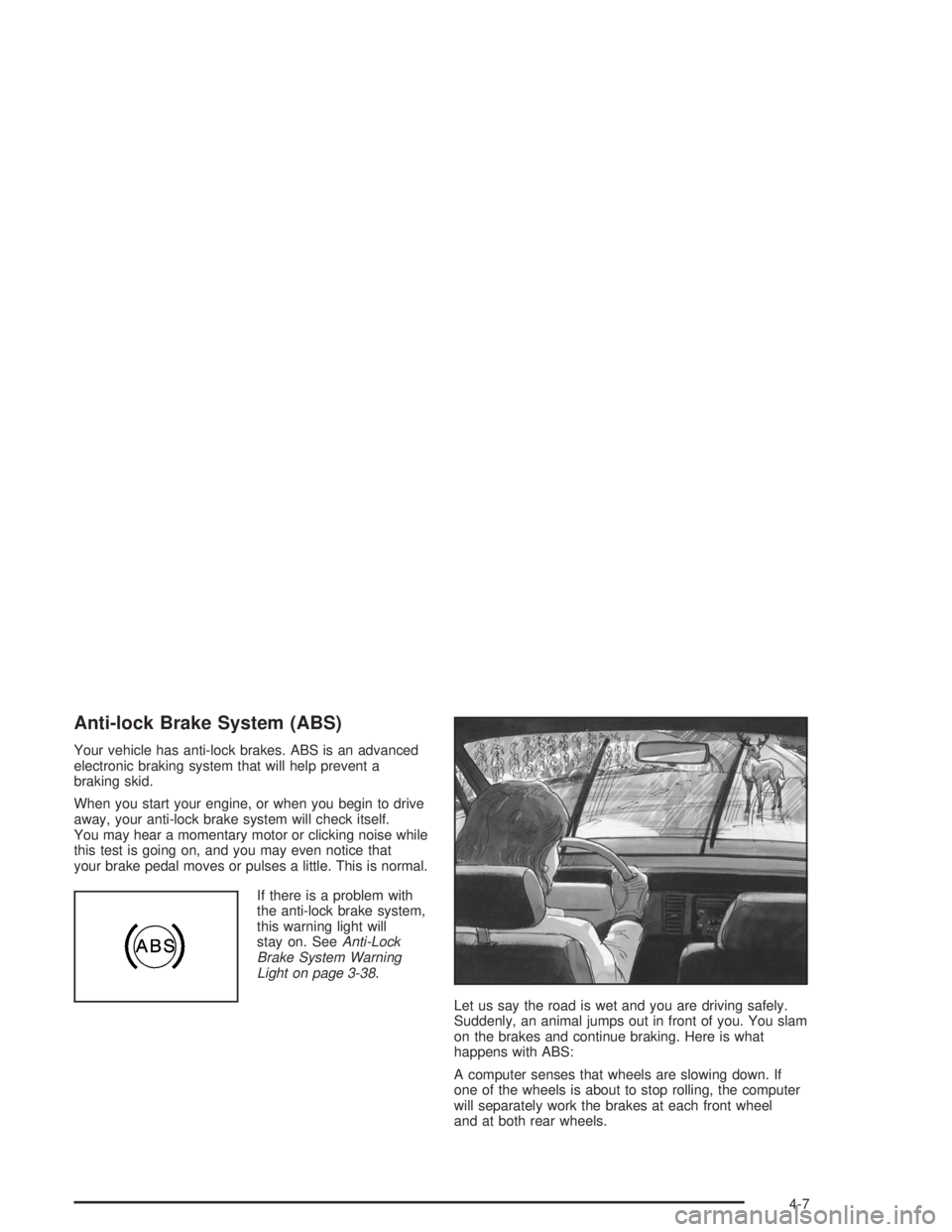
If there is a problem with
the anti-lock brake system,
this warning light will
stay on. SeeAnti-Lock
Brake System Warning
Light on page 3-38.
Let us say the road is wet and you are driving safely.
Suddenly, an animal jumps out in front of you. You slam
on the brakes and continue braking. Here is what
happens with ABS:
A computer senses that wheels are slowing down. If
one of the wheels is about to stop rolling, the computer
will separately work the brakes at each front wheel
and at both rear wheels.
4-7
Page 304 of 392
Check Tire Pressure System
If your vehicle has the check tire pressure system, it
can alert you to a large change in the pressure of one
tire. The system will not alert you before you drive
that a tire is low or at. You must begin driving before
the system will work properly.
The CHECK TIRE PRESSURE message will appear on
the Driver Information Center (DIC) if pressure
difference (low pressure) is detected in one tire. The
check tire pressure system may not alert you if:
More than one tire is low.
The vehicle is moving faster than
65 mph (105 km/h).
The system is not yet calibrated.
The tire treadwear is uneven.
The compact spare tire is installed.
Tire chains are being used.
The vehicle is being driven on a rough or
frozen road.
If the anti-lock brake system warning light comes on,
the check tire pressure system may not be working
properly. See your dealer for service. Also, see
Anti-Lock Brake System Warning Light on page 3-38.The check tire pressure system detects differences in
tire rotation speeds that are caused by changes in
tire pressure. The system can alert you about a
low tire — but it does not replace normal tire
maintenance. SeeTires on page 5-58.
When the CHECK TIRE PRESSURE message appears
on the Driver Information Center, you should stop as
soon as you can and check all your tires for damage. If
a tire is at, seeIf a Tire Goes Flat on page 5-73.
Also check the tire pressure in all four tires as soon as
you can. SeeInation - Tire Pressure on page 5-65.
Any time you adjust a tire’s pressure or have one
or more tires repaired or replaced, you will need to reset
(calibrate) the check tire pressure system. You will
also need to reset the system whenever you rotate the
tires, buy new tires and install or remove the compact
spare tire.
Do not reset the check tire pressure system without rst
correcting the cause of the problem and checking
and adjusting the pressure in all four tires. If you reset
the system when the tire pressures are incorrect,
the check tire pressure system will not work properly
and may not alert you when a tire is low or high.
5-66
Page 368 of 392
Customer Assistance for Text
Telephone (TTY) Users
To assist customers who are deaf, hard of hearing, or
speech-impaired and who use Text Telephones (TTYs),
Buick has TTY equipment available at its Customer
Assistance Center. Any TTY user can communicate with
Buick by dialing: 1-800-83-BUICK. (TTY users in
Canada can dial 1-800-263-3830.)
Customer Assistance Offices
Buick encourages customers to call the toll-free number
for assistance. If a U.S. customer wishes to write to
Buick, the letter should be addressed to Buick’s
Customer Assistance Center.
United States – Customer Assistance
Buick Customer Assistance Center
P.O. Box 33136
Detroit, MI 48232-5136
1-800-521-7300
1-800-832-8425 (For Text Telephone devices (TTYs))
Roadside Assistance: 1-800-252-1112
Fax Number: 313-381-0022
From Puerto Rico:
1-800-496-9992 (English)
1-800-496-9993 (Spanish)
Fax Number: 313-381-0022
From U.S. Virgin Islands
1-800-496-9994
Fax Number: 313-381-0022
Canada – Customer Assistance
General Motors of Canada Limited
Customer Communication Centre, 163-005
1908 Colonel Sam Drive
Oshawa, Ontario L1H 8P7
1-800-263-3777 (English)
1-800-263-7854 (French)
1-800-263-3830 (For Text Telephone devices (TTYs))
Roadside Assistance: 1-800-268-6800
7-4
Page 369 of 392
Overseas – Customer Assistance
Please contact the local General Motors Business Unit.
Mexico, Central America and
Caribbean Islands/Countries (Except
Puerto Rico and U.S. Virgin Islands) –
Customer Assistance
General Motors de Mexico, S. de R.L. de C.V.
Customer Assistance Center
Paseo de la Reforma # 2740
Col. Lomas de Bezares
C.P. 11910, Mexico, D.F.
01-800-508-0000
Long Distance: 011-52-53 29 0 800
GM Mobility Program for Persons
with Disabilities
This program, available to
qualied applicants, can
reimburse you up to $1,000
toward eligible aftermarket
driver or passenger
adaptive equipment you
may require for your vehicle
(hand controls, wheelchair/
scooter lifts, etc.).
This program can also provide you with free resource
information, such as area driver assessment centers and
mobility equipment installers. The offer is available for
a limited period of time from the date of vehicle
purchase/lease. For more details, or to determine your
vehicle’s eligibility, see your GM dealer or call the
GM Mobility Assistance Center at 1-800-323-9935. Text
telephone (TTY) users, call 1-800-833-9935.
GM of Canada also has a Mobility Program. Call
1-800-GM-DRIVE (463-7483) for details. All TTY users
call 1-800-263-3830.
7-5
Page 377 of 392
A
Accessory Power Outlets.................................3-22
Adding Washer Fluid.......................................5-36
Additional Program Information........................... 7-9
Additives, Fuel................................................. 5-6
Add-On Electrical Equipment............................5-91
Adjusting the Speakers (Balance/Fade)......3-57, 3-65
Air Bag
Readiness Light..........................................3-36
Air Bag Systems.............................................1-47
How Does an Air Bag Restrain?....................1-53
Servicing Your Air Bag-Equipped Vehicle.........1-56
What Makes an Air Bag Inate?....................1-53
What Will You See After an
Air Bag Inates?......................................1-54
When Should an Air Bag Inate?...................1-51
Where Are the Air Bags?..............................1-50
Air Cleaner/Filter, Engine.................................5-18
Airbag Sensing and Diagnostic Module (SDM)...... 7-9
AM ...............................................................3-79
Antenna, Diversity Antenna System...................3-81
Antenna, XM™ Satellite Radio
Antenna System..........................................3-82
Anti-lock Brake System (ABS)............................ 4-7
Anti-Lock Brake, System Warning Light..............3-38
Appearance Care............................................5-83
Care of Safety Belts....................................5-86Appearance Care (cont.)
Chemical Paint Spotting...............................5-89
Cleaning the Inside of Your Vehicle................5-84
Cleaning the Outside of Your Vehicle..............5-87
Finish Damage............................................5-89
Sheet Metal Damage...................................5-89
Underbody Maintenance...............................5-89
Vehicle Care/Appearance Materials................5-90
Weatherstrips..............................................5-87
Ashtrays........................................................3-23
Audio System(s).............................................3-55
Audio Steering Wheel Controls......................3-78
Care of Your Cassette Tape Player................3-80
Care of Your CD Player...............................3-81
Care of Your CDs........................................3-81
Chime Level Adjustment...............................3-82
Diversity Antenna System.............................3-81
Personal Choice Radio Controls....................3-77
Radio with Cassette and CD.........................3-62
Radio with CD............................................3-56
Setting the Time..........................................3-55
Theft-Deterrent Feature................................3-78
Trunk-Mounted CD Changer..........................3-73
Understanding Radio Reception.....................3-79
XM™ Satellite Radio Antenna System............3-82
Automatic Door Locks.....................................3-51
Automatic Level Control...................................4-39
Automatic Operation........................................3-27
1
Page 384 of 392
L
Lamps
Exterior......................................................3-14
Interior.......................................................3-17
Language Selection.........................................3-54
Lap Belt........................................................1-19
Lap-Shoulder Belt...................................1-12, 1-21
LATCH System
Child Restraints...........................................1-39
Securing a Child Restraint Designed for
the LATCH System...................................1-41
Leaving Your Vehicle.......................................2-13
Leaving Your Vehicle With the
Engine Running..........................................2-29
Light
Air Bag Readiness.......................................3-36
Anti-Lock Brake System Warning...................3-38
Battery Warning..........................................3-37
Brake System Warning.................................3-37
Cruise Control.............................................3-44
Malfunction Indicator....................................3-40
Oil Pressure...............................................3-43
Safety Belt Reminder...................................3-36
Security.....................................................3-44
Service Vehicle Soon...................................3-44
TCS Warning Light......................................3-39
Traction Control System (TCS) Warning..........3-39
Lighted Visor Vanity Mirror...............................2-17
Loading Your Vehicle.......................................4-33Lockout Protection..........................................2-13
Locks
Central Door Unlocking System.....................2-10
Delayed Locking..........................................2-11
Door........................................................... 2-9
Leaving Your Vehicle....................................2-13
Lockout Protection.......................................2-13
Power Door................................................2-10
Programmable Automatic Door Locks.............2-12
Rear Door Security Locks.............................2-13
Long Trip/Highway Denition.............................. 6-6
Long Trip/Highway Intervals............................... 6-6
Long Trip/Highway Scheduled Maintenance........6-13
Loss of Control...............................................4-15
Lumbar
Manual Controls............................................ 1-3
Power Controls............................................. 1-3
M
Maintenance Schedule
At Each Fuel Fill.........................................6-17
At Least Once a Month................................6-17
At Least Once a Year..................................6-18
At Least Twice a Year..................................6-18
Brake System Inspection..............................6-22
Engine Cooling System Inspection.................6-22
Exhaust System Inspection...........................6-21
Fuel System Inspection................................6-22
8