Driver information center BUICK LESABRE 2005 User Guide
[x] Cancel search | Manufacturer: BUICK, Model Year: 2005, Model line: LESABRE, Model: BUICK LESABRE 2005Pages: 392, PDF Size: 2.45 MB
Page 128 of 392
Entry Lighting
If it is dark enough outside when you press the unlock
button on the remote keyless entry transmitter, the
interior courtesy lamps will turn on and stay on for about
40 seconds. The lamps can be turned off immediately
by pressing the lock button on the remote keyless entry
transmitter, turning the ignition key to RUN or activating
the power door locks.
Delayed Entry Lighting
The interior lamps will turn on if you open the door
when it is dark enough outside. When you close the door
with the ignition off, the interior lamps will stay on for
up to 25 seconds or until the ignition is turned to an on
position. When the lamps turn off as a result of the
25 second timer or the ignition switch being turned on,
the lighting will deactivate by way of the theater
dimming effect. Locking the doors will override the
delayed entry lighting feature and the lamps will turn off
right away.
Theater Dimming
This feature allows for a three to ve-second fade out of
the courtesy lamps instead of immediate turn off.
Delayed Exit Lighting
If it is dark enough outside when you remove the key
from the ignition, the interior lamps will turn on and stay
on for about 25 seconds. This will give you time to
nd the door pull handle or lock switches. Once the key
is inserted into the ignition, the exit lighting will be
cancelled and the lighting will fade out.
Perimeter Lighting
If it is dark enough outside when the unlock button on
the remote keyless entry transmitter is pressed, the
DRL, parking lamps and back-up lamps will come on.
Personal Choice Programming
This feature can be programmed in the on or off mode
for each transmitter.
If your vehicle is equipped with the Driver Information
Center (DIC), you must use it to program this feature.
SeeDriver Information Center (DIC) on page 3-47.
To turn the feature off, do the following:
1. Close all the doors and turn the ignition on. Keep
all doors closed throughout this procedure.
2. Press and hold LOCK on the power door lock
switch throughout this procedure. All the doors
will lock.
3-18
Page 143 of 392
Warning Lights, Gages,
and Indicators
This part describes the warning lights and gages that
may be on your vehicle. The pictures will help you
locate them.
Warning lights and gages can signal that something is
wrong before it becomes serious enough to cause
an expensive repair or replacement. Paying attention to
your warning lights and gages could also save you
or others from injury.
Warning lights come on when there may be or is a
problem with one of your vehicle’s functions. As you will
see in the details on the next few pages, some
warning lights come on briey when you start the
engine just to let you know they are working. If you are
familiar with this section, you should not be alarmed
when this happens.
Gages can indicate when there may be or is a problem
with one of your vehicle’s functions. Often gages
and warning lights work together to let you know when
there is a problem with your vehicle.When one of the warning lights comes on and stays on
when you are driving, or when one of the gages
shows there may be a problem, check the section that
tells you what to do about it. Please follow this
manual’s advice. Waiting to do repairs can be
costly — and even dangerous. So please get to know
your warning lights and gages. They are a big help.
Your vehicle may also have a DIC that works along with
the warning lights and gages. SeeDriver Information
Center (DIC) on page 3-47.
The volume of your vehicle’s warning chimes can be
adjusted. For information seeChime Level Adjustment
on page 3-85.
Instrument Panel Cluster
Your instrument panel cluster is designed to let you
know at a glance how your vehicle is running. You’ll
know how fast you’re going, how much fuel you’re
using, and many other things you’ll need to drive safely
and economically.
3-33
Page 146 of 392
Speedometer and Odometer
Your speedometer lets you see your speed in both
miles per hour (mph) and kilometers per hour (km/h).
Your odometer shows how far your vehicle has
been driven, in either miles or kilometers. Press the
ENG/MET button which is located to the left of the
speedometer to change from mph to km/h.
Your vehicle has a tamper resistant odometer.
You may wonder what happens if your vehicle needs a
new odometer installed. If the new one can be set to
the mileage total of the old odometer, then it must
be. But if it cannot, then it is set at zero and a label must
be put on the driver’s door to show the old mileage
reading when the new odometer was installed.
Trip Odometer
A trip odometer can tell you how far you have driven
since you last set it to zero. To reset it, push the TRIP
RESET button. If your vehicle is equipped with a
DIC, seeDriver Information Center (DIC) on page 3-47
for information on resetting the trip odometer.
Tachometer
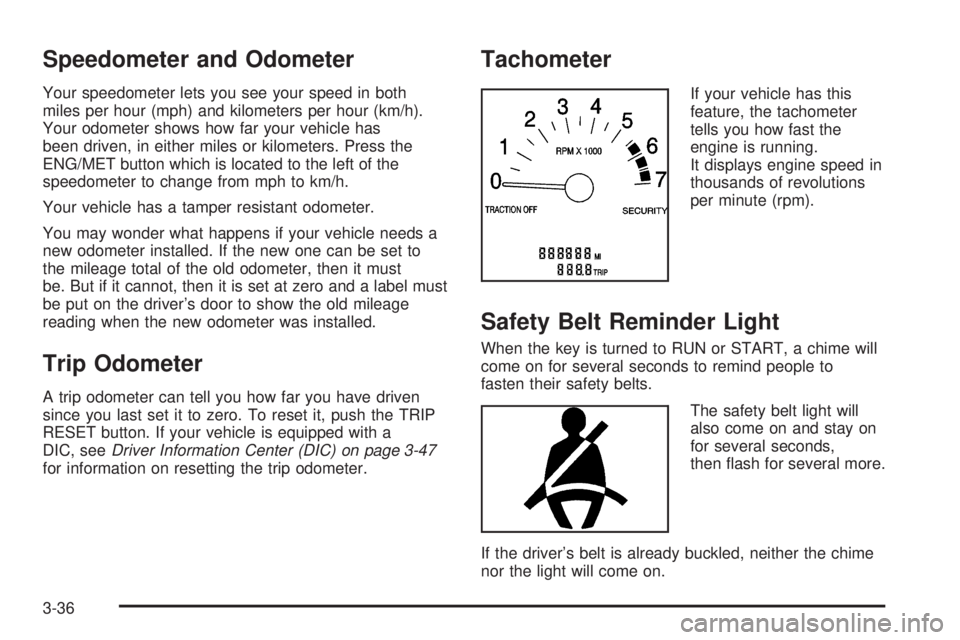
If your vehicle has this
feature, the tachometer
tells you how fast the
engine is running.
It displays engine speed in
thousands of revolutions
per minute (rpm).
Safety Belt Reminder Light
When the key is turned to RUN or START, a chime will
come on for several seconds to remind people to
fasten their safety belts.
The safety belt light will
also come on and stay on
for several seconds,
then ash for several more.
If the driver’s belt is already buckled, neither the chime
nor the light will come on.
3-36
Page 154 of 392
Emissions Inspection and
Maintenance Programs
Some state/provincial and local governments have or
may begin programs to inspect the emission control
equipment on your vehicle. Failure to pass this
inspection could prevent you from getting a
vehicle registration.
Here are some things you need to know in order to help
your vehicle pass an inspection:
Your vehicle will not pass this inspection if the SERVICE
ENGINE SOON light is on or not working properly.
Your vehicle will not pass this inspection if the OBD
(on-board diagnostic) system determines that critical
emission control systems have not been completely
diagnosed by the system. The vehicle would be
considered not ready for inspection. This can happen if
you have recently replaced your battery or if your
battery has run down. The diagnostic system is
designed to evaluate critical emission control systems
during normal driving. This may take several days
of routine driving. If you have done this and your vehicle
still does not pass the inspection for lack of OBD
system readiness, your GM dealer can prepare the
vehicle for inspection.
Oil Pressure Light
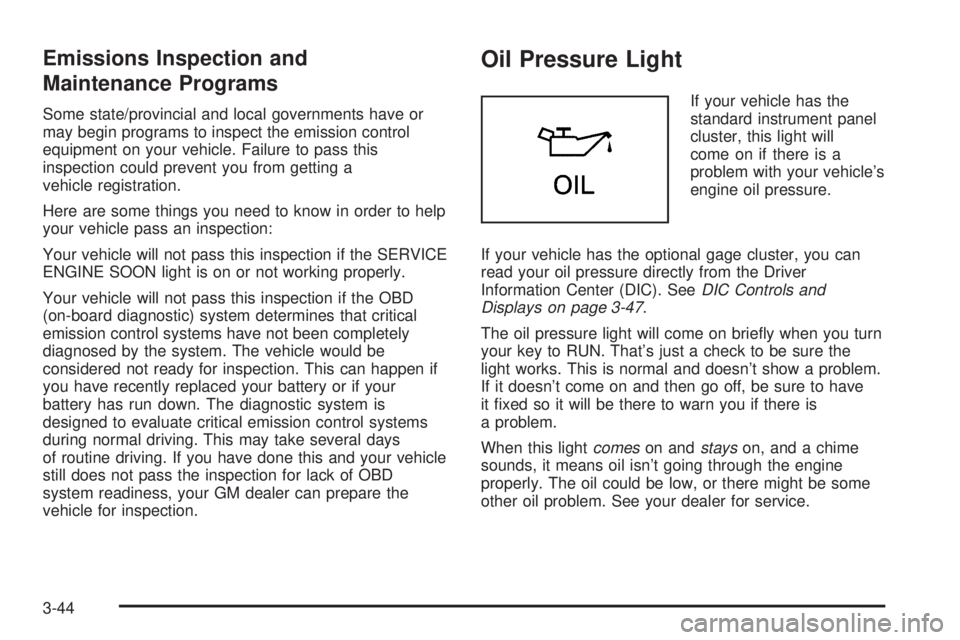
If your vehicle has the
standard instrument panel
cluster, this light will
come on if there is a
problem with your vehicle’s
engine oil pressure.
If your vehicle has the optional gage cluster, you can
read your oil pressure directly from the Driver
Information Center (DIC). SeeDIC Controls and
Displays on page 3-47.
The oil pressure light will come on briey when you turn
your key to RUN. That’s just a check to be sure the
light works. This is normal and doesn’t show a problem.
If it doesn’t come on and then go off, be sure to have
it xed so it will be there to warn you if there is
a problem.
When this lightcomeson andstayson, and a chime
sounds, it means oil isn’t going through the engine
properly. The oil could be low, or there might be some
other oil problem. See your dealer for service.
3-44
Page 157 of 392
Here are some things that some owners ask about.
None of these show a problem with your fuel gage:
At the service station, the gas pump shuts off before
the gage reads full.
It takes more (or less) fuel to ll up than the gage
indicated. For example, the gage may have
indicated half full, but it took more (or less) than
half the tank’s capacity to ll it.
The gage moves up a little when you turn a corner,
speed up or make a hard stop.
The gage doesn’t go back to empty when you turn
off the ignition.
Driver Information Center (DIC)
Your vehicle may be equipped with a Driver Information
Center (DIC). The DIC will display information about
how your vehicle is functioning, as well as warning
messages if a system problem is detected. This feature
also allows two different drivers to store and recall
their own personal choice settings. SeeDIC Controls
and Displays on page 3-47for more information.
DIC Controls and Displays
When you turn the ignition on, the DIC will display your
DRIVER NUMBER. You can have your GM dealer
program your name to appear on this display line. See
your GM dealer for more information.
The system will then perform a status check and display
any messages if a problem is detected. If there are
no problems detected, the display will return to the mode
selected by that driver the last time the ignition was
turned off.
3-47
Page 161 of 392
SERVICE STABILITY SYSTEM – 54:If you ever see
the SERVICE STABILITY SYSTEM message, it
means there may be a problem with your stability
enhancement system. If you see this message, try to
reset the system: stop, turn off the engine, then start the
engine again. If the SERVICE STABILITY SYSTEM
message still comes on, it means there is a problem.
You should see your GM dealer for service. Reduce
your speed and drive accordingly.
STABILITY SYSTEM ACTIVE – 55:You may see the
STABILITY SYSTEM ACTIVE message on the Driver
Information Center. It means that an advanced,
computer-controlled system has come on to help your
vehicle continue to go in the direction in which you
are steering. This stability enhancement system
activates when the computer senses that your vehicle is
just starting to spin, as it might if you hit a patch of
ice or other slippery spot on the road. When the system
is on, you may hear a noise or feel a vibration in the
brake pedal. This is normal.
When the STABILITY SYSTEM ACTIVE message is on,
you should continue to steer in the direction you want
to go. The system is designed to help you in bad
weather or other difficult driving situations by making the
most of whatever road conditions will permit. If the
STABILITY SYSTEM ACTIVE message comes on, you
will know that something has caused your vehicle to
start to spin, so you should consider slowing down.DIC Vehicle Personalization
The DIC can be used to program the following personal
choice features available with your vehicle:
Automatic Door Locks
Window Lock Out
Security Feedback
Delayed Locking
Perimeter Lighting
Memory Seats
Outside Curb View Assist Mirror
Driver ID
Language Selection
The personal choice settings displayed on the DIC are
determined by the transmitter used to enter the
vehicle. Each remote keyless entry transmitter was
pre-programmed to belong to DRIVER 1 or DRIVER 2
and is numbered on the back. After the unlock button on
a remote keyless entry transmitter is pressed and the
ignition is in RUN, the DIC will display the identied
driver and recall the settings previously programmed for
that driver. The settings can also be recalled by
briey pressing one of the MEMORY buttons located on
the driver’s door.
3-51
Page 207 of 392
Suppose you are steering through a sharp curve.
Then you suddenly accelerate. Both control
systems — steering and acceleration — have to do their
work where the tires meet the road. Adding the
sudden acceleration can demand too much of those
places. You can lose control. SeeTraction Control
System (TCS) on page 4-9.
What should you do if this ever happens? Ease up on
the accelerator pedal, steer the vehicle the way you
want it to go, and slow down.
If you have StabiliTrak
®, you may see the STABILITY
SYSTEM ACTIVE message on the Driver Information
Center. See “Stability System Active Message”
underDIC Warnings and Messages on page 3-50.
Speed limit signs near curves warn that you should
adjust your speed. Of course, the posted speeds
are based on good weather and road conditions. Under
less favorable conditions you will want to go slower.
If you need to reduce your speed as you approach
a curve, do it before you enter the curve, while your front
wheels are straight ahead.
Try to adjust your speed so you can “drive” through the
curve. Maintain a reasonable, steady speed. Wait to
accelerate until you are out of the curve, and then
accelerate gently into the straightaway.
Steering in Emergencies
There are times when steering can be more effective
than braking. For example, you come over a hill and nd
a truck stopped in your lane, or a car suddenly pulls
out from nowhere, or a child darts out from between
parked cars and stops right in front of you. You
can avoid these problems by braking — if you can stop
in time. But sometimes you cannot; there is not room.
That is the time for evasive action — steering around
the problem.
Your vehicle can perform very well in emergencies like
these. First apply your brakes.
SeeBraking on page 4-6. It is better to remove as much
speed as you can from a possible collision. Then
steer around the problem, to the left or right depending
on the space available.
4-11
Page 211 of 392

A cornering skid is best handled by easing your foot off
the accelerator pedal.
If you have the traction control system, remember:
It helps avoid only the acceleration skid. If you do not
have traction control, or if the system is off, then
an acceleration skid is also best handled by easing
your foot off the accelerator pedal.
If your vehicle starts to slide, ease your foot off the
accelerator pedal and quickly steer the way you want
the vehicle to go. If you start steering quickly enough,
your vehicle may straighten out. Always be ready
for a second skid if it occurs.
If you have StabiliTrak
®, you may see the STABILITY
SYSTEM ACTIVE message on the Driver Information
Center. See “Stability System Active Message”
underDIC Warnings and Messages on page 3-50.Of course, traction is reduced when water, snow, ice,
gravel, or other material is on the road. For safety, you
will want to slow down and adjust your driving to
these conditions. It is important to slow down on slippery
surfaces because stopping distance will be longer and
vehicle control more limited.
While driving on a surface with reduced traction, try
your best to avoid sudden steering, acceleration,
or braking, including engine braking by shifting to a
lower gear. Any sudden changes could cause the tires
to slide. You may not realize the surface is slippery
until your vehicle is skidding. Learn to recognize warning
clues — such as enough water, ice, or packed snow
on the road to make a mirrored surface — and
slow down when you have any doubt.
Remember: Any anti-lock brake system (ABS) helps
avoid only the braking skid.
4-15
Page 227 of 392
Loading Your Vehicle
It is very important to know how much weight your
vehicle can carry. This weight is called the vehicle
capacity weight and includes the weight of all occupants,
cargo and all nonfactory-installed options. Two labels
on your vehicle show how much weight it may properly
carry, the Tire and Loading Information label and the
Certication label.
{CAUTION:
Do not load your vehicle any heavier than the
Gross Vehicle Weight Rating (GVWR), or either
the maximum front or rear Gross Axle Weight
Rating (GAWR). If you do, parts on your
vehicle can break, and it can change the way
your vehicle handles. These could cause you
to lose control and crash. Also, overloading
can shorten the life of your vehicle.
Tire and Loading Information Label
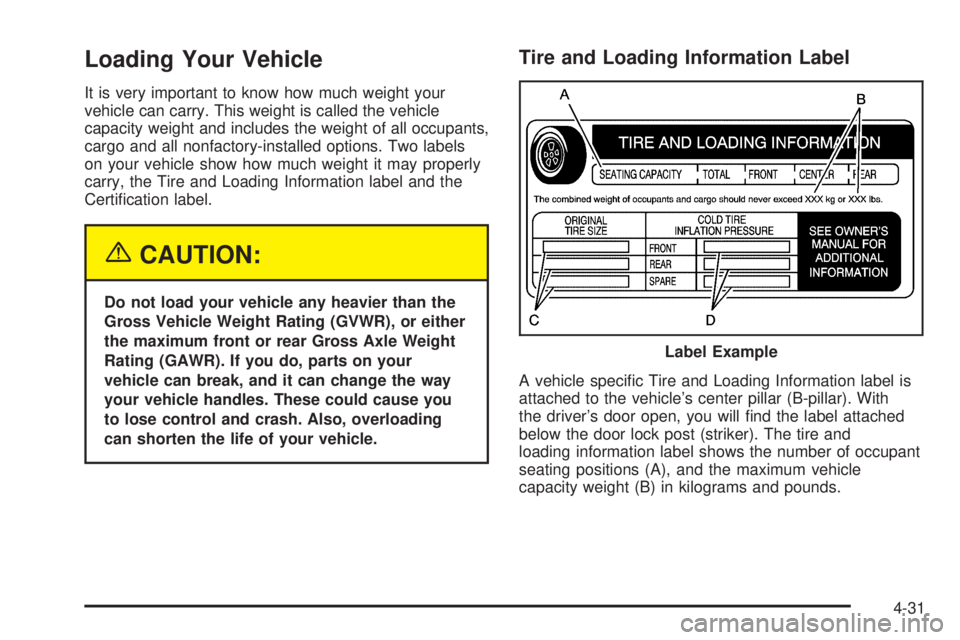
A vehicle specic Tire and Loading Information label is
attached to the vehicle’s center pillar (B-pillar). With
the driver’s door open, you will nd the label attached
below the door lock post (striker). The tire and
loading information label shows the number of occupant
seating positions (A), and the maximum vehicle
capacity weight (B) in kilograms and pounds.Label Example
4-31
Page 249 of 392
When replacing the fuel cap, turn it to the right
(clockwise) until it clicks. Make sure the cap is fully
installed. The diagnostic system can determine if the fuel
cap has been left off or improperly installed. This
would allow fuel to evaporate into the atmosphere. See
Malfunction Indicator Lamp on page 3-41.
If your vehicle has a Driver Information Center (DIC),
the GAS CAP LOOSE-CHECK CAP message will
be displayed if the fuel cap is not properly installed.
{CAUTION:
If a re starts while you are refueling, do not
remove the nozzle. Shut off the ow of fuel by
shutting off the pump or by notifying the
station attendant. Leave the area immediately.
Notice:If you need a new fuel cap, be sure to get
the right type. Your dealer can get one for you.
If you get the wrong type, it may not t properly.
This may cause your malfunction indicator lamp to
light and may damage your fuel tank and emissions
system. SeeMalfunction Indicator Lamp on
page 3-41.
5-9