key BUICK LESABRE 2005 Owner's Manual
[x] Cancel search | Manufacturer: BUICK, Model Year: 2005, Model line: LESABRE, Model: BUICK LESABRE 2005Pages: 392, PDF Size: 2.45 MB
Page 1 of 392
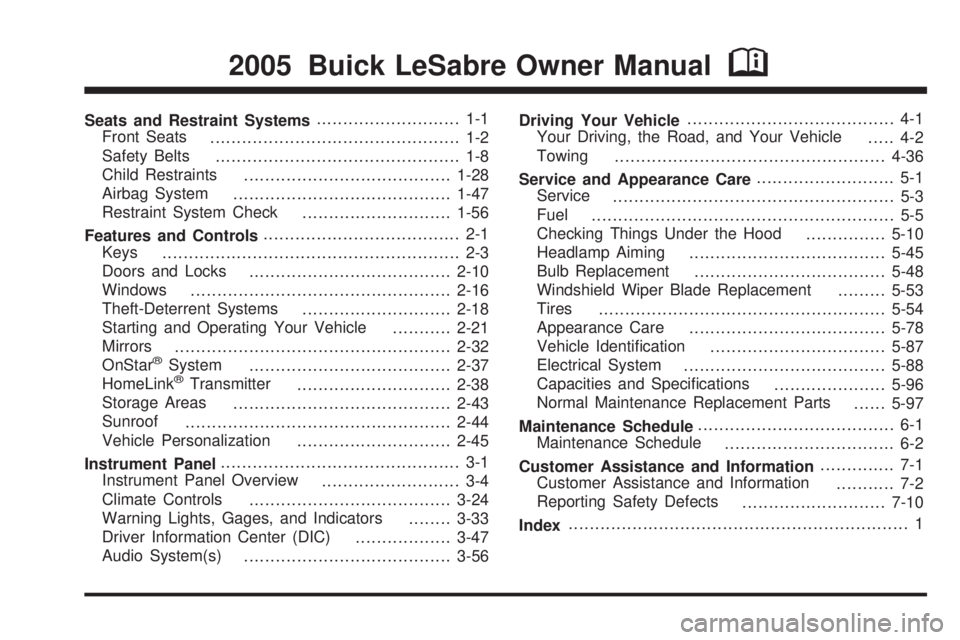
Seats and Restraint Systems........................... 1-1
Front Seats
............................................... 1-2
Safety Belts
.............................................. 1-8
Child Restraints
.......................................1-28
Airbag System
.........................................1-47
Restraint System Check
............................1-56
Features and Controls..................................... 2-1
Keys
........................................................ 2-3
Doors and Locks
......................................2-10
Windows
.................................................2-16
Theft-Deterrent Systems
............................2-18
Starting and Operating Your Vehicle
...........2-21
Mirrors
....................................................2-32
OnStar
®System
......................................2-37
HomeLink®Transmitter
.............................2-38
Storage Areas
.........................................2-43
Sunroof
..................................................2-44
Vehicle Personalization
.............................2-45
Instrument Panel............................................. 3-1
Instrument Panel Overview
.......................... 3-4
Climate Controls
......................................3-24
Warning Lights, Gages, and Indicators
........3-33
Driver Information Center (DIC)
..................3-47
Audio System(s)
.......................................3-56Driving Your Vehicle....................................... 4-1
Your Driving, the Road, and Your Vehicle
..... 4-2
Towing
...................................................4-36
Service and Appearance Care.......................... 5-1
Service
..................................................... 5-3
Fuel
......................................................... 5-5
Checking Things Under the Hood
...............5-10
Headlamp Aiming
.....................................5-45
Bulb Replacement
....................................5-48
Windshield Wiper Blade Replacement
.........5-53
Tires
......................................................5-54
Appearance Care
.....................................5-78
Vehicle Identication
.................................5-87
Electrical System
......................................5-88
Capacities and Specications
.....................5-96
Normal Maintenance Replacement Parts
......5-97
Maintenance Schedule..................................... 6-1
Maintenance Schedule
................................ 6-2
Customer Assistance and Information.............. 7-1
Customer Assistance and Information
........... 7-2
Reporting Safety Defects
...........................7-10
Index................................................................ 1
2005 Buick LeSabre Owner ManualM
Page 25 of 392
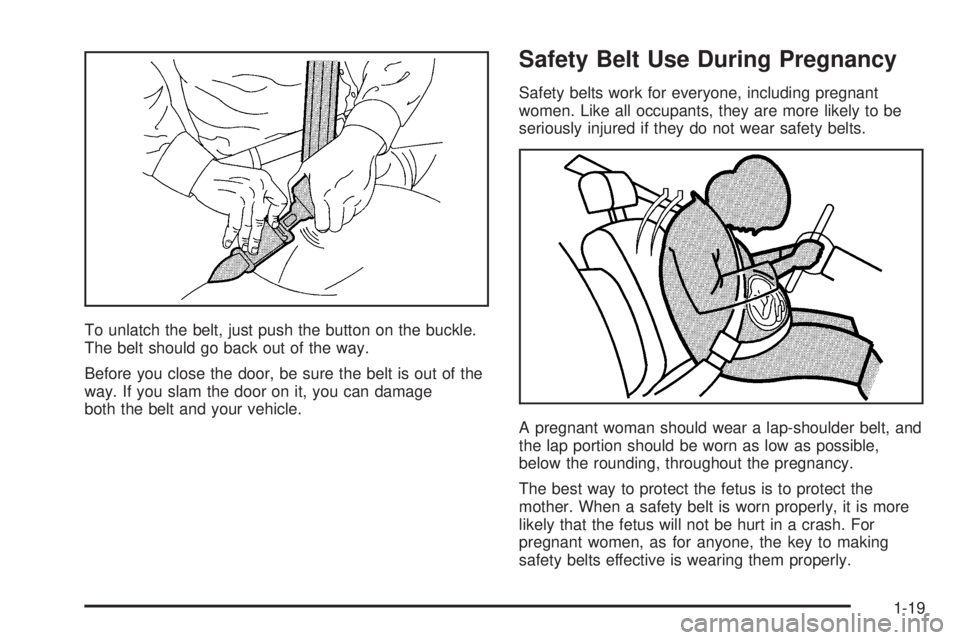
To unlatch the belt, just push the button on the buckle.
The belt should go back out of the way.
Before you close the door, be sure the belt is out of the
way. If you slam the door on it, you can damage
both the belt and your vehicle.
Safety Belt Use During Pregnancy
Safety belts work for everyone, including pregnant
women. Like all occupants, they are more likely to be
seriously injured if they do not wear safety belts.
A pregnant woman should wear a lap-shoulder belt, and
the lap portion should be worn as low as possible,
below the rounding, throughout the pregnancy.
The best way to protect the fetus is to protect the
mother. When a safety belt is worn properly, it is more
likely that the fetus will not be hurt in a crash. For
pregnant women, as for anyone, the key to making
safety belts effective is wearing them properly.
1-19
Page 62 of 392
Servicing Your Airbag-Equipped
Vehicle
Airbags affect how your vehicle should be serviced.
There are parts of the airbag system in several places
around your vehicle. Your dealer and the service manual
have information about servicing your vehicle and the
airbag system. To purchase a service manual, see
Service Publications Ordering Information on page 7-11.
{CAUTION:
For up to 10 seconds after the ignition key is
turned off and the battery is disconnected, an
airbag can still inate during improper service.
You can be injured if you are close to an
airbag when it inates. Avoid yellow
connectors. They are probably part of the
airbag system. Be sure to follow proper
service procedures, and make sure the person
performing work for you is qualied to do so.
The airbag system does not need regular maintenance.
Restraint System Check
Checking Your Restraint Systems
Now and then, make sure the safety belt reminder light
and all your belts, buckles, latch plates, retractors
and anchorages are working properly. Look for any other
loose or damaged safety belt system parts. If you see
anything that might keep a safety belt system from doing
its job, have it repaired.
Torn or frayed safety belts may not protect you in a
crash. They can rip apart under impact forces. If a belt
is torn or frayed, get a new one right away.
Also look for any opened or broken airbag covers, and
have them repaired or replaced. (The airbag system
does not need regular maintenance.)
1-56
Page 65 of 392
Keys...............................................................2-3
Remote Keyless Entry System.........................2-5
Remote Keyless Entry System Operation...........2-6
Doors and Locks............................................2-10
Door Locks..................................................2-10
Central Door Unlocking System......................2-11
Power Door Locks........................................2-11
Door Ajar Reminder......................................2-11
Delayed Locking...........................................2-11
Programmable Automatic Door Locks..............2-12
Rear Door Security Locks..............................2-13
Lockout Protection........................................2-14
Trunk..........................................................2-14
Windows........................................................2-16
Power Windows............................................2-17
Sun Visors...................................................2-17
Theft-Deterrent Systems..................................2-18
Content Theft-Deterrent.................................2-18
PASS-Key
®III ..............................................2-19
PASS-Key®III Operation...............................2-20
Starting and Operating Your Vehicle................2-21
New Vehicle Break-In....................................2-21
Ignition Positions..........................................2-22Retained Accessory Power (RAP)...................2-23
Starting Your Engine.....................................2-23
Engine Coolant Heater..................................2-24
Automatic Transaxle Operation.......................2-25
Parking Brake..............................................2-27
Shifting Into Park (P).....................................2-28
Shifting Out of Park (P).................................2-30
Parking Over Things That Burn.......................2-30
Engine Exhaust............................................2-31
Running Your Engine While You
Are Parked...............................................2-31
Mirrors...........................................................2-32
Manual Rearview Mirror.................................2-32
Automatic Dimming Rearview Mirror................2-32
Automatic Dimming Rearview Mirror
with Compass...........................................2-33
Outside Power Mirrors...................................2-35
Outside Curb View Assist Mirror.....................2-36
Outside Convex Mirror...................................2-36
Outside Automatic Dimming Heated Mirror........2-36
OnStar®System.............................................2-37
HomeLink®Transmitter...................................2-38
Programming the HomeLink®Transmitter.........2-39
Section 2 Features and Controls
2-1
Page 67 of 392
Keys
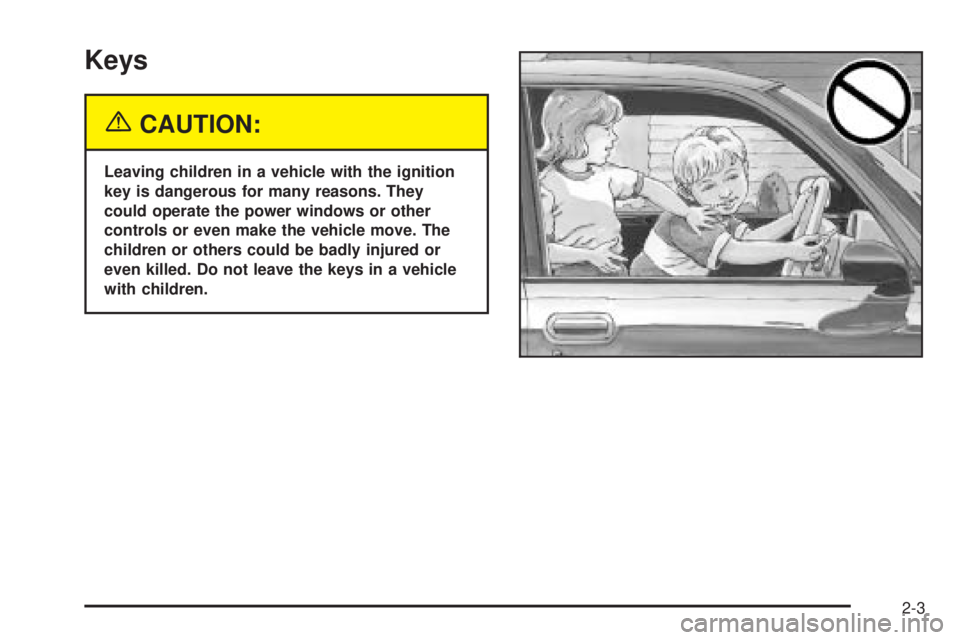
{CAUTION:
Leaving children in a vehicle with the ignition
key is dangerous for many reasons. They
could operate the power windows or other
controls or even make the vehicle move. The
children or others could be badly injured or
even killed. Do not leave the keys in a vehicle
with children.
2-3
Page 68 of 392
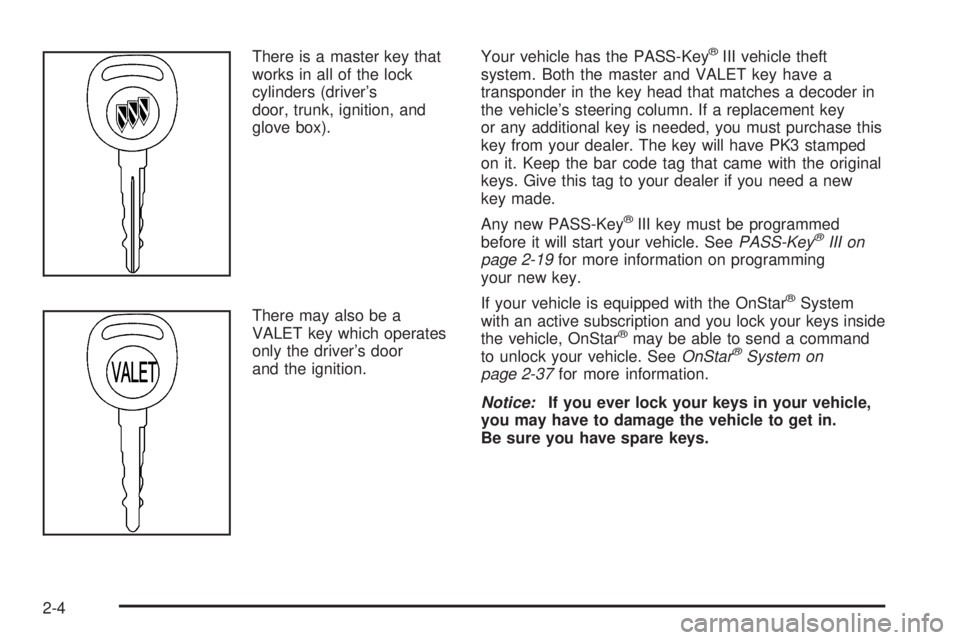
There is a master key that
works in all of the lock
cylinders (driver’s
door, trunk, ignition, and
glove box).
There may also be a
VALET key which operates
only the driver’s door
and the ignition.Your vehicle has the PASS-Key®III vehicle theft
system. Both the master and VALET key have a
transponder in the key head that matches a decoder in
the vehicle’s steering column. If a replacement key
or any additional key is needed, you must purchase this
key from your dealer. The key will have PK3 stamped
on it. Keep the bar code tag that came with the original
keys. Give this tag to your dealer if you need a new
key made.
Any new PASS-Key
®III key must be programmed
before it will start your vehicle. SeePASS-Key®III on
page 2-19for more information on programming
your new key.
If your vehicle is equipped with the OnStar
®System
with an active subscription and you lock your keys inside
the vehicle, OnStar
®may be able to send a command
to unlock your vehicle. SeeOnStar®System on
page 2-37for more information.
Notice:If you ever lock your keys in your vehicle,
you may have to damage the vehicle to get in.
Be sure you have spare keys.
2-4
Page 69 of 392
Remote Keyless Entry System
Your keyless entry system operates on a radio
frequency subject to Federal Communications
Commission (FCC) Rules and with Industry Canada.
This device complies with Part 15 of the FCC Rules.
Operation is subject to the following two conditions:
1. This device may not cause interference, and
2. This device must accept any interference received,
including interference that may cause undesired
operation of the device.
This device complies with RSS-210 of Industry Canada.
Operation is subject to the following two conditions:
1. This device may not cause interference, and
2. This device must accept any interference received,
including interference that may cause undesired
operation of the device.Changes or modications to this system by other than
an authorized service facility could void authorization to
use this equipment.
At times you may notice a decrease in range. This is
normal for any remote keyless entry system. If the
transmitter does not work or if you have to stand closer
to your vehicle for the transmitter to work, try this:
Check the distance. You may be too far from your
vehicle. You may need to stand closer during
rainy or snowy weather.
Check the location. Other vehicles or objects may
be blocking the signal. Take a few steps to the
left or right, hold the transmitter higher, and
try again.
Check to determine if battery replacement is
necessary. See “Battery Replacement” under
Remote Keyless Entry System Operation on
page 2-6.
If you are still having trouble, see your dealer or a
qualied technician for service.
2-5
Page 70 of 392
Remote Keyless Entry System
Operation
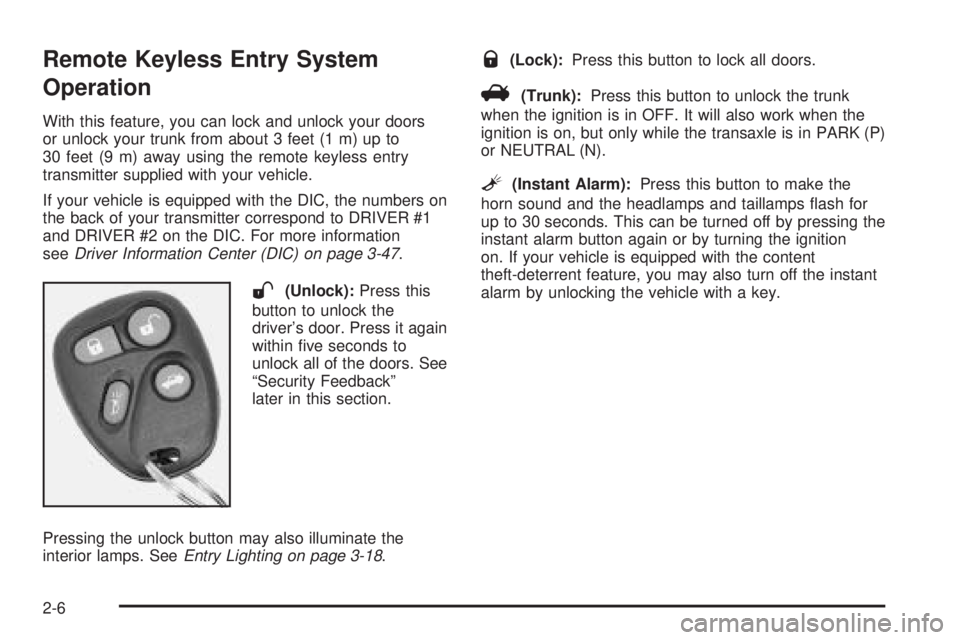
With this feature, you can lock and unlock your doors
or unlock your trunk from about 3 feet (1 m) up to
30 feet (9 m) away using the remote keyless entry
transmitter supplied with your vehicle.
If your vehicle is equipped with the DIC, the numbers on
the back of your transmitter correspond to DRIVER #1
and DRIVER #2 on the DIC. For more information
seeDriver Information Center (DIC) on page 3-47.
W(Unlock):Press this
button to unlock the
driver’s door. Press it again
within ve seconds to
unlock all of the doors. See
“Security Feedback”
later in this section.
Pressing the unlock button may also illuminate the
interior lamps. SeeEntry Lighting on page 3-18.
Q(Lock):Press this button to lock all doors.
V(Trunk):Press this button to unlock the trunk
when the ignition is in OFF. It will also work when the
ignition is on, but only while the transaxle is in PARK (P)
or NEUTRAL (N).
L(Instant Alarm):Press this button to make the
horn sound and the headlamps and taillamps ash for
up to 30 seconds. This can be turned off by pressing the
instant alarm button again or by turning the ignition
on. If your vehicle is equipped with the content
theft-deterrent feature, you may also turn off the instant
alarm by unlocking the vehicle with a key.
2-6
Page 71 of 392
Personalization Features
The following features, if available on your vehicle, can
be programmed to each driver’s preference.
Automatic Door Locks:This feature programs
your door locks to automatically lock or unlock
when shifting in and out of PARK (P).
Security Feedback:This feature provides feedback
to the driver when the vehicle receives a command
from the remote keyless entry transmitter.
Delayed Locking:This feature allows for a
ve second delay in locking the doors after
the closing of the last door.
Perimeter Lighting:This feature provides for the
daytime running lamps (DRL), parking lamps and
the back-up lamps to turn on when the unlock
button on the remote keyless entry transmitter
is pressed.
For more detailed information and programming
instructions, refer toDIC Vehicle Personalization on
page 3-51for each individual feature listed above.
Security Feedback
This feature provides feedback when the vehicle
receives a command from the remote keyless entry
transmitter. Feedback is only provided if all doors are
closed, the ignition is off and the Retained Accessory
Power (RAP) is inactive. One of the following modes
may be selected for each transmitter:
Mode 1:No feedback when locking or
unlocking vehicle.
Mode 2:Parking lamps, back-up lamps and the DRL
exterior lamps will ash twice when unlocking the vehicle
and ash once when locking the vehicle.
Mode 3:Horn chirps when all doors are unlocked
(second time the button is pressed) and when locking
the vehicle.
Mode 4:Parking lamps, back-up lamps and the DRL
exterior lamps will ash twice each time the unlock
button is pressed; the horn chirps when all doors are
unlocked. Parking lamps and the DRL exterior
lamps ash once and the horn chirps when locking
the vehicle.
The exterior lamps will not ash if the manual parking
lamps are on.
2-7
Page 72 of 392
If your vehicle is equipped with the DIC, you must
program this feature using it. SeeDriver Information
Center (DIC) on page 3-47.
If your vehicle is not equipped with the DIC, do the
following to change to another mode:
1. Close all the doors and turn the ignition on. Keep
all doors closed throughout this procedure.
2. Press and hold LOCK on the driver’s power door
lock switch throughout this procedure. All the
doors will lock.
3. Press the trunk button on the transmitter. The
security feedback will remain in its current mode.
The horn will chirp as feedback.
4. Press the trunk button on the transmitter again.
Each time the trunk button is pressed, the security
feedback will advance to the next mode, and
the horn will chirp.
5. Release the power door lock switch. The
security feedback will remain in the most current
mode selected.This procedure only changes the mode for the
transmitter used to change this setting.
To verify the mode selected, remove the key from the
ignition and close all of the doors after you have
exited the vehicle. Press the lock button on the
transmitter to be veried and conrm the appropriate
feedback. Repeat with the unlock button.
Matching Transmitter(s) to Your
Vehicle
Each remote keyless entry transmitter is coded to
prevent another transmitter from unlocking your vehicle.
If a transmitter is lost or stolen, a replacement can
be purchased through your dealer. Remember to bring
any remaining transmitters with you when you go to
your dealer. When the dealer matches the replacement
transmitter to your vehicle, any remaining transmitters
must also be matched. Once your dealer has coded the
new transmitter, the lost transmitter will not unlock
your vehicle. Each vehicle can have a maximum of four
transmitters matched to it.
See your dealer to have additional transmitters matched
to your vehicle.
2-8