battery BUICK LUCERNE 2006 User Guide
[x] Cancel search | Manufacturer: BUICK, Model Year: 2006, Model line: LUCERNE, Model: BUICK LUCERNE 2006Pages: 416, PDF Size: 2.6 MB
Page 142 of 416
Front Reading Lamps
The front reading lamps, located on the headliner, are
turned on or off by pressing one of the buttons
located near each lamp.
Battery Load Management
The battery load management feature is designed to
monitor the vehicle’s electrical load and determine when
the battery is in a heavy discharge condition. During
times of high electrical loading, the engine may idle at a
higher RPM setting than normal to make sure the
battery charges. High electrical loads may occur when
several of the following are on: headlamps, high beams,
rear window defogger, fan at high speed, heated
seats (if equipped), and engine cooling fans.
If your vehicle’s battery remains in a heavy discharge
condition for a long period of time, the fan, rear
defogger, heated seats, and heated mirrors will be
disabled and the DIC will display SERVICE BATTERY
CHARGING SYSTEM. This can happen either under
long periods of idling or low speed driving with high
electrical loading, or in the event of a charging system
fault. SeeDIC Warnings and Messages on page 3-56
for more information.
Inadvertent Power Battery Saver
This feature is designed to protect your vehicle’s battery
against drainage from the interior lamps, or garage
door opener. When the ignition is turned off, the power
to these features will automatically turn off after
10 minutes. Power will be restored for an additional
10 minutes if any door is opened, the trunk is opened or
the courtesy lamp switch is turned on.
Ultrasonic Rear Parking
Assist (URPA)
If your vehicle is equipped, the Ultrasonic Rear Parking
Assist (URPA) system is designed to help you park
while in REVERSE (R). It operates only at speeds less
than 5 mph (8 km/h). URPA helps make parking
easier and helps you avoid colliding with objects such
as parked vehicles. The URPA system detects
objects that are close to the rear of the vehicle which
are at least 10 inches (25.4 cm) off the ground and
below hood or trunk level. The system detects objects
up to 8 feet (2.5 m) behind your vehicle. URPA
determines how close these objects are from your
bumper within this area. Ultrasonic sensors on the rear
bumper are used to detect the distance to the object.
3-18
Page 145 of 416
The ultrasonic sensors are not kept clean. So, be
sure to keep your vehicle’s rear bumper free of mud,
dirt, snow, ice, and slush. For cleaning instructions,
seeWashing Your Vehicle on page 5-87. If the DIC
still displays the PARK ASSIST OFF message after
cleaning the bumper and driving forward at a speed
of at least 15 mph (25 km/h), see your dealer.
Other conditions that may affect system performance
include vibrations from a jackhammer or the
compression of air brakes on a very large truck or
other mechanical devices that interfere with URPA
performance.
When URPA is disabled without driver action and the
driver attempts to turn URPA back on using the
Driver Information Center (DIC), the PARK ASSIST
ON option will not be selectable if the necessary
conditions stated above for normal system operation
are not met.
As always, drivers should use care when backing up a
vehicle. Always look behind you, being sure to check
for other vehicles, obstructions and blind spots.
For Driver Information Center messages related to
URPA, seeDIC Warnings and Messages on page 3-56.
If the bumper is damaged, your URPA system may
not work properly. Take the vehicle to your dealer
to repair the system.
Accessory Power Outlet(s)
The accessory power outlets can be used to plug in
electrical equipment such as a cellular telephone or
CB radio.
Your vehicle has two power outlets. One is located next
to the ashtray and the other is located on the right
forward lower edge of the driver’s seat.
Your vehicle may have a small cap that must be pulled
down to access the accessory power outlet. If it does,
when not using the outlet be sure to cover it with
the protective cap.
Notice:Leaving electrical equipment on for
extended periods will drain the battery. Always turn
off electrical equipment when not in use and do
not plug in equipment that exceeds the maximum
amperage rating.
Certain electrical accessories may not be compatible to
the accessory power outlets and could result in blown
vehicle or adapter fuses. If you experience a problem
see your dealer for additional information on the
accessory power outlets.
3-21
Page 163 of 416

If the word OFF or the off symbol is lit on the airbag
status indicator, it means that the passenger sensing
system has turned off the right front passenger’s
frontal airbag and seat-mounted side impact airbag.
SeePassenger Sensing System on page 1-63for more
on this, including important safety information.
If, after several seconds, all status indicator lights
remain on, or if there are no lights at all, there may be
a problem with the lights or the passenger sensing
system. See your dealer for service.
{CAUTION:
If the off indicator and the airbag readiness
light ever come on together, it means that
something may be wrong with the airbag
system. If this ever happens, have the vehicle
serviced promptly, because an adult-size
person sitting in the right front passenger seat
may not have the protection of the airbags.
SeeAirbag Readiness Light on page 3-36.
Charging System Light
When you turn the key to
RUN or START, this light
will come on briey to
show that the generator
and battery charging
systems are working
properly.
If this light stays on, your vehicle needs service.
You should take your vehicle to the dealer at once.
To save your battery until you get there, turn off
all accessories.
3-39
Page 170 of 416

Have you recently changed brands of fuel?
If so, be sure to fuel your vehicle with quality fuel.
SeeGasoline Octane on page 5-5. Poor fuel quality will
cause your engine not to run as efficiently as designed.
You may notice this as stalling after start-up, stalling
when you put the vehicle into gear, misring, hesitation
on acceleration, or stumbling on acceleration. (These
conditions may go away once the engine is warmed up.)
This will be detected by the system and cause the
light to turn on.
If you experience one or more of these conditions,
change the fuel brand you use. It will require at least
one full tank of the proper fuel to turn the light off.
If none of the above steps have made the light turn off,
your dealer can check the vehicle. Your dealer has
the proper test equipment and diagnostic tools to x
any mechanical or electrical problems that may
have developed.Emissions Inspection and
Maintenance Programs
Some state/provincial and local governments have or
may begin programs to inspect the emission control
equipment on your vehicle. Failure to pass this
inspection could prevent you from getting a vehicle
registration.
Here are some things you need to know in order to help
your vehicle pass an inspection:
Your vehicle will not pass this inspection if the check
engine light is on or not working properly.
Your vehicle will not pass this inspection if the OBD
(on-board diagnostic) system determines that critical
emission control systems have not been completely
diagnosed by the system. The vehicle would be
considered not ready for inspection. This can happen if
you have recently replaced your battery or if your
battery has run down. The diagnostic system is
designed to evaluate critical emission control systems
during normal driving. This may take several days
of routine driving. If you have done this and your vehicle
still does not pass the inspection for lack of OBD
system readiness, your GM dealer can prepare the
vehicle for inspection.
3-46
Page 184 of 416

PARK ASSIST OFF
After the vehicle has been started, this message will
remind the driver that the Ultrasonic Rear Parking
Assist (URPA) system has been turned off. Press the
set/reset button to acknowledge this message and clear
it from the DIC display. To turn the URPA system
back on, see “Park Assist” underDIC Controls and
Displays on page 3-50. SeeUltrasonic Rear Parking
Assist (URPA) on page 3-18for more information.
PASSENGER DOOR OPEN
This message will display when the front passenger’s
door is not closed properly. When this message
appears, you should make sure that the front
passenger’s door is closed completely.
RAINSENSE WIPERS ACTIVE
If your vehicle has this feature, this message will
display while the Rainsense™ system is active.
SeeRainsense™ II Wipers on page 3-9for more
information.
REMOTE KEY LEARNING ACTIVE
This message will display while you are matching a
remote keyless entry transmitter to your vehicle.
See “Matching Transmitter(s) to Your Vehicle” under
Remote Keyless Entry System Operation on page 2-6
andDIC Controls and Displays on page 3-50for
more information.
REPLACE BATTERY IN REMOTE KEY
This message will display when the battery in the remote
keyless entry transmitter needs to be replaced. To
replace the battery, see “Battery Replacement” under
Remote Keyless Entry System Operation on page 2-6.
RIGHT REAR DOOR OPEN
This message will display when the passenger’s side
rear door is not closed properly. When this message
appears, you should make sure that the passenger’s
door is closed completely.
3-60
Page 185 of 416
SERVICE A/C (Air Conditioning)
SYSTEM
This message will display when the electronic sensors
that control the air conditioning and heating systems are
no longer working. Have the climate control system
serviced by your GM dealer if you notice a drop
in heating and air conditioning efficiency.
SERVICE AIR BAG
This message will display when there is a problem with
the airbag system. Have your vehicle serviced by
your GM dealer immediately. SeeAirbag Readiness
Light on page 3-36for more information.
SERVICE BATTERY CHARGING
SYSTEM
This message will display when there is a problem with
the generator and battery charging systems. Driving
with this problem could drain your battery. Turn off all
unnecessary accessories. Stop and turn off the
vehicle as soon as it is safe to do so. Have the electrical
system checked by your GM dealer immediately.
SERVICE BRAKE ASSIST
This message will display if there is a problem with the
brake system. The brake system warning light and
the anti-lock brake system warning light may also be
displayed on the instrument panel cluster. SeeBrake
System Warning Light on page 3-40andAnti-Lock
Brake System Warning Light on page 3-41for more
information. If this happens, stop as soon as possible
and turn off the vehicle. Restart the vehicle and
check for the message on the DIC display. If the
message is displayed or appears again when you begin
driving, the brake system needs service. See your
GM dealer as soon as possible. SeeBrakes on
page 5-40for more information.
SERVICE BRAKE SYSTEM
This message will display if the ignition is on to inform
the driver that the brake uid level is low. Have the
brake system serviced by your GM dealer as soon as
possible. The brake system warning light will also
appear on the instrument panel cluster when this
message appears on the DIC. SeeBrake System
Warning Light on page 3-40.
3-61
Page 222 of 416
Using the Auxiliary Input Jack
Your radio system has an auxiliary input jack located on
the lower right side of the faceplate. This is not an audio
output; do not plug the headphone set into the front
auxiliary input jack. You can however, connect an
external audio device such as an iPod, laptop computer,
MP3 player, CD changer, or cassette tape player, etc.
to the auxiliary input jack for use as another source for
audio listening.
To use a portable audio player, connect a 3.5 mm
(1/8 inch) cable to the radio’s front auxiliary input jack.
When a device is connected, press the radio CD/AUX
button to begin playing audio from the device over the
car speakers.
O(Power/Volume):Turn this knob clockwise or
counterclockwise to increase or decrease the volume of
the portable player. You may need to do additional
volume adjustments from the portable device if
the volume does not go loud or soft enough.
BAND:Press this button to listen to the radio while a
portable audio device is playing. The portable audio device
will continue playing, so you may want to stop it or turn it off.
CD/AUX (CD/Auxiliary):Press this button to play a CD
while a portable audio device is playing. Press this button
again and the system will begin playing audio from the
connected portable audio player. If a portable audio player
is not connected, “no input device found” will be displayed.
Navigation/Radio System
Your vehicle may have a navigation radio system.
The navigation system has built-in features intended to
minimize driver distraction. Technology alone, no
matter how advanced, can never replace your own
judgment. See the navigation system manual for some
tips to help you reduce distractions while driving.
Theft-Deterrent Feature
THEFTLOCK®is designed to discourage theft of your
vehicle’s radio. It works by using a secret code to
disable all radio functions whenever battery power is
removed and the radio is placed in a different vehicle.
This feature requires no user input to be activated.
The radio is automatically armed when it is put into the
vehicle for the rst time.
If THEFTLOCK
®is activated, the radio will not operate
if stolen. The radio will display LOCKED. If this occurs,
the radio will need to be returned to your GM dealer.
3-98
Page 253 of 416

{CAUTION:
Snow can trap exhaust gases under your
vehicle. This can cause deadly CO (carbon
monoxide) gas to get inside. CO could
overcome you and kill you. You cannot see it
or smell it, so you might not know it is in your
vehicle. Clear away snow from around the
base of your vehicle, especially any that is
blocking your exhaust pipe. And check around
again from time to time to be sure snow does
not collect there.
Open a window just a little on the side of the
vehicle that is away from the wind. This will
help keep CO out.Run your engine only as long as you must. This saves
fuel. When you run the engine, make it go a little
faster than just idle. That is, push the accelerator
slightly. This uses less fuel for the heat that you get
and it keeps the battery charged. You will need a
well-charged battery to restart the vehicle, and possibly
for signaling later on with your headlamps. Let the
heater run for a while.
Then, shut the engine off and close the window almost
all the way to preserve the heat. Start the engine
again and repeat this only when you feel really
uncomfortable from the cold. But do it as little as
possible. Preserve the fuel as long as you can. To help
keep warm, you can get out of the vehicle and do
some fairly vigorous exercises every half hour or so
until help comes.
4-27
Page 269 of 416
Service............................................................5-3
Accessories and Modications..........................5-3
California Proposition 65 Warning.....................5-3
Doing Your Own Service Work.........................5-4
Adding Equipment to the Outside of Your
Vehicle......................................................5-5
Fuel................................................................5-5
Gasoline Octane............................................5-5
Gasoline Specications....................................5-5
California Fuel...............................................5-6
Additives.......................................................5-6
Fuels in Foreign Countries...............................5-7
Filling the Tank..............................................5-8
Filling a Portable Fuel Container.....................5-10
Checking Things Under the Hood....................5-10
Hood Release..............................................5-11
Engine Compartment Overview.......................5-12
Engine Oil...................................................5-15
Engine Oil Life System..................................5-18
Engine Air Cleaner/Filter................................5-19
Automatic Transaxle Fluid..............................5-21
Engine Coolant.............................................5-23
Radiator Pressure Cap..................................5-27
Coolant Surge Tank Pressure Cap..................5-27
Engine Overheating.......................................5-27Overheated Engine Protection Operating
Mode (4.6L V8 Engine Only).......................5-28
Cooling System (3.8L V6 Engine)....................5-29
Cooling System (4.6L V8 Engine)....................5-34
Power Steering Fluid.....................................5-38
Windshield Washer Fluid................................5-39
Brakes........................................................5-40
Battery........................................................5-42
Jump Starting...............................................5-44
Headlamp Aiming...........................................5-49
Bulb Replacement..........................................5-52
Halogen Bulbs..............................................5-52
Taillamps, Turn Signal, Stoplamps and
Sidemarker Lamps.....................................5-52
Taillamps and Back-Up Lamps.......................5-54
Windshield Wiper Blade Replacement..............5-55
Tires..............................................................5-56
Tire Sidewall Labeling...................................5-57
Tire Terminology and Denitions.....................5-59
Ination - Tire Pressure.................................5-62
Check Tire Pressure System..........................5-63
Tire Inspection and Rotation...........................5-65
When It Is Time for New Tires.......................5-66
Buying New Tires.........................................5-66
Section 5 Service and Appearance Care
5-1
Page 281 of 416
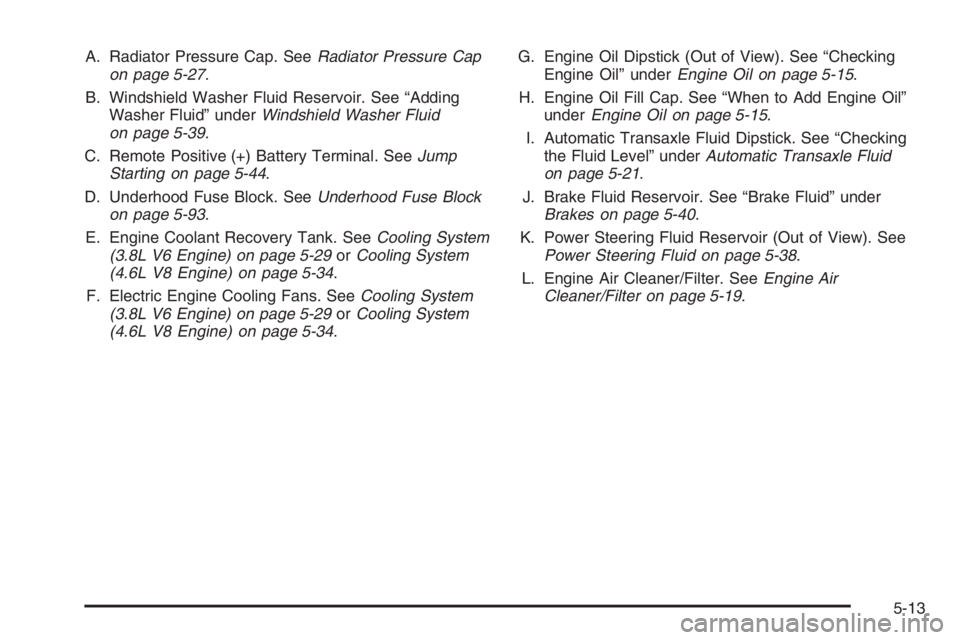
A. Radiator Pressure Cap. SeeRadiator Pressure Cap
on page 5-27.
B. Windshield Washer Fluid Reservoir. See “Adding
Washer Fluid” underWindshield Washer Fluid
on page 5-39.
C. Remote Positive (+) Battery Terminal. SeeJump
Starting on page 5-44.
D. Underhood Fuse Block. SeeUnderhood Fuse Block
on page 5-93.
E. Engine Coolant Recovery Tank. SeeCooling System
(3.8L V6 Engine) on page 5-29orCooling System
(4.6L V8 Engine) on page 5-34.
F. Electric Engine Cooling Fans. SeeCooling System
(3.8L V6 Engine) on page 5-29orCooling System
(4.6L V8 Engine) on page 5-34.G. Engine Oil Dipstick (Out of View). See “Checking
Engine Oil” underEngine Oil on page 5-15.
H. Engine Oil Fill Cap. See “When to Add Engine Oil”
underEngine Oil on page 5-15.
I. Automatic Transaxle Fluid Dipstick. See “Checking
the Fluid Level” underAutomatic Transaxle Fluid
on page 5-21.
J. Brake Fluid Reservoir. See “Brake Fluid” under
Brakes on page 5-40.
K. Power Steering Fluid Reservoir (Out of View). See
Power Steering Fluid on page 5-38.
L. Engine Air Cleaner/Filter. SeeEngine Air
Cleaner/Filter on page 5-19.
5-13