keyless BUICK LUCERNE 2006 User Guide
[x] Cancel search | Manufacturer: BUICK, Model Year: 2006, Model line: LUCERNE, Model: BUICK LUCERNE 2006Pages: 416, PDF Size: 2.6 MB
Page 88 of 416
Delayed Locking
This feature allows the driver to delay the actual locking
of the doors. When the driver’s power door lock
switch or remote keyless entry transmitter lock button is
pressed with the key removed from the ignition, and
the driver’s door open, a chime will sound three times to
signal that the delayed locking system is active. When
all doors have been closed, the doors will lock
automatically after several seconds. If any door is
opened before this, the timer will reset itself once all the
doors have been closed again.
Pressing the driver’s or passenger’s power door lock
switch or the remote keyless entry transmitter button
again will override this feature.
Personal Choice Programming
The delayed locking feature can be turned on or off.
If your vehicle has the Driver Information Center (DIC),
you must use it to program this feature. See “DELAY
DOOR LOCK” underDIC Vehicle Customization
on page 3-65.If your vehicle does not have the DIC, use the following
procedure to change modes:
1. Close all the doors and turn the ignition to RUN.
Keep all doors closed throughout this procedure.
2. Press and hold the lock side of the driver’s power
door lock switch throughout this procedure. All the
doors will lock.
3. Press the unlock button on the remote keyless
entry transmitter. The lock delay is still off and
all doors will remain locked.
4. Press the unlock button on the transmitter again.
Lock delay is now active and all doors will unlock.
5. Release the power door lock switch.
To turn this feature off, repeat the previous procedure.
This procedure only changes the mode for the
transmitter used to change this setting.
2-12
Page 90 of 416

When you want to open a rear door when the security
lock is on, do the following:
1. Unlock the door using the remote keyless entry
transmitter, if the vehicle has one, the power
door lock switch, or by lifting the rear door
manual lock.
2. Open the door from the outside.
To cancel the rear door security lock, do the following:
1. Unlock the door and open it from the outside.
2. Insert the key into the security lock slot and turn it
so the slot is in the vertical position.
Lockout Protection
If the key is in the ignition and the power door lock
switch is used to lock the doors, all doors will lock and
then the driver’s door will unlock. It is always
recommended that you remove the ignition key when
locking your vehicle.
The lockout protection feature can be overridden by
holding the power door lock switch for three seconds or
longer.
Trunk
{CAUTION:
It can be dangerous to drive with the trunk lid
open because carbon monoxide (CO) gas can
come into your vehicle. You cannot see or
smell CO. It can cause unconsciousness and
even death. If you must drive with the trunk lid
open or if electrical wiring or other cable
connections must pass through the seal
between the body and the trunk lid:
Make sure all other windows are shut.
Turn the fan on your heating or cooling
system to its highest speed and select the
control setting that will force outside air
into your vehicle. See Climate Control
System.
If you have air outlets on or under the
instrument panel, open them all the way.
SeeEngine Exhaust on page 2-31.
2-14
Page 91 of 416
Remote Trunk Release
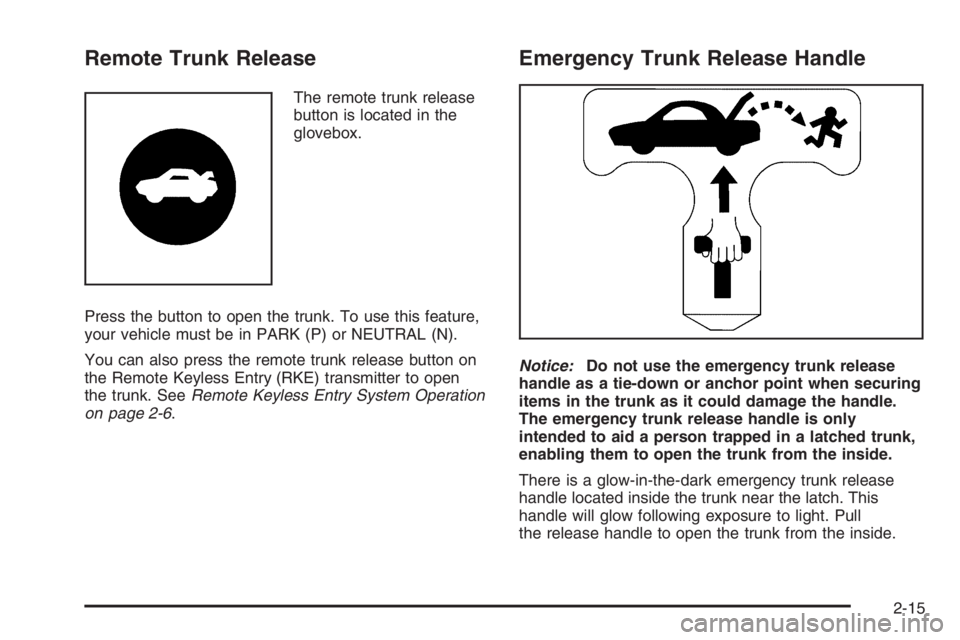
The remote trunk release
button is located in the
glovebox.
Press the button to open the trunk. To use this feature,
your vehicle must be in PARK (P) or NEUTRAL (N).
You can also press the remote trunk release button on
the Remote Keyless Entry (RKE) transmitter to open
the trunk. SeeRemote Keyless Entry System Operation
on page 2-6.
Emergency Trunk Release Handle
Notice:Do not use the emergency trunk release
handle as a tie-down or anchor point when securing
items in the trunk as it could damage the handle.
The emergency trunk release handle is only
intended to aid a person trapped in a latched trunk,
enabling them to open the trunk from the inside.
There is a glow-in-the-dark emergency trunk release
handle located inside the trunk near the latch. This
handle will glow following exposure to light. Pull
the release handle to open the trunk from the inside.
2-15
Page 94 of 416

Sun Visors
To block out glare, swing down the visor. The visors
can also be removed from the center mount and moved
to the side to block glare from the side.
Lighted Visor Vanity Mirror
Your sun visors may have lighted vanity mirrors. When
you open the cover to the visor vanity mirror, the
lamp will turn on.
Theft-Deterrent Systems
Vehicle theft is big business, especially in some cities.
Although your vehicle has a number of theft-deterrent
features, we know that nothing we put on it can make it
impossible to steal.
Content Theft-Deterrent
Your vehicle may have the optional content
theft-deterrent alarm system.
To activate the theft-deterrent system:
1. Open the door.
2. Lock the door with the power door lock switch or
the remote keyless entry transmitter. If you are
using the remote keyless entry transmitter, the door
does not need to be open.
3. Close all doors.
Once armed, the alarm will go off if someone tries to
enter the vehicle without using the remote keyless entry
transmitter or a key or turns the ignition on with an
incorrect key. The horn will sound and the turn signal
lamps will ash for approximately two minutes.
When the alarm is armed, the trunk may be opened
with the remote keyless entry transmitter. The power
door lock switches are disabled and the doors remain
locked. You must use your remote keyless entry
transmitter or your key to unlock the doors when the
system is armed.
2-18
Page 95 of 416

Arming with the Power Lock Switch
The alarm system will arm when you use either power
lock switch to lock the doors while any door or the trunk
is open and the key is removed from the ignition.
Arming with the Remote Keyless Entry
Transmitter
The alarm system will arm when you use your remote
keyless entry transmitter to lock the doors, if the
key is not in the ignition.
Disarming with the Remote Keyless
Entry Transmitter
The alarm system will disarm when you use your
remote keyless entry transmitter to unlock the doors.
The rst time a remote unlock command is received,
three ashes will be seen and three horn chirps heard to
indicate an alarm condition has occurred since last
arming.
Disarming with Your Key
The alarm system will disarm when you use your key to
unlock the doors or insert your key in ignition and
turn it from the OFF position.
PASS-Key®III+
The PASS-Key®III+ system operates on a radio
frequency subject to Federal Communications
Commission (FCC) Rules and with Industry Canada.
This device complies with Part 15 of the FCC Rules.
Operation is subject to the following two conditions:
1. This device may not cause harmful interference.
2. This device must accept any interference received,
including interference that may cause undesired
operation.
This device complies with RSS-210 of Industry Canada.
Operation is subject to the following two conditions:
1. This device may not cause interference.
2. This device must accept any interference received,
including interference that may cause undesired
operation of the device.
Changes or modications to this system by other than
an authorized service facility could void authorization to
use this equipment.
PASS-Key
®III+ uses a radio frequency transponder in
the key that matches a decoder in your vehicle.
2-19
Page 123 of 416

Memory Seat and Mirrors
Your vehicle may have the memory package.
The controls for this feature are located on the driver’s
door panel, and are used to program and recall
memory settings for the driver’s seat and the outside
mirrors.
To save your positions in memory, do the following:
1. Adjust the driver’s seat, including the seatback
recliner and lumbar, and both outside mirrors to
your preferred position.
2. Press and hold button 1 until two beeps sound
through the driver’s side front speaker to let you
know that the position has been stored.
A second seating and mirror position can be
programmed by repeating the above steps and pressing
button 2 for a second driver.To recall your memory positions, the vehicle must be in
PARK (P). Press and release either button 1 or
button 2 corresponding to the desired driving position.
The seat and outside mirrors will move to the position
previously stored for the identied driver. You will hear a
single beep.
If you use the remote keyless entry transmitter to enter
your vehicle and the remote recall memory feature
is on, automatic seat and mirror movement will occur.
See “MEMORY SEAT RECALL” underDIC Vehicle
Customization on page 3-65for more information.
To stop recall movement of the memory feature at any
time, press one of the power seat controls, memory
buttons, or power mirror buttons.
If something has blocked the driver’s seat while recalling
a memory position, the driver’s seat recall may stop
working. If this happens, press the appropriate control
for the area that is not recalling for two seconds,
after the obstruction is removed. Then try recalling the
memory position again by pressing the appropriate
memory button. If the memory position is still not
recalling, see your GM dealer for service.
2-47
Page 141 of 416

Courtesy Lamps
If it is dark enough outside, when any door is opened,
several lamps go on. They make it easy for you to enter
and leave the vehicle. Turn these lamps on manually
by turning the instrument panel brightness control
completely clockwise.
Entry Lighting
If it is dark enough outside when you press the unlock
button on the remote keyless entry transmitter, the
interior courtesy lamps will turn on and stay on for about
40 seconds. The lamps can be turned off immediately
by pressing the lock button on the remote keyless entry
transmitter, turning the ignition key to C (RUN) or
activating the power door locks.
Delayed Entry Lighting
The interior lamps will turn on if you open the door when it
is dark enough outside. When you close the door with
the ignition off, the interior lamps will stay on for up to
25 seconds or until the ignition is turned to an on position.
When the lamps turn off as a result of the 25 second
timer or the ignition switch being turned on, the lighting
will deactivate by way of the theater dimming effect.
Locking the doors will override the delayed entry lighting
feature and the lamps will turn off right away.
Theater Dimming
This feature allows for a three to ve-second fade out of
the courtesy lamps instead of immediate turn off.
Delayed Exit Lighting
If it is dark enough outside when you remove the key
from the ignition, the interior lamps will turn on and
stay on for about 25 seconds. This will give you time to
nd the door pull handle or lock switches. Once the
key is inserted into the ignition, the exit lighting will be
cancelled and the lighting will fade out.
Perimeter Lighting
If it is dark enough outside when the unlock button on
the remote keyless entry transmitter is pressed, the
DRL, parking lamps and back-up lamps will come on.
This feature can be programmed in the on for various
amounts of seconds or off mode for each transmitter.
SeeDIC Vehicle Customization on page 3-65for
information on programming.
3-17
Page 147 of 416
Climate Controls
Climate Control System
With this system you can control the heating, cooling,
and ventilation for your vehicle.
If your vehicle has the remote start feature and it is
activated, the climate control system will automatically
cool the vehicle if the temperature is greater than
90°F (32°C) and heat the vehicle if the temperature is
below 37°F (3°C). If the temperature is between
37°F (3°C) and 90°F (32°C), the last control setting
selected when the engine was running will be used.
Normal operation and the last setting of the climate
control system will return after the ignition key is turned
to the C (RUN) position. SeeRemote Keyless Entry
System Operation on page 2-6for more information.
Operation
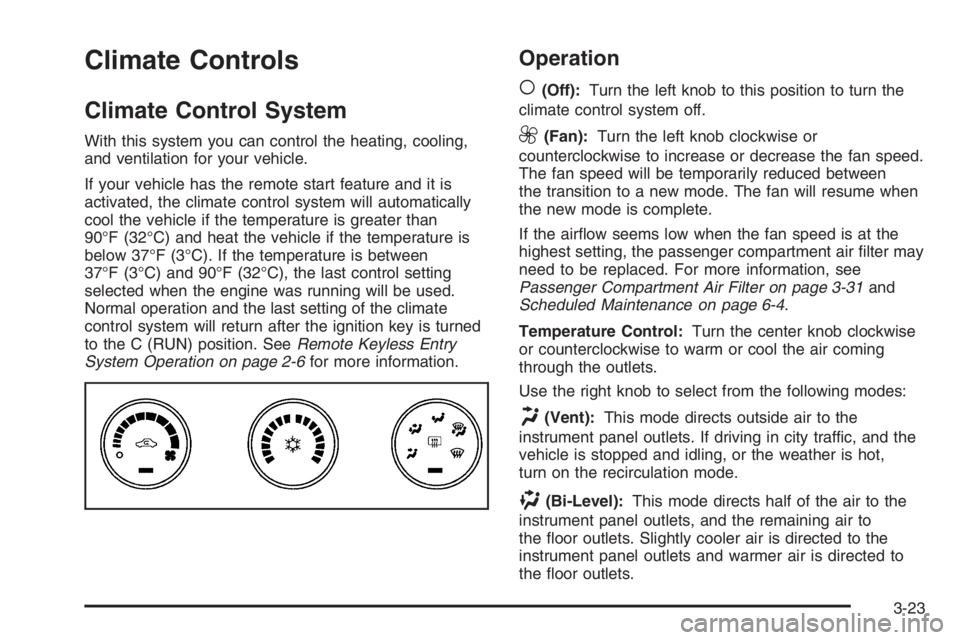
(
(Off):Turn the left knob to this position to turn the
climate control system off.
9(Fan):Turn the left knob clockwise or
counterclockwise to increase or decrease the fan speed.
The fan speed will be temporarily reduced between
the transition to a new mode. The fan will resume when
the new mode is complete.
If the airow seems low when the fan speed is at the
highest setting, the passenger compartment air lter may
need to be replaced. For more information, see
Passenger Compartment Air Filter on page 3-31and
Scheduled Maintenance on page 6-4.
Temperature Control:Turn the center knob clockwise
or counterclockwise to warm or cool the air coming
through the outlets.
Use the right knob to select from the following modes:
H(Vent):This mode directs outside air to the
instrument panel outlets. If driving in city traffic, and the
vehicle is stopped and idling, or the weather is hot,
turn on the recirculation mode.
)(Bi-Level):This mode directs half of the air to the
instrument panel outlets, and the remaining air to
the oor outlets. Slightly cooler air is directed to the
instrument panel outlets and warmer air is directed to
the oor outlets.
3-23
Page 150 of 416
Dual Automatic Climate Control
System
With this system you can control the heating, cooling,
and ventilation for your vehicle.
If your vehicle has the remote start feature and it is
activated, the climate control system will automatically
cool the vehicle if the temperature is greater than
90°F (32°C) and heat the vehicle if the temperature is
below 37°F (3°C). If the temperature is between
37°F (3°C) and 90°F (32°C), the last control setting
selected when the engine was running will be used.
Normal operation and the last setting of the climate
control system will return after the ignition key is turned
to the C (RUN) position. SeeRemote Keyless Entry
System Operation on page 2-6for more information.
Automatic Operation
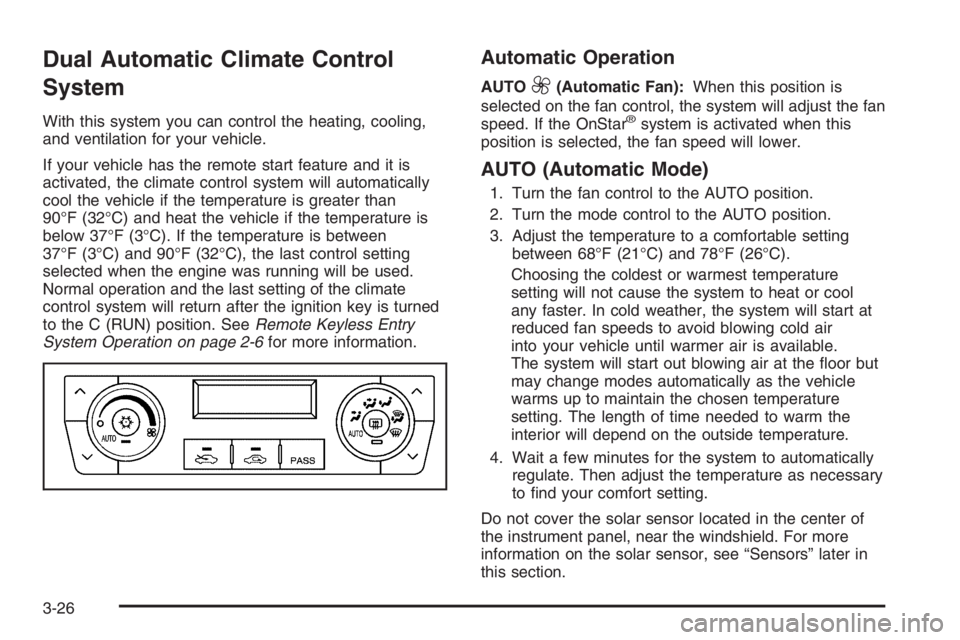
AUTO9(Automatic Fan):When this position is
selected on the fan control, the system will adjust the fan
speed. If the OnStar
®system is activated when this
position is selected, the fan speed will lower.
AUTO (Automatic Mode)
1. Turn the fan control to the AUTO position.
2. Turn the mode control to the AUTO position.
3. Adjust the temperature to a comfortable setting
between 68°F (21°C) and 78°F (26°C).
Choosing the coldest or warmest temperature
setting will not cause the system to heat or cool
any faster. In cold weather, the system will start at
reduced fan speeds to avoid blowing cold air
into your vehicle until warmer air is available.
The system will start out blowing air at the oor but
may change modes automatically as the vehicle
warms up to maintain the chosen temperature
setting. The length of time needed to warm the
interior will depend on the outside temperature.
4. Wait a few minutes for the system to automatically
regulate. Then adjust the temperature as necessary
to nd your comfort setting.
Do not cover the solar sensor located in the center of
the instrument panel, near the windshield. For more
information on the solar sensor, see “Sensors” later in
this section.
3-26
Page 174 of 416
Driver Information Center (DIC)
Your vehicle has a Driver Information Center (DIC).
All messages will appear in the DIC display located
below the speedometer in the instrument panel cluster.
The DIC buttons are located on the instrument panel,
to the left of the instrument panel cluster.
The DIC comes on when the ignition is on. After a short
delay, the DIC will display the information that was
last displayed before the engine was turned off.
The DIC displays trip, fuel, and vehicle system
information, and warning messages if a system problem
is detected. The bottom line of the DIC shows the
shift lever position indicator. SeeAutomatic Transaxle
Operation on page 2-25for more information.
If your vehicle’s DIC has these features, the compass
direction and the outside air temperature may also
display on the DIC when viewing the trip and fuel
information. The compass direction appears on the
top right corner of the DIC display. The outside
air temperature automatically appears in the bottom
right corner of the DIC display. If there is a problem with
the system that controls the temperature display, the
numbers will be replaced with dashes. If this occurs,
have the vehicle serviced by your GM dealer.
The DIC also allows some features to be customized.
SeeDIC Vehicle Customization on page 3-65for
more information.
DIC Controls and Displays
The DIC has different displays which can be accessed
by pressing the DIC buttons located on the instrument
panel, to the left of the instrument panel cluster.
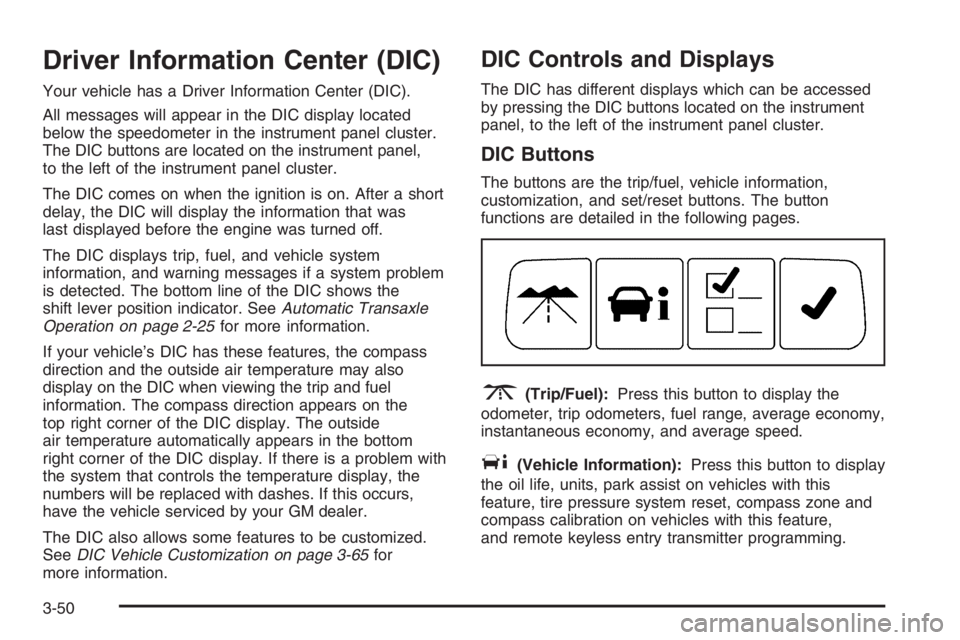
DIC Buttons
The buttons are the trip/fuel, vehicle information,
customization, and set/reset buttons. The button
functions are detailed in the following pages.
3(Trip/Fuel):Press this button to display the
odometer, trip odometers, fuel range, average economy,
instantaneous economy, and average speed.
T(Vehicle Information):Press this button to display
the oil life, units, park assist on vehicles with this
feature, tire pressure system reset, compass zone and
compass calibration on vehicles with this feature,
and remote keyless entry transmitter programming.
3-50