audio BUICK LUCERNE 2006 Owner's Guide
[x] Cancel search | Manufacturer: BUICK, Model Year: 2006, Model line: LUCERNE, Model: BUICK LUCERNE 2006Pages: 416, PDF Size: 2.6 MB
Page 221 of 416

To change from playback by artist to playback by
album, press the pushbutton located below the Sort By
label. From the sort screen, push one of the buttons
below the album button. Press the pushbutton below
the back label to return to the main music navigator
screen. Now the album name is displayed on the
second line between the arrows and songs from the
current album will begin to play. Once all songs from that
album are played, the player will move to the next
album in alphabetic order on the CD-R and begin
playing MP3 les from that album.
To exit music navigator mode, press the pushbutton
below the Back label to return to normal MP3 playback.
BAND:Press this button to listen to the radio while
a CD is playing. The CD will remain safely inside
the radio for future listening.
CD/AUX (CD/Auxiliary):Press this button to play
a CD while listening to the radio. The CD icon and a
message showing disc and/or track number will appear
on the display while a CD is in the player. Press this
button again and the system will automatically search for
an auxiliary input device such as a portable audio
player. If a portable audio player is not connected,
“no input device found” will be displayed.CD Messages
CHECK DISC:If this message appears on the display
and/or the CD comes out, it could be for one of the
following reasons:
It is very hot. When the temperature returns to
normal, the CD should play.
You are driving on a very rough road. When the
road becomes smoother, the CD should play.
The CD is dirty, scratched, wet, or upside down.
The air is very humid. If so, wait about an hour
and try again.
There may have been a problem while burning
the CD.
The label may be caught in the CD player.
If the CD is not playing correctly, for any other reason,
try a known good CD.
If any error occurs repeatedly or if an error cannot be
corrected, contact your dealer. If the radio displays
an error message, write it down and provide it to your
dealer while reporting the problem.
3-97
Page 222 of 416
Using the Auxiliary Input Jack
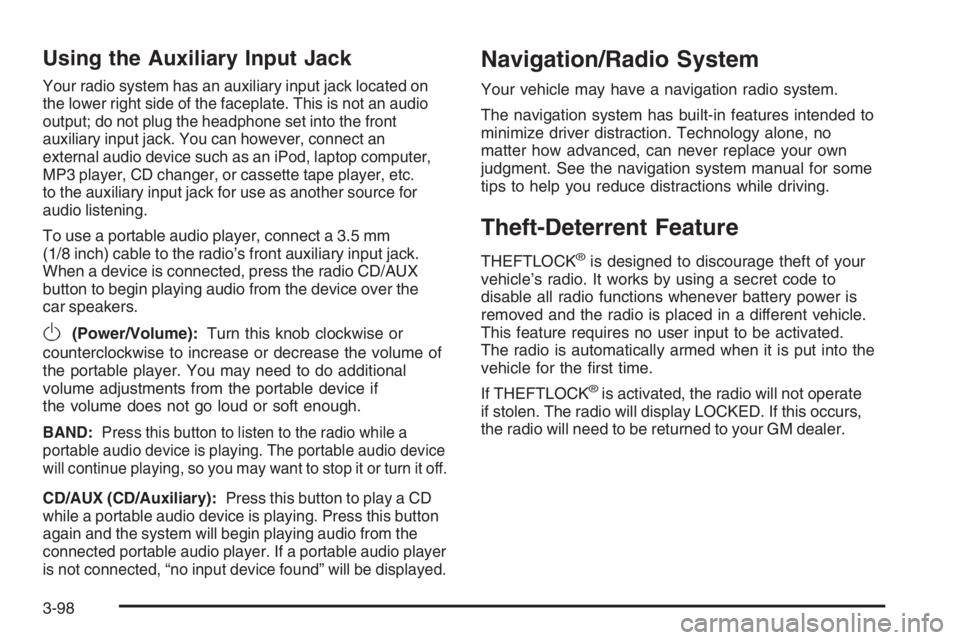
Your radio system has an auxiliary input jack located on
the lower right side of the faceplate. This is not an audio
output; do not plug the headphone set into the front
auxiliary input jack. You can however, connect an
external audio device such as an iPod, laptop computer,
MP3 player, CD changer, or cassette tape player, etc.
to the auxiliary input jack for use as another source for
audio listening.
To use a portable audio player, connect a 3.5 mm
(1/8 inch) cable to the radio’s front auxiliary input jack.
When a device is connected, press the radio CD/AUX
button to begin playing audio from the device over the
car speakers.
O(Power/Volume):Turn this knob clockwise or
counterclockwise to increase or decrease the volume of
the portable player. You may need to do additional
volume adjustments from the portable device if
the volume does not go loud or soft enough.
BAND:Press this button to listen to the radio while a
portable audio device is playing. The portable audio device
will continue playing, so you may want to stop it or turn it off.
CD/AUX (CD/Auxiliary):Press this button to play a CD
while a portable audio device is playing. Press this button
again and the system will begin playing audio from the
connected portable audio player. If a portable audio player
is not connected, “no input device found” will be displayed.
Navigation/Radio System
Your vehicle may have a navigation radio system.
The navigation system has built-in features intended to
minimize driver distraction. Technology alone, no
matter how advanced, can never replace your own
judgment. See the navigation system manual for some
tips to help you reduce distractions while driving.
Theft-Deterrent Feature
THEFTLOCK®is designed to discourage theft of your
vehicle’s radio. It works by using a secret code to
disable all radio functions whenever battery power is
removed and the radio is placed in a different vehicle.
This feature requires no user input to be activated.
The radio is automatically armed when it is put into the
vehicle for the rst time.
If THEFTLOCK
®is activated, the radio will not operate
if stolen. The radio will display LOCKED. If this occurs,
the radio will need to be returned to your GM dealer.
3-98
Page 223 of 416

Audio Steering Wheel Controls
The audio steering wheel
controls may be different
depending on your vehicles
options. Some audio
controls can be adjusted
at the steering wheel.
They include the following:
xw(Next/Previous):Press the up or the down
arrow to go to the next or to the previous radio station
stored as a favorite.
When a CD is playing, press the up or the down arrow
to go to the next or previous track.
g(Mute/Voice Recognition):Press and release this
button to silence the system. Press and release this
button again, to turn the sound on.If your vehicle has the navigation system, press and
hold this button for longer than one second to initiate
voice recognition. See “Voice Recognition” in the
Navigation System manual for more information.
If your vehicle has OnStar
®, press and hold this button
for longer than one second to interact with the
OnStar
®system. If your vehicle is also equipped with
the Navigation system, push this button to initiate voice
recognition, and say “OnStar” to enter OnStar
®mode.
See theOnStar®System on page 2-38in this manual for
more information.
SRCE (Source):Press this button to switch between
AM, FM, XM (if equipped), CD, and AUX jack.
+−(Volume):Press the plus or minus button to
increase or to decrease the radio volume.
¨(Seek):Press the seek arrow to go to the next
radio station and stay there.
If you have the navigation system, some of the audio
steering wheel controls work when a DVD is playing in
the navigation radio. See the Navigation System
manual for more information.
3-99
Page 312 of 416
Vehicle Storage
If you are not going to drive your vehicle for 25 days or
more, remove the black, negative (−) cable from the
battery. This will help keep your battery from
running down.
{CAUTION:
Batteries have acid that can burn you and gas
that can explode. You can be badly hurt if you
are not careful. SeeJump Starting on
page 5-44for tips on working around a battery
without getting hurt.
Also, for your audio system, seeTheft-Deterrent
Feature on page 3-98.
Jump Starting
If your vehicle’s battery has run down, you may want to
use another vehicle and some jumper cables to start your
vehicle. Be sure to use the following steps to do it safely.
{CAUTION:
Batteries can hurt you. They can be dangerous
because:
They contain acid that can burn you.
They contain gas that can explode or
ignite.
They contain enough electricity to
burn you.
If you do not follow these steps exactly, some
or all of these things can hurt you.
5-44
Page 403 of 416

A
Accessories and Modications............................ 5-3
Accessory Power Outlet(s)...............................3-21
Adding Equipment to Your Airbag-Equipped
Vehicle.......................................................1-68
Additives, Fuel................................................. 5-6
Add-On Electrical Equipment............................5-93
Air Cleaner/Filter, Engine.................................5-19
Air Conditioning......................................3-23, 3-26
Airbag
Passenger Status Indicator...........................3-37
Readiness Light..........................................3-36
Airbag Sensing and Diagnostic Module (SDM)......... 7-9
Airbag System................................................1-52
Adding Equipment to Your Airbag-Equipped
Vehicle...................................................1-68
How Does an Airbag Restrain?......................1-61
Passenger Sensing System...........................1-63
Servicing Your Airbag-Equipped Vehicle..........1-67
What Makes an Airbag Inate?......................1-61
What Will You See After an Airbag Inates?........1-62
When Should an Airbag Inate?....................1-59
Where Are the Airbags?...............................1-55
Antenna, Backglass.......................................3-101
Antenna, XM™ Satellite Radio
Antenna System........................................3-101Anti-Lock Brake System (ABS)........................... 4-7
Anti-Lock Brake, System Warning Light..............3-41
Appearance Care
Aluminum or Chrome-Plated Wheels..............5-88
Care of Safety Belts....................................5-86
Chemical Paint Spotting...............................5-90
Cleaning Exterior Lamps/Lenses....................5-87
Cleaning the Inside of Your Vehicle................5-83
Fabric/Carpet..............................................5-84
Finish Care.................................................5-87
Finish Damage............................................5-89
Instrument Panel, Vinyl, and Other
Plastic Surfaces.......................................5-86
Leather......................................................5-85
Sheet Metal Damage...................................5-89
Tires..........................................................5-89
Underbody Maintenance...............................5-90
Vehicle Care/Appearance Materials................5-91
Washing Your Vehicle...................................5-87
Weatherstrips..............................................5-86
Windshield and Wiper Blades........................5-88
Ashtray(s)......................................................3-22
Audio System(s).............................................3-74
Audio Steering Wheel Controls......................3-99
Backglass Antenna.....................................3-101
Care of Your CD Player..............................3-101
Care of Your CDs ......................................3-100
1
Page 404 of 416
Audio System(s) (cont.)
Navigation/Radio System,
see Navigation Manual..............................3-98
Radio with CD....................................3-77, 3-82
Setting the Time..................................3-75, 3-76
Theft-Deterrent Feature................................3-98
Understanding Radio Reception...................3-100
XM™ Satellite Radio Antenna System...........3-101
Automatic Transaxle
Fluid..........................................................5-21
Operation...................................................2-25
B
Backglass Antenna........................................3-101
Battery..........................................................5-42
Exterior Lighting Battery Saver......................3-16
Inadvertent Power Saver..............................3-18
Load Management.......................................3-18
Before Leaving on a Long Trip.........................4-21
Brake
Anti-Lock Brake System (ABS)........................ 4-7
Emergencies................................................ 4-8
Panic Assist................................................4-10
Parking......................................................2-28
System Warning Light..................................3-40
Brakes..........................................................5-40Braking........................................................... 4-6
Braking in Emergencies..................................... 4-8
Break-In, New Vehicle.....................................2-21
Bulb Replacement...........................................5-52
Halogen Bulbs............................................5-52
Headlamp Aiming........................................5-49
Replacement Bulbs......................................5-55
Taillamps and Back-Up Lamps.......................5-54
Taillamps, Turn Signal, Stoplamps and
Sidemarker Lamps...................................5-52
Buying New Tires...........................................5-66
C
California Fuel.................................................. 5-6
California Proposition 65 Warning....................... 5-3
Canadian Owners................................................ ii
Capacities and Specications..........................5-101
Carbon Monoxide...................2-14, 2-31, 4-24, 4-36
Care of
Safety Belts................................................5-86
Your CD Player.........................................3-101
Your CDs .................................................3-100
Center Console Storage Area...........................2-45
Center Flex Storage Unit.................................2-45
Center Front Passenger Position, Safety Belts....1-24
Center Seat...................................................1-10
2
Page 414 of 416

Shifting Into Park (P).......................................2-29
Shifting Out of Park (P)...................................2-30
Shoulder Belt Height Adjuster...........................1-22
Signals, Turn and Lane-Change.......................... 3-7
Spare Tire
Compact....................................................5-82
Installing....................................................5-75
Removing...................................................5-74
Storing.......................................................5-81
Specications, Capacities...............................5-101
Speedometer..................................................3-35
StabiliTrak
®System.........................................4-10
StabiliTrak®Indicator Light................................3-42
Starting Your Engine.......................................2-23
Steering........................................................4-11
Steering Wheel Controls, Audio.........................3-99
Steering Wheel, Tilt Wheel................................. 3-6
Storage Areas
Center Console Storage Area........................2-45
Center Flex Storage Unit..............................2-45
Convenience Net.........................................2-46
Cupholder(s)...............................................2-44
Front Storage Area......................................2-44
Glove Box..................................................2-44
Rear Seat Armrest.......................................2-46
Stuck in Sand, Mud, Ice or Snow......................4-28
Sun Visors.....................................................2-18
Sunroof.........................................................2-46
T
Tachometer....................................................3-35
Taillamps
Back-Up Lamps...........................................5-54
Turn Signal, Stoplamps and Sidemarker
Lamps ....................................................5-52
TCS Warning Light..........................................3-41
Theater Dimming............................................3-17
Theft-Deterrent, Radio.....................................3-98
Theft-Deterrent Systems...................................2-18
Content Theft-Deterrent................................2-18
PASS-Key
®III+...........................................2-19
PASS-Key®III+ Operation.............................2-20
Tilt Wheel........................................................ 3-6
Tire
Pressure Light.............................................3-44
Tires.............................................................5-56
Aluminum or Chrome-Plated Wheels,
Cleaning.................................................5-88
Buying New Tires........................................5-66
Chains.......................................................5-71
Changing a Flat Tire....................................5-72
Check Tire Pressure System.........................5-63
Cleaning....................................................5-89
Compact Spare Tire.....................................5-82
Different Size..............................................5-68
If a Tire Goes Flat.......................................5-72
12