light BUICK LUCERNE 2007 Workshop Manual
[x] Cancel search | Manufacturer: BUICK, Model Year: 2007, Model line: LUCERNE, Model: BUICK LUCERNE 2007Pages: 496, PDF Size: 2.77 MB
Page 176 of 496
Electric Power Management
The vehicle has Electric Power Management
(EPM) that estimates the battery’s temperature and
state of charge. It then adjusts the voltage for
best performance and extended life of the battery.
When the battery’s state of charge is low, the
voltage is raised slightly to quickly put the charge
back in. When the state of charge is high, the
voltage is lowered slightly to prevent overcharging.
If the vehicle has a voltmeter gage or voltage
display on the Driver Information Center (DIC),
you may see the voltage move up or down. This
is normal. If there is a problem, an alert will
be displayed.
The battery can be discharged at idle if the
electrical loads are very high. This is true for all
vehicles. This is because the generator (alternator)
may not be spinning fast enough at idle to produce
all the power that is needed for very high electrical
loads.A high electrical load occurs when several of the
following loads are on: headlamps, high beams, fog
lamps, rear window defogger, climate control fan at
high speed, heated seats, engine cooling fans,
trailer loads, and loads plugged into accessory
power outlets.
EPM works to prevent excessive discharge of the
battery. It does this by balancing the generator’s
output and the vehicle’s electrical needs. It can
increase engine idle speed to generate more
power, whenever needed. It can temporarily
reduce the power demands of some accessories.
Normally, these actions occur in steps or levels,
without being noticeable. In rare cases at the
highest levels of corrective action, this action
may be noticeable to the driver. If so, a Driver
Information Center (DIC) message might be
displayed, such as Battery Saver Active or Service
Battery Charging System. If this message is
displayed, it is recommended that the driver
reduce the electrical loads as much as possible.
SeeDIC Warnings and Messages on page 221.
176
Page 179 of 496
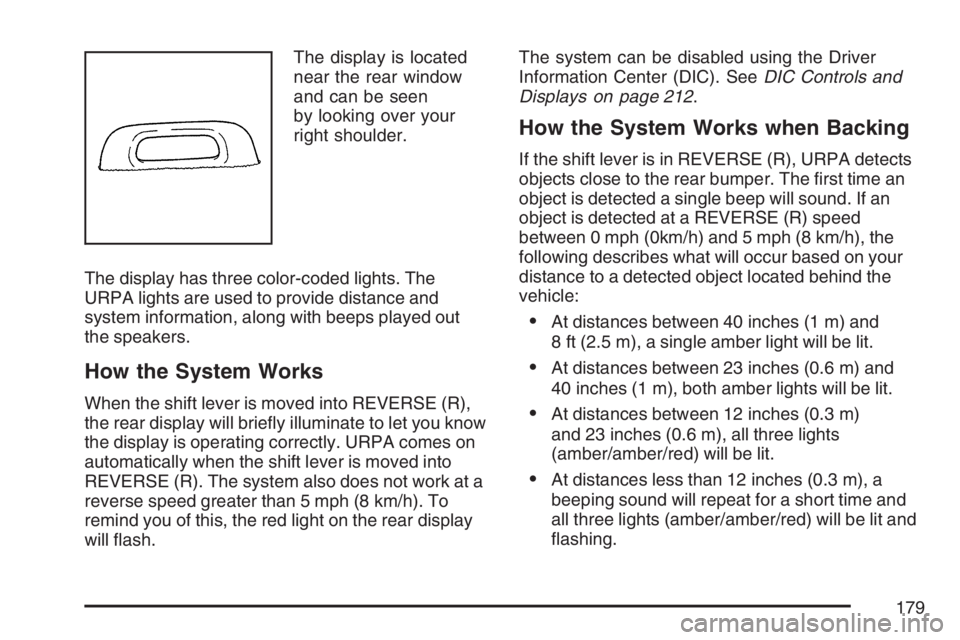
The display is located
near the rear window
and can be seen
by looking over your
right shoulder.
The display has three color-coded lights. The
URPA lights are used to provide distance and
system information, along with beeps played out
the speakers.
How the System Works
When the shift lever is moved into REVERSE (R),
the rear display will briey illuminate to let you know
the display is operating correctly. URPA comes on
automatically when the shift lever is moved into
REVERSE (R). The system also does not work at a
reverse speed greater than 5 mph (8 km/h). To
remind you of this, the red light on the rear display
will ash.The system can be disabled using the Driver
Information Center (DIC). SeeDIC Controls and
Displays on page 212.
How the System Works when Backing
If the shift lever is in REVERSE (R), URPA detects
objects close to the rear bumper. The rst time an
object is detected a single beep will sound. If an
object is detected at a REVERSE (R) speed
between 0 mph (0km/h) and 5 mph (8 km/h), the
following describes what will occur based on your
distance to a detected object located behind the
vehicle:
At distances between 40 inches (1 m) and
8 ft (2.5 m), a single amber light will be lit.
At distances between 23 inches (0.6 m) and
40 inches (1 m), both amber lights will be lit.
At distances between 12 inches (0.3 m)
and 23 inches (0.6 m), all three lights
(amber/amber/red) will be lit.
At distances less than 12 inches (0.3 m), a
beeping sound will repeat for a short time and
all three lights (amber/amber/red) will be lit and
ashing.
179
Page 180 of 496
When the System Does Not Seem to
Work Properly
If the URPA system will not activate due to a
temporary condition, the message PARK ASSIST
OFF will be displayed on the DIC and a red light will
be shown on the rear URPA display when the shift
lever is moved into REVERSE (R). This occurs
under the following conditions:
The driver disables the system. SeeDIC
Controls and Displays on page 212.
The parking brake pedal is pressed.
A trailer was attached to your vehicle, or a
bicycle or an object was hanging out of your
trunk during your last drive when you turned off
the vehicle. If the attached objects are removed
from your vehicle before the start of your next
drive, the system will return to normal operation
unless an object is detected when the vehicle is
shifted into REVERSE (R). If this occurs, URPA
assumes the object is still attached, so you will
have to wait until the vehicle is driven forward
above 15 mph (25 km/h) before URPA will
return to normal operation.
The ultrasonic sensors are not kept clean. So,
be sure to keep your vehicle’s rear bumper free
of mud, dirt, snow, ice, and slush. For cleaning
instructions, seeWashing Your Vehicle on
page 422. If the DIC still displays the PARK
ASSIST OFF message after cleaning the
bumper and driving forward at a speed of at
least 15 mph (25 km/h), see your dealer.
Other conditions that may affect system
performance include vibrations from a
jackhammer or the compression of air brakes
on a very large truck or other mechanical
devices that interfere with URPA performance.
When URPA is disabled without driver action
and the driver attempts to turn URPA back on
using the Driver Information Center (DIC), the
PARK ASSIST ON option will not be selectable
if the necessary conditions stated above for
normal system operation are not met.
As always, drivers should use care when backing
up a vehicle. Always look behind you, being sure to
check for other vehicles, obstructions and blind
spots.
180
Page 182 of 496
Ashtray(s) and Cigarette Lighter
Push down on the front center tray to reveal the
front ashtray, cigarette lighter, and accessory
power outlet. The ashtray can be removed
for cleaning. Hold the sides of the ashtray
and then pull the ashtray up and out.
Notice:If you put papers, pins, or other
ammable items in the ashtray, hot cigarettes
or other smoking materials could ignite
them and possibly damage your vehicle.
Never put ammable items in the ashtray.
To use the lighter, push the center all the way in
and let it go. When it is ready, the center will
pop back out by itself. Pull out the entire unit to
use it.
Notice:Holding a cigarette lighter in while it
is heating will not allow the lighter to back
away from the heating element when it is hot.
Damage from overheating may occur to the
lighter or heating element, or a fuse could be
blown. Do not hold a cigarette lighter in
while it is heating.
Climate Controls
Climate Control System
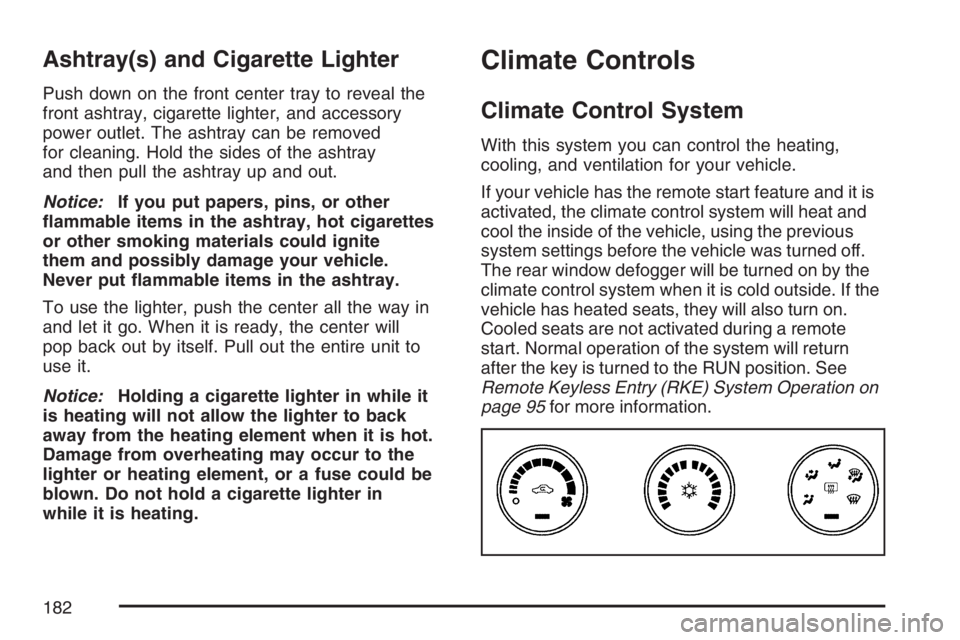
With this system you can control the heating,
cooling, and ventilation for your vehicle.
If your vehicle has the remote start feature and it is
activated, the climate control system will heat and
cool the inside of the vehicle, using the previous
system settings before the vehicle was turned off.
The rear window defogger will be turned on by the
climate control system when it is cold outside. If the
vehicle has heated seats, they will also turn on.
Cooled seats are not activated during a remote
start. Normal operation of the system will return
after the key is turned to the RUN position. See
Remote Keyless Entry (RKE) System Operation on
page 95for more information.
182
Page 183 of 496

Operation
(
(Off):Turn the left knob to this position to turn
the climate control system off.
9(Fan):Turn the left knob clockwise or
counterclockwise to increase or decrease the fan
speed. The fan speed will be temporarily reduced
between the transition to a new mode. The fan will
resume when the new mode is complete.
If the airow seems low when the fan speed is at
the highest setting, the passenger compartment
air lter may need to be replaced. For more
information, seePassenger Compartment Air
Filter on page 192andScheduled Maintenance
on page 442.
Temperature Control:Turn the center knob
clockwise or counterclockwise to warm or cool
the air coming through the outlets.
Use the right knob to select from the following
modes:
H(Vent):This mode directs outside air to the
instrument panel outlets.
)(Bi-Level):This mode directs half of the air to
the instrument panel outlets, and the remaining
air to the oor outlets. Slightly cooler air is directed
to the instrument panel outlets and warmer air is
directed to the oor outlets.
6(Floor):This mode directs most of the air to
the oor outlets with some air directed toward
the side window outlets and a little air directed to
the windshield.
In this mode, the system will automatically use
outside air.
You can also select modes by using the following
buttons:
h(Recirculate):Press this button to recirculate
cabin air through the vehicle. It can be used to
prevent outside air and odors from entering your
vehicle or to help heat or cool the air inside your
vehicle more quickly. An indicator light below the
button will come on in this mode. Operation in this
mode during periods of high humidity and cool
outside temperatures may result in increased
window fogging. If window fogging is experienced,
select the defrost mode.
183
Page 184 of 496
#(Air Conditioning):Press this button to turn
the air conditioning system on or off. When this
button is pressed, an indicator light below the
button will come on to let you know the air
conditioning is activated. Air conditioning can
be selected in any mode as long as the fan knob
is not in the off position.
On hot days during the vehicle’s initial start-up,
open the windows to let hot inside air escape; then
close them. This helps to reduce the time it takes
for the vehicle to cool down. It also helps the
system to operate more efficiently.
For quicker cool down on hot days, do the
following:
1. Select the vent air mode.
2. Select the recirculation mode.
3. Select the air conditioner.
4. Select the coolest temperature.
5. Select the highest fan speed.
The air-conditioning system removes moisture
from the air, so you may sometimes notice a
small amount of water dripping underneath your
vehicle while idling or after turning off the
engine. This is normal.Defogging and Defrosting
Fog on the inside of the vehicle is a result of high
humidity causing moisture to condense on the cool
window glass. This can be minimized if the climate
control system is used properly. There are two
modes to clear frost or fog from the windshield.
Use the oor/defog mode to clear the windows of
condensation and to warm the vehicle’s occupants.
Use the defrost mode to remove frost or
condensation from the windshield quickly.
See “Rear Window Defogger” later in this section
for information on clearing the rear window of
fog or ice.
Turn the right knob to select the defog or defrost
mode. The recirculation mode cannot be selected
while in these modes.
-(Floor/Defog):This mode directs half of the air
to the windshield and the side window outlets and
half to the oor outlets. The system runs the air
conditioning compressor unless the outside
temperature is near or below freezing.
0(Defrost):This mode directs most of the air to
the windshield and the side window outlets. The
system runs the air conditioning compressor unless
the outside temperature is near or below freezing.
184
Page 185 of 496
Rear Window Defogger
The rear window defogger uses a warming grid to
remove fog from the rear window.
<(Rear Window Defogger):Press this button
to turn the rear window defogger on or off. An
indicator light below the button will come on to
let you know that the rear window defogger is
activated. Be sure to clear as much snow from
the rear window as possible.
The rear window defogger will only work when the
ignition is in run. The rear window defogger will stay
on for about 20 minutes after the button is pressed
if you are traveling at slower vehicle speeds. At
higher vehicle speeds, the rear defogger may stay
on continuously. If turned on again, the defogger
will only run for about 10 minutes before turning off.
The defogger can be turned off by pressing
the button again, by turning the ignition to
ACCESSORY or RUN, or by turning off the engine.If your vehicle has heated outside rearview mirrors,
the mirrors will heat to help clear fog or frost from
the surface of the mirror when the rear window
defogger is on. SeeOutside Automatic Dimming
Heated Mirror on page 135for more information.
Notice:Do not use anything sharp on the
inside of the rear window. If you do, you could
cut or damage the warming grid, and the repairs
would not be covered by your warranty. Do not
attach a temporary vehicle license, tape, a decal
or anything similar to the defogger grid.
185
Page 187 of 496
4. Wait a few minutes for the system to
automatically regulate. Then adjust the
temperature as necessary to nd your
comfort setting.
Do not cover the solar sensor located in the
center of the instrument panel, near the
windshield. For more information on the solar
sensor, see “Sensors” later in this section.
After your vehicle is started, the display will show
the interior temperature settings.
When the ENG/MET (English/metric) button on the
Driver Information Center (DIC) is pressed, the
display will show readings in Fahrenheit or Celsius.
Use the ENG/MET button to toggle between them.
AUTO (Automatic Air Conditioning):If AUTO
is selected on the fan or mode control, the
system will automatically control the air
conditioning compressor. The A/C compressor
will run automatically even at cool outside
temperatures in order to dehumidify the air.
The A/C indicator light will be lit when the system
is operating automatically, even at near
freezing outside temperatures. Press the A/C
button on the fan control to turn off the A/C.For improved window clearing performance in
defog or defrost modes, the A/C compressor will
run automatically in damp cool conditions.
h(Auto Recirculation):If AUTO is selected
on either the fan or mode control, the system
will automatically control the air inlet to supply
fresh outside air or recirculate the interior air
to cool the car faster. The indicator light on the
recirculation button will light whenever the system
switches to recirculation. You may force outside
air by pressing the outside air button. The
next time AUTO fan or mode is selected, the
air inlet will reset back to AUTO operation.
Manual Operation
9(Fan):Turn the left knob either to the left or
right to adjust the fan speed. Turning this control
completely counterclockwise will turn on the
automatic fan operation.
If the airow seems low when the fan speed is at
the highest setting, the passenger compartment air
lter may need to be replaced. For more
information, seePassenger Compartment Air Filter
on page 192andScheduled Maintenance on
page 442.
187
Page 188 of 496
9(Off):Turn the left control to this position to
turn the entire climate control system off.
To change the current mode, select one of the
following positions using the right control:
F(Vent):Turn the control to this mode to direct
air to the instrument panel outlets.
*(Bi-Level):Turn the control to this mode to
direct about half of the air to the instrument panel
outlets and most of the remaining air to the
oor outlets. In automatic operation, cooler air is
directed to the upper outlets and warmer air to the
oor outlets.
7(Floor):Turn the control to this mode to direct
most of the air to the oor outlets with some air
directed to the side window outlets and the
windshield.
The mode control can also be used to select the
oor/defog mode. Information on defogging
and defrosting can be found later in this section.
#(Air Conditioning):Press this button to
override the automatic system and turn the air
conditioning system on or off. When in AUTO,
the air conditioning compressor will come
on automatically, as necessary.
The air conditioning system removes moisture
from the air, so you may notice a small amount
of water dripping underneath your vehicle while
idling or after turning off the engine. This is normal.
:(Outside Air):This mode allows outside air
to enter the vehicle. It can be used to prevent
the inside from becoming too dry. Press this button
to turn outside air on. Pressing the recirculation
button will cancel this mode. When the button
is pressed, an indicator light will turn on.
?(Recirculation):Press this button to keep
outside air from coming in the vehicle. It can be
used to prevent outside air and odors from entering
your vehicle or to help cool the air inside your
vehicle more quickly. Press this button to turn the
recirculation mode on or off. When the button is
pressed, an indicator light will come on.
188
Page 191 of 496
0(Defrost):Use this mode to remove fog or
frost from the windshield more quickly. Turning the
control to this mode directs most of the air to the
windshield and the side window outlets. In this
mode, the system will automatically turn off
recirculation and run the air-conditioning
compressor, unless the outside temperature is at or
below freezing. Recirculation cannot be selected
while in the defrost mode. Do not drive the vehicle
until all the windows are clear.
Rear Window Defogger
The rear window defogger uses a warming grid to
remove fog or frost from the rear window.
<(Rear Defogger):Press this button to turn
the rear window defogger on or off. An indicator
light below the button will come on to let you know
that the rear window defogger is activated. Be
sure to clear as much snow from the rear window
as possible.The rear window defogger will only work when the
ignition is in RUN. The rear window defogger will
stay on for about 20 minutes after the button is
pressed if you are traveling at slower vehicle
speeds. At higher vehicle speeds the rear window
defogger may stay on continuously. If turned
on again, the defogger will only run for about
10 minutes before turning off. The defogger can be
turned off by pressing the button again, by turning
the ignition to ACCESSORY or RUN, or by turning
off the engine.
The heated outside rearview mirrors will heat to
help clear fog or frost from the surface of the mirror
when the rear window defogger is on. SeeOutside
Automatic Dimming Heated Mirror on page 135for
more information.
Notice:Do not use a razor blade or sharp
object to clear the inside rear window. Do not
adhere anything to the defogger grid lines
in the rear glass. These actions may damage
the rear defogger. Repairs would not be
covered by your warranty.
191