ECU BUICK LUCERNE 2008 Owner's Guide
[x] Cancel search | Manufacturer: BUICK, Model Year: 2008, Model line: LUCERNE, Model: BUICK LUCERNE 2008Pages: 434
Page 72 of 434

The passenger sensing system will turn off the right
front passenger’s frontal airbag and seat-mounted side
impact airbag under certain conditions. The driver’s
airbags are not part of the passenger sensing system.
The passenger sensing system works with sensors
that are part of the right front passenger’s seat
and safety belt. The sensors are designed to detect the
presence of a properly-seated occupant and determine
if the right front passenger’s frontal airbag and
seat-mounted side impact airbag should be enabled
(may inate) or not.
Accident statistics show that children are safer if they
are restrained in the rear rather than the front seat.
We recommend that children be secured in a rear seat,
including: an infant or a child riding in a rear-facing
child restraint; a child riding in a forward-facing child
seat; an older child riding in a booster seat; and children,
who are large enough, using safety belts.
A label on your sun visor says, “Never put a rear-facing
child seat in the front.” This is because the risk to the
rear-facing child is so great, if the airbag deploys.
{CAUTION:
A child in a rear-facing child restraint can be
seriously injured or killed if the right front
passenger’s airbag inates. This is because the
back of the rear-facing child restraint would be
very close to the inating airbag.
Even though the passenger sensing system is
designed to turn off the right front passenger’s
frontal and seat-mounted side impact airbag if
the system detects a rear-facing child restraint,
no system is fail-safe, and no one can guarantee
that an airbag will not deploy under some
unusual circumstance, even though it is turned
off. We recommend that rear-facing child
restraints be secured in a rear seat, even if the
airbags are off.
If you secure a forward-facing child restraint in
the right front seat, always move the front
passenger seat as far back as it will go. It is
better to secure the child restraint in a rear seat.
1-68
Page 73 of 434

The passenger sensing system is designed to turn off
the right front passenger’s frontal airbag and
seat-mounted side impact airbag if:
The right front passenger seat is unoccupied.
The system determines that an infant is present in
a rear-facing infant seat.
The system determines that a small child is present
in a child restraint.
The system determines that a small child is present
in a booster seat.
A right front passenger takes his/her weight off of
the seat for a period of time.
The right front passenger seat is occupied by a
smaller person, such as a child who has outgrown
child restraints.
Or, if there is a critical problem with the airbag
system or the passenger sensing system.
When the passenger sensing system has turned off the
right front passenger’s frontal airbag and seat-mounted
side impact airbag, the off indicator will light and
stay lit to remind you that the airbags are off. See
Passenger Airbag Status Indicator on page 3-36.
If a child restraint has been installed and the on indicator
is lit, turn the vehicle off. Remove the child restraint
from the vehicle and reinstall the child restraint followingthe child restraint manufacturer’s directions and refer to
Securing a Child Restraint in the Right Front Seat
Position on page 1-54.
If, after reinstalling the child restraint and restarting the
vehicle, the on indicator is still lit, check to make
sure that the vehicle’s seatback is not pressing the child
restraint into the seat cushion. If this happens, slightly
recline the vehicle’s seatback and adjust the seat
cushion if possible. Also make sure the child restraint is
not trapped under the vehicle head restraint. If this
happens, adjust the head restraint. SeeHead Restraints
on page 1-10.
Remove any additional material from the seat such as
blankets, cushions, seat covers, seat heaters, or
seat massagers before reinstalling or securing the child
restraint.
If the on indicator is still lit, secure the child in the child
restraint in a rear seat position in the vehicle, and
check with your dealer/retailer.
The passenger sensing system is designed to enable
(may inate) the right front passenger’s frontal
airbag and seat-mounted side impact airbag anytime the
system senses that a person of adult size is sitting
properly in the right front passenger’s seat. When the
passenger sensing system has allowed the airbags to be
enabled, the on indicator will light and stay lit to
remind you that the airbags are active.
1-69
Page 77 of 434

In addition, your vehicle has a passenger sensing
system for the right front passenger’s position,
which includes sensors that are part of the
passenger’s seat. The passenger sensing system
may not operate properly if the original seat
trim is replaced with non-GM covers, upholstery or
trim, or with GM covers, upholstery or trim
designed for a different vehicle. Any object, such as
an aftermarket seat heater or a comfort enhancing
pad or device, installed under or on top of the
seat fabric, could also interfere with the operation of
the passenger sensing system. This could either
prevent proper deployment of the passenger
airbag(s) or prevent the passenger sensing system
from properly turning off the passenger airbag(s).
SeePassenger Sensing System on page 1-67.
If you have any questions about this, you should
contact Customer Assistance before you modify
your vehicle. The phone numbers and addresses for
Customer Assistance are in Step Two of the
Customer Satisfaction Procedure in this manual.
SeeCustomer Satisfaction Procedure on page 7-2.Q:Because I have a disability, I have to get my
vehicle modied. How can I nd out whether
this will affect my airbag system?
A:If you have questions, call Customer Assistance.
The phone numbers and addresses for Customer
Assistance are in Step Two of the Customer
Satisfaction Procedure in this manual. See
Customer Satisfaction Procedure on page 7-2.
In addition, your dealer/retailer and the service manual
have information about the location of the airbag
sensors, sensing and diagnostic module and airbag
wiring.
1-73
Page 81 of 434
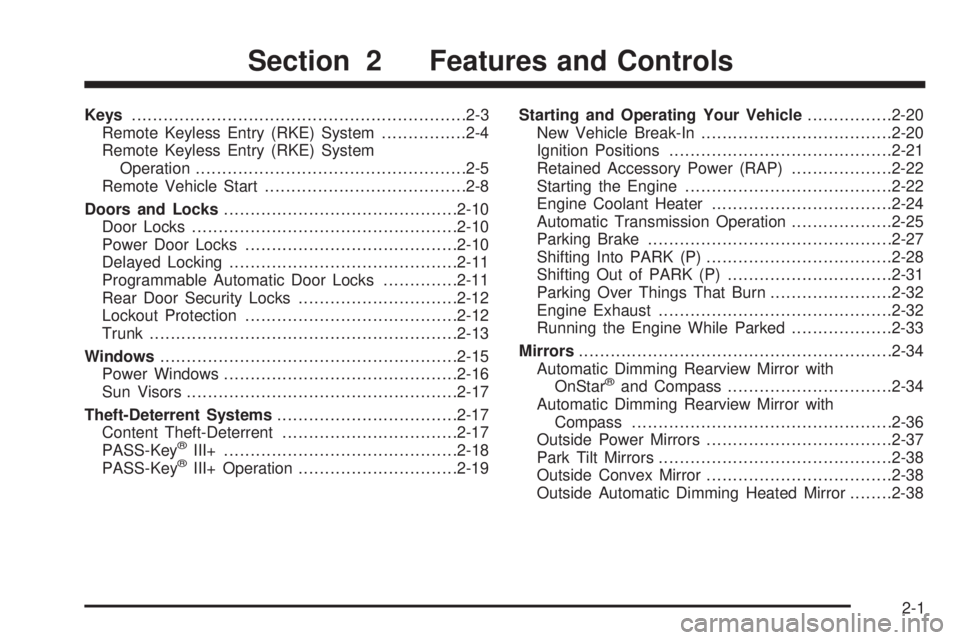
Keys...............................................................2-3
Remote Keyless Entry (RKE) System................2-4
Remote Keyless Entry (RKE) System
Operation...................................................2-5
Remote Vehicle Start......................................2-8
Doors and Locks............................................2-10
Door Locks..................................................2-10
Power Door Locks........................................2-10
Delayed Locking...........................................2-11
Programmable Automatic Door Locks..............2-11
Rear Door Security Locks..............................2-12
Lockout Protection........................................2-12
Trunk..........................................................2-13
Windows........................................................2-15
Power Windows............................................2-16
Sun Visors...................................................2-17
Theft-Deterrent Systems..................................2-17
Content Theft-Deterrent.................................2-17
PASS-Key
®III+............................................2-18
PASS-Key®III+ Operation..............................2-19Starting and Operating Your Vehicle................2-20
New Vehicle Break-In....................................2-20
Ignition Positions..........................................2-21
Retained Accessory Power (RAP)...................2-22
Starting the Engine.......................................2-22
Engine Coolant Heater..................................2-24
Automatic Transmission Operation...................2-25
Parking Brake..............................................2-27
Shifting Into PARK (P)...................................2-28
Shifting Out of PARK (P)...............................2-31
Parking Over Things That Burn.......................2-32
Engine Exhaust............................................2-32
Running the Engine While Parked...................2-33
Mirrors...........................................................2-34
Automatic Dimming Rearview Mirror with
OnStar
®and Compass...............................2-34
Automatic Dimming Rearview Mirror with
Compass.................................................2-36
Outside Power Mirrors...................................2-37
Park Tilt Mirrors............................................2-38
Outside Convex Mirror...................................2-38
Outside Automatic Dimming Heated Mirror........2-38
Section 2 Features and Controls
2-1
Page 92 of 434

Rear Door Security Locks
Your vehicle has rear door security locks, that prevent
passengers from opening the rear doors from the inside.
The rear door security locks are located on the inside
edge of each rear door. You must open the rear doors to
access them.
To assist you in nding the lock, your vehicle will have
one of the following:
To use these locks, do the following:
1. Insert the key into the security lock slot and turn it
so the slot is in the horizontal position.
2. Close the door.
3. Do the same for the other rear door.When you want to open a rear door when the security
lock is on, do the following:
1. Unlock the door using the remote keyless entry
transmitter, if the vehicle has one, the power door
lock switch, or by lifting the rear door manual lock.
2. Open the door from the outside.
To cancel the rear door security lock, do the following:
1. Unlock the door and open it from the outside.
2. Insert the key into the security lock slot and turn it
so the slot is in the vertical position.
3. Do the same for the other rear door.
Lockout Protection
If the key is in the ignition and the power door lock
switch is used to lock the doors, all doors will lock and
then the driver’s door will unlock. It is always
recommended that you remove the ignition key when
locking your vehicle.
The lockout protection feature can be overridden by
holding the power door lock switch for three seconds or
longer.
2-12
Page 94 of 434

Emergency Trunk Release Handle
Notice:Do not use the emergency trunk release
handle as a tie-down or anchor point when securing
items in the trunk as it could damage the handle.
The emergency trunk release handle is only
intended to aid a person trapped in a latched trunk,
enabling them to open the trunk from the inside.There is a glow-in-the-dark emergency trunk release
handle located inside the trunk near the latch. This
handle will glow following exposure to light. Pull
the release handle to open the trunk from the inside.
Rear Seat Pass-Through
Your vehicle has a small door in the rear seat. This
door allows you to access the trunk from inside
the vehicle.
The rear seat armrest must be down for the
pass-through door to open. To release the pass-through
door, move the release lever up with your ngers. To
close the door, raise it and push it until it latches.
2-14
Page 99 of 434
PASS-Key®III+ Operation
Your vehicle is equipped with PASS-Key®III+
(Personalized Automotive Security System)
theft-deterrent system. PASS-Key
®III+ is a passive
theft-deterrent system.
The system is automatically armed when the key is
removed from the ignition.
You do not have to manually arm or disarm the system.
The security light will come on if there is a problem
with arming or disarming the theft-deterrent system.
When the PASS-Key
®III+ system senses that someone
is using the wrong key, it prevents the vehicle from
starting. Anyone using a trial-and-error method to start
the vehicle will be discouraged because of the high
number of electrical key codes.
When trying to start the vehicle if the engine does not
start and the security light on the instrument panel
cluster comes on, there may be a problem with your
theft-deterrent system. Turn the ignition off and try again.If the engine still does not start, and the key appears to
be not damaged, try another ignition key. At this
time, you may also want to check the fuse, seeFuses
and Circuit Breakers on page 5-105. If the engine
still does not start with the other key, your vehicle needs
service. If your vehicle does start, the rst key may be
faulty. See your dealer/retailer who can service the
PASS-Key
®III+ to have a new key made. In an
emergency, contact Roadside Assistance. SeeRoadside
Assistance Program on page 7-8.
It is possible for the PASS-Key
®III+ decoder to “learn”
the transponder value of a new or replacement key.
Up to 10 keys may be programmed for the vehicle. The
following procedure is for programming additional
keys only. If all the currently programmed keys are lost
or do not operate, you must see your dealer/retailer
or a locksmith who can service PASS-Key
®III+ to have
keys made and programmed to the system.
See your dealer/retailer or a locksmith who can service
PASS-Key
®III+ to get a new key blank that is cut
exactly as the ignition key that operates the system.
2-19
Page 100 of 434

To program the new key:
1. Verify that the new key has a
1stamped on it.
2. Insert the already programmed key in the ignition
and start the engine. If the engine will not start, see
your dealer/retailer for service.
3. After the engine has started, turn the key to
LOCK/OFF, and remove the key.
4. Insert the key to be programmed and turn it to the
ON/RUN position within ve seconds of the original
key being turned to the LOCK/OFF position.
The security light will turn off once the key has
been programmed.
5. Repeat Steps 1 through 4 if additional keys are to
be programmed.
If you lose or damage your PASS-Key
®III+ key, see
your dealer/retailer or a locksmith who can service
PASS-Key
®III+ to have a new key made.
Do not leave the key or device that disarms or
deactivates the theft deterrent system in the vehicle.
Starting and Operating Your
Vehicle
New Vehicle Break-In
Notice:Your vehicle does not need an elaborate
break-in. But it will perform better in the long run if
you follow these guidelines:
Do not drive at any one constant speed, fast or
slow, for the rst 500 miles (805 km). Do not
make full-throttle starts. Avoid downshifting to
brake or slow the vehicle.
Avoid making hard stops for the rst 200 miles
(322 km) or so. During this time the new brake
linings are not yet broken in. Hard stops
with new linings can mean premature wear and
earlier replacement. Follow this breaking-in
guideline every time you get new brake linings.
Do not tow a trailer during break-in. SeeTowing
a Trailer on page 4-26for the trailer towing
capabilities of your vehicle and more
information.
Following break-in, engine speed and load can be
gradually increased.
2-20
Page 126 of 434

LDW Error Message
SERVICE LANE DEPARTURE SYSTEM:This
message may appear in the DIC to indicate that LDW is
not working properly. If this message remains on
after continued driving, the system needs service. Take
your vehicle to your dealer/retailer. SeeDIC Warnings
and Messages on page 3-56for more information.
LANE DEPARTURE SYSTEM UNAVAILABLE:This
message may appear in the DIC if LDW does not
activate due to a temporary condition. SeeDIC
Warnings and Messages on page 3-56for more
information.
OnStar®System
OnStar uses several innovative technologies and live
advisors to provide you with a wide range of safety,
security, information, and convenience services. If your
airbags deploy, the system is designed to make anautomatic call to OnStar Emergency advisors who can
request emergency services be sent to your location.
If you lock your keys in the vehicle, call OnStar at
1-888-4-ONSTAR and they can send a signal to unlock
your doors. If you need roadside assistance, press
the OnStar button and they can contact Roadside
Service for you.
OnStar service is provided to you subject to the OnStar
Terms and Conditions. You may cancel your OnStar
service at any time by contacting OnStar. A complete
OnStar Owner’s Guide and the OnStar Terms and
Conditions are included in the vehicle’s OnStar
Subscriber glove box literature. For more information,
visit onstar.com or onstar.ca, contact OnStar at
1-888-4-ONSTAR (1-888-466-7827) or TTY
1-877-248-2080, or press the OnStar button to speak
with an OnStar advisor 24 hours a day, 7 days a week.
Not all OnStar features are available on all vehicles.
To check if your vehicle is equipped to provide the
services described below, or for a full description of
OnStar services and system limitations, see the OnStar
Owner’s Guide in your glove box or visit onstar.com.
2-46
Page 129 of 434
Location information about your vehicle is only available
if the GPS satellite signals are unobstructed and
available.
Your vehicle must have a working electrical system
(including adequate battery power) for the OnStar
equipment to operate. There are other problems OnStar
cannot control that may prevent OnStar from providing
OnStar service to you at any particular time or place.
Some examples are damage to important parts of your
vehicle in an accident, hills, tall buildings, tunnels,
weather or wireless phone network congestion.
Your Responsibility
Increase the radio volume if you cannot hear the OnStar
advisor. If the light next to the OnStar buttons is red,
this means that your system is not functioning properly
and should be checked by your dealer/retailer. If the
light appears clear (no light is appearing), your OnStar
subscription has expired. You can always press the
OnStar button to conrm that your OnStar equipment is
active.
Universal Home Remote
System
Universal Home Remote System
The Universal Home Remote System provides a way to
replace up to three hand-held Radio-Frequency (RF)
transmitters used to activate devices such as garage
door openers, security systems, and home lighting.
This device complies with Part 15 of the FCC Rules.
Operation is subject to the following two conditions:
1. This device may not cause harmful interference.
2. This device must accept any interference received,
including interference that may cause undesired
operation.
This device complies with RSS-210 of Industry Canada.
Operation is subject to the following two conditions:
1. This device may not cause interference.
2. This device must accept any interference received,
including interference that may cause undesired
operation of the device.
Changes or modications to this system by other than
an authorized service facility could void authorization to
use this equipment.
2-49