ignition BUICK LUCERNE 2008 Owner's Guide
[x] Cancel search | Manufacturer: BUICK, Model Year: 2008, Model line: LUCERNE, Model: BUICK LUCERNE 2008Pages: 434
Page 109 of 434
Steering Column Shift Lever
If your vehicle has a steering column shift lever, use this
procedure to shift the vehicle into PARK (P):
1. Hold the brake pedal down with your right foot.
2. Move the shift lever into PARK (P) by pulling the
shift lever toward you and moving it up as far as it
will go.
3. With your right foot still holding the brake pedal
down, set the parking brake. SeeParking Brake
on page 2-27for more information.
4. Turn the ignition key to LOCK/OFF.
5. Remove the key and take it with you. If you can
leave your vehicle with the ignition key in your
hand, your vehicle is in PARK (P).
Console Shift Lever
If your vehicle is equipped with a console shift lever,
use this procedure to shift the vehicle into PARK (P):
1. Hold the brake pedal down with your right foot.
2. Move the shift lever into PARK (P) by pushing the
lever all the way toward the front of your vehicle
and then to the left.
3. With your right foot still holding the brake pedal
down, set the parking brake. SeeParking Brake
on page 2-27for more information.
4. Turn the ignition key to LOCK/OFF.
5. Remove the key and take it with you. If you can
leave your vehicle with the ignition key in your
hand, your vehicle is in PARK (P).
2-29
Page 111 of 434
Shifting Out of PARK (P)
Automatic Transmission Shift Lock
This vehicle has an electronic shift lock release system.
The shift lock release is designed to:
Prevent ignition key removal unless the shift lever is
in PARK (P)
Prevent movement of the shift lever out of PARK (P),
unless the ignition is in ON/RUN and the regular
brake pedal is applied.
The shift lock is always functional except in the case of
a an uncharged or low voltage (less than 9 volt)
battery.
If your vehicle has an uncharged battery or a battery
with low voltage, try charging or jump starting the
battery. SeeJump Starting on page 5-48.
Console Shift
If your console shift cannot be moved out of PARK (P)
1. Apply and maintain the regular brakes.
2. Turn the ignition to ON/RUN position. SeeIgnition
Positions on page 2-21for more information.
3. Let up on the shift lever and make sure the shift
lever is pushed all the way into PARK (P).
4. Then, move the shift into the desired gear.
If you still cannot move the shift lever from PARK (P),
consult your dealer/retailer or a professional towing
service.
Column Shift
If your park lock cable cannot be moved out of PARK (P)
1. Apply and maintain the regular brakes.
2. Turn the ignition key to the ON/RUN position. See
Ignition Positions on page 2-21for more information.
3. Shift out of the PARK (P) position to the
NEUTRAL (N) position.
4. Move the vehicle to a safe location.
If you still cannot move the shift lever from PARK (P),
consult your dealer/retailer or a professional towing
service.
2-31
Page 114 of 434
Mirrors
Automatic Dimming Rearview Mirror
with OnStar
®and Compass
Your vehicle may have an automatic-dimming rearview
mirror with a compass.
There may be three additional buttons for the OnStar
®
system. See your dealer/retailer for more information
on the system and how to subscribe to OnStar®.
SeeOnStar®System on page 2-46for more information
about the services OnStar®provides.
O(On/Off):This is the on/off button.
Automatic Dimming Mirror Operation
The automatic dimming mirror comes on each time the
ignition is turned to start. To turn the automatic
dimming feature off or back on, press the on/off button.
The indicator light on the mirror is lit when the
automatic dimming feature is on.
Compass Operation
Press the on/off button once to turn the compass
on or off.
There is a compass display in the window in the upper
right corner of the mirror face.
Compass Calibration
Press and hold the on/off button to activate the compass
calibration mode. CAL will be displayed in the compass
window on the mirror.
The compass can be calibrated by driving the vehicle in
circles at 5 mph (8 km/h) or less until the display
reads a direction.
If after a few seconds the display does not show a
compass direction, (N for North for example), there may
be a strong magnetic eld interfering with the compass.
Such interference may be caused by a magnetic
antenna mount, note pad holder, or similar object. If the
letter C or CAL appears in the compass window, the
compass may need to be reset or calibrated.
2-34
Page 116 of 434
Automatic Dimming Rearview Mirror
with Compass
Your vehicle may have an automatic dimming rearview
mirror with a compass. This feature enables the
mirror to sense nighttime glare from vehicle headlamps
from behind and automatically dim to reduce the
glare to a safe level. The automatic dimming feature
turns on each time the vehicle is started.
O(On/Off):This is the on/off button.
Automatic Dimming Mirror Operation
The automatic dimming mirror function is turned
on automatically each time the ignition is started. To
operate the automatic dimming mirror, do the following:
1. Make sure the indicator light, located to the left of the
on/off button, is on. If it’s not, press and hold the
on/off button until the light comes on, indicating that
the mirror is in automatic dimming mode.
2. Turn off the automatic dimming mirror function by
pressing and holding the on/off button until the
indicator light turns off.
Compass Operation
Press the on/off button once to turn the compass
on or off.
When the ignition and the compass feature are on, the
compass will show two character boxes for a few
seconds. After a few seconds, the mirror will display the
current compass direction.
Compass Calibration
If after a few seconds the display does not show a
compass direction, (N for North for example), there may
be a strong magnetic eld interfering with the compass.
Such interference may be caused by a magnetic
antenna mount, note pad holder, or similar object. If the
letter C or CAL appears in the compass window, the
compass may need to be reset or calibrated.
The compass can be calibrated by driving the vehicle in
circles at 5 mph (8 km/h) or less until the display
reads a direction.
2-36
Page 118 of 434
Park Tilt Mirrors
If your vehicle has memory mirrors, the outside mirrors
have park tilt mirrors. This feature tilts the driver
side and passenger side mirror to a factory programmed
position when the vehicle is in REVERSE (R). This
feature may be useful in allowing you to view the curb
when you are parallel parking.
When the vehicle is shifted out of REVERSE (R) and
either a ve second delay has occurred, or the ignition is
turned to LOCK/OFF, the driver and passenger side
mirrors return to their original position.
SeeDIC Vehicle Customization on page 3-66for more
information.
Outside Convex Mirror
{CAUTION:
A convex mirror can make things (like other
vehicles) look farther away than they really are.
If you cut too sharply into the right lane, you
could hit a vehicle on your right. Check your
inside mirror or glance over your shoulder
before changing lanes.The passenger side mirror is convex. A convex mirror’s
surface is curved so more can be seen from the
driver seat. It also makes things, like other vehicles,
look farther away than they really are.
Outside Automatic Dimming Heated
Mirror
If your vehicle has this feature, the outside driver’s
mirror will adjust for the glare of headlamps behind you.
When you operate the rear window defogger, the
heated driver’s and passenger’s outside rearview mirrors
are warmed to help clear them of ice and snow. See
“Rear Window Defogger” underClimate Control System
on page 3-21orDual Automatic Climate Control
System on page 3-24for more information.
Your vehicle may also have a turn signal indicator on
the mirror. An arrow on the outside rearview mirror
will ash in the direction of the turn or lane change. See
Turn and Lane-Change Signals on page 3-8for more
information.
Side Blind Zone Alert (SBZA)
If your vehicle has the Side Blind Zone Alert (SBZA)
system, seeSide Blind Zone Alert on page 2-41.
2-38
Page 144 of 434

Hazard Warning Flashers
Your hazard warning ashers let you warn others. They
also let police know you have a problem. Your front
and rear turn signal lamps will ash on and off.
The hazard warning
asher button is located in
the center of the
instrument panel above
the radio.
Your hazard warning ashers work no matter what
position your key is in, and even if the key is not in the
ignition.
Press the button to make the front and rear turn signal
lamps ash on and off. Press the button again to
turn the ashers off.
When the hazard warning ashers are on, your turn
signals will not work.
Other Warning Devices
If you carry reective triangles, you can set them up at
the side of the road about 300 feet (100 m) behind
your vehicle.
Horn
Press near or on the horn symbols on the steering
wheel pad to sound the horn.
Tilt Wheel
A tilt wheel allows you to adjust the steering wheel
before you drive. You can also raise it to the highest
level to give your legs more room when you exit
and enter the vehicle.
The lever that allows you to tilt the steering wheel is
located on the left side of the steering column.
To tilt the wheel, hold the
wheel and pull the lever
toward you. Then move the
wheel to a comfortable
position and release
the lever to lock the wheel
in place.
3-6
Page 152 of 434
Reducing Speed While Using Cruise
Control
To reduce your speed while using cruise control:
Press and hold the SET– button on the steering
wheel until you reach the desired lower speed,
then release it.
To slow down in very small amounts, press the
SET– button on the steering wheel briey. Each
time this is done, the vehicle will go about 1 mph
(1.6 km/h) slower.
Passing Another Vehicle While Using
Cruise Control
Use the accelerator pedal to increase vehicle speed.
When you take your foot off the pedal, the vehicle
will slow down to the cruise speed you set earlier.
Using Cruise Control on Hills
How well the cruise control will work on hills depends
upon the vehicle speed, load and the steepness of
the hills. When going up steep hills, you might have to
step on the accelerator pedal to maintain your speed.
When going downhill, you might have to brake or shift to
a lower gear to keep your speed down. If the brakes
are applied the cruise control will turn off. Many drivers
nd this to be too much trouble and do not use
cruise control on steep hills.
Ending Cruise Control
There are three ways to end cruise control:
Step lightly on the brake pedal.
Press the[button on the steering wheel.
Press theTbutton on the steering wheel.
Erasing Speed Memory
The cruise control set speed memory is erased by
turning off the cruise control or the ignition.
Exterior Lamps
The exterior lamps control
is located on the
instrument panel to the left
of the steering wheel.
3-14
Page 153 of 434
It controls the following systems:
Headlamps
Taillamps
Parking Lamps
License Plate Lamps
Instrument Panel Lights
Fog Lamps (If Equipped)
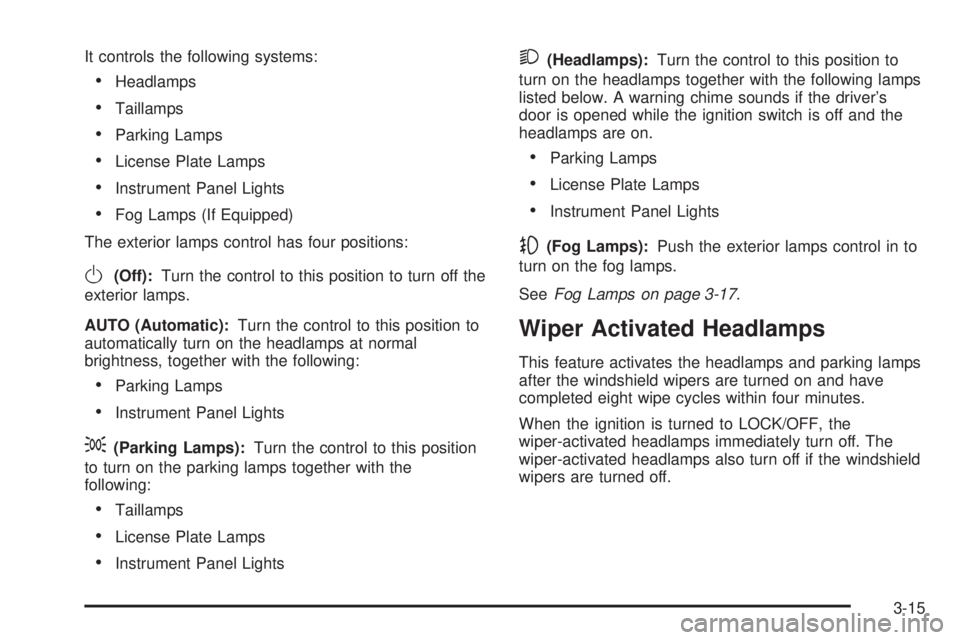
The exterior lamps control has four positions:
O(Off):Turn the control to this position to turn off the
exterior lamps.
AUTO (Automatic):Turn the control to this position to
automatically turn on the headlamps at normal
brightness, together with the following:
Parking Lamps
Instrument Panel Lights
;(Parking Lamps):Turn the control to this position
to turn on the parking lamps together with the
following:
Taillamps
License Plate Lamps
Instrument Panel Lights
2(Headlamps):Turn the control to this position to
turn on the headlamps together with the following lamps
listed below. A warning chime sounds if the driver’s
door is opened while the ignition switch is off and the
headlamps are on.
Parking Lamps
License Plate Lamps
Instrument Panel Lights
-(Fog Lamps):Push the exterior lamps control in to
turn on the fog lamps.
SeeFog Lamps on page 3-17.
Wiper Activated Headlamps
This feature activates the headlamps and parking lamps
after the windshield wipers are turned on and have
completed eight wipe cycles within four minutes.
When the ignition is turned to LOCK/OFF, the
wiper-activated headlamps immediately turn off. The
wiper-activated headlamps also turn off if the windshield
wipers are turned off.
3-15
Page 154 of 434
Headlamps on Reminder
If you leave the exterior lamp buttons for the headlamps
or parking lamps on, remove the key from the ignition
and open the driver’s door, you will hear a continuous
warning chime. The chime will turn off when the
lamps are turned off.
Daytime Running Lamps (DRL)
Daytime Running Lamps (DRL) can make it easier for
others to see the front of your vehicle during the
day. DRL can be helpful in many different driving
conditions, but they can be especially helpful in the short
periods after dawn and before sunset. Fully functional
daytime running lamps are required on all vehicles
rst sold in Canada.
A light sensor on top of the instrument panel monitors
the exterior light level for the operation of DRL, so
be sure it is not covered.The DRL system makes the low-beam headlamps turn
on at reduced brightness in daylight when the
following conditions are met:
The ignition is on.
The exterior lamp button for the headlamps is off.
The automatic transmission is not in PARK (P).
When the DRL are on, only the low-beam headlamps
will be on. The parking lamps, taillamps, sidemarker and
other lamps will not be on.
When it is dark enough outside, the low-beam
headlamps will come on. The other lamps that turn on
with the headlamps will also turn on. When it is
bright enough outside, the regular lamps will go off, and
the low-beam headlamps change to the reduced
brightness of DRL.
To turn off all exterior lighting at night when the vehicle
is parked, turn the exterior lamp control to the off
position. The exterior lamps will turn back on
automatically when the transmission is moved out of
PARK (P). SeeExterior Lamps on page 3-14for
more information.
As with any vehicle, the regular headlamp system
should be turned on when needed.
3-16
Page 155 of 434
Fog Lamps
-(Fog Lamps):If your vehicle has fog lamps, the
button is located on the exterior lamps control. The
exterior lamps control is located on the instrument panel
to the left of the steering column.
The ignition must be in the ON/RUN position and the
parking lamps must be on for the fog lamps to illuminate.
To turn the fog lamps on, press the exterior lamps
button. A light comes on in the instrument panel cluster
to show that the fog lamps are on. SeeInstrument
Panel Cluster on page 3-33. Press the exterior lamps
button again to turn the fog lamps off.
The fog lamps will go off while you change to high-beam
headlamps.
Some localities have laws that require the headlamps to
be on along with the fog lamps.
Cornering Lamps
If your vehicle has this feature, the cornering lamps
come on when: the headlamps or parking lamps are on,
the vehicle is not in PARK (P), and you signal a turn
with the turn signal/multifunction lever. They provide
more light for cornering.
Exterior Lighting Battery Saver
If the exterior lamp button has been left on, the exterior
lamps will turn off about 10 minutes after the ignition is
turned to LOCK/OFF and a door has been opened. This
protects against draining the battery if the headlamps or
parking lamps are accidentally left on. If you need to
leave the lamps on for more than 10 minutes, use the
exterior lamp control to turn the lamps back on after the
ignition is turned to LOCK/OFF and any door is opened.
Instrument Panel Brightness
D(Instrument Panel Brightness):This feature
controls the brightness of the instrument panel lights.
The knob for this control is located next to the exterior
lamps control.
Push the knob in and release when it pops out. Turn
the knob clockwise to increase the brightness of
the instrument panel lights and counter clockwise to
decrease the brightness. Turning the knob completely
clockwise to the detent will turn on the courtesy lamps.
Courtesy Lamps
When any door is opened, several lamps turn on
making it easier for you to enter and exit the vehicle.
Turn the instrument panel brightness control completely
clockwise to manually turn on these lamps.
3-17