service BUICK LUCERNE 2008 Owner's Guide
[x] Cancel search | Manufacturer: BUICK, Model Year: 2008, Model line: LUCERNE, Model: BUICK LUCERNE 2008Pages: 434
Page 184 of 434
Emissions Inspection and Maintenance
Programs
Some state/provincial and local governments have or
might begin programs to inspect the emission control
equipment on your vehicle. Failure to pass this
inspection could prevent you from getting a vehicle
registration.
Here are some things you need to know to help your
vehicle pass an inspection:
Your vehicle will not pass this inspection if the check
engine light is on or not working properly.
Your vehicle will not pass this inspection if the OBD
(on-board diagnostic) system determines that critical
emission control systems have not been completely
diagnosed by the system. The vehicle would be
considered not ready for inspection. This can happen if
you have recently replaced the battery or if the
battery has run down. The diagnostic system is
designed to evaluate critical emission control systems
during normal driving. This can take several days
of routine driving. If you have done this and your vehicle
still does not pass the inspection for lack of OBD
system readiness, your dealer/retailer can prepare the
vehicle for inspection.
Oil Pressure Light
{CAUTION:
Do not keep driving if the oil pressure is low. If
you do, your engine can become so hot that it
catches re. You or others could be burned.
Check your oil as soon as possible and have
your vehicle serviced.
Notice:Lack of proper engine oil maintenance may
damage the engine. The repairs would not be covered
by your warranty. Always follow the maintenance
schedule in this manual for changing engine oil.
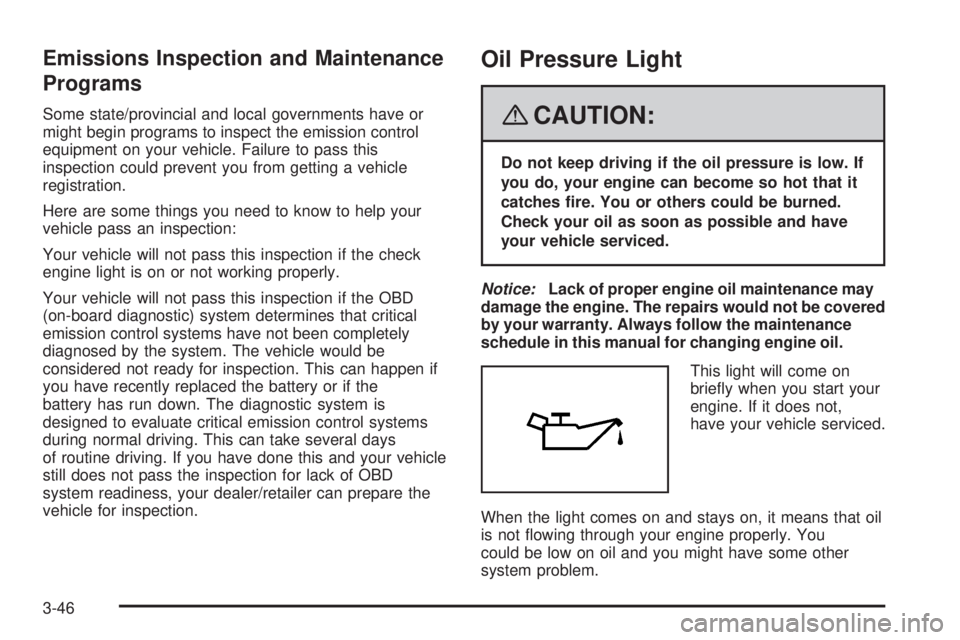
This light will come on
briey when you start your
engine. If it does not,
have your vehicle serviced.
When the light comes on and stays on, it means that oil
is not owing through your engine properly. You
could be low on oil and you might have some other
system problem.
3-46
Page 186 of 434

Fuel Gage
The fuel gage shows about how much fuel is in your
tank. It works only when the ignition is on. When
the indicator moves to the edge of the low fuel warning
band, the low fuel warning light will come on and a
chime will sound. You still have a little fuel left, but you
need to get more fuel right away.Here are some things that some owners ask about.
None of these show a problem with your fuel gage:
At the service station, the gas pump shuts off before
the gage reads full.
It takes more (or less) fuel to ll up than the gage
indicated. For example, the gage may have
indicated half full, but it took more (or less) than
half the tank’s capacity to ll it.
The gage moves up a little when you turn a corner,
speed up or make a hard stop.
The gage does not go back to empty when you turn
off the ignition.
Driver Information Center (DIC)
Your vehicle has a Driver Information Center (DIC).
All messages will appear in the DIC display located
below the speedometer in the instrument panel cluster.
The DIC buttons are located on the instrument panel,
to the left of the instrument panel cluster.
The DIC comes on when the ignition is on. After a short
delay, the DIC will display the information that was
last displayed before the engine was turned off. United States
Canada
3-48
Page 187 of 434

The DIC displays trip, fuel, and vehicle system
information, and warning messages if a system problem
is detected. The bottom line of the DIC shows the shift
lever position indicator. SeeAutomatic Transmission
Operation on page 2-25for more information.
If your vehicle’s DIC has these features, the compass
direction and the outside air temperature may also
display on the DIC when viewing the trip and fuel
information. The compass direction appears on the top
right corner of the DIC display. The outside air
temperature automatically appears in the bottom right
corner of the DIC display. If there is a problem with the
system that controls the temperature display, the
numbers will be replaced with dashes. If this occurs,
have the vehicle serviced by your dealer/retailer.
The DIC also allows some features to be customized.
SeeDIC Vehicle Customization on page 3-66for
more information.
DIC Operation and Displays
The DIC has different displays which can be accessed
by pressing the DIC buttons located on the instrument
panel, to the left of the instrument panel cluster.
DIC Buttons
The buttons are the trip/fuel, vehicle information,
customization, and set/reset buttons. The button
functions are detailed in the following pages.
3(Trip/Fuel):Press this button to display the
odometer, trip odometers, fuel range, average economy,
instantaneous economy, and average speed.
T(Vehicle Information):Press this button to display
the oil life, units, park assist on vehicles with this
feature, side blind zone alert on vehicles with this
feature, tire pressure readings, compass zone and
compass calibration on vehicles with this feature, and
Remote Keyless Entry (RKE) transmitter programming.
U(Customization):Press this button to customize
the feature settings on your vehicle. SeeDIC Vehicle
Customization on page 3-66for more information.
V(Set/Reset):Press this button to set or reset certain
functions and to turn off or acknowledge messages
on the DIC.
3-49
Page 191 of 434

Side Blind Zone
If your vehicle has the Side Blind Zone Alert (SBZA)
system, this display allows the system to be turned on or
off. Press the vehicle information button until SIDE
BLIND ZONE displays. Once in this display, press the
set/reset button to select between ON or OFF. If
you choose ON, the system will be turned on. If you
choose OFF, the system will be turned off. When
the SBZA system is turned off, the DIC will display the
SIDE BLIND ZONE ALERT SYSTEM OFF message
as a reminder that the system has been turned off. See
DIC Warnings and Messages on page 3-56andSide
Blind Zone Alert on page 2-41for more information.
Tire Pressure
The pressure for each tire can be viewed in the DIC.
The tire pressure will be shown in either pounds
per square inch (psi) or kilopascals (kPa). Press the
vehicle information button until the DIC displays FRONT
TIRES PSI (kPa) LEFT ## RIGHT ##. Press the
vehicle information button again until the DIC displays
REAR TIRES PSI (kPa) LEFT ## RIGHT ##.
If a low or high tire pressure condition is detected by the
system while driving, a message advising you to
check the pressure in a specic tire will appear in the
display. SeeInflation - Tire Pressure on page 5-67and
DIC Warnings and Messages on page 3-56for more
information.If the tire pressure display shows dashes instead of a
value, there may be a problem with your vehicle. If this
consistently occurs, see your dealer/retailer for
service.
Change Compass Zone
Your vehicle may have this feature. To change the
compass zone through the DIC, seeDIC Compass on
page 3-54.
Calibrate Compass
Your vehicle may have this feature. The compass can
be manually calibrated. To calibrate the compass
through the DIC, seeDIC Compass on page 3-54.
Relearn Remote Key
To access this display, the vehicle must be in PARK (P).
This display allows you to match Remote Keyless
Entry (RKE) transmitters to your vehicle. To match an
RKE transmitter to your vehicle:
1. Press the vehicle information button until PRESS
VTO RELEARN REMOTE KEY displays.
2. Press the set/reset button until REMOTE KEY
LEARNING ACTIVE is displayed.
3-53
Page 195 of 434

BATTERY SAVER ACTIVE
This message displays when the system detects that
the battery voltage is dropping beyond a reasonable
level. The battery saver system starts reducing certain
features of the vehicle that you may be able to notice. At
the point that the features are disabled, this message
is displayed. It means that the vehicle is trying to
save the charge in the battery.
Turn off all unnecessary accessories to allow the battery
to recharge.
The normal battery voltage range is 11.5 to 15.5 volts.
CHANGE ENGINE OIL SOON
This message displays when service is required for the
vehicle. See your dealer/retailer. SeeEngine Oil on
page 5-15andScheduled Maintenance on page 6-4for
more information.
Acknowledging the CHANGE ENGINE OIL SOON
message will not reset the OIL LIFE REMAINING. That
must be done at the OIL LIFE screen under the
vehicle information menu. See “Oil Life” underDIC
Operation and Displays on page 3-49andEngine Oil
Life System on page 5-18.
CHECK TIRE PRESSURE
This message displays when the pressure in one or
more of the vehicle’s tires needs to be checked.
This message also displays LEFT FRONT, RIGHT
FRONT, LEFT REAR, or RIGHT REAR to indicate which
tire needs to be checked. You can receive more than
one tire pressure message at a time. To read the other
messages that may have been sent at the same
time, press the set/reset button. If a tire pressure
message appears on the DIC, stop as soon as you can.
Have the tire pressures checked and set to those
shown on the Tire Loading Information label. SeeTires
on page 5-60,Loading Your Vehicle on page 4-19,
andInflation - Tire Pressure on page 5-67. The DIC also
shows the tire pressure values. SeeDIC Operation
and Displays on page 3-49. If the tire pressure is low,
the low tire pressure warning light comes on. See
Tire Pressure Light on page 3-43.
3-57
Page 196 of 434
CLEAN SIDE BLIND ZONE ALERT
SYSTEM
If your vehicle has the Side Blind Zone Alert (SBZA)
system, this message displays when the SBZA system
is disabled because the sensor is blocked and cannot
detect vehicles in your blind zone. The sensor may
be blocked by mud, dirt, snow, ice, or slush. This
message may also display during heavy rain or due to
road spray. Your vehicle does not need service. For
cleaning instructions, seeWashing Your Vehicle
on page 5-98. SeeSide Blind Zone Alert on page 2-41
for more information.
DRIVER DOOR OPEN
This message displays when the driver door is not closed
properly. Make sure that the door is closed completely.
ENGINE HOT A/C
(Air Conditioning) OFF
This message displays when the engine coolant
becomes hotter than the normal operating temperature.
To avoid added strain on a hot engine, the air
conditioning compressor is automatically turned off.
When the coolant temperature returns to normal, the A/C
operation automatically resumes. You can continue todrive your vehicle. If this message continues to appear,
have the system repaired by your dealer/retailer as soon
as possible to avoid compressor damage.
ENGINE OVERHEATED IDLE ENGINE
Notice:If you drive your vehicle while the engine is
overheating, severe engine damage may occur. If
an overheat warning appears on the instrument
panel cluster and/or DIC, stop the vehicle as soon
as possible. Do not increase the engine speed above
normal idling speed. SeeEngine Overheating on
page 5-28for more information.
This message displays when the engine coolant
temperature is too hot. Stop and allow the vehicle to
idle until it cools down.
ENGINE OVERHEATED STOP ENGINE
Notice:If you drive your vehicle while the engine
is overheating, severe engine damage may occur. If
an overheat warning appears on the instrument
panel cluster and/or DIC, stop the vehicle as soon
as possible. SeeEngine Overheating on page 5-28
for more information.
This message displays along with a continuous chime
when the engine has overheated. Stop and turn the
engine off immediately to avoid severe engine damage.
SeeEngine Overheating on page 5-28.
3-58
Page 197 of 434

ENGINE POWER IS REDUCED
This message displays when the vehicle’s engine power
is reduced. Reduced engine power can affect the
vehicle’s ability to accelerate. If this message is on, but
there is no reduction in performance, proceed to
your destination. The performance may be reduced the
next time the vehicle is driven. The vehicle may be
driven at a reduced speed while this message is on, but
acceleration and speed may be reduced. Anytime this
message stays on, the vehicle should be taken to
your dealer/retailer for service as soon as possible.
ERROR
This message displays while viewing the odometer or
trip odometers if there is a problem with the instrument
panel cluster. See your dealer/retailer for service.
FUEL LEVEL LOW
This message displays when your vehicle is low on fuel.
Rell the fuel tank as soon as possible. SeeFuel
Gage on page 3-48andFilling the Tank on page 5-8for
more information.
HEATED WASH (Washer) FLUID
SYSTEM OFF
This message displays when you manually turn off the
heated windshield washer uid system or when the
system automatically turns off. See “Heated Washer
Fluid” underWindshield Washer on page 3-11for more
information.
HEATING WASH (Washer) FLUID
WASH (Washer) WIPES PENDING
This message displays when you turn on the heated
windshield washer uid system. See “Heated Washer
Fluid” underWindshield Washer on page 3-11for more
information.
HOOD OPEN
If your vehicle has the remote start feature, this
message displays when the hood is not closed properly.
Make sure that the hood is closed completely. See
Hood Release on page 5-11.
ICE POSSIBLE DRIVE WITH CARE
This message displays when the outside air temperature
is cold enough to create icy road conditions. Adjust
your driving accordingly.
3-59
Page 198 of 434

LANE DEPARTURE SYSTEM
UNAVAILABLE
If your vehicle has the Lane Departure Warning (LDW)
system, this message may display if the LDW system
does not activate due to a temporary condition.
SeeLane Departure Warning on page 2-44for more
information.
LEFT REAR DOOR OPEN
This message displays when the driver side rear door is
not closed properly. Make sure that the door is closed
completely.
OIL PRESSURE LOW STOP ENGINE
Notice:If you drive your vehicle while the engine
oil pressure is low, severe engine damage may
occur. If a low oil pressure warning appears on the
instrument panel cluster and/or DIC, stop the
vehicle as soon as possible. Do not drive the vehicle
until the cause of the low oil pressure is corrected.
SeeEngine Oil on page 5-15for more information.
This message displays when the vehicle’s engine
oil pressure is low. The oil pressure light also appears
on the instrument panel cluster. SeeOil Pressure
Light on page 3-46.Stop the vehicle immediately, as engine damage can
result from driving a vehicle with low oil pressure. Have
the vehicle serviced by your dealer/retailer as soon
as possible when this message is displayed.
PARK ASSIST OFF
If your vehicle has this feature, after the vehicle has
been started, this message will reminder the driver that
the Ultrasonic Rear Parking Assist (URPA) system
has been turned off. Press the set/reset button to
acknowledge this message and clear it from the DIC
display. To turn the URPA system back on, see
“Park Assist” underDIC Operation and Displays on
page 3-49. SeeUltrasonic Rear Parking Assist (URPA)
on page 2-39for more information.
PASSENGER DOOR OPEN
This message displays when the front passenger door
is not closed properly. Make sure that the door is closed
completely.
RAINSENSE WIPERS ACTIVE
If your vehicle has this feature, this message displays
while the Rainsense™ system is active. See
Rainsense™ II Wipers on page 3-10for more
information.
3-60
Page 199 of 434

REMOTE KEY LEARNING ACTIVE
This message displays while you are matching a
Remote Keyless Entry (RKE) transmitter to your vehicle.
See “Matching Transmitter(s) to Your Vehicle” under
Remote Keyless Entry (RKE) System Operation
on page 2-5andDIC Operation and Displays on
page 3-49for more information.
REPLACE BATTERY IN REMOTE KEY
This message displays when the battery in the Remote
Keyless Entry (RKE) transmitter needs to be replaced.
To replace the battery, see “Battery Replacement” under
Remote Keyless Entry (RKE) System Operation on
page 2-5.
RIGHT REAR DOOR OPEN
This message displays when the passenger side rear
door is not closed properly. Make sure that the door
is closed completely.
SERVICE A/C (Air Conditioning)
SYSTEM
This message displays when the electronic sensors that
control the air conditioning and heating systems are
no longer working. Have the climate control system
serviced by your dealer/retailer if you notice a drop in
heating and air conditioning efficiency.
SERVICE AIR BAG
This message displays when there is a problem with the
airbag system. Have your vehicle serviced by your
dealer/retailer immediately. SeeAirbag Readiness Light
on page 3-35for more information.
SERVICE BATTERY CHARGING
SYSTEM
This message displays when there is a problem with the
generator and battery charging systems. Driving with
this problem could drain the battery. Turn off all
unnecessary accessories. Stop and turn off the vehicle
as soon as it is safe to do so. Have the electrical
system checked by your dealer/retailer immediately.
SERVICE BRAKE ASSIST
This message displays if there is a problem with the
brake system. The brake system warning light and the
antilock brake system warning light may also be
displayed on the instrument panel cluster. SeeBrake
System Warning Light on page 3-39andAntilock Brake
System Warning Light on page 3-40for more information.
If this happens, stop as soon as possible and turn off the
vehicle. Restart the vehicle and check for the message
on the DIC display. If the message is displayed or
appears again when you begin driving, the brake system
needs service. See your dealer/retailer as soon as
possible. SeeBrakes on page 5-42for more information.
3-61
Page 200 of 434

SERVICE BRAKE SYSTEM
This message displays if the ignition is on to inform the
driver that the brake uid level is low. Have the brake
system serviced by your dealer/retailer as soon as
possible. The brake system warning light also appears
on the instrument panel cluster when this message
appears on the DIC. SeeBrake System Warning Light
on page 3-39.
SERVICE LANE DEPARTURE SYSTEM
If your vehicle has the Lane Departure Warning
(LDW) system, this message may display to indicate
that the LDW system is not working properly. If
this message remains on after continued driving, the
system needs service. See your dealer/retailer.
SeeLane Departure Warning on page 2-44for more
information.
SERVICE PARK ASSIST
If your vehicle has this feature, this message displays if
there is a problem with the Ultrasonic Rear Parking
Assist (URPA) system. Do not use this system to help
you park. SeeUltrasonic Rear Parking Assist (URPA) on
page 2-39for more information. See your dealer/retailer
for service.
SERVICE POWER STEERING
Your vehicle may have a speed variable assist steering
system. SeeSteering on page 4-7.
This message displays if a problem is detected with the
speed variable assist steering system. When this
message is displayed, you may notice that the effort
required to steer the vehicle decreases or feels lighter,
but you will still be able to steer the vehicle.
SERVICE SIDE BLIND ZONE ALERT
SYSTEM
If your vehicle has the Side Blind Zone Alert (SBZA)
system and this message displays, both SBZA displays
will remain on indicating there is a problem with the
SBZA system. If these displays remain on after
continued driving, the system needs service. See your
dealer/retailer. SeeSide Blind Zone Alert on page 2-41
for more information.
SERVICE STABILITRAK
If your vehicle has StabiliTrak®, this message displays if
there has been a problem detected with StabiliTrak®.
A warning light also appears on the instrument
panel cluster. SeeTraction Control System (TCS)
Warning Light on page 3-40. SeeStabiliTrak
®System
on page 4-6for more information.
3-62