tow BUICK LUCERNE 2010 Owner's Guide
[x] Cancel search | Manufacturer: BUICK, Model Year: 2010, Model line: LUCERNE, Model: BUICK LUCERNE 2010Pages: 474
Page 141 of 474

Mirrors
Automatic Dimming Rearview Mirror
The vehicle may have an automatic dimming inside
rearview mirror with OnStar®and/or a compass display.
Automatic dimming reduces the glare from the
headlamps of the vehicle behind you. The dimming
feature comes on and the indicator light illuminates
each time the vehicle is started.
Vehicles with OnStar have three additional control
buttons located at the bottom of the mirror. See your
dealer for more information on the system and how to
subscribe to OnStar. See the OnStar
®owners guide for
more information about the services OnStar provides.
O(On/Off): Press to turn the dimming feature and/or
compass display on or off.
Cleaning the Mirror
Do not spray glass cleaner directly on the mirror. Use a
soft towel dampened with water.
Compass
Compass Operation
There is a compass display in the upper right corner of
the mirror.
Compass Calibration
Press and holdOto activate the compass calibration
mode. CAL displays in the compass window on the
mirror.
If after a few seconds the display does not show a
compass direction, (N for North for example), there
may be a strong magnetic field interfering with the
compass. Interference can be caused by a magnetic
antenna mount, note pad holder, or similar object.
If CAL displays in the compass window, the compass
may need to be reset or calibrated.
The compass can be calibrated by driving the vehicle in
circles at 5 mph (8 km/h) or less until the display reads a
direction.
3-33
Page 143 of 474
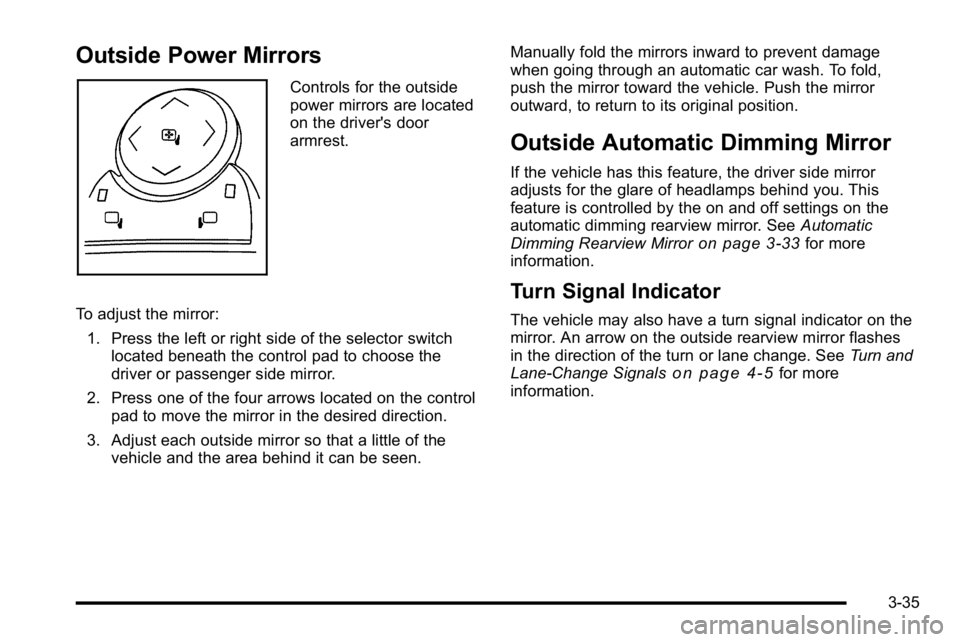
Outside Power Mirrors
Controls for the outside
power mirrors are located
on the driver's door
armrest.
To adjust the mirror: 1. Press the left or right side of the selector switch located beneath the control pad to choose the
driver or passenger side mirror.
2. Press one of the four arrows located on the control pad to move the mirror in the desired direction.
3. Adjust each outside mirror so that a little of the vehicle and the area behind it can be seen. Manually fold the mirrors inward to prevent damage
when going through an automatic car wash. To fold,
push the mirror toward the vehicle. Push the mirror
outward, to return to its original position.
Outside Automatic Dimming Mirror
If the vehicle has this feature, the driver side mirror
adjusts for the glare of headlamps behind you. This
feature is controlled by the on and off settings on the
automatic dimming rearview mirror. See
Automatic
Dimming Rearview Mirror
on page 3‑33for more
information.
Turn Signal Indicator
The vehicle may also have a turn signal indicator on the
mirror. An arrow on the outside rearview mirror flashes
in the direction of the turn or lane change. See Turn and
Lane-Change Signals
on page 4‑5for more
information.
3-35
Page 146 of 474
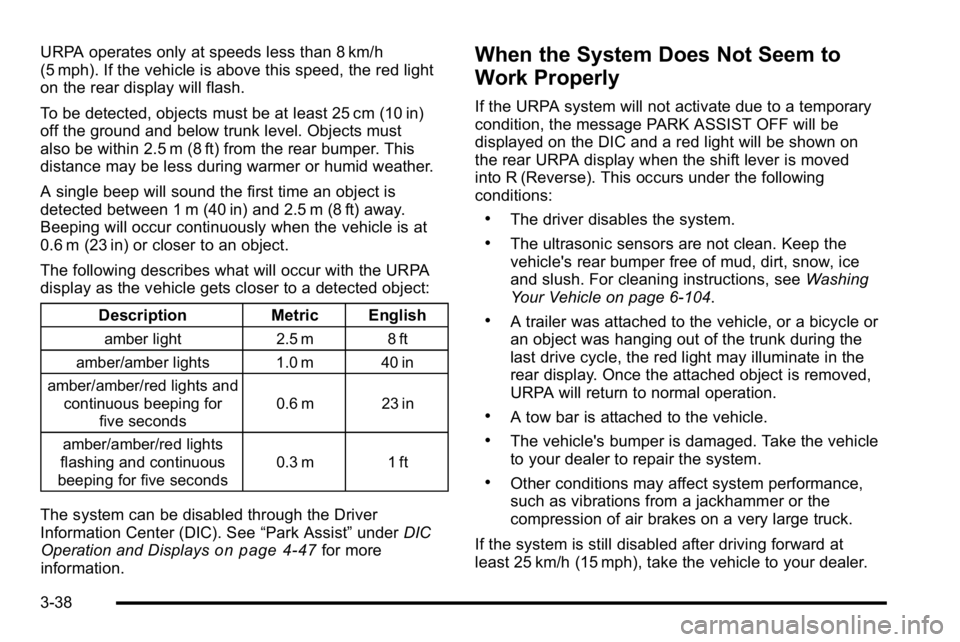
URPA operates only at speeds less than 8 km/h
(5 mph). If the vehicle is above this speed, the red light
on the rear display will flash.
To be detected, objects must be at least 25 cm (10 in)
off the ground and below trunk level. Objects must
also be within 2.5 m (8 ft) from the rear bumper. This
distance may be less during warmer or humid weather.
A single beep will sound the first time an object is
detected between 1 m (40 in) and 2.5 m (8 ft) away.
Beeping will occur continuously when the vehicle is at
0.6 m (23 in) or closer to an object.
The following describes what will occur with the URPA
display as the vehicle gets closer to a detected object:Description Metric English
amber light 2.5 m 8 ft
amber/amber lights 1.0 m 40 in
amber/amber/red lights and continuous beeping for five seconds 0.6 m 23 in
amber/amber/red lights
flashing and continuous
beeping for five seconds 0.3 m 1 ft
The system can be disabled through the Driver
Information Center (DIC). See
“Park Assist”underDIC
Operation and Displays
on page 4‑47for more
information.
When the System Does Not Seem to
Work Properly
If the URPA system will not activate due to a temporary
condition, the message PARK ASSIST OFF will be
displayed on the DIC and a red light will be shown on
the rear URPA display when the shift lever is moved
into R (Reverse). This occurs under the following
conditions:
.The driver disables the system.
.The ultrasonic sensors are not clean. Keep the
vehicle's rear bumper free of mud, dirt, snow, ice
and slush. For cleaning instructions, see Washing
Your Vehicle on page 6‑104.
.A trailer was attached to the vehicle, or a bicycle or
an object was hanging out of the trunk during the
last drive cycle, the red light may illuminate in the
rear display. Once the attached object is removed,
URPA will return to normal operation.
.A tow bar is attached to the vehicle.
.The vehicle's bumper is damaged. Take the vehicle
to your dealer to repair the system.
.Other conditions may affect system performance,
such as vibrations from a jackhammer or the
compression of air brakes on a very large truck.
If the system is still disabled after driving forward at
least 25 km/h (15 mph), take the vehicle to your dealer.
3-38
Page 148 of 474

The SBZA detection zones do not change if the vehicle
is towing a trailer. So be extra careful when changing
lanes while towing a trailer.
How the System Works
Left Side Mirror DisplayRight Side Mirror Display
When the vehicle is started, both outside mirror displays
will briefly come on to indicate that the system is
operating. While driving forward, the left or right side
mirror SBZA display will light up if a vehicle is detected
in that blind zone. If you activate a turn signal and a
vehicle has been detected on the same side, the SBZA
display will flash to give you extra warning not to
change lanes.
SBZA displays do not come on while the vehicle is
approaching or passing other vehicles. At speeds
greater then 20 mph (32 km/h), SBZA displays may
come on when a vehicle you have passed remains in or
drops back into the detection zone. SBZA can be disabled through the Driver Information
Center (DIC). See
Driver Information Center (DIC)
on
page 4‑47for more information. If the SBZA is disabled
by the driver, the SBZA mirror displays will not light up
during normal driving.
When the System Does Not Seem To Work
Properly
Occasional missed alerts can occur under normal
circumstances and will increase in wet conditions.
The system does not need to be serviced due to an
occasional missed alert. The number of missed alerts
will increase with increased rainfall or road spray.
If the SBZA displays do not light up when the system is
on and vehicles are in the blind zone, the system may
need service. Take the vehicle to your dealer.
SBZA is designed to ignore stationary objects; however,
the system may occasionally light up due to guard rails,
signs, trees, shrubs, and other stationary objects. This
is normal system operation, the vehicle does not need
service.
SBZA does not operate when the left or right corners of
the rear bumper are covered with mud, dirt, snow, ice,
slush, or in heavy rainstorms. For cleaning instructions,
see Washing Your Vehicle
on page 6‑104. If the DIC still
displays the SIDE BLIND ZONE SYS. UNAVAILABLE
message after cleaning the bumper, see your dealer.
3-40
Page 163 of 474
Instrument Panel Overview
Hazard Warning Flashers
The hazard warning flashers let you warn others that
you have a problem.
The hazard warning flasher button is located in the
center of the instrument panel above the radio.
|:Press to make the front and rear turn signal lamps
flash on and off. Press the button again to turn the
flashers off.
When the hazard warning flashers are on, the turn
signals will not work.
Horn
Press near or on the horn symbols on the steering
wheel pad to sound the horn.
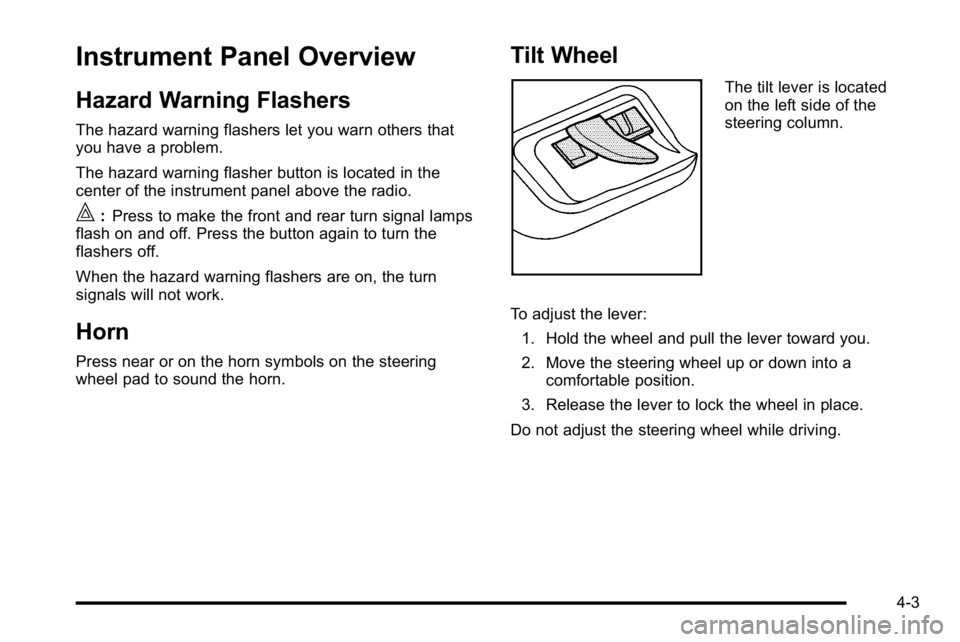
Tilt Wheel
The tilt lever is located
on the left side of the
steering column.
To adjust the lever: 1. Hold the wheel and pull the lever toward you.
2. Move the steering wheel up or down into a comfortable position.
3. Release the lever to lock the wheel in place.
Do not adjust the steering wheel while driving.
4-3
Page 164 of 474

Power Tilt Wheel and Telescopic
Steering Column
For vehicles with a power
tilt control, it is located on
the left hand side of the
steering column.To adjust the power tilt wheel:
.Push the control up or down to tilt the steering
wheel up or down.
.Push the control forward or rearward to move the
steering wheel toward the front or rear of the
vehicle.
Heated Steering Wheel
For vehicles with a heated steering wheel, the button for
this feature is located on the steering wheel.
(:
Press to turn the heated steering wheel on or off.
A light on the button displays when the feature is
turned on.
The steering wheel takes about three minutes to start
heating.
4-4
Page 166 of 474

Turn Signal On Chime
If the turn signal is left on, a warning chime sounds and
the Driver Information Center (DIC) will display TURN
SIGNAL ON after driving about a mile as a reminder to
turn it off. SeeDIC Warnings and Messages
on
page 4‑55.
Headlamp High/Low-Beam Changer
To change the headlamps from low beam to high beam,
push the turn signal lever away from you. To change
from high beam to low beam, pull the turn signal lever
toward you.
While the high beams are
on, this light located on
the instrument panel
cluster will also be on.
Flash-to-Pass
This feature lets you use the high-beam headlamps to
signal the driver in front of you that you want to pass.
It works even if your headlamps are off.
Pull the turn signal lever toward you briefly to
flash-to-pass.
If the headlamps are off or on low beam, the high-beam
headlamps will turn on. They will stay on as long as you
hold the lever toward you and the high-beam indicator
on the instrument panel cluster will come on.
Windshield Wipers
The windshield wiper lever is located on the left side of
the steering column.
Turn the band with the wiper symbol on it to control the
windshield wipers.
8 (Mist): For a single wiping cycle, hold it on mist until
the wipers start, then release. The wipers stop after one
wipe. Several wipes, hold the band longer.
6(Delay): Use to set the delay time between wipe
cycles. The wiper speed can be set for a long or short
delay between wipes. The closer the band is set to the
top of the lever, the shorter the delay.
4-6
Page 196 of 474
Brake System Warning Light
The vehicle's hydraulic brake system is divided into two
parts. If one part is not working, the other part can still
work and stop the vehicle. For good braking both parts
need to be working.
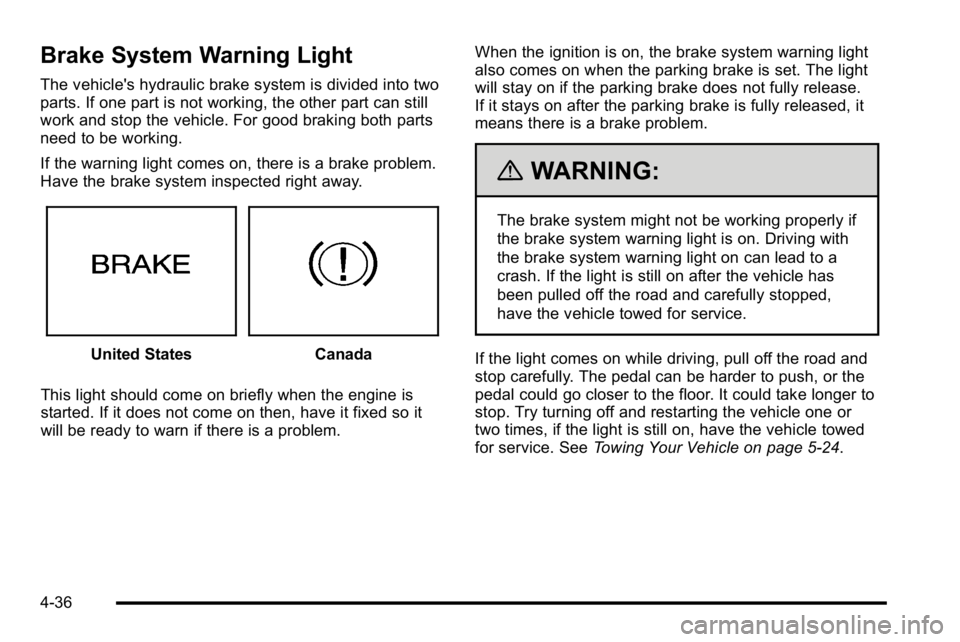
If the warning light comes on, there is a brake problem.
Have the brake system inspected right away.
United StatesCanada
This light should come on briefly when the engine is
started. If it does not come on then, have it fixed so it
will be ready to warn if there is a problem. When the ignition is on, the brake system warning light
also comes on when the parking brake is set. The light
will stay on if the parking brake does not fully release.
If it stays on after the parking brake is fully released, it
means there is a brake problem.
{WARNING:
The brake system might not be working properly if
the brake system warning light is on. Driving with
the brake system warning light on can lead to a
crash. If the light is still on after the vehicle has
been pulled off the road and carefully stopped,
have the vehicle towed for service.
If the light comes on while driving, pull off the road and
stop carefully. The pedal can be harder to push, or the
pedal could go closer to the floor. It could take longer to
stop. Try turning off and restarting the vehicle one or
two times, if the light is still on, have the vehicle towed
for service. See Towing Your Vehicle on page 5‑24.
4-36
Page 200 of 474

Engine Coolant Temperature
Warning Light
This light comes on briefly
while starting the vehicle.
If it does not, have the vehicle serviced by the dealer.
If the system is working normally the indicator light
goes off.
Notice: Driving with the engine coolant temperature
warning light on could cause the vehicle to
overheat. See Engine Overheating
on page 6‑35.
The vehicle's engine could be damaged, and it
might not be covered by the vehicle warranty. Never
drive with the engine coolant temperature warning
light on.
The engine coolant temperature warning light comes on
when the engine has overheated.
If this happens pull over and turn off the engine as soon
as possible. See Engine Overheating
on page 6‑35for
more information.
Engine Coolant Temperature Gauge
United StatesCanada
This gauge shows the engine coolant temperature.
If the pointer moves towards the H (United States) or
shaded in thermostat symbol area (Canada), the engine
is too hot.
A temperature indicator light will turn on and a chime
will sound.
If the vehicle has been operating under normal driving
conditions, and the temperature indicator light comes
on, pull off the road, stop the vehicle and turn off the
engine as soon as possible.
4-40
Page 202 of 474

If the check engine light comes on and stays on, while
the engine is running, this indicates that there is an
OBD II problem and service is required.
Malfunctions often are indicated by the system before
any problem is apparent. Being aware of the light can
prevent more serious damage to the vehicle. This
system assists the service technician in correctly
diagnosing any malfunction.
Notice:If the vehicle is continually driven with this
light on, after a while, the emission controls might
not work as well, the vehicle's fuel economy might
not be as good, and the engine might not run as
smoothly. This could lead to costly repairs that
might not be covered by the vehicle warranty.
Notice: Modifications made to the engine,
transmission, exhaust, intake, or fuel system of the
vehicle or the replacement of the original tires with
other than those of the same Tire Performance
Criteria (TPC) can affect the vehicle's emission
controls and can cause this light to come on.
Modifications to these systems could lead to costly
repairs not covered by the vehicle warranty. This
could also result in a failure to pass a required
Emission Inspection/Maintenance test. See
Accessories and Modifications on page 6‑3. This light comes on during a malfunction in one of
two ways:
Light Flashing:
A misfire condition has been detected.
A misfire increases vehicle emissions and could
damage the emission control system on the vehicle.
Diagnosis and service might be required.
To prevent more serious damage to the vehicle:
.Reduce vehicle speed.
.Avoid hard accelerations.
.Avoid steep uphill grades.
.If towing a trailer, reduce the amount of cargo
being hauled as soon as it is possible.
If the light continues to flash, when it is safe to do so,
stop the vehicle. Find a safe place to park the vehicle.
Turn the key off, wait at least 10 seconds, and restart
the engine. If the light is still flashing, follow the
previous steps and see your dealer for service as soon
as possible.
4-42