lights BUICK LUCERNE 2010 Owner's Manual
[x] Cancel search | Manufacturer: BUICK, Model Year: 2010, Model line: LUCERNE, Model: BUICK LUCERNE 2010Pages: 474
Page 1 of 474
2010 Buick Lucerne Owner ManualM
In Brief. . . . . . . . . . . . . . . . . . . . . . . . . . . . . . . . . . . . . . . . . . . . 1-1
Instrument Panel . . . . . . . . . . . . . . . . . . . . . . . . . . . . . . . . . 1-2
Initial Drive Information . . . . . . . . . . . . . . . . . . . . . . . . . . . 1-4
Vehicle Features . . . . . . . . . . . . . . . . . . . . . . . . . . . . . . . . 1-14
Performance and Maintenance . . . . . . . . . . . . . . . . . . 1-21
Seats and Restraint System . . . . . . . . . . . . . . . . . . . . . . 2-1
Head Restraints . . . . . . . . . . . . . . . . . . . . . . . . . . . . . . . . . . 2-2
Front Seats . . . . . . . . . . . . . . . . . . . . . . . . . . . . . . . . . . . . . . . 2-3
Rear Seats . . . . . . . . . . . . . . . . . . . . . . . . . . . . . . . . . . . . . . 2-12
Safety Belts . . . . . . . . . . . . . . . . . . . . . . . . . . . . . . . . . . . . . 2-12
Child Restraints . . . . . . . . . . . . . . . . . . . . . . . . . . . . . . . . . 2-33
Airbag System . . . . . . . . . . . . . . . . . . . . . . . . . . . . . . . . . . 2-56
Restraint System Check . . . . . . . . . . . . . . . . . . . . . . . . . 2-74
Features and Controls . . . . . . . . . . . . . . . . . . . . . . . . . . . . 3-1
Keys . . . . . . . . . . . . . . . . . . . . . . . . . . . . . . . . . . . . . . . . . . . . . 3-3
Doors and Locks . . . . . . . . . . . . . . . . . . . . . . . . . . . . . . . . . 3-9
Windows . . . . . . . . . . . . . . . . . . . . . . . . . . . . . . . . . . . . . . . . 3-14
Theft-Deterrent Systems . . . . . . . . . . . . . . . . . . . . . . . . 3-16
Starting and Operating Your Vehicle . . . . . . . . . . . . . 3-19
Mirrors . . . . . . . . . . . . . . . . . . . . . . . . . . . . . . . . . . . . . . . . . . 3-33 Object Detection Systems . . . . . . . . . . . . . . . . . . . . . . . 3-37
Universal Home Remote System . . . . . . . . . . . . . . . . 3-44
Storage Areas . . . . . . . . . . . . . . . . . . . . . . . . . . . . . . . . . . . 3-51
Sunroof . . . . . . . . . . . . . . . . . . . . . . . . . . . . . . . . . . . . . . . . . 3-52
Instrument Panel . . . . . . . . . . . . . . . . . . . . . . . . . . . . . . . . . 4-1
Instrument Panel Overview . . . . . . . . . . . . . . . . . . . . . . . 4-3
Climate Controls . . . . . . . . . . . . . . . . . . . . . . . . . . . . . . . . 4-18
Warning Lights, Gauges, and Indicators . . . . . . . . . 4-30
Driver Information Center (DIC) . . . . . . . . . . . . . . . . . 4-47
Audio System(s) . . . . . . . . . . . . . . . . . . . . . . . . . . . . . . . . 4-74
Driving Your Vehicle . . . . . . . . . . . . . . . . . . . . . . . . . . . . . . 5-1
Your Driving, the Road, and the Vehicle . . . . . . . . . . 5-2
Towing . . . . . . . . . . . . . . . . . . . . . . . . . . . . . . . . . . . . . . . . . . 5-24
Service and Appearance Care . . . . . . . . . . . . . . . . . . . 6-1
Service . . . . . . . . . . . . . . . . . . . . . . . . . . . . . . . . . . . . . . . . . . . 6-3
Fuel . . . . . . . . . . . . . . . . . . . . . . . . . . . . . . . . . . . . . . . . . . . . . . 6-5
Checking Things Under the Hood . . . . . . . . . . . . . . . 6-12
Headlamp Aiming . . . . . . . . . . . . . . . . . . . . . . . . . . . . . . . 6-49
Bulb Replacement . . . . . . . . . . . . . . . . . . . . . . . . . . . . . . 6-52
Page 16 of 474
Interior Mirror
The vehicle has an automatic dimming inside rearview
mirror. Automatic dimming reduces the glare of lights
from behind the vehicle. The dimming feature comes on
and the indicator light illuminates each time the vehicle
is started.
Press the
Obutton, located on the mirror, to turn the
dimming feature and compass on or off.
See Automatic Dimming Rearview Mirror on page 3‑33.
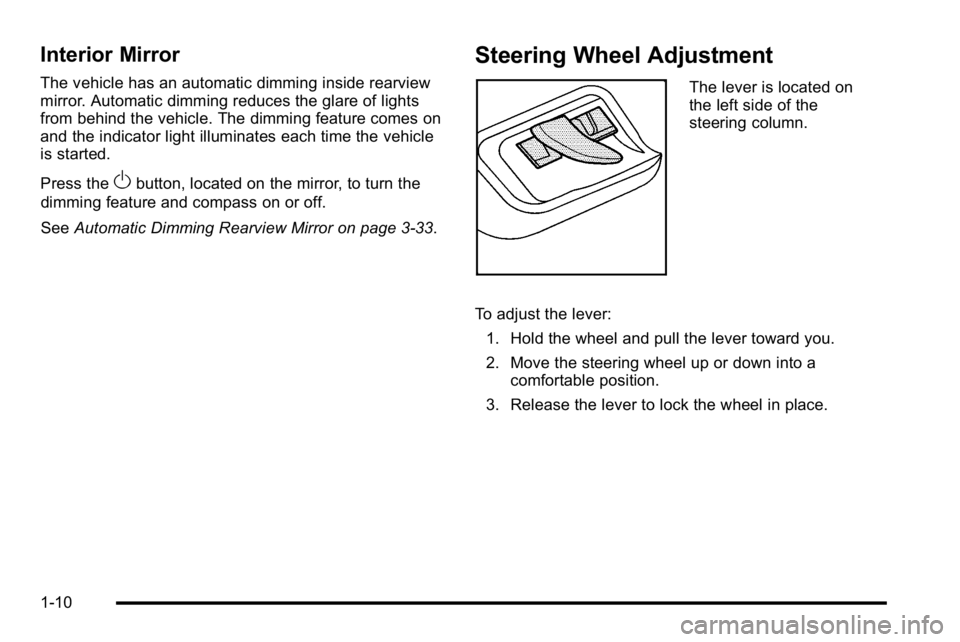
Steering Wheel Adjustment
The lever is located on
the left side of the
steering column.
To adjust the lever: 1. Hold the wheel and pull the lever toward you.
2. Move the steering wheel up or down into a comfortable position.
3. Release the lever to lock the wheel in place.
1-10
Page 37 of 474
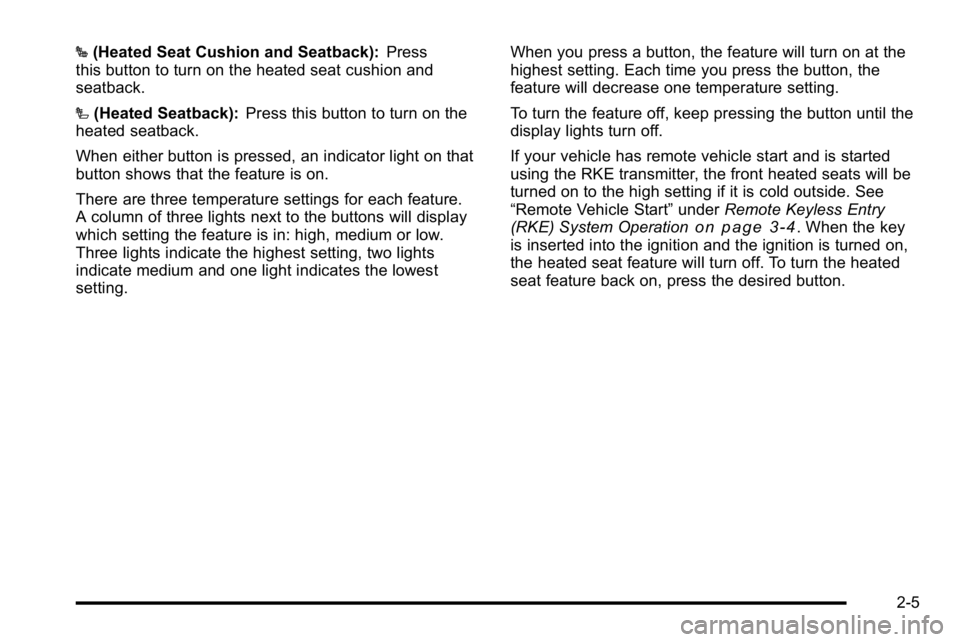
J(Heated Seat Cushion and Seatback): Press
this button to turn on the heated seat cushion and
seatback.
I (Heated Seatback): Press this button to turn on the
heated seatback.
When either button is pressed, an indicator light on that
button shows that the feature is on.
There are three temperature settings for each feature.
A column of three lights next to the buttons will display
which setting the feature is in: high, medium or low.
Three lights indicate the highest setting, two lights
indicate medium and one light indicates the lowest
setting. When you press a button, the feature will turn on at the
highest setting. Each time you press the button, the
feature will decrease one temperature setting.
To turn the feature off, keep pressing the button until the
display lights turn off.
If your vehicle has remote vehicle start and is started
using the RKE transmitter, the front heated seats will be
turned on to the high setting if it is cold outside. See
“Remote Vehicle Start”
underRemote Keyless Entry
(RKE) System Operation
on page 3‑4. When the key
is inserted into the ignition and the ignition is turned on,
the heated seat feature will turn off. To turn the heated
seat feature back on, press the desired button.
2-5
Page 38 of 474
Heated and Ventilated Seats
On vehicles with heated and ventilated seats, the
ignition must be on to use the feature.
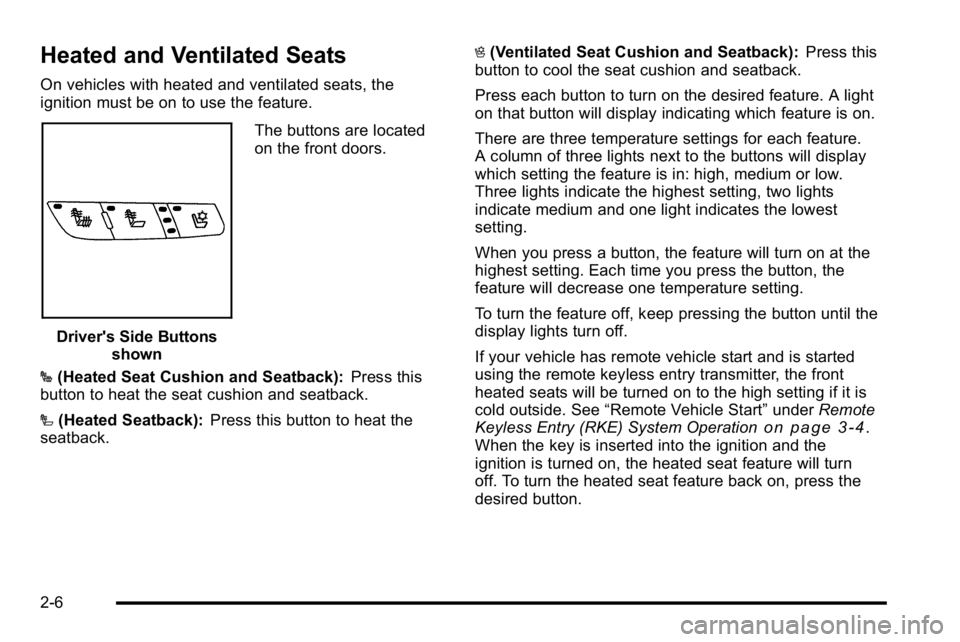
Driver's Side Buttonsshown The buttons are located
on the front doors.
J (Heated Seat Cushion and Seatback): Press this
button to heat the seat cushion and seatback.
I (Heated Seatback): Press this button to heat the
seatback. H
(Ventilated Seat Cushion and Seatback): Press this
button to cool the seat cushion and seatback.
Press each button to turn on the desired feature. A light
on that button will display indicating which feature is on.
There are three temperature settings for each feature.
A column of three lights next to the buttons will display
which setting the feature is in: high, medium or low.
Three lights indicate the highest setting, two lights
indicate medium and one light indicates the lowest
setting.
When you press a button, the feature will turn on at the
highest setting. Each time you press the button, the
feature will decrease one temperature setting.
To turn the feature off, keep pressing the button until the
display lights turn off.
If your vehicle has remote vehicle start and is started
using the remote keyless entry transmitter, the front
heated seats will be turned on to the high setting if it is
cold outside. See “Remote Vehicle Start” underRemote
Keyless Entry (RKE) System Operation
on page 3‑4.
When the key is inserted into the ignition and the
ignition is turned on, the heated seat feature will turn
off. To turn the heated seat feature back on, press the
desired button.
2-6
Page 115 of 474
Remote Vehicle Start
Your vehicle may have a remote starting feature. This
feature allows you to start the engine from outside the
vehicle. It may also start the vehicle's heating or air
conditioning systems, rear window defogger, and
heated seats. SeeHeated Seats
on page 2‑4and
Heated and Ventilated Seatson page 2‑6for
additional information. When the remote start system is
active, the climate control system will heat or cool the
inside of the vehicle at the setting the vehicle was set to
when the vehicle was last turned off. The rear window
defogger will be turned on by the climate control system
when it is cold outside. If the vehicle has heated seats,
they may also turn on when it is cold outside. Cooled
seats are not activated during a remote start. Normal
operation of the system will return after the key is
turned to the ON/RUN position.
Laws in some communities may restrict the use of
remote starters. For example, some laws may require a
person using the remote start to have the vehicle in
view when doing so. Check local regulations for any
requirements on remote starting of vehicles.
Do not use the remote start feature if your vehicle is low
on fuel. Your vehicle may run out of fuel.
If your vehicle has the remote start feature, the RKE
transmitter functions will have an increased range of
operation. However, the range may be less while the
vehicle is running. There are other conditions which can affect the
performance of the transmitter, see
Remote Keyless
Entry (RKE) System
on page 3‑4for additional
information.
/ (Remote Start): This button will be on the RKE
transmitter if you have remote start.
To start the vehicle using the remote start feature:
1. Aim the transmitter at the vehicle.
2. Press and release the transmitter's lock button, then immediately press and hold the transmitter's
remote start button until the turn signal lights
flash or if the vehicle's lights are not visible, press
and hold the remote start button for at least
four seconds.
When the vehicle starts, the parking lamps will turn
on and remain on while the vehicle is running. The
vehicle's doors will be locked.
3. If it is the first remote start since the vehicle has been driven, repeat these steps, while the engine
is still running, to extend the engine running time
by 10 minutes. Remote start can be extended
one time.
After entering the vehicle during a remote start, insert
and turn the key to ON/RUN to drive the vehicle.
If the vehicle is left running it will automatically shut
off after 10 minutes unless a time extension has
been done.
3-7
Page 128 of 474
Ignition Positions
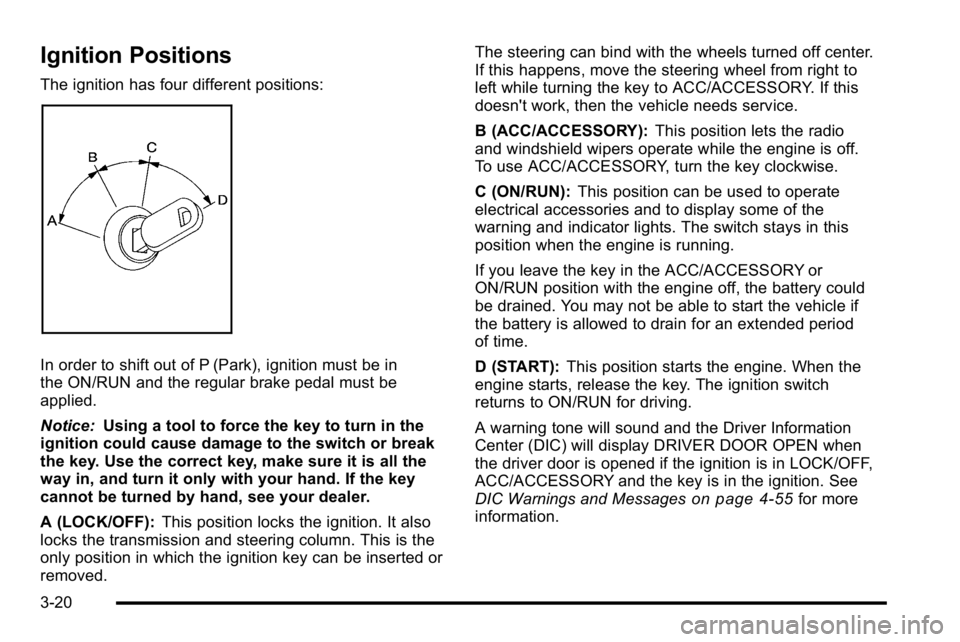
The ignition has four different positions:
In order to shift out of P (Park), ignition must be in
the ON/RUN and the regular brake pedal must be
applied.
Notice:Using a tool to force the key to turn in the
ignition could cause damage to the switch or break
the key. Use the correct key, make sure it is all the
way in, and turn it only with your hand. If the key
cannot be turned by hand, see your dealer.
A (LOCK/OFF): This position locks the ignition. It also
locks the transmission and steering column. This is the
only position in which the ignition key can be inserted or
removed. The steering can bind with the wheels turned off center.
If this happens, move the steering wheel from right to
left while turning the key to ACC/ACCESSORY. If this
doesn't work, then the vehicle needs service.
B (ACC/ACCESSORY):
This position lets the radio
and windshield wipers operate while the engine is off.
To use ACC/ACCESSORY, turn the key clockwise.
C (ON/RUN): This position can be used to operate
electrical accessories and to display some of the
warning and indicator lights. The switch stays in this
position when the engine is running.
If you leave the key in the ACC/ACCESSORY or
ON/RUN position with the engine off, the battery could
be drained. You may not be able to start the vehicle if
the battery is allowed to drain for an extended period
of time.
D (START): This position starts the engine. When the
engine starts, release the key. The ignition switch
returns to ON/RUN for driving.
A warning tone will sound and the Driver Information
Center (DIC) will display DRIVER DOOR OPEN when
the driver door is opened if the ignition is in LOCK/OFF,
ACC/ACCESSORY and the key is in the ignition. See
DIC Warnings and Messages
on page 4‑55for more
information.
3-20
Page 129 of 474
Retained Accessory Power (RAP)
The following accessories can be used for up to
10 minutes after the engine is turned off.
.Audio System
.Audio Steering Wheel (if equipped)
.Clock
.Power Windows
.Sunroof (if equipped)
Power to these accessories works up to 10 minutes or
until the driver door is opened.
The instrument panel cluster lights stay on for a few
seconds, then will go out. Once the driver door is
opened, the power shuts off to these accessories. The
vehicle has a feature designed to protect the battery
against drainage. For more information see Inadvertent
Power Battery Saver
on page 4‑16and Electric Power
Management on page 4‑16.
Starting the Engine
Move the shift lever to P (Park) or N (Neutral). The
engine will not start in any other position. To restart
the engine when the vehicle is already moving, use
N (Neutral) only.
Notice: Do not try to shift to P (Park) if the vehicle
is moving. If you do, you could damage the
transmission. Shift to P (Park) only when the
vehicle is stopped.
Starting Procedure
1. With your foot off the accelerator pedal, turn the ignition to START. When the engine starts, let
go of the key. The idle speed will slow down
as the engine warms. Do not race the engine
immediately after starting it. Operate the engine
and transmission gently to allow the oil to warm up
and lubricate all moving parts.
3-21
Page 145 of 474
Object Detection Systems
Ultrasonic Rear Parking
Assist (URPA)
For vehicles with the URPA system, it operates at
speeds less than 8 km/h (5 mph), and assists the driver
with parking and avoiding objects while in R (Reverse).
The sensors on the rear bumper are used to detect the
distance to an object up to 2.5 m (8 ft) behind the
vehicle, and at least 25 cm (10 in) off the ground.
{WARNING:
The Ultrasonic Rear Parking Assist (URPA)
system does not replace driver vision. It cannot
detect:
.Objects that are below the bumper,
underneath the vehicle, or if they are too close
or far from the vehicle
.Children, pedestrians, bicyclists, or pets.
If you do not use proper care before and while
backing; vehicle damage, injury, or death could
occur. Even with URPA, always check behind (Continued)
WARNING: (Continued)
the vehicle before backing up. While backing, be
sure to look for objects and check the vehicle's
mirrors.
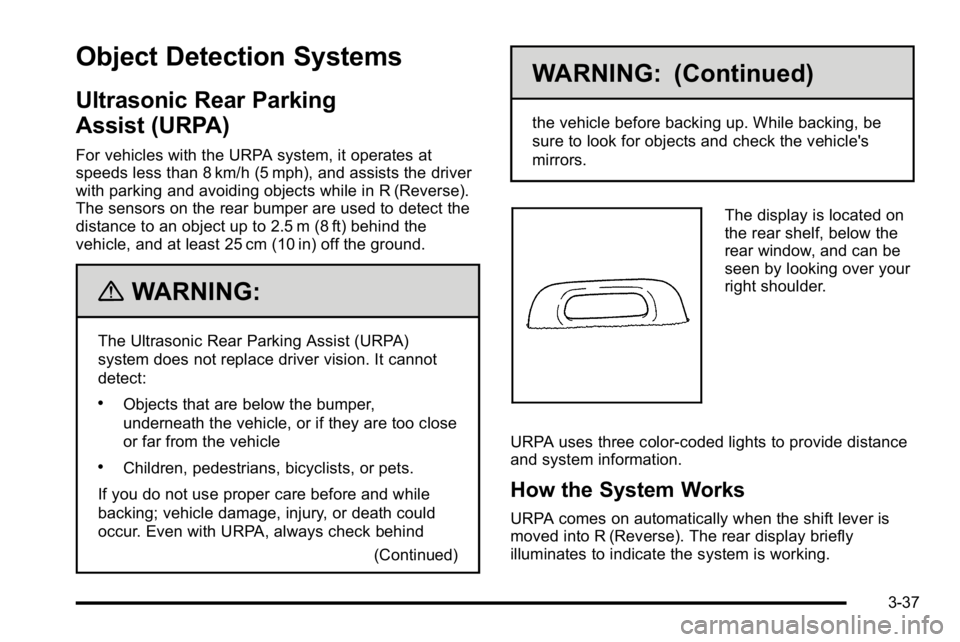
The display is located on
the rear shelf, below the
rear window, and can be
seen by looking over your
right shoulder.
URPA uses three color-coded lights to provide distance
and system information.
How the System Works
URPA comes on automatically when the shift lever is
moved into R (Reverse). The rear display briefly
illuminates to indicate the system is working.
3-37
Page 146 of 474
URPA operates only at speeds less than 8 km/h
(5 mph). If the vehicle is above this speed, the red light
on the rear display will flash.
To be detected, objects must be at least 25 cm (10 in)
off the ground and below trunk level. Objects must
also be within 2.5 m (8 ft) from the rear bumper. This
distance may be less during warmer or humid weather.
A single beep will sound the first time an object is
detected between 1 m (40 in) and 2.5 m (8 ft) away.
Beeping will occur continuously when the vehicle is at
0.6 m (23 in) or closer to an object.
The following describes what will occur with the URPA
display as the vehicle gets closer to a detected object:Description Metric English
amber light 2.5 m 8 ft
amber/amber lights 1.0 m 40 in
amber/amber/red lights and continuous beeping for five seconds 0.6 m 23 in
amber/amber/red lights
flashing and continuous
beeping for five seconds 0.3 m 1 ft
The system can be disabled through the Driver
Information Center (DIC). See
“Park Assist”underDIC
Operation and Displays
on page 4‑47for more
information.
When the System Does Not Seem to
Work Properly
If the URPA system will not activate due to a temporary
condition, the message PARK ASSIST OFF will be
displayed on the DIC and a red light will be shown on
the rear URPA display when the shift lever is moved
into R (Reverse). This occurs under the following
conditions:
.The driver disables the system.
.The ultrasonic sensors are not clean. Keep the
vehicle's rear bumper free of mud, dirt, snow, ice
and slush. For cleaning instructions, see Washing
Your Vehicle on page 6‑104.
.A trailer was attached to the vehicle, or a bicycle or
an object was hanging out of the trunk during the
last drive cycle, the red light may illuminate in the
rear display. Once the attached object is removed,
URPA will return to normal operation.
.A tow bar is attached to the vehicle.
.The vehicle's bumper is damaged. Take the vehicle
to your dealer to repair the system.
.Other conditions may affect system performance,
such as vibrations from a jackhammer or the
compression of air brakes on a very large truck.
If the system is still disabled after driving forward at
least 25 km/h (15 mph), take the vehicle to your dealer.
3-38
Page 152 of 474

LDW warnings may occasionally occur due to tar
marks, shadows, cracks in the road, or other road
imperfections. This is normal system operation, the
vehicle does not need service.
LDW Error Message
SERVICE LANE DEPARTURE SYSTEM:This
message may appear in the DIC to indicate that LDW is
not working properly. If this message remains on after
continued driving, the system needs service. Take your
vehicle to your dealer.
LANE DEPARTURE SYSTEM UNAVAILABLE: This
message may appear in the DIC if LDW does not
activate due to a temporary condition.
Universal Home Remote
System
See Radio Frequency Statementon page 8‑20for
information regarding Part 15 of the Federal
Communications Commission (FCC) Rules and
RSS-210/211 of Industry Canada.
Universal Home Remote System
Operation (With Three Round LED)
This vehicle may have the Universal Home Remote
System. If there are three round Light Emitting Diode
(LED) indicator lights above the Universal Home
Remote buttons, follow the instructions below.
This system provides a way to replace up to three
remote control transmitters used to activate devices
such as garage door openers, security systems, and
home automation devices.
Do not use this system with any garage door opener
that does not have the stop and reverse feature. This
includes any garage door opener model manufactured
before April 1, 1982.
3-44