page 7 BUICK LUCERNE 2011 User Guide
[x] Cancel search | Manufacturer: BUICK, Model Year: 2011, Model line: LUCERNE, Model: BUICK LUCERNE 2011Pages: 450, PDF Size: 3.63 MB
Page 18 of 450
Black plate (12,1)Buick Lucerne Owner Manual - 2011
Interior Mirror
The vehicle has an automatic dimming inside rearview
mirror. Automatic dimming reduces the glare of lights
from behind the vehicle. The dimming feature comes on
and the indicator light illuminates each time the vehicle
is started.
Press the
Obutton, located on the mirror, to turn the
dimming feature and compass on or off.
See Automatic Dimming Rearview Mirror on page 3‑31.
Steering Wheel Adjustment
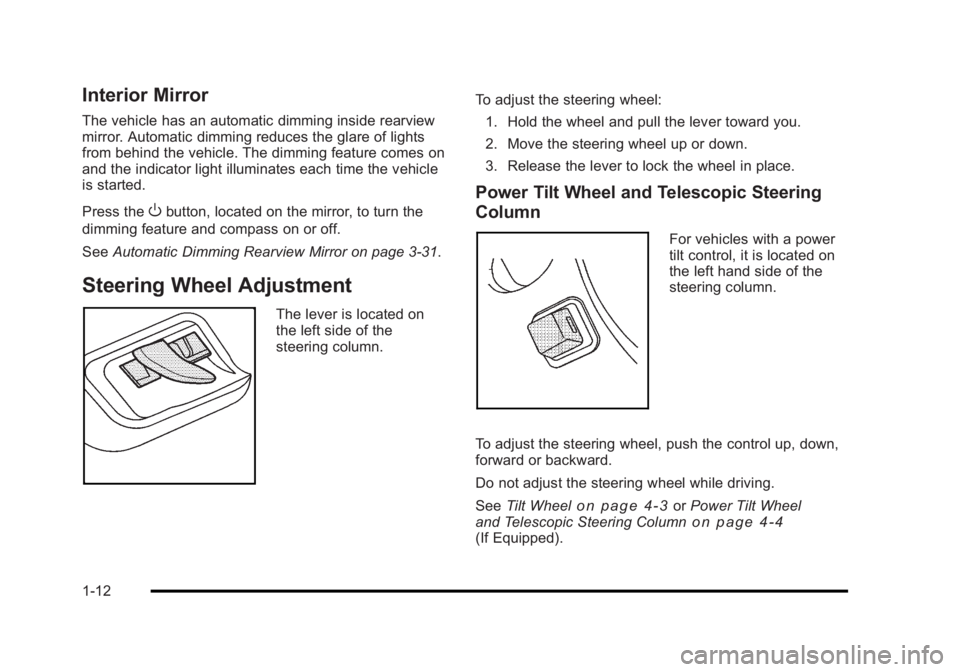
The lever is located on
the left side of the
steering column. To adjust the steering wheel:
1. Hold the wheel and pull the lever toward you.
2. Move the steering wheel up or down.
3. Release the lever to lock the wheel in place.
Power Tilt Wheel and Telescopic Steering
Column
For vehicles with a power
tilt control, it is located on
the left hand side of the
steering column.
To adjust the steering wheel, push the control up, down,
forward or backward.
Do not adjust the steering wheel while driving.
See Tilt Wheel
on page 4‑3orPower Tilt Wheel
and Telescopic Steering Columnon page 4‑4(If Equipped).
1-12
Page 19 of 450
Black plate (13,1)Buick Lucerne Owner Manual - 2011
Interior Lighting
Courtesy Lamps
When any door is opened, the interior lamps turn on to
enter and exit the vehicle. Turn the instrument panel
brightness control
Dlocated on the left side of the
steering wheel, completely clockwise to manually turn
on these lamps.
Front Reading Lamps
The front reading lamps are located on the headliner.
Press the button near each lamp to turn them on or off.
For more information on interior lighting, see:
.Courtesy Lamps on page 4‑13.
.Instrument Panel Brightness on page 4‑12.
.Delayed Entry Lighting on page 4‑13.
.Delayed Exit Lighting on page 4‑13.
Exterior Lighting
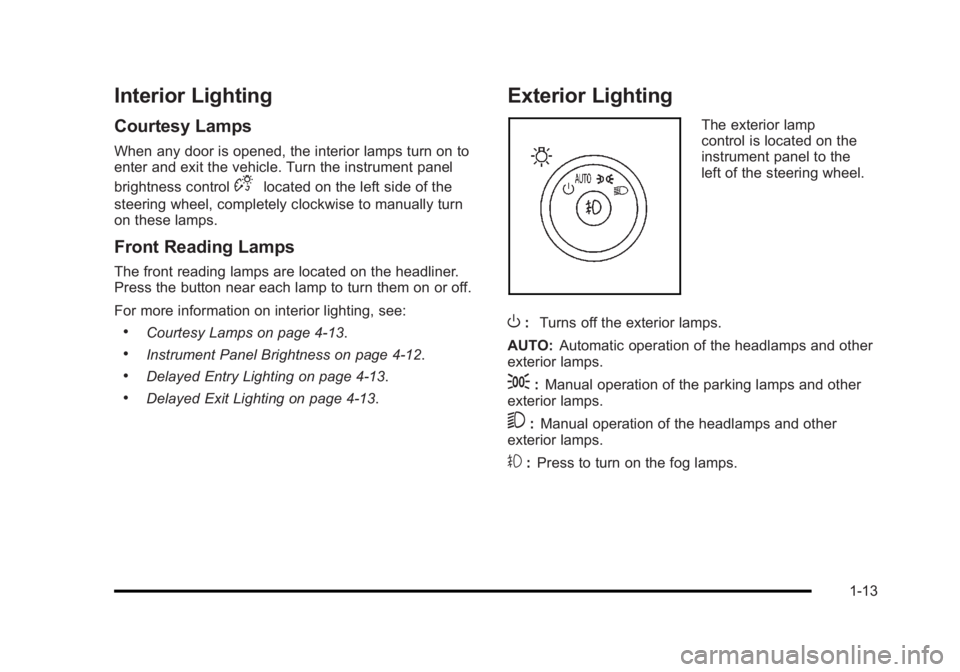
The exterior lamp
control is located on the
instrument panel to the
left of the steering wheel.
O: Turns off the exterior lamps.
AUTO: Automatic operation of the headlamps and other
exterior lamps.
;: Manual operation of the parking lamps and other
exterior lamps.
5: Manual operation of the headlamps and other
exterior lamps.
#: Press to turn on the fog lamps.
1-13
Page 20 of 450
Black plate (14,1)Buick Lucerne Owner Manual - 2011
For more information, see:
.Exterior Lamps on page 4‑10.
.Daytime Running Lamps (DRL) on page 4‑11.
.Fog Lamps on page 4‑12.
.Wiper Activated Headlamps on page 4‑11.
Windshield Wiper/Washer
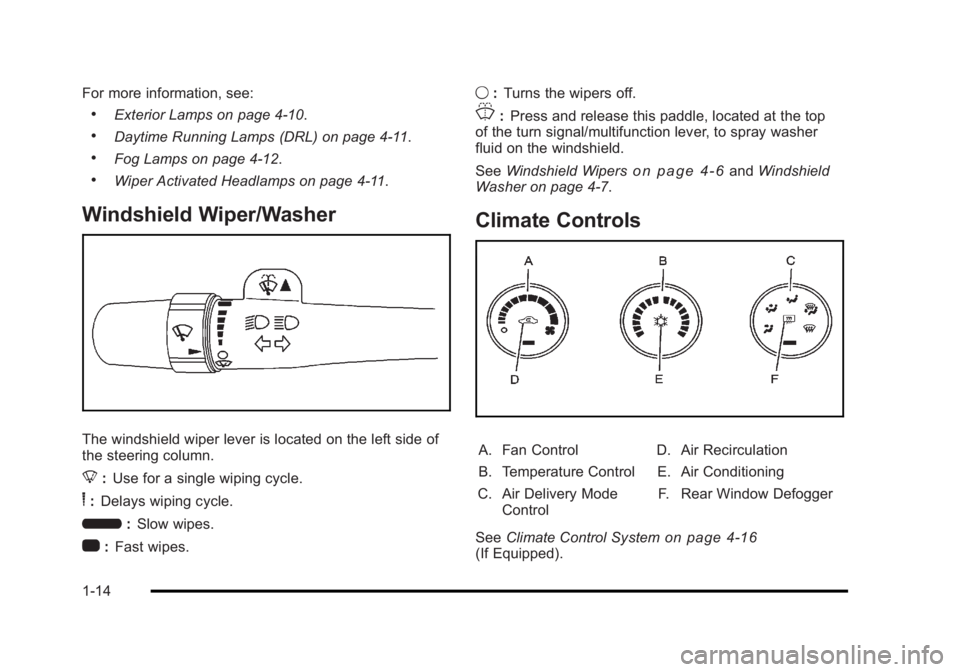
The windshield wiper lever is located on the left side of
the steering column.
8:Use for a single wiping cycle.
6:Delays wiping cycle.
6 :Slow wipes.
1 :Fast wipes. 9
:Turns the wipers off.
J:Press and release this paddle, located at the top
of the turn signal/multifunction lever, to spray washer
fluid on the windshield.
See Windshield Wipers
on page 4‑6andWindshield
Washer on page 4‑7.
Climate Controls
A. Fan Control
B. Temperature Control
C. Air Delivery Mode Control D. Air Recirculation
E. Air Conditioning
F. Rear Window Defogger
See Climate Control System
on page 4‑16(If Equipped).
1-14
Page 21 of 450
Black plate (15,1)Buick Lucerne Owner Manual - 2011
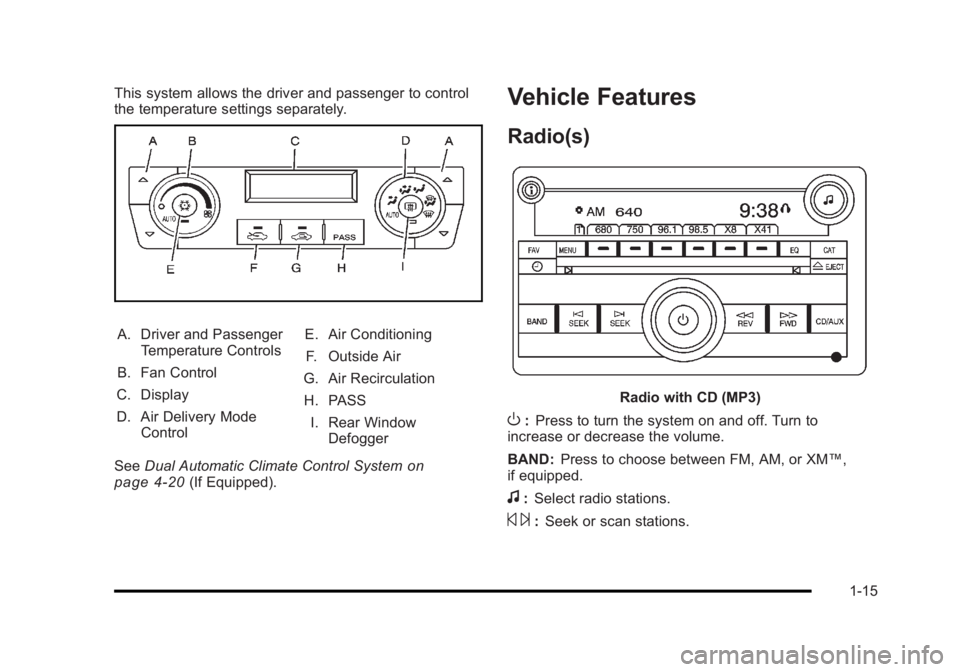
This system allows the driver and passenger to control
the temperature settings separately.
A. Driver and PassengerTemperature Controls
B. Fan Control
C. Display
D. Air Delivery Mode Control E. Air Conditioning
F. Outside Air
G. Air Recirculation
H. PASS I. Rear Window Defogger
See Dual Automatic Climate Control System
on
page 4‑20(If Equipped).
Vehicle Features
Radio(s)
Radio with CD (MP3)
O: Press to turn the system on and off. Turn to
increase or decrease the volume.
BAND: Press to choose between FM, AM, or XM™,
if equipped.
f: Select radio stations.
© ¨:Seek or scan stations.
1-15
Page 22 of 450
Black plate (16,1)Buick Lucerne Owner Manual - 2011
4(XM™Satellite Radio Service, MP3, and RDS
Features): Press this button to display additional
text information related to the current FM-RDS or XM
station, or MP3 song. When information is not available,
No Info displays.
For more information about these and other radio
features, see Audio System(s) on page 4‑67.
Storing a Favorite Station
For vehicles with an XM radio, a maximum of
36 stations can be stored as favorites using the
six softkeys located below the radio station frequency
tabs and by using the radio FAV button. Press FAV to
go through up to six pages of favorites, each having
six favorite stations available per page. Each page of
favorites can contain any combination of AM, FM, or XM
stations.
SeeRadio(s) on page 4‑69.
Setting the Clock
To set the time and date for the radio with CD (MP3):
1. Turn the ignition key to ACC/ACCESSORY or ON/RUN.
2. Press
Oto turn the radio on. 3. Press
Hand the HR, MIN, MM, DD, YYYY (hour,
minute, month, day, and year) displays.
4. Press the softkey located below any one of the tabs that you want to change.
5. Increase or decrease the time or date by turning
fclockwise or counterclockwise.
For detailed instructions on setting the clock for your
specific audio system, see Setting the Clock
on
page 4‑68.
Satellite Radio
XM is a satellite radio service that is based in the
48 contiguous United States and 10 Canadian
provinces. XM satellite radio has a wide variety of
programming and commercial-free music, coast to
coast, and in digital-quality sound.
A fee is required to receive the XM service.
For more information, refer to:
.www.xmradio.com or call 1-800-929-2100 (U.S.)
.www.xmradio.ca or call 1-877-438-9677 (Canada)
See “XM Satellite Radio Service” underRadio(s)
on
page 4‑69.
1-16
Page 23 of 450
Black plate (17,1)Buick Lucerne Owner Manual - 2011
Portable Audio Devices (Auxiliary
Input or USB Port)
This vehicle may have an auxiliary input jack and a
USB port, located on the audio faceplate. External
devices such as iPods
®, laptop computers, MP3
players, CD changers, USB storage devices, etc. can
be connected to the auxiliary input jack using a 3.5 mm
(1/8 in) cable or the USB port depending on the audio
system.
Press the CD/AUX button to play audio from the
portable player.
See “Using the Auxiliary Input Jack” and“Using the
USB Port” underRadio(s) on page 4‑69.
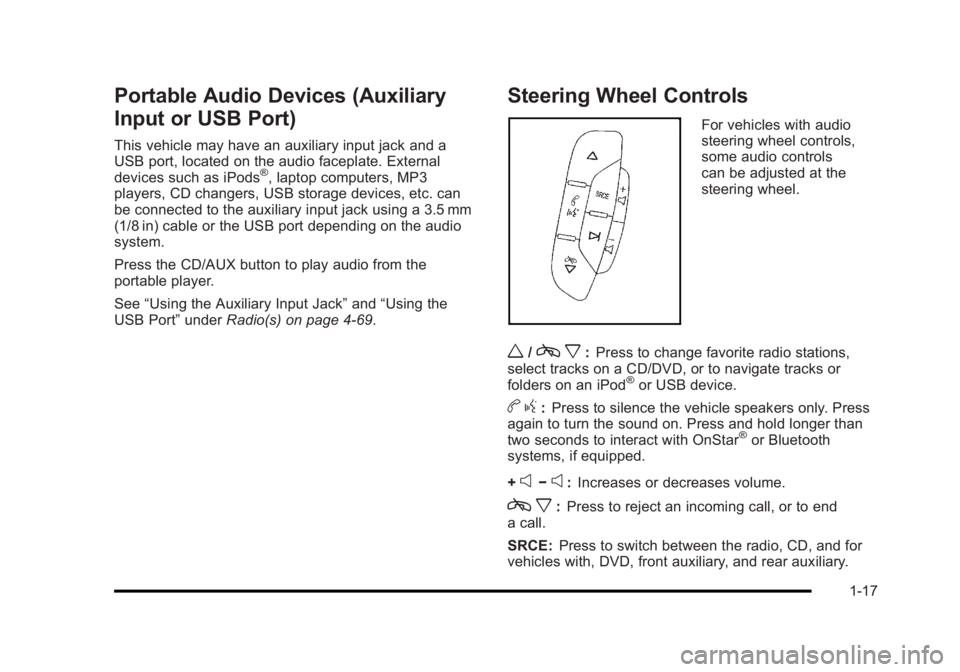
Steering Wheel Controls
For vehicles with audio
steering wheel controls,
some audio controls
can be adjusted at the
steering wheel.
w/cx:Press to change favorite radio stations,
select tracks on a CD/DVD, or to navigate tracks or
folders on an iPod
®or USB device.
b g:Press to silence the vehicle speakers only. Press
again to turn the sound on. Press and hold longer than
two seconds to interact with OnStar
®or Bluetooth
systems, if equipped.
+
e−e: Increases or decreases volume.
c x:Press to reject an incoming call, or to end
a call.
SRCE: Press to switch between the radio, CD, and for
vehicles with, DVD, front auxiliary, and rear auxiliary.
1-17
Page 24 of 450
Black plate (18,1)Buick Lucerne Owner Manual - 2011
¨:Press to seek the next radio station, the next track
or chapter while sourced to the CD or DVD slot, or to
select tracks and folders on an iPod
®or USB device.
For more information, see Audio Steering Wheel
Controls on page 4‑94.
Bluetooth®
For vehicles with an in-vehicle Bluetooth system, it
allows users with a Bluetooth enabled cell phone to
make and receive hands-free calls using the vehicle’s
audio system and controls.
The Bluetooth enabled cell phone must be paired with
the in-vehicle Bluetooth system before it can be used in
the vehicle. Not all phones will support all functions. For
more information visit www.gm.com/bluetooth.
For more information, see Bluetooth
®on page 4‑86.
Navigation System
If the vehicle has a navigation system, there is a
separate Navigation System Manual that includes
information on the radio, audio players, and navigation
system.
The navigation system provides detailed maps of most
major freeways and roads. After a destination has been
set, the system provides turn-by-turn instructions for reaching the destination. In addition, the system can
help locate a variety of points of interest (POIs), such as
banks, airports, restaurants, and more.
See the Navigation System Manual for more
information.
Driver Information Center (DIC)
The DIC display is located at the bottom of the
instrument panel cluster. It shows the status of many
vehicle systems and enables access to the
personalization menu.
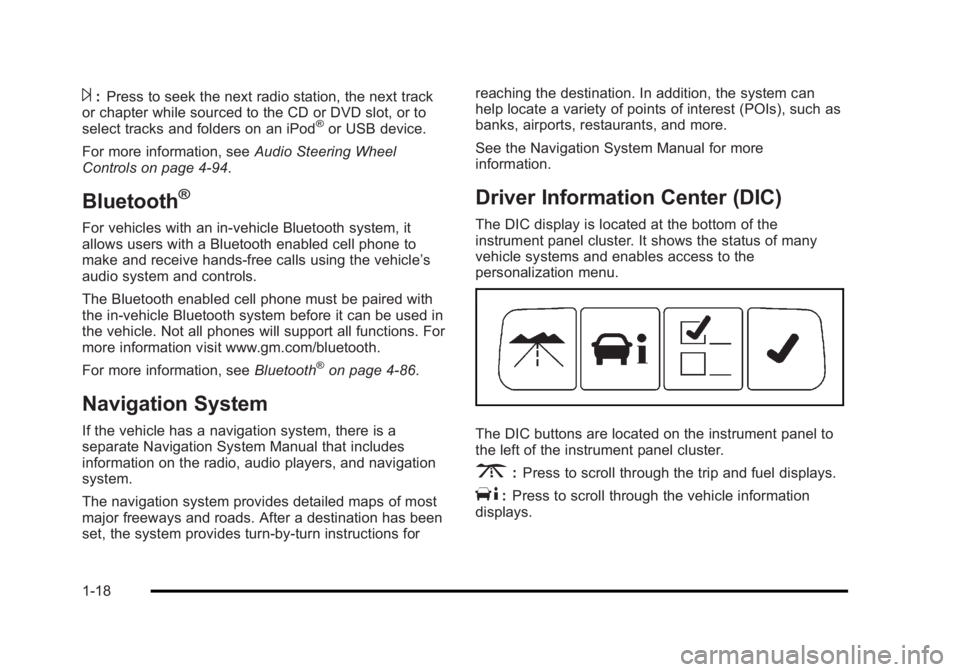
The DIC buttons are located on the instrument panel to
the left of the instrument panel cluster.
3:
Press to scroll through the trip and fuel displays.
T:Press to scroll through the vehicle information
displays.
1-18
Page 25 of 450
Black plate (19,1)Buick Lucerne Owner Manual - 2011
U:Press to customize the feature settings on your
vehicle. See DIC Vehicle Customizationon page 4‑58for more information.
V:Press to reset certain DIC features and to
acknowledge DIC warning messages and clear them
from the display.
For more information, see Driver Information Center
(DIC) on page 4‑42.
Vehicle Customization
Some vehicle features can be programmed by using the
DIC buttons on the instrument panel to the left of the
steering wheel. These features include:
.Language
.Door Lock and Unlock Settings
.Lighting
.Chime Volume
.Memory Settings
See DIC Vehicle Customization on page 4‑58.
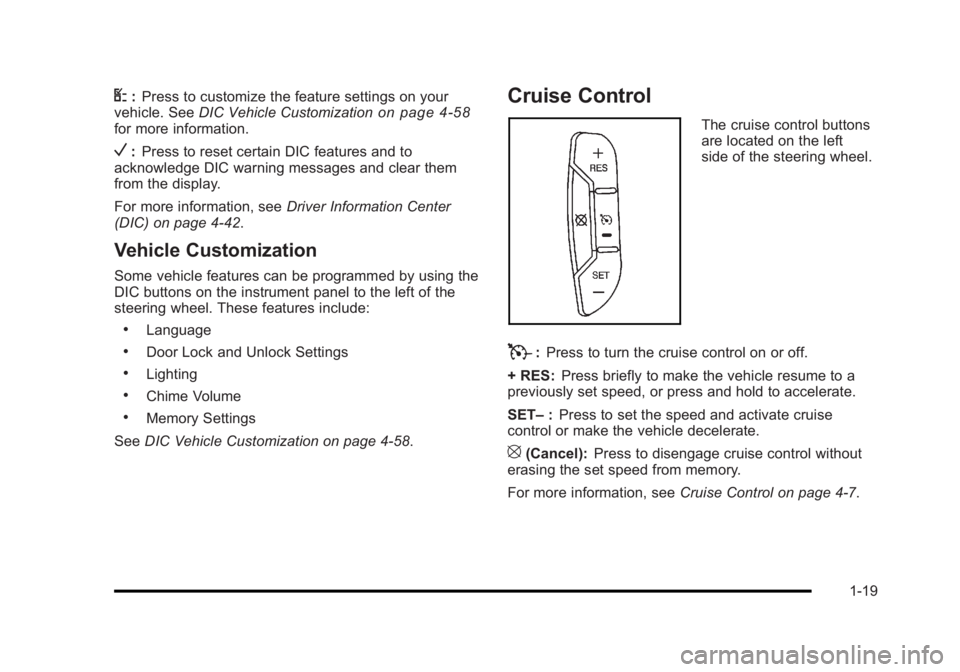
Cruise Control
The cruise control buttons
are located on the left
side of the steering wheel.
T:Press to turn the cruise control on or off.
+ RES: Press briefly to make the vehicle resume to a
previously set speed, or press and hold to accelerate.
SET– :Press to set the speed and activate cruise
control or make the vehicle decelerate.
[(Cancel): Press to disengage cruise control without
erasing the set speed from memory.
For more information, see Cruise Control on page 4‑7.
1-19
Page 26 of 450
Black plate (20,1)Buick Lucerne Owner Manual - 2011
Lane Departure Warning (LDW)
For vehicles with LDW, it is intended to help avoid lane
change collisions. It provides a warning if the vehicle is
crossing a lane without using a turn signal. LDW uses a
camera to detect the lane markings. It only operates at
speeds of 56 km (35 mph) or greater.
The warning symbol
@, located in the instrument panel
cluster, appears green if a lane marking is detected.
It changes to amber, flashes, and sounds three chimes
if the vehicle crosses a detected land marking and the
turn signal is not on.
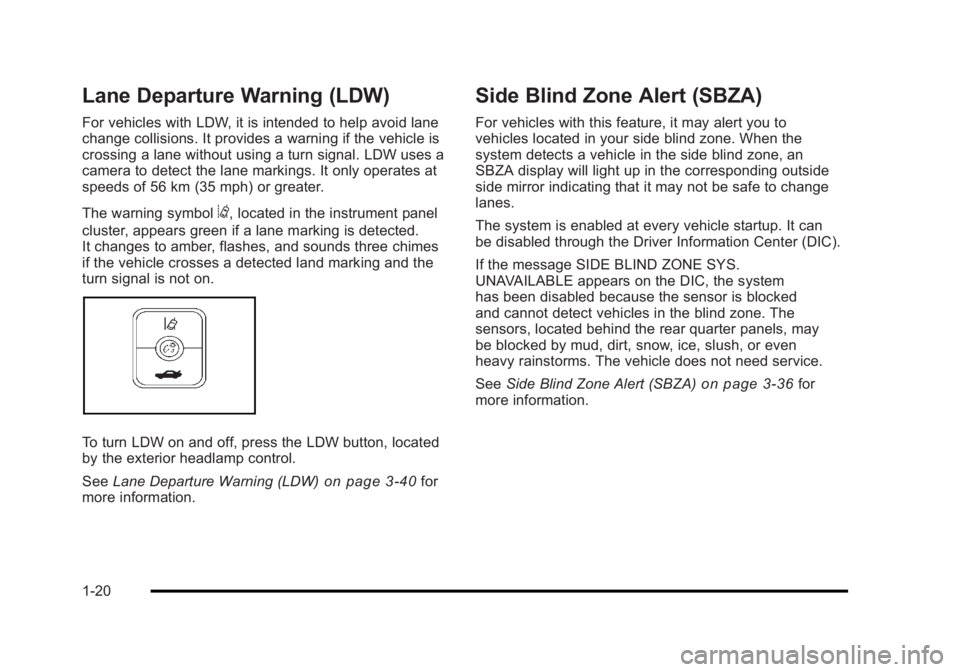
To turn LDW on and off, press the LDW button, located
by the exterior headlamp control.
See Lane Departure Warning (LDW)
on page 3‑40for
more information.
Side Blind Zone Alert (SBZA)
For vehicles with this feature, it may alert you to
vehicles located in your side blind zone. When the
system detects a vehicle in the side blind zone, an
SBZA display will light up in the corresponding outside
side mirror indicating that it may not be safe to change
lanes.
The system is enabled at every vehicle startup. It can
be disabled through the Driver Information Center (DIC).
If the message SIDE BLIND ZONE SYS.
UNAVAILABLE appears on the DIC, the system
has been disabled because the sensor is blocked
and cannot detect vehicles in the blind zone. The
sensors, located behind the rear quarter panels, may
be blocked by mud, dirt, snow, ice, slush, or even
heavy rainstorms. The vehicle does not need service.
See Side Blind Zone Alert (SBZA)
on page 3‑36for
more information.
1-20
Page 27 of 450
Black plate (21,1)Buick Lucerne Owner Manual - 2011
Ultrasonic Parking Assist
For vehicles with this feature, it uses sensors on the
rear bumper to detect objects while parking the vehicle.
It operates at speeds less than 8 km/h (5 mph) while in
R (Reverse).
Keep the sensors on the vehicle's rear bumper clean to
ensure proper operation.
The system can be disabled through the Driver
Information Center (DIC).
SeeUltrasonic Rear Parking Assist (URPA)
on
page 3‑35for more information.
Power Outlets
The accessory power outlets can be used to plug in
electrical equipment, such as a cell phone or MP3
player.
The vehicle may have up to three power outlets
depending on the type of front seat installed. If the
vehicle has front bucket seats with a center console,
there are two outlets inside the center console storage
bin, one accessory power outlet and one USB port
outlet. An extra power outlet can be found under the
climate control system next to the ashtray.
See Accessory Power Outlet(s) on page 4‑15.
Universal Remote System
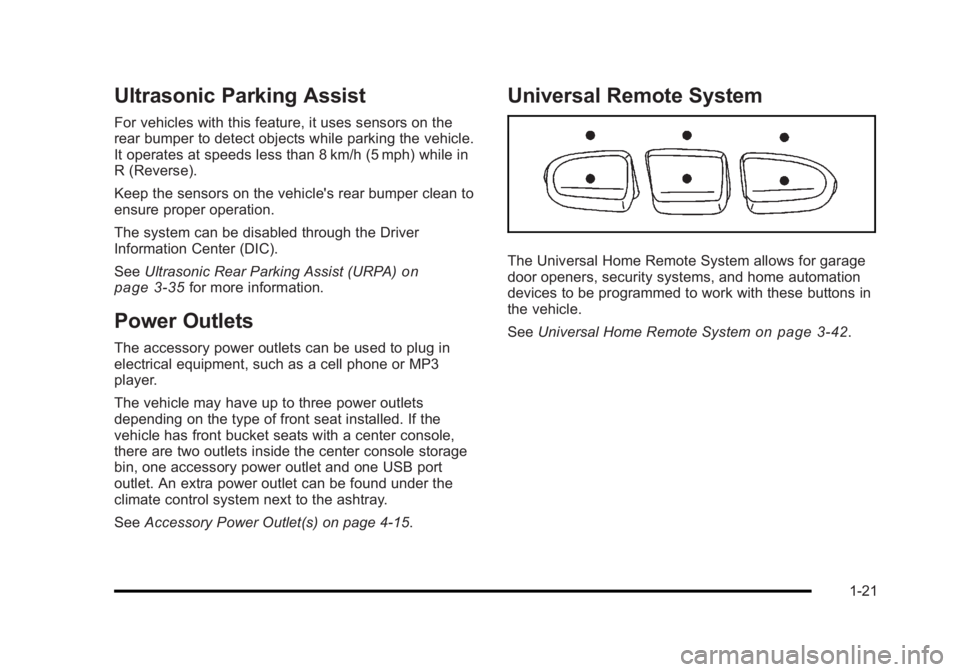
The Universal Home Remote System allows for garage
door openers, security systems, and home automation
devices to be programmed to work with these buttons in
the vehicle.
SeeUniversal Home Remote System
on page 3‑42.
1-21