remote control BUICK LUCERNE 2011 User Guide
[x] Cancel search | Manufacturer: BUICK, Model Year: 2011, Model line: LUCERNE, Model: BUICK LUCERNE 2011Pages: 450, PDF Size: 3.63 MB
Page 112 of 450
Black plate (8,1)Buick Lucerne Owner Manual - 2011
To manually shut off a remote start:
.Aim the RKE transmitter at the vehicle and press
the remote start button until the parking lamps
turn off.
.Turn on the hazard warning flashers.
.Turn the ignition switch on and then off.
The vehicle can be started remotely two separate times
between driving sequences. The engine will run for
10 minutes after each remote start.
Or, you can extend the engine run time by another
10 minutes within the first 10 minute remote start time
frame, and before the engine stops.
For example, if the lock button and then the remote start
buttons are pressed again after the vehicle has been
running for five minutes, 10 minutes are added, allowing
the engine to run for 15 minutes.
The additional 10 minutes are considered a second
remote vehicle start. Once two remote starts, or a single remote start with
one time extension have been done, the vehicle must
be started with the key.
After the key is removed from the ignition, another
remote start can be performed.
The vehicle cannot be started remotely if the key is in
the ignition, the hood is not closed, or if there is an
emission control system malfunction.
Remote Start Ready
If your vehicle does not have the remote vehicle start
feature, it may have the remote start ready feature. This
feature allows your dealer to add the manufacturer's
remote vehicle start feature.
See your dealer if you would like to add the
manufacturer's remote vehicle start feature to
your vehicle.
3-8
Page 116 of 450
Black plate (12,1)Buick Lucerne Owner Manual - 2011
Trunk
{WARNING:
Exhaust gases can enter the vehicle if it is driven
with the liftgate, trunk/hatch open, or with any
objects that pass through the seal between the
body and the trunk/hatch or liftgate. Engine
exhaust contains Carbon Monoxide (CO) which
cannot be seen or smelled. It can cause
unconsciousness and even death.
If the vehicle must be driven with the liftgate,
or trunk/hatch open:
.Close all of the windows.
.Fully open the air outlets on or under the
instrument panel.
.Adjust the Climate Control system to a setting
that brings in only outside air and set the fan
speed to the highest setting. See Climate
Control System in the Index.
.If the vehicle is equipped with a power liftgate,
disable the power liftgate function.
For more information about carbon monoxide, see
Engine Exhaust on page 3‑30.
Remote Trunk Release
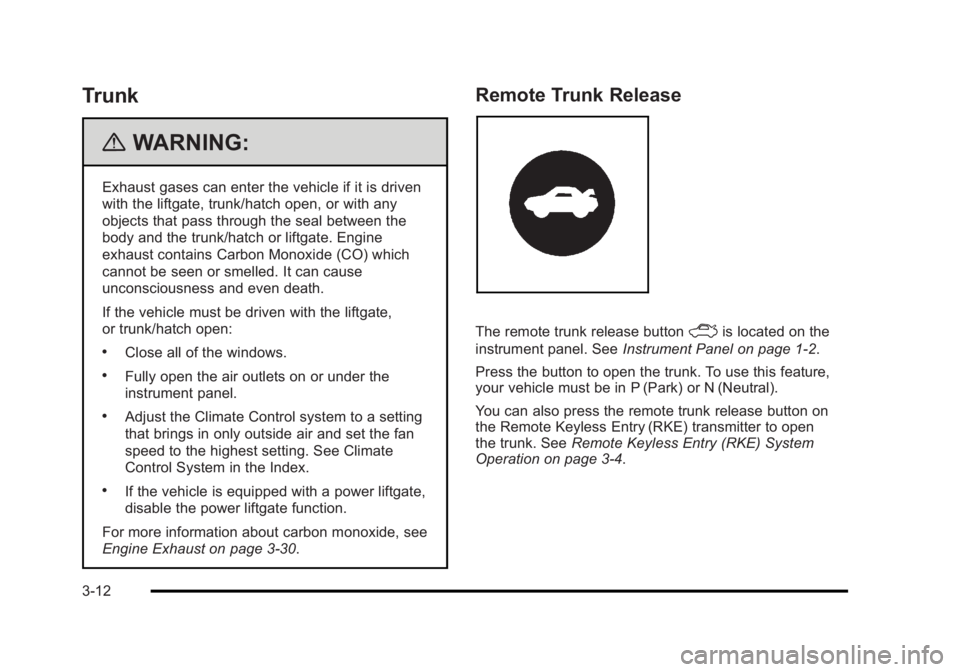
The remote trunk release buttonFis located on the
instrument panel. See Instrument Panel on page 1‑2.
Press the button to open the trunk. To use this feature,
your vehicle must be in P (Park) or N (Neutral).
You can also press the remote trunk release button on
the Remote Keyless Entry (RKE) transmitter to open
the trunk. See Remote Keyless Entry (RKE) System
Operation on page 3‑4.
3-12
Page 120 of 450
Black plate (16,1)Buick Lucerne Owner Manual - 2011
Express-Down Window
This feature is on the front windows. Press the switch
to the second position to activate the express-down
feature. To stop the window as it is lowering, press
down briefly on the switch again.
Window Lockout
o(Window Lockout): The rear window lockout button
is located on the driver's door armrest near the window
switches.
Press the right side of this button to disable the rear
window controls. The light on the button will come on,
indicating the feature is in use. The rear windows still
can be raised or lowered using the driver's window
switches when the lockout feature is active.
To restore power to the rear windows, press the button
again. The light on the button will go out.
Sun Visors
Pull the visor toward you, or move to the side to help
reduce glare.
On vehicles with a lighted vanity mirror, lift the attached
cover to use.
Theft-Deterrent Systems
This vehicle has theft-deterrent features, however, they
do not make it impossible to steal.
Content Theft-Deterrent
Your vehicle may have the optional content
theft-deterrent alarm system.
To activate the theft-deterrent system:
1. Open the door.
2. Lock the door with the power door lock switch or the Remote Keyless Entry (RKE) transmitter. If you
are using the RKE transmitter, the door does not
need to be open.
3. Close all doors.
Once armed, the alarm will go off if someone tries to
enter the vehicle without using the RKE transmitter or a
key or turns the ignition on with an incorrect key. The
horn will sound and the turn signal lamps will flash for
about 30 seconds.
When the alarm is armed, the trunk may be opened with
the RKE transmitter. The power door lock switches are
disabled and the doors remain locked. You must use
your RKE transmitter or your key to unlock the doors
when the system is armed.
3-16
Page 146 of 450
Black plate (42,1)Buick Lucerne Owner Manual - 2011
LDW Error Message
SERVICE LANE DEPARTURE SYSTEM:This
message may appear in the DIC to indicate that LDW is
not working properly. If this message remains on after
continued driving, the system needs service. Take your
vehicle to your dealer.
LANE DEPARTURE SYSTEM UNAVAILABLE: This
message may appear in the DIC if LDW does not
activate due to a temporary condition.
Universal Home Remote
System
See Radio Frequency Statementon page 8‑18for information regarding Part 15 of the Federal
Communications Commission (FCC) rules and Industry
Canada Standards RSS-210/220/310.
Universal Home Remote System
Operation (With Three Round LED)
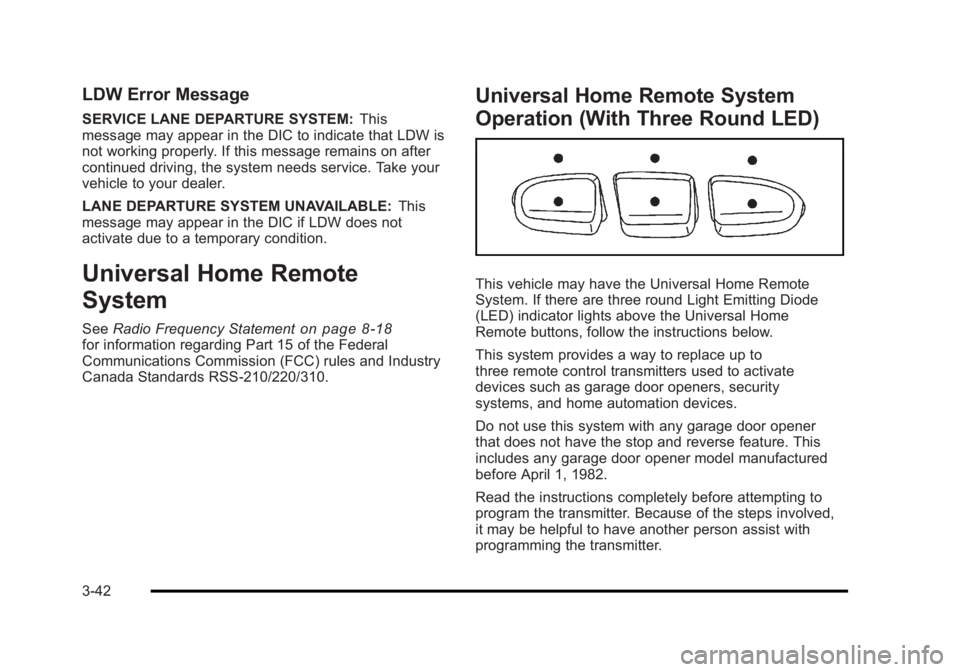
This vehicle may have the Universal Home Remote
System. If there are three round Light Emitting Diode
(LED) indicator lights above the Universal Home
Remote buttons, follow the instructions below.
This system provides a way to replace up to
three remote control transmitters used to activate
devices such as garage door openers, security
systems, and home automation devices.
Do not use this system with any garage door opener
that does not have the stop and reverse feature. This
includes any garage door opener model manufactured
before April 1, 1982.
Read the instructions completely before attempting to
program the transmitter. Because of the steps involved,
it may be helpful to have another person assist with
programming the transmitter.
3-42
Page 147 of 450

Black plate (43,1)Buick Lucerne Owner Manual - 2011
Be sure to keep the original remote control transmitter
for use in other vehicles, as well as, for future
programming. Only the original remote control
transmitter is needed for Fixed Code programming.
The programmed buttons should be erased when
the vehicle is sold or the lease ends. See“Erasing
Universal Home Remote Buttons” later in this section.
Park the vehicle outside of the garage when
programming a garage door. Be sure that people and
objects are clear of the garage door or gate that is
being programmed.
Programming Universal Home
Remote —Rolling Code
For questions or help programming the Universal
Home Remote System, call 1-866-572-2728 or go to
learcar2u.com.
Most garage door openers sold after 1996 are Rolling
Code units. Programming a garage door opener involves
time-sensitive actions, so read the entire procedure
before starting. Otherwise, the device will time out
and the procedure will have to be repeated.
To program up to three devices:1. From inside the vehicle, press the two outside
buttons at the same time for one to two seconds,
and immediately release them.
3-43
Page 148 of 450

Black plate (44,1)Buick Lucerne Owner Manual - 2011
2. Locate in the garage, the garage door openerreceiver (motor-head unit). Locate the “Learn”
or “Smart” button. It can usually be found where
the hanging antenna wire is attached to the
motor-head unit and may be a colored button.
Press this button. After pressing this button,
complete the following steps in less than
30 seconds. 3. Immediately return to the vehicle. Press and hold
the Universal Home Remote button that will be
used to control the garage door until the garage
door moves. The indicator light, above the selected
button, should slowly blink. This button may need
to be held for up to 20 seconds.
4. Immediately, within one second, release the button when the garage door moves. The indicator light
will blink rapidly until programming is complete.
5. Press and release the same button again. The garage door should move, confirming that
programming is successful and complete.
To program another Rolling Code device such as
an additional garage door opener, a security device,
or home automation device, repeat Steps 1 through 5,
choosing a different function button in Step 3 than what
was used for the garage door opener.
If these instructions do not work, the garage door
opener is probably a Fixed Code unit. Follow the
Programming instructions that follow for a Fixed Code
garage door opener.
Programming Universal Home
Remote —Fixed Code
For questions or help programming the Universal
Home Remote System, call 1-866-572-2728 or go to
learcar2u.com.
3-44
Page 152 of 450
Black plate (48,1)Buick Lucerne Owner Manual - 2011
5. After entering all of the switch positions, again,firmly press and release all three buttons at the
same time. The indicator lights will turn on.
6. Press and hold the button that will be used to control the garage door until the garage door
moves. The indicator light above the selected
button should slowly blink. This button may need to
be held for up to 55 seconds.
7. Immediately release the button when the garage door moves. The indicator light will blink rapidly
until programming is complete.
8. Press and release the same button again. The garage door should move, confirming that
programming is successful and complete.
To program another Fixed Code device such as an
additional garage door opener, a security device,
or home automation device, repeat Steps 1-8, choosing
a different button in Step 6 than what was used for the
garage door opener.
Using Universal Home Remote
Press and hold the appropriate button for at least half
of a second. The indicator light will come on while the
signal is being transmitted.
Reprogramming Universal Home
Remote Buttons
Any of the three buttons can be reprogrammed by
repeating the instructions.
Erasing Universal Home Remote
Buttons
The programmed buttons should be erased when the
vehicle is sold or the lease ends.
To erase either Rolling Code or Fixed Code on the
Universal Home Remote device: 1. Press and hold the two outside buttons at the same time for approximately 20 seconds, until the
indicator lights, located directly above the buttons,
begin to blink rapidly.
2. Once the indicator lights begin to blink, release both buttons. The codes from all buttons will be
erased.
For help or information on the Universal Home Remote
System, call the customer assistance phone number
under Customer Assistance Offices on page 8‑5.
3-48
Page 169 of 450
Black plate (13,1)Buick Lucerne Owner Manual - 2011
Courtesy Lamps
When any door is opened, several lamps turn on
making it easier for you to enter and exit the vehicle.
Turn the instrument panel brightness control completely
clockwise to manually turn on these lamps.
Entry Lighting
If it is dark enough outside when you press the unlock
button on the remote keyless entry transmitter, the
interior courtesy lamps will turn on and stay on for about
40 seconds. The lamps can be turned off immediately
by pressing the lock button on the remote keyless entry
transmitter, turning the ignition key to ON/RUN or
activating the power door locks.
Delayed Entry Lighting
The interior lamps will turn on if you open the door
when it is dark enough outside. When you close the
door with the ignition off, the interior lamps will stay on
for up to 25 seconds or until the ignition is turned to an
on position. When the lamps turn off as a result of the
25 second timer or the ignition switch being turned
on, the lighting will deactivate by way of the theater
dimming effect. Locking the doors will override the
delayed entry lighting feature and the lamps will turn off
right away.
Theater Dimming
This feature allows for a three to five second fade out of
the courtesy lamps instead of immediate turn off.
Delayed Exit Lighting
If it is dark enough outside when you remove the key
from the ignition, the interior lamps will turn on and
stay on for about 25 seconds. This will give you time
to find the door pull handle or lock switches. Once the
key is inserted into the ignition, the exit lighting will be
cancelled and the lighting will fade out.
Perimeter Lighting
If it is dark enough outside when the unlock button on
the remote keyless entry transmitter is pressed, the
DRL, parking lamps and back-up lamps will come on.
This feature can be programmed on for various
amounts of time in seconds for each transmitter.
SeeDIC Vehicle Customization
on page 4‑58for
information on programming.
Front Reading Lamps
The front reading lamps are located on the headliner.
Press the button near each lamp to turn them on or off.
4-13
Page 172 of 450
Black plate (16,1)Buick Lucerne Owner Manual - 2011
When adding electrical equipment, be sure to follow
the proper installation instructions included with the
equipment. SeeAdd-On Electrical Equipment
on
page 6‑107.
Notice: Hanging heavy equipment from the power
outlet can cause damage not covered by the vehicle
warranty. The power outlets are designed for
accessory power plugs only, such as cell phone
charge cords.
Ashtray(s)
Notice: If papers, pins, or other flammable items are
put in the ashtray, hot cigarettes or other smoking
materials could ignite them and possibly damage
the vehicle. Never put flammable items in the
ashtray.
For vehicles without the floor console, pull the tray
located below the climate controls to reveal the ashtray.
The ashtray can be removed by pulling on the ledge
located at the top of the ashtray.
The vehicles with a full floor console do not have an
ashtray. There is a storage bin below the climate control
system. For more information, see Front Storage Area
on page 3‑49.
Climate Controls
Climate Control System
The heating, cooling, and ventilation for the vehicle can
be controlled with this system.
For vehicles with the remote start feature, when
activated, the climate control system heats or cools the
inside of the vehicle with the settings used before the
vehicle was turned off. The heated seats, if the vehicle
has them, and the rear window defogger will also be
turned on when it is cold outside. The cooled seat
setting is not activated during a remote start. Normal
operation of the system will return after the key is
turned to the ON/RUN position. See Remote Keyless
Entry (RKE) System Operation
on page 3‑4for more
information.
4-16
Page 176 of 450
Black plate (20,1)Buick Lucerne Owner Manual - 2011
Dual Automatic Climate Control
System
The heating, cooling, and ventilation for the vehicle can
be controlled with this system.
For vehicles with the remote start feature and it is
activated, the climate control system heats or cools the
inside of the vehicle, with the settings used before the
vehicle was turned off. The heated seats, if the vehicle
has them, and the rear window defogger will be turned
on by the climate control system when it is cold outside.
The cooled seat setting is not activated during a remote
start. Normal operation of the system will return after
the key is turned to the ON/RUN position. SeeRemote
Keyless Entry (RKE) System Operation
on page 3‑4for more information.
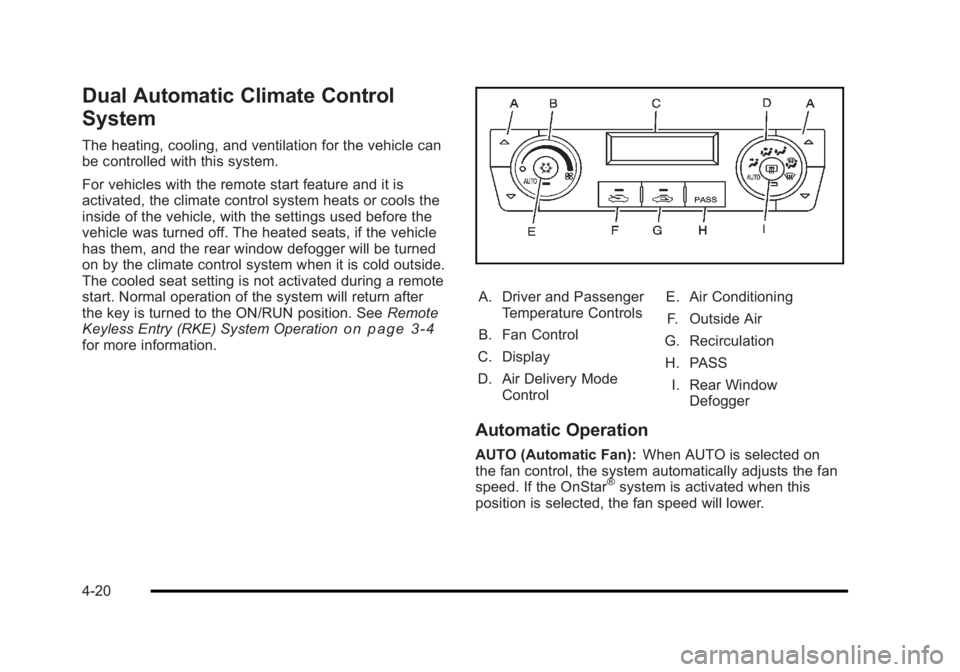
A. Driver and Passenger
Temperature Controls
B. Fan Control
C. Display
D. Air Delivery Mode Control E. Air Conditioning
F. Outside Air
G. Recirculation
H. PASS I. Rear Window Defogger
Automatic Operation
AUTO (Automatic Fan): When AUTO is selected on
the fan control, the system automatically adjusts the fan
speed. If the OnStar
®system is activated when this
position is selected, the fan speed will lower.
4-20