warning light BUICK LUCERNE 2011 Owner's Manual
[x] Cancel search | Manufacturer: BUICK, Model Year: 2011, Model line: LUCERNE, Model: BUICK LUCERNE 2011Pages: 450, PDF Size: 3.63 MB
Page 1 of 450
Black plate (1,1)Buick Lucerne Owner Manual - 2011
2011 Buick Lucerne Owner ManualM
In Brief. . . . . . . . . . . . . . . . . . . . . . . . . . . . . . . . . . . . . . . . . . . . 1-1
Instrument Panel . . . . . . . . . . . . . . . . . . . . . . . . . . . . . . . . . 1-2
Initial Drive Information . . . . . . . . . . . . . . . . . . . . . . . . . . . 1-4
Vehicle Features . . . . . . . . . . . . . . . . . . . . . . . . . . . . . . . . 1-15
Performance and Maintenance . . . . . . . . . . . . . . . . . . 1-22
Seats and Restraint System . . . . . . . . . . . . . . . . . . . . . . 2-1
Head Restraints . . . . . . . . . . . . . . . . . . . . . . . . . . . . . . . . . . 2-2
Front Seats . . . . . . . . . . . . . . . . . . . . . . . . . . . . . . . . . . . . . . . 2-3
Rear Seats . . . . . . . . . . . . . . . . . . . . . . . . . . . . . . . . . . . . . . 2-12
Safety Belts . . . . . . . . . . . . . . . . . . . . . . . . . . . . . . . . . . . . . 2-12
Child Restraints . . . . . . . . . . . . . . . . . . . . . . . . . . . . . . . . . 2-33
Airbag System . . . . . . . . . . . . . . . . . . . . . . . . . . . . . . . . . . 2-55
Restraint System Check . . . . . . . . . . . . . . . . . . . . . . . . . 2-70
Features and Controls . . . . . . . . . . . . . . . . . . . . . . . . . . . . 3-1
Keys . . . . . . . . . . . . . . . . . . . . . . . . . . . . . . . . . . . . . . . . . . . . . 3-3
Doors and Locks . . . . . . . . . . . . . . . . . . . . . . . . . . . . . . . . . 3-9
Windows . . . . . . . . . . . . . . . . . . . . . . . . . . . . . . . . . . . . . . . . 3-14 Theft-Deterrent Systems . . . . . . . . . . . . . . . . . . . . . . . . 3-16
Starting and Operating Your Vehicle . . . . . . . . . . . . . 3-19
Mirrors . . . . . . . . . . . . . . . . . . . . . . . . . . . . . . . . . . . . . . . . . . 3-31
Object Detection Systems . . . . . . . . . . . . . . . . . . . . . . . 3-35
Universal Home Remote System . . . . . . . . . . . . . . . . 3-42
Storage Areas . . . . . . . . . . . . . . . . . . . . . . . . . . . . . . . . . . . 3-49
Sunroof . . . . . . . . . . . . . . . . . . . . . . . . . . . . . . . . . . . . . . . . . 3-51
Instrument Panel . . . . . . . . . . . . . . . . . . . . . . . . . . . . . . . . . 4-1
Instrument Panel Overview . . . . . . . . . . . . . . . . . . . . . . . 4-3
Climate Controls . . . . . . . . . . . . . . . . . . . . . . . . . . . . . . . . 4-16
Warning Lights, Gauges, and Indicators . . . . . . . . . 4-27
Driver Information Center (DIC) . . . . . . . . . . . . . . . . . 4-42
Audio System(s) . . . . . . . . . . . . . . . . . . . . . . . . . . . . . . . . 4-67
Driving Your Vehicle . . . . . . . . . . . . . . . . . . . . . . . . . . . . . . 5-1
Your Driving, the Road, and the Vehicle . . . . . . . . . . 5-2
Towing . . . . . . . . . . . . . . . . . . . . . . . . . . . . . . . . . . . . . . . . . . 5-23
Page 5 of 450
Black plate (5,1)Buick Lucerne Owner Manual - 2011
Vehicle Symbol Chart
Here are some additional symbols that may be found on
the vehicle and what they mean. For more information
on the symbol, refer to the Index.
9:Airbag Readiness Light
#:Air Conditioning
!:Antilock Brake System (ABS)
g:Audio Steering Wheel Controls or OnStar®
$: Brake System Warning Light
":Charging System
I:Cruise Control
B: Engine Coolant Temperature
O:Exterior Lamps
#:Fog Lamps
.: Fuel Gauge
+:Fuses
3: Headlamp High/Low-Beam Changer
j:LATCH System Child Restraints
*: Malfunction Indicator Lamp
::Oil Pressure
}:Power
/:Remote Vehicle Start
>:Safety Belt Reminders
7:Tire Pressure Monitor
F:Traction Control
M:Windshield Washer Fluid
v
Page 7 of 450
Black plate (1,1)Buick Lucerne Owner Manual - 2011
Section 1 In Brief
Instrument Panel. . . . . . . . . . . . . . . . . . . . . . . . . . . . . . . . . . . 1-2
Initial Drive Information . . . . . . . . . . . . . . . . . . . . . . . . . . . 1-4
Remote Keyless Entry (RKE) System . . . . . . . . . . . 1-4
Remote Vehicle Start . . . . . . . . . . . . . . . . . . . . . . . . . . . 1-4
Door Locks . . . . . . . . . . . . . . . . . . . . . . . . . . . . . . . . . . . . . 1-5
Trunk Release . . . . . . . . . . . . . . . . . . . . . . . . . . . . . . . . . . 1-5
Windows . . . . . . . . . . . . . . . . . . . . . . . . . . . . . . . . . . . . . . . . 1-6
Seat Adjustment . . . . . . . . . . . . . . . . . . . . . . . . . . . . . . . . 1-6
Memory Features . . . . . . . . . . . . . . . . . . . . . . . . . . . . . . . 1-8
Heated Seats . . . . . . . . . . . . . . . . . . . . . . . . . . . . . . . . . . . 1-9
Heated and Ventilated Seats . . . . . . . . . . . . . . . . . . . . 1-9
Head Restraint Adjustment . . . . . . . . . . . . . . . . . . . . 1-10
Safety Belts . . . . . . . . . . . . . . . . . . . . . . . . . . . . . . . . . . . . 1-10
Sensing System for Passenger Airbag . . . . . . . . . 1-11
Mirror Adjustment . . . . . . . . . . . . . . . . . . . . . . . . . . . . . . 1-11
Steering Wheel Adjustment . . . . . . . . . . . . . . . . . . . . 1-12
Interior Lighting . . . . . . . . . . . . . . . . . . . . . . . . . . . . . . . . 1-13
Exterior Lighting . . . . . . . . . . . . . . . . . . . . . . . . . . . . . . . 1-13
Windshield Wiper/Washer . . . . . . . . . . . . . . . . . . . . . . 1-14
Climate Controls . . . . . . . . . . . . . . . . . . . . . . . . . . . . . . . 1-14 Vehicle Features
. . . . . . . . . . . . . . . . . . . . . . . . . . . . . . . . . . 1-15
Radio(s) . . . . . . . . . . . . . . . . . . . . . . . . . . . . . . . . . . . . . . . 1-15
Satellite Radio . . . . . . . . . . . . . . . . . . . . . . . . . . . . . . . . . 1-16
Portable Audio Devices (Auxiliary Input or USB Port) . . . . . . . . . . . . . . . . . . . . . . . . . . . . . . . . . . . 1-17
Steering Wheel Controls . . . . . . . . . . . . . . . . . . . . . . . 1-17
Bluetooth
®. . . . . . . . . . . . . . . . . . . . . . . . . . . . . . . . . . . . . 1-18
Navigation System . . . . . . . . . . . . . . . . . . . . . . . . . . . . . 1-18
Driver Information Center (DIC) . . . . . . . . . . . . . . . . 1-18
Cruise Control . . . . . . . . . . . . . . . . . . . . . . . . . . . . . . . . . 1-19
Lane Departure Warning (LDW) . . . . . . . . . . . . . . . 1-20
Side Blind Zone Alert (SBZA) . . . . . . . . . . . . . . . . . . 1-20
Ultrasonic Parking Assist . . . . . . . . . . . . . . . . . . . . . . 1-21
Power Outlets . . . . . . . . . . . . . . . . . . . . . . . . . . . . . . . . . 1-21
Universal Remote System . . . . . . . . . . . . . . . . . . . . . 1-21
Performance and Maintenance . . . . . . . . . . . . . . . . . .1-22
Traction Control System (TCS) . . . . . . . . . . . . . . . . 1-22
StabiliTrak
®System . . . . . . . . . . . . . . . . . . . . . . . . . . . 1-22
Tire Pressure Monitor . . . . . . . . . . . . . . . . . . . . . . . . . . 1-22
Tire Sealant and Compressor Kit . . . . . . . . . . . . . . 1-23
Engine Oil Life System . . . . . . . . . . . . . . . . . . . . . . . . 1-23
Fuel E85 (85% Ethanol) . . . . . . . . . . . . . . . . . . . . . . . 1-23
Driving for Better Fuel Economy . . . . . . . . . . . . . . . 1-23
Roadside Assistance Program . . . . . . . . . . . . . . . . . 1-24
OnStar
®. . . . . . . . . . . . . . . . . . . . . . . . . . . . . . . . . . . . . . . 1-24
1-1
Page 25 of 450
Black plate (19,1)Buick Lucerne Owner Manual - 2011
U:Press to customize the feature settings on your
vehicle. See DIC Vehicle Customizationon page 4‑58for more information.
V:Press to reset certain DIC features and to
acknowledge DIC warning messages and clear them
from the display.
For more information, see Driver Information Center
(DIC) on page 4‑42.
Vehicle Customization
Some vehicle features can be programmed by using the
DIC buttons on the instrument panel to the left of the
steering wheel. These features include:
.Language
.Door Lock and Unlock Settings
.Lighting
.Chime Volume
.Memory Settings
See DIC Vehicle Customization on page 4‑58.
Cruise Control
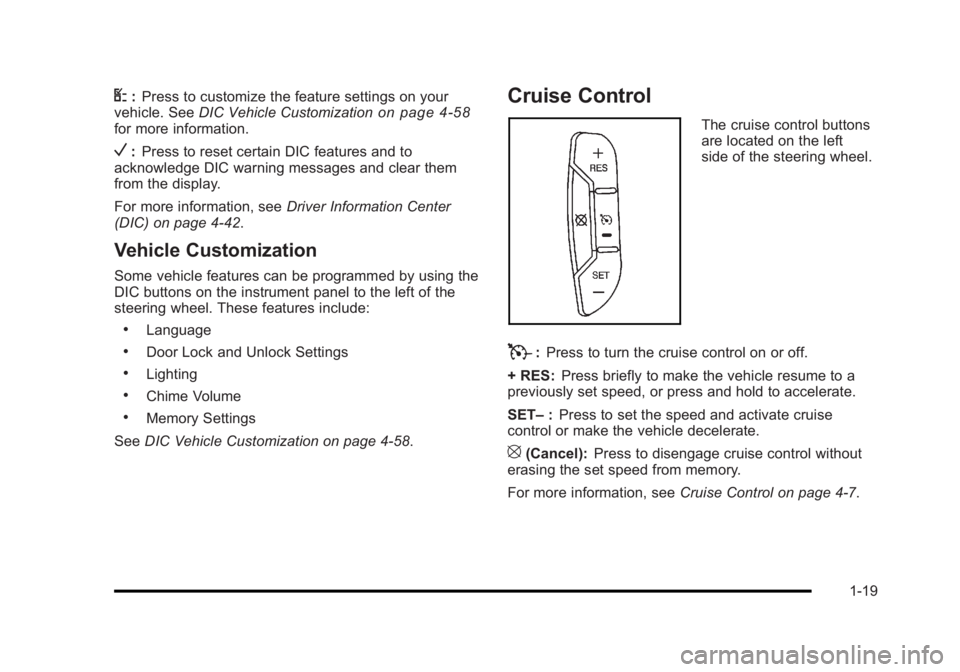
The cruise control buttons
are located on the left
side of the steering wheel.
T:Press to turn the cruise control on or off.
+ RES: Press briefly to make the vehicle resume to a
previously set speed, or press and hold to accelerate.
SET– :Press to set the speed and activate cruise
control or make the vehicle decelerate.
[(Cancel): Press to disengage cruise control without
erasing the set speed from memory.
For more information, see Cruise Control on page 4‑7.
1-19
Page 26 of 450
Black plate (20,1)Buick Lucerne Owner Manual - 2011
Lane Departure Warning (LDW)
For vehicles with LDW, it is intended to help avoid lane
change collisions. It provides a warning if the vehicle is
crossing a lane without using a turn signal. LDW uses a
camera to detect the lane markings. It only operates at
speeds of 56 km (35 mph) or greater.
The warning symbol
@, located in the instrument panel
cluster, appears green if a lane marking is detected.
It changes to amber, flashes, and sounds three chimes
if the vehicle crosses a detected land marking and the
turn signal is not on.
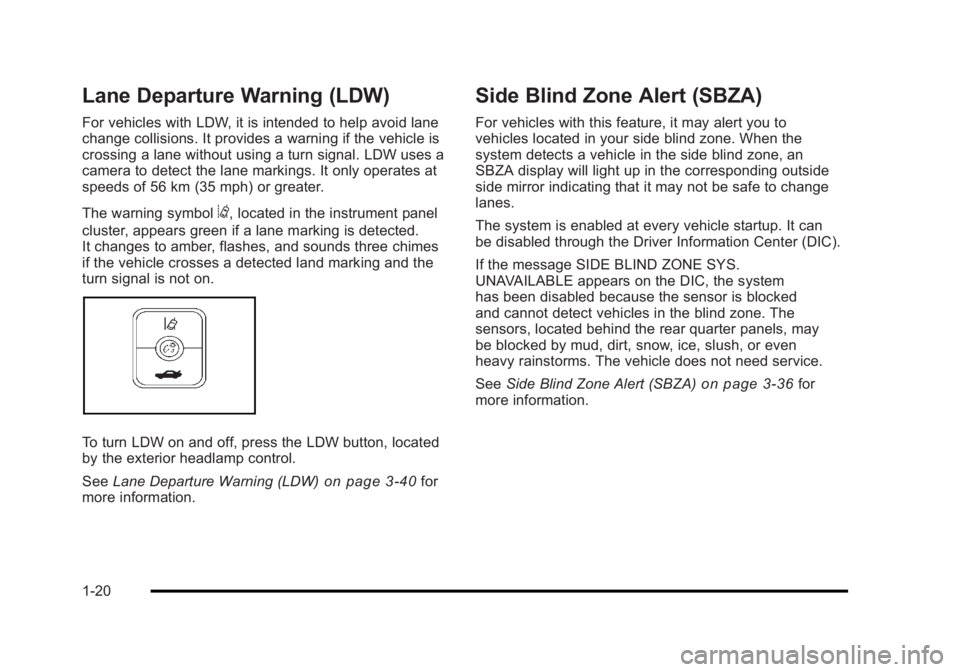
To turn LDW on and off, press the LDW button, located
by the exterior headlamp control.
See Lane Departure Warning (LDW)
on page 3‑40for
more information.
Side Blind Zone Alert (SBZA)
For vehicles with this feature, it may alert you to
vehicles located in your side blind zone. When the
system detects a vehicle in the side blind zone, an
SBZA display will light up in the corresponding outside
side mirror indicating that it may not be safe to change
lanes.
The system is enabled at every vehicle startup. It can
be disabled through the Driver Information Center (DIC).
If the message SIDE BLIND ZONE SYS.
UNAVAILABLE appears on the DIC, the system
has been disabled because the sensor is blocked
and cannot detect vehicles in the blind zone. The
sensors, located behind the rear quarter panels, may
be blocked by mud, dirt, snow, ice, slush, or even
heavy rainstorms. The vehicle does not need service.
See Side Blind Zone Alert (SBZA)
on page 3‑36for
more information.
1-20
Page 28 of 450
Black plate (22,1)Buick Lucerne Owner Manual - 2011
Performance and Maintenance
Traction Control System (TCS)
The traction control system limits wheel spin. The
system turns on automatically every time the vehicle is
started.
.To turn off traction control, press and releaseiin
front of the shift lever.
Filluminates and the
appropriate DIC message is displayed. See DIC
Warnings and Messages on page 4‑49.
.Press and release the button again to turn on
traction control.
For more information, see Traction Control System
(TCS) on page 5‑6.
StabiliTrak®System
The vehicle has a StabiliTrak system that assists with
directional control of the vehicle in difficult driving
conditions. The system turns on automatically every
time the vehicle is started. The system cannot be
turned off.
For more information, see StabiliTrak
®Systemon
page 5‑5.
Tire Pressure Monitor
This vehicle may have a Tire Pressure Monitor
System (TPMS).
The TPMS warming light
alerts you to a significant
loss in pressure of one of
the vehicles tires.
If the warning light comes on, stop as soon as possible
and inflate the tires to the recommended pressure
shown on the tire loading information label. See
Loading the Vehicle
on page 5‑18. The warning light
will remain on until the tire pressure is corrected.
During cooler conditions, the low tire pressure warning
light may appear when the vehicle is first started and
then turn off. This may be an early indicator that the
tire pressures are getting low and the tires need to be
inflated to the proper pressure.
The TPMS does not replace normal monthly tire
maintenance. It is the driver ’s responsibility to maintain
correct tire pressures.
See Tire Pressure Monitor System
on page 6‑65and
Tire Pressure Monitor Operation on page 6‑66.
1-22
Page 38 of 450
Black plate (6,1)Buick Lucerne Owner Manual - 2011
Heated and Ventilated Seats
{WARNING:
If you cannot feel temperature change or pain to
the skin, the seat heater may cause burns even at
low temperatures. See the Warning underHeated
Seats on page 2‑4.
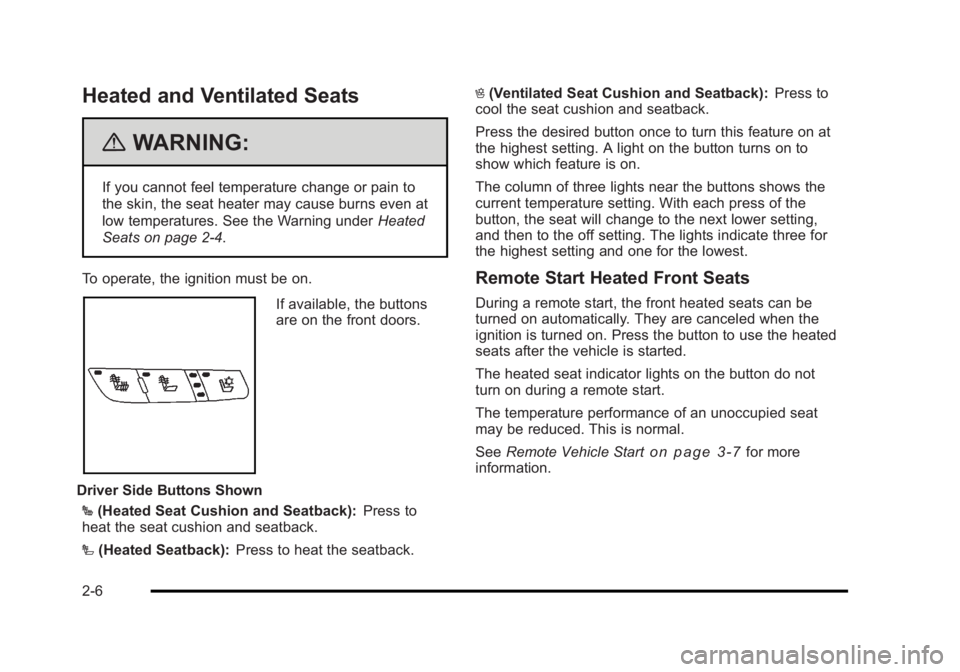
To operate, the ignition must be on.
Driver Side Buttons Shown If available, the buttons
are on the front doors.
J (Heated Seat Cushion and Seatback): Press to
heat the seat cushion and seatback.
I (Heated Seatback): Press to heat the seatback. H
(Ventilated Seat Cushion and Seatback): Press to
cool the seat cushion and seatback.
Press the desired button once to turn this feature on at
the highest setting. A light on the button turns on to
show which feature is on.
The column of three lights near the buttons shows the
current temperature setting. With each press of the
button, the seat will change to the next lower setting,
and then to the off setting. The lights indicate three for
the highest setting and one for the lowest.
Remote Start Heated Front Seats
During a remote start, the front heated seats can be
turned on automatically. They are canceled when the
ignition is turned on. Press the button to use the heated
seats after the vehicle is started.
The heated seat indicator lights on the button do not
turn on during a remote start.
The temperature performance of an unoccupied seat
may be reduced. This is normal.
See Remote Vehicle Start
on page 3‑7for more
information.
2-6
Page 89 of 450
Black plate (57,1)Buick Lucerne Owner Manual - 2011
{WARNING:
Children who are up against, or very close to,
any airbag when it inflates can be seriously
injured or killed. Airbags plus lap-shoulder belts
offer protection for adults and older children, but
not for young children and infants. Neither the
vehicle's safety belt system nor its airbag system
is designed for them. Young children and infants
need the protection that a child restraint system
can provide. Always secure children properly in
your vehicle. To read how, seeOlder Children
on
page 2‑33
or Infants and Young Childrenon
page 2‑36
.
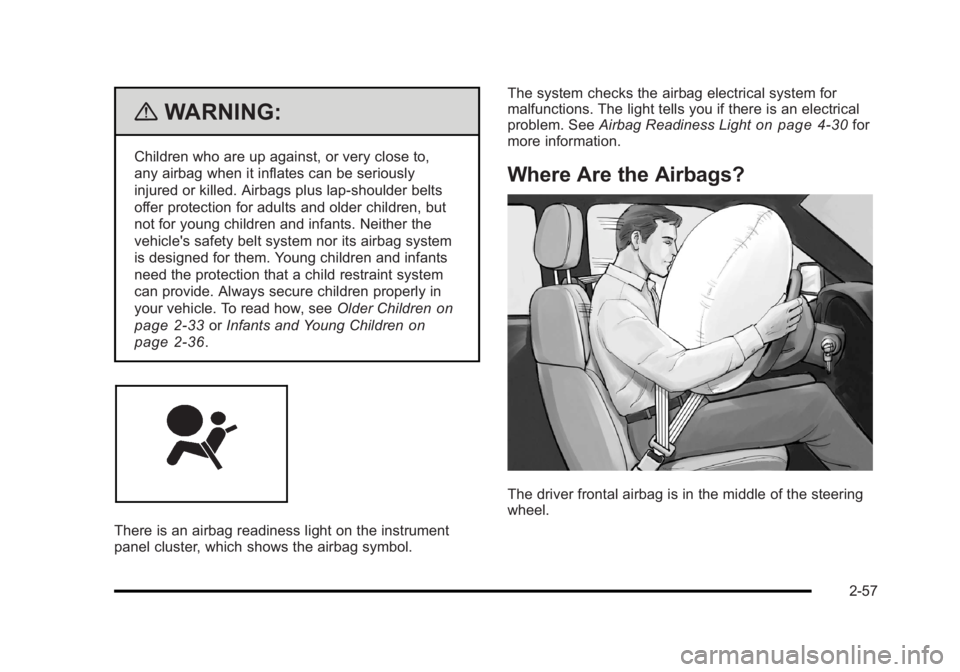
There is an airbag readiness light on the instrument
panel cluster, which shows the airbag symbol. The system checks the airbag electrical system for
malfunctions. The light tells you if there is an electrical
problem. See
Airbag Readiness Light
on page 4‑30for
more information.
Where Are the Airbags?
The driver frontal airbag is in the middle of the steering
wheel.
2-57
Page 97 of 450
Black plate (65,1)Buick Lucerne Owner Manual - 2011
{WARNING:
A child in a rear-facing child restraint can be
seriously injured or killed if the right front
passenger airbag inflates. This is because the
back of the rear-facing child restraint would be
very close to the inflating airbag. A child in a
forward-facing child restraint can be seriously
injured or killed if the right front passenger airbag
inflates and the passenger seat is in a forward
position.
Even if the passenger sensing system has turned
off the right front passenger frontal airbag and
seat-mounted side impact airbag (if equipped),
no system is fail-safe. No one can guarantee that
an airbag will not deploy under some unusual
circumstance, even though the airbag(s) are off.
Secure rear-facing child restraints in a rear seat,
even if the airbag(s) are off. If you secure a
forward-facing child restraint in the right front seat,
always move the front passenger seat as far back
as it will go. It is better to secure the child restraint
in a rear seat.The passenger sensing system is designed to turn off
the right front passenger airbag and seat‐mounted side
impact airbag if:.The right front passenger seat is unoccupied.
.The system determines that an infant is present in
a rear-facing infant seat.
.The system determines that a small child is
present in a child restraint.
.The system determines that a small child is
present in a booster seat.
.A right front passenger takes his/her weight off of
the seat for a period of time.
.The right front passenger seat is occupied by a
smaller person, such as a child who has outgrown
child restraints.
.Or, if there is a critical problem with the airbag
system or the passenger sensing system.
When the passenger sensing system has turned off the
right front passenger frontal airbag and seat‐mounted
side impact airbag, the off indicator will light and stay lit
to remind you that the airbags are off. See Passenger
Airbag Status Indicator on page 4‑31.
The passenger sensing system is designed to turn on
(may inflate) the right front passenger frontal airbag and
seat‐mounted side impact airbag anytime the system
senses that a person of adult size is sitting properly in
the right front passenger seat.
2-65
Page 98 of 450
Black plate (66,1)Buick Lucerne Owner Manual - 2011
When the passenger sensing system has allowed the
airbags to be enabled, the on indicator will light and
stay lit to remind you that the airbags are active.
For some children who have outgrown child restraints
and for very small adults, the passenger sensing
system may or may not turn off the right front passenger
frontal airbag and seat-mounted side impact airbag,
depending upon the person’s seating posture and body
build. Everyone in the vehicle who has outgrown child
restraints should wear a safety belt properly—whether
or not there is an airbag for that person.
{WARNING:
If the airbag readiness light ever comes on and
stays on, it means that something may be wrong
with the airbag system. To help avoid injury to
yourself or others, have the vehicle serviced right
away. See Airbag Readiness Light
on page 4‑30
for more information, including important safety
information.
If the On Indicator is Lit for a Child
Restraint
If a child restraint has been installed and the on
indicator is lit:
1. Turn the vehicle off.
2. Remove the child restraint from the vehicle.
3. Remove any additional items from the seat such as blankets, cushions, seat covers, seat heaters,
or seat massagers.
4. Reinstall the child restraint following the directions provided by the child restraint manufacturer and
refer to Securing a Child Restraint in the Right
Front Seat Position on page 2‑52.
5. If, after reinstalling the child restraint and restarting the vehicle, the on indicator is still lit, turn the
vehicle off. Then slightly recline the vehicle
seatback and adjust the seat cushion, if adjustable,
to make sure that the vehicle seatback is not
pushing the child restraint into the seat cushion.
Also make sure the child restraint is not trapped
under the vehicle head restraint. If this happens,
adjust the head restraint. See Head Restraints
on
page 2‑2.
2-66