change time BUICK PARK AVENUE 1993 Owners Manual
[x] Cancel search | Manufacturer: BUICK, Model Year: 1993, Model line: PARK AVENUE, Model: BUICK PARK AVENUE 1993Pages: 340, PDF Size: 18.17 MB
Page 4 of 340
GENERAL MOTORS, GM and the GM Emblem,
BUICK, and the BUICK Emblem are registered
trademarks
of General Motors Corporation.
This manual includes the latest information at the time it
was printed. We reserve the right to make changes in
the
product after that time without further notice. For vehicles
first
sold in Canada, substitute the name “General Motors
of Canada Limited” for Buick Motor Division whenever it
appears in this manual.
Please keep this manual in your Buick,
so it will be there if
you ever need it when you’re on the road. If you sell the
vehicle, please leave this manual in
it so the new owner can
use it.
VOLUNTARY TECHNKIAN WE SUPPORT
CERTIFICAT’WN THROUGH
Nabonal lnstttute for AUTOMOTIVE
SERVICE
EXCELLENCE
We support voluntary
technician certification.
For Canadian Owners Who Prefer a
French Language Manual:
Aux propri6taires canadiens: Vous pouvez vous procurer
un exemplaire de ce guide en fraqais chez votre
concessionaire ou
B DGN Marketing Services Ltd., 1500
Bonhill Rd., Mississauga, Ontario L5T lC7.
ProCarManuals.com
Page 70 of 340
3.
4.
5.
6.
7.
Use a jumper wire with alligator clips at both ends to
ground (Terminal
A) to program (Terminal G).
Grounding the program terminal erases the system
memory and causes the doors to lock and unlock
once. This means the system is ready to be matched
to the transmitter.
Keeping the program terminal grounded, press the
UNLOCK button on the first transmitter. The door
locks will lock and unlock again to indicate the
transmitter is now matched. If there is no response,
check the transmitter batteries. If you do not want to
match a second transmitter, proceed to Step
6.
Still keeping the program terminal grounded, repeat
Step
4 with the second transmitter. If you disconnect
the ground wire before completing this step, or if
you press the button
on the first transmitter more
than once, only the first transmitter is matched. If
you make a mistake, disconnect the jumper wire and
start over at Step
3.
Remove the jumper wire. (Note: The system will not
operate if the jumper wire is still connected.)
Test the operation of both transmitters with the
vehicle.
If the lock control does not work as it should, see your
Buick dealer.
Battery Replacement
Under normal use, the batteries in your key chain
transmitter should last about two years.
You can tell the batteries are weak if the transmitter
won’t work at the normal range in any location.
If you
have to get close to your vehicle before the transmitter
works, it’s probably time to change the wlerieg,
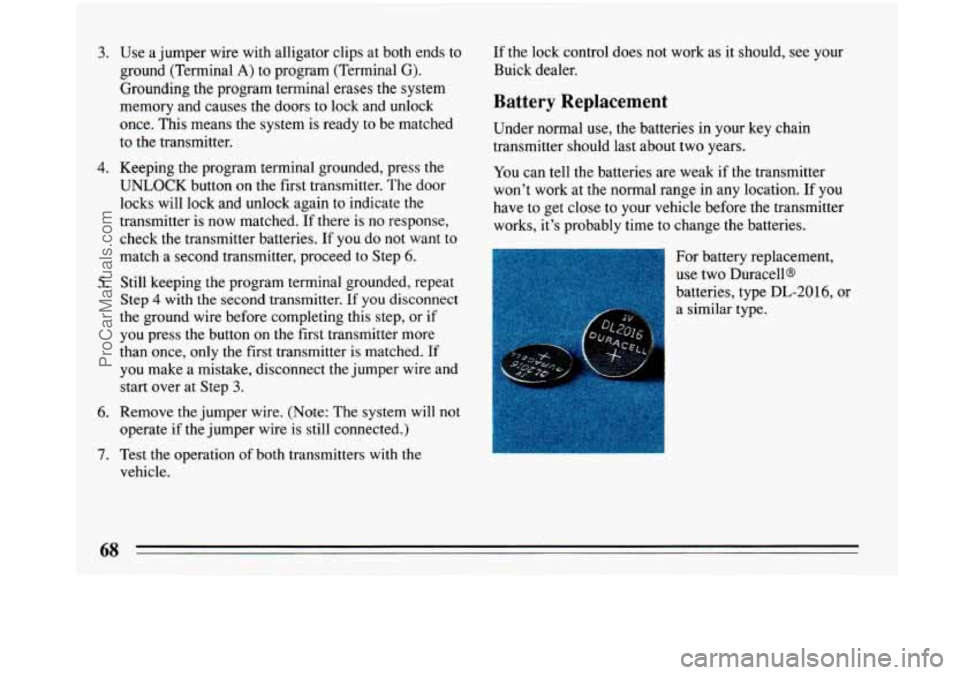
For battery replacement,
use two Duracells
batteries, type DL-2016, or
a similar type.
ProCarManuals.com
Page 80 of 340
Your engine is designed to work with the
electronics in your vehicle.
If you add electrical
parts or accessories, you could change the way
If you ever have to have your vehicle towed, see
the part
of this Manual that tells how to do it
without damaging your vehicle. See “Towing
Your Car” in the Index.
To start your SupercharEed V6 3.8 Liter (Code 1)
engine:
1.
2.
Don’t push the accelerator pedal before starting your
engine. In some other vehicles you might need to do
this, but because
of your vehicle’s computer systems,
you don’t.
Turn your ignition key to “Start.” When the engine
starts, let go
of the key. The idle speed will go down
as your engine gets warm.
3. If it doesn’t start right away, hold your key in “Start”
for about three to five seconds at a time until your
engine starts. Wait about
15 seconds between each
try to help avoid draining your battery.
4. If your engine still won’t start (or starts but then
stops),
it could be flooded with too much gasoline.
Try pushing your accelerator pedal all the way to the
floor and holding
it there as you hold the key in
“Start” for about three seconds. If the car starts
briefly but then stops again, do the same thing, but
this time keep the pedal down for five or six seconds.
This clears the extra gasoline from the engine. After
waiting about
15 seconds, repeat the normal starting
procedure.
78
ProCarManuals.com
Page 94 of 340
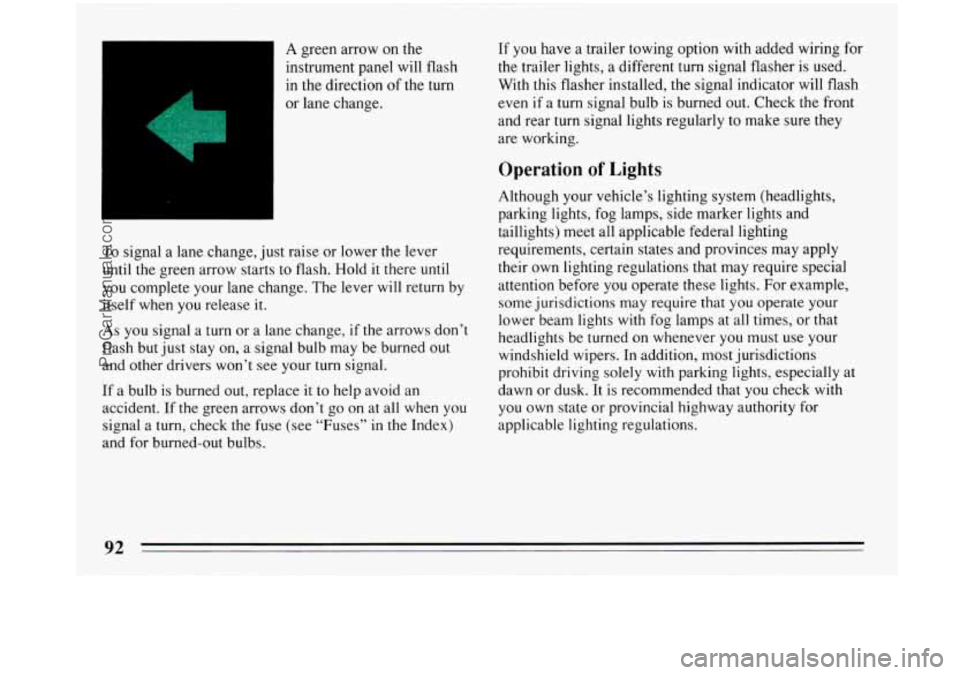
A green arrow on the
instrument panel
will flash
in the direction of the turn
or lane change.
To signal a lane change, just raise or lower the lever
until
the green arrow starts to flash. Hold it there until
you complete your lane change. The lever will return by
itself when you release it.
As you signal a turn or a lane change, if the arrows don’t
flash but just stay on, a signal bulb may be burned out
and other drivers won’t see your turn signal.
If a bulb is burned out, replace it to help avoid an
accident. If
the green arrows don’t go on at all when you
signal a turn, check the fuse (see “Fuses”
in the Index)
and for burned-out bulbs.
If you have a trailer towing option with added wiring for
the trailer lights, a different turn signal flasher is used.
With this flasher installed, the signal indicator will flash
even
if a turn signal bulb is burned out. Check the front
and rear turn signal lights regularly to make sure they
are working.
Operation of Lights
Although your vehicle’s lighting system (headlights,
parking lights, fog lamps, side marker lights and
taillights) meet all applicable federal lighting
requirements, certain states and provinces may apply
their own lighting regulations that may require special
attention before
you operate these lights. For example,
some jurisdictions may require that you operate your
lower beam lights with fog lamps at all times, or that
headlights be turned on whenever you must use your
windshield wipers. In addition, most jurisdictions
prohibit driving solely with parking lights, especially at
dawn or dusk. It is recommended that
you check with
you own state or provincial highway authority for
applicable lighting regulations.
ProCarManuals.com
Page 95 of 340
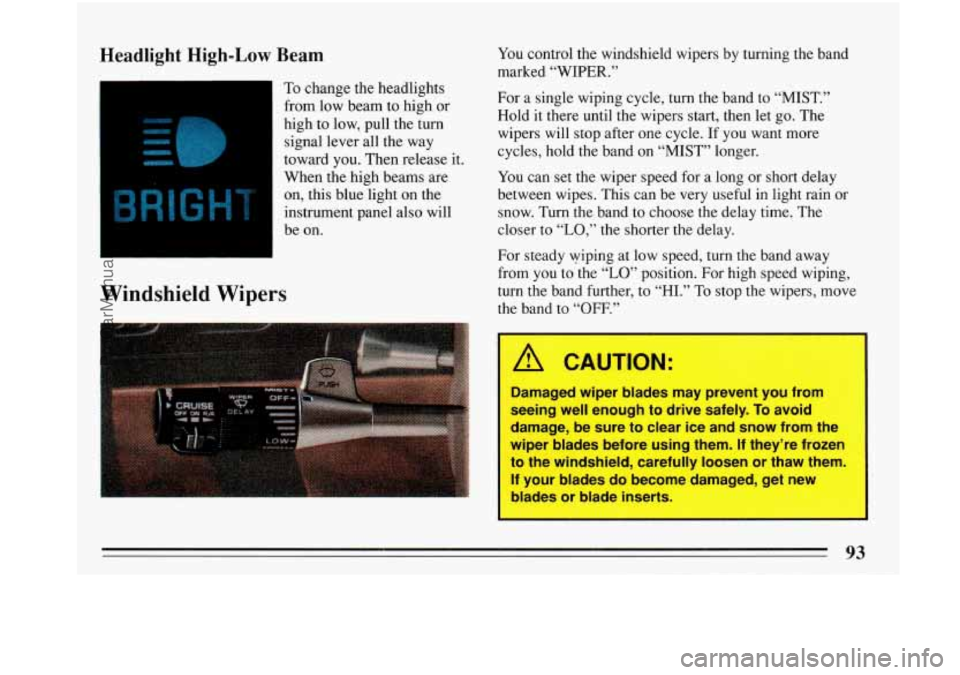
Headlight High-Low Beam
To change the headlights
from low beam to high or
high to low, pull the turn
signal lever. all the way
toward you. Then release it.
When the high beams are
on, this blue light on the
instrument panel also will
be on.
R 1J H
Windshield Wipers
You control the windshield wipers by turning the band
marked
“WIPER.”
For a single wiping cycle, turn the band to “MIST.”
Hold it there until the wipers start, then let go. The
wipers will stop after one cycle. If you want more
cycles, hold the band on “MIST” longer.
You can set the wiper speed for a long or short delay
between wipes. This can be very useful in light rain or
snow. Turn the band to choose the delay time. The
closer to
“LO,” the shorter the delay.
For steady wiping at low speed, turn the band away
from you to the
“LO” position. For high speed wiping,
turn the band further, to “HI.”
To stop the wipers, move
the band to
“OFF.”
A CAUTION:
Damaged wiper blades may prevent you from
seeing well enough to drive safely.
To avoid
damage, be sure to clear ice and snow from the
wiper blades before using them.
If they’re frozen
to the windshield, carefully loosen or thaw them.
If your blades do become damaged, get new
blades or blade inserts.
93
ProCarManuals.com
Page 104 of 340
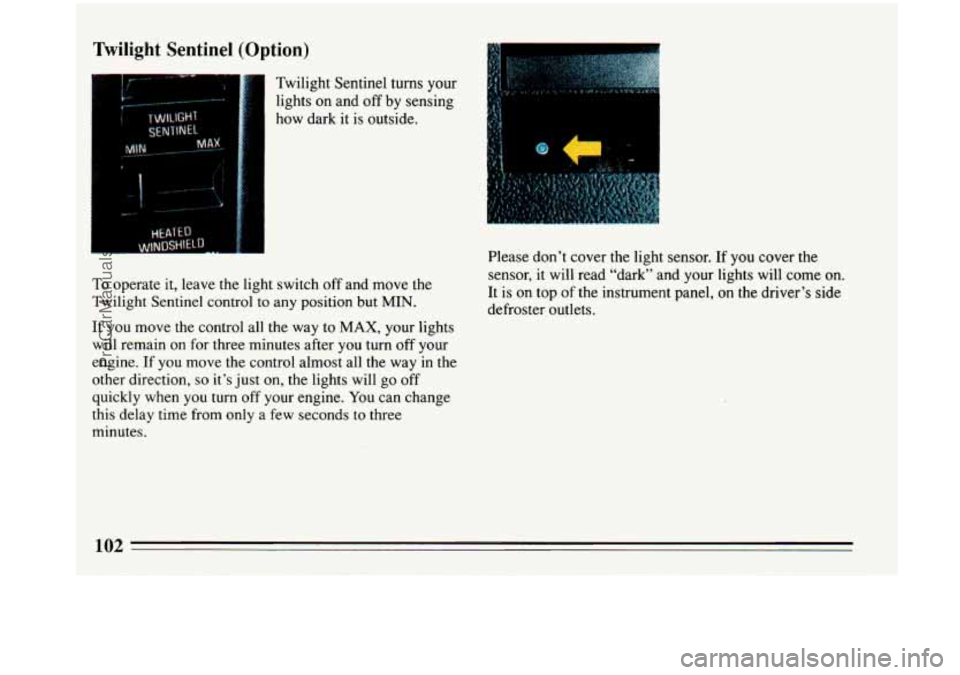
Twilight Sentinel (Option)
Twilight Sentinel turns your
lights on and off by sensing
how dark it is outside.
To operate it, leave the light switch off and move the
Twilight Sentinel control to any position but
MIN.
If you move the control all the way to MAX, your lights
will remain on for three minutes after you turn off your
engine.
If you move the control almost all the way in the
other direction,
so it’s just on, the lights will go off
quickly when you turn off your engine. You can change
this delay time from
only a few seconds to three
minutes. Please don’t
cover the light sensor.
If you cover the
sensor, it will read “dark” and your lights will come on.
It is
on top of the instrument panel, on the driver’s side
defroster outlets.
ProCarManuals.com
Page 105 of 340
Daytime Running Lights (Canada Only)
The Canadian Federal Government has decided that
“Daytime Running Lights” (DRL) are a useful feature,
in that DRL can make your vehicle more visible to
pedestrians and other drivers during daylight hours.
DRL are required on new vehicles sold in Canada.
Your
DRL work with a light sensor on top of the
instrument panel. Don’t cover it up.
The low beam headlights will come on at reduced
brightness in daylight when:
0 The ignition is on
0 The headlight switch is off, and
0 The transaxle is not in “P” (Park). At
dusk, if the Twilight Sentinel feature is turned on, the
exterior lights will come
on automatically and the low
beams will change to
full brightness. At dawn, the
exterior lights will go out and the low beams will
change to the reduced brightness
of DRL (if the
headlight switch is off).
Of course, you may still turn on the headlights any time
you need to.
To idle your vehicle with the DRL off, shift the
transaxle into
“P” (Park). The DRL will stay off until
you shift out of “P” (Park).
To turn
off all exterior lighting at night when you are
parked, move
the twilight sentinel control from ON to
OFF, if it was on from the start. Or, move the control
from OFF to
ON, then back to OFF, if it was off from
the start. The lights will come back
on when you move
the transaxle out
of PARK.
ProCarManuals.com
Page 109 of 340
Settings
MIN: The minimum setting is suggested when driving
where glare conditions change often. “Min” works well
for city driving at night.
MAX: Maximum sensitivity is a good setting for
highway driving in light traffic. The mirror starts to
darken in any glare, such as headlights a long way
behind your
car.
OFF: The mirror will stay in the day mode.
Time Delay
The mirror delays before switching from the night back
to the day position. This delay prevents rapid changing
of the mirror as you drive under lights and through
traffic.
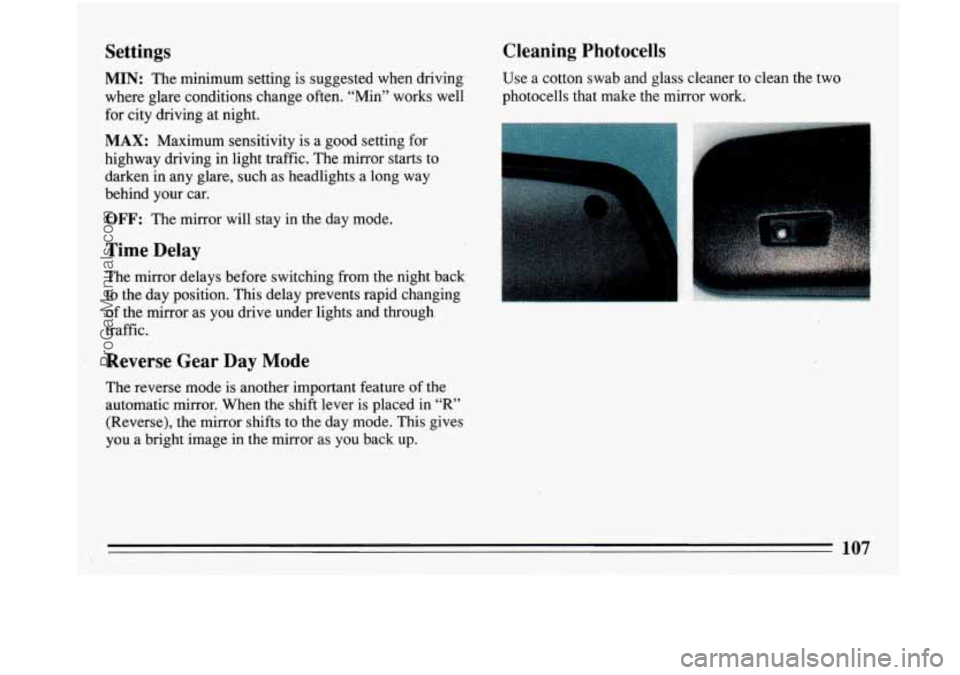
Cleaning Photocells
Use a cotton swab and glass cleaner to clean the two
photocells that make the mirror work.
Reverse Gear Day Mode
The reverse mode is another important feature of the
automatic mirror. .When the shift lever is placed in
“R”
(Reverse), the mirror shifts to the day mode. This gives
you a bright image in the mirror as you back up.
107
ProCarManuals.com
Page 127 of 340
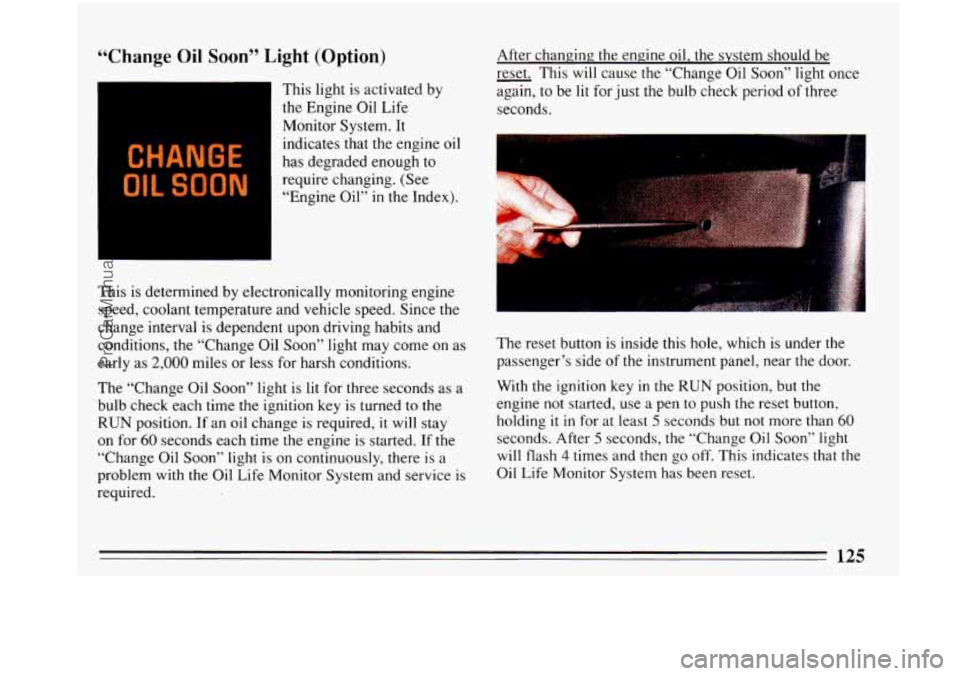
“Change Oil Soon” Light (Option)
CHANGE
OIL SOON
This light is activated by
the Engine Oil Life
Monitor System. It
indicates that the engine oil
has degraded enough to
require changing. (See
“Engine Oil” in the Index).
This is determined by electronically monitoring engine
speed, coolant temperature and vehicle speed. Since the
change interval is dependent upon driving habits and
conditions, the “Change Oil Soon” light may come on as
early as
2,000 miles or less for harsh conditions.
The “Change Oil Soon” light
is lit for three seconds as a
bulb check each time the ignition key is turned to the
RUN position. If an oil change is required, it will stay
on for
60 seconds each time the engine is started. If the
“Change Oil Soon” light is on continuously, there is a
problem with the Oil Life Monitor System and service is
required. After
changing; the engine oil, the system should be
- reset. This
will cause the “Change Oil Soon” light once
again,
to be lit for just the bulb check period of three
seconds.
The reset button is.inside this hole, which is under the
passenger’s side of the instrument panel, near the door.
With the ignition key in the
RUN position, but the
engine not started, use a pen to push the reset button,
holding
it in for at least 5 seconds but not more than 60
seconds. After 5 seconds, the “Change Oil Soon” light
will flash 4 times and then go off. This indicates that the
Oil Life Monitor System has been reset.
ProCarManuals.com
Page 154 of 340
Insert a disc partway into the slot, label side up. The
player will pull it in. Wait a few seconds and the disc
should play.
If the disc comes back out, check whether:
The disc is upside down.
It is dirty, scratched, or wet.
There’s too much moisture in the air. (If there is,
wait about one hour and try again.)
RCL
Press RCL to see what track is playing. Press it again
within 5 seconds to see how long the CD has been
playing that track. The display will automatically return
to the time of day.
The track number also appears when you change the
volume, or when a new track starts to play.
COMP
Pressing the COMP button makes soft and loud passages
more equal in volume.
COMP will appear in the display.
RDM
The RDM button means random and when it is pressed,
your
CD player will play the tracks in random order
rather than sequential
1,2,3 ... order. Pressing RDM
again will play the disc in sequential order.
REV
Press and hold REV to return rapidly to a favorite
passage in a track. Note the seconds counter reading in
the display. Release it to play the passage.
FWD
Press and hold FWD to advance quickly within a track.
Release it to resume playing. Watch the display to ston
at
a specific passage.
PREV
Press PREV to hear the previous track. If you hold this
button or press it more than once,
the disc will retreat to
previous tracks.
NEXT
Press NEXT to hear the next track now (instead of
waiting until the present track is finished.) If you hold
this button, or press it more than once, the disc will
advance further.
STlPL
Press ST/PL (Stop/Play) and the disc will stop and the
radio will play. Press ST/PL again
to restart the disc at
the point where it stopped.
ProCarManuals.com