CD player BUICK PARK AVENUE 1994 Owners Manual
[x] Cancel search | Manufacturer: BUICK, Model Year: 1994, Model line: PARK AVENUE, Model: BUICK PARK AVENUE 1994Pages: 324, PDF Size: 17.01 MB
Page 133 of 324
@ Part 3 Comfort Controls and Audio Systems
In this part you’ll find out how to operate the comfort control systems and audio systems offered with your Buick .
Be sure to read about the particular system supplied with your vehicle .
Part 3 includes:
Comfort Control System ............................................................ 132
Heater and Defroster
....................................................... 137. 138
Airconditioner
........................................................... 134. 140
Rear Window Defogger
.................................................... 139. 140
Ventilation
................................................................... 141
Steering Wheel Controls
........................................................ 155
Audiosystems
.................................................................... 143
Understanding Radio Reception
.................................................. 143
Radio Controls
....................................................... 144. 147. 151
Settingtheclock
.................................................... 146.149. 152
Tape Player Controls
.................................... ................. 146. 149
CD Player Controls
................................... ..................... 153
Steering Wheel Controls
............................. ....................... 155
Care of Cassette Tape Player and Tapes
............................................ 157
CareofCompactDiscs
......................................................... 158
Antennacare ................................................................ 158
131
ProCarManuals.com
Page 146 of 324
NOTICE:
Before you add any sound equipment to your
vehicle
-- like a tape player, CB radio, mobile
telephone or two-way radio
-- be sure you can
add what you want. If you can,
it’s very important
to
do it properly. Added sound equipment may
interfere with the operation of your vehicle’s
engine, Delco@ radio or other systems, and even
damage them. And, your vehicle’s systems may
interfere with the operation of sound equipment
that has been added improperly.
So, before adding sound equipment, check with
your dealer and be sure
to check Federal rules
covering mobile radio and telephone units.
144
.
ProCarManuals.com
Page 148 of 324
Clock To Play A Cassette
To set the clock:
0 Press the SET button.
0 Within 5 seconds, press and hold SCAN until the
correct hour appears on the display.
0 Press and hold SEEK until the correct minute
appears on the display.
Treble
Slide the TREBLE lever up to increase the treble
response.
If the station is weak or noisy, slide the
TREBLE lever down to reduce the noise.
Bass
Slide the BASS lever up to increase the bass response.
Adjust the BASS lever to give a pleasing sound to your
ear.
DNR@
This is the Dynamic Noise Reduction button. DNR@
helps remove background hiss from the radio or tape
player.
You may want to leave it pushed in all the time.
Your tape player is built to work best with tapes that are
30 to 45 minutes long on each side. Tapes longer than
that are
so thin they may not work well in this player.
With the radio on, press a tape into the slot marked
AUTO REVERSE (the tape side goes in first).
Once
the tape is playing, use the upper and lower knobs
for volume, balance, and fade just as you did for radio.
The arrows indicate which side
of the tape is being
played.
When the end
of the tape is reached, it will
automatically reverse and play the other side
of the tape.
Forward
To rapidly advance the tape, press and the tape will
rapidly
go forward until you press the 4 button or
STOP-EJECT lightly.
146
ProCarManuals.com
Page 151 of 324
Pushbuttons Treble
The five pushbuttons let you return to favorite stations.
You can set the pushbuttons for up to fifteen stations
(5 AM and 10 FM).
Tune in the desired station.
Push the SET button.
Within 5 seconds, push one of the five pushbuttons.
SET will disappear from the display when the station
is set.
Whenever you press that button, the preset station
will
return.
Clock
To set the clock:
0 Press the SET button.
0 Within 5 seconds, press and hold SCAN until the
correct hour appears on the display.
appears on the display.
0 Press and hold SEEK until the correct minute Adjust the treble response
up or down.
If the station is
weak or noisy, adjust the treble down to reduce the noise.
Bass
Adjust the bass response up or down. Pressing the
button
in the center will set the bass level to a factory
preset level.
To Play a Cassette
Your tape player is built to work best with tapes that are
30 to 45 minutes long on each side. Tapes longer than
that are
so thin they may not work well in this player.
With the radio
on, press a tape into the slot marked
AUTO REVERSE (the tape side goes in first).
Once the tape is playing, use the upper and lower knobs
for volume, balance, and fade just as
you did for the
radio. The arrow
in the graphic display above the word
TAPE indicates which side of the tape is being played.
When the end
of the tape is reached, it will
automatically reverse and play the other side of the tape.
149
ProCarManuals.com
Page 153 of 324
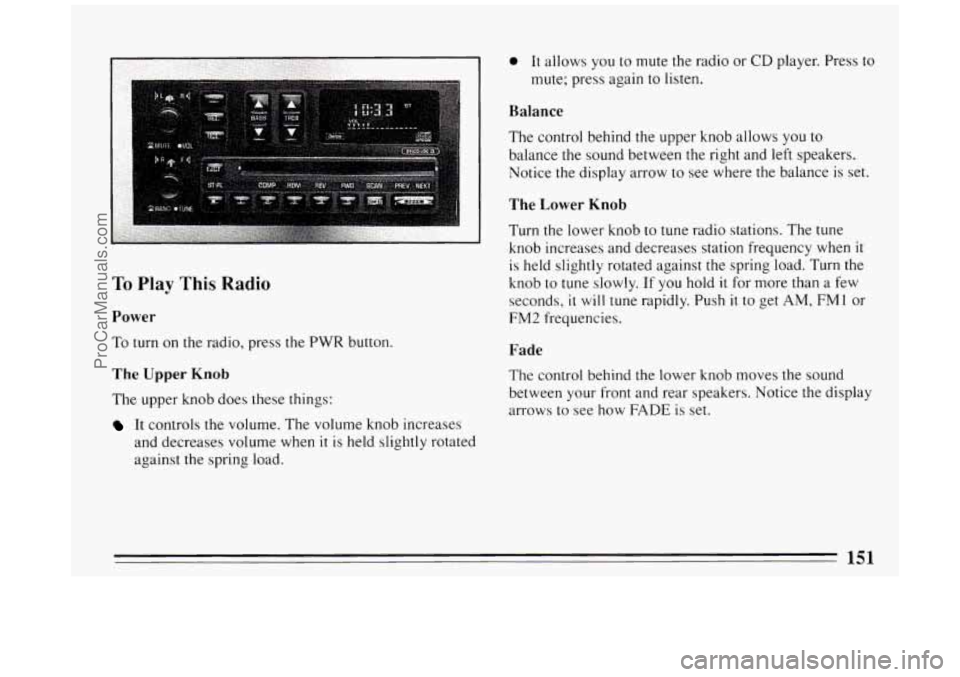
To Play This Radio
Power
To turn on the radio, press the PWR button.
The Upper Knob
The upper knob does these things:
It controls the volume. The volume knob increases
and decreases volume when
it is held slightly rotated
against the spring load.
0 It allows you to mute the radio or CD player. Press to
mute; press again
to listen.
Balance
The control behind the upper knob allows you to
balance the sound between the right and left speakers.
Notice the display arrow to see where the balance is set.
The Lower Knob
Turn the lower knob to tune radio stations. The tune
knob increases and decreases station frequency when
it
is held slightly rotated against the spring load. Turn the
knob
to tune slowly. If you hold it for more than a few
seconds,
it will tune rapidly. Push it to get AM, FMl or
FM2 frequencies.
Fade
The control behind the lower knob moves the sound
between
your front and rear speakers. Notice the display
arrows
to see how FADE is set.
151
ProCarManuals.com
Page 155 of 324
To Play A Compact Disc
Before you begin, please note: DO NOT use mini-discs
that are called singles. They won’t eject.
Use full-size
compact discs only.
Press PWR to turn the system on.
Insert a disc partway
into the slot, label side up. The
player will
pull it in. Wait a few seconds and the disc
should play.
If the disc comes back out, check to see if:
0 The disc is upside down.
It is dirty, scratched, or wet.
There’s too much moisture in the air. (If there is,
wait about one hour and.try again.)
The disc player is too hot. If you’re driving on a very
rough road, the disc may come out, or just
not play
and ERR will appear
in the display. As soon as
things get back
to normal, the disc should play again.
Recall
Press RCL to see what track is playing. Press it again
within 5 seconds to see how long the CD has been
playing that track. The display will automatically return
to the time of day.
The track number also appears when you change the
volume, or when a new track starts to play.
Compression
Pressing the COMP button makes soft and loud passages
more equal
in volume. COMP will appear in the display.
Random
The RDM button means random and when it is pressed,
your CD player
will play the tracks in random order
rather than sequential
1,2,3 ... order. Pressing RDM
again will play the disc in sequential order.
153
ProCarManuals.com
Page 156 of 324
Reverse
Press and hold REV to return rapidly to a favorite
passage
in a track. Release it to play the passage. Note
the seconds counter reading in the display.
Forward
Press and hold FWD to advance quickly within a track.
Release it to resume playing. Watch the display to stop
at a specific passage.
Previous
Press PREV to hear the previous track. If you hold this
button or press
it more than once, the disc will retreat to
previous tracks.
Next
Press NEXT to hear the next track now (instead of
waiting until the present track is finished.) If you hold
this button, or press
it more than once, the disc will
advance further.
Stop/Play
Press ST/PL the disc will stop and the radio will play.
Press ST/PL again to restart
the disc at the point where it
stopped.
Press the PWR button or turn the ignition key off to stop
the disc player. The disc stays in the player and will
resume playing at the point where it stopped.
Eject
Press EJCT and the disc will eject and the radio will
play. The disc
will start at track 1 when you reinsert it.
As a feature to protect the disc, if you turn off the
ignition with the disc partway out of the slot (after
eject), it will be drawn back into the player
in about 30
seconds. The disc will play at track 1 when the radio is
turned on again.
154
ProCarManuals.com
Page 157 of 324
Steering Wheel Controls
t‘
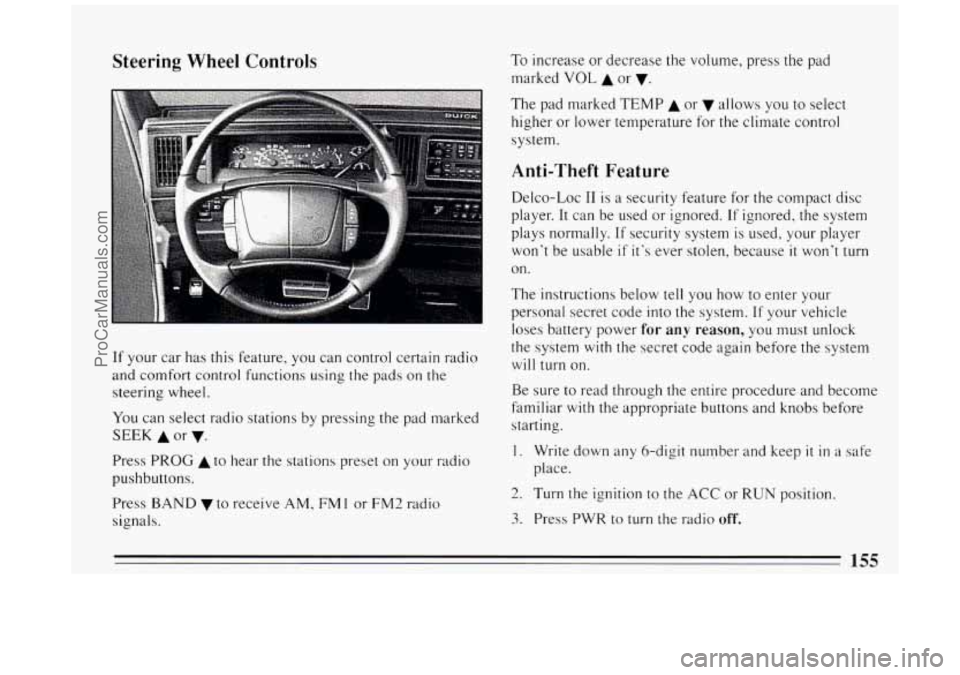
If your car has this feature, you can control certain radio
and comfort control functions using the pads on the
steering wheel.
You can select radio stations by pressing the pad marked
SEEK A or v.
Press PROG A to hear the stations preset on your radio
pushbuttons.
Press
BAND v to receive AM, FM 1 or FM2 radio
signals. To
increase or decrease the volume, press the pad
marked
VOL A or v.
The pad marked TEMP A or allows you to select
higher or lower temperature for the climate control
system.
Anti-Theft Feature
Delco-Loc I1 is a security feature for the compact disc
player. It can be used or ignored. If ignored, the system
plays normally. If security system
is used, your player
won’t be usable
if it’s ever stolen, because it won’t turn
on.
The instructions below tell you how to enter your
personal secret code into the system. If your vehicle
loses battery power
for any reason, you must unlock
the system
with the secret code again before the system
will turn on.
Be sure to read through the entire procedure and become
familiar
with the appropriate buttons and knobs before
starting.
1. Write down any &digit number and keep it in a safe
place.
2. Turn the ignition to the ACC or RUN position.
3. Press PWR to turn the radio off.
155
ProCarManuals.com
Page 159 of 324
Disabling The Theft System
Press preset buttons 1 and 4, for 5 seconds with the
ignition “On” and radio power “Off’. The display
will show “SEC”, indicating the unit is in the secure
mode.
Press the SET button. The display will show “000”.
Enter the first three digits of the code following step
6 and 7 of the preceding directions. The display will
show the numbers as entered.
Press the BAND knob. The radio will display “000”.
Enter the second three digits of the code. The display
Press the BAND knob. If the display shows “---” ,
will show the numbers as entered.
the disabling sequence was successful. (The numbers
matched the user-selected code
or the factory
back-up code) and the
unit is in the UNSECURED
mode. If the display shows “SEC”, the disabling
sequence was unsuccessful and the numbers did not
match either
of the codes and the unit will remain in
the SECURED mode.
Care of Your Cassette Tape Player
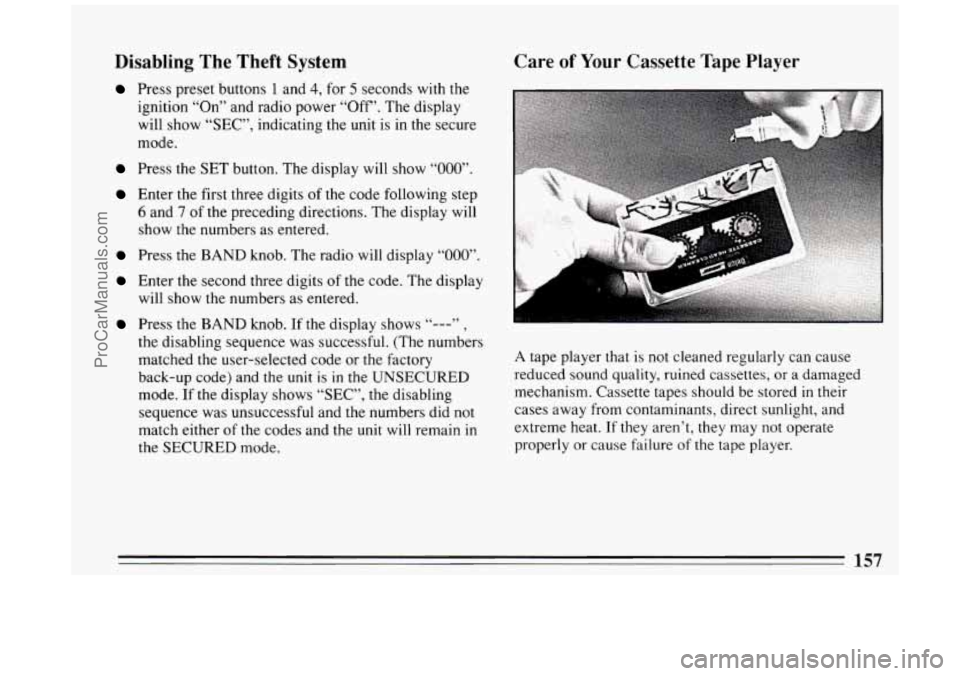
A tape player that is not cleaned regularly can cause
reduced sound quality, ruined cassettes, or a damaged
mechanism. Cassette tapes should be stored
in their
cases away from contaminants, direct sunlight, and
extreme heat.
If they aren’t, they may not operate
properly or cause failure
of the tape player.
157
ProCarManuals.com
Page 160 of 324
Your tape player should be cleaned regularly each
month or after every
15 hours of use. If you notice a
reduction
in sound quality, try a known good cassette to
see
if the tape or the tape player is at fault. If this other
cassette has no improvement
in sound quality, clean the
tape player.
Clean your tape player with a wiping-action,
non-abrasive cleaning cassette, and follow the directions
provided with
it.
Cassettes are subject to wear and the sound quality may
degrade over time. Always make sure that the cassette
tape is
in good condition before you have your tape
player serviced.
Care of Your Compact Discs
Handle discs carefully. Store them in their original cases
or other protective cases and away from direct sunlight
and dust. If the surface of a disc is soiled, dampen a
clean, soft cloth
in a mild, neutral detergent solution and
clean
it, wiping only from the center to the edge. Be
sure
never to touch the signal surface when handling
discs. Pick up discs by grasping the outer edges or the
edge
of the hole and the outer edge.
Fixed Mast Antenna
The fixed mast antenna can withstand most car washes
without being damaged.
If the mast should ever become
slightly bent, you can straighten it out by hand. If the
mast is badly bent, as
it might be by vandals, you should
replace
it.
Check every once in a while to be sure the mast is still
tightened to the fender.
Power Antenna Mast Care
Your power antenna will look its best and work well if
it’s cleaned from time to time.
To Clean the Antenna Mast:
1. Turn on the ignition and radio to raise the antenna to
full mast extension.
158
ProCarManuals.com