buttons BUICK PARK AVENUE 1996 Owners Manual
[x] Cancel search | Manufacturer: BUICK, Model Year: 1996, Model line: PARK AVENUE, Model: BUICK PARK AVENUE 1996Pages: 388, PDF Size: 20.04 MB
Page 14 of 388
Rear Tilt Control (R): Raise the rear of the seat by
pressing the switch on the left. Pressing the switch on
the right lowers the rear of the seat.
Mc or: rnd Mi1 5 (( n)
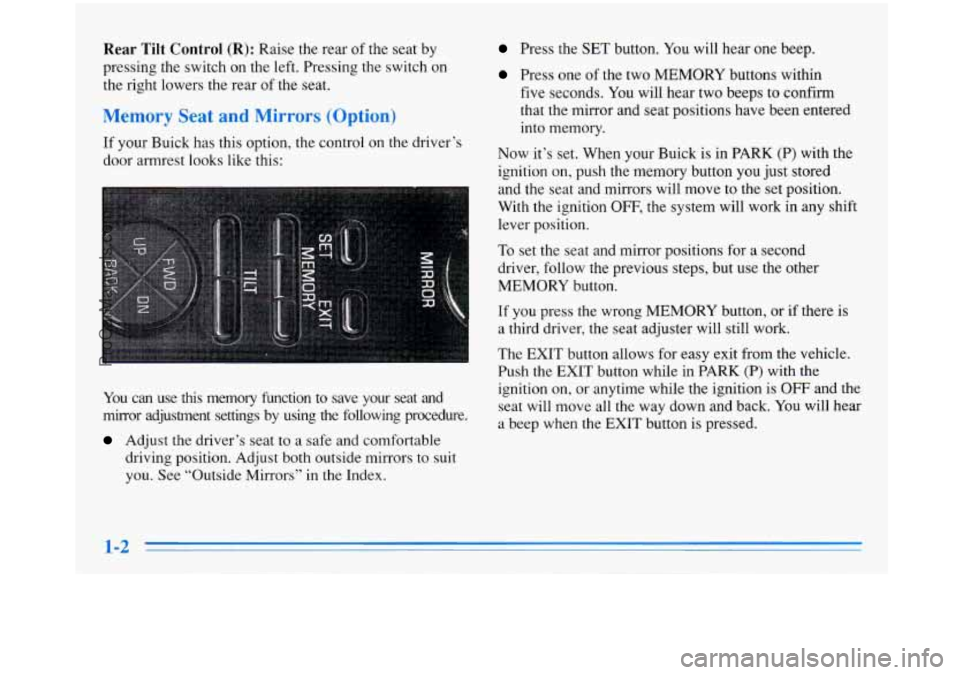
If your Buick has this option, the control on the driver’s
door armrest looks like this:
You can use this memory function to save your seat and
mirror adjustment settings by using
the following procedure.
Adjust the driver’s seat to a safe and comfortable
driving position. Adjust both outside mirrors to suit
you. See “Outside Mirrors” in the Index.
Press the SET button. You will hear one beep.
Press one of the two MEMORY buttons within
five seconds. You will hear two beeps to confirm
that the mirror and seat positions have been entered
into memory.
Now it’s set. When your Buick
is in PARK (P) with the
ignition on, push the memory button you just stored
and the seat and mirrors will move to the set position.
With the ignition
OFF, the system will work in any shift
lever position.
To set the seat and mirror positions for a second
driver, follow the previous steps, but use the other
MEMORY button.
If you press the wrong MEMORY button, or if there is
a third driver, the seat adjuster will still work.
The
EXIT button allows for easy exit from the vehicle.
Push the
EXIT button while in PARK (P) with the
ignition on, or anytime while the ignition is
OFF and the
seat will move all the way down and
back. You will hear
a beep when the EXIT button is pressed.
1-2
ProCarManuals.com
Page 64 of 388
Should interference to this system occur, try this:
0 Check to determine if battery replacement is necessary.
See the instructions on battery replacement.
Check the distance. You may be too far from your
vehicle. This product has a maximum range.
0 Check the location. Other vehicles or objects may be
blocking the signal.
See your Buick dealer or a qualified technician
for service.
Changes or modifications to this system by other than an
authorized service facility could void authorization to
use this equipment.
The driver’s door will unlock when
UNLOCK is
pressed.
If pressed again within five seconds, all doors
will unlock. Pressing any button will also illuminate the
interior lamps (see “Illuminated Entry” in the Index).
All doors will lock when
LOCK is pressed.
The trunk will unlock when the trunk open symbol is
pressed, but only when the ignition is in the
LOCK or
OFF position. The trunk symbol will also work when
the ignition
is on, but only while in PARK (P).
When the button with the horn symbol on the key
transmitter is pressed, the horn will sound and the
headlamps and taillamps will flash for up to two
minutes. This can be turned
off by pressing the instant
alarm button again, unlocking the vehicle with a key
or
by turning the ignition on.
If only the instant alarm button works, the transmitter
needs to be resynchronized to the receiver.
Do this by
pressing and holding both the LOCK and
UNLOCK
buttons for about eight seconds; you must be within
range of the vehicle.
Once the transmitter has been resynchronized, the horn
will chirp and the exterior lamps will flash once. The
system should now operate properly.
mal Choice Fer
Each key transmitter can be programmed to the driver’s
preference for memory door locks, security feedback,
delayed locking
and perimeter lighting. See each feature
in the Index.
The transmitters can also be programmed to move
the
driver’s seat and outside mirrors to a set memory position
when the
key transmitter’s UNLOCK button is pressed.
2-8
ProCarManuals.com
Page 65 of 388
To program the system:
1.
2.
3.
4.
Adjust the driver’s seat to a comfortable and safe
driving position. Adjust both outside mirrors to suit you.
See “Outside Mirrors” in the Index.
Press the SET button on the driver’s door armrest.
You will hear one beep.
Within five seconds, press one of the two memory
buttons on the armrest. You will hear two beeps to
confirm that the mirror and the seat positions are
entered into memory.
Press the
UNLOCK button on the appropriate
transmitter within
five seconds. You will hear
two beeps.
e second key transmitter can be programmed to
record a different seat and mirror position by following
the same steps. If
you prefer to program the exit seat position,
which
moves the seat completely down and back, follow
these steps:
1. Press the SET button on the driver’s door armrest.
You will hear one beep.
2. Press the EXIT button on the armrest. You will hear
one beep, but the seat will not move at this time.
3. Press the UNLOCK button on the appropriate
transmitter within
five seconds. You will hear
two beeps.
This personal choice feature will work only when the
vehicle is in
PARK (P). A beep will sound inside the
vehicle when the UNLOCK button on the transmitter
is
pressed to move the seat and mirrors.
To turn this feature off, press SET, then UNLOCK
within five seconds.
ProCarManuals.com
Page 69 of 388
To replace the battery: Trunk
1.
2.
3.
4.
5.
Insert a coin into the notch near the keyring. Turn the
coin counterclockwise to separate the two halves
of
the transmitter.
Once the transmitter
is separated, use a pencil to
remove the old battery.
Do not use a metal object.
Remove and replace the battery as the instructions
under the cover indicate.
Be sure not to touch any
of the black boxes or the
green surfaces. Any static transferred from your
body to these areas may cause the transmitter to
be inoperative.
Snap the transmitter back together tightly to be sure
no moisture can enter.
Resynchronize the transmitter
by pressing and
holding
the LOCK and UNLOCK buttons for about
eight seconds within range of
the vehicle. Once the
transmitter is resynchronized, the horn will chirp and
the exterior lamps will flash once.
Trunk Lock Release
To unlock the trunk from the outside, insert the door key
and turn it.
Remote Trunk Release
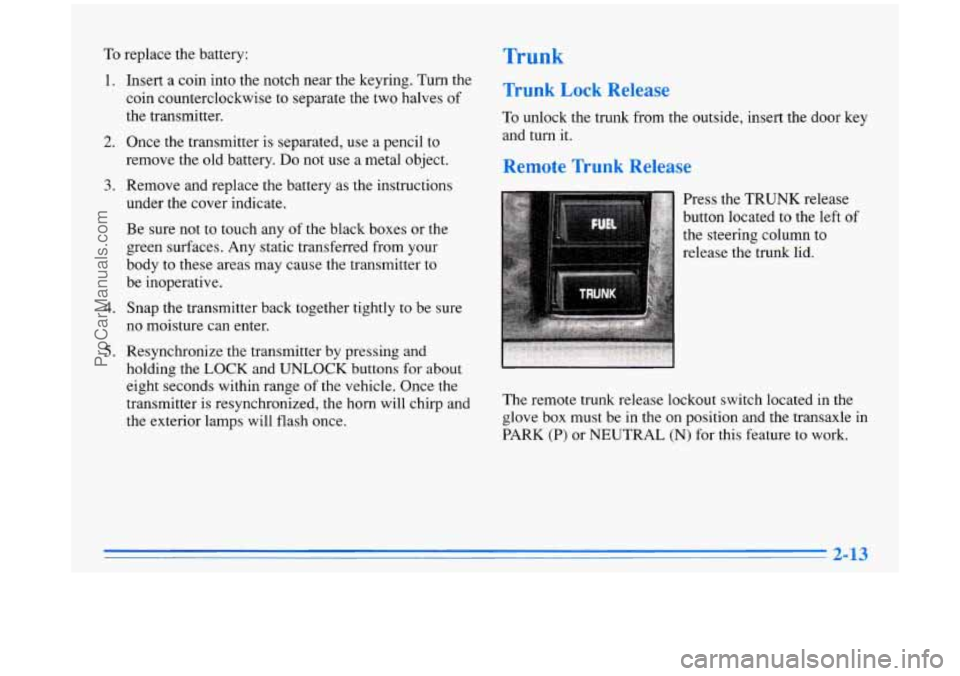
Press the TRUNK release
button located
to the left of
the steering column to
release the trunk lid.
The remote trunk release lockout switch located in the
glove box must be in the on position and the transaxle in
PARK
(P) or NEUTRAL (N) for this feature to work.
ProCarManuals.com
Page 142 of 388
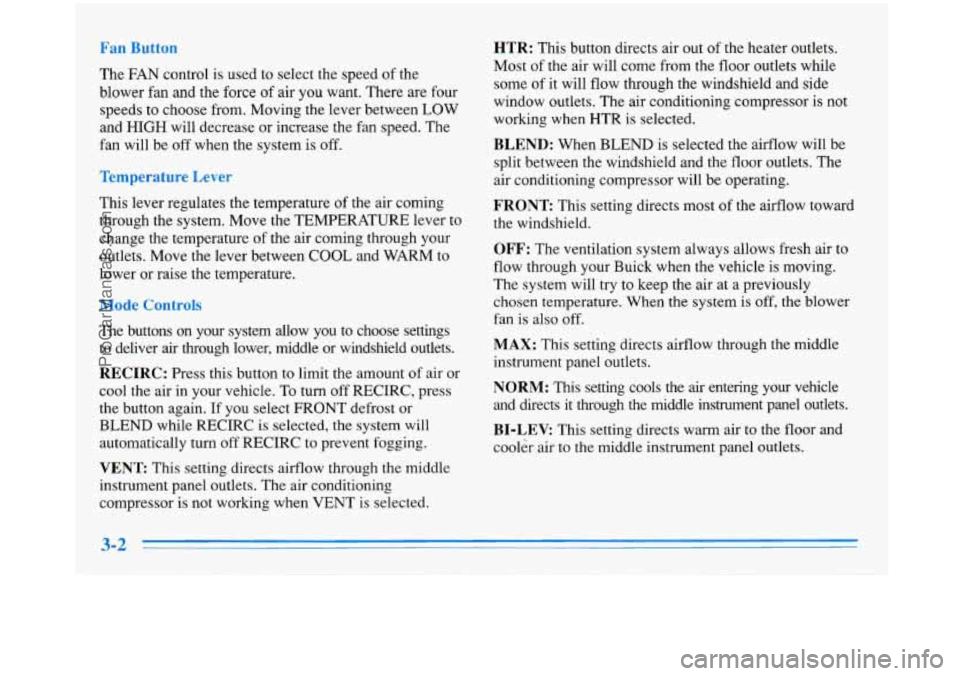
The FAN control is used to select the speed of the
blower fan and the force of air you want. There are four
speeds to choose from. Moving the lever between LOW
and
HIGH will decrease or increase the fan speed. The
fan will be off when the system is off.
This lever regulates the temperature
of the air coming
through the system. Move the TEMPERATURE lever to
change the temperature of the air coming through your
outlets. Move the lever between COOL and WARM to
lower or raise the temperature.
de Cc .-
The buttons on your system allow you to choose settings
to deliver
air through lower, middle or windshield outlets.
RECIRC: Press this button to limit the amount of air or
cool the air in your vehicle. To turn off RECIRC, press
the button again. If you select FRONT defrost or
BLEND while RECIRC is selected, the system will
automatically turn
off RECIRC to prevent fogging.
VENT This setting directs airflow through the middle
instrument panel outlets. The air conditioning
compressor
is not working when VENT is selected.
HTR: This button directs air out of the heater outlets.
Most
of the air will come from the floor outlets while
some of it will flow through the windshield and side
window outlets. The air conditioning compressor is not
working when
HTR is selected.
BLEND: When BLEND is selected the airflow will be
split between the windshield and the floor outlets. The
air conditioning compressor will be operating.
FRONT This setting directs most of the airflow toward
the windshield.
OFF: The ventilation system always allows fresh air to
flow through your Buick when the vehicle is moving.
The system will try
to keep the air at a previously
chosen temperature. When the system is
off, the blower
fan is also off.
MAX: This setting directs airflow through the middle
instrument panel outlets.
NORM: This setting cools the air entering your vehicle
and directs it through the middle instrument panel outlets.
BI-LEV: This setting directs warm air to the floor and
cooler air to the middle instrument panel outlets.
ProCarManuals.com
Page 143 of 388
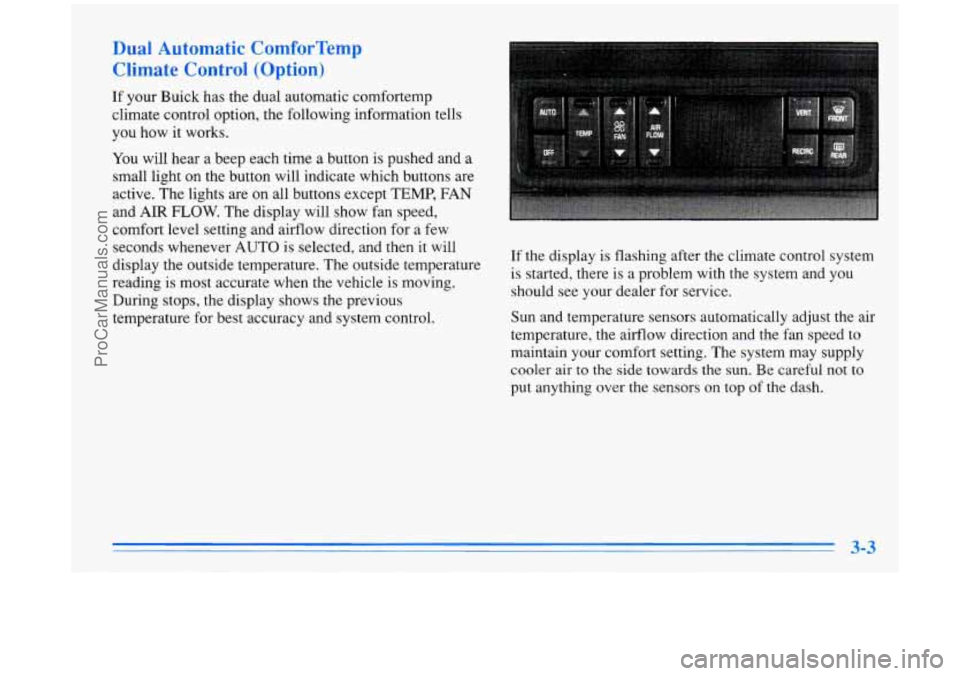
Dual Automatic ComforTemp
Climate Control (Option)
If your Buick has the dual automatic comfortemp
climate control option, the following information tells
you how it works.
You will hear a beep each time a button is pushed and a
small light on the button will indicate which buttons are
active. The lights are on all buttons except TEMP, FAN
and AIR
FLOW. The display will show fan speed,
comfort level setting and airflow direction for a few
seconds whenever AUTO is selected, and then it will
display the outside temperature. The outside temperature
reading is most accurate when the vehicle
is moving.
During stops, the display shows the previous
temperature for best accuracy and system control. If the display
is flashing after the climate control system
is started, there is a problem with the system and you
should see your dealer for service.
Sun and temperature sensors automatically adjust the air
temperature, the airflow direction and the fan speed to
maintain your comfort setting. The system may supply
cooler air to the
side towards the sun. Be careful not to
put anything over the sensors on top of the dash.
ProCarManuals.com
Page 144 of 388
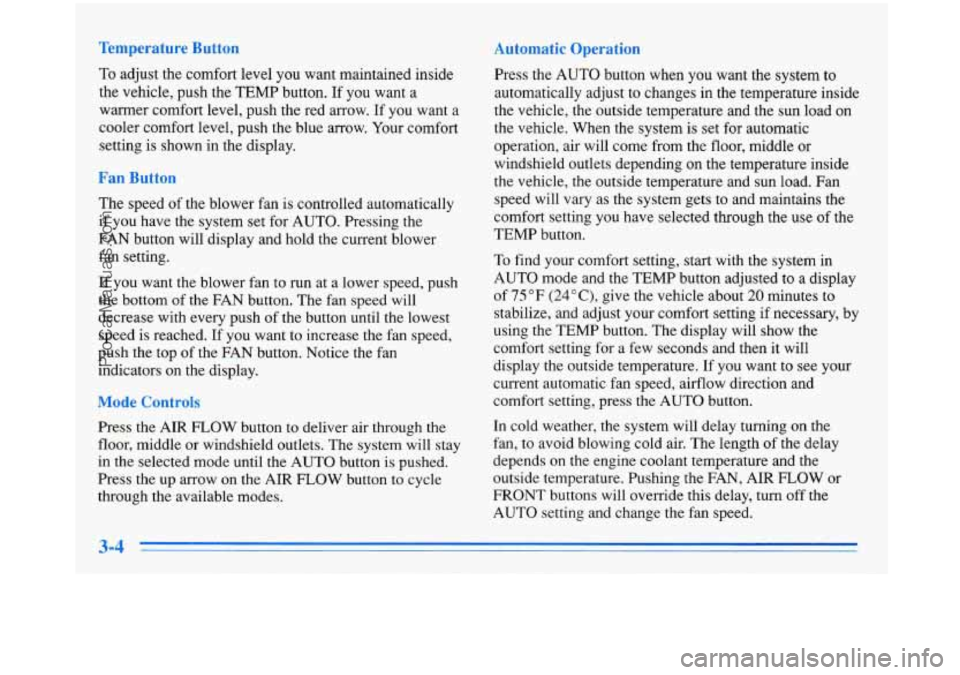
Temperature Button
To adjust the comfort level you want maintained inside
the vehicle, push the TEMP button. If you want a
warrner comfort level, push the red arrow. If
you want a
cooler comfort level, push the blue arrow. Your comfort
setting is shown in the display.
Fan Button
The speed of the blower fan is controlled automatically
if you have the system set for AUTO. Pressing the
FAN button will display and hold the current blower fan setting.
If you want the blower fan to run at a lower speed, push
the bottom
of the FAN button. The fan speed will
decrease with every push
of the button until the lowest
speed is reached. If you want to increase the fan speed,
push the top of the FAN button. Notice the fan
indicators on the display.
Mode Controls
Press the AIR FLOW button to deliver air through the
floor, middle or windshield outlets. The system will stay
in the selected mode until the AUTO button is pushed.
Press the up arrow on the AIR FLOW button to cycle
through the available modes.
Automatic Operation
Press the AUTO button when you want the system to
automatically adjust to changes in the temperature inside
the vehicle, the outside temperature and the sun load on
the vehicle. When the system is set for automatic
operation, air will come from the floor, middle or
windshield outlets depending on the temperature inside
the vehicle, the outside temperature and sun load. Fan
speed will vary as the system gets to and maintains the
comfort setting
you have selected through the use of the
TEMP button.
To find your comfort setting, start with the system in
AUTO mode and the TEMP button adjusted to a display
of 75°F
(24"C), give the vehicle about 20 minutes to
stabilize, and adjust your comfort setting if necessary, by
using the TEMP button. The display will show the
comfort setting for
a few seconds and then it will
display the outside temperature.
If you want to see your
current automatic fan speed, airflow direction and
comfort setting, press the AUTO button.
In cold weather, the system will delay turning on the
fan, to avoid blowing cold air. The length of the delay
depends on the engine coolant temperature and the
outside temperature. Pushing the FAN, AIR FLOW or
FRONT buttons will override this delay, turn off the
AUTO setting and change the fan speed.
3-4
ProCarManuals.com
Page 151 of 388
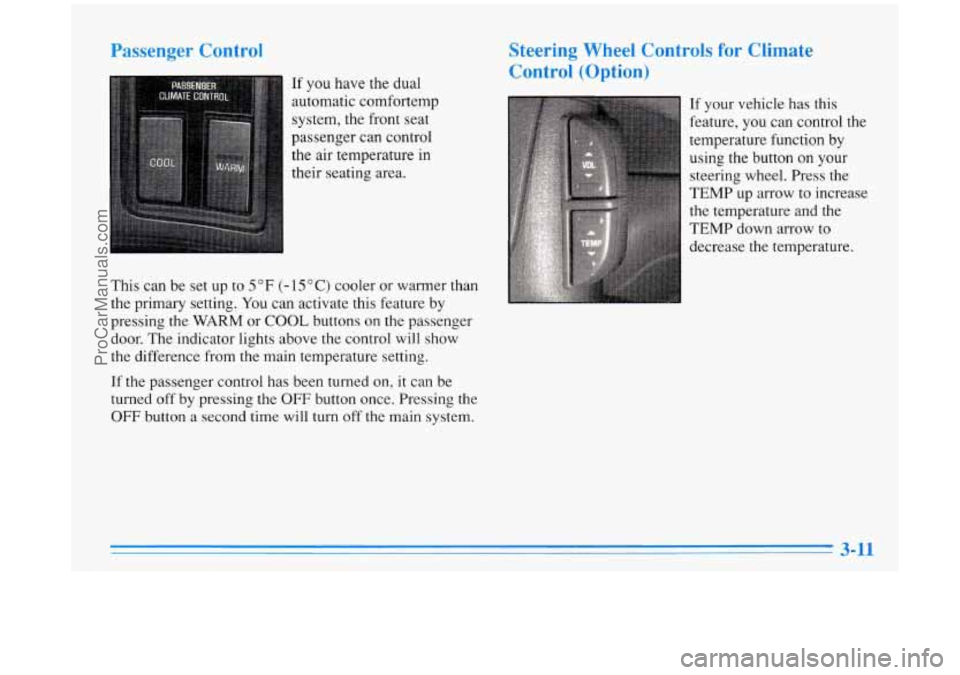
Passenger Control
If you have the dual
automatic cornfortemp
system, the front seat
passenger can control
the
air temperature in
their seating area.
This can be set up to
5 OF (- 15 O C) cooler or warmer than
the primary setting.
You can activate this feature by
pressing the
WARM or COOL buttons on the passenger
door. The indicator lights above the control will show
the difference from
the main temperature setting.
If the passenger control has been turned on,
it can be
turned
off by pressing the OFF button once. Pressing the
OFF button a second time will turn off the main system.
Steering Wheel Controls for Climate
Control (Option)
If your vehicle has this
feature, you can control the
temperature function by
using the button
on your
steering wheel. Press the
TEMP up
arrow to increase
the temperature and the
TEMP down arrow to
decrease the temperature.
ProCarManuals.com
Page 153 of 388
knob when the ignition is off, the clock will show for a
few seconds.
Finding a Station
AM-FM:
Press the lower knob to select AM, FM1 or
FM2. The display shows your selection.
TUNE: Turn the lower knob to choose radio stations.
SEEK: Press the forward or backward arrow to go to
the next higher or lower station. The sound will be
muted while seeking.
SCAN: Press one of the SEEK arrows for two seconds
and
SCAN will appear on the display. Use SCAN to
listen to stations for a few seconds. The radio will go to
a station, stop for
a few seconds, then go on to the next
station. Press one
of the SEEK arrows again to stop
scanning. The sound will be muted while scanning.
PUSHBUTTONS: The six numbered pushbuttons let
you return
to your favorite stations. You can set up to
18 stations (six AM, six FMl and six FM2).
1. Press AM-FM to select the band.
2. Find the station you want by using TUNE or SEEK.
3. Press and hold one of the six numbered buttons.
4. The sound will mute. When it returns, release the
button. Whenever you press that numbered button,
the station you set will return.
P SCAN: Press this button to listen to each of your
preset stations for a few seconds. The radio will
go to
the first preset station, stop for a few seconds, then go
on to the next preset station. Press
P SCAN again to stop
scanning.
If a preset station has weak reception, the
radio will not stop at the preset station.
Setting the Tone
BASS:
Press this knob lightly so it extends. Turn the
knob to increase or decrease bass.
TREB: Press this button lightly so it extends. Turn the
knob to increase
or decrease treble.
Push the knobs back in when you are not using them.
Adjusting the Speakers
BAL: Turn the control behind the upper knob to move
the sound to the left or right speakers. Use the middle
position to balance these speakers.
FADE: Turn the control behind the lower knob to move
the sound to
the front or rear speakers. Use the middle
position to balance these speakers.
ProCarManuals.com
Page 155 of 388
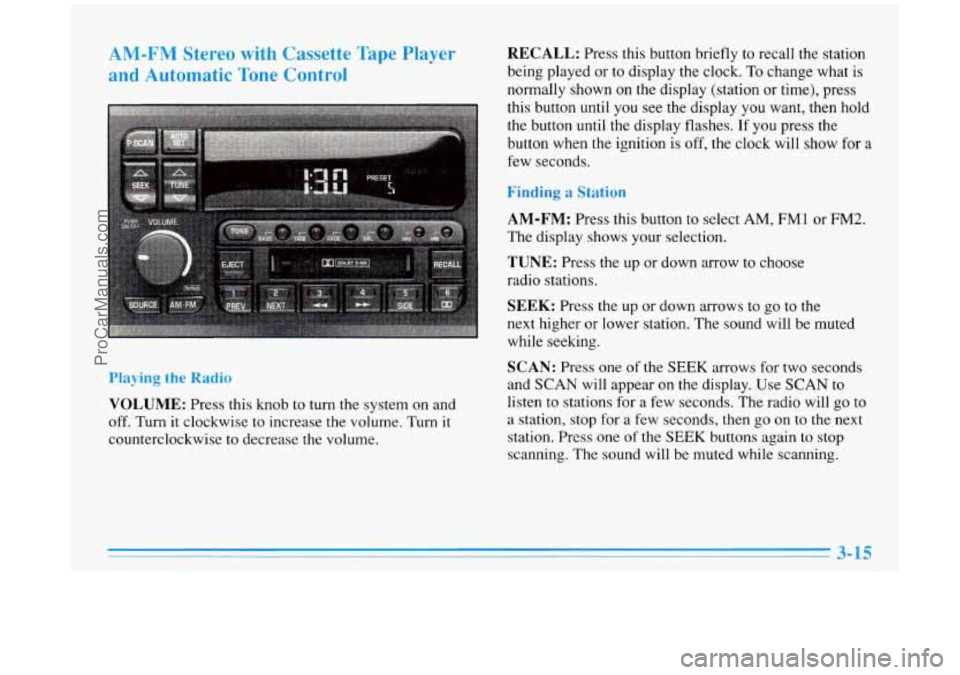
AM-FM Stereo with Cassette Tape Player
and Automatic Tone Control
Playing the Radio
VOLUME: Press this knob to turn the system on and
off.
Turn it clockwise to increase the volume. Turn it
counterclockwise to decrease the volume.
RECALL: Press this button briefly to recall the station
being played or to display the clock. To change what is
normally shown on the display (station or time), press
this button until you see the display you want, then hold
the button until the display flashes.
If you press the
button when the ignition is
off, the clock will show for a
few seconds.
Finding a Station
AM-FM:
Press this button to select AM, FMl or FM2.
The display shows your selection.
TUNE: Press the up or down arrow to choose
radio stations.
SEEK: Press the up or down arrows to go to the
next higher or lower station. The sound will be muted
while seeking.
SCAN: Press one of the SEEK arrows for two seconds
and SCAN will appear on the display. Use SCAN
to
listen to stations for a few seconds. The radio will go to
a station, stop for a few seconds, then go on
to the next
station. Press one
of the SEEK buttons again to stop
scanning. The sound will be muted while scanning.
ProCarManuals.com