trunk BUICK PARK AVENUE 1997 User Guide
[x] Cancel search | Manufacturer: BUICK, Model Year: 1997, Model line: PARK AVENUE, Model: BUICK PARK AVENUE 1997Pages: 420, PDF Size: 21.93 MB
Page 129 of 420
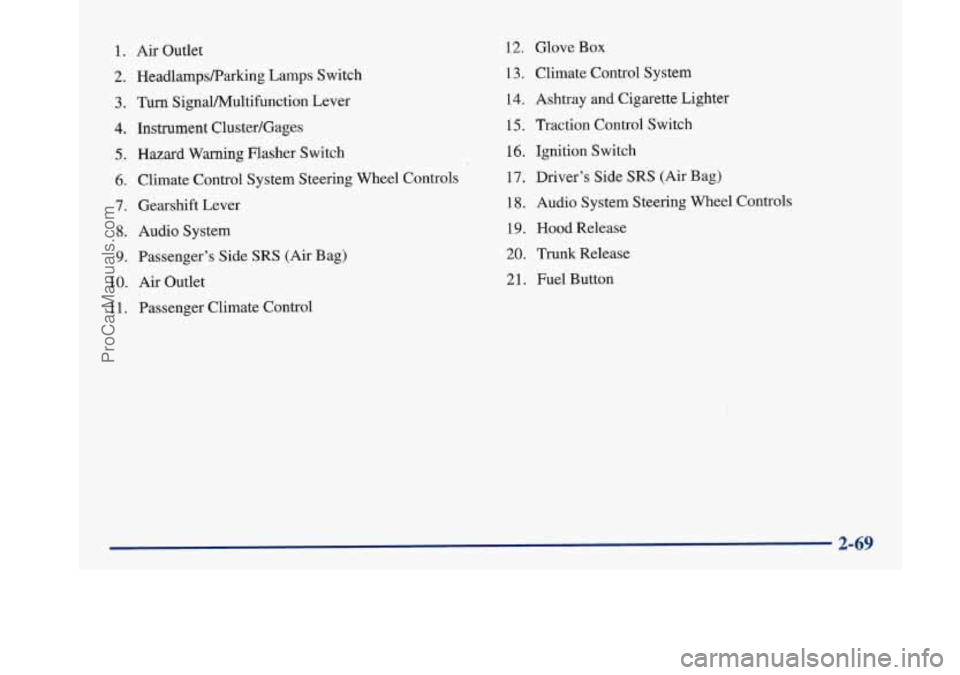
1. Air Outlet
2. HeadlampsRarking Lamps Switch
3. Turn SignaVPv4ultifunction Lever
4. Instrument Cluster/Gages
5. Hazard Warning Flasher Switch
6. Climate Control System Steering Wheel Controls
7. Gearshift Lever
8. Audio System
9. Passenger’s Side SRS (Air Bag)
10.
Air Outlet
1 1. Passenger Climate Control
12. Glove Box
13. Climate Control System
14. Ashtray
and Cigarette Lighter
15, Traction Control Switch
16. Ignition Switch
17. Driver’s Side
SRS (Air Bag)
18. Audio System Steering Wheel Controls
19. Hood Release
20. Trunk Release
21. Fuel Button
ProCarManuals.com
Page 148 of 420
Warnings and Messages
Other messages or warnings may appear in the DIC
display such as:
WINDSHIELD WASHER FLUID LOW
0 ENG COOLANT LOW - CHECK LEVEL
ENGINE OIL LOW - CHECK LEVEL
CHANGE ENGINE OIL SOON
CHECK TIRE PRESSURES
TRACTION CONTROL SYSTEM ACTIVE
DOOR AJAR
TRUNK AJAR
Pressing any
of the DIC buttons will remove the above
messages or warnings from the DIC display.
Driver Information Center
Personal Choice Programming
The DIC can be used to program personal choice
features available with your vehicle, such as memory
seats, memory door locks, security feedback, delayed
locking and perimeter lighting. See “Personal Choice
Features” in the Index.
The DIC is used to program the personal choices of
two drivers. The driver’s are recognized by DRIVER
#1
and DRIVER #2. You will let the DIC know which
driver you are by using your Remote Keyless Entry
transmitter or by pressing the appropriate memory
seat control button located on the driver’s door. The
remote transmitter was pre-programmed to belong
to
DRIVER #1 or DRIVER #2.
The last driver number remembered by the DIC will show
on the display each time the UNLOCK button on the same
transmitter is pressed, and the ignition is turned on.
When you press UNLOCK on your transmitter, the DIC
will automatically change driver numbers and the
vehicle will recall the personal choice settings that were
last made to correspond to your transmitter.
ProCarManuals.com
Page 153 of 420
Section 3 Comfort Controls and Audio Systems
In this section, you’ll find out how to operate the comfort control and audio systems offered with your Buick. Be sure
to read about the particular systems supplied with your vehicle.
3-2
3-2
3-5
3-5
3-6
3-7 3-8
3-8
3-9
3-9
3-10
3-10
3- 14 Comfort Controls
Personal Choice Comfort Controls
Air Conditioning
Heating
Ventilation System
Passenger Compartment Air Filter
Defogging and Defrosting
Rear Window Defogger
Passenger Climate Control Steering Wheel Controls for Climate Control
Setting the Clock
AM-FM Stereo with Cassette Tape Player
AM-FM Stereo with Cassette Tape Player
and Tone Control 3-18
3-21
3 -27
3-30
3-32
3-33
3-33
3-34 3-35
3-35 AM-FM Stereo
with Compact Disc Player
and Tone Control
AM-FM Stereo with Cassette, CD Player
and Tone Control
Trunk Mounted CD Changer
Theft-Deterrent Feature
Steering Wheel Controls
Understanding Radio Reception
Tips About Your Audio System
Care of Your Cassette Tape Player
Care
of Your Compact Discs
Heated Backlite Antenna
ProCarManuals.com
Page 179 of 420
Trunk Mounted CD Changer (Option)
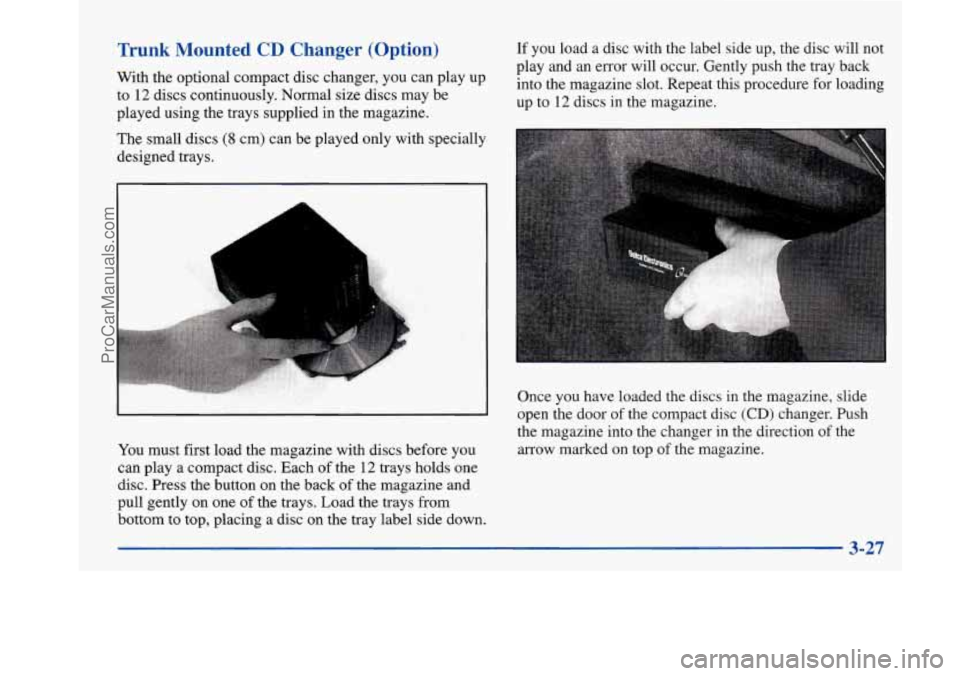
With the optional compact disc changer, you can play up
to
12 discs continuously. Normal size discs may be
played using the trays supplied in the magazine. If you
load a disc with the label side up, the disc will not
play and an error will occur. Gently push the tray back
into the magazine slot. Repeat this procedure for loading
up to 12 discs in the magazine.
The small discs
(8 cm) can be played only with specially
designed trays.
Once you have loaded the discs in the magazine, slide
open the door of the compact disc
(CD) changer. Push
the magazine into the changer in the direction of the
arrow marked on top of the magazine.
You must first load the magazine with discs before you
can play a compact disc. Each of the
12 trays holds one
disc. Press the button on the back of the magazine and
pull gently on one
of the trays. Load the trays from
bottom to top, placing a disc on the tray label side down.
3-27
ProCarManuals.com
Page 214 of 420
Winter Driving
Here are some tips for winter driving:
Have your Buick in good shape for winter.
YOU may want to put winter emergency supplies in
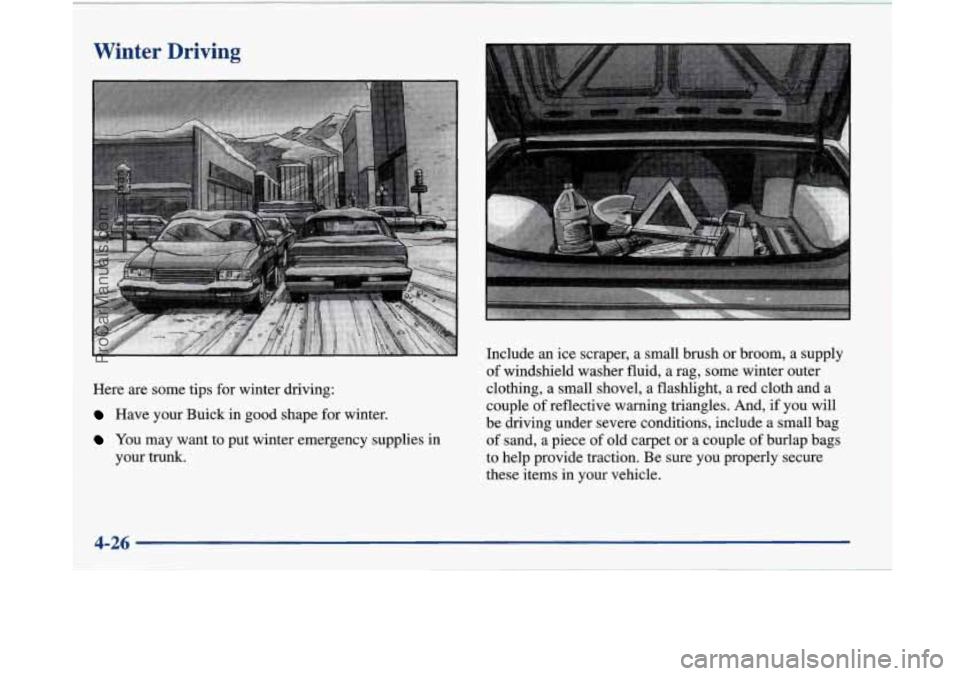
your trunk. Include
an ice scraper, a small brush or broom, a supply
of windshield washer fluid, a
rag, some winter outer
clothing, a small shovel, a flashlight, a red cloth and a
couple
of reflective warning triangles. And, if you will
be driving under severe conditions, include a small bag
of sand, a piece of old carpet or a couple of burlap bags
to help provide traction. Be sure you properly secure
these items in your vehicle.
ProCarManuals.com
Page 219 of 420
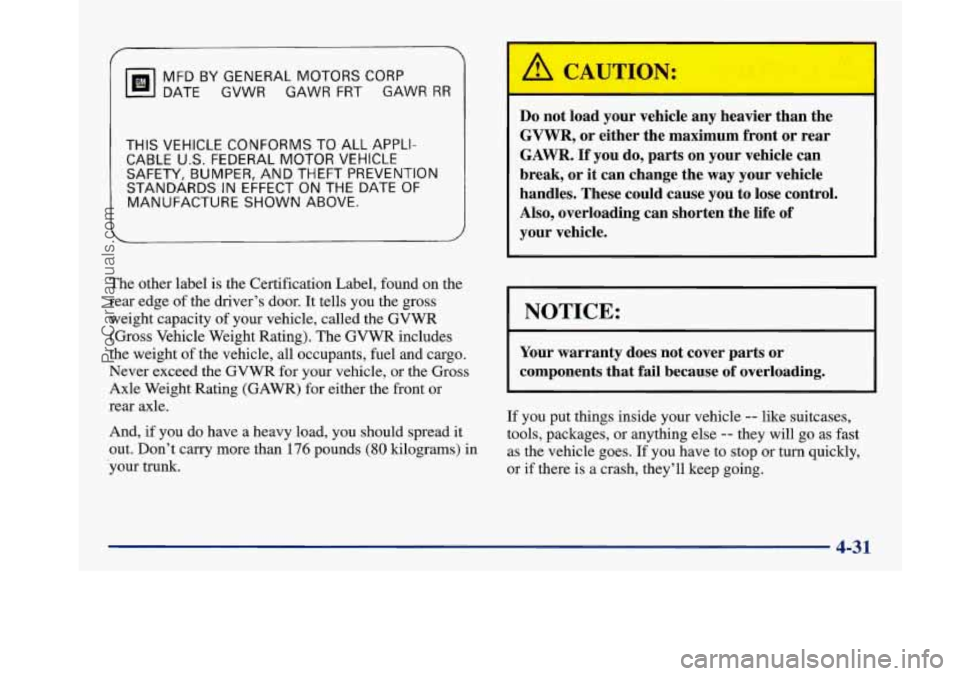
THIS VEHICLE CONFORMS TO ALL APPLI-
CABLE
U.S. FEDERAL MOTOR VEHICLE
SAFETY, BUMPER, AND THEFT PREVENTION
STANDARDS IN EFFECT
ON THE DATE OF
MANUFACTURE SHOWN ABOVE.
MFD
BY GENERAL MOTORS CORP
DATE GVWR GAWR FRT GAWR RR
The other
label is the Certification Label, found on the
rear edge of the driver’s door.
It tells you the gross
weight capacity of your vehicle, called the
GVWR
(Gross Vehicle Weight Rating). The GVWR includes
the weight of the vehicle, all occupants, fuel and cargo.
Never exceed the GVWR for your vehicle, or the Gross
Axle Weight Rating (GAWR) for either the front or
rear axle.
And,
if you do have a heavy load, you should spread it
out. Don’t carry more than
176 pounds (80 kilograms) in
-your trunk.
Do not load your vehicle any heavier than the
GVWR, or either the maximum front or rear
GAWR.
If you do, parts on your vehicle can
break, or it can change the
way your vehicle
handles. These could cause you to lose control.
Also, overloading can shorten the life of
your vehicle.
NOTICE:
r
~~~ ~ ~
Your warranty does not cover parts or
components that fail because of overloading.
If you put things inside your vehicle -- like suitcases,
tools, packages, or anything else
-- they will go as fast
as the vehicle goes. If you have to stop or turn quickly,
or if there is a crash, they’ll keep going.
~- 4-31
ProCarManuals.com
Page 220 of 420
A C~"rIO1
r --
Things you put inside your vehicle can strike
and injure people in
a sudden stop or turn,
or in
a crash.
Put things in the trunk of your vehicle. In a
trunk, put them
as far forward as you can.
Try to spread the weight evenly.
Never stack heavier things, like suitcases,
inside the vehicle
so that some of them are
above the tops of the seats.
Don't leave an unsecured child restraint in
your vehicle.
When you carry something inside the
vehicle, secure
it whenever you can.
Towing a Trailer
/A CAL I'ION:
If you don't use the correct equipment and drive
properly, you can lose control when you pull
a
trailer. For example, if the trailer is too heavy, the
brakes may not work well
-- or even at all. You
and your passengers could be seriously injured.
Pull
a trailer only if you have followed all the
steps in this section. Ask your Buick dealer for
advice and information about towing
a trailer
with your vehicle.
Electronic Level Control
This feature keeps the rear of your vehicle level as the
load changes. It's automatic
-- you don't need to
adjust anything.
4-32
ProCarManuals.com
Page 251 of 420
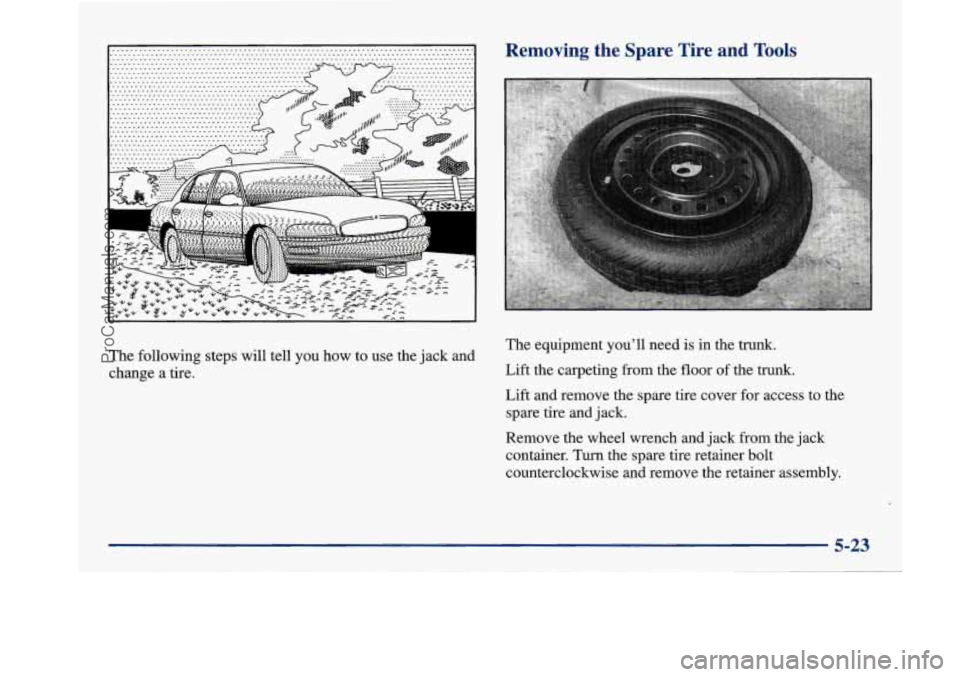
The following steps will tell you how to use the jack and
change a tire.
Removing the Spare Tire and Tools
The equipment you’ll need is in the trunk.
Lift the carpeting from the floor of the trunk.
Lift and remove the spare tire cover for access to the
spare tire and jack.
Remove the wheel wrench and jack from the jack
container. Turn the spare tire retainer bolt
counterclockwise and remove the retainer assembly.
5-23
ProCarManuals.com
Page 252 of 420
I
A
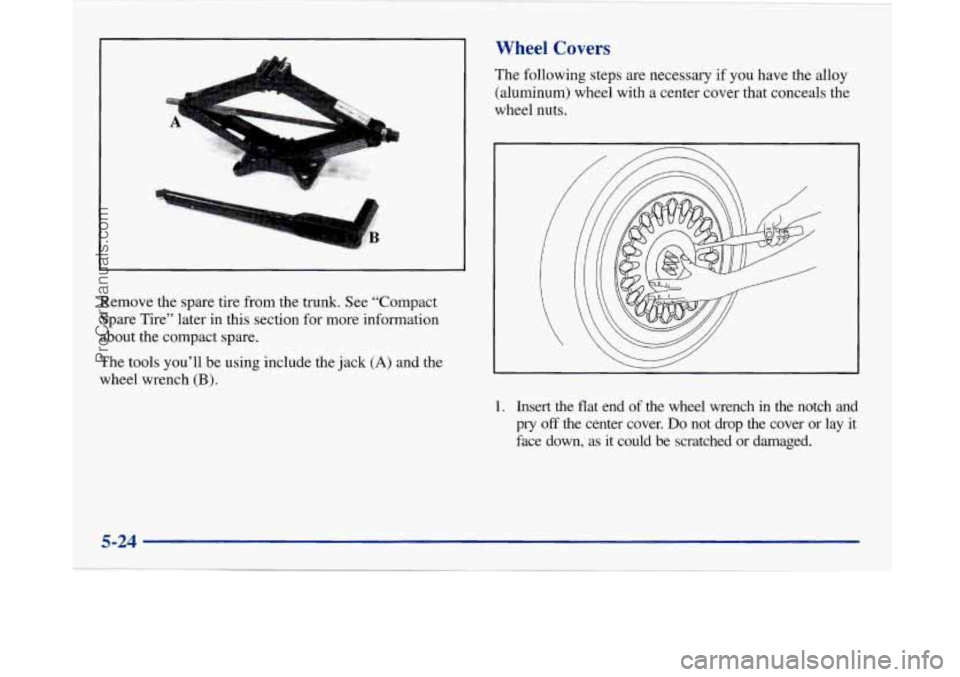
Remove the spare tire from the trunk. See “Compact
Spare Tire” later in this section for more information
about the compact spare.
The tools you’ll be using include the jack
(A) and the
wheel wrench
(B).
Wheel Covers
The following steps are necessary if you have the alloy
(aluminum) wheel with a center cover that conceals the
wheel nuts.
1. Insert the flat end of the wheel wrench in the notch and
pry
off the center cover. Do not drop the cover or lay it
face down, as it could be scratched or damaged.
5-24
ProCarManuals.com
Page 258 of 420
NOTICE:
Improperly tightened wheel nuts can lead to
brake pulsation and rotor damage.
To avoid
expensive brake repairs, evenly tighten the wheel
nuts in the proper sequence and to the proper
torque specification.
Don’t try to put a wheel cover on your compact spare
tire. It won’t fit. Store the wheel cover
in the trunk
until you have the flat tire repaired or replaced.
NOTICE:
Wheel covers won’t fit on your compact spare. If
you try to put a wheel cover on your compact
spare, you could damage the cover or the spare.
Storing the Flat Tire and Tools
L!b, CAUTION: I
Storing a jack, a tire or other equipment in the
passenger compartment
of the vehicle could
cause injury. In
a sudden stop or collision, loose
equipment could strike someone. Store all these
in the proper place.
After you’ve put the compact spare tire on your vehicle,
you’ll need
to store the flat tire in your trunk. Use the
following procedure to secure the flat tire in the trunk.
5-30
~
ProCarManuals.com