display BUICK PARK AVENUE 1997 Owner's Manual
[x] Cancel search | Manufacturer: BUICK, Model Year: 1997, Model line: PARK AVENUE, Model: BUICK PARK AVENUE 1997Pages: 420, PDF Size: 21.93 MB
Page 154 of 420
Comfort Controls
This section tells you how to operate your comfort
controls. Your comfort control system uses
ozone-friendly
R- 134a refrigerant.
With these systems, you can control the heating, cooling
and ventilation in your Buick. Your vehicle also has a
flow-through ventilation system described later in
this section.
Personal Choice Comfort Controls
(If Equipped)
This feature allows two different drivers to store and
recall their own climate control settings for temperature, air delivery mode, fan and passenger climate control
(ordoff) status. The Personal Choice settings recalled
are determined by the transmitter used to enter the
vehicle. After the
UNLOCK button of a remote keyless
entry transmitter is pressed, and the ignition is in
RUN,
the climate control will adjust to the last settings of the
identified driver. The settings can also be changed by
briefly pressing one of the
MEMORY seat switches
located on the driver’s door panel. When adjustments
are made, the new settings
are automatically saved for
the driver.
Dual Automatic ComforTemp Climate Control
Your Buick has the dual automatic comfortemp climate
control system. The following information tells you how
it works.
You will hear a beep each time a button is pushed and a
small light on the button will indicate which buttons are
active. The lights are on all buttons except
TEMP, FAN
and
AIR FLOW. The display will show fan speed,
comfort level setting and airflow direction for a few seconds whenever any button, except for the rear
defog, is pushed, and then it will display the outside
temperature. The outside temperature reading is most
accurate when the vehicle is moving.
During stops, when driving slow, or when the engine is
first started after a short trip, the outside temperature
reading can be affected by road or engine heat. In order
to ensure proper automatic climate control operation, the outside temperature display may not update as quickly
as expected.
3-2
ProCarManuals.com
Page 155 of 420
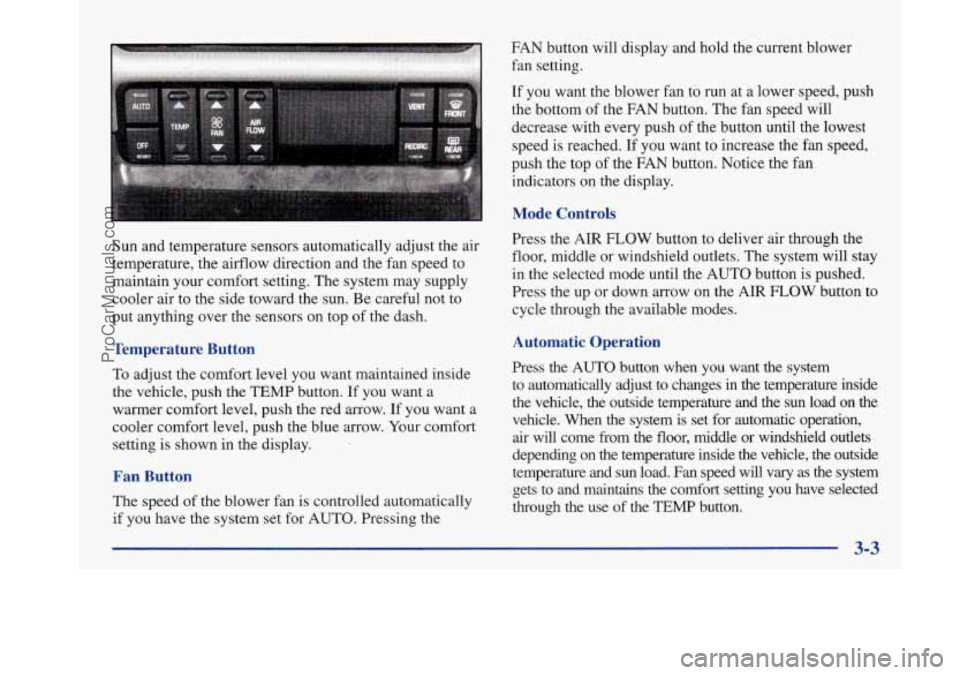
Sun and temperature sensors automatically adjust the air
temperature, the airflow direction and the fan speed to
maintain your comfort setting. The system may supply
cooler air to the side toward the sun. Be careful not to
put anything over the sensors on top of the dash.
Temperature Button
To adjust the cornfort level you Want maintained inside
the vehicle, push the TEMP button. If you want a
warmer comfort level, push the red arrow. If you want a
cooler comfort level, push the blue arrow.
Your comfort
setting is shown in the display.
Fan Button
The speed of the blower fan is controlled automatically
if you have the system set for AUTO. Pressing the FAN button will
display and hold the current blower
fan setting.
If you want the blower fan to run at a lower speed, push
the bottom
of the FAN button. The fan speed will
decrease with every push
of the button until the lowest
speed is reached.
If you want to increase the fan speed,
push the top of the FAN button. Notice the fan
indicators on the display.
Mode Controls
Press the AIR FLOW button to deliver air through the
floor, middle or windshield outlets. The system will stay
in the selected mode until the AUTO button is pushed.
Press the up or down arrow on the AIR
FLOW button to
cycle through the available modes.
Automatic Operation
Press the AUTO button when you want the system
to automatically adjust to changes
in the temperature inside
the vehicle, the outside temperature and the sun load on the
vehicle. When the system is set for automatic operation,
air will come from the floor, middle or windshield outlets
depending on the temperature inside the vehicle, the outside
temperature and sun load. Fan speed will vary as the system gets to and maintains the comfort setting you have selected
through the use of the
TEMP button.
3-3
ProCarManuals.com
Page 156 of 420
To find your comfort setting, start with the system in
AUTO mode and the
TEMP button adjusted to a display
of
75 OF (24"C), give the vehicle about 20 minutes to
stabilize, and adjust your comfort setting if necessary, by
using the TEMP button. The display will show the
comfort setting, fan speed and airflow direction for a few
seconds, and then it will display the outside temperature.
In cold weather, the system will delay turning the fan on
high, to avoid blowing cold air. The length of the delay
depends on the engine coolant temperature and the
outside temperature. Pushing the FAN, AIR FLOW
or FRONT buttons will override this delay, turn
off the
AUTO setting and change the fan speed.
Manual Operation
You may also manually adjust the air delivery or fan speed.
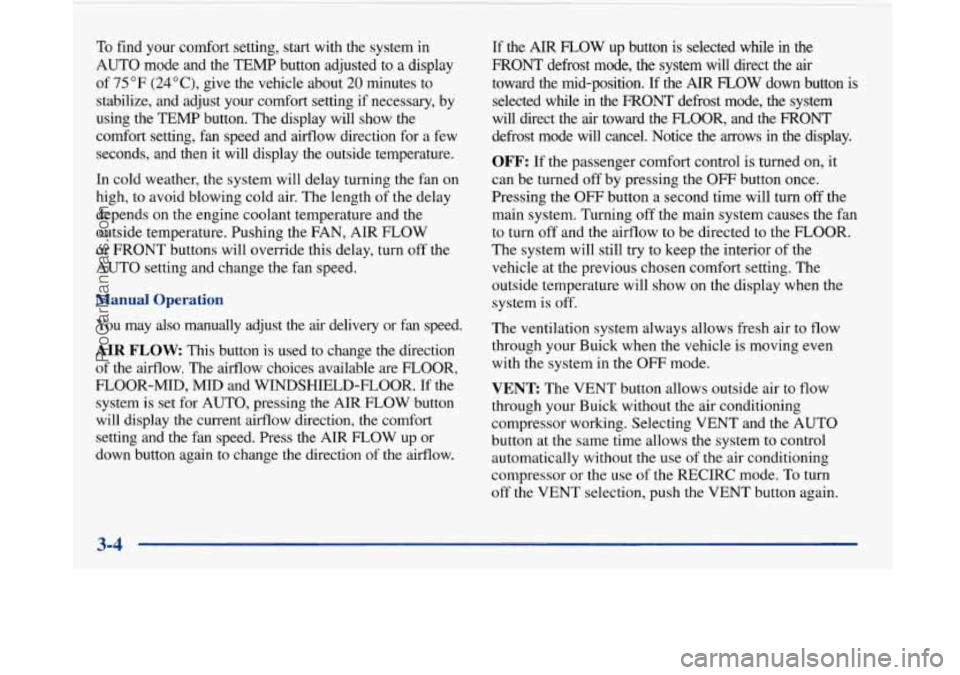
AIR FLOW This button is used to change the direction
of the aifflow. The airflow choices available are FLOOR,
FLOOR-MID,
MID and WINDSHIELD-FLOOR. If the
system is set
for AUTO, pressing the AIR FLOW button
will display the current airflow direction, the comfort
setting and the fan speed. Press the AIR FLOW up or
down button again
to change the direction of the airflow.
If the AIR FLOW up button is selected while in the
FRONT defrost mode, the system will direct the air
toward the mid-position.
If the AIR FLOW down button is
selected while
in the FRONT defrost mode, the system
will direct the air toward the
FLOOR, and the FRONT
defrost mode will cancel. Notice the arrows in the display.
OFF: If the passenger comfort control is turned on, it
can be turned
off by pressing the OFF button once.
Pressing the OFF button a second time will turn
off the
main system. Turning
off the main system causes the fan
to turn off and the airflow to be directed to the FLOOR.
The system will still try to keep the interior of the
vehicle at the previous chosen comfort setting. The
outside temperature will show on the display when the
system is off.
The ventilation system always allows fresh air to flow
through your Buick when the vehicle is moving even
with the system in the OFF mode.
VENT: The VENT button allows outside air to flow
through your Buick without the air conditioning
compressor working. Selecting VENT and the AUTO
button at the same time allows the system to control
automatically without
the use of the air conditioning
compressor or the
use of the RECIRC mode. To turn
off the VENT selection, push the VENT button again.
3-4
ProCarManuals.com
Page 163 of 420
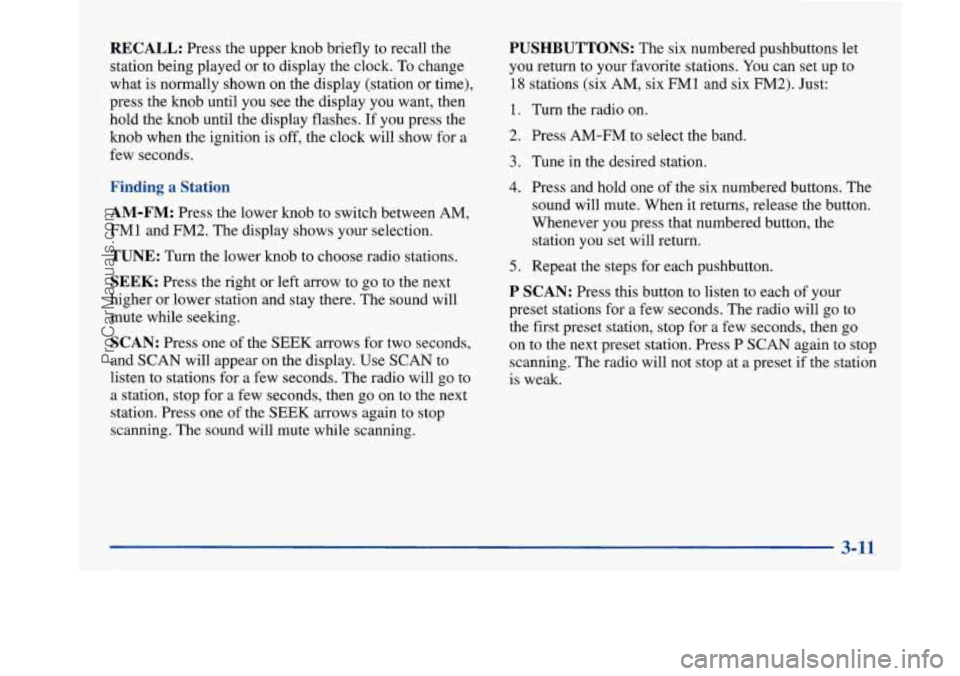
RECALL: Press the upper knob briefly to recall the
station being played or to display the clock. To change
what is normally shown on the display (station or time),
press the knob until you see the display you want, then
hold the knob until the display flashes. If you press the
knob when the ignition is
off, the clock will show for a
few seconds.
Finding a Station
AM-FM: Press the lower knob to switch between AM,
FMl and FM2. The display shows your selection.
TUNE: Turn the lower knob to choose radio stations.
SEEK: Press the right or left arrow to go to the next
higher or lower station and stay there. The sound will
mute while seeking.
SCAN: Press one of the SEEK arrows for two seconds,
and SCAN will appear on the display. Use SCAN to
listen to stations for a few seconds. The radio will go to
a station, stop for a few seconds, then go on to the next
station. Press one of the
SEEK arrows again to stop
scanning. The sound will mute while scanning.
PUSHBUTTONS: The six numbered pushbuttons let
you return to your favorite stations. You can set up to
18 stations (six AM, six FM1 and six FM2). Just:
1. Turn the radio on.
2. Press AM-FM to select the band.
3. Tune in the desired station.
4. Press and hold one of the six numbered buttons. The
sound will mute. When it returns, release the button.
Whenever you press that numbered button, the
station you set will return.
5. Repeat the steps for each pushbutton.
P SCAN: Press this button to listen to each of your
preset stations for a few seconds. The radio will go to
the first preset station, stop for a few seconds, then go
on to the next preset station. Press
P SCAN again to stop
scanning. The radio will not stop at a preset
if the station
is weak.
ProCarManuals.com
Page 164 of 420
Setting the Tone
BASS:
Press this knob lightly so it extends. Turn the
knob to increase or decrease bass.
TREB: Press this knob lightly so it extends. Turn the
knob to increase or decrease treble. If a station is weak
or noisy, you may want to decrease the treble.
Push these knobs back into their stored positions when
you’re not using them.
Adjusting the Speakers
BAL: Turn the control behind the upper knob to move
the sound to the left or right speakers. The middle
position balances the sound between the speakers.
FADE: Turn the control behind the lower knob to move
the sound to the front or rear speakers. The middle
position balances the sound between the speakers.
Playing a Cassette Tape
The longer side with the tape visible should face to the
right. If the ignition and the radio are on, the tape can be
inserted and will begin playing.
If you hear nothing or
hear a garbled sound, the tape may not be in squarely.
Press EJECT to remove the tape and start over. While
the tape
is playing, use the VOLUME, FADE,
BAL, BASS and TREB controls just as you do for the
radio. Other controls may have different functions when
a tape is inserted. The display will show an arrow to
show which side of the tape
is playing.
If you want to insert a tape when the ignition or radio is
off, first press EJECT or RECALL. Note that the
cassette tape adapter kits for portable compact disc
players will work in your cassette tape player.
Your tape bias is set automatically.
If
E and a number appear on the radio display, the tape
won’t play because of an error.
ElO: The tape is tight and the player can’t turn the
tape hubs. Remove the tape. Hold the tape with the
open end down and try to turn the right hub
counterclockwise with a pencil. Turn the tape over
and repeat. If the hubs do not turn easily, your tape
may be damaged and should not be used in the
player.
Try a new tape to make sure your player is
working properly.
Ell: The tape is broken. Try a new tape.
3-12
ProCarManuals.com
Page 165 of 420
If any error occurs repeatedly or if an error can’t be
corrected, please contact your dealer. If your radio
displays an error number, write it down and provide it to
your dealer when reporting the problem.
PREV (1): Press this button to search for the previous
selection on the tape. Your tape must have at least
three seconds of silence between each selection for
PREV to work. The sound will mute while seelung.
NEXT (2): Press this button to search for the next
selection on the tape. Your tape must have at least
three seconds of silence between each selection for
NEXT to work. The sound will mute while seeking.
The
SEEK left and right arrows will also find the
previous and next selections on the tape.
44 (3): Press this button to reverse the tape rapidly.
Press it again to return to playing speed. The radio will
play while the tape reverses.
bb (4): Press this button to advance quickly to another
part
of the tape. Press the button again to return to playing
speed. The radio will play while the tape advances.
SIDE (5): Press this button to change the side of the
tape that is playing.
00 (6): Press this button to reduce background noise.
The display will show either
OFF or ON for a few
seconds when you press the button.
Dolby@ Noise Reduction
is manufactured under a
license from Dolby Laboratories Licensing Corporation.
Dolby and the double-D symbol are trademarks of
Dolby Laboratories Licensing Corporation.
EJECT Press this button to remove the tape. The raalo
will play.
If you leave a cassette tape in the player while
listening to the radio, it may become warm.
CLN: If this message appears on the display, the
cassette tape player needs to be cleaned. It will still play
tapes, but you should clean it as soon as possible to
prevent damage to
the tapes and player. See “Care of
Your Cassette Tape Player” in the Index. After you clean
the player, press and hold EJECT for five seconds to
reset the CLN indicator. The radio will display
--- to
show the indicator was reset.
3-13
ProCarManuals.com
Page 166 of 420
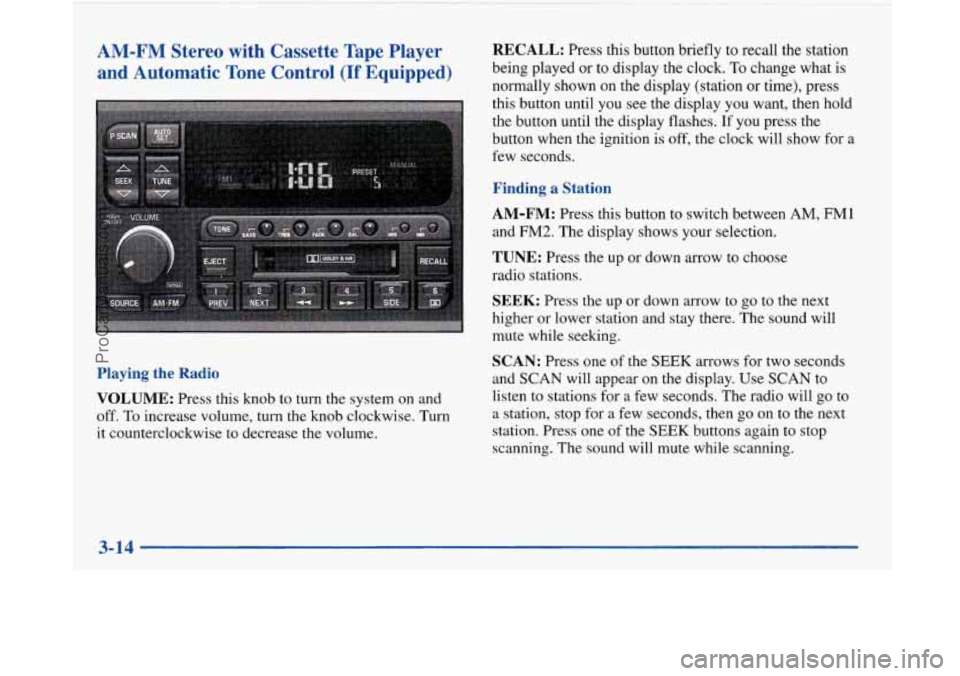
AM-FM Stereo
and Automatic I with Cassette Tape Player
Tone Control
(If Equipped)
Playing the Radio
VOLUME:
Press this knob to turn the system on and
off. To increase volume, turn the knob clockwise. Turn
it counterclockwise to decrease the volume.
1
RECALL: Press this button briefly to recall the station
being played or to display the clock.
To change what is
normally shown on the display (station
or time), press
this button until you see the display you want, then hold
the button until the display flashes.
If you press the
button when the ignition is off, the clock will show for
a
few seconds.
Finding a Station
AM-FM:
Press this button to switch between AM, FM1
and FM2. The display shows your selection.
TUNE: Press the up or down arrow to choose
radio stations.
SEEK: Press the up or down arrow to go to the next
higher or lower station and stay there. The sound will
mute while seeking.
SCAN: Press one of the SEEK arrows for two seconds
and
SCAN will appear on the display. Use SCAN to
listen to stations for a few seconds. The radio will go to
a station, stop for a few seconds, then go
on to the next
station. Press one of the
SEEK buttons again to stop
scanning. The sound will mute while scanning.
ProCarManuals.com
Page 167 of 420
PUSHBUTTONS: The six numbered pushbuttons let
you return to your favorite stations. You can set up to
18 stations (six AM, six FM1 and six FM2). Just:
1. Turn the radio on.
2. Press AM-FM to select the band.
3. Tune in the desired station.
4. Press TONE to select the setting you prefer.
5. Press and hold one of the six numbered buttons. The
sound will mute. When it returns, release the button.
Whenever you press that numbered button, the
station you set will return and the tone you selected
will be automatically selected for that button.
6. Repeat the steps for each pushbutton.
P SCAN: Press this button to listen to each of your
preset stations for a few seconds. The radio will go to
the first preset station, stop for a few seconds, then
go
on to the next preset station. Press P SCAN again to stop
scanning. If a preset station has weak reception, the
radio will not stop at the preset station.
AUTO SET Press this button and the system will seek
and set the
12 strongest FM or the 6 strongest AM
stations on your preset buttons (depending on which band (AM or FM)
you are listening to). AUTO SET
will flash while seeking and will remain on until this
function is complete.
To return to the stations you
manually set, press AUTO
SET again.
Setting the Tone
BASS:
Press this knob lightly so it extends. Turn the
knob to increase or decrease bass.
TREB: Press this knob lightly so it extends. Turn the
knob to increase or decrease treble. If a station is weak
or noisy, you may want to decrease the treble.
Push these knobs back into their stored positions when
you’re not using them.
TONE: This feature allows you to choose preset bass
and treble equalization settings designed for classical,
pop, rock, jazz, talk and country/western stations.
CLASS will appear on the display when you first press
TONE. Each time you press it, another setting will
appear on the display. Press it again after
C & W
appears and MANUAL will appear. Tone control will
return to the BASS and TREB knobs. Also, if you use
the BASS and TREB knobs, control will return to them
and MANUAL will appear.
3-15
ProCarManuals.com
Page 168 of 420
Adjusting the Speakers
BAL: Press this knob lightly so it extends. Turn the knob
to move the sound to the left or right speakers. The middle
position balances the sound between the speakers.
FADE: Press this knob lightly so it extends. Turn the
knob to move the sound to the front or rear speakers.
The middle position balances the sound between
the speakers.
Push these knobs back into their stored positions when
you’re not using them.
Playing a Cassette Tape
The longer side with the tape visible should face to the
right. If the ignition and the radio are on, the tape can be
inserted and will begin playing. If you hear nothing or
hear a garbled sound, the tape may not be in squarely.
Press EJECT to remove the tape and start over.
While the tape is playing, use the VOLUME, FADE,
BAL,, BASS and TREB controls just as you do for the
radio. Other controls may have different functions when
a tape is inserted. The display will show an arrow to
show which side of the tape is playing. If you want
to insert a tape when the ignition or radio is
off, first press EJECT or RECALL. Note that the
cassette tape adapter kits for portable compact disc
players will work in your cassette tape player.
Your tape bias is set automatically.
If E and a number appear on the radio display, the tape
won’t play because of an error.
E10: The tape is tight and the player can’t turn
the tape hubs. Remove the tape. Hold the tape with
the open end down and try to turn the right hub
counterclockwise with a pencil. Turn the tape over
and repeat. If the hubs do not turn easily, your tape
may be damaged and should not be used in the
player. Try a new tape to make sure your player is
working properly.
Ell: The tape is broken. Try a new tape.
If any error occurs repeatedly or if an error can’t be
corrected, please contact your dealer. If your radio
displays an error number, write it down and provide it to
your dealer when reporting the problem.
3-16
ProCarManuals.com
Page 169 of 420
PREV (1): Press this button to search for the previous
selection on the tape. Your tape must have at least
three seconds of silence between each selection for
PREV to work. The sound will mute while seeking.
NEXT (2): Press this button to search for the next
selection on the tape. Your tape must have at least
three seconds
of silence between each selection for
NEXT to work. The sound will mute while seeking.
The SEEK up and down arrows will also find the
previous and next selections on the tape.
44 (3): Press this button to reverse the tape rapidly.
Press it again to return to playing speed. The radio will
play while the tape reverses.
.. (4): Press this button to advance quickly to another
part of the tape. Press the button again to return to playing
speed. The radio will play while the tape advances.
SIDE (5): Press this button to change the side of the
tape that is playing.
00 (6): Press this button to reduce background noise.
The double-D symbol will appear on the display. Dolby Noise Reduction
is manufactured under a license
from Dolby Laboratories Licensing Corporation. Dolby
and the double-D symbol are trademarks
of Dolby
Laboratories Licensing Corporation.
AM-FM: Press this button to play the radio when a tape
is in the player.
SOURCE: Press this button to change to the tape
function when the radio is on. TAPE PLAY with an
arrow will appear on the display when the tape is active.
EJECT Press this button to remove the tape. The radio
will play. If you leave a cassette tape in the player while
listening to the radio, it may become warm.
CLN: If this message appears on the display, the
cassette tape player needs to be cleaned. It will still play
tapes, but you should clean it as soon as possible to
prevent damage to the tapes and player. See “Care of
Your Cassette Tape Player’’ in the Index. After
you clean
the player, press and hold EJECT for five seconds to
reset the CLN indicator. The radio will display
--- to
show the indicator was reset.
3-17
ProCarManuals.com