display BUICK PARK AVENUE 2000 Workshop Manual
[x] Cancel search | Manufacturer: BUICK, Model Year: 2000, Model line: PARK AVENUE, Model: BUICK PARK AVENUE 2000Pages: 392, PDF Size: 2.73 MB
Page 194 of 392

3-35 Care of Your Cassette Tape Player
A tape player that is not cleaned regularly can cause
reduced sound quality, ruined cassettes or a damaged
mechanism. Cassette tapes should be stored in their
cases away from contaminants, direct sunlight and
extreme heat. If they aren't, they may not operate
properly or may cause failure of the tape player.
Your tape player should be cleaned regularly after every
50 hours of use. Your radio may display CLN to indicate
that you have used your tape player for 50 hours without
resetting the tape clean timer. If this message appears on
the display, your cassette tape player needs to be
cleaned. It will still play tapes, but you should clean it as
soon as possible to prevent damage to your tapes and
player. If you notice a reduction in sound quality, try a
known good cassette to see if it is the tape or the tape
player at fault. If this other cassette has no improvement
in sound quality, clean the tape player.
The recommended cleaning method for your
cassette tape player is the use of a scrubbing action,
non
-abrasive cleaning cassette with pads which scrub
the tape head as the hubs of the cleaner cassette turn.
The recommended cleaning cassette is available through
your dealership (GM Part No. 12344789).When using a scrubbing action, non
-abrasive cleaning
cassette, it is normal for the cassette to eject because
your unit is equipped with a cut tape detection feature
and a cleaning cassette may appear as a broken tape.
If the cleaning cassette ejects, insert the cassette at least
three times to ensure thorough cleaning.
You may also choose a non
-scrubbing action, wet-type
cleaner which uses a cassette with a fabric belt to clean
the tape head. This type of cleaning cassette will not
eject on its own. A non
-scrubbing action cleaner may
not clean as thoroughly as the scrubbing type cleaner.
The use of a non
-scrubbing action, dry-type cleaning
cassette is not recommended.
After you clean the player, press and hold EJECT for
five seconds to reset the CLN indicator. The radio will
display
--- to show the indicator was reset.
Cassettes are subject to wear and the sound quality may
degrade over time. Always make sure the cassette tape
is in good condition before you have your tape
player serviced.
Page 274 of 392

6-12
Supercharged Engine (If Equipped)
Your vehicle may have a 3800 Supercharged engine.
Supercharging, rather than turbocharging, emphasizes
smooth, refined power.
The supercharger is a device designed to pump more air
into the engine than it would normally use. This air
mixed with fuel creates increased engine power. Since
the supercharger is a pump and is driven from an engine
accessory drive belt, increased pressure is available in
all driving conditions.
The Powertrain Control Module (PCM) works with a
vacuum control to regulate the increased pressure
required during specific driving conditions. When this
increased pressure or boost is not desired, such as during
idling and light throttle cruising, the excess air that the
supercharger is pumping is routed through a bypass.
All of these controls working together provide high
performance character and fuel efficiency in the
3800 V6 Supercharged engine.
Engine Oil
If you have the Driver Information Center (DIC), an
ENGINE OIL LOW
-CHECK LEVEL message will
appear when the engine oil is approximately 1 quart
(1L) low. If the message is displayed, check the dipstick
level and add oil as needed.
Page 279 of 392
6-17
How to Reset the Oil Life System (If Equipped)
Always reset the engine oil life to 100% after every oil
change. It will not reset itself. To reset the Oil Life
System, press and hold the DIC RESET button for more
than five seconds while the OIL LIFE INDEX is being
displayed on the DIC. The oil life will change to 100%.
What to Do with Used Oil
Did you know that used engine oil contains certain
elements that may be unhealthy for your skin and could
even cause cancer? Don't let used oil stay on your skin
for very long. Clean your skin and nails with soap and
water, or a good hand cleaner. Wash or properly throw
away clothing or rags containing used engine oil.
(See the manufacturer's warnings about the use and
disposal of oil products.)
Used oil can be a real threat to the environment.
If you change your own oil, be sure to drain all
free
-flowing oil from the filter before disposal. Don't
ever dispose of oil by putting it in the trash, pouring it
on the ground, into sewers, or into streams or bodies of
water. Instead, recycle it by taking it to a place that
collects used oil. If you have a problem properly
disposing of your used oil, ask your dealer, a service
station or a local recycling center for help.
Engine Air Cleaner/Filter
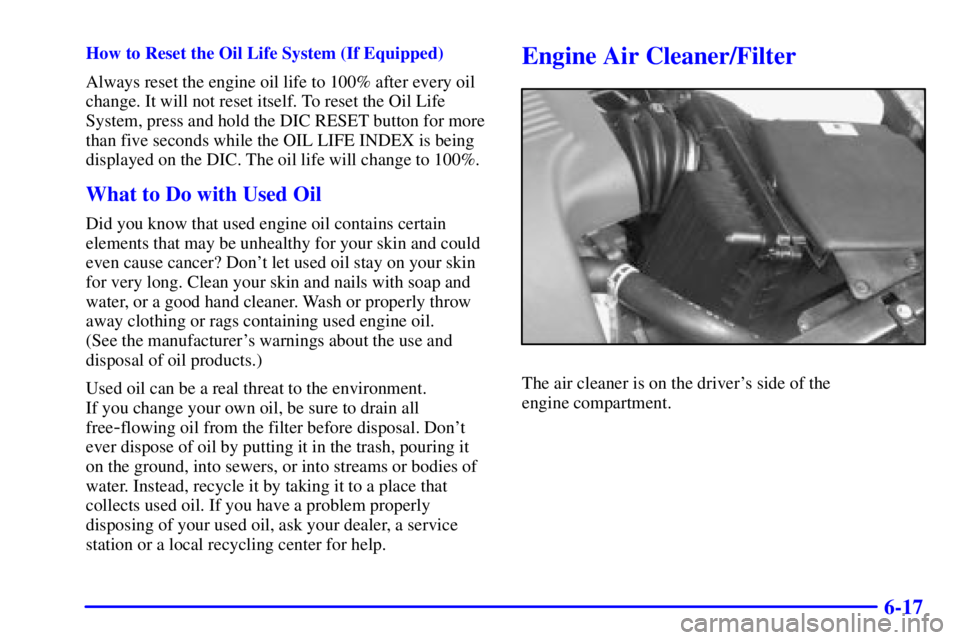
The air cleaner is on the driver's side of the
engine compartment.
Page 291 of 392
6-29 How to Check Power Steering Fluid
Turn the key off, let the engine compartment cool down,
wipe the cap and the top of the reservoir clean, then
unscrew the cap and wipe the dipstick with a clean rag.
Replace the cap and completely tighten it. Then remove
the cap again and look at the fluid level on the dipstick.
The level should be at the FULL COLD mark.
If necessary, add only enough fluid to bring the level
up to the mark.
What to Use
To determine what kind of fluid to use, see
ªRecommended Fluids and Lubricantsº in the Index.
Always use the proper fluid. Failure to use the proper
fluid can cause leaks and damage hoses and seals.
Windshield Washer Fluid
What to Use
When you need windshield washer fluid, be sure to read
the manufacturer's instructions before use. If you will be
operating your vehicle in an area where the temperature
may fall below freezing, use a fluid that has sufficient
protection against freezing.
Adding Washer Fluid
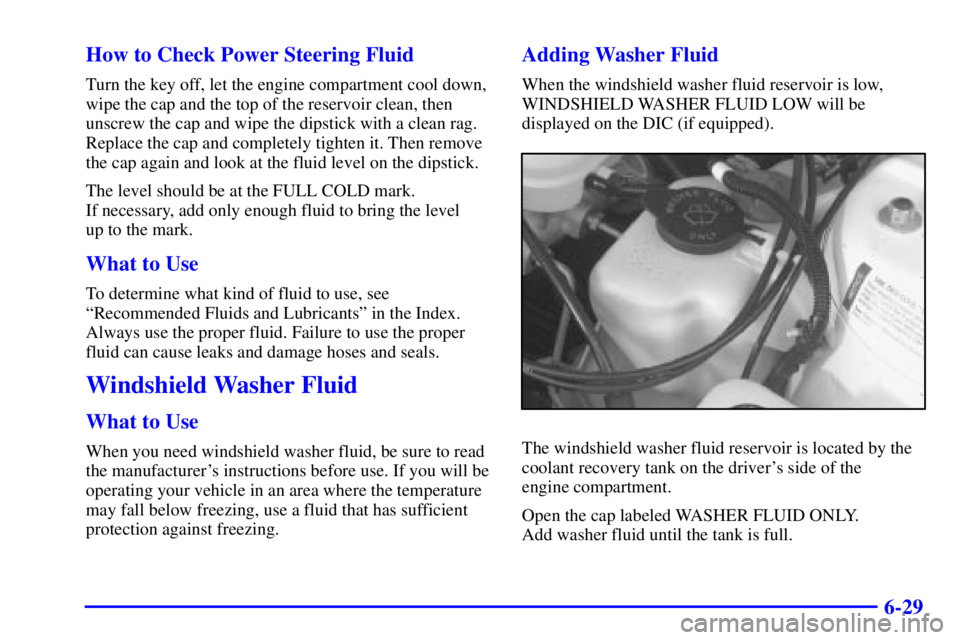
When the windshield washer fluid reservoir is low,
WINDSHIELD WASHER FLUID LOW will be
displayed on the DIC (if equipped).
The windshield washer fluid reservoir is located by the
coolant recovery tank on the driver's side of the
engine compartment.
Open the cap labeled WASHER FLUID ONLY.
Add washer fluid until the tank is full.
Page 311 of 392

6-49
When the TIRE PRESSURE LOW message appears on
the Driver Information Center, you should stop as soon
as you can and check all your tires for damage.
(If a tire is flat, see ªIf a Tire Goes Flatº in the Index.)
Also check the tire pressure in all four tires as soon as
you can. See ªInflation
-Tire Pressureº in the Index.
Any time you adjust a tire's pressure or have one or
more tires repaired or replaced, you'll need to reset
(calibrate) the check tire pressure system. You'll also
need to reset the system whenever you rotate the tires,
buy new tires, install or remove the compact spare, and
whenever the vehicle's battery has been disconnected.
Don't reset the check tire pressure system without first
correcting the cause of the problem and checking and
adjusting the pressure in all four tires. If you reset the
system when the tire pressures are incorrect, the check
tire pressure system will not work properly and may not
alert you when a tire is low or high.To reset (calibrate) the system:
1. Turn the ignition switch to RUN.
2. Press the GAGE INFO button on the DIC until
TIRE PRESSURE appears on the display.
3. Press and hold the DIC RESET button for about
five seconds. After five seconds, the display will
show TIRE PRESSURE RESET. If TIRE
PRESSURE RESET does not appear on the display
after about five seconds, see your dealer for service.
After you release the DIC RESET button, TIRE
PRESSURE NORMAL will appear on the display.
The system completes the calibration process during
driving. Calibration time can take 45 to 90 minutes,
depending on your driving habits. After the system
has been calibrated, the system will alert the driver
that a tire is low, up to a maximum speed of
65 mph (105 km/h).
Page 330 of 392

6-68
Fuse Usage
SBM Interior Lamps
PDM PDM Module
A/C HVAC Motor, HVAC Mix Motors
IGN SEN EC Mirror, Driver HTS Seat, Rear
Defog Relay, MEM Module, Cool
LVL Sensor, Pass Heated Seat
ELC HVAC Flat Pk Mtrs, ELC Sensor,
ELC Sensor (R Bec)
ABS
Anti
-Lock Brake System Module
HVAC HVAC Main Con Head, HVAC
Programmer, IPC
CR CONT Stepper Motor CR, Cruise Switch
HUD HUD Switch, HUD Display
CSTR/SBM HVAC Programmer, IPC (Cluster),
SBM (275 to LCM)
(1135 to BTSI SL)