lock BUICK PARK AVENUE 2004 Service Manual
[x] Cancel search | Manufacturer: BUICK, Model Year: 2004, Model line: PARK AVENUE, Model: BUICK PARK AVENUE 2004Pages: 410, PDF Size: 4.45 MB
Page 127 of 410
Windshield Washer
At the top of the multifunction lever there is a paddle
with the word PUSH on it. For “programmed” operation,
press and release the paddle. The washer will provide
a measured amount of uid to the windshield and
the wiper will either stop or return to your original wiping
speed. For “demand” operation, press and hold the
paddle for at least two seconds. Release the paddle
when you have enough uid and the wipers will either
stop or return to your original wiping speed.
{CAUTION:
In freezing weather, do not use your washer
until the windshield is warmed. Otherwise the
washer uid can form ice on the windshield,
blocking your vision.
If your vehicle is equipped with a DIC, a WINDSHIELD
WASHER FLUID LOW message will appear on the
instrument panel cluster when the vehicle is low
on washer uid. SeeDIC Warnings and Messages on
page 3-50.
Cruise Control
With cruise control, you can maintain a speed of about
25 mph (40 km/h) or more without keeping your foot
on the accelerator. This can really help on long trips.
Cruise control does not work at speeds below about
25 mph (40 km/h).
When you apply your brakes, the cruise control shuts off.
{CAUTION:
Cruise control can be dangerous where
you can not drive safely at a steady speed.
So, do not use your cruise control on
winding roads or in heavy traffic.
Cruise control can be dangerous on
slippery roads. On such roads, fast
changes in tire traction can cause
needless wheel spinning, and you could
lose control. Do not use cruise control on
slippery roads.
3-9
Page 133 of 410
Interior Lamps
Instrument Panel Brightness
Adjust the instrument panel light brightness by turning
the exterior lamps control.
Courtesy Lamps
When any door is opened, several lamps go on.
They make it easy for you to enter and leave your vehicle.
You can also turn these lamps on by turning the exterior
lamps control clockwise all the way past the normal stop.
Entry Lighting
When you open either front door or press the unlock
button on the remote keyless entry transmitter, the lamps
inside your vehicle will turn on. These lamps will turn off
after about 40 seconds. These lamps will also turn off if
you start the engine or activate the power door locks.
Delayed Entry Lighting
When you open the door, the interior lamps will come on.
When you close the door with the ignition off, the interior
lamps will stay on for 25 seconds or until the ignition is
turned to an on position. Locking the doors with thepower door lock switch will override the delayed entry
lighting feature and the lamps will turn off right away.
Using the remote keyless entry transmitter to lock the
door will not cancel delayed lighting.
Theater Dimming
This feature allows for a three to ve-second fade out of
the courtesy lamps instead of immediate turn off.
Delayed Exit Lighting
With this feature, the interior lamps will come on for
25 seconds after you remove the key from the ignition.
This will give you time to nd the door handle or
lock switches.
Parade Dimming
This feature prohibits the dimming of your instrument
panel displays during daylight while your headlamps are
on. This feature operates with the light sensor for the
Twilight Sentinel
®and is fully automatic. When the light
sensor reads darkness outside, you will be able to
dim your instrument panel displays once again.
3-15
Page 134 of 410
Perimeter Lighting
When the unlock button on the remote keyless entry
transmitter is pressed, the DRL, parking lamps and
back-up lamps will come on if it is dark enough outside.
This feature will only be activated when the security
feedback feature is programmed to be in Modes 1, 3
or 5 on the transmitter. Modes 0, 2 and 4 do not respond
with exterior lights ashing when unlocking the vehicle
so perimeter lighting will not be active.
This feature can be programmed on or off for each
transmitter.
To turn the feature off do the following:
1. Press and hold LOCK on the driver’s door lock switch
throughout this procedure. All doors will lock.
2. Press the remote alarm button on the transmitter to
enter the programming mode. Perimeter lighting
remains on at this time and the horn will chirp
two times.
3. Press the remote alarm button on the transmitter
again. Perimeter lighting is disabled and the horn
will chirp one time.
4. Release the door lock switch. The perimeter lighting
feature is now off.To turn the feature on do the following:
1. Press and hold LOCK on the driver’s door lock
switch throughout this procedure. All doors will
lock.
2. Press the remote alarm button on the transmitter to
enter the programming mode. Perimeter lighting
remains off at this time and the horn will chirp
one time.
3. Press the remote alarm button on the transmitter
again. Perimeter lighting is now enabled and the
horn will chirp two times.
4. Release the door lock switch. The perimeter lighting
feature is now on.
Perimeter lighting can also be activated through the
DIC. SeeDIC Vehicle Personalization on page 3-51
orDriver Information Center (DIC) on page 3-47.
3-16
Page 147 of 410
Outlet Adjustment
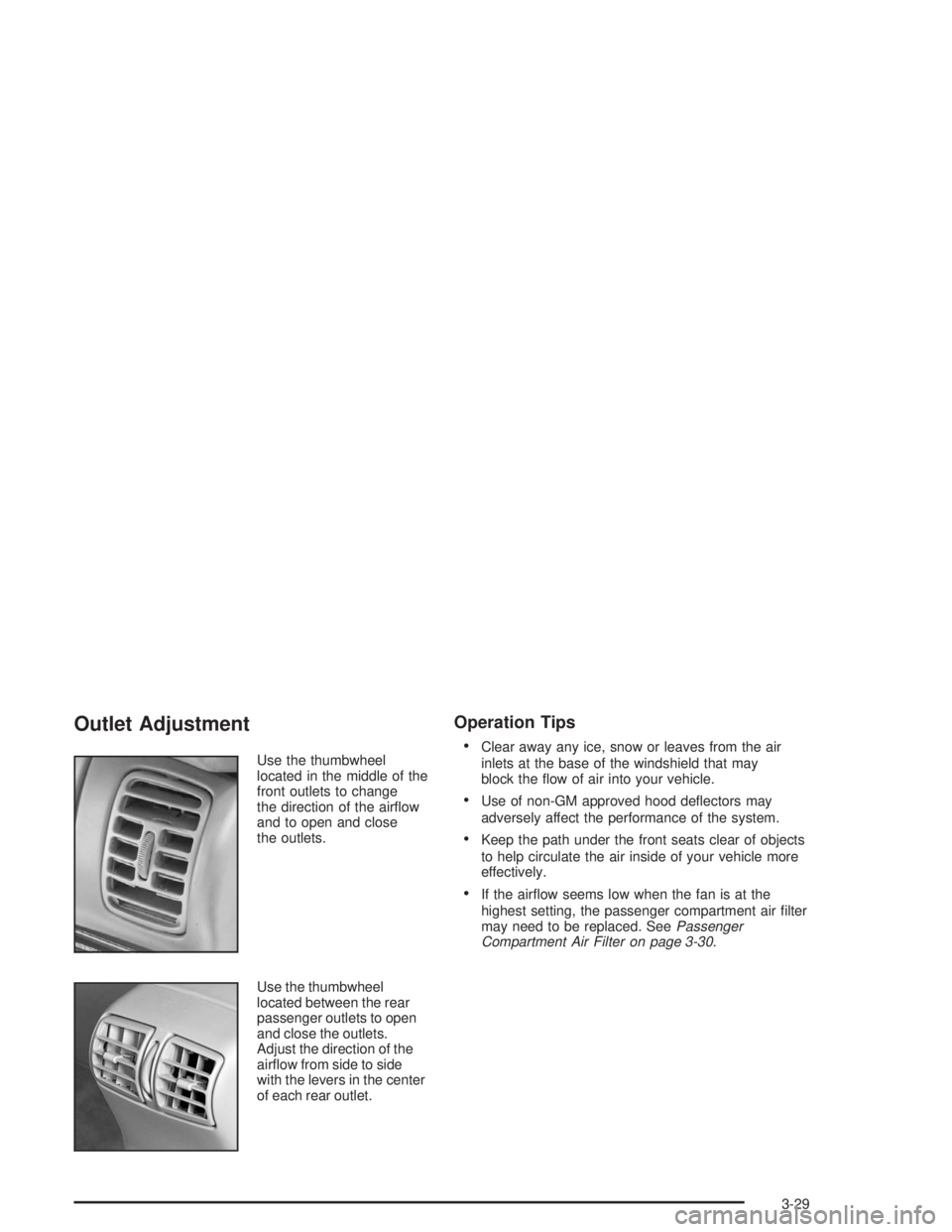
Use the thumbwheel
located in the middle of the
front outlets to change
the direction of the airow
and to open and close
the outlets.
Use the thumbwheel
located between the rear
passenger outlets to open
and close the outlets.
Adjust the direction of the
airow from side to side
with the levers in the center
of each rear outlet.
Operation Tips
Clear away any ice, snow or leaves from the air
inlets at the base of the windshield that may
block the ow of air into your vehicle.
Use of non-GM approved hood deectors may
adversely affect the performance of the system.
Keep the path under the front seats clear of objects
to help circulate the air inside of your vehicle more
effectively.
If the airow seems low when the fan is at the
highest setting, the passenger compartment air lter
may need to be replaced. SeePassenger
Compartment Air Filter on page 3-30.
3-29
Page 149 of 410
Climate Controls Personalization
If your vehicle is equipped with this feature, up to two
drivers are able to store and recall climate control
settings for the temperature, the fan speed and the
direction of the airow.
Memory buttons 1 and 2 are located on the driver’s
door panel and correspond to the numbers 1 or 2 found
on the back of each remote keyless entry transmitter.
To store settings, do the following:
1. Select the desired temperature, fan speed and
airow mode. If desired, a separate temperature
setting may also be selected for the front seat
passenger. For information on how to do this,
seeDual Automatic Climate Control System on
page 3-24.
2. Locate memory buttons 1 and 2 on the driver’s
door panel.3. Press the memory button on the door panel that
corresponds to the number on the back of the
transmitter you are programming, until you hear two
beeps. The beeps conrm that your selection has
been saved and can now be recalled. For more
information on the memory feature, seeMemory
Seat and Mirrors on page 2-51.
Follow these steps each time you want to change the
stored settings.
To recall the climate control settings last stored on your
transmitter, press the unlock button on your remote
keyless entry transmitter and put the ignition in
ACCESSORY or RUN. The settings will be recalled.
3-31
Page 157 of 410
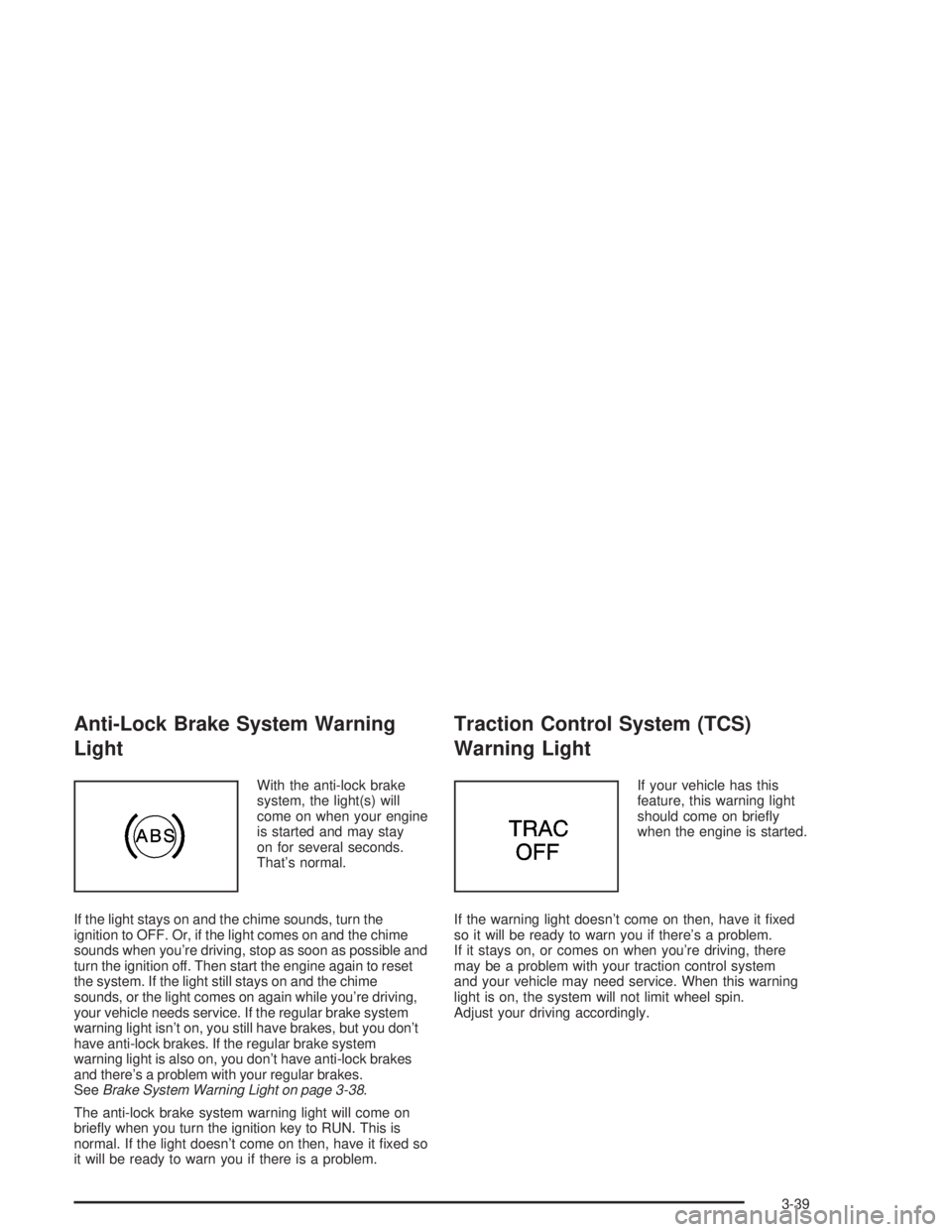
Anti-Lock Brake System Warning
Light
With the anti-lock brake
system, the light(s) will
come on when your engine
is started and may stay
on for several seconds.
That’s normal.
If the light stays on and the chime sounds, turn the
ignition to OFF. Or, if the light comes on and the chime
sounds when you’re driving, stop as soon as possible and
turn the ignition off. Then start the engine again to reset
the system. If the light still stays on and the chime
sounds, or the light comes on again while you’re driving,
your vehicle needs service. If the regular brake system
warning light isn’t on, you still have brakes, but you don’t
have anti-lock brakes. If the regular brake system
warning light is also on, you don’t have anti-lock brakes
and there’s a problem with your regular brakes.
SeeBrake System Warning Light on page 3-38.
The anti-lock brake system warning light will come on
briey when you turn the ignition key to RUN. This is
normal. If the light doesn’t come on then, have it xed so
it will be ready to warn you if there is a problem.
Traction Control System (TCS)
Warning Light
If your vehicle has this
feature, this warning light
should come on briey
when the engine is started.
If the warning light doesn’t come on then, have it xed
so it will be ready to warn you if there’s a problem.
If it stays on, or comes on when you’re driving, there
may be a problem with your traction control system
and your vehicle may need service. When this warning
light is on, the system will not limit wheel spin.
Adjust your driving accordingly.
3-39
Page 169 of 410
When the STABILITY SYSTEM ACTIVE message is on,
you should continue to steer in the direction you want
to go. The system is designed to help you in bad
weather or other difficult driving situations by making the
most of whatever road conditions will permit. If the
STABILITY SYSTEM ACTIVE message comes on, you
will know that something has caused your vehicle to
start to spin, so you should consider slowing down.
Tire Pressure Status – 140:If you see the TIRE
PRESSURE LOW message, you should stop as soon
as you can and check all your tires for damage. If a tire
is at, seeIf a Tire Goes Flat on page 5-79. Also check
the tire pressure in all four tires as soon as you can.
SeeInation - Tire Pressure on page 5-69andCheck
Tire Pressure System on page 5-70.
There are times when you will have to reset (calibrate)
the Check Tire Pressure System. SeeCheck Tire
Pressure System on page 5-70.DIC Vehicle Personalization
The DIC is used to program personal choices for up to
two drivers. The drivers are recognized as DRIVER #1
and DRIVER #2. The DIC will identify a person as
UNKNOWN DRIVER if neither DRIVER #1 nor
DRIVER #2 is identied by the system. You will let the
DIC know which driver you are by using your remote
keyless entry transmitter or by pressing one of the
MEMORY buttons located on the driver’s door. Each
remote keyless entry transmitter was pre-programmed to
belong to DRIVER #1 or DRIVER #2 and is numbered
on the back. Each transmitter may be programmed
differently.
After you press the unlock button on your transmitter
with the ignition in RUN, the DIC will display the
identied driver number. The vehicle will recall the
personal choice settings that were last made to
correspond to your transmitter, including your radio
and climate control settings. SeeClimate Controls
Personalization on page 3-31.
3-51
Page 170 of 410
If you unlock the vehicle using your door key instead of
your transmitter, the DIC will not identify the driver
and will recall the information from the last transmitter
used or the last driver using one of the MEMORY
buttons. If this happens and you were not the last driver
of the vehicle, press your correct driver number on
the appropriate MEMORY button or press the unlock
button on your transmitter.
The DIC can be used to program the following personal
choice features available with your vehicle:
Outside Curb View Assist Mirror
Programmable Automatic Door Locks
Delayed Locking
Security Feedback
Perimeter Lighting
Memory Seat Recall
Window Lock OutSee the following steps for personalization programming
instructions.
1. Turn the ignition on and keep the transaxle in
PARK (P).
2. Inform the DIC which driver you are by pressing the
unlock button on your transmitter or the appropriate
MEMORY button.
3. Press and hold the ENG/MET button for ve
seconds. WELCOME TO BUICK OPTION
FEATURE will appear in the display.
The next display will be your driver number and the
message ARMREST BUTTON CHANGES
DRIVER #. Follow the instructions in the display.
You are now in the selection mode and the DIC is
ready to program your personal choices in memory.
The selections you make for the personal choice
features will be saved after the display reads
FEATURE OPTION SELECTION DONE.
Each feature that can be personalized will appear in
the display. Once you have made a selection for
a feature, the DIC will move on to the next personal
choice feature.
3-52
Page 171 of 410
4. Scroll through the following messages and feature
options:
PARALLEL PARK – OFF/ON
AUTO DOOR LOCKS – OFF/ON
UNLOCK IN PARK – OFF/ON
WHICH DOORS – ALL/DRIVER
DELAYED LOCKING – OFF/ON
LOCK FEEDBACK – OFF/ON
LOCK FEEDBACK – LIGHTS/LIGHTS + HORN
UNLOCK FEEDBACK – OFF/LIGHTS
PERIMETER LIGHTS – OFF/ON
SEAT RECALL – OFF/ON
RECALL POSITION – MEMORY/EXIT
WINDOW LOCKOUT – ALL PASS/REAR
If you would like to exit the selection mode without
moving through each of the personal choice features,
simply press a different button on the DIC or turn off the
ignition. However, personal choices you made may
not be retained.If you happen to move past a selection you would like
to make a personal choice for, press the unlock
button on your transmitter or press the appropriate
MEMORY button. This will return you to the beginning
of the option feature programming mode.
A description of each feature programmable through the
DIC follows.
Outside Curb View Assist Mirror
The outside curb view assist mirror, which tilts the
passenger mirror while the vehicle is in REVERSE (R),
can be made active or inactive through the DIC.
When PARALLEL PARK-OFF-ON appears on the
display, use the ENG/MET button to toggle the arrow
between OFF and ON. When you have made your
choice, press the RESET button to record your
selection. For more information on this feature, see
Outside Curb View Assist Mirror on page 2-40.
3-53
Page 172 of 410
Programmable Automatic Door Locks
The automatic door lock modes, when shifting in and out
of PARK (P), can be changed through the DIC. You can
change these modes using different selections from the
following DIC displays:
AUTO DOOR LOCKS – OFF/ON
UNLOCK IN PARK – OFF/ON
If you choose OFF for AUTO DOOR LOCKS, your door
locks will operate normally with no automatic feature.
If you choose ON for AUTO DOOR LOCKS, and ON for
UNLOCK IN PARK, your doors will lock every time
you shift out of PARK (P), and the doors will unlock
every time you stop and shift into PARK (P).
If you choose ON for AUTO DOOR LOCKS, and OFF for
UNLOCK IN PARK, your door locks will lock every time
you shift out of PARK (P), and there will be no automatic
door unlock when shifting back into PARK (P).
When you choose ON for UNLOCK in PARK, the DIC
will display WHICH DOORS-ALL/DRIVER. You have the
choice of unlocking all doors, or just the driver’s door.To change modes, do the following:
1. Move the arrow on the display between ON and
OFF by pressing the ENG/MET button.
2. Once you have made your selection, press the
RESET button and your choice will be retained
in memory.
SeeProgrammable Automatic Door Locks on page 2-12
for more information about this feature.
Delayed Locking
The delayed locking feature, which delays the actual
locking of the vehicle, can be made active or inactive
through the DIC. When DELAYED LOCKING-OFF-ON
appears on the display, use the ENG/MET button to
toggle the arrow between OFF and ON. When you have
made your choice, press the RESET button to record
your selection.
For more information on this feature, seeDelayed
Locking on page 2-11.
3-54