remote control BUICK PARK AVENUE 2004 Owner's Manual
[x] Cancel search | Manufacturer: BUICK, Model Year: 2004, Model line: PARK AVENUE, Model: BUICK PARK AVENUE 2004Pages: 410, PDF Size: 4.45 MB
Page 67 of 410
Keys...............................................................2-3
Remote Keyless Entry System.........................2-5
Remote Keyless Entry System Operation...........2-6
Doors and Locks............................................2-10
Door Locks..................................................2-10
Central Door Unlocking System......................2-11
Power Door Locks........................................2-11
Door Ajar Reminder......................................2-11
Delayed Locking...........................................2-11
Programmable Automatic Door Locks..............2-12
Rear Door Security Locks..............................2-14
Lockout Protection........................................2-14
Leaving Your Vehicle....................................2-14
Trunk..........................................................2-15
Windows........................................................2-17
Power Windows............................................2-18
Sun Visors...................................................2-19
Theft-Deterrent Systems..................................2-19
Content Theft-Deterrent.................................2-19
PASS-Key
®III ..............................................2-21
PASS-Key®III Operation...............................2-22Starting and Operating Your Vehicle................2-23
New Vehicle Break-In....................................2-23
Ignition Positions..........................................2-24
Starting Your Engine.....................................2-25
Engine Coolant Heater..................................2-26
Automatic Transaxle Operation.......................2-27
Parking Brake..............................................2-29
Shifting Into Park (P).....................................2-30
Shifting Out of Park (P).................................2-33
Parking Over Things That Burn.......................2-33
Engine Exhaust............................................2-34
Running Your Engine While You Are
Parked.....................................................2-35
Mirrors...........................................................2-36
Manual Rearview Mirror.................................2-36
Automatic Dimming Rearview Mirror................2-36
Automatic Dimming Rearview
Mirror with Compass..................................2-37
Outside Power Mirrors...................................2-39
Outside Curb View Assist Mirror.....................2-40
Outside Convex Mirror...................................2-40
Outside Automatic Dimming Heated Mirror........2-41
Section 2 Features and Controls
2-1
Page 73 of 410
Personalization Features
Each remote keyless entry transmitter can be
programmed to the driver’s preference for automatic
door locks, security feedback, delayed locking, memory
seat, perimeter lighting, outside curb view assist mirror
and window lockout. Each of these personalization
features will be explained in this manual.
If your vehicle is equipped with the Driver Information
Center (DIC), you can also program any of these features
through the DIC. SeeDriver Information Center (DIC) on
page 3-47.
You can also personalize your climate control
temperature, air delivery mode and fan speed.
SeeClimate Controls Personalization on page 3-31.
Security Feedback
This feature provides feedback when the vehicle
receives a command from the remote keyless entry
transmitter. The following modes may be selected:
Mode 0:No feedback when locking or unlocking
vehicle.
Mode 1:No feedback when locking; exterior lamps
ash when unlocking vehicle.
Mode 2:Exterior lamps ash when locking; no feedback
when unlocking vehicle.
Mode 3:Exterior lamps ash when locking and when
unlocking vehicle.
Mode 4:Exterior lamps ash and horn chirps when
locking; no feedback when unlocking vehicle.
Mode 5:Exterior lamps ash and horn chirps when
locking; exterior lamps ash when unlocking vehicle.
2-7
Page 81 of 410
Trunk
{CAUTION:
It can be dangerous to drive with the trunk lid
open because carbon monoxide (CO) gas can
come into your vehicle. You can’t see or smell
CO. It can cause unconsciousness and even
death. If you must drive with the trunk lid open
or if electrical wiring or other cable connections
must pass through the seal between the body
and the trunk lid:
Make sure all other windows are shut.
Turn the fan on your heating or cooling
system to its highest speed and select the
control setting that will force outside air
into your vehicle. See “Climate Control
System” in the Index.
If you have air outlets on or under the
instrument panel, open them all the way.
See “Engine Exhaust” in the Index.
Trunk Lock Release
To unlock the trunk from the outside, insert the master
key and turn it.
Remote Trunk Release
Press the TRUNK button located to the left of the
steering column to release the trunk lid.
The trunk will open if the transaxle is in PARK (P) or
NEUTRAL (N) and the trunk release lockout is in
the unlocked position.
The remote keyless entry system will also unlock your
trunk if the ignition is off, or if the ignition is on and
the transaxle is in PARK (P).
2-15
Page 117 of 410
Vehicle Personalization
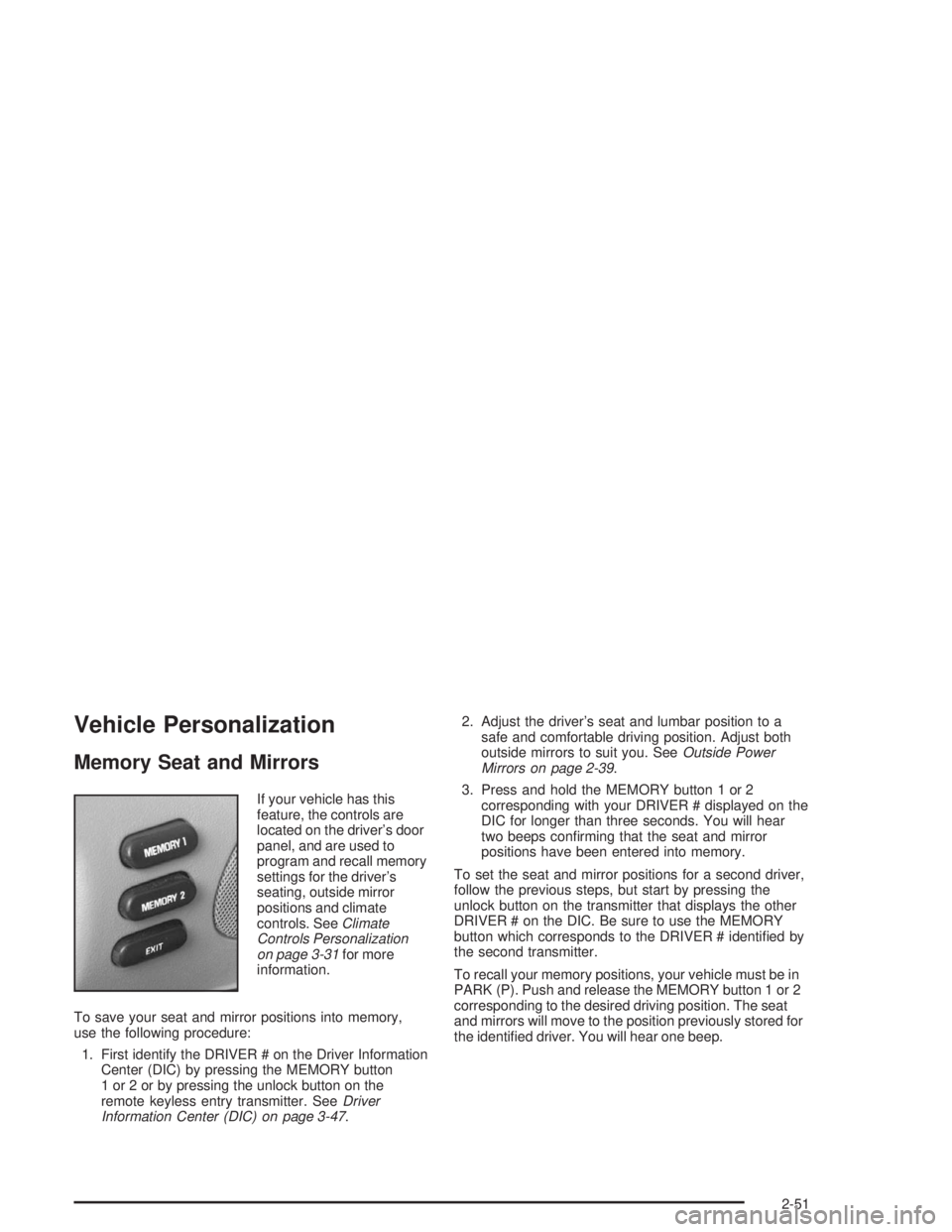
Memory Seat and Mirrors
If your vehicle has this
feature, the controls are
located on the driver’s door
panel, and are used to
program and recall memory
settings for the driver’s
seating, outside mirror
positions and climate
controls. SeeClimate
Controls Personalization
on page 3-31for more
information.
To save your seat and mirror positions into memory,
use the following procedure:
1. First identify the DRIVER # on the Driver Information
Center (DIC) by pressing the MEMORY button
1 or 2 or by pressing the unlock button on the
remote keyless entry transmitter. SeeDriver
Information Center (DIC) on page 3-47.2. Adjust the driver’s seat and lumbar position to a
safe and comfortable driving position. Adjust both
outside mirrors to suit you. SeeOutside Power
Mirrors on page 2-39.
3. Press and hold the MEMORY button 1 or 2
corresponding with your DRIVER # displayed on the
DIC for longer than three seconds. You will hear
two beeps conrming that the seat and mirror
positions have been entered into memory.
To set the seat and mirror positions for a second driver,
follow the previous steps, but start by pressing the
unlock button on the transmitter that displays the other
DRIVER # on the DIC. Be sure to use the MEMORY
button which corresponds to the DRIVER # identied by
the second transmitter.
To recall your memory positions, your vehicle must be in
PARK (P). Push and release the MEMORY button 1 or 2
corresponding to the desired driving position. The seat
and mirrors will move to the position previously stored for
the identied driver. You will hear one beep.
2-51
Page 121 of 410
The main components of your instrument panel are the following:
A. Air Outlet. SeeOutlet Adjustment on page 3-29.
B. Exterior Lamps Control. SeeExterior Lamps
on page 3-12.
C. Turn Signal/Multifunction Lever. SeeTurn Signal/
Multifunction Lever on page 3-5.
D. Steering Wheel Controls (If Equipped). SeeSteering
Wheel Climate Controls on page 3-30andAudio
Steering Wheel Controls on page 3-78.
E. Hazard Warning Flashers Button. SeeHazard
Warning Flashers on page 3-4.
F. Instrument Panel Cluster. SeeInstrument Panel
Cluster on page 3-33.
G. Shift Lever. SeeAutomatic Transaxle Operation on
page 2-27.
H. Audio System. SeeAudio System(s) on page 3-57.
I. Air Outlet. SeeOutlet Adjustment on page 3-29.
J. Fuel Door Release Button. SeeFilling Your Tank on
page 5-6.K. Trunk Release and Lockout Button. See “Remote
Trunk Release” and “Remote Trunk Release
Lockout” underTrunk on page 2-15.
L. Hood Release. SeeHood Release on page 5-10.
M. Ignition Switch. SeeIgnition Positions on page 2-24.
N. Traction Control Button (If Equipped). SeeTraction
Control System (TCS) on page 4-9.
O. Heated Seat Controls (Option). SeeHeated Seats
on page 1-3.
P. Ashtray and Cigarette Lighter. SeeAshtrays and
Cigarette Lighter on page 3-23.
Q. Climate Control System. SeeDual Automatic
Climate Control System on page 3-24.
R. Glove Box. SeeGlove Box on page 2-47.
S. Passenger Climate Control (Option). See “Passenger
Temperature Control” underDual Automatic
Climate Control System on page 3-24.
3-3
Page 133 of 410
Interior Lamps
Instrument Panel Brightness
Adjust the instrument panel light brightness by turning
the exterior lamps control.
Courtesy Lamps
When any door is opened, several lamps go on.
They make it easy for you to enter and leave your vehicle.
You can also turn these lamps on by turning the exterior
lamps control clockwise all the way past the normal stop.
Entry Lighting
When you open either front door or press the unlock
button on the remote keyless entry transmitter, the lamps
inside your vehicle will turn on. These lamps will turn off
after about 40 seconds. These lamps will also turn off if
you start the engine or activate the power door locks.
Delayed Entry Lighting
When you open the door, the interior lamps will come on.
When you close the door with the ignition off, the interior
lamps will stay on for 25 seconds or until the ignition is
turned to an on position. Locking the doors with thepower door lock switch will override the delayed entry
lighting feature and the lamps will turn off right away.
Using the remote keyless entry transmitter to lock the
door will not cancel delayed lighting.
Theater Dimming
This feature allows for a three to ve-second fade out of
the courtesy lamps instead of immediate turn off.
Delayed Exit Lighting
With this feature, the interior lamps will come on for
25 seconds after you remove the key from the ignition.
This will give you time to nd the door handle or
lock switches.
Parade Dimming
This feature prohibits the dimming of your instrument
panel displays during daylight while your headlamps are
on. This feature operates with the light sensor for the
Twilight Sentinel
®and is fully automatic. When the light
sensor reads darkness outside, you will be able to
dim your instrument panel displays once again.
3-15
Page 149 of 410
Climate Controls Personalization
If your vehicle is equipped with this feature, up to two
drivers are able to store and recall climate control
settings for the temperature, the fan speed and the
direction of the airow.
Memory buttons 1 and 2 are located on the driver’s
door panel and correspond to the numbers 1 or 2 found
on the back of each remote keyless entry transmitter.
To store settings, do the following:
1. Select the desired temperature, fan speed and
airow mode. If desired, a separate temperature
setting may also be selected for the front seat
passenger. For information on how to do this,
seeDual Automatic Climate Control System on
page 3-24.
2. Locate memory buttons 1 and 2 on the driver’s
door panel.3. Press the memory button on the door panel that
corresponds to the number on the back of the
transmitter you are programming, until you hear two
beeps. The beeps conrm that your selection has
been saved and can now be recalled. For more
information on the memory feature, seeMemory
Seat and Mirrors on page 2-51.
Follow these steps each time you want to change the
stored settings.
To recall the climate control settings last stored on your
transmitter, press the unlock button on your remote
keyless entry transmitter and put the ignition in
ACCESSORY or RUN. The settings will be recalled.
3-31
Page 169 of 410
When the STABILITY SYSTEM ACTIVE message is on,
you should continue to steer in the direction you want
to go. The system is designed to help you in bad
weather or other difficult driving situations by making the
most of whatever road conditions will permit. If the
STABILITY SYSTEM ACTIVE message comes on, you
will know that something has caused your vehicle to
start to spin, so you should consider slowing down.
Tire Pressure Status – 140:If you see the TIRE
PRESSURE LOW message, you should stop as soon
as you can and check all your tires for damage. If a tire
is at, seeIf a Tire Goes Flat on page 5-79. Also check
the tire pressure in all four tires as soon as you can.
SeeInation - Tire Pressure on page 5-69andCheck
Tire Pressure System on page 5-70.
There are times when you will have to reset (calibrate)
the Check Tire Pressure System. SeeCheck Tire
Pressure System on page 5-70.DIC Vehicle Personalization
The DIC is used to program personal choices for up to
two drivers. The drivers are recognized as DRIVER #1
and DRIVER #2. The DIC will identify a person as
UNKNOWN DRIVER if neither DRIVER #1 nor
DRIVER #2 is identied by the system. You will let the
DIC know which driver you are by using your remote
keyless entry transmitter or by pressing one of the
MEMORY buttons located on the driver’s door. Each
remote keyless entry transmitter was pre-programmed to
belong to DRIVER #1 or DRIVER #2 and is numbered
on the back. Each transmitter may be programmed
differently.
After you press the unlock button on your transmitter
with the ignition in RUN, the DIC will display the
identied driver number. The vehicle will recall the
personal choice settings that were last made to
correspond to your transmitter, including your radio
and climate control settings. SeeClimate Controls
Personalization on page 3-31.
3-51
Page 174 of 410
Perimeter Lighting
When the unlock button on the transmitter is pressed,
the DRL lamps (high-beams at reduced intensity),
parking lamps and back-up lamps will turn on, if it is
dark enough according to the Twilight Sentinel
®.
You can control activation of this feature by choosing
OFF or ON when the PERIMETER LIGHTS choice
is displayed on the DIC. Make your choice by pressing
the ENG/MET button and record your choice by
pressing the RESET button.
If you want to choose PERIMETER LIGHTS ON, you
must also choose LIGHTS for UNLOCK FEEDBACK
while making the security feedback choices.
For more information on this feature, see “Perimeter
Lighting” underExterior Lamps on page 3-12.
Memory Seat Recall
This feature recalls the position of your seat. When this
feature is active, the memory seat and mirror positions
will be recalled for the identied driver when the remote
keyless entry transmitter is used to enter the vehicle.
You can program this feature to be active by choosing
ON when the SEAT RECALL choice appears, or
inactive by choosing OFF when the SEAT RECALL
choice appears on the DIC.
You can also program this feature to recall your
memory seat position or the exit seat position.
Memory Position: Choose ON when the SEAT
RECALL choice appears, and then choose
MEMORY when the RECALL POSITION choice
appears.
Exit Position: Choose ON when the SEAT RECALL
choice appears, then choose EXIT when the
RECALL POSITION choice appears and your seat
will move to the stored exit position. The seat will
also move when you enter the vehicle after unlocking
it with a remote keyless entry transmitter. This will
allow for easy entry as well.
For more information on this feature, seeMemory Seat
and Mirrors on page 2-51.
3-56
Page 193 of 410
Personal Choice Radio Controls
If your vehicle has this feature it will enable two drivers
to store and recall personal settings for radio presets,
last tuned station, volume, tone, and audio source
(radio, cassette, or CD).
The memory buttons 1 and 2 for this feature are located
on the driver’s door panel and correspond to the
numbers 1 and 2 found on the back of each remote
keyless entry transmitter.
To recall audio sources, press the unlock button on the
remote keyless entry transmitter and turn the ignition
on. The source last listened to will be recalled for
the identied driver 1 or 2.
To program this feature, do the following:
1. Set all radio preferences. For more information see
“Setting Preset Stations” and “Setting the Tone”
listed for your particular radio.
2. Locate the memory buttons on the driver’s door
panel.
3. Press one of the memory buttons 1 or 2 until you
hear two beeps. The beeps conrm that your
selection has been saved and can now be recalled.
Follow these steps each time you want to change the
stored settings.
Theft-Deterrent Feature
THEFTLOCK®is designed to discourage theft of your
radio. It works by using a secret code to disable all radio
functions whenever battery power is interrupted.
If THEFTLOCK
®is active, the THEFTLOCK®indicator
will ash when the ignition is off.
The THEFTLOCK
®feature for the radio may be used or
ignored. If ignored, the system plays normally and the
radio is not protected by the feature. If THEFTLOCK
®is
activated, your radio will not operate if stolen.
When THEFTLOCK
®is activated, the radio will display
LOC to indicate a locked condition anytime battery
power is removed. If your battery loses power for any
reason, you must unlock the radio with the secret
code before it will operate.
Activating the Theft-Deterrent Feature
The instructions which follow explain how to enter
your secret code to activate the THEFTLOCK®system.
Read through all nine steps before starting the
procedure.
If you allow more than 15 seconds to elapse between
any steps, the radio automatically reverts to time
and you must start the procedure over at Step 4.
3-75