keyless BUICK RAINIER 2006 User Guide
[x] Cancel search | Manufacturer: BUICK, Model Year: 2006, Model line: RAINIER, Model: BUICK RAINIER 2006Pages: 470, PDF Size: 2.72 MB
Page 139 of 470

Entry Lighting
Your vehicle is equipped with entry lighting.
When any door is opened, the dome lamps will come
on as long as the dome override lamp override button
is not pressed in. When all the doors are closed,
the lamps will stay on for a short period of time and
will then turn off automatically. If you use your remote
keyless entry transmitter to unlock the vehicle, the
interior lights will come on for a short time whether
or not the dome lamp override is on.
Exit Lighting
With exit lighting, the interior lamps will come on when
you remove the key from the ignition. If the dome
override is on, these lights will stay on for a short period
of time and then will go out.
Reading Lamps
The reading lamps are located in the console for front
passengers and on the headliner for rear passengers.
Press the lens on the lamps to turn the reading lamps
on and press the lens again to turn the lamps off.
Battery Run-Down Protection
This feature shuts off the dome, courtesy and vanity
if they are left on for more than 20 minutes when
the ignition is off. This will keep your battery from
running down.
If the battery run-down protection shuts off the interior
lamps, it may be necessary to do one of the following
to return to normal operation:
Shut off all lamps and close all doors.
Turn the ignition key to RUN.
This feature will also turn off the parking lamps and
headlamps under most circumstances, if they are left on.
If you would like to turn them back on, turn the exterior
lamps knob.
3-17
Page 170 of 470
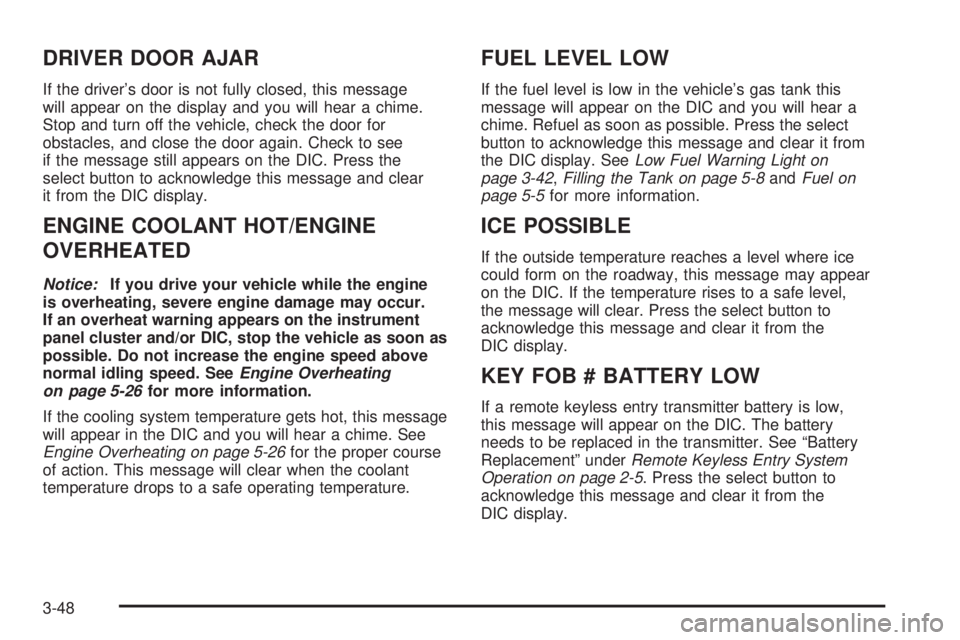
DRIVER DOOR AJAR
If the driver’s door is not fully closed, this message
will appear on the display and you will hear a chime.
Stop and turn off the vehicle, check the door for
obstacles, and close the door again. Check to see
if the message still appears on the DIC. Press the
select button to acknowledge this message and clear
it from the DIC display.
ENGINE COOLANT HOT/ENGINE
OVERHEATED
Notice:If you drive your vehicle while the engine
is overheating, severe engine damage may occur.
If an overheat warning appears on the instrument
panel cluster and/or DIC, stop the vehicle as soon as
possible. Do not increase the engine speed above
normal idling speed. SeeEngine Overheating
on page 5-26for more information.
If the cooling system temperature gets hot, this message
will appear in the DIC and you will hear a chime. See
Engine Overheating on page 5-26for the proper course
of action. This message will clear when the coolant
temperature drops to a safe operating temperature.
FUEL LEVEL LOW
If the fuel level is low in the vehicle’s gas tank this
message will appear on the DIC and you will hear a
chime. Refuel as soon as possible. Press the select
button to acknowledge this message and clear it from
the DIC display. SeeLow Fuel Warning Light on
page 3-42,Filling the Tank on page 5-8andFuel on
page 5-5for more information.
ICE POSSIBLE
If the outside temperature reaches a level where ice
could form on the roadway, this message may appear
on the DIC. If the temperature rises to a safe level,
the message will clear. Press the select button to
acknowledge this message and clear it from the
DIC display.
KEY FOB # BATTERY LOW
If a remote keyless entry transmitter battery is low,
this message will appear on the DIC. The battery
needs to be replaced in the transmitter. See “Battery
Replacement” underRemote Keyless Entry System
Operation on page 2-5. Press the select button to
acknowledge this message and clear it from the
DIC display.
3-48
Page 175 of 470

Unlock Doors
Press the customization button until UNLOCK DOORS:
IN PARK appears in the display. To select your
preference for automatic unlocking, press the select
button while UNLOCK DOORS: IN PARK is displayed
on the DIC. Pressing the select button will scroll through
the following choices:
UNLOCK DOORS: IN PARK (default):All of the doors
will unlock when the vehicle is shifted into PARK (P).
UNLOCK DRIVER: IN PARK:The driver’s door will
be unlocked when the vehicle is shifted into PARK (P).
UNLOCK DOORS: KEY OUT:All of the doors will
unlock when the key is taken out of the ignition.
UNLOCK DOORS: MANUALLY:The doors will not
be unlocked automatically.
Choose one of the available options and press the
customization button while it is displayed on the DIC
to select it and move on to the next feature. For
more information on automatic door locks, see
Programmable Automatic Door Locks on page 2-9.
Lock Feedback
Press the customization button until LOCK FEEDBACK:
BOTH appears in the display. To select your preference
for the feedback you receive when locking the vehicle
with the remote keyless entry transmitter, press the
select button while LOCK FEEDBACK: BOTH is
displayed on the DIC. Pressing the select button will
scroll through the following choices:
LOCK FEEDBACK: BOTH (default):The parking
lamps will ash each time you press the button with
the lock symbol on the remote keyless entry transmitter
and the horn will chirp the second time you press the
lock button.
LOCK FEEDBACK: OFF:There will be no feedback
when locking the vehicle.
LOCK FEEDBACK: LAMPS:The parking lamps
will ash each time you press the button with the lock
symbol on the remote keyless entry transmitter.
LOCK FEEDBACK: HORN:The horn will chirp the
second time you press the button with the lock symbol
on the remote keyless entry transmitter.
Choose one of the available options and press the
customization button while it is displayed on the DIC
to select it and move on to the next feature.
3-53
Page 176 of 470

Unlock Feedback
Press the customization button until UNLOCK
FEEDBACK: LAMPS appears in the display. To select
your preference for the feedback you will receive when
unlocking the vehicle with the remote keyless entry
transmitter, press the select button while UNLOCK
FEEDBACK: LAMPS is displayed on the DIC. Pressing
the select button will scroll through the following choices:
UNLOCK FEEDBACK: LAMPS (default):The parking
lamps will ash each time you press the button with
the unlock symbol on the remote keyless entry
transmitter.
UNLOCK FEEDBACK: HORN:The horn will chirp
the second time you press the button with the unlock
symbol on the remote keyless entry transmitter.
UNLOCK FEEDBACK: BOTH:The parking lamps will
ash each time you press the button with the unlock
symbol on the remote keyless entry transmitter and
the horn will chirp the second time you press the
unlock button.
UNLOCK FEEDBACK: OFF:There will be no feedback
when unlocking the vehicle.
Choose one of the available options and press the
customization button while it is displayed on the DIC
to select it and move on to the next feature.
Headlamp Delay
Press the customization button until HEADLAMP
DELAY: 10 SEC appears in the display. To select your
preference for how long the headlamps will stay on
when you turn off the vehicle, press the select button
while HEADLAMP DELAY: 10 SEC is displayed on
the DIC. Pressing the select button will scroll through
the following choices:
HEADLAMP DELAY: 10 SEC (default)
HEADLAMP DELAY: 20 SEC
HEADLAMP DELAY: 40 SEC
HEADLAMP DELAY: 1 MIN
HEADLAMP DELAY: 2 MIN
HEADLAMP DELAY: 3 MIN
HEADLAMP DELAY: OFF
The amount of time you choose will be the amount
of time that the headlamps stay on after you turn off
the vehicle. If you choose OFF, the headlamps will turn
off as soon as you turn off the vehicle.
Choose one of the available options and press the
customization button while it is displayed on the DIC
to select it and move on to the next feature.
3-54
Page 177 of 470

Perimeter Lights
Press the customization button until PERIMETER
LIGHTS: ON appears in the display. To select your
preference for perimeter lighting, press the select button
while PERIMETER LIGHTS: ON is displayed on the
DIC. Pressing the select button will scroll through
the following choices:
PERIMETER LIGHTS: ON (default):The headlamps
and back-up lamps will come on for 40 seconds, if
it is dark enough outside, when you unlock the vehicle
with the remote keyless entry transmitter.
PERIMETER LIGHTS: OFF:The perimeter lights will
not come on when you unlock the vehicle with the
remote keyless entry transmitter.
Choose one of the available options and press the
customization button while it is displayed on the DIC
to select it and move on to the next feature.
Easy Exit Seat
Press the customization button until EASY EXIT SEAT:
OFF appears in the display. To select your preference
for seat position exit, press the select button while EASY
EXIT SEAT: OFF is displayed on the DIC. Pressing
the select button will scroll through the following choices:
EASY EXIT SEAT: OFF (default):No seat exit recall
will occur.
EASY EXIT SEAT: ON:The driver’s seat will move
to the exit position when the key is removed from
the ignition.
Choose one of the available options and press the
customization button while it is displayed on the DIC to
select it and move on to the next feature. For more
information on seat position exit, see “Easy Exit Seat”
underMemory Seat on page 2-51.
3-55
Page 463 of 470
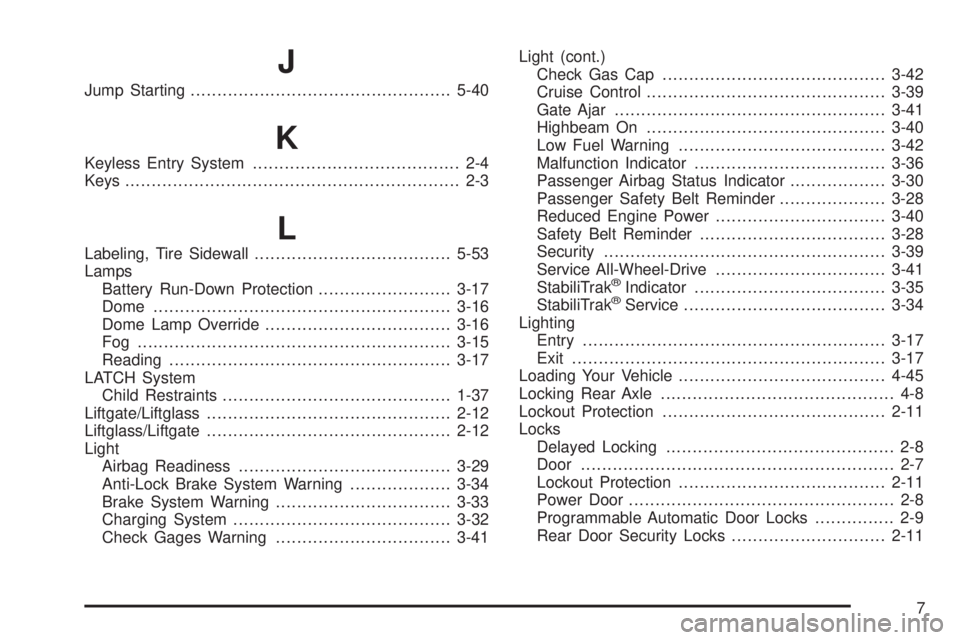
J
Jump Starting.................................................5-40
K
Keyless Entry System....................................... 2-4
Keys............................................................... 2-3
L
Labeling, Tire Sidewall.....................................5-53
Lamps
Battery Run-Down Protection.........................3-17
Dome........................................................3-16
Dome Lamp Override...................................3-16
Fog ...........................................................3-15
Reading.....................................................3-17
LATCH System
Child Restraints...........................................1-37
Liftgate/Liftglass..............................................2-12
Liftglass/Liftgate..............................................2-12
Light
Airbag Readiness........................................3-29
Anti-Lock Brake System Warning...................3-34
Brake System Warning.................................3-33
Charging System.........................................3-32
Check Gages Warning.................................3-41Light (cont.)
Check Gas Cap..........................................3-42
Cruise Control.............................................3-39
Gate Ajar...................................................3-41
Highbeam On.............................................3-40
Low Fuel Warning.......................................3-42
Malfunction Indicator....................................3-36
Passenger Airbag Status Indicator..................3-30
Passenger Safety Belt Reminder....................3-28
Reduced Engine Power................................3-40
Safety Belt Reminder...................................3-28
Security.....................................................3-39
Service All-Wheel-Drive................................3-41
StabiliTrak
®Indicator....................................3-35
StabiliTrak®Service......................................3-34
Lighting
Entry.........................................................3-17
Exit...........................................................3-17
Loading Your Vehicle.......................................4-45
Locking Rear Axle............................................ 4-8
Lockout Protection..........................................2-11
Locks
Delayed Locking........................................... 2-8
Door........................................................... 2-7
Lockout Protection.......................................2-11
Power Door.................................................. 2-8
Programmable Automatic Door Locks............... 2-9
Rear Door Security Locks.............................2-11
7
Page 466 of 470
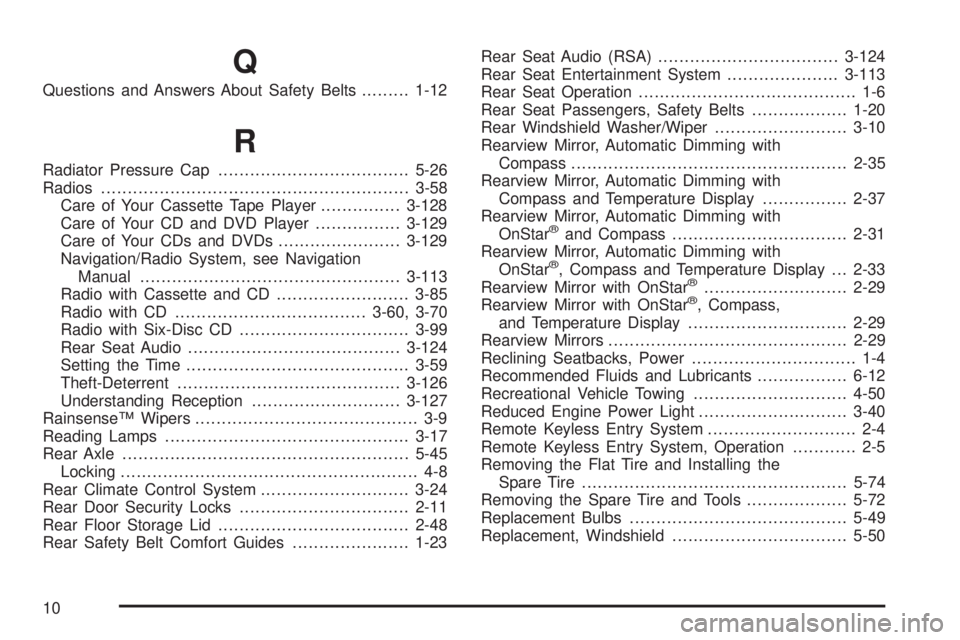
Q
Questions and Answers About Safety Belts.........1-12
R
Radiator Pressure Cap....................................5-26
Radios..........................................................3-58
Care of Your Cassette Tape Player...............3-128
Care of Your CD and DVD Player................3-129
Care of Your CDs and DVDs.......................3-129
Navigation/Radio System, see Navigation
Manual.................................................3-113
Radio with Cassette and CD.........................3-85
Radio with CD....................................3-60, 3-70
Radio with Six-Disc CD................................3-99
Rear Seat Audio........................................3-124
Setting the Time..........................................3-59
Theft-Deterrent..........................................3-126
Understanding Reception............................3-127
Rainsense™ Wipers.......................................... 3-9
Reading Lamps..............................................3-17
Rear Axle......................................................5-45
Locking........................................................ 4-8
Rear Climate Control System............................3-24
Rear Door Security Locks................................2-11
Rear Floor Storage Lid....................................2-48
Rear Safety Belt Comfort Guides......................1-23Rear Seat Audio (RSA)..................................3-124
Rear Seat Entertainment System.....................3-113
Rear Seat Operation......................................... 1-6
Rear Seat Passengers, Safety Belts..................1-20
Rear Windshield Washer/Wiper.........................3-10
Rearview Mirror, Automatic Dimming with
Compass....................................................2-35
Rearview Mirror, Automatic Dimming with
Compass and Temperature Display................2-37
Rearview Mirror, Automatic Dimming with
OnStar
®and Compass.................................2-31
Rearview Mirror, Automatic Dimming with
OnStar
®, Compass and Temperature Display . . . 2-33
Rearview Mirror with OnStar®...........................2-29
Rearview Mirror with OnStar®, Compass,
and Temperature Display..............................2-29
Rearview Mirrors.............................................2-29
Reclining Seatbacks, Power............................... 1-4
Recommended Fluids and Lubricants.................6-12
Recreational Vehicle Towing.............................4-50
Reduced Engine Power Light............................3-40
Remote Keyless Entry System............................ 2-4
Remote Keyless Entry System, Operation............ 2-5
Removing the Flat Tire and Installing the
Spare Tire..................................................5-74
Removing the Spare Tire and Tools...................5-72
Replacement Bulbs.........................................5-49
Replacement, Windshield.................................5-50
10