steering wheel BUICK RAINIER 2006 User Guide
[x] Cancel search | Manufacturer: BUICK, Model Year: 2006, Model line: RAINIER, Model: BUICK RAINIER 2006Pages: 470, PDF Size: 2.72 MB
Page 135 of 470

Passing Another Vehicle While Using
Cruise Control
Use the accelerator pedal to increase your speed.
When you take your foot off the pedal, your vehicle will
slow down to the cruise control speed you set earlier.
Using Cruise Control on Hills
How well your cruise control will work on hills depends
upon your speed, load and the steepness of the hills.
When going up steep hills, you may want to step on the
accelerator pedal to maintain your speed. When going
downhill, you may have to brake or shift to a lower gear to
keep your speed down. Of course, applying the brake
takes you out of cruise control. Many drivers nd this to
be too much trouble and don’t use cruise control on
steep hills.
Ending Cruise Control
There are three ways to turn off the cruise control:
Step lightly on the brake pedal.
Move the cruise switch to off, or
Shift the transmission to NEUTRAL (N).
Erasing Speed Memory
When you turn off the cruise control or the ignition, your
cruise control set speed memory is erased.
Headlamps
Your exterior lamps
knob is located on your
instrument panel to the
left of the steering wheel.
c(Off):Turn the knob to this symbol and release it
to turn off the Daytime Running Lamps (DRL) and
the Automatic Headlamps (AHS). An indicator will
illuminate when the position is selected. This position
is not available for vehicles rst sold in Canada.
i(Automatic DRL/AHS):Turning the knob to
this symbol puts the system into automatic headlamp
mode. An indicator will illuminate when the position
is selected.
3-13
Page 165 of 470
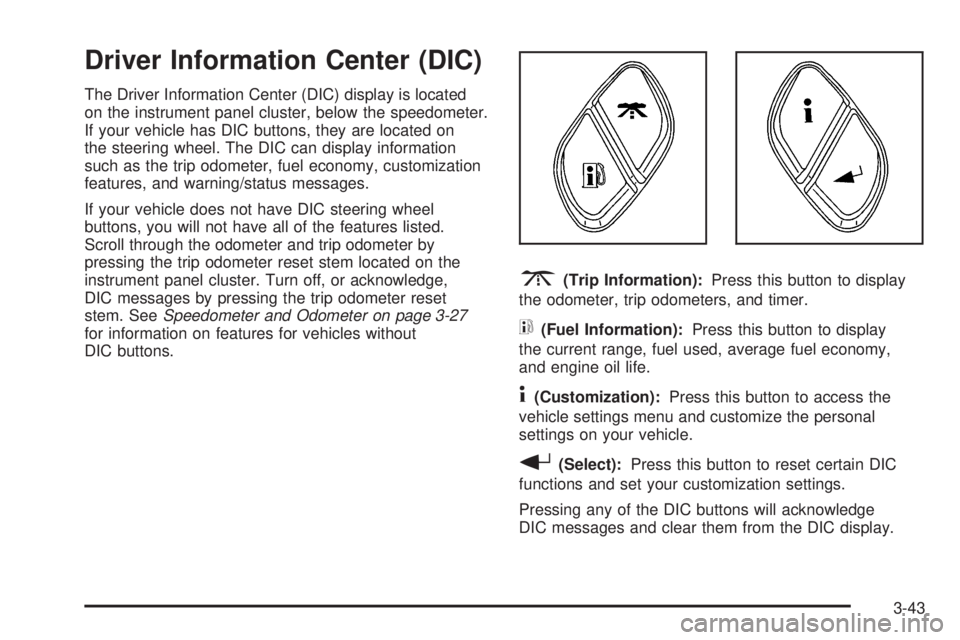
Driver Information Center (DIC)
The Driver Information Center (DIC) display is located
on the instrument panel cluster, below the speedometer.
If your vehicle has DIC buttons, they are located on
the steering wheel. The DIC can display information
such as the trip odometer, fuel economy, customization
features, and warning/status messages.
If your vehicle does not have DIC steering wheel
buttons, you will not have all of the features listed.
Scroll through the odometer and trip odometer by
pressing the trip odometer reset stem located on the
instrument panel cluster. Turn off, or acknowledge,
DIC messages by pressing the trip odometer reset
stem. SeeSpeedometer and Odometer on page 3-27
for information on features for vehicles without
DIC buttons.
3(Trip Information):Press this button to display
the odometer, trip odometers, and timer.
t(Fuel Information):Press this button to display
the current range, fuel used, average fuel economy,
and engine oil life.
4(Customization):Press this button to access the
vehicle settings menu and customize the personal
settings on your vehicle.
r(Select):Press this button to reset certain DIC
functions and set your customization settings.
Pressing any of the DIC buttons will acknowledge
DIC messages and clear them from the DIC display.
3-43
Page 166 of 470
DIC Operation and Displays
The DIC comes on when the ignition is on. After a
short delay the DIC will display the information that
was last displayed before the engine was turned off.
If a problem is detected, a warning message will appear
on the display. Pressing the trip stem will acknowledge
any warning or service messages. Pressing any of
the DIC steering wheel buttons — trip information,
fuel information, customization, or select button — will
also acknowledge any warnings or service messages.
You should take any message that appears on the
display seriously and remember that clearing the
message will only make the message disappear,
not correct the problem.
The DIC has different modes which can be accessed
by pressing the four DIC buttons located on the
steering wheel. These buttons are trip information,
fuel information, customization, and select. The
button functions are detailed in the following pages.
Trip Information Button
3
(Trip Information):Press the trip information
button to scroll through the ODOMETER, TRIP A,
TRIP B, and TIMER.
Odometer:Press the trip information button until
ODOMETER appears on the display. This mode
shows the total distance the vehicle has been driven
in either miles or kilometers. Pressing the reset
stem located on the instrument cluster with the vehicle
off will also display the odometer.
Trip A:Press the trip information button until TRIP A
appears on the display. This mode shows the current
distance traveled since the last reset for TRIP A in
either miles or kilometers.
Trip B:Press the trip information button until TRIP B
appears on the display. This mode shows the current
distance traveled since the last reset for TRIP B in
either miles or kilometers.
To reset TRIP A or TRIP B information, press and hold
the select button for one second while in one of the
trip modes. This will reset the information for TRIP A
or TRIP B.
3-44
Page 169 of 470
DIC Warnings and Messages
Messages are displayed on the DIC to notify the driver
that the status of the vehicle has changed and that
some action may be needed by the driver to correct
the condition. More than one message may appear at
one time. They will appear one after the other. Some
messages may not require immediate action, but
you should press the trip stem on the instrument panel
cluster to acknowledge that you received the message
and to clear it from the display. Pressing any of
the DIC steering wheel buttons — trip information, fuel
information, customization, or select button — will
also acknowledge any warnings or service messages.
Some messages cannot be cleared from the display
because they are more urgent. These messages require
action before they can be removed from the DIC
display. The following are the possible messages that
can be displayed and some information about them.
BATTERY NOT CHARGING
If the battery is not charging during operation, this
message will appear on the DIC. Driving with this
problem could drain your battery. Have the electrical
system checked by your GM dealer as soon as possible.
SeeVoltmeter Gage on page 3-32. Press the select
button to acknowledge this message and clear it from
the DIC display.
CHANGE ENGINE OIL
This message is displayed when the engine oil needs
to be changed and service is required for your vehicle.
SeeScheduled Maintenance on page 6-4andEngine
Oil on page 5-15for more information. Also seeEngine
Oil Life System on page 5-18for information on how
to reset the message. This message will clear itself after
10 seconds until the next ignition cycle.
CHECK WASHER FLUID
If the washer uid level is low, this message will appear
on the DIC. Adding washer uid to the windshield
washer uid reservoir will clear the message. See
Windshield Washer Fluid on page 5-35. Press the select
button to acknowledge this message and clear it from
the DIC display.
CURB VIEW ACTIVATED
The CURB VIEW ACTIVATED message is displayed
when the passenger outside rearview mirror moves into
the curb view position. SeeOutside Curb View Assist
Mirror on page 2-40for more information.
3-47
Page 173 of 470

STABILITRAK OFF
The STABILITRAK OFF message will be displayed
when you press the StabiliTrak®button for more than
ve seconds or when stability control has been
automatically disabled. The StabiliTrak
®button is
located on the transmission shift handle. To limit wheel
spin and realize the full benets of the stability
enhancement system, you should normally leave
StabiliTrak
®on. However, you should turn StabiliTrak®
off if your vehicle gets stuck in sand, mud, ice, or
snow and you want to rock your vehicle to attempt to
free it, or if you are driving in extreme off-road conditions
and require more wheel spin. SeeIf Your Vehicle is
Stuck in Sand, Mud, Ice or Snow on page 4-44. To turn
the StabiliTrak
®system back on, press the StabiliTrak®
button again.
The message may be displayed if the brake system
warning light is on. SeeBrake System Warning Light
on page 3-33.
The message will turn off as soon as the conditions
that caused the message to be displayed are no
longer present.
TIGHTEN FUEL CAP
If the vehicle’s fuel cap is not tightened properly, this
message may appear on the DIC and a chime will
sound. Fully reinstall the fuel cap. SeeFilling the Tank
on page 5-8. The diagnostic system can determine
if the fuel cap has been left off or improperly installed.
A loose or missing fuel cap will allow fuel to evaporate
into the atmosphere. The DIC message will remain
on until the message is cancelled with the return button
on the steering wheel. The DIC message will also be
cancelled if the ignition is turned off.
The DIC message and the Service Engine Soon light
may come on again during a second trip if the fuel cap
is still not tightened properly. SeeMalfunction Indicator
Lamp on page 3-36for more information.
TRACTION CONTROL OFF
The TRACTION CONTROL OFF message will be
displayed when you momentarily press the StabiliTrak®
button located on the transmission shift handle. In
this mode, stability control and the brake-traction control
are functional. Engine speed management will be
modied and the driven wheels can spin more freely.
For more details on this mode, seeStabiliTrak
®System
on page 4-9.
3-51
Page 180 of 470
Audio System(s)
Determine which radio your vehicle has and then
read the pages following to familiarize yourself with
its features.
Driving without distraction is a necessity for a safer
driving experience. SeeDefensive Driving on page 4-2.
By taking a few moments to read this manual and
get familiar with your vehicle’s audio system, you can
use it with less effort, as well as take advantage of
its features. While your vehicle is parked, set up your
audio system by presetting your favorite radio stations,
setting the tone and adjusting the speakers. Then,
when driving conditions permit, you can tune to your
favorite stations using the presets and steering
wheel controls (if equipped).{CAUTION:
This system provides you with a far greater
access to audio stations and song listings.
Giving extended attention to entertainment
tasks while driving can cause a crash and you
or others can be injured or killed. Always keep
your eyes on the road and your mind on the
drive — avoid engaging in extended searching
while driving.
Keeping your mind on the drive is important for safe
driving. For more information, seeDefensive Driving
on page 4-2. Get familiar with your vehicle’s audio
system so you can use it with less effort and take full
advantage of its features.
3-58
Page 181 of 470
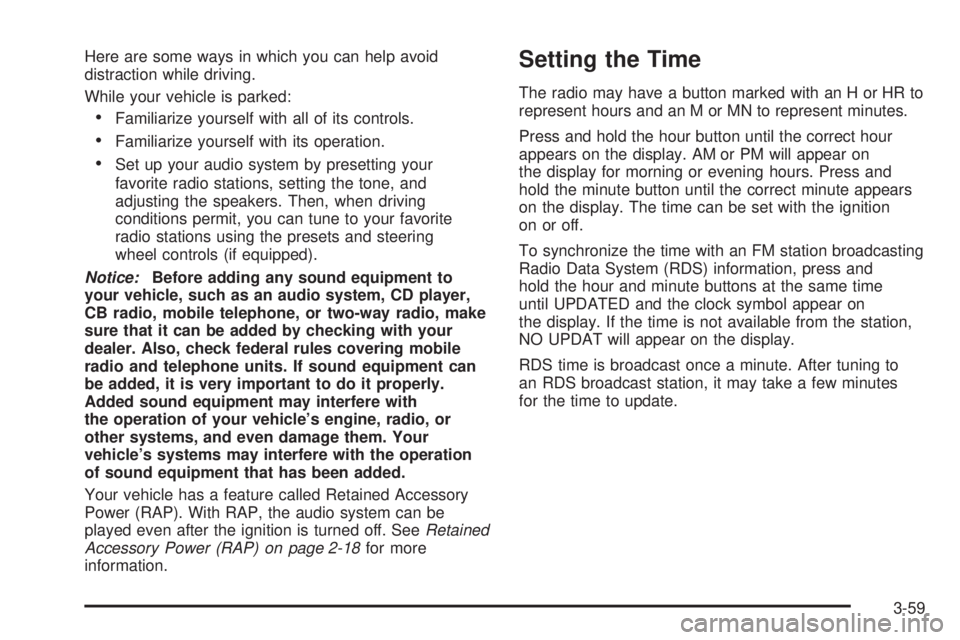
Here are some ways in which you can help avoid
distraction while driving.
While your vehicle is parked:
Familiarize yourself with all of its controls.
Familiarize yourself with its operation.
Set up your audio system by presetting your
favorite radio stations, setting the tone, and
adjusting the speakers. Then, when driving
conditions permit, you can tune to your favorite
radio stations using the presets and steering
wheel controls (if equipped).
Notice:Before adding any sound equipment to
your vehicle, such as an audio system, CD player,
CB radio, mobile telephone, or two-way radio, make
sure that it can be added by checking with your
dealer. Also, check federal rules covering mobile
radio and telephone units. If sound equipment can
be added, it is very important to do it properly.
Added sound equipment may interfere with
the operation of your vehicle’s engine, radio, or
other systems, and even damage them. Your
vehicle’s systems may interfere with the operation
of sound equipment that has been added.
Your vehicle has a feature called Retained Accessory
Power (RAP). With RAP, the audio system can be
played even after the ignition is turned off. SeeRetained
Accessory Power (RAP) on page 2-18for more
information.
Setting the Time
The radio may have a button marked with an H or HR to
represent hours and an M or MN to represent minutes.
Press and hold the hour button until the correct hour
appears on the display. AM or PM will appear on
the display for morning or evening hours. Press and
hold the minute button until the correct minute appears
on the display. The time can be set with the ignition
on or off.
To synchronize the time with an FM station broadcasting
Radio Data System (RDS) information, press and
hold the hour and minute buttons at the same time
until UPDATED and the clock symbol appear on
the display. If the time is not available from the station,
NO UPDAT will appear on the display.
RDS time is broadcast once a minute. After tuning to
an RDS broadcast station, it may take a few minutes
for the time to update.
3-59
Page 248 of 470
Theft-Deterrent Feature
THEFTLOCK®is designed to discourage theft of your
vehicle’s radio. The feature works automatically by
learning a portion of the Vehicle Identication Number
(VIN). If the radio is moved to a different vehicle, it
will not operate and LOCKED will appear on the display.
When the radio and vehicle are turned off, the blinking
red light indicates that THEFTLOCK
®is armed.
With THEFTLOCK
®activated, the radio will not operate
if stolen.
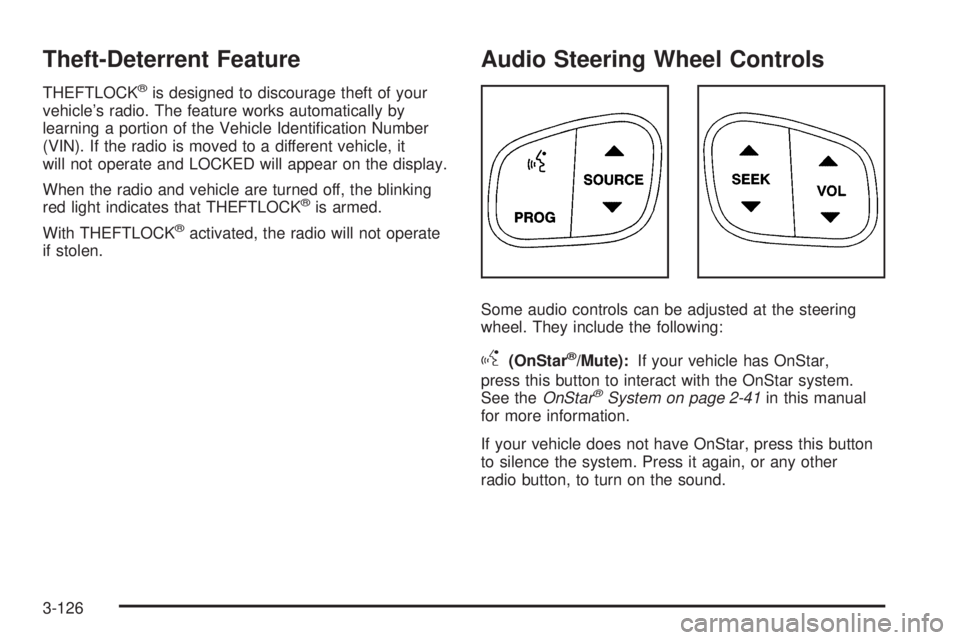
Audio Steering Wheel Controls
Some audio controls can be adjusted at the steering
wheel. They include the following:
g(OnStar®/Mute):If your vehicle has OnStar,
press this button to interact with the OnStar system.
See theOnStar
®System on page 2-41in this manual
for more information.
If your vehicle does not have OnStar, press this button
to silence the system. Press it again, or any other
radio button, to turn on the sound.
3-126
Page 253 of 470
Your Driving, the Road, and Your Vehicle..........4-2
Defensive Driving...........................................4-2
Drunken Driving.............................................4-3
Control of a Vehicle........................................4-5
Braking.........................................................4-6
Anti-Lock Brake System (ABS).........................4-7
Braking in Emergencies...................................4-8
Locking Rear Axle..........................................4-8
StabiliTrak
®System........................................4-9
All-Wheel Drive (AWD) System.......................4-13
Steering......................................................4-13
Off-Road Recovery.......................................4-15
Passing.......................................................4-16
Loss of Control.............................................4-17
Off-Road Driving...........................................4-18
Driving at Night............................................4-30
Driving in Rain and on Wet Roads..................4-31City Driving..................................................4-34
Freeway Driving...........................................4-35
Before Leaving on a Long Trip.......................4-36
Highway Hypnosis........................................4-37
Hill and Mountain Roads................................4-38
Winter Driving..............................................4-40
If Your Vehicle is Stuck in Sand, Mud,
Ice or Snow..............................................4-44
Rocking Your Vehicle to Get It Out.................4-44
Loading Your Vehicle....................................4-45
Towing..........................................................4-50
Towing Your Vehicle.....................................4-50
Recreational Vehicle Towing...........................4-50
Electronically Controlled Air Suspension
System....................................................4-50
Towing a Trailer...........................................4-52
Section 4 Driving Your Vehicle
4-1
Page 260 of 470
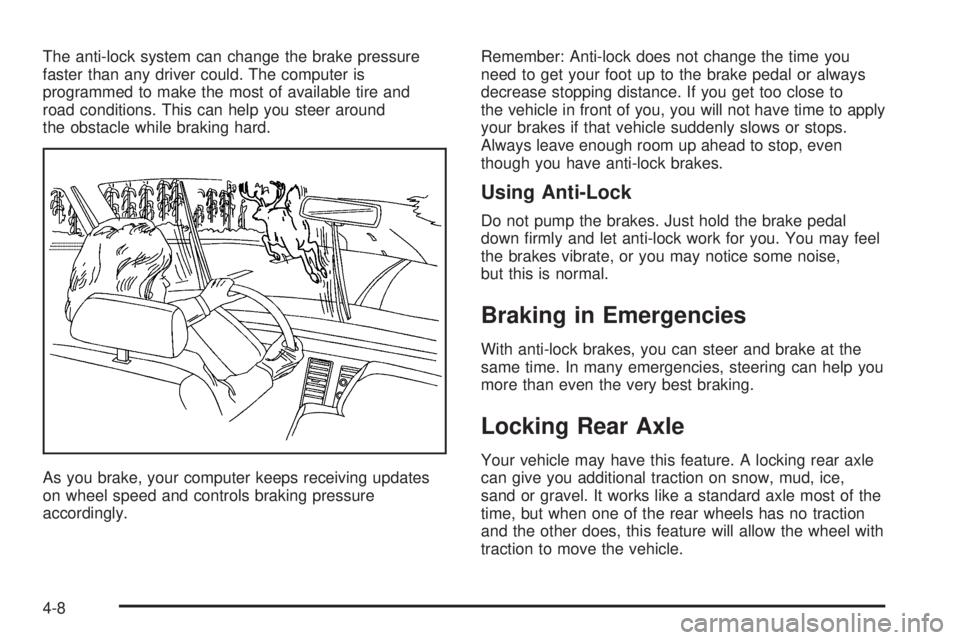
The anti-lock system can change the brake pressure
faster than any driver could. The computer is
programmed to make the most of available tire and
road conditions. This can help you steer around
the obstacle while braking hard.
As you brake, your computer keeps receiving updates
on wheel speed and controls braking pressure
accordingly.Remember: Anti-lock does not change the time you
need to get your foot up to the brake pedal or always
decrease stopping distance. If you get too close to
the vehicle in front of you, you will not have time to apply
your brakes if that vehicle suddenly slows or stops.
Always leave enough room up ahead to stop, even
though you have anti-lock brakes.
Using Anti-Lock
Do not pump the brakes. Just hold the brake pedal
down rmly and let anti-lock work for you. You may feel
the brakes vibrate, or you may notice some noise,
but this is normal.
Braking in Emergencies
With anti-lock brakes, you can steer and brake at the
same time. In many emergencies, steering can help you
more than even the very best braking.
Locking Rear Axle
Your vehicle may have this feature. A locking rear axle
can give you additional traction on snow, mud, ice,
sand or gravel. It works like a standard axle most of the
time, but when one of the rear wheels has no traction
and the other does, this feature will allow the wheel with
traction to move the vehicle.
4-8