key BUICK RAINIER 2006 Owner's Guide
[x] Cancel search | Manufacturer: BUICK, Model Year: 2006, Model line: RAINIER, Model: BUICK RAINIER 2006Pages: 470, PDF Size: 2.72 MB
Page 89 of 470
Starting the Engine
Move your shift lever to PARK (P) or NEUTRAL (N).
Your engine will not start in any other position — that is
a safety feature. To restart when you are already
moving, use NEUTRAL (N) only.
Notice:Do not try to shift to PARK (P) if your
vehicle is moving. If you do, you could damage the
transmission. Shift to PARK (P) only when your
vehicle is stopped.
1. With your foot off the accelerator pedal, turn the
ignition key to START. When the engine starts,
let go of the key. The idle speed will go down as
your engine gets warm.
Notice:Holding your key in START for longer than
15 seconds at a time will cause your battery to
be drained much sooner. And the excessive heat
can damage your starter motor. Wait about
15 seconds between each try to help avoid draining
your battery or damaging your starter.
2. If it does not start within 10 seconds, push the
accelerator pedal all the way to the oor, while
you hold the ignition key in START. When
the engine starts, let go of the key and let up on the
accelerator pedal. Wait about 15 seconds between
each try.When starting your engine in very cold weather
(below 0°F or−18°C), do this:
1. With your foot off the accelerator pedal, turn the
ignition key to START and hold it there up to
15 seconds. When the engine starts, let go of
the key.
2. If your engine still will not start, or starts but then
stops, it could be ooded with too much gasoline.
Try pushing your accelerator pedal all the way to the
oor and holding it there as you hold the key in
START for about three seconds. When the engine
starts, let go of the key and accelerator. If the
vehicle starts briey but then stops again, do the
same thing, but this time keep the pedal down
for ve or six seconds. This clears the extra
gasoline from the engine.
Notice:Your engine is designed to work with the
electronics in your vehicle. If you add electrical
parts or accessories, you could change the way the
engine operates. Before adding electrical equipment,
check with your dealer. If you do not, your engine
might not perform properly. Any resulting damage
would not be covered by your vehicle’s warranty.
2-19
Page 92 of 470

Automatic Transmission Operation
There are several different positions for your gear
shift lever.
PARK (P):This position locks the rear wheels. It is the
best position to use when you start the engine
because your vehicle cannot move easily.
{CAUTION:
It is dangerous to get out of your vehicle if the
shift lever is not fully in PARK (P) with the
parking brake rmly set. Your vehicle can roll.
CAUTION: (Continued)
CAUTION: (Continued)
Do not leave your vehicle when the engine is
running unless you have to. If you have left
the engine running, the vehicle can move
suddenly. You or others could be injured.
To be sure your vehicle will not move, even
when you are on fairly level ground, always
set your parking brake and move the shift
lever to PARK (P). SeeShifting Into Park (P)
on page 2-25. If you are pulling a trailer, see
Towing a Trailer on page 4-52.
Ensure the shift lever is fully in PARK (P) before starting
the engine. Your vehicle has an automatic transmission
shift lock control system. You have to fully apply the
regular brakes before you can shift from PARK (P)
when the ignition key is in RUN. If you cannot shift out
of PARK (P), ease pressure on the shift lever, press
the button on the shift lever and push the shift lever
all the way into PARK (P) as you maintain brake
application. Move the shift lever into the gear you
wish. SeeShifting Out of Park (P) on page 2-26.
2-22
Page 95 of 470
Notice:Driving with the parking brake on can
overheat the brake system and cause premature
wear or damage to brake system parts. Verify that
the parking brake is fully released and the brake
warning light is off before driving.
If you are towing a trailer and you must park on a hill,
seeTowing a Trailer on page 4-52.
Shifting Into Park (P)
{CAUTION:
It can be dangerous to get out of your vehicle
if the shift lever is not fully in PARK (P) with
the parking brake rmly set. Your vehicle can
roll. If you have left the engine running, the
CAUTION: (Continued)
CAUTION: (Continued)
vehicle can move suddenly. You or others
could be injured. To be sure your vehicle will
not move, even when you are on fairly level
ground, use the steps that follow. If you are
pulling a trailer, seeTowing a Trailer on
page 4-52.
1. Hold the brake pedal down with your foot and set
the parking brake.
2. Move the shift lever into PARK (P) by pressing the
button on the shift lever and pushing the lever all
the way toward the front of the vehicle.
3. Turn the ignition key to LOCK.
4. Remove the key and take it with you. If you can
leave your vehicle with the key, your vehicle is in
PARK (P).
2-25
Page 111 of 470

OnStar®System
OnStar®uses global positioning system (GPS) satellite
technology, wireless communications, and live advisors
to provide you with a wide range of safety, security,
information, and convenience services. If your airbags
deploy, the system is designed to make an automatic call
to OnStar
®Emergency where we can request emergency
services be sent to your location. If you lock your keys in
the car, call OnStar
®at 1-888-4-ONSTAR and they can
send a signal to unlock your doors. If you need roadside
assistance, press the OnStar
®button and they will get
you the help you need.
A complete OnStar
®User’s Guide and the Terms and
Conditions of the OnStar®Subscription Service
Agreement are included in the vehicle’s glove box
literature. For more information, visit www.onstar.com or
www.onstar.ca, contact OnStar
®at 1-888-4-ONSTAR
(1-888-466-7827), or press the blue OnStar®button
to speak to an OnStar®advisor 24 hours a day,
7 days a week.Terms and conditions of the Subscription Service
Agreement can be found at www.onstar.com or
www.onstar.ca.
OnStar®Services
For new vehicles equipped with OnStar®, the Safe
and Sound Plan is included for one year from the date
of purchase. You can extend this plan beyond the
rst year, or upgrade to the Directions and Connections
®
Plan to meet your needs. For more information, press
the OnStar®button to speak to an advisor.
Safe and Sound Plan
Advanced Automatic Collision Notication
Automatic Notication of Airbag Deployment
Emergency Services
Roadside Assistance
Stolen Vehicle Tracking
AccidentAssist
Remote Door Unlock/Vehicle Alert
Remote Diagnostics
Online Concierge
2-41
Page 122 of 470

Easy Exit Seat
The control for the easy exit seat function is located on
the driver’s door below the memory buttons 1 and 2.
The easy exit seat button is used to program and recall
the desired driver’s seat position when exiting/entering
the vehicle. The mirrors, power lumbar, recline and
adjustable pedals, if equipped, positions will not
be stored or recalled when using the easy exit seat
function. The seat position can be saved for up to
two drivers.
To store the easy exit seat position, do the following:
1. Press and release the 1 or 2 button of the memory
control for three seconds. The seat will move to the
stored memory position.
2. Adjust the seat to the desired exit position.
3. Press and hold the easy exit seat button for
three seconds. A double chime will sound to let you
know that the position has been stored for the
selected button 1 or 2.
To repeat the procedure for a second driver, follow the
preceding steps, but press the other numbered
memory control button.To recall the easy exit seat position, do one of
the following:Press the easy exit seat button on the memory
control while the vehicle is in PARK (P). The
seat will move to the stored exit position.
Or, if the easy exit seat feature is activated in the
Driver Information Center (DIC), removing the key
from the ignition will move the seat to the exit
position. See “Easy Exit Seat” underDIC Vehicle
Customization on page 3-52for more information on
activating this feature in the DIC.
If an easy exit seat position has not been stored, the
default position is all the way rearward.
2-52
Page 128 of 470
Hazard Warning Flashers
Your hazard warning ashers let you warn others.
They also let police know you have a problem. Your
front and rear turn signal lamps will ash on and off.
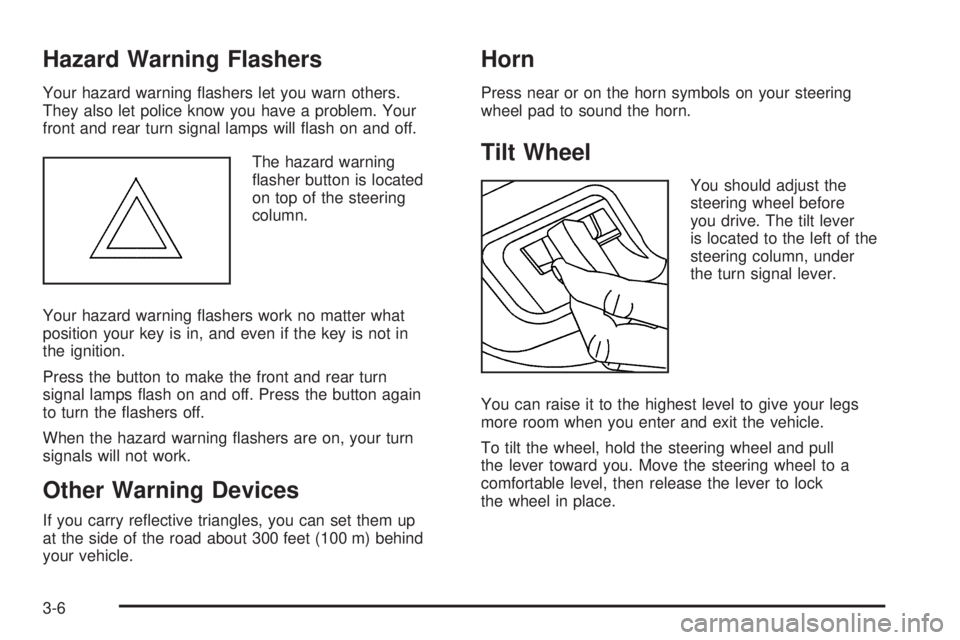
The hazard warning
asher button is located
on top of the steering
column.
Your hazard warning ashers work no matter what
position your key is in, and even if the key is not in
the ignition.
Press the button to make the front and rear turn
signal lamps ash on and off. Press the button again
to turn the ashers off.
When the hazard warning ashers are on, your turn
signals will not work.
Other Warning Devices
If you carry reective triangles, you can set them up
at the side of the road about 300 feet (100 m) behind
your vehicle.
Horn
Press near or on the horn symbols on your steering
wheel pad to sound the horn.
Tilt Wheel
You should adjust the
steering wheel before
you drive. The tilt lever
is located to the left of the
steering column, under
the turn signal lever.
You can raise it to the highest level to give your legs
more room when you enter and exit the vehicle.
To tilt the wheel, hold the steering wheel and pull
the lever toward you. Move the steering wheel to a
comfortable level, then release the lever to lock
the wheel in place.
3-6
Page 138 of 470

Instrument Panel Brightness
Press the knob located
next to the exterior lamps
knob to extend it.
Turn the knob to adjust the instrument panel lights. Turn
the knob all the way up to turn on the interior lamps.
Press the knob back into its stored position when you’re
not using it.
Dome Lamps
The dome lamps will come on when you open a door
unless the dome lamp override is pressed in.
Dome Lamp Override
The dome override
button is located below
the exterior lamps knob.
To turn the dome lamps off, press the button. The dome
lamps will remain off when a door is open. This will
override the illuminated entry feature unless you
use your keyless entry transmitter to unlock the vehicle.
To return the lamps to automatic operation, press
the button again. The dome lamps will come on when
you open a door.
3-16
Page 139 of 470

Entry Lighting
Your vehicle is equipped with entry lighting.
When any door is opened, the dome lamps will come
on as long as the dome override lamp override button
is not pressed in. When all the doors are closed,
the lamps will stay on for a short period of time and
will then turn off automatically. If you use your remote
keyless entry transmitter to unlock the vehicle, the
interior lights will come on for a short time whether
or not the dome lamp override is on.
Exit Lighting
With exit lighting, the interior lamps will come on when
you remove the key from the ignition. If the dome
override is on, these lights will stay on for a short period
of time and then will go out.
Reading Lamps
The reading lamps are located in the console for front
passengers and on the headliner for rear passengers.
Press the lens on the lamps to turn the reading lamps
on and press the lens again to turn the lamps off.
Battery Run-Down Protection
This feature shuts off the dome, courtesy and vanity
if they are left on for more than 20 minutes when
the ignition is off. This will keep your battery from
running down.
If the battery run-down protection shuts off the interior
lamps, it may be necessary to do one of the following
to return to normal operation:
Shut off all lamps and close all doors.
Turn the ignition key to RUN.
This feature will also turn off the parking lamps and
headlamps under most circumstances, if they are left on.
If you would like to turn them back on, turn the exterior
lamps knob.
3-17
Page 150 of 470
Safety Belt Reminder Light
When the key is turned to RUN or START, a chime
will sound for several seconds to remind you and your
passengers to buckle your safety belts. The driver safety
belt light will also come on and stay on for several
seconds, then it will ash for several more. You should
buckle your seat belt.
This chime and light will
be repeated if the driver
remains unbuckled and
the vehicle is in motion.
If the driver’s belt is buckled, neither the chime nor
the light will come on.
Passenger Safety Belt
Reminder Light
Several seconds after the key is turned to RUN or
START, a chime will sound for several seconds
to remind the front passenger to buckle their safety
belt. This would only occur if the passenger airbag is
enabled. SeePassenger Sensing System on page 1-56
for more information. The passenger safety belt light
will also come on and stay on for several seconds,
then it will ash for several more.
This chime and light will be
repeated if the passenger
remains unbuckled and
the vehicle is in motion.
If the passenger’s safety belt is buckled, neither the
chime nor the light will come on.
3-28
Page 151 of 470
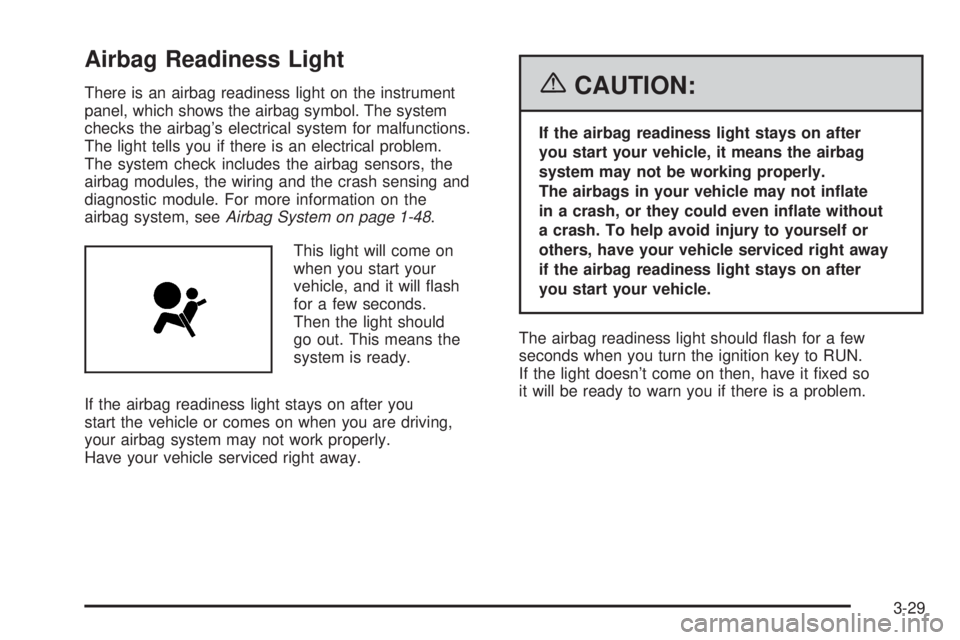
Airbag Readiness Light
There is an airbag readiness light on the instrument
panel, which shows the airbag symbol. The system
checks the airbag’s electrical system for malfunctions.
The light tells you if there is an electrical problem.
The system check includes the airbag sensors, the
airbag modules, the wiring and the crash sensing and
diagnostic module. For more information on the
airbag system, seeAirbag System on page 1-48.
This light will come on
when you start your
vehicle, and it will ash
for a few seconds.
Then the light should
go out. This means the
system is ready.
If the airbag readiness light stays on after you
start the vehicle or comes on when you are driving,
your airbag system may not work properly.
Have your vehicle serviced right away.{CAUTION:
If the airbag readiness light stays on after
you start your vehicle, it means the airbag
system may not be working properly.
The airbags in your vehicle may not inate
in a crash, or they could even inate without
a crash. To help avoid injury to yourself or
others, have your vehicle serviced right away
if the airbag readiness light stays on after
you start your vehicle.
The airbag readiness light should ash for a few
seconds when you turn the ignition key to RUN.
If the light doesn’t come on then, have it xed so
it will be ready to warn you if there is a problem.
3-29