maintenance BUICK RANDEZVOUS 2006 Owner's Manual
[x] Cancel search | Manufacturer: BUICK, Model Year: 2006, Model line: RANDEZVOUS, Model: BUICK RANDEZVOUS 2006Pages: 478, PDF Size: 2.97 MB
Page 1 of 478
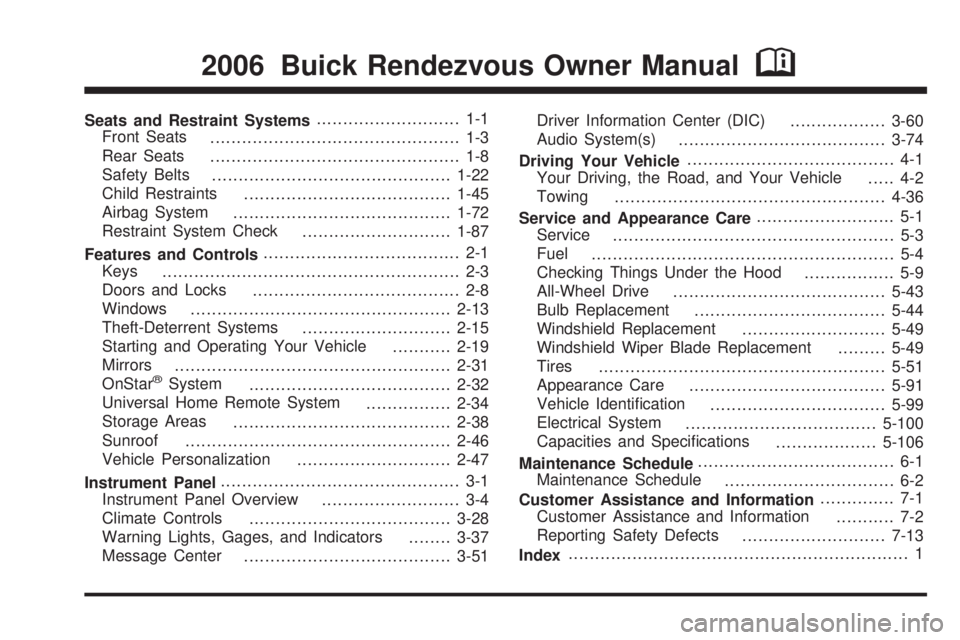
Seats and Restraint Systems........................... 1-1
Front Seats
............................................... 1-3
Rear Seats
............................................... 1-8
Safety Belts
.............................................1-22
Child Restraints
.......................................1-45
Airbag System
.........................................1-72
Restraint System Check
............................1-87
Features and Controls..................................... 2-1
Keys
........................................................ 2-3
Doors and Locks
....................................... 2-8
Windows
.................................................2-13
Theft-Deterrent Systems
............................2-15
Starting and Operating Your Vehicle
...........2-19
Mirrors
....................................................2-31
OnStar
®System
......................................2-32
Universal Home Remote System
................2-34
Storage Areas
.........................................2-38
Sunroof
..................................................2-46
Vehicle Personalization
.............................2-47
Instrument Panel............................................. 3-1
Instrument Panel Overview
.......................... 3-4
Climate Controls
......................................3-28
Warning Lights, Gages, and Indicators
........3-37
Message Center
.......................................3-51Driver Information Center (DIC)
..................3-60
Audio System(s)
.......................................3-74
Driving Your Vehicle....................................... 4-1
Your Driving, the Road, and Your Vehicle
..... 4-2
Towing
...................................................4-36
Service and Appearance Care.......................... 5-1
Service
..................................................... 5-3
Fuel
......................................................... 5-4
Checking Things Under the Hood
................. 5-9
All-Wheel Drive
........................................5-43
Bulb Replacement
....................................5-44
Windshield Replacement
...........................5-49
Windshield Wiper Blade Replacement
.........5-49
Tires
......................................................5-51
Appearance Care
.....................................5-91
Vehicle Identication
.................................5-99
Electrical System
....................................5-100
Capacities and Specications
...................5-106
Maintenance Schedule..................................... 6-1
Maintenance Schedule
................................ 6-2
Customer Assistance and Information.............. 7-1
Customer Assistance and Information
........... 7-2
Reporting Safety Defects
...........................7-13
Index................................................................ 1
2006 Buick Rendezvous Owner ManualM
Page 91 of 478

Aftermarket equipment, such as seat covers, can
affect how well the passenger sensing system operates.
You may want to consider not using seat covers or
other aftermarket equipment if your vehicle has
the passenger sensing system. SeeAdding Equipment
to Your Airbag-Equipped Vehicle on page 1-86for
more information about modications that can affect
how the system operates.
{CAUTION:
Stowing of articles under the passenger’s
seat or between the passenger’s seat cushion
and seatback may interfere with the proper
operation of the passenger sensing system.
Servicing Your Airbag-Equipped
Vehicle
Airbags affect how your vehicle should be serviced.
There are parts of the airbag system in several places
around your vehicle. Your dealer and the service manual
have information about servicing your vehicle and the
airbag system. To purchase a service manual, see
Service Publications Ordering Information on page 7-14.
{CAUTION:
For up to 10 seconds after the ignition key is
turned off and the battery is disconnected, an
airbag can still inate during improper service.
You can be injured if you are close to an airbag
when it inates. Avoid yellow connectors.
They are probably part of the airbag system.
Be sure to follow proper service procedures,
and make sure the person performing work for
you is qualied to do so.
The airbag system does not need regular maintenance.
1-85
Page 93 of 478

Restraint System Check
Checking the Restraint Systems
Now and then, make sure the safety belt reminder
light and all your belts, buckles, latch plates, retractors
and anchorages are working properly. Look for any
other loose or damaged safety belt system parts.
If you see anything that might keep a safety belt
system from doing its job, have it repaired.
Torn or frayed safety belts may not protect you in
a crash. They can rip apart under impact forces.
If a belt is torn or frayed, get a new one right away.Also look for any opened or broken airbag covers, and
have them repaired or replaced. (The airbag system
does not need regular maintenance.)
Notice:If you damage the covering for the driver’s
or the right front passenger’s frontal airbag, or
an airbag covering (if equipped) on a seatback, the
airbag may not work properly. You may have to
replace the airbag module in the steering wheel,
both the airbag module and the instrument panel for
the right front passenger’s frontal airbag, or both
the airbag module and the seatback for seating
positions with a side impact airbag (if equipped).
Do not open or break the airbag coverings.
1-87
Page 189 of 478

This system is called OBD II (On-Board
Diagnostics-Second Generation) and is intended to
assure that emissions are at acceptable levels for the
life of the vehicle, helping to produce a cleaner
environment. The SERVICE ENGINE SOON or check
engine light comes on to indicate that there is a problem
and service is required. Malfunctions often will be
indicated by the system before any problem is apparent.
This may prevent more serious damage to your
vehicle. This system is also designed to assist your
service technician in correctly diagnosing any
malfunction.
Notice:If you keep driving your vehicle with this
light on, after awhile, your emission controls may not
work as well, your fuel economy may not be as good,
and your engine may not run as smoothly. This could
lead to costly repairs that may not be covered by
your warranty.
Notice:Modications made to the engine,
transaxle, exhaust, intake, or fuel system of your
vehicle or the replacement of the original tires with
other than those of the same Tire Performance
Criteria (TPC) can affect your vehicle’s emission
controls and may cause this light to come on.Modications to these systems could lead to costly
repairs not covered by your warranty. This may
also result in a failure to pass a required Emission
Inspection/Maintenance test. SeeAccessories
and Modifications on page 5-3.
This light should come on, as a check to show you
it is working, when the ignition is on and the engine
is not running. If the light does not come on, have
it repaired. This light will also come on during a
malfunction in one of two ways:
Light Flashing— A misre condition has been
detected. A misre increases vehicle emissions
and may damage the emission control system
on your vehicle. Diagnosis and service may
be required.
Light On Steady— An emission control system
malfunction has been detected on your vehicle.
Diagnosis and service may be required.
3-47
Page 191 of 478

Have you recently changed brands of fuel?
If so, be sure to fuel your vehicle with quality fuel.
SeeGasoline Octane on page 5-5. Poor fuel quality will
cause your engine not to run as efficiently as designed.
You may notice this as stalling after start-up, stalling
when you put the vehicle into gear, misring, hesitation
on acceleration, or stumbling on acceleration. (These
conditions may go away once the engine is warmed up.)
This will be detected by the system and cause the
light to turn on.
If you experience one or more of these conditions,
change the fuel brand you use. It will require at least
one full tank of the proper fuel to turn the light off.
If none of the above steps have made the light turn off,
your dealer can check the vehicle. Your dealer has
the proper test equipment and diagnostic tools to
x any mechanical or electrical problems that may
have developed.Emissions Inspection and
Maintenance Programs
Some state/provincial and local governments have or
may begin programs to inspect the emission control
equipment on your vehicle. Failure to pass this
inspection could prevent you from getting a vehicle
registration.
Here are some things you need to know in order to help
your vehicle pass an inspection:
Your vehicle will not pass this inspection if the SERVICE
ENGINE SOON or check engine light is on or not
working properly.
Your vehicle will not pass this inspection if the OBD
(on-board diagnostic) system determines that critical
emission control systems have not been completely
diagnosed by the system. The vehicle would be
considered not ready for inspection. This can happen
if you have recently replaced your battery or if your
battery has run down. The diagnostic system is
designed to evaluate critical emission control systems
during normal driving. This may take several days
of routine driving. If you have done this and your vehicle
still does not pass the inspection for lack of OBD
system readiness, your GM dealer can prepare the
vehicle for inspection.
3-49
Page 193 of 478

Message Center
The message center is located at the top of the
instrument panel cluster in between the tachometer
and speedometer. It gives you important safety
and maintenance facts.
Passenger Seatbelt Reminder
Message
If your vehicle is equipped
with the passenger
sensing system, this
message reminds the
passenger to buckle
their seatbelt.
This message will come on and a chime will sound
when the following conditions exist:
The ignition is ON,
the passenger’s seatbelt is not buckled,
a passenger is detected by the passenger
sensing system.
Service Traction System Warning
Message
If your vehicle has the traction control system and this
message is displayed when you’re driving, there may
be a problem with your traction control system.
Your vehicle may need service.
When this message is displayed, the traction control
system will not limit wheel spin. Adjust your driving
accordingly.
If there’s an engine-related and brake system problem
that is specically related to traction control, the
traction control system will turn off and the warning
message will come on.
If the traction control system warning message comes
on and stays on for an extended period of time when
the system is turned on, your vehicle needs service.
United StatesCanada
3-51
Page 196 of 478
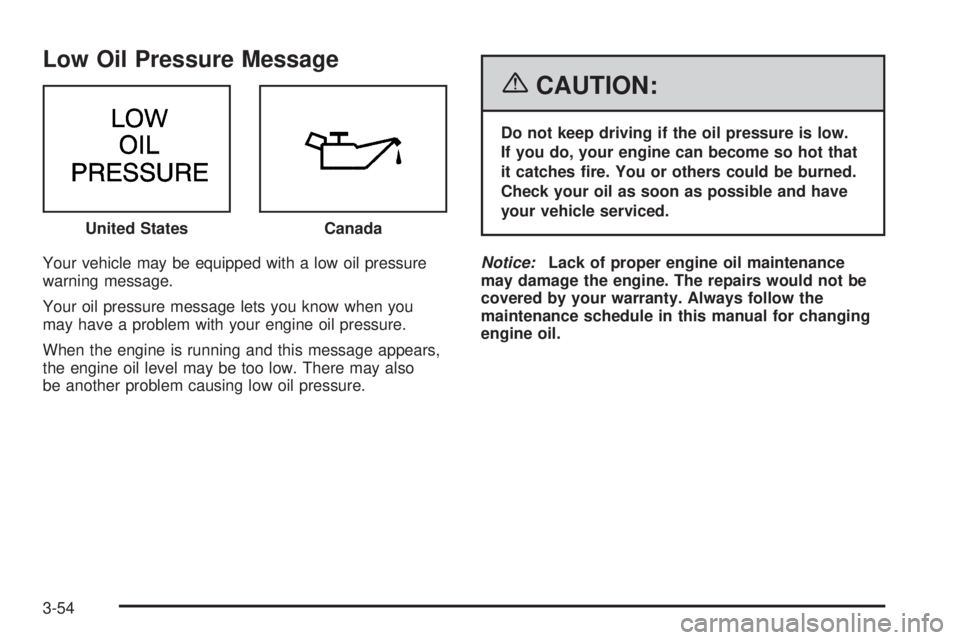
Low Oil Pressure Message
Your vehicle may be equipped with a low oil pressure
warning message.
Your oil pressure message lets you know when you
may have a problem with your engine oil pressure.
When the engine is running and this message appears,
the engine oil level may be too low. There may also
be another problem causing low oil pressure.
{CAUTION:
Do not keep driving if the oil pressure is low.
If you do, your engine can become so hot that
it catches re. You or others could be burned.
Check your oil as soon as possible and have
your vehicle serviced.
Notice:Lack of proper engine oil maintenance
may damage the engine. The repairs would not be
covered by your warranty. Always follow the
maintenance schedule in this manual for changing
engine oil. United States
Canada
3-54
Page 197 of 478
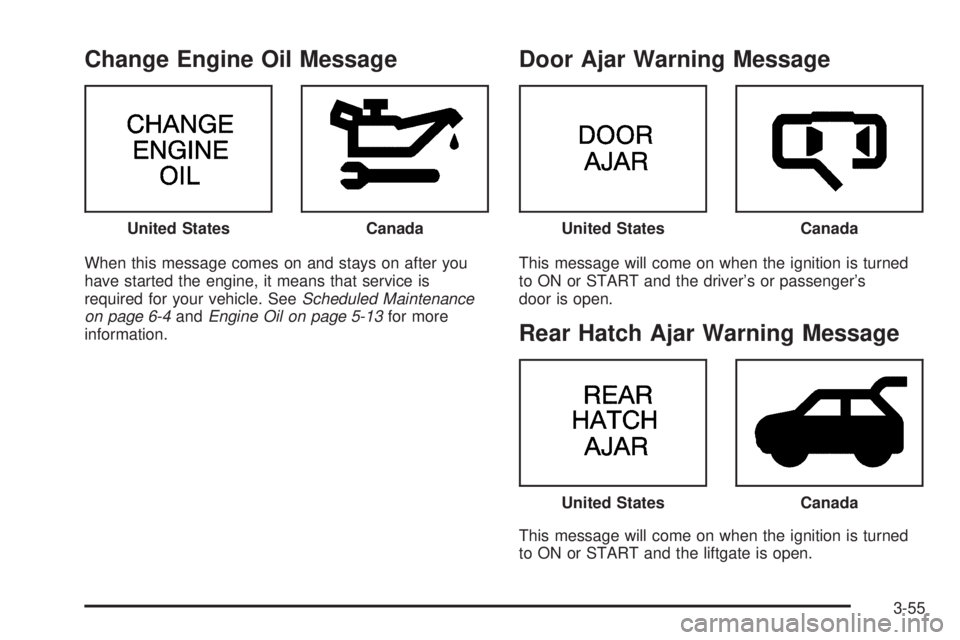
Change Engine Oil Message
When this message comes on and stays on after you
have started the engine, it means that service is
required for your vehicle. SeeScheduled Maintenance
on page 6-4andEngine Oil on page 5-13for more
information.
Door Ajar Warning Message
This message will come on when the ignition is turned
to ON or START and the driver’s or passenger’s
door is open.
Rear Hatch Ajar Warning Message
This message will come on when the ignition is turned
to ON or START and the liftgate is open. United States
CanadaUnited StatesCanada
United StatesCanada
3-55
Page 205 of 478
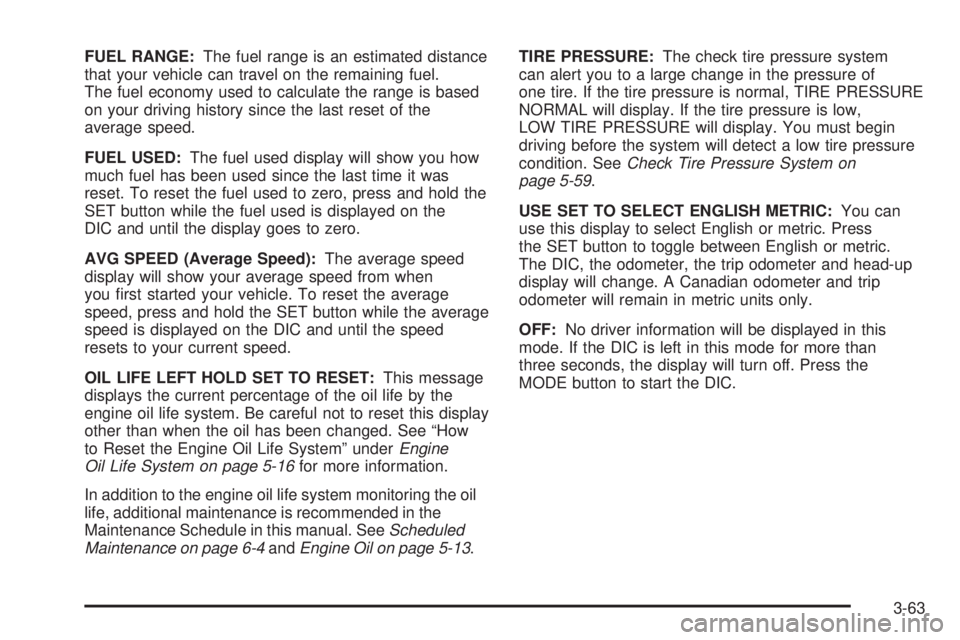
FUEL RANGE:The fuel range is an estimated distance
that your vehicle can travel on the remaining fuel.
The fuel economy used to calculate the range is based
on your driving history since the last reset of the
average speed.
FUEL USED:The fuel used display will show you how
much fuel has been used since the last time it was
reset. To reset the fuel used to zero, press and hold the
SET button while the fuel used is displayed on the
DIC and until the display goes to zero.
AVG SPEED (Average Speed):The average speed
display will show your average speed from when
you rst started your vehicle. To reset the average
speed, press and hold the SET button while the average
speed is displayed on the DIC and until the speed
resets to your current speed.
OIL LIFE LEFT HOLD SET TO RESET:This message
displays the current percentage of the oil life by the
engine oil life system. Be careful not to reset this display
other than when the oil has been changed. See “How
to Reset the Engine Oil Life System” underEngine
Oil Life System on page 5-16for more information.
In addition to the engine oil life system monitoring the oil
life, additional maintenance is recommended in the
Maintenance Schedule in this manual. SeeScheduled
Maintenance on page 6-4andEngine Oil on page 5-13.TIRE PRESSURE:The check tire pressure system
can alert you to a large change in the pressure of
one tire. If the tire pressure is normal, TIRE PRESSURE
NORMAL will display. If the tire pressure is low,
LOW TIRE PRESSURE will display. You must begin
driving before the system will detect a low tire pressure
condition. SeeCheck Tire Pressure System on
page 5-59.
USE SET TO SELECT ENGLISH METRIC:You can
use this display to select English or metric. Press
the SET button to toggle between English or metric.
The DIC, the odometer, the trip odometer and head-up
display will change. A Canadian odometer and trip
odometer will remain in metric units only.
OFF:No driver information will be displayed in this
mode. If the DIC is left in this mode for more than
three seconds, the display will turn off. Press the
MODE button to start the DIC.
3-63
Page 325 of 478

When You Are Ready to Leave After
Parking on a Hill
1. Apply your regular brakes and hold the pedal down
while you:
Start your engine.
Shift into a gear.
Release the parking brake.
2. Let up on the brake pedal.
3. Drive slowly until the trailer is clear of the chocks.
4. Stop and have someone pick up and store the
chocks.
Maintenance When Trailer Towing
Your vehicle will need service more often when you are
pulling a trailer. See the Maintenance Schedule for more
on this. Things that are especially important in trailer
operation are automatic transaxle uid, engine oil, belts,
cooling system and brake system. Each of these is
covered in this manual, and the Index will help you nd
them quickly. If you are trailering, it is a good idea to
review these sections before you start your trip.
Check periodically to see that all hitch nuts and bolts
are tight.
Trailer Wiring Harness
Your vehicle may have a trailer wiring harness located
at the rear of your vehicle. To use the trailer wiring
harness, you need a converter kit. Contact your dealer
for more information.
4-47