key battery BUICK RANDEZVOUS 2007 Owner's Manual
[x] Cancel search | Manufacturer: BUICK, Model Year: 2007, Model line: RANDEZVOUS, Model: BUICK RANDEZVOUS 2007Pages: 528, PDF Size: 2.99 MB
Page 102 of 528

Aftermarket equipment, such as seat covers, can
affect how well the passenger sensing system
operates. You may want to consider not using seat
covers or other aftermarket equipment if your
vehicle has the passenger sensing system. See
Adding Equipment to Your Airbag-Equipped
Vehicle on page 103for more information about
modications that can affect how the system
operates.
{CAUTION:
Stowing of articles under the passenger’s
seat or between the passenger’s seat
cushion and seatback may interfere with
the proper operation of the passenger
sensing system.
Servicing Your Airbag-Equipped
Vehicle
Airbags affect how your vehicle should be
serviced. There are parts of the airbag system in
several places around your vehicle.You do not want the system to inate while
someone is working on your vehicle. Your dealer
and the service manual have information about
servicing your vehicle and the airbag system. To
purchase a service manual, seeService
Publications Ordering Information on page 510.
{CAUTION:
For up to 10 seconds after the ignition key
is turned off and the battery is
disconnected, an airbag can still inate
during improper service. You can be
injured if you are close to an airbag when
it inates. Avoid yellow connectors. They
are probably part of the airbag system. Be
sure to follow proper service procedures,
and make sure the person performing
work for you is qualied to do so.
The airbag system does not need regular
maintenance.
102
Page 111 of 528
At times you may notice a decrease in range. This
is normal for any RKE system. If the transmitter
does not work or if you have to stand closer
to your vehicle for the transmitter to work, try this:
Check the distance. You may be too far
from your vehicle. You may need to stand
closer during rainy or snowy weather.
Check the location. Other vehicles or objects
may be blocking the signal. Take a few steps
to the left or right, hold the transmitter
higher, and try again.
Check to determine if battery replacement is
necessary. See “Battery Replacement”
underRemote Keyless Entry System
Operation on page 111.
If you are still having trouble, see your dealer
or a qualied technician for service.
Remote Keyless Entry System
Operation
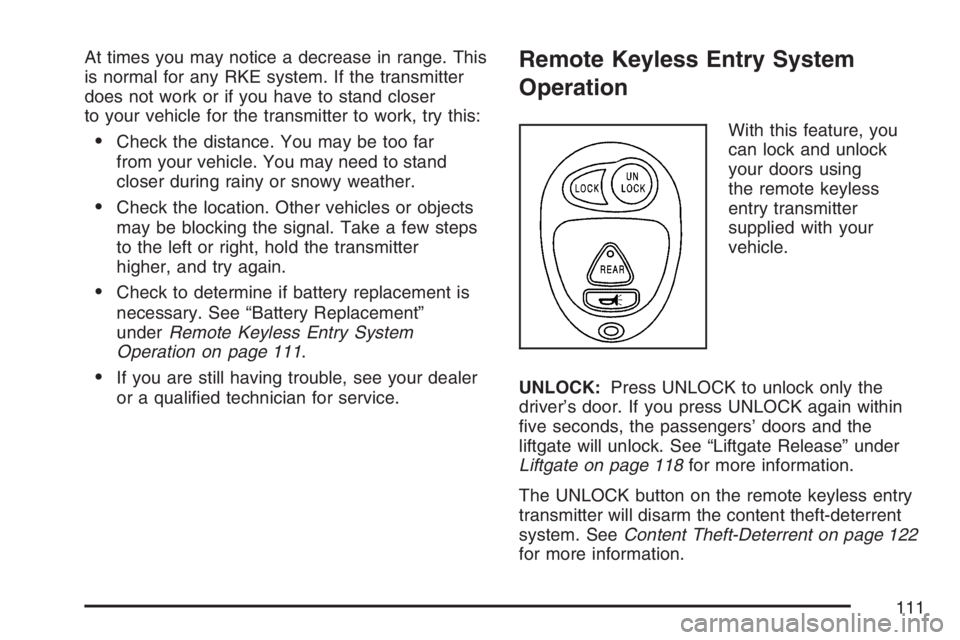
With this feature, you
can lock and unlock
your doors using
the remote keyless
entry transmitter
supplied with your
vehicle.
UNLOCK:Press UNLOCK to unlock only the
driver’s door. If you press UNLOCK again within
ve seconds, the passengers’ doors and the
liftgate will unlock. See “Liftgate Release” under
Liftgate on page 118for more information.
The UNLOCK button on the remote keyless entry
transmitter will disarm the content theft-deterrent
system. SeeContent Theft-Deterrent on page 122
for more information.
111
Page 113 of 528
Battery Replacement
Under normal use, the battery in your remote
keyless entry transmitter should last about
three years.
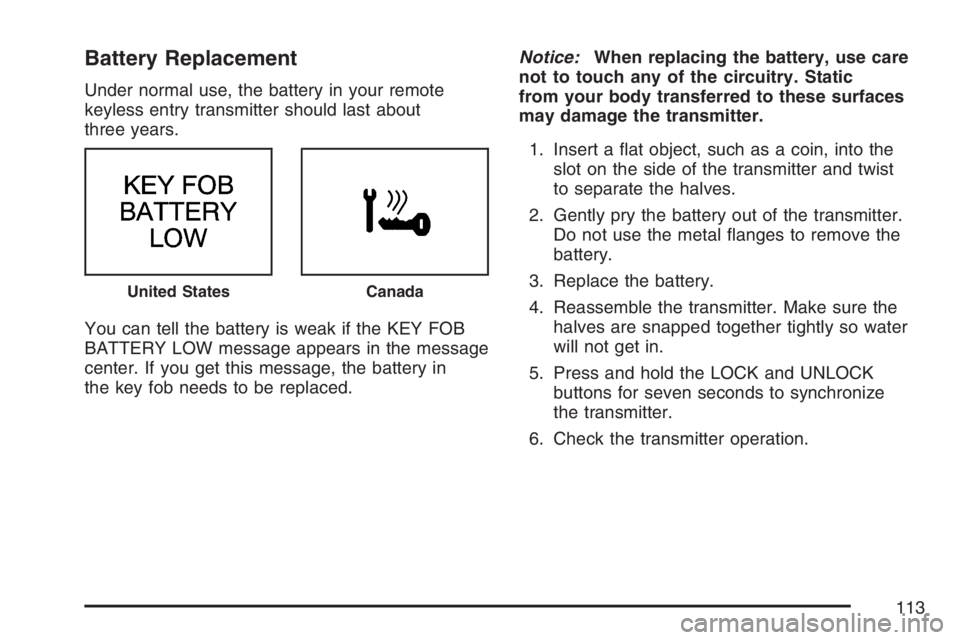
You can tell the battery is weak if the KEY FOB
BATTERY LOW message appears in the message
center. If you get this message, the battery in
the key fob needs to be replaced.Notice:When replacing the battery, use care
not to touch any of the circuitry. Static
from your body transferred to these surfaces
may damage the transmitter.
1. Insert a at object, such as a coin, into the
slot on the side of the transmitter and twist
to separate the halves.
2. Gently pry the battery out of the transmitter.
Do not use the metal anges to remove the
battery.
3. Replace the battery.
4. Reassemble the transmitter. Make sure the
halves are snapped together tightly so water
will not get in.
5. Press and hold the LOCK and UNLOCK
buttons for seven seconds to synchronize
the transmitter.
6. Check the transmitter operation.
United StatesCanada
113
Page 128 of 528

Ignition Positions
With the key in the ignition, you can turn it to four
different positions.
A (OFF):This is the only position in which you
can remove the key. This position locks the ignition
and transaxle.
Notice:Using a tool to force the key from the
ignition switch could cause damage or break
the key. Use the correct key and turn the key
only with your hand. Make sure the key is all the
way in. If none of this works, then your vehicle
needs service.B (ACCESSORY):This position allows you to use
things like the radio and the windshield wipers
while the engine is off. This position will also allow
you to turn off the engine. Use ACCESSORY if
you must have your vehicle in motion while
the engine is off, for example, if your vehicle is
being pushed or towed.
C (ON):This is the position that the switch
returns to after you start your engine and release
the key. The switch stays in ON when the
engine is running. But even when the engine is
not running, you can use ON to operate your
electrical power accessories, and to display some
instrument panel warning lights.
The battery could be drained if you leave the key
in the ACCESSORY or On position with the
engine off. You may not be able to start your
vehicle if the battery is allowed to drain for
an extended period of time.
D (START):This position starts the engine. When
the engine starts, release the key. The ignition
switch will return to ON for normal driving.
128
Page 129 of 528
Key In the Ignition
Never leave your vehicle with the keys inside, as it
is an easy target for joy riders or thieves. If you
leave the key in the ignition and park your vehicle,
a chime will sound, when you open the driver’s
door. Always remember to remove your key from
the ignition and take it with you. This will lock
your ignition and transaxle. Also, always remember
to lock the doors.
The battery could be drained if you leave the key
in the ignition while your vehicle is parked.
You may not be able to start your vehicle after it
has been parked for an extended period of time.
Retained Accessory Power (RAP)
With RAP, the power windows, the audio system,
the sunroof and the automatic level control will
continue to work for up to 10 minutes after
the ignition key is turned to OFF or until one of the
doors is opened.
Starting the Engine
Move your shift lever to PARK (P) or
NEUTRAL (N). Your engine will not start in
any other position — that is a safety feature.
To restart when you are already moving,
use NEUTRAL (N) only.
Notice:Shifting into PARK (P) with the vehicle
moving could damage the transaxle. Shift into
PARK (P) only when your vehicle is stopped.
1. With your foot off the accelerator pedal, turn
your ignition key to START. When the engine
starts, let go of the key. The idle speed will
go down as your engine warms up. Do
not race the engine immediately after starting
it. Operate the engine and transaxle gently
until the oil warms up and lubricates all moving
parts.
129
Page 130 of 528

Your vehicle has a Computer-Controlled
Cranking System. This feature assists in
starting the engine and protects the electrical
system. If the ignition key is turned to the
START position, and then released when the
engine begins cranking, the engine will
continue cranking until the vehicle starts or
until it exceeds the maximum cranking
time allowed, approximately 15 seconds to
prevent cranking motor damage. To prevent
starter-motor gear damage, this system
also prevents cranking if the engine is already
running. The engine cranking can be
stopped by turning the ignition switch to the
ACCESSORY or LOCK position.
Notice:Holding your key in START for longer
than 15 seconds at a time will cause your
battery to be drained much sooner. And the
excessive heat can damage your starter motor.
Wait about 15 seconds between each try to
help avoid draining your battery or damaging
your starter.2. If the engine does not start in 10 seconds,
push the accelerator pedal about one-quarter
of the way down while you turn the key to
START. Do this until the engine starts.
As soon as it does, let go of the key.
3. If your engine still will not start, or starts but
then stops, it could be ooded with too much
gasoline. Try pushing your accelerator
pedal all the way to the oor and holding it
there as you hold the key in START for
a maximum of 15 seconds. This clears the
extra gasoline from the engine. If the engine
still will not start, or starts briey but then
stops again, repeat Step 1 or 2, depending on
the temperature. When the engine starts,
release the key and the accelerator pedal.
Notice:Your engine is designed to work with
the electronics in your vehicle. If you add
electrical parts or accessories, you could
change the way the engine operates. Before
adding electrical equipment, check with
your dealer. If you do not, your engine might
not perform properly. Any resulting damage
would not be covered by your vehicle’s
warranty.
130
Page 172 of 528

Traction Control System (TCS) Warning
Light...................................................... 220
Engine Coolant Temperature Gage............ 221
Malfunction Indicator Lamp........................ 222
Fuel Gage................................................. 225
Message Center.......................................... 225
Passenger Seatbelt Reminder Message..... 226
Service Traction System Warning
Message................................................ 226
Traction Active Message........................... 227
Engine Coolant Temperature Warning
Message................................................ 227
Charging System Indicator Message.......... 228
Reduced Engine Power Message.............. 228
Low Oil Pressure Message........................ 229
Change Engine Oil Message..................... 230
Door Ajar Warning Message...................... 230
Rear Hatch Ajar Warning Message............ 230
Check Gas Cap Message......................... 231
PASS-Key
®III Security Message............... 231
Low Washer Fluid Warning Message......... 231
Low Fuel Warning Message...................... 232
Low Brake Fluid Warning Message........... 232
Service Vehicle Soon Message................. 233Program Mode Message........................... 233
Remote Keyless Entry Transmitter Battery
Low Warning Message........................... 234
Parking Lamp Warning Message............... 234
Highbeam Out Warning Message.............. 235
Driver Information Center (DIC).................. 235
DIC Controls and Displays........................ 236
DIC Compass............................................ 238
DIC Vehicle Personalization....................... 240
Audio System(s)......................................... 250
Setting the Time........................................ 252
Radio with CD........................................... 252
Radio with Six-Disc CD............................. 262
XM Radio Messages................................. 276
Navigation/Radio System........................... 277
Rear Seat Entertainment System............... 277
Rear Seat Audio (RSA)............................. 293
Theft-Deterrent Feature............................. 296
Audio Steering Wheel Controls.................. 296
Radio Reception........................................ 297
Care of Your CDs and DVDs.................... 298
Care of the CD and DVD Player............... 298
Fixed Mast Antenna.................................. 299
XM™ Satellite Radio Antenna System....... 299
Section 3 Instrument Panel
172
Page 234 of 528
Remote Keyless Entry Transmitter
Battery Low Warning Message
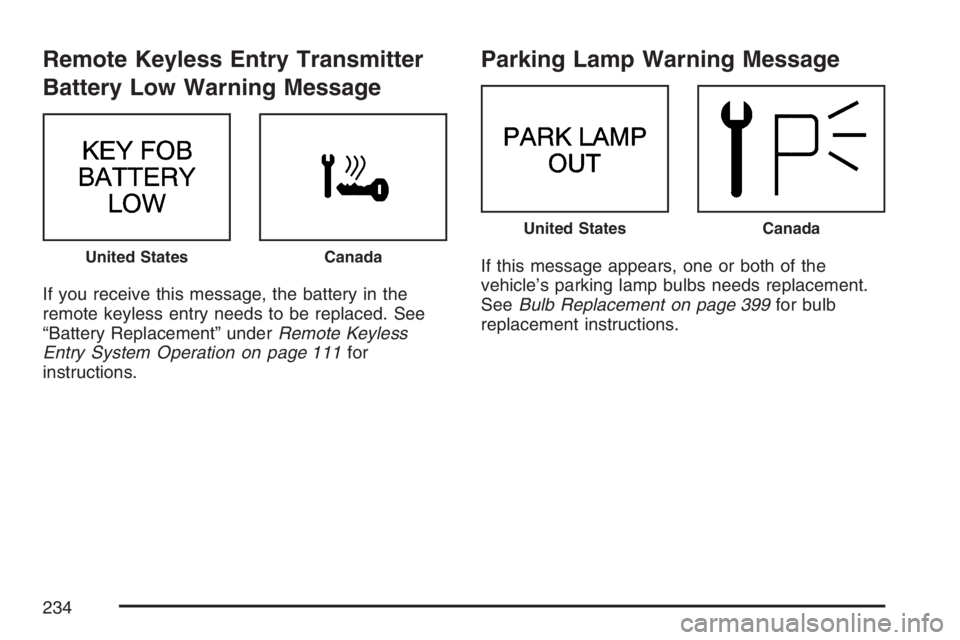
If you receive this message, the battery in the
remote keyless entry needs to be replaced. See
“Battery Replacement” underRemote Keyless
Entry System Operation on page 111for
instructions.
Parking Lamp Warning Message
If this message appears, one or both of the
vehicle’s parking lamp bulbs needs replacement.
SeeBulb Replacement on page 399for bulb
replacement instructions.United StatesCanada
United StatesCanada
234
Page 240 of 528

DIC Vehicle Personalization
The DIC is used to program the choices of
two drivers. The drivers are recognized as
DRIVER 1 or DRIVER 2 in the DIC display. You
will let the DIC know which driver you are by using
your Remote Keyless Entry (RKE) transmitter.
Each RKE transmitter was pre-programmed
to belong to DRIVER 1 or DRIVER 2 and the
corresponding numbers, 1 or 2, appear on
the back of the transmitters. Each transmitter may
be programmed differently for each driver’s
preferences (lights, doors, horn, or activate the
programmed radio stations for driver 1 or driver 2)
using your RKE transmitter.
After you press the LOCK button on your RKE
transmitter and the ignition key is in ON, the DIC
will display the identied driver number. The
vehicle will also recall the vehicle customization
features that were last programmed to correspond
to your RKE transmitter.
If you unlock your vehicle using your key instead
of your RKE transmitter, the DIC will not change
drivers and your vehicle will recall the information
from the last transmitter used.If your vehicle does not have a DIC, you do not
have available the vehicle customization features
using the RKE transmitter.
Entering Programming Mode
To program features, your vehicle must be in the
programming mode. Do the following:
1. Turn the ignition key to ON with the vehicle in
PARK (P).
To avoid excessive drain on the battery, it is
recommended that the headlamps are
turned off.
2. Press and release the MODE button, scrolling
through the DIC messages, until
PERSONALIZATION PRESS SET TO BEGIN
is displayed.
3. Press the SET button and TO SELECT
DRIVER PRESS REMOTE LOCK will appear.
Press the LOCK button on the Remote Keyless
Entry (RKE) transmitter. This identies which
RKE transmitter is being programmed by
displaying PERSONALIZATION FOR
DRIVER 1 or DRIVER 2.
240
Page 296 of 528

Theft-Deterrent Feature
THEFTLOCK®is designed to discourage theft of
your vehicle’s radio. It works by using a secret
code to disable all radio functions whenever
battery power is removed and the radio is placed
in a different vehicle. This feature requires no
user input to be activated. The radio is
automatically armed when it is put into the vehicle
for the rst time.
When the ignition is turned off, the blinking red
light indicates that THEFTLOCK
®is armed.
If THEFTLOCK
®is activated, the radio will not
operate if stolen. The radio will display LOCKED
and a red LED indicator light will come on
above the key symbol to indicate a locked
condition. If this occurs, the radio will need to be
returned to your GM dealer.
Audio Steering Wheel Controls
If your vehicle has this feature, some audio
controls can be adjusted at the steering wheel.
They include the following:
SOURCE:When listening to the radio, press this
button to play a cassette tape, CD, or a DVD
(if equipped). If a cassette tape, and CD, and/or
DVD are loaded, the system will go to the
tape play rst. The inactive tape, CD, or DVD will
remain safely inside the player for future
listening.
MUTE:Press this button to silence the system.
Press it again, or any other radio button, to turn the
sound on.
296