ignition BUICK REGAL 1995 Owner's Manual
[x] Cancel search | Manufacturer: BUICK, Model Year: 1995, Model line: REGAL, Model: BUICK REGAL 1995Pages: 340, PDF Size: 17.16 MB
Page 110 of 340
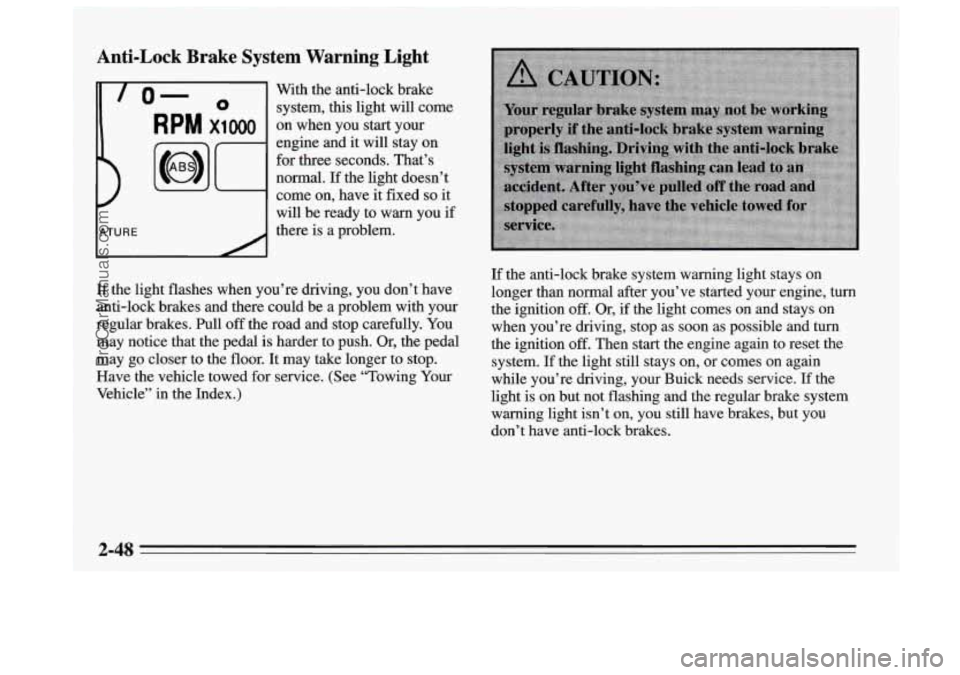
Anti-Lock Brake System Warning Light
-
lo- 0 system, this light will come
With
the anti-lock brake
RPM x1000 on when you start your
engine and it will stay on
for three seconds. That’s
normal. If the light doesn’t
come on, have it fixed
so it
will be ready to warn you
if
there is a problem.
If the light flashes when you’re driving, you don’t have
anti-lock brakes and there could be a problem with your
regular brakes.
Pull off the road and stop carefully. You
may notice that the pedal is harder to push.
Or, the pedal
may go closer to the floor. It may take longer to stop.
Have the vehicle towed for service. (See “Towing Your
Vehicle’’ in the Index.)
If the anti-lock brake system warning light stays on
longer than normal after you’ve started your engine,
turn
the ignition off. Or, if the light comes on and stays on
when you’re driving, stop as soon as possible and
turn
the ignition off. Then start the engine again to reset the
system.
If the light still stays on, or comes on again
while you’re driving, your Buick needs service. If the
light
is on but not flashing and the regular brake system
warning light isn’t
on, you still have brakes, but you
don’t have anti-lock brakes.
2-48
ProCarManuals.com
Page 113 of 340
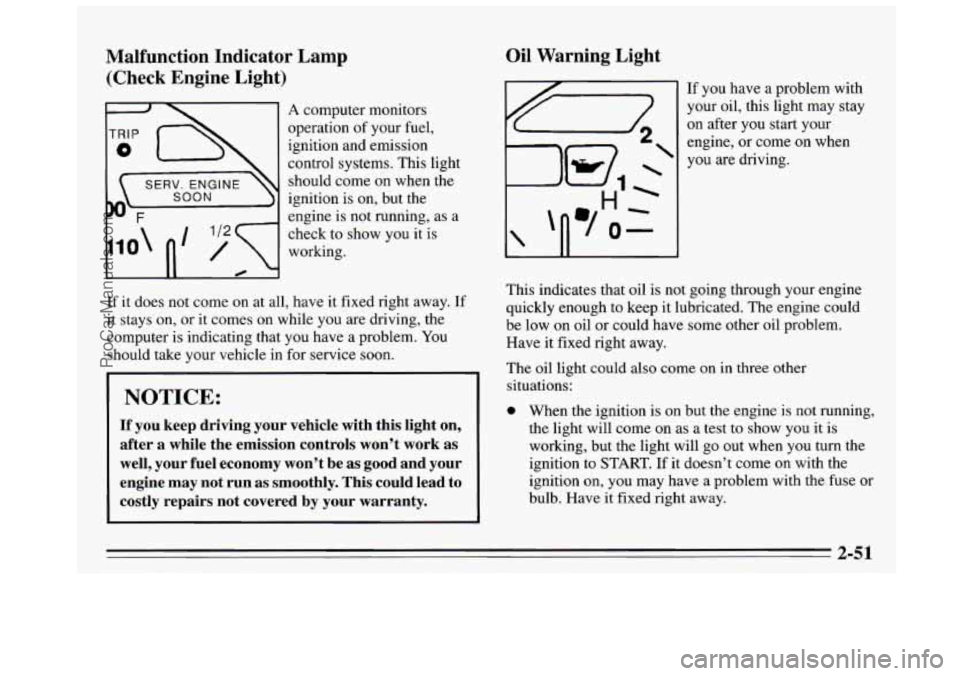
Malfunction Indicator Lamp (Check Engine Light)
111 A computer monitors
operation of your fuel,
ignition and
emission
control systems. This light
should come on when the
SOON ignition is on, but the
engine is not running, as a
check to show you it is
working.
If it does not come on at all, have it fixed right away. If
it stays on, or it comes on while you are driving, the
computer is indicating that you have a problem. You
should take your vehicle in for service soon.
NOTICE:
If you keep driving your vehicle with this light on,
after a while the emission controls won’t work as
well, your fuel economy won’t be as good and your
engine may
not run as smoothly. This could lead to
costly repairs not covered by your warranty.
Oil Warning Light
If you have a problem with
your oil, this light may stay
on after you start your
engine, or come on when
you are driving.
This indicates that oil is not going through your engine
quickly enough to keep it lubricated. The engine could
be low on oil or could have some other oil problem.
Have it fixed right away.
The oil light could also come on in three other
situations:
0 When the ignition is on but the engine is not running,
the light will come on as a test to show you
it is
working, but the light will go out when you turn the
ignition to START. If it doesn’t come
on with the
ignition on, you may have a problem with the fuse or
bulb. Have it fixed right away.
2-51
ProCarManuals.com
Page 114 of 340
Sometimes when the engine is idling at a stop, the
0 If you make a hard stop, the light may come on for a
light
may blink
011 and off. This is normal.
moment. This is normal.
1 NOTICE:
Damage to your engine from neglected oil
problems can be costly and
is not covered by your
warranty.
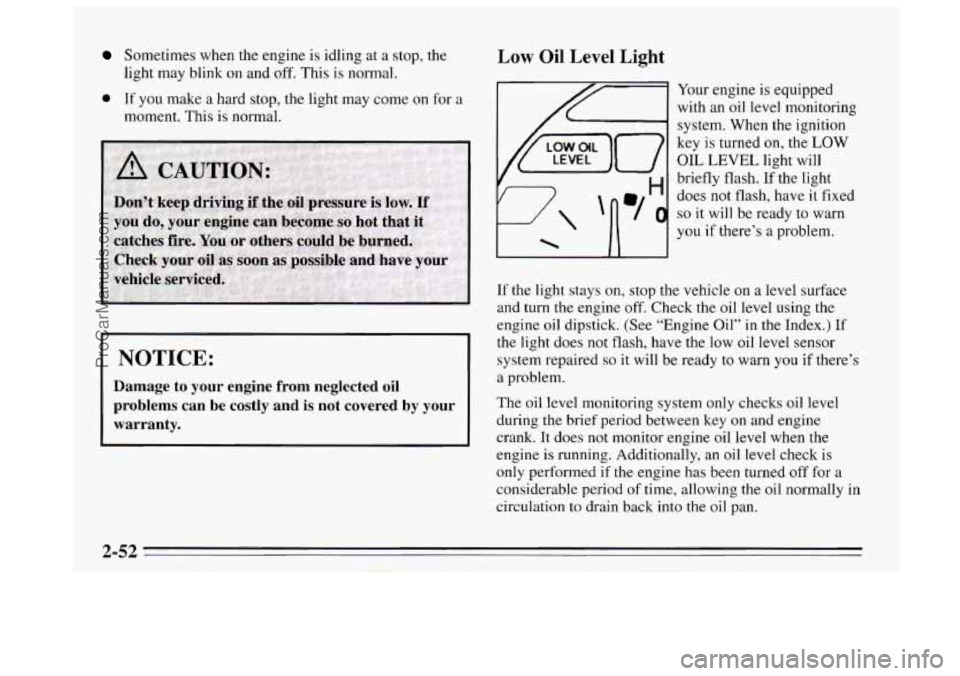
Low Oil Level Light
Your engine is equipped
with an oil level monitoring
system. When the ignition
key
is turned on, the LOW
OIL LEVEL light will
briefly flash. If the light
does not flash, have it fixed
so it will be ready to warn
you
if there’s a problem.
If the light stays on, stop the vehicle on a level surface
and turn
the engine off. Check the oil level using the
engine oil dipstick. (See “Engine Oil” in the Index.) If
the light does not flash, have the low oil level sensor
system repaired
so it will be ready to warn you if there’s
a problem.
The oil level monitoring system only checks oil level
during
the brief period between key on and engine
crank. It does not monitor engine oil level when the
engine is running. Additionally, an oil level check is
only performed if the engine has been turned off for a
considerable period of time, allowing the oil normally in
circulation
to drain back into the oil pan.
ProCarManuals.com
Page 120 of 340
Heating
On cold days use HTR with the temperature lever all the
way to WARM. The system will bring in outside air,
heat it and send it to the floor ducts.
If your vehicle has an engine coolant heater, you can
use
it to help your system provide warm air faster when it’s
cold outside
(0°F (-18°C) or lower). An engine coolant
heater warms the coolant your engine and heating
system use to provide heat. See “Engine Coolant
Heater” in
the Index.
Ventilation
For mild outside temperatures when little heating or
cooling
is needed, use VENT to direct outside air
through your vehicle. Your vehicle also
has the
flow-through ventilation system described later in this
section.
Defogging and Defrosting Windows
Your system has two settings for clearing the front and
side windows.
To defrost the windows quickly, use
FRONT with the temperature lever all the way to
WARM.
To warm passengers while keeping the
windows clean, use
BLEND.
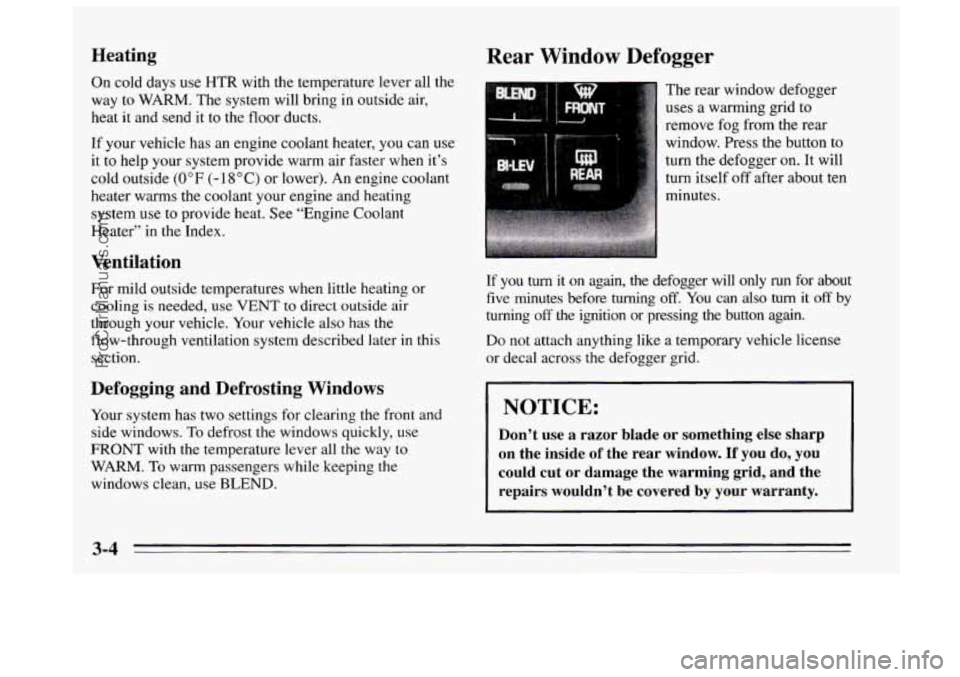
Rear Window Defogger
The rear window defogger
uses
a warming grid to
remove fog from the rear
window. Press the button to
turn the defogger on. It will
turn itself off after about ten
minutes.
If you
turn it on again, the defogger will only run for about
five minutes before turning
off. You can also turn it off by
turning
off the ignition or pressing the button again.
Do not attach anything like a temporary vehicle license
or decal across the defogger grid.
1 NOTICE:
Don’t use a razor blade or something else sharp
on the inside
of the rear window. If you do, you
could cut or damage the warming grid, and the
repairs wouldn’t be covered by your warranty.
3-4
ProCarManuals.com
Page 122 of 340
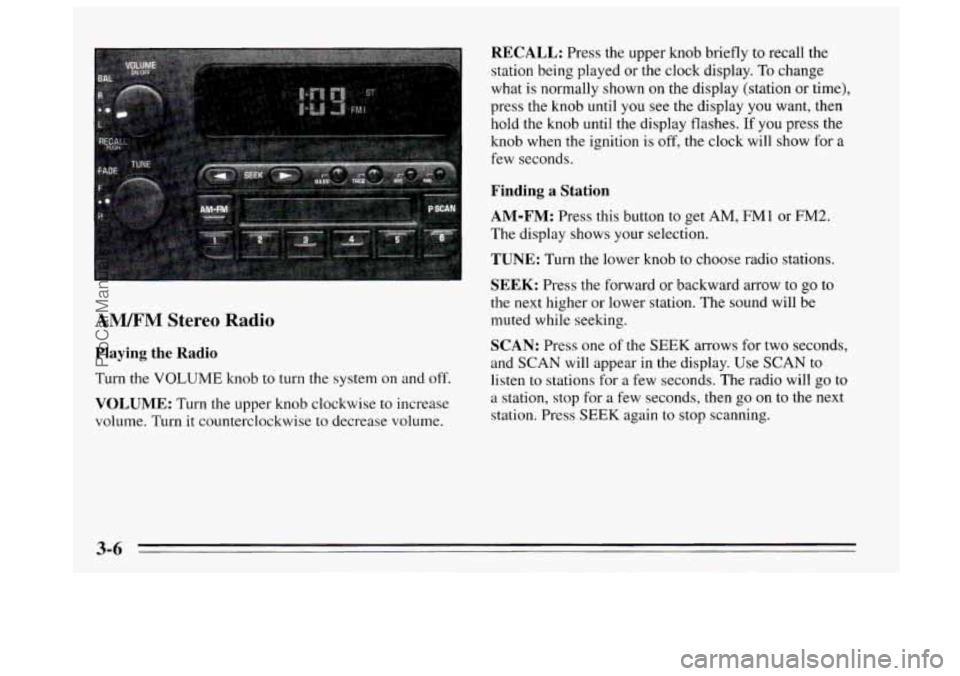
AM/FM Stereo Radio
Playing the Radio
Turn the VOLUME knob to turn the system on and off.
VOLUME: Turn the upper knob clockwise to increase
volume. Turn it counterclockwise to decrease volume.
RECALL: Press the upper knob briefly to recall the
station being played or the clock display.
To change
what is normally shown
on the display (station or time),
press the knob until you see the display
you want, then
hold the knob until the display flashes. If you press the
knob when
the ignition is off, the clock will show for a
few seconds.
Finding a Station
AM-FM:
Press this button to get AM, FMI or FM2.
The display
shows your selection.
TUNE: Turn the lower knob to choose radio stations.
SEEK: Press the forward or backward arrow to go to
the
next higher or lower station. The sound will be
muted while seeking.
SCAN: Press one of the SEEK arrows for two seconds,
and SCAN will appear in the display. Use SCAN to listen to stations for
a few seconds. The radio will go to
a station, stop for a few seconds, then
go on to the next
station. Press SEEK again to stop scanning.
3-6
ProCarManuals.com
Page 124 of 340
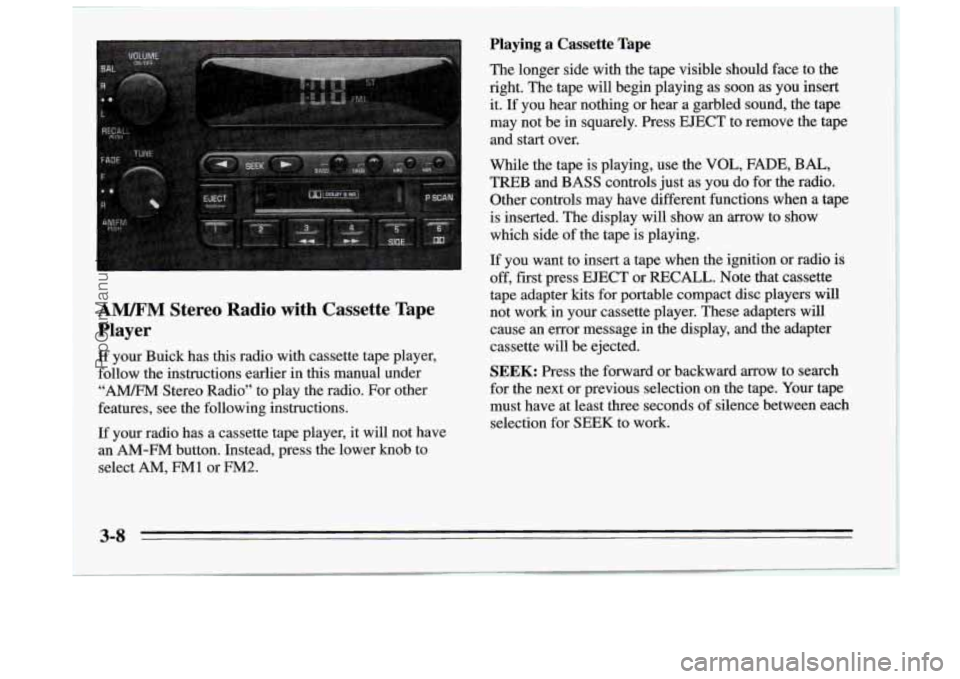
A". Stereo Radio with Cassette Tape
Player
If your Buick has this radio with cassette tape player,
follow the instructions earlier in
this manual under
"A" Stereo Radio" to play the radio. For other
features, see the following instructions.
If your radio has a cassette tape player, it will not have
an
AM-FM button. Instead, press the lower knob to
select
AM, FMl or FM2.
Playing a Cassette Tape
The longer side with the tape visible should face to the
right. The tape
will begin playing as soon as you insert
it. If you hear nothing or hear a garbled sound, the tape
may not be in squarely. Press
EJECT to remove the tape
and start over.
While the tape is playing, use the
VOL, FADE, BAL,
TREB and BASS controls just as you do for the radio.
Other controls may have different functions when a tape
is inserted. The display will show an arrow to show
which side of the tape is playing.
If you want to insert a tape when the ignition or radio is
off, fist press
EJECT or RECALL. Note that cassette
tape adapter kits for portable compact disc players will
not work in your cassette player. These adapters will
cause an error message in the display, and the adapter
cassette will be ejected.
SEEK: Press the forward or backward arrow to search
for the next or previous selection on the tape. Your tape
must have at least three seconds of silence between each
selection for
SEEK to work.
3-8
ProCarManuals.com
Page 125 of 340

44 (3): Press this button to reverse the tape rapidly.
Press it again to return to playing speed. The radio will
play while the tape reverses.
bb (4): Press this button to advance quickly to another
part of the tape. Press the button again to return
to playing
speed. The radio will play while the tape advances.
SIDE (5): Press this button to change the side of the
tape that is playing.
on (6): Press this button to reduce background noise.
The display will show either
OFF or ON for a few
seconds when you press the butt.on.
Dolby@
B Noise Reduction manufactured under license
from Dolby Laboratories Licensing Corporation.
“Dolby” and the
on@ symbol are trademarks of Dolby
Laboratories Licensing Corporation.
EJECT: Press this button to remove the tape. The radio
will play.
Cln: This message may appear on the display. If it does,
your cassette tape player needs to be cleaned. It will still
play tapes, but you should clean
it as soon as possible to
prevent damage
to your tapes and player. See “Care of
Your Cassette Tape Player” in the Index. After you clean
the player, press and hold EJECT for five seconds to
reset the Cln indicator.
“- - -” will appear in the display
to show the indicator was reset.
AM/FM Stereo Radios with Automatic Tone
Control
If your Buick has a radio with Automatic Tone Control,
the instructions below will explain how to use the radio.
To find out if your radio has Automatic Tone Control,
look for a
TONE button. If the system has one, you have
Automatic Tone Control. If not, see the systems
explained earlier
in this section.
Playing the Radio
Press the VOLUME knob to turn the system on and off.
VOLUME: Turn this knob clockwise to increase
volume. Turn
it counterclockwise to decrease volume.
RECALL: Press this button briefly to recall the station
being played or the clock display. To change what is
normally shown on the display (station or time), press
the button until you see the display
you want, then hold
the button
until the display flashes. If you press the
button when the ignition
is off, the clock will show for a
few seconds.
Finding a Station
AM-FM:
Press this button to get AM, FMl or FM2.
The display shows your selection.
3-9
ProCarManuals.com
Page 127 of 340
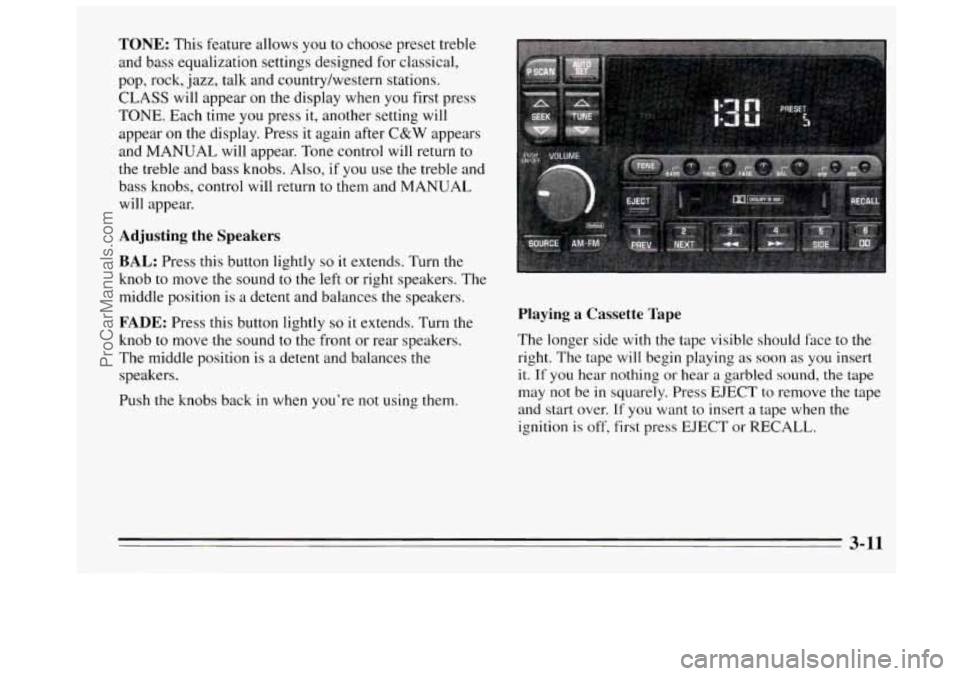
TONE: This feature allows you to choose preset treble
and bass equalization settings designed for classical,
pop, rock,
jazz, talk and country/western stations.
CLASS will appear on the display when you first press
TONE. Each time you press it, another setting will
appear
on the display. Press it again after C&W appears
and
MANUAL will appear. Tone control will return to
the treble and bass knobs. Also, if
you use the treble and
bass knobs, control will return to them and
MANUAL
will appear.
Adjusting the Speakers
BAL:
Press this button lightly so it extends. Turn the
knob to move the sound to the
left or right speakers. The
middle position is
a detent and balances the speakers.
FADE: Press this button lightly so it extends. Turn the
knob
to move the sound to the front or rear speakers.
The middle position is a detent and balances the
speakers.
Push the knobs back
in when you’re not using them.
Playing a Cassette Tape
The longer side with the tape visible should face to the
right. The tape will begin playing as soon as you insert
it. If you hear nothing or hear a garbled sound, the tape
may not be in squarely. Press EJECT to remove the tape
and start over.
If you want to insert a tape when the
ignition
is off, first press EJECT or RECALL.
3-11
ProCarManuals.com
Page 130 of 340
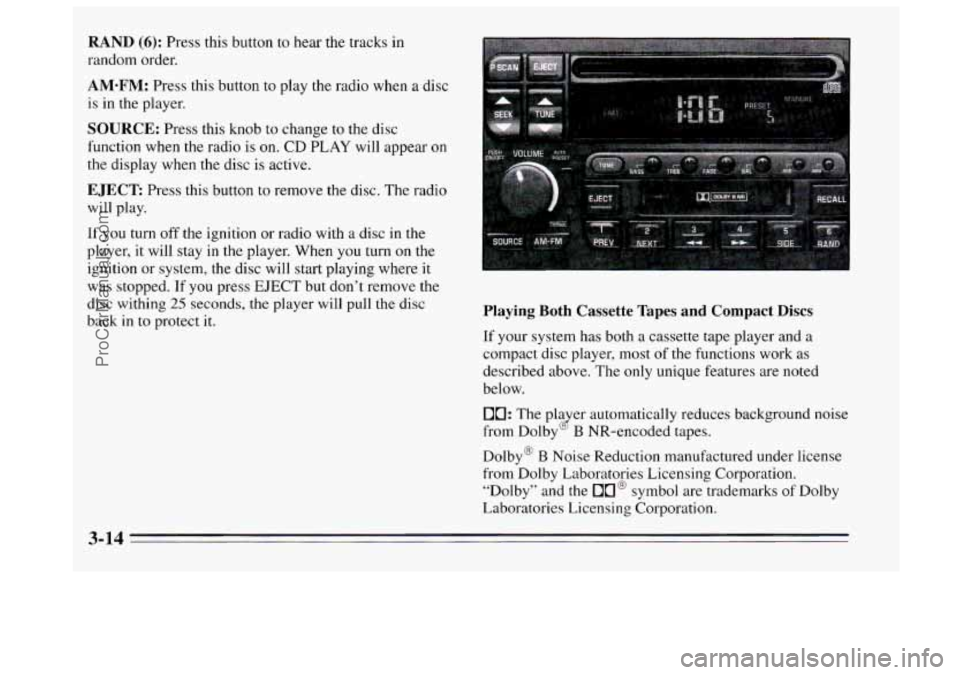
RAND (6): Press this button to hear the tracks in
random order.
AM-FM: Press this button to play the radio when a disc
is
in the player.
SOURCE: Press this knob to change to the disc
function when
the radio is on. CD PLAY will appear on
the display when the disc is active.
EJECT: Press this button to remove the disc. The radio
will play.
If
you turn off the ignition or radio with a disc in the
player, it will stay in the player. When you turn
on the
ignition or system, the disc will start playing where
it
was stopped. If you press EJECT but don’t remove the
disc withing
25 seconds, the player will pull the disc
back
in to protect it. Playing Both Cassette Tapes and Compact Discs
If your system has both a cassette tape player and a
compact disc player, most of the functions work as
described above. The only unique features are noted
below.
10: The pla er automatically reduces background noise
from Dolby
B NR-encoded tapes. (2
Dolby@ B Noise Reduction manufactured under license
from Dolby Laboratories Licensing Corporation. “Dolby” and the
On@ symbol are trademarks of Dolby
Laboratories Licensing Corporation.
3-14
ProCarManuals.com
Page 131 of 340
AUTO PRESET Press it and the system will set the 12
strongest
FM or the 6 strongest AM stations on your
preset buttons. To return to
the stations you manually
set, press the AUTO PRESET button again. (This button
performs
the same function as AUTO SET described
above.)
EJECT The system has two EJECT buttons. Press the
button near the CD slot to remove a disc. Press the button
near the tape slot to remove a tape. The radio will play.
SOURCE: Press this knob to change to the tape or disc
function when the radio
is on. If both a tape and a disc are
installed, the system
will first go to tape play; TAPE will
appear on the display. If SOURCE is pressed again, the
system
will go to disc play; CD will appear on the display.
THEFTLOCK TM
Your system has this feature if it shows Theftlock on its
face. THEFTLOCK
is a theft-deterrent feature that can
be used or ignored.
If you ignore it, your system will
play normally.
If you use it, your system can’t be turned
on if it is stolen because it locks anytime battery power
is removed.
To unlock it, a code must be entered.
These instructions will tell you how to enter a code into
your system. They also
tell you how to unlock the
system with your code and how to shut off the
THEFTLOCK system.
Entering a Code
1. Write down any number from 000 to 1999. This is
your code.
2. Turn the ignition to ACC or RUN.
3. Turn the radio off.
4. Press the I and 4 preset buttons at the same time and
hold
until “- - - ” shows on the display.
You
now have only I5 seconds between each of the
following steps.
5. Press MIN and “000” will appear on the display.
6. Press MIN again and hold until the last two digits of
your code appear.
7. Press and hold HRS until the first digit or digits of
your code appear.
8. Press AM-FM after you make sure the code matches
the one you wrote down. “rEP” will appear on the
display, meaning you should repeat steps
5 through 7.
9. After you repeat the steps, press AM-FM. SEC
should appear on the display, meaning your system is
secured. If your ignition is off, THEFTLOCK will
flash
in the display.
Store
the paper with your code written on it in a safe place.
3-15
ProCarManuals.com