instrument panel BUICK REGAL 1997 Owner's Manual
[x] Cancel search | Manufacturer: BUICK, Model Year: 1997, Model line: REGAL, Model: BUICK REGAL 1997Pages: 422, PDF Size: 21.34 MB
Page 136 of 422

Air Bag Readiness Light
There is an air bag readiness light on the instrument
panel, which shows the air bag symbol.
The system
checks the air bag’s electrical system for malfunctions.
The light tells you if there is an electrical problem.
The system check includes the air bag modules, the
wiring and the crash sensing and diagnostic module. For
more information on the air bag system, see “Air Bag”
in the Index.
This light will come on
when you start your engine,
and
it will flash for a few
seconds. Then the light
should
go out. This means
the system is ready.
If the air bag readiness light stays on after you start the
engine or comes on when you are driving, your air bag
system may not work properly. Have your vehicle
serviced right away. The
air bag readiness light should flash for
a few
seconds when you turn the ignition key to
RUN. If the
light doesn’t come on then, have it fixed
so it will be
ready to warn you
if there is a problem.
Charging System Light
The charging system light
will come
on briefly when
you turn on the ignition,
as
a check to show you it’s
working. Then it should
1+1 go out.
##
If it stavgdn, or comes on while you are driving, you
may b&e
a problem with the charging system. It could
inqk6ate that you have
a loose drive belt or another
dectrical problem. Have it checked right away.
Driving while this light is on could drain your battery.
If you must drive a short distance with the light on, be
certain to turn off all your accessories, such
as the radio
and air conditioner.
2-60
ProCarManuals.com
Page 143 of 422
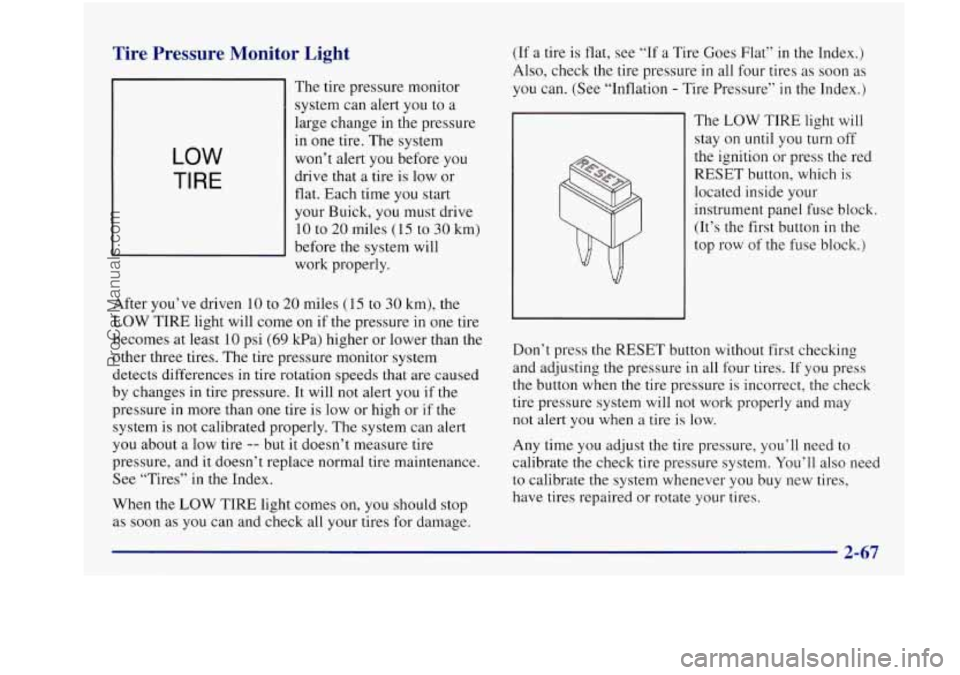
Tire Pressure Monitor Light
LOW
TI RE
The tire pressure monitor
system can alert you to
a
large change in the pressure
in
one tire. The system
won’t alert you before you
drive that a tire is low or
flat. Each time you start
your Buick, you must drive
10 to
20 miles (15 to 30 km)
before the system will
work properly.
After you’ve driven
10 to 20 miles (15 to 30 km), the
LOW TIRE light will come on if the pressure in one tire
becomes at least 10 psi
(69 kPa) higher or lower than the
other three tires. The tire pressure monitor system
detects differences in tire rotation speeds that are caused
by changes in tire pressure. It will not alert you
if the
pressure in more than one tire is low or high or
if the
system is not calibrated properly.
The system can alert
you about a low tire
-- but it doesn’t measure tire
pressure, and it doesn’t replace normal tire maintenance.
See “Tires’’
in the Index.
When the LOW TIRE light comes
on, you should stop
as soon as you can and check all your tires for damage. (If
a tire
is flat, see “If a Tire Goes Flat” in the Index.)
Also, check the tire pressure in all four tires as soon
as
you can. (See “Inflation - Tire Pressure” in the Index.)
The
LOW TIRE light will
stay on until you turn off
the ignition or press the red
RESET button, which is
located inside your
instrument panel fuse block.
(It’s the first button in
the
top row of the fuse block.)
Don’t press the RESET button without first checking
and adjusting the pressure in all four tires.
If you press
the button when the tire pressure is incorrect,
the check
tire pressure system will not work properly
and may
not alert you when a tire is low.
Any time
you adjust the tire pressure, you’ll need to
calibrate the check tire pressure system.
You’ll also neea
to calibrate the system whenever you buy new tires,
have tires repaired or rotate your tires.
ProCarManuals.com
Page 152 of 422
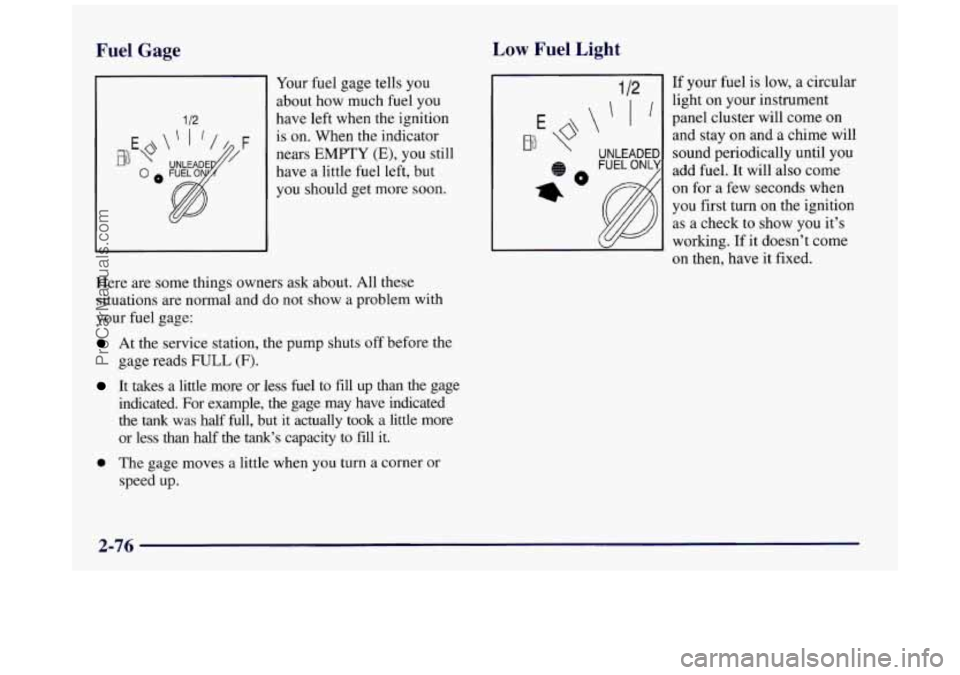
Fuel Gage Low Fuel Light
1 12
Your fuel gage tells you
about how much fuel you
have left when the ignition
is on. When the indicator
nears
EMPTY (E), you still
have a little fuel
left, but
you should get more soon.
Here are some things owners ask about. All these
situations are normal and do not show a problem with
your fuel gage:
At the service station, the pump shuts off before the
gage reads
FULL (F).
It takes a little more or less fuel to fill up than the gage
indicated. For example, the gage may have indicated
the tank was half full, but it actually took a little more
or less than half the tank’s capacity to fill it.
0 The gage moves a little when you turn a corner or
speed up. If
your fuel is low, a circular
light
on your instrument
panel cluster will come
on
and stay on and a chime will
sound periodically until you
add fuel. It will also come
on for a few seconds when
you first turn
on the ignition
as a check to show you it’s
working. If it doesn’t come
on then, have it fixed.
2-76
ProCarManuals.com
Page 153 of 422
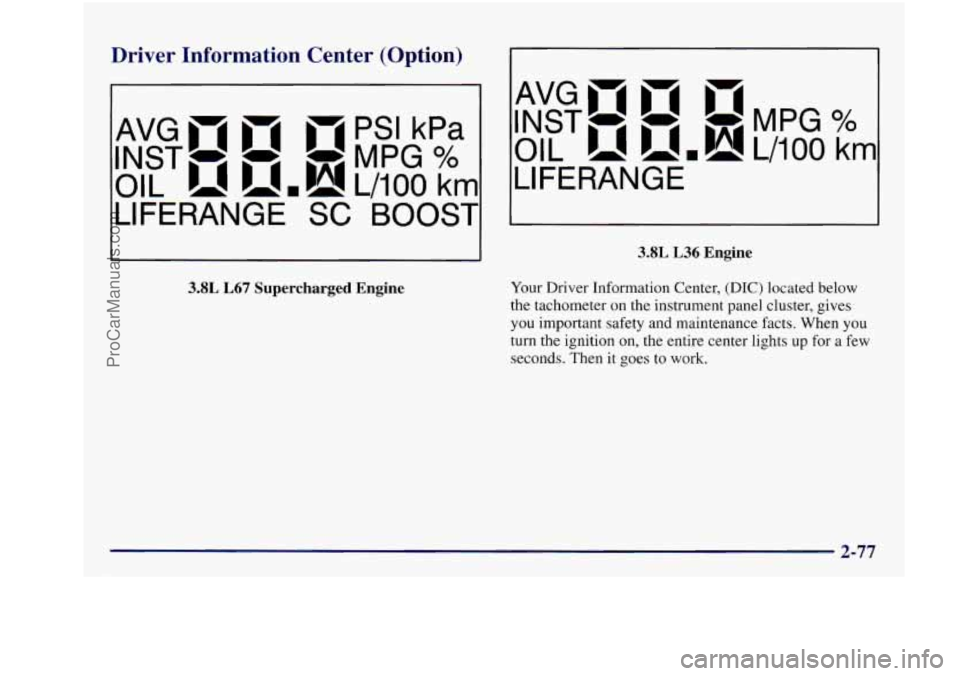
Driver Information Center (Option)
- PSI kPa
INST- - -MPG %
AvGmm B 4
OIL umh! L/lOO km
LIFERANGE
SC BOOST
3.8L L67 Supercharged Engine
AvGmm n
INST- - -MPG%
OIL u.h!L/iOO krn
LIFERANGE
3.8L L36 Engine
Your Driver Information Center, (DIC) located below
the tachometer
on the instrument panel cluster, gives
you important safety and maintenance facts. When you
turn the ignition on, the entire center lights up for a few
seconds. Then it goes
to work.
ProCarManuals.com
Page 154 of 422
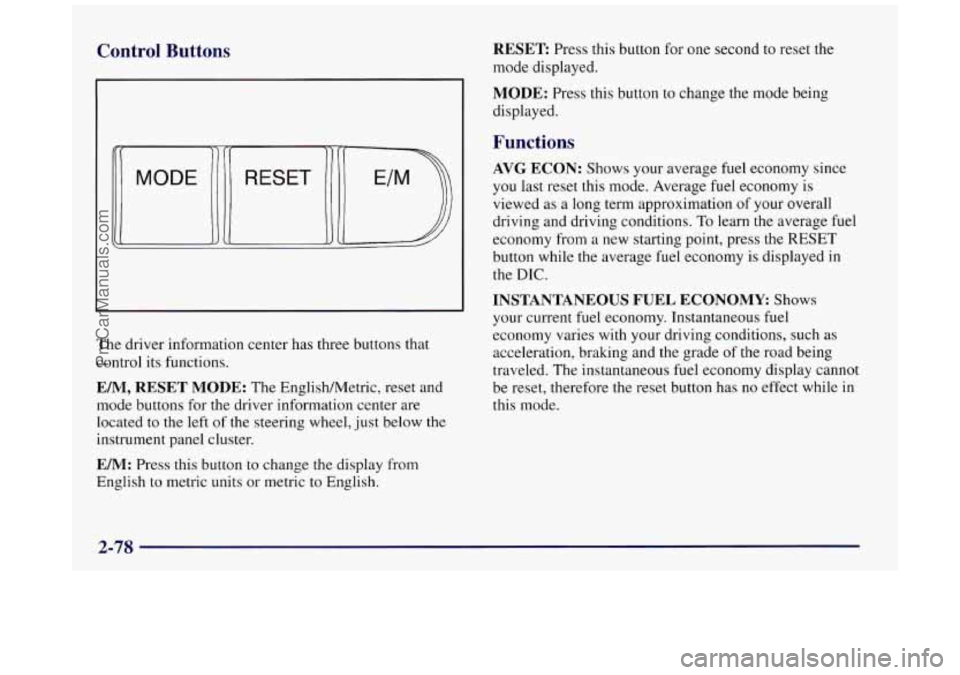
Control Buttons
The driver information center has three buttons that
control its functions.
EM, RESET MODE: The EnglishMetric, reset and
mode buttons for
the driver information center are
located to the left
of the steering wheel, just below the
instrument panel cluster.
EM: Press this button to change the display from
English to metric units or metric
to English.
RESET Press this button for one second to reset the
mode displayed.
MODE: Press this button to change the mode being
displayed.
Functions
AVG ECON: Shows your average fuel economy since
you last reset this mode. Average fuel economy is
viewed
as a long term approximation of your overall
driving and driving conditions.
To learn the average fuel
economy from a new starting point, press the RESET
button while the average fuel economy is displayed
in
the DIC.
INSTANTANEOUS FUEL ECONOMY Shows
your current
fuel economy. Instantaneous fuel
economy varies with your driving conditions, such
as
acceleration, braking and the grade of the road being
traveled.
The instantaneous fuel economy display cannot
be reset, therefore the reset button has no effect while in
this mode.
2-78
ProCarManuals.com
Page 158 of 422
Comfort Controls
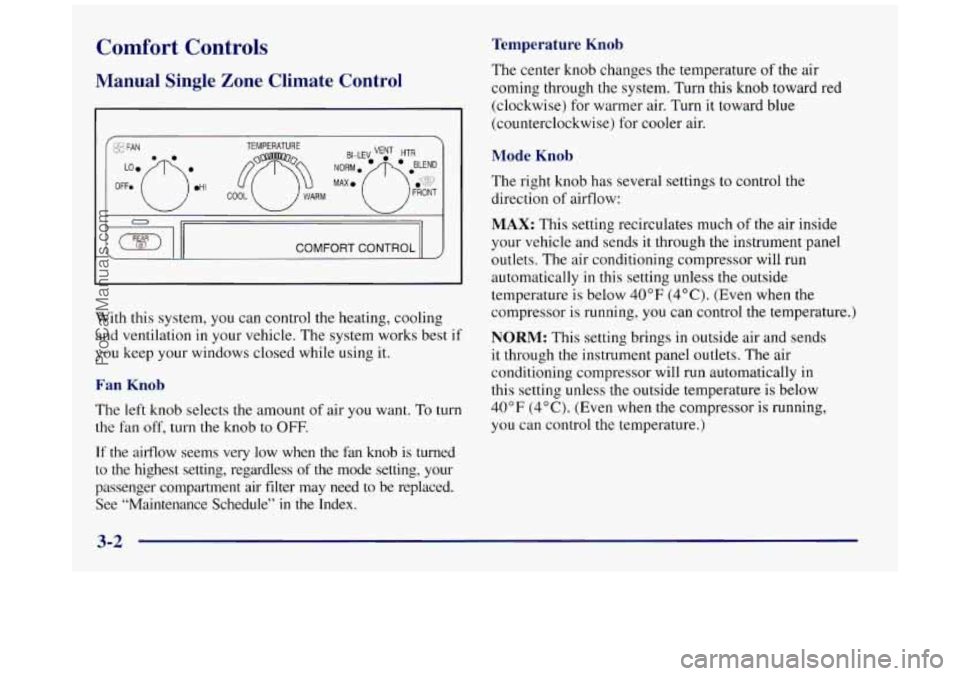
Manual Single Zone Climate Control
COMFORT CONTROL II
With this system, you can control the heating, cooling
and ventilation in your vehicle, The system works best if
you keep your windows closed while using it.
Fan Knob
The left knob selects the amount of air you want. To turn
the fan off, turn the knob to
OFF.
If the airflow seems very low when the fan knob is turned
to
the highest setting, regardless of the mode setting, your
passenger compartment air filter may need to be replaced. See “Maintenance Schedule”
in the Index.
Temperature Knob
The center knob changes the temperature of the air
coming through the system. Turn this knob toward red
(clockwise) for warmer air. Turn it toward blue
(counterclockwise) for cooler air.
Mode Knob
The right knob has several settings to control the
direction of airflow:
MAX: This setting recirculates much of the air inside
your vehicle and sends it through the instrument panel
outlets. The air conditioning compressor will run
automatically
in this setting unless the outside
temperature is below
40°F (4°C). (Even when the
compressor is running,
you can control the temperature.)
NORM: This setting brings in outside air and sends
it through the instrument panel outlets. The air
conditioning compressor will run automatically in
this setting unless the outside temperature
is below
40°F (4°C). (Even when the compressor is running,
you can control the temperature.)
3-2
ProCarManuals.com
Page 159 of 422
BI-LEV This setting brings in outside air and directs
it two ways. Half of the air is directed through the
instrument panel outlets. Most of the remaining air
is
directed through the floor ducts and a little to the defrost
and side window vents. The air conditioning compressor
will run automatically in this setting unless the outside
temperature is below
40°F (4°C).
VENT This setting brings in outside air and directs it
through the instrument panel outlets.
HTR: This setting sends most of the air through the
ducts near
the floor. The rest comes out of the defroster
and side window vents.
BLEND: This setting allows half of the air to go to the
floor ducts and half to the defroster and side window
vents. The air conditioning compressor will run
automatically in this setting unless the outside
temperature is below
40 OF (4 O C) .
FRONT This setting directs most of the air
through
the defroster and side window vents. Some of
the air also goes to the floor ducts. The air conditioning
compressor will run automatically
in this setting unless
the outside temperature is below
40°F (4°C).
Air Conditioning
On very hot days, open the windows long enough to let
hot, inside air escape. This reduces the time for the
vehicle to cool down.
For a quick cool-down on very hot days, use
MAX with
the temperature knob all the way in the blue area. If this
setting is used for long periods of time, the air
in your
vehicle may become too dry.
For normal cooling on hot days, use NORM with the
temperature knob in the blue area. The system will bring
in outside air and cool it.
On cool, but sunny days, the sun may warm your upper
body, but your lower body may not be warm enough.
You can use
BI-LEV and set the temperature knob to a
comfortable setting. The system will bring in outside air
and direct it
to your upper body, while sending slightly
warmed air to your lower body.
You may notice this
temperature difference more at some times than others.
3-3
ProCarManuals.com
Page 161 of 422
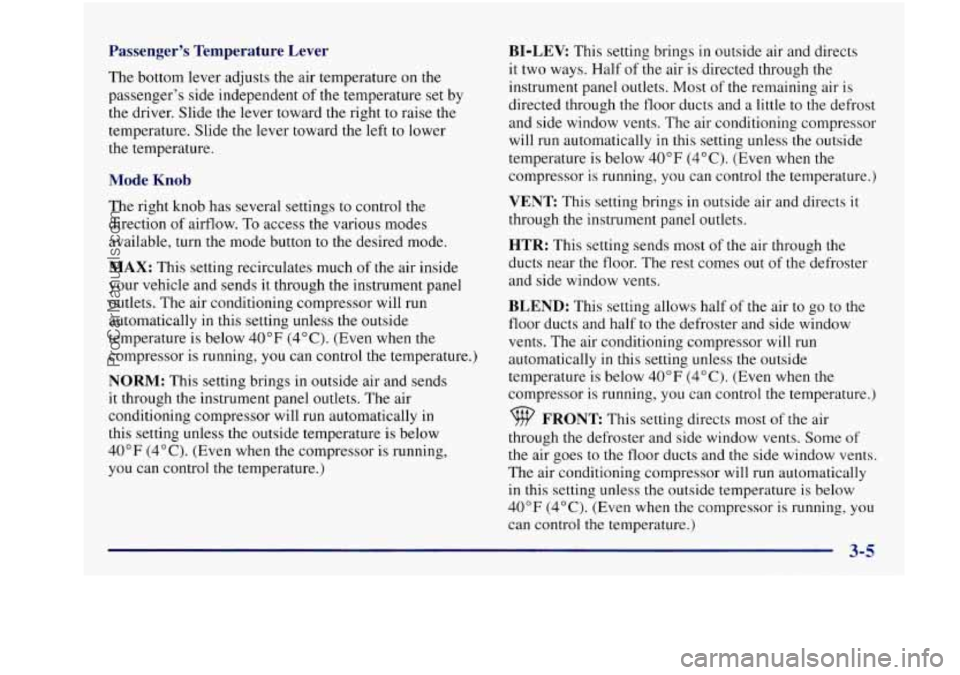
Passenger's Temperature Lever
The bottom lever adjusts the air temperature on the
passenger's side independent of the temperature set by
the driver. Slide the lever toward the right
to raise the
temperature. Slide the lever toward the left to lower
the temperature.
Mode Knob
The right knob has several settings to control the
direction of airflow.
To access the various modes
available, turn the mode button to the desired mode.
MAX: This setting recirculates much of the air inside
your vehicle and sends it through the instrument panel
outlets. The air conditioning compressor will run
automatically
in this setting unless the outside
temperature
is below 40" F (4°C). (Even when the
compressor is running, you can control the temperature.)
NORM: This setting brings in outside air and sends
it through the instrument panel outlets. The air
conditioning compressor will run automatically in
this setting unless the outside temperature is below
40°F (4°C). (Even when the compressor is running,
you can control the temperature.)
BI-LEV: This setting brings in outside air and directs
it two ways. Half of the air is directed through the
instrument panel outlets. Most of the remaining air is
directed through the floor ducts and a little to the defrost
and side window vents. The air conditioning compressor
will run automatically in this setting unless the outside
temperature is below
40°F (4°C). (Even when the
compressor is running, you can control the temperature.)
VENT This setting brings in outside air and directs it
through the instrument panel outlets.
HTR: This setting sends most of the air through the
ducts near the floor. The rest comes out of the defroster
and side window vents.
BLEND: This setting allows half of the air to go to the
floor ducts and half
to the defroster and side window
vents. The air conditioning compressor will run
automatically in this setting unless the outside
temperature is below
40°F (4°C). (Even when the
compressor is running, you can control the temperature.)
9 FRONT This setting directs most of the air
through the defroster and side window vents. Some
of
the air goes to the floor ducts and the side window vents.
The air conditioning compressor will run automatically
in this setting unless the outside temperature is below
40°F (4°C). (Even when the compressor is running, you
can control
the temperature.)
3-5
ProCarManuals.com
Page 164 of 422
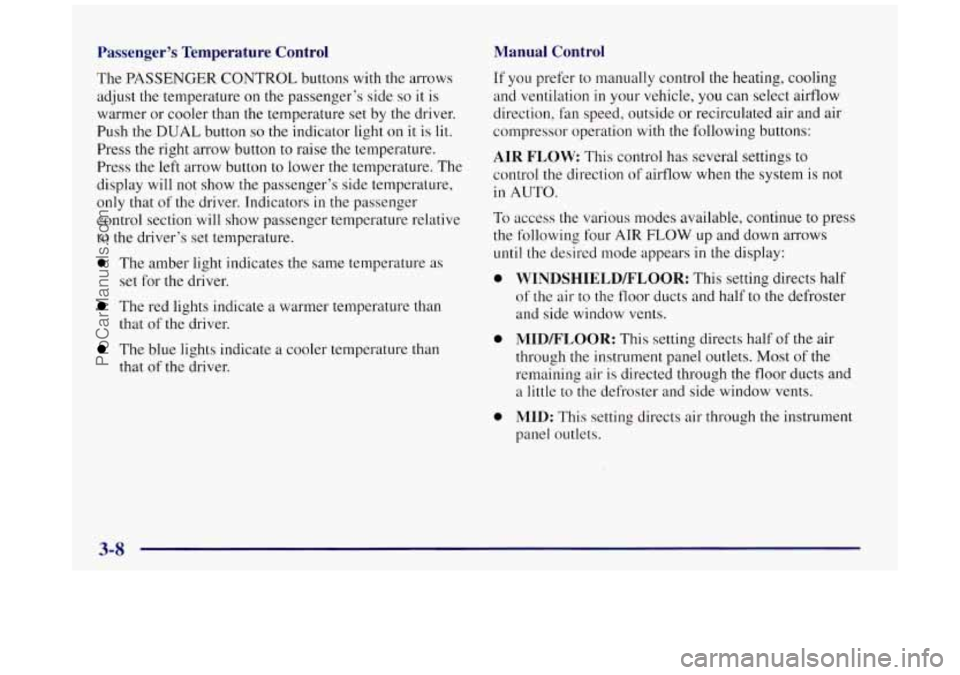
Passenger’s Temperature Control
The PASSENGER CONTROL buttons with the arrows
adjust the temperature
on the passenger’s side so it is
warmer or cooler than the temperature set by the driver.
Push the
DUAL button so the indicator light on it is lil.
Press the right arrow button to raise the temperature.
Press the left arrow button to lower the temperature. The
display
will not show the passenger’s side temperature,
only that
of the driver. Tndicators in the passenger
control section will show passenger temperature relative
to the driver’s set temperature.
0 The amber light indicates the same temperature as
set for the driver.
The red lights indicate a warmer temperature than
that of the driver.
The blue lights indicate a cooler temDerature than
that of the driver.
Manual Control
If you prefer to manually control the heating, cooling
and ventilation in your vehicle, you can select airflow
direction,
fan speed, outside or recirculated air and air
compressor operation with the following buttons:
AIR FLOW: This control has several settings to
control the direction
of airflow when the system is not
in AUTO.
To access the various modes available, continue to press
the following four
ATR FLOW up and down arrows
until the desired mode appears in the display:
0
0
0
WINDSHIELD/FLOOR: This setting directs half
of the air to the floor ducts and half to the defroster
and side window vents.
MID/FLOOR: This setting directs half of the air
through the instrument panel outlets. Most
of the
remaining air is directed through the floor ducts and
a little to the defroster and side window vents.
MID: This setting directs air through
the instrument
panel outlets.
ProCarManuals.com
Page 235 of 422
Turn Signals When Towing a Trailer
When you tow a trailer, your vehicle may need a
different turn signal flasher and/or extra wiring. Check
with your Buick dealer. The green arrows on your
instrument panel will flash whenever
you signal a turn
or lane change. Properly hooked up, the trailer lamps
will also flash, telling other drivers you’re about
to turn,
change lanes or stop.
When towing a trailer, the green arrows on your
instrument panel will flash for turns even
if the bulbs on
the trailer are burned out. Thus,
you may think drivers
behind
you are seeing your signal when they are not.
It’s important to check occasionally to be sure the trailer
bulbs are still working.
Driving On Grades
Reduce speed and shift to a lower gear before you start
down a long or steep downgrade. If you don’t shift
down, you might have
to use your brakes so much that
they would get hot and
no longer work well.
On a long uphill grade, shift down and reduce your
speed to around
45 mph (70 kmh) to reduce the
possibility
of engine and transaxle overheating.
Parking on Hills
You really should not park your vehicle, with a trailer
attached, on a hill. If something goes wrong, your rig
could start to move. People can be injured, and both
your vehicle and the trailer can be damaged.
But if you ever have to park your rig on a hill, here’s
how to
do it:
1. Apply your regular brakes, but don’t shift into
PARK (P)
yet.
2. Have someone place chocks under the
trailer’s wheels.
3. When the wheel chocks are in place, release the
regular brakes until the chocks absorb the load.
4. Reapply the regular brakes. Then apply your parking
brake, and shift to PARK
(P).
5. Release the regular brakes.
4-39
ProCarManuals.com