turn signal BUICK REGAL 1997 Owners Manual
[x] Cancel search | Manufacturer: BUICK, Model Year: 1997, Model line: REGAL, Model: BUICK REGAL 1997Pages: 422, PDF Size: 21.34 MB
Page 14 of 422
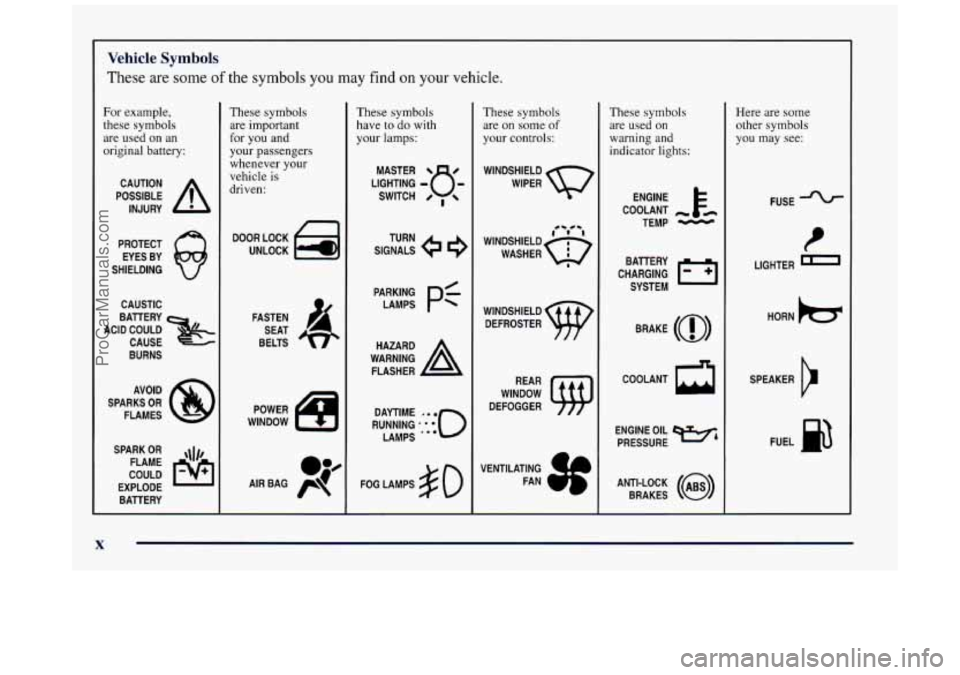
Vehicle Symbols
These are some of the symbols you may find on your vehicle.
For example,
these symbols
are used on an
original battery:
POSSIBLE A
CAUTION
INJURY
PROTECT EYES BY
SHIELDING
CAUSTIC
ACID COULD BAllERY
CAUSE
BURNS
SPARK
OR ,111,
COULD FLAME
EXPLODE BAllERY
These symbols are important
for you and
your passengers
whenever your
vehicle is
driven:
DOOR LOCK
UNLOCK
FASTEN SEAT
BELTS
These symbols
have to do with
your lamps:
SIGNALS @ e
TURN
These symbols
are
on some of
your controls:
WINDSHIELD
WIPER
WINDSHIELD DEFROSTER
WINDOW
DEFOGGER
These symbols
are used on
warning and
indicator lights:
COOLANT -
TEMP -
CHARGING I-1
BAllERY
SYSTEM
BRAKE
(0)
COOLANT a
ENGINE OIL w,
PRESSURE
ANTI-LOCK
(@)
BRAKES
Here are some
other symbols
you may see:
FUSE
I
LIGHTER n
HORN )tr
SPEAKER
b
FUEL p3
ProCarManuals.com
Page 77 of 422
Section 2 Features and Controls
Here you can learn about the many standard and optional features on your Buick, and information on starting, shifting
and braking. Also explained are the instrument panel and the warning systems that tell you
if everything is working
properly
-- and what to do if you have a problem.
2-2
2-4
2-9
2-15
2-16
2- 17
2-18
2-18
2-20
2-2 1
2-22
2-28
2-29
2-3
1
2-3 1
2-32
2-3 2
2-33 Keys
Door
Locks
Remote Keyless
Entry
Trunk
Theft
PASS-Key@
I1
New Vehicle “Break-In”
Ignition Positions
Starting Your Engine
Engine Coolant Heater Automatic Transaxle Operation
Parking Brake Shifting Into PARK
(P)
Shifting Out of PARK (P)
Parking Over Things That Burn
Engine Exhaust
Running Your Engine While You’re Parked
Windows 2-34
2-34
2-35
2-4
1
2-44
2-47
2-49
2-5 1
2-52
2-52 2-5 3
2-54
2-54
2-55
2-56 2-59
2-77 Horn
Tilt Steering Wheel
Turn Signal/Multifunction Lever
Exterior Lamps
Interior Lamps
Mirrors
Storage Compartments
Ashtrays and Lighter
Sun Visors
Accessory Outlet
Auxiliary Power Connection
Sunroof
Cellular Phone Provisions
Instrument Panel
-- Your Information System
lnstrument Panel Cluster
Warning Lights, Gages and Indicators
Driver Information Center
ProCarManuals.com
Page 86 of 422
This system has a range of about 3 feet (I m) up to
30 feet (9 m). At times you may notice a decrease in
range. This is normal for any remote keyless entry
system. If the transmitter does
not work or if you have
to stand closer to your vehicle for the transmitter to
work, try this:
0 Check to determine if battery replacement is
necessary. See the instructions that follow.
Check the distance. You may be too far from your
vehicle.
You may need to stand closer during rainy
or snowy weather.
Check the location. Other vehicles or objects may be
blocking the signal. Take a few steps to the left or
right, hold the transmitter higher, and try again.
If you’re still having trouble, see your Buick dealer
or a qualified technician for service.
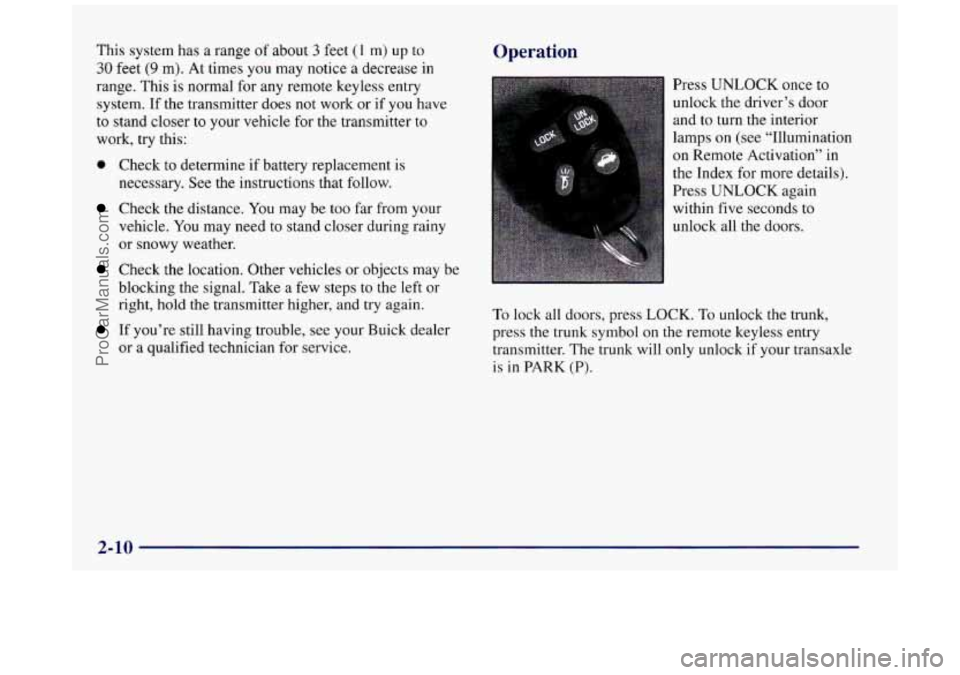
Operation
Press UNLOCK once to
unlock the driver’s door
and to turn the interior
lamps
on (see “Illumination
on Remote Activation” in
the Index for more details).
Press UNLOCK again
within five seconds
to
unlock all the doors.
To lock all doors, press LOCK. To unlock the trunk,
press the trunk symbol on the remote keyless entry
transmitter. The trunk will only unlock
if your transaxle
is in
PARK (P).
2-10
ProCarManuals.com
Page 111 of 422
Turn SignaVMultifunction Lever
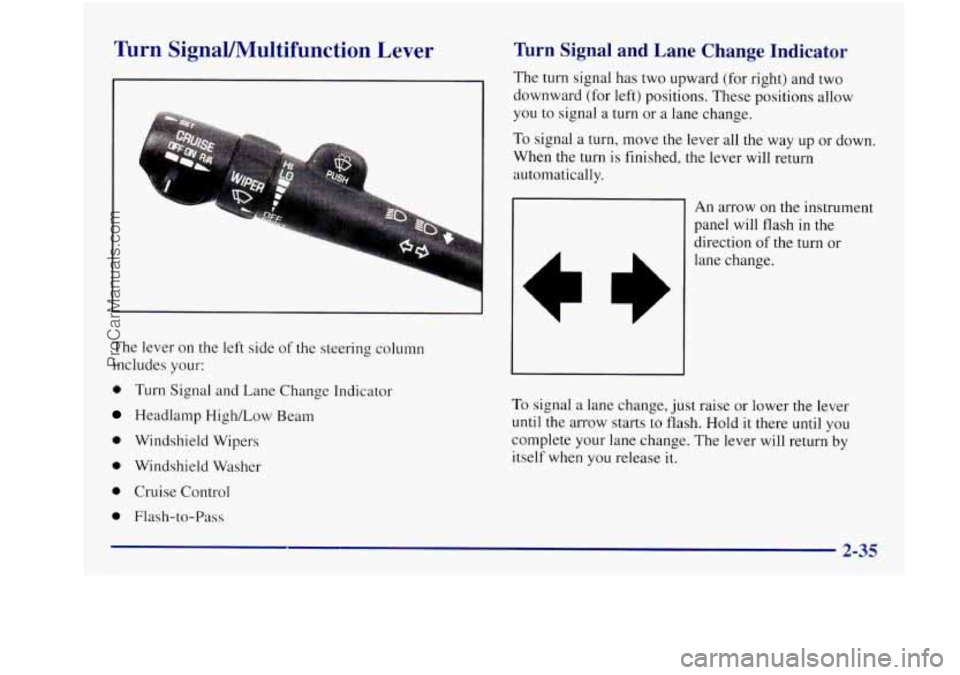
The lever on the left side of the steering column
includes your:
0 Turn Signal and Lane Change Indicator
Headlamp High/Low Beam
0 Windshield Wipers
0 Windshield Washer
0 Cruise Control
0 Flash-to-Pass
Turn Signal and Lane Change Indicator
The turn signal has two upward (for right) and two
downward (for left) positions. These positions allow
you to signal a turn or
a lane change.
To signal a turn, move the lever all the way up or down.
When the turn
is finished, the lever will return
automatically.
An arrow on the instrument
panel will flash in
the
direction of the turn or
lane change.
To signal a lane change, just raise or lower the lever
until
the arrow starts to flash. Hold it there until you
complete your lane change. The lever will return by
itself when you release
it.
ProCarManuals.com
Page 112 of 422
As you signal a turn or a lane change, if the arrow
flashes faster than normal, a signal bulb may be
burned out and other drivers won’t see your turn signal.
If a bulb is burned out, replace it to
help avoid an
accident. If the arrows don’t go on at all when you
signal a turn, check for burned-out bulbs and then check
the fuse (see “Fuses and Circuit Breakers” in the Index).
A chime will sound if you leave your turn signal on for
more than
3/4 mile (1.2 km).
Headlamp HigWLow Beam
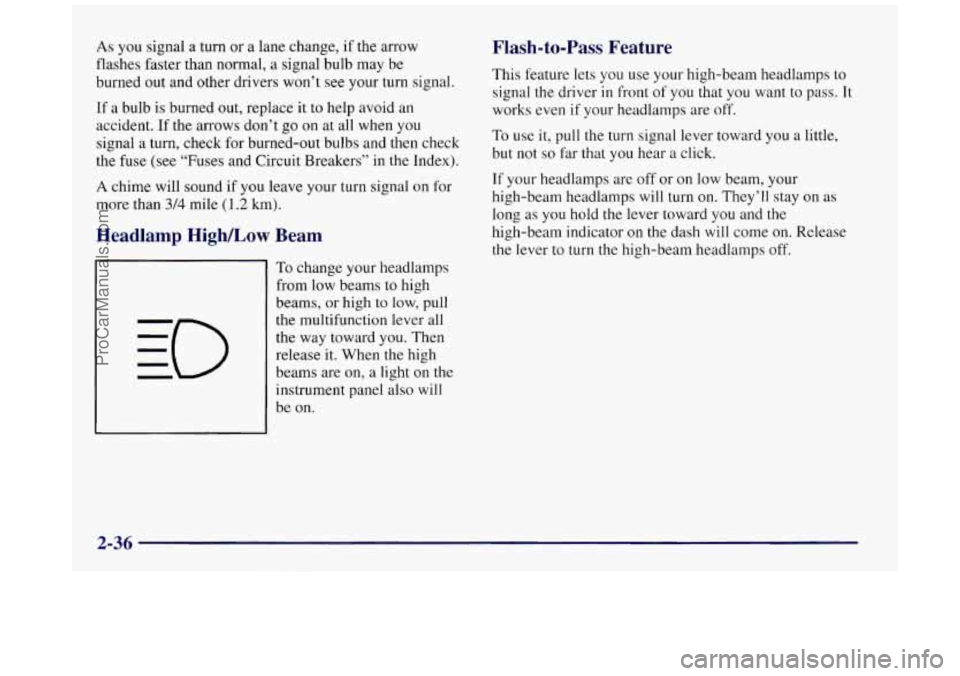
To change your headlamps
from low beams to high
beams, or high to low, pull
the multifunction lever all
the way toward you. Then
release it. When the high
beams are on, a light on the
instrument panel also will
be on.
Flash-to-Pass Feature
This feature lets you use your high-beam headlamps to
signal
the driver in front of you that you want to pass. It
works even if your headlamps are off.
To use it, pull the turn signal lever toward you a little,
but not
so far that you hear a click.
If your headlamps are off or on low beam, your
high-beam headlamps will turn
on. They’ll stay on as
long as
you hold the lever toward you and the
high-beam indicator on the dash will come on. Release
the lever to turn
the high-beam headlamps off.
2-36
ProCarManuals.com
Page 118 of 422
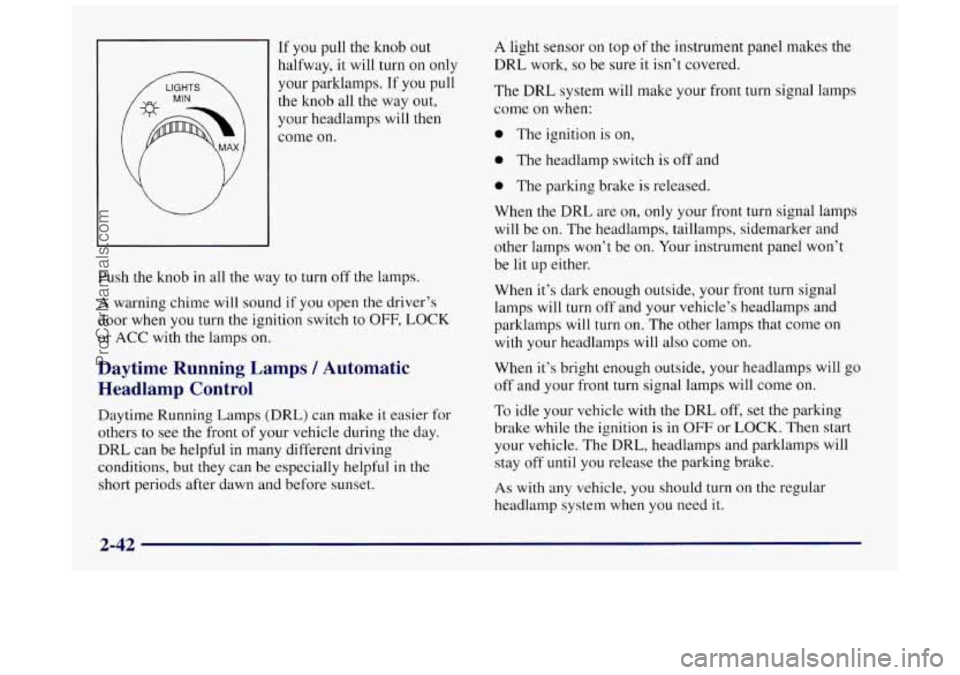
If you pull the knob out
halfway,
it will turn on only
your parklamps. If you pull
the knob all the way out,
your headlamps
will then
come on.
Push the knob
in all the way to turn off the lamps.
A warning chime will sound if you open the driver’s
door when you turn the ignition switch to
OFF, LOCK
or
ACC with the lamps on.
Daytime Running Lamps / Automatic
Headlamp Control
Daytime Running Lamps (DRL) can make it easier for
others to see the front
of your vehicle during the day.
DRL can be helpful in many different driving
conditions, but they can be especially helpful
in the
short periods after dawn and before sunset.
A light sensor on top of the instrument panel makes the
DRL work,
so be sure it isn’t covered.
The DRL system will make your front turn signal lamps
come on when:
0 The ignition is on,
0 The headlamp switch is off and
0 The parking brake is released.
When the DRL are on, only your front turn signal lamps
will be on. The headlamps, taillamps, sidemarker and
other lamps won’t be on. Your instrument panel won’t
be lit up either.
When it’s dark enough outside, your front turn signal
lamps will turn off and your vehicle’s headlamps and
parklamps will turn
on. The other lamps that come on
with your headlamps will also come on.
When it’s bright enough outside, your headlamps will
go
off and your front turn signal lamps will come on.
To idle your vehicle with the DRL off, set the parking
brake while
the ignition is in OFF or LOCK. Then start
your vehicle. The DRL, headlamps and parklamps will
stay off until you release the parking brake.
As with any vehicle, you should turn on the regular
headlamp system when you need
it.
2-42
ProCarManuals.com
Page 120 of 422
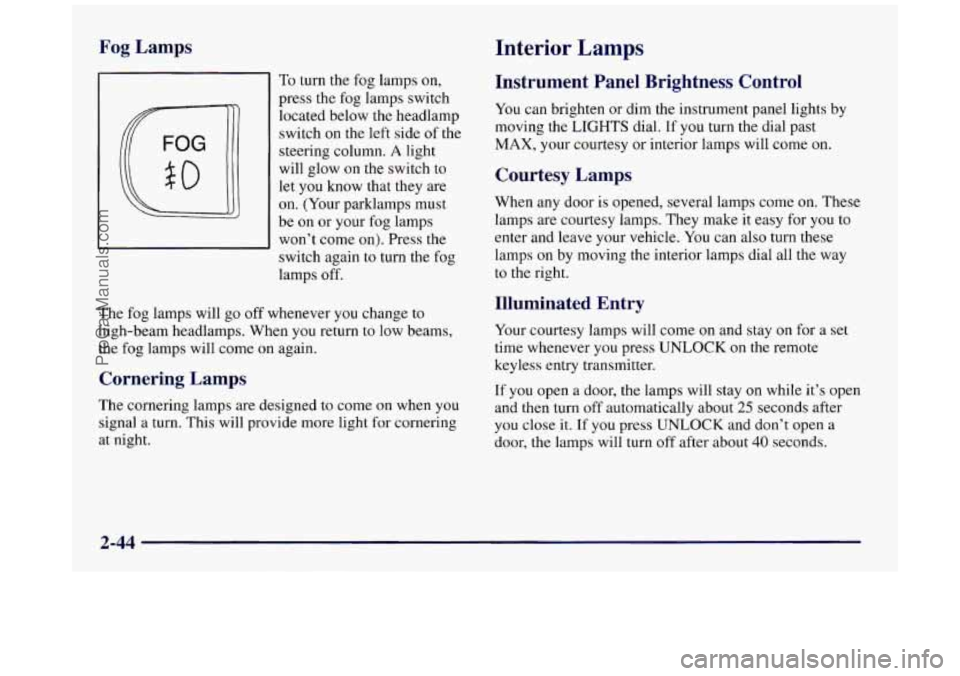
Fog Lamps
To turn the fog lamps on,
press the fog lamps switch
located below the headlamp
switch
on the left side of the
steering column.
A light
will glow on the switch to
let you know that
they are
on. (Your parklamps must
be on or your fog lamps
won’t come on). Press the
switch again
to turn the fog
lamps off.
The fog lamps will go off whenever you change to
high-beam headlamps. When you return to low beams,
the fog lamps will come on again.
Cornering Lamps
The cornering lamps are designed to come on when you
signal a turn. This will provide more light for cornering
at night.
Interior Lamps
Instrument Panel Brightness Control
You can brighten or dim the instrument panel lights by
moving the LIGHTS dial. If you turn the dial past
MAX, your courtesy or interior lamps will come on.
Courtesy Lamps
When any door is opened, several lamps come on. These
lamps are courtesy lamps. They make it easy for you to
enter and leave your vehicle. You can also turn these
lamps on by moving the interior lamps dial all the way
to the right.
Illuminated Entry
Your courtesy lamps will come on and stay on for a set
time whenever you press
UNLOCK on the remote
keyless entry transmitter.
If
you open a door, the lamps will stay on while it’s open
and then turn off automatically about
25 seconds after
you close it. If you press
UNLOCK and don’t open a
door, the lamps will turn off after about
40 seconds.
2-44
ProCarManuals.com
Page 135 of 422
Warning Lights, Gages
and Indicators
This part describes the warning lights and gages that
may be on your vehicle. The pictures will help you
locate them.
Warning lights and gages can signal that something is
wrong before it becomes serious enough
to cause an
expensive repair or replacement. Paying attention to
your warning lights and gages could also save
you or
others from injury.
Warning lights come on when there may be or is a
problem with one of your vehicle’s functions.
As you
will see in the details on the next few pages, some
warning lights come
on briefly when you start the
engine just to let you know they’re working. If you are
familiar with this section,
you should not be alarmed
when this happens.
Gages can indicate when there may be or is a problem
with one of your vehicle’s functions. Often gages and
warning lights work together
to let you know when
there’s a problem with your vehicle.
When one of the warning lights comes on and stays on
when
you are driving, or when one of the gages shows
there may be a problem, check the section that tells
you
what to do about it. Please follow this manual’s advice.
Waiting to
do repairs can be costly -- and even
dangerous.
So please get to know your warning lights
and gages. They’re a big help.
Your vehicle may also have a driver information system
that works along with the warning lights and gages. See
“Driver Information System’’ in the Index.
Safety Belt Reminder Light
When the key is turned to RUN or START, a chime will
come on for about eight seconds to remind people to
fasten their safety belts, unless the driver’s safety belt is
already buckled.
The safety belt light will
also come on and stay on
for about
20 seconds, then
it will flash for about
55 seconds. If the driver’s
belt is already buckled,
neither the chime nor the
light will come on.
2-59
ProCarManuals.com
Page 190 of 422
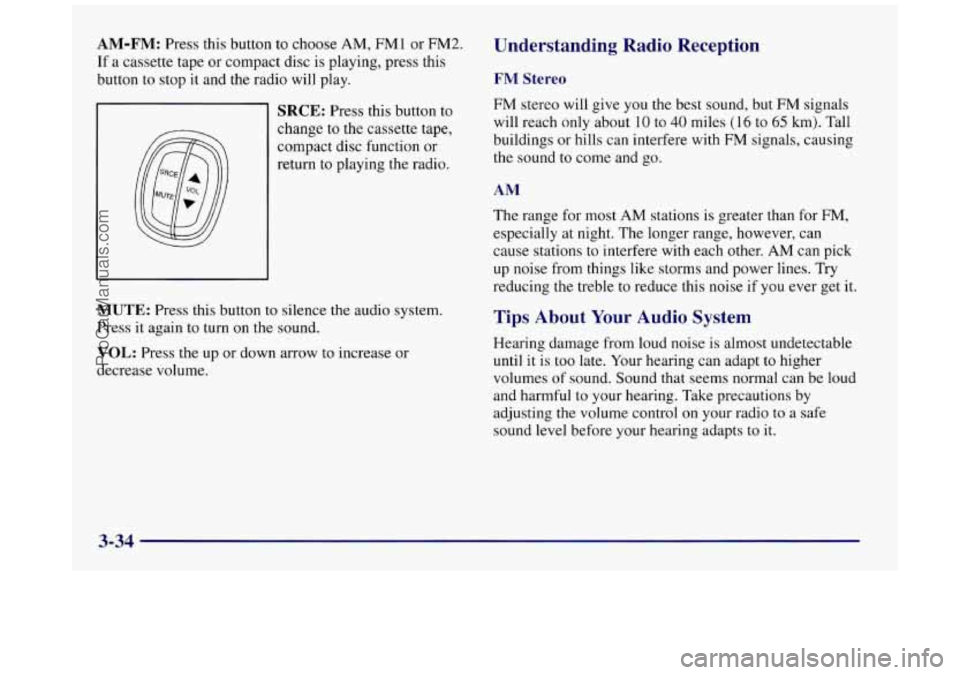
AM-FM: Press this button to choose AM, FMl or FM2. Understanding Radio Reception
If a cassette tape or compact disc is playing, press this
button to stop it and the radio will play.
FM Stereo
SRCE: Press this button to
change to the cassette tape,
compact disc function or
return to playing the radio. FM stereo will give you the best sound, but FM signals
will reach only about
10 to 40 miles (16 to 65 km). Tall
buildings or hills can interfere with
FM signals, causing
the sound to come and go.
AM
The range for most AM stations is greater than for FM,
especially at night. The longer range, however, can
cause stations to interfere with each other.
AM can pick
up noise from things like storms and power lines. Try
reducing the treble to reduce this noise if you ever get it.
MUTE: Press this button to silence the audio system.
Press it again to turn on the sound.
VOL: Press the up or down arrow to increase or
decrease volume.
Tips About Your Audio System
Hearing damage from loud noise is almost undetectable
until it is too late. Your hearing can adapt to higher
volumes of sound. Sound that seems normal can be loud
and harmful to your hearing. Take precautions by
adjusting the volume control
on your radio to a safe
sound level before your hearing adapts to it.
3-34
ProCarManuals.com
Page 192 of 422
Cleaning may be done with a scrubbing action,
non-abrasive cleaning cassette with pads which scrub
the tape head as the hubs of the cleaner cassette turn.
A
scrubbing action cleaning cassette is available through
your dealership.
You may also choose a non-scrubbing action, wet-type
cleaner which uses a cassette with a fabric belt to clean
the tape head. This type of cleaning cassette may not
clean as thoroughly as the scrubbing type cleaner.
After you clean the player, press and hold EJECT for
five seconds
to reset the CLN indicator. The radio will
display
--- to show the indicator was reset.
Cassettes are subject to wear and the sound quality
may degrade over time. Always make sure the cassette
tape
is in good condition before you have your tape
player serviced.
Care of Your Compact Discs
Handle discs carefully. Store them in their original cases
or other protective cases and away from direct sunlight
and dust. If the surface of a disc is soiled, dampen a
clean, soft cloth in a mild, neutral detergent solution and
clean it, wiping from the center to the edge.
Be sure never to touch the signal surface when handling
discs. Pick up discs by grasping the outer edges or the
edge of the hole and the outer edge.
Fixed Mast Antenna
The fixed mast antenna can withstand most car washes
without being damaged. If the mast should ever become
slightly bent,
you can straighten it out by hand. If the
mast is badly bent, as it might be by vandals, you should
replace
it.
Check every once in a while to be sure the mast is still
tightened to the fender.
3-36
ProCarManuals.com