buttons BUICK REGAL 1998 User Guide
[x] Cancel search | Manufacturer: BUICK, Model Year: 1998, Model line: REGAL, Model: BUICK REGAL 1998Pages: 388, PDF Size: 20.19 MB
Page 176 of 388
EJECT: The system has two EJECT buttons. Press the
button near the CD slot
to remove a disc. Press the
button near the tape slot to remove a tape and the radio
will play.
CLN: If this message appears on the display, the
cassette tape player needs to be cleaned. It will still play
tapes, but you should clean it as soon as possible to
prevent damage
to the tapes and player. See “Care of
Your Cassette Tape Player” in
the Index. After you clean
the player, press and hold EJECT for five seconds to
reset the
CLN indicator. The radio will display --- to
show the indicator was reset.
Your cassette tape player automatically reduces
background noise from tapes encoded with Dolby
NR.
You may turn Dolby off by pressing the number
six preset.
Playing a Compact Disc
Insert a disc halfway into the slot, label side up. The
player will pull it in. The disc should begin playing.
If you want to insert a
CD while the ignition or the radio
is off, first press EJECT or RECALL. If
you’re driving on a very rough road or if it’s very hot,
the disc may not play and an error code may appear on
the display. When things get back to normal, the disc
should play. If the disc comes out, it could be that:
E20: The disc is upside down.
E20: It is dirty, scratched or wet.
0 E20: There’s too much moisture in the air. (Wait
about an hour and try again.)
If any error occurs repeatedly or if an error can’t be
corrected, please contact your dealer.
If your radio
displays an error number, write it down and provide it to
your dealer when reporting the problem.
PREV (1): Press this button to go to the start of the
current track, if more than eight seconds have played.
If
you hold the button or press it more than once, the
player will continue moving back through the disc. The
sound will mute while seeking.
NEXT (2): Press this button to go to the next track. If
you hold the button or press it more than once, the
player will continue moving forward through the disc.
The sound will mute while seeking.
The
SEEK down and up arrows will also find the
previous and next selections on the disc.
3-24
ProCarManuals.com
Page 178 of 388
Activating the Theft-Deterrent Feature
The instructions which follow explain how to enter your
secret code
to activate the THEFTLOCK system. It is
recommended that you read through all nine steps
before starting the procedure.
NOTE:
If you allow more than 15 seconds to elapse
between any steps, the radio automatically reverts to
time and you must start the procedure over at Step
4.
1. Write down any three or four-digit number from
000 to 1999 and keep it in a safe place separate from
the vehicle.
2. Turn the ignition to ACCESSORY or RUN.
3. Turn the radio off.
4. Press the 1 and 4 buttons together. Hold them down
until
--- shows on the display. Next you will use the
secret code number which you have written down.
5. Press MIN and 000 will appear on the display.
6. Press MIN again to make the last two digits agree
with your code.
7. Press HRS to make the first one or two digits agree
with your code.
8. Press AM-FM after you have confirmed that the
code matches the secret code you have written down.
The display will show REP
to let you know that you
need to repeat Steps 5 through 7 to confirm your
secret code.
9. Press AM-FM and this time the display will show
SEC to let you know that your radio is secure.
3-26
ProCarManuals.com
Page 179 of 388
Unlocking the Theft-Deterrent Feature After a
Power
Loss
Enter your secret code as follows; pause no more than
15 seconds between steps:
1.
2.
3.
4.
5.
LOC appears when the ignition is on.
Press MIN and
000 will appear on the display.
Press MIN again to make the last two digits agree
with your code.
Press
HRS to make the first one or two digits agree
with your code.
Press AM-FM after
you have confirmed that the
code matches the secret code you have written down.
The display will show SEC, indicating the radio
is
now operable and secure.
If you enter the wrong code eight times, INOP will
appear on the display.
You will have to wait an hour
with the ignition on before
you can try again. When
you try again, you will
only have three more chances
(eight tries per chance) to enter the colrect code before
INOP appears.
If you lose or forget your code, contact your dealer.
Disabling the Theft-Deterrent Feature
Enter your secret code as follows; pause no more than
15 seconds between steps:
1.
2.
3.
4.
5.
6.
7.
Turn the ignition to ACCESSORY or RUN.
Turn the radio off.
Press the 1 and
4 buttons together. Hold them down
until SEC shows on the display.
Press MIN and
000 will appear on the display.
Press MIN again to make the last two digits agree
with your code.
Press
HRS to make the first one or two digits agree
with your code.
Press AM-FM after you have confirmed that the
code matches the secret code you have written down.
The display will show
---, indicating that the radio is
no longer secured.
If the code entered is incorrect,
SEC will appear on the
display. The radio will remain secured
until the correct
code is entered.
When battery power is removed and later applied to a
secured radio, the radio won’t turn on and
LOC will
appear on the display.
3-27
ProCarManuals.com
Page 180 of 388
To unlock a secured radio see “Unlocking the
Theft-Deterrent Feature After a Power
Loss” earlier in
this section.
Audio Steering Wheel Controls
(If Equipped)
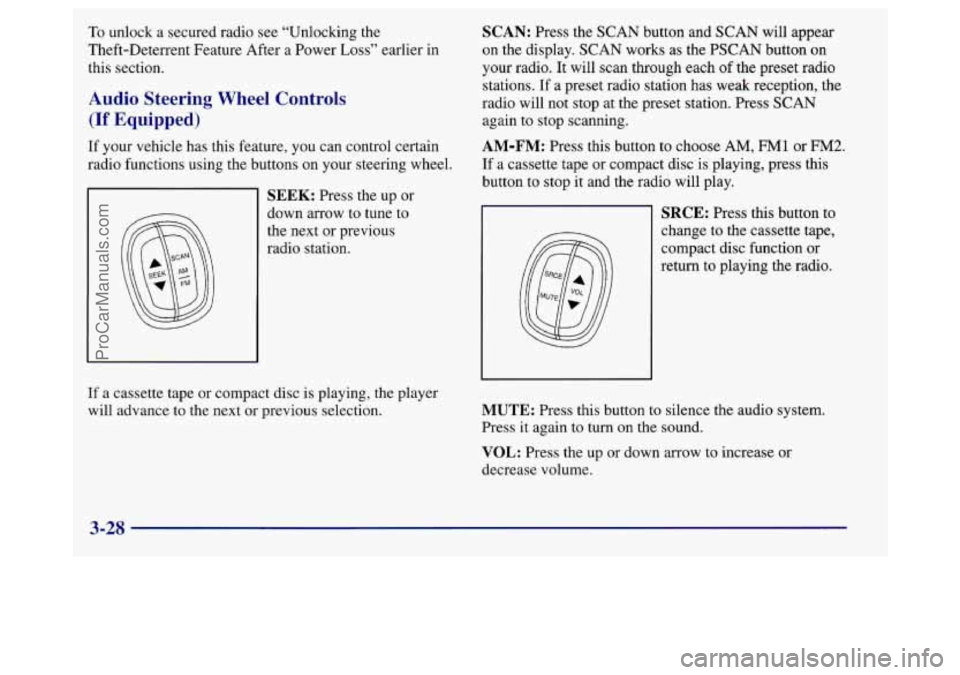
If your vehicle has this feature, you can control certain
radio functions using the buttons on your steering wheel.
SEEK: Press the up or
down arrow to tune to
the next or previous
radio station.
SCAN: Press the SCAN button and SCAN will appear
on the display. SCAN works as the PSCAN button on
your radio.
It will scan through each of the preset radio
stations. If a preset radio station has weak reception, the
radio will not stop at the preset station. Press SCAN
again to stop scanning.
AM-FM: Press this button to choose AM, FM1 or FM2.
If a cassette tape or compact disc is playing, press this
button to stop it and the radio will play.
SRCE: Press this button to
change to the cassette tape,
compact disc function or
return to playing the radio.
If a cassette tape or compact disc is playing, the player
will advance to the next
or previous selection. MUTE: Press this button to silence the audio system.
Press it again to turn on the sound.
VOL: Press the up or down arrow to increase or
decrease volume.
3-28
ProCarManuals.com