instrument panel BUICK REGAL 1998 User Guide
[x] Cancel search | Manufacturer: BUICK, Model Year: 1998, Model line: REGAL, Model: BUICK REGAL 1998Pages: 388, PDF Size: 20.19 MB
Page 109 of 388
Turn Signal and Lane Change Indicator
The turn signal has two upward (for right) and two
downward (for left) positions. These positions allow you
to signal a turn or a lane change.
To signal a turn, move the lever all the way up or down.
When the turn is finished, the lever will return
automatically.
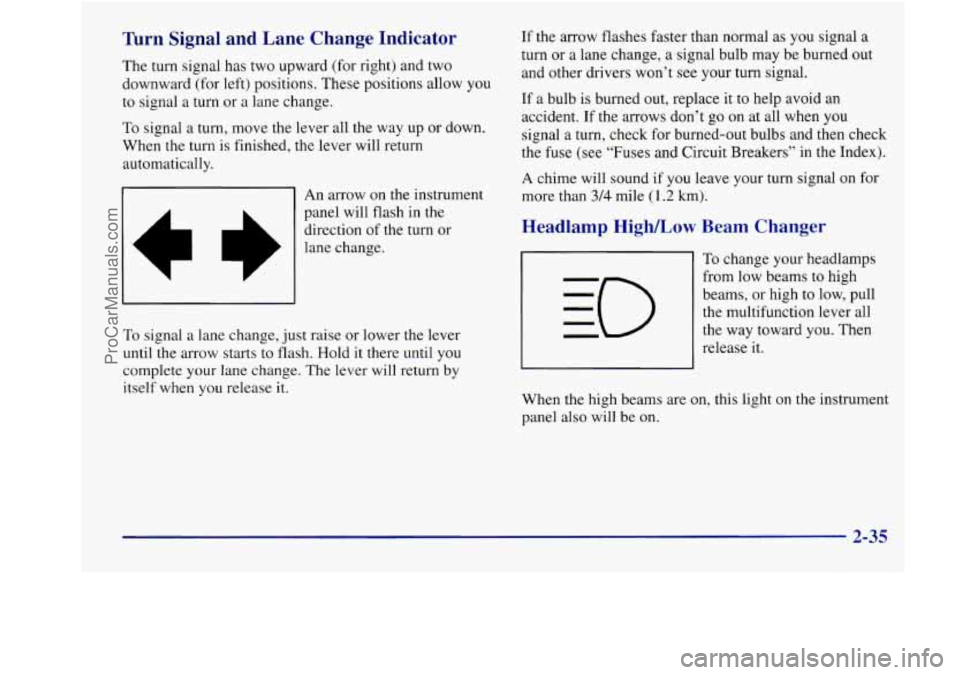
An arrow on
the instrument
panel will flash in the
direction
of the turn or
lane change.
To signal a lane change, just raise or lower the lever
until the arrow starts to flash. Hold it there until you
complete your lane change. The lever will return
by
itself when you release it.
If the arrow flashes faster than normal as you signal a
turn or a lane change, a signal bulb may be burned out
and other drivers won’t see your turn signal.
If a bulb is burned out, replace it to help avoid an
accident. If the arrows don’t go on at all when
you
signal a turn, check for burned-out bulbs and then check
the fuse (see “Fuses and Circuit Breakers” in the Index).
A chime will sound if
you leave your turn signal on for
more than
314 mile (1.2 km).
Headlamp High/Low Beam Changer
To change your headlamps
from low beams to high
beams,
or high to low, pull
the multifunction lever all
the way toward you. Then
release it.
When the high beams are on, this light
on the instrument
panel also will be
on.
2-35
ProCarManuals.com
Page 111 of 388
For steady wiping at low speed, turn the band to LO. For
high-speed wiping, turn the band further, to HI. To stop
the wipers, turn the band to
OFF.
You can set the wiper speed for a long or short delay
between wipes, This can be very
useful in light rain or
snow. Turn the band
to choose the delay time. The
closer to
LO, the shorter the delay between wipes.
Be sure to clear ice and snow from the wiper blades
before using them. If they’re frozen to the windshield,
carefully loosen or thaw them. If your blades
do become
damaged, get new blades or blade inserts.
Heavy snow or ice can overload your wipers. A circuit
breaker will stop them until the motor cools. Clear away
snow or ice
to prevent an overload.
Windshield Washer
At the top of the multifunction lever, there’s a paddle with
the word
PUSH on it. To spray washer fluid on the
windshield, push the paddle. The wipers will run for
several sweeps and then either stop or return to your preset
speed. See “Windshield Washer Fluid”
in the Index.
I
A CAUTICU: I
In freezing weather, don’t use your washer until
the windshield is warmed. Otherwise the washer
fluid can form ice on the windshield, blocking
your vision.
The LOW WASH light on
your instrument panel
cluster will glow when the
LOW WASH fluid level is low.
2-37
ProCarManuals.com
Page 113 of 388
Setting Cruise Control
1
If you leave your cruise control switch on when
you’re not using cruise, you might hit
a button
and
go into cruise when you don’t want to. You
could be startled and even lose control. Keep the
cruise control switch off until
you want to use it.
1. Move the cruise control switch to ON.
2. Get up to the speed you want.
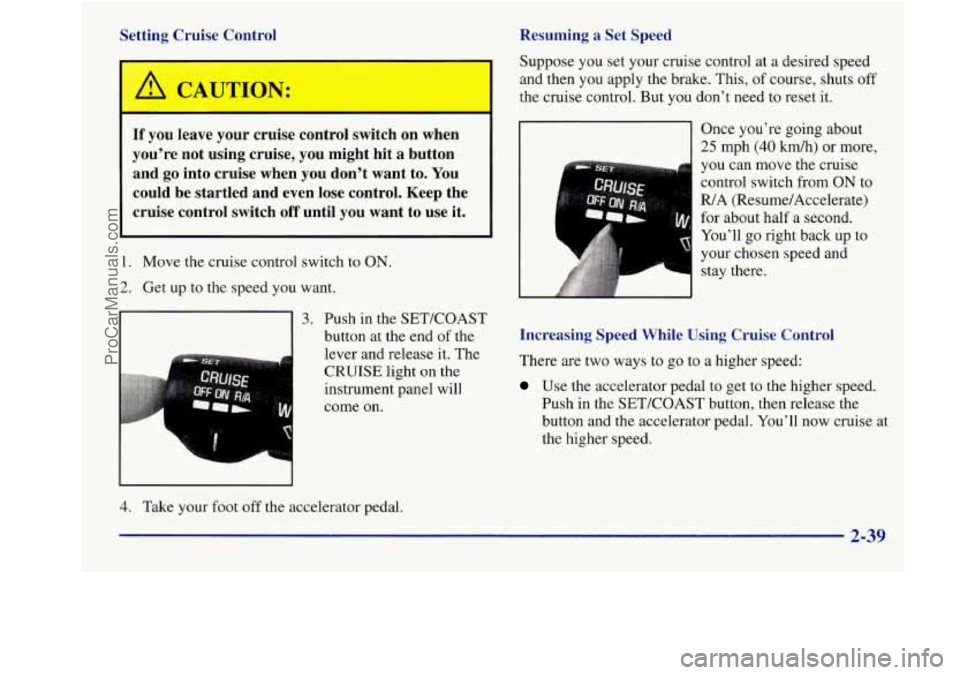
91 button at the end of the
lever and release it. The
CRUISE light on the
instrument panel will
come on.
3. Push in the SET/COAST
1
Resuming a Set Speed
Suppose
you set your cruise control at a desired speed
and then you apply the brake. This,
of course, shuts off
the cruise control. But you don’t need to reset it.
Once you’re going about
25 mph (40 km/h) or more,
you can move the cruise
control switch from
ON to
R/A (Resume/Accelerate)
for about half a second.
You’ll go right back up to
your chosen speed and stay there.
Increasing Speed While Using Cruise Control
There are two
ways to go to a higher speed:
Use the accelerator pedal to get to the higher speed.
Push in the SET/COAST button, then release the
button and the accelerator pedal. You’ll now cruise at
the higher speed.
4. Take your foot off the accelerator pedal.
2-39
ProCarManuals.com
Page 115 of 388
Exterior Lamps
The lamp controls are located on the instrument panel.
They control these systems:
0
0
0
a
0
0
0
0
0
Headlamps
Taillamps
Parking Lamps
License Lamps Sidemarker Lamps
Instrument Panel Lights
Courtesy Lamps
Fog Lamps
Cornering Lamps If
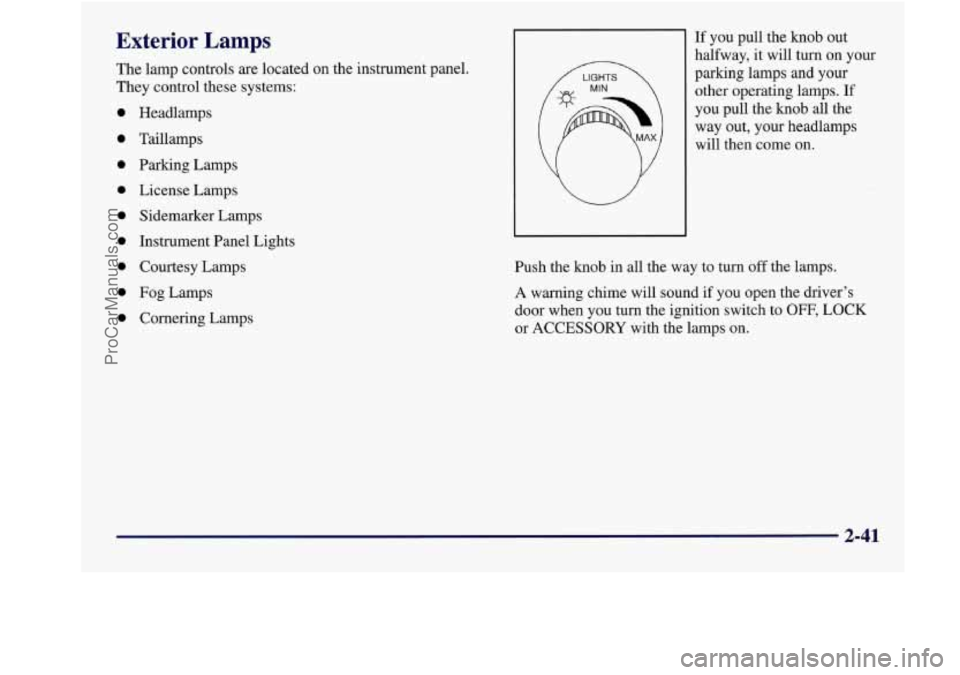
you pull the
knob out
halfway, it will turn on your
parking lamps and your
other operating lamps.
If
you pull the knob all the
way out, your headlamps
will then come on.
Push the
knob in all the way to turn off the lamps.
A warning chime will sound
if you open the driver’s
door when you turn the ignition switch to
OFF, LOCK
or ACCESSORY with the lamps on.
2-41
ProCarManuals.com
Page 116 of 388
Daytime Running Lamps / Automatic
Headlamp Control
Daytime Running Lamps (DRL) can make it easier for
others to see the front of your vehicle during the day.
DRL can be helpful in many different driving
conditions, but they can be especially helpful in the
short periods after dawn and before sunset.
A light sensor on top of the instrument panel makes the
DRL work,
so be sure it isn’t covered.
The DRL system will make your front turn signal lamps
come on when:
The ignition is on,
The headlamp switch is off and
The parking brake is released. When
the DRL are on, only your front turn signal lamps
will be
on. The headlamps, taillamps, sidemarker and
other lamps
won’t be on. Your instrument panel won’t
be lit up either.
When it’s dark enough outside, your front turn signal
lamps
will turn off and your vehicle’s headlamps and
parking lamps will turn on.
The other lamps that come
on with your headlamps will also come on.
When it’s bright enough outside, your headlamps will
go
off and your front turn signal lamps will come on.
To idle your vehicle with the DRL off, set the parking
brake while the ignition
is in OFF or LOCK. Then start
your vehicle. The
DRL, headlamps and parking lamps
will stay
off until you release the parking brake.
As with any vehicle, you should turn on the regular
headlamp system when you need it.
ProCarManuals.com
Page 118 of 388
Fog Lamps Interior Lamps
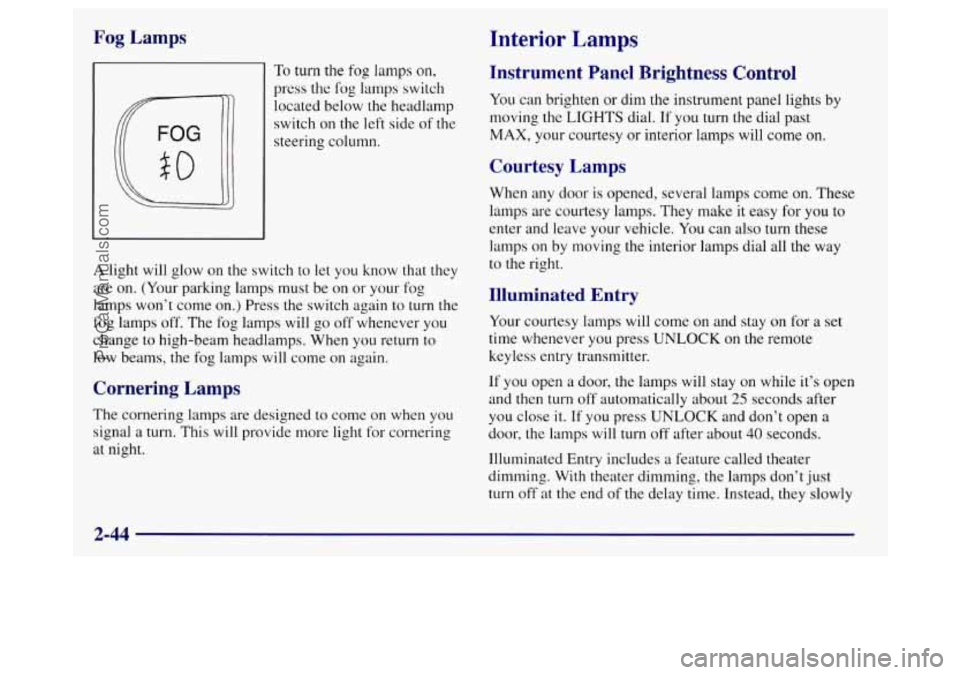
To turn the fog lamps on,
press the
log lamps switch
located below the headlamp
switch on
the left side of the
steering column.
A light will glow on the switch to let you know that they
are on. (Your parking lamps must be on or your fog
lamps won’t come on.) Press the switch again to turn the
fog lamps off. The fog lamps will go off whenever you
change to high-beam headlamps. When you return to
low beams, the fog lamps will come
on again.
Cornering Lamps
The cornering lamps are designed to come on when you
signal a turn. This will provide more light for cornering
at night.
Instrument Panel Brightness Control
You can brighten or dim the instrument panel lights by
moving
the LIGHTS dial. If you turn the dial past
MAX, your courtesy or interior lamps will come on.
Courtesy Lamps
When any door is opened, several lamps come on. These
lamps are courtesy lamps. They make it easy for you to
enter and leave your vehicle. You can also turn these
lamps
on by moving the interior lamps dial all the way
to the right.
Illuminated Entry
Your courtesy lamps will come on and stay on for a set
time whenever you press
UNLOCK on the remote
keyless entry transmitter.
If you open a door, the lamps will stay on while it’s open
and
then turn off automatically about 25 seconds after
you close it. If you press UNLOCK and don’t open a
door, the lamps
will turn off after about 40 seconds.
Illuminated Entry includes a feature called theater
dimming. With theater dimming, the lamps don’t just
turn off
at the end of the delay time. Instead, they slowly
2-44
ProCarManuals.com
Page 124 of 388
Rear Seat Pass-Through (If Equipped)
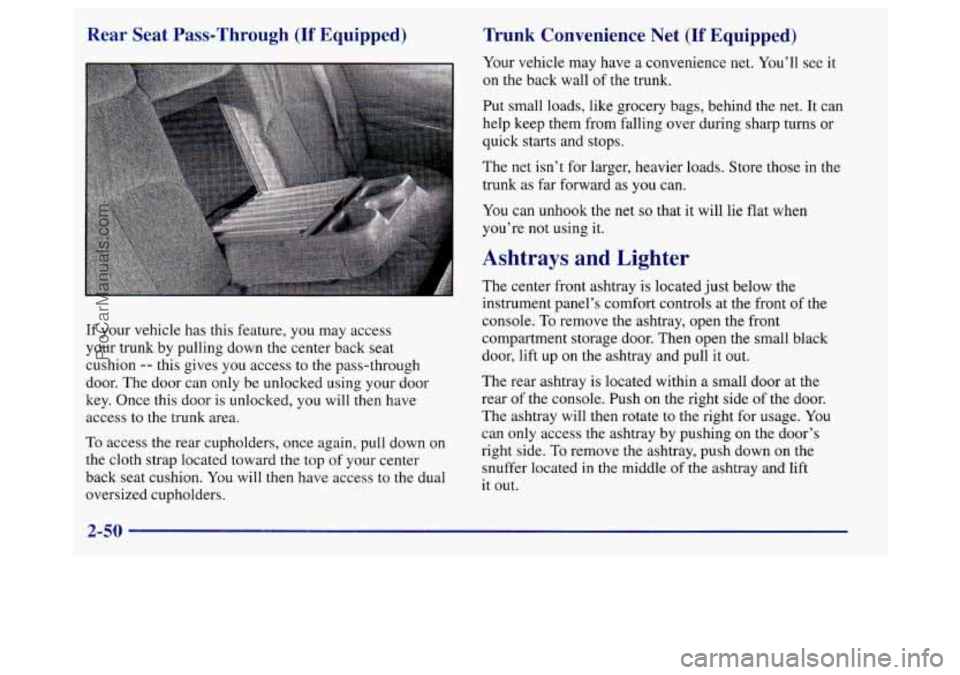
If your vehicle has this feature, you may access
your trunk by pulling down the center back seat
cushion
-- this gives you access to the pass-through
door. The door can only be unlocked using your door
key. Once this door is unlocked, you will then have
access to the trunk area.
To access the rear cupholders, once again, pull down on
the cloth strap located toward the top of your center
back seat cushion. You will then have access to the dual
oversized cupholders.
Trunk Convenience Net (If Equipped)
Your vehicle may have a convenience net. You’ll see it
on the back wall of the trunk.
Put small loads, like grocery bags, behind the net. It can
help keep them from falling over during sharp turns or
quick starts and stops.
The net isn’t for larger, heavier loads. Store those in the
trunk as far forward as you can.
You can unhook the
net so that it will lie flat when
you’re
not using it.
Ashtrays and Lighter
The center front ashtray is located just below the
instrument panel’s comfort controls at the front
of the
console.
To remove the ashtray, open the front
compartment storage door. Then open the small black
door, lift up
on the ashtray and pull it out.
The rear ashtray is located within a small door at the
rear
of the console. Push on the right side of the door.
The ashtray will then rotate to the right for usage. You
can only access the ashtray by pushing on the door’s
right side.
To remove the ashtray, push down on the
snuffer located
in the middle of the ashtray and lift
it out.
2-50
ProCarManuals.com
Page 129 of 388
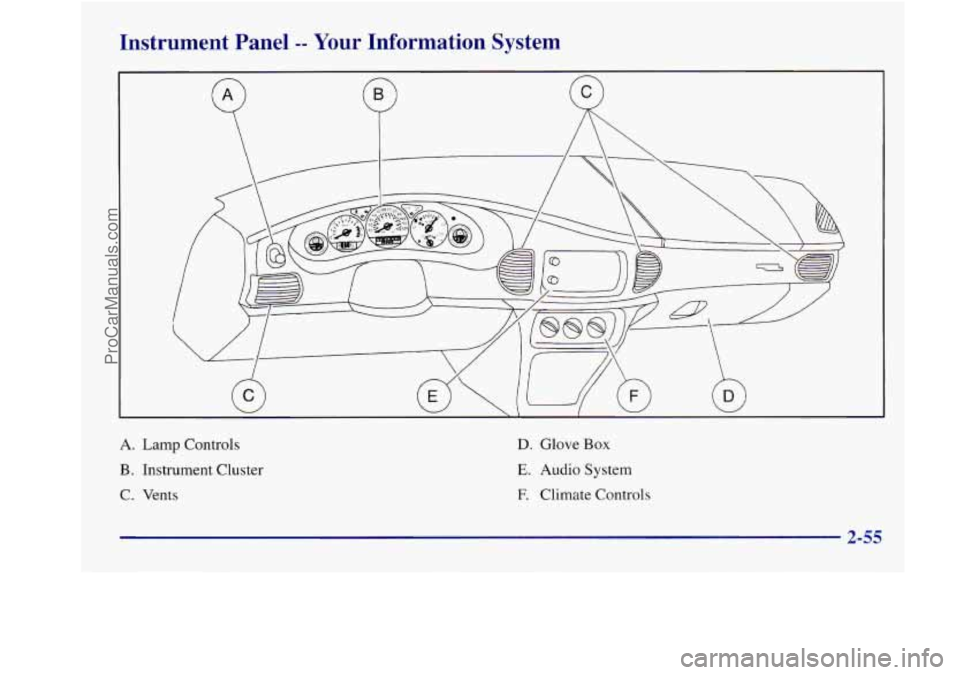
Instrument Panel -- Your Information System
A. Lamp Controls
B. Instrument Cluster
C. Vents
D. Glove Box
E. Audio System
E Climate Controls
2-55
ProCarManuals.com
Page 130 of 388
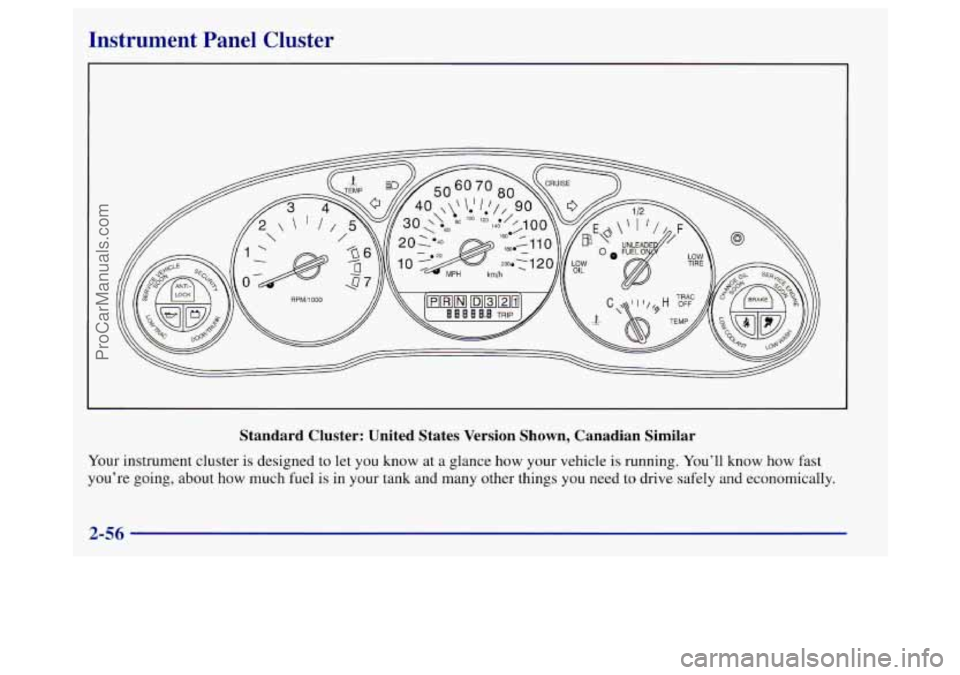
Instrument Panel Cluster
Standard Cluster: United States Version Shown, Canadian Similar
Your instrument cluster is designed to let you know at a glance how your vehicle is running. You’ll know how fast
you’re going, about
how much fuel is in your tank and many other things you need to drive safely and economically.
2-56
ProCarManuals.com
Page 134 of 388
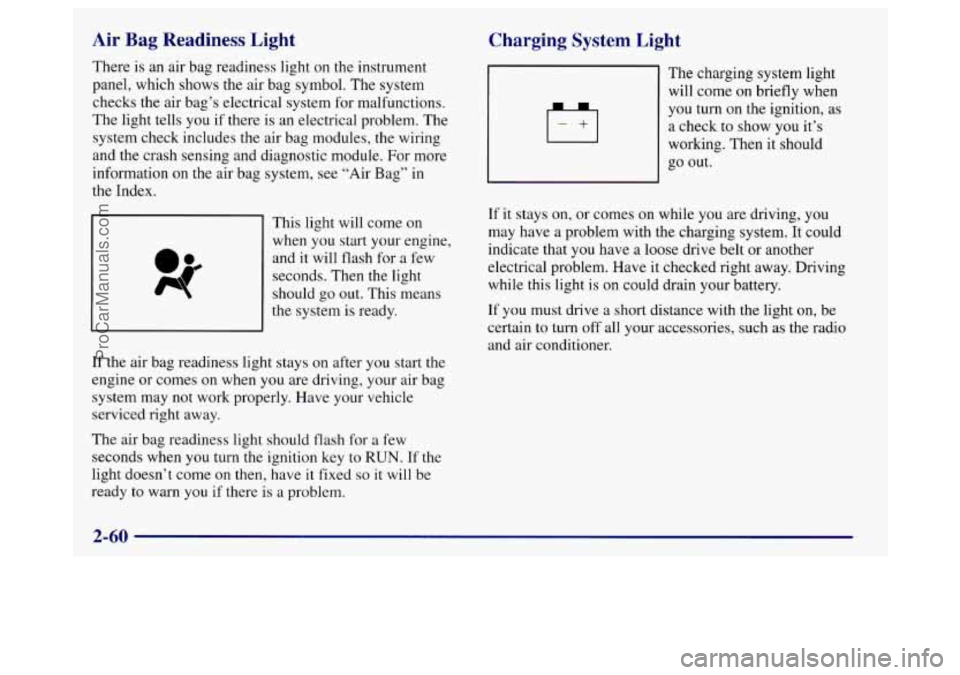
Air Bag Readiness Light
There is an air bag readiness light on the instrument
panel, which shows the air bag symbol. The system
checks the air bag’s electrical system for malfunctions.
The light tells you if there is an electrical problem. The
system check includes the air bag modules, the wiring
and the crash sensing and diagnostic module. For more
information on the air bag system, see “Air Bag” in
the Index.
This light will come
on
when you start your engine,
and it will flash for
a few
seconds. Then
the light
should
go out. This means
the system is ready.
If the air bag readiness light stays on after you start the
engine or comes on when
you are driving, your air bag
system may not work properly. Have your vehicle
serviced right away.
The air bag readiness light should flash for a few
seconds when you turn the ignition key to
RUN. If the
light doesn’t come on then, have it fixed
so it will be
ready
to warn you if there is a problem.
Charging System Light
4
+I
The charging system light
will come on briefly when
you turn on the ignition, as
a check to show you it’s
working. Then it should
go out.
If it stays
on, or comes on while you are driving, you
may have a problem with the charging system. It could
indicate that you have a loose drive belt or another
electrical problem. Have it checked right away. Driving
while
this light is on could drain your battery.
If you must drive a short distance with the light on, be
certain to turn
off all your accessories, such as the radio
and air conditioner.
2-60
ProCarManuals.com