brake service BUICK REGAL 2011 User Guide
[x] Cancel search | Manufacturer: BUICK, Model Year: 2011, Model line: REGAL, Model: BUICK REGAL 2011Pages: 368, PDF Size: 5.35 MB
Page 217 of 368
Black plate (27,1)Buick Regal Owner Manual - 2011
Driving and Operating 9-27
R (Reverse):Use this gear to
back up.
Notice: Shifting to R (Reverse)
while the vehicle is moving
forward could damage the
transmission. The repairs would
not be covered by the vehicle
warranty. Shift to R (Reverse) only
after the vehicle is stopped.
To rock the vehicle back and forth to
get out of snow, ice, or sand without
damaging the transmission, see If
the Vehicle Is Stuck on page 9‑11.
N (Neutral): In this position, the
engine does not connect with the
wheels. To restart the engine when
the vehicle is already moving, use
N (Neutral) only with the brake pedal
applied.
The vehicle has an automatic
neutral shift feature which allows
the transmission to automatically
shift to N (Neutral) when the vehicle
is stopped with a forward gear
engaged and the brake pedal applied. The reduced load on the
engine improves vehicle fuel
economy.
{WARNING
Shifting into a drive gear while the
engine is running at high speed is
dangerous. Unless your foot is
firmly on the brake pedal, the
vehicle could move very rapidly.
You could lose control and hit
people or objects. Do not shift
into a drive gear while the engine
is running at high speed.
Notice: Shifting out of P (Park)
or N (Neutral) with the engine
running at high speed may
damage the transmission. The
repairs would not be covered by
the vehicle warranty. Be sure the
engine is not running at high
speed when shifting the vehicle. D (Drive):
This position is for
normal driving. It provides the best
fuel economy. If more power is
needed for passing, and the
vehicle is:.Going less than 56 km/h
(35 mph), push the accelerator
pedal about halfway down.
.Going about 56 km/h (35 mph) or
more, push the accelerator all
the way down.
Notice: If the vehicle seems to
accelerate slowly or not shift
gears when you go faster, and
you continue to drive the vehicle
that way, you could damage the
transmission. Have the vehicle
serviced right away.
Page 222 of 368
Black plate (32,1)Buick Regal Owner Manual - 2011
9-32 Driving and Operating
The system has a parking brake
status light and a parking brake
warning light. SeeElectric Parking
Brake Light on page 5‑16. There are
also three Driver Information Center
(DIC) messages. See Brake System
Messages on page 5‑26 for more
information. In case of insufficient
electrical power, the EPB cannot be
applied or released.
Before leaving the vehicle, check
the parking brake status light to
ensure that the parking brake is
applied.
EPB Apply
The EPB can be applied any time
the vehicle is stopped. The EPB is
applied by momentarily lifting up on
the EPB switch. Once fully applied,
the parking brake status light will be
on. While the brake is being applied,
the status light will flash until it is
fully applied. If the light does not
come on, or remains flashing, you
need to have the vehicle serviced.
Do not drive the vehicle if the
parking brake status light is flashing. See your dealer. See
Electric
Parking Brake Light on page 5‑16
for more information.
If the EPB is applied while the
vehicle is in motion, a chime will
sound, and the DIC message
RELEASE PARK BRAKE SWITCH
will be displayed. The vehicle will
decelerate as long as the switch is
held in the up position. Releasing
the EPB switch during deceleration
will release the parking brake. If the
switch is held in the up position until
the vehicle comes to a stop, the
EPB will remain applied.
If the parking brake status light
flashes continuously, then the EPB
is only partially applied or released,
or there is a problem with the EPB.
The DIC message SERVICE
PARKING BRAKE will be displayed.
If this light flashes continuously,
release the EPB, and attempt to
apply it again. If this light continues
to flash, do not drive the vehicle.
See your dealer. If the parking brake warning light is
on, the EPB has detected an error
in another system and is operating
with reduced functionality.
To apply the EPB when this
light is on, lift up on the EPB
switch and hold it in the up position.
Full application of the parking brake
by the EPB system may take a
longer period of time than normal
when this light is on. Continue to
hold the switch until the parking
brake status light remains on. If the
parking brake warning light is on,
see your dealer.
For maximum EPB force when
parking on a hill, pull the EPB
switch twice.
If the EPB fails to apply, the rear
wheels should be blocked to
prevent vehicle movement.
Page 225 of 368
Black plate (35,1)Buick Regal Owner Manual - 2011
Driving and Operating 9-35
dflashes to indicate that TCS is
active. See Traction Control System
(TCS)/StabiliTrak
®Light on
page 5‑18 for more information.
If there is a problem detected
with TCS, SERVICE TRACTION
CONTROL is displayed on the
Driver Information Center (DIC).
See Ride Control System Messages
on page 5‑29. When this message
is displayed and
dcomes on and
stays on, the vehicle is safe to drive
but the system is not operational.
Driving should be adjusted
accordingly.
If
dcomes on and stays on, reset
the system.
To reset:
1. Stop the vehicle.
2. Turn the engine off and waiting 15 seconds.
3. Start the engine. If
dstill comes on and stays on, the
vehicle needs service.
Notice: Do not repeatedly brake
or accelerate heavily when TCS is
off. The vehicle's driveline could
be damaged.
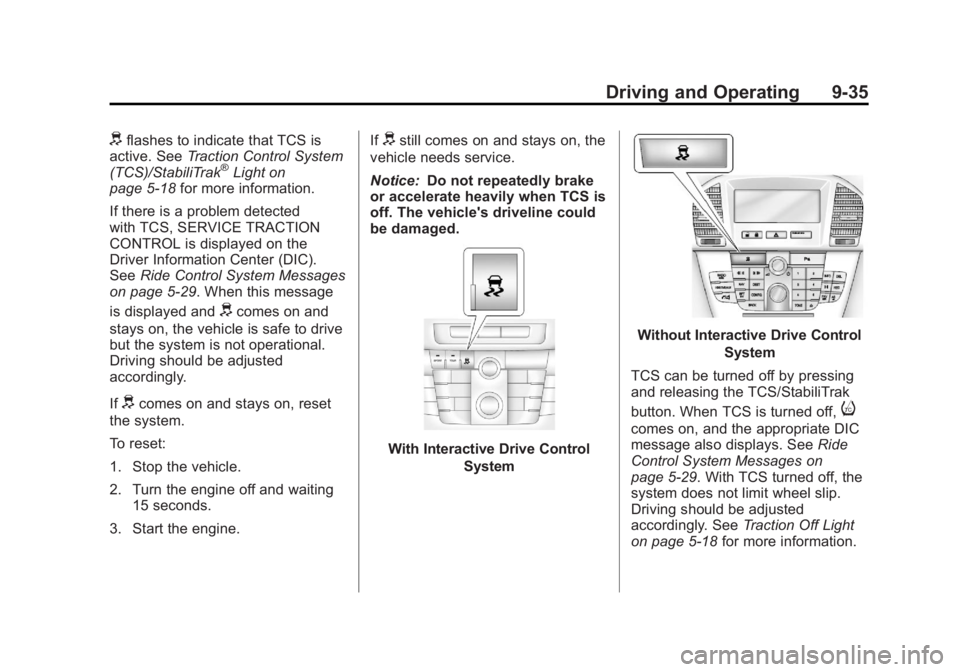
With Interactive Drive Control
System
Without Interactive Drive Control
System
TCS can be turned off by pressing
and releasing the TCS/StabiliTrak
button. When TCS is turned off,
i
comes on, and the appropriate DIC
message also displays. See Ride
Control System Messages on
page 5‑29. With TCS turned off, the
system does not limit wheel slip.
Driving should be adjusted
accordingly. See Traction Off Light
on page 5‑18 for more information.
Page 226 of 368
Black plate (36,1)Buick Regal Owner Manual - 2011
9-36 Driving and Operating
Press and release the
TCS/StabiliTrak button again
to turn the system back on.
It may be necessary to turn the
system off if the vehicle gets stuck
in sand, mud, or snow and rocking
the vehicle is required. SeeIf the
Vehicle Is Stuck on page 9‑11 for
more information. See also Winter
Driving on page 9‑9 for information
on using TCS when driving in snowy
or icy conditions.
Adding non‐GM accessories can
affect the vehicle performance.
See Accessories and Modifications
on page 10‑3 for more information.
StabiliTrak®System
The vehicle may have a vehicle
stability enhancement system called
StabiliTrak. It is an advanced
computer-controlled system that
assists with directional control of the
vehicle in difficult driving conditions. StabiliTrak activates when the
computer senses a difference
between the intended path and the
direction the vehicle is actually
traveling. StabiliTrak selectively
applies braking pressure to the
vehicle brakes to help steer the
vehicle in the intended direction.
StabiliTrak comes on automatically
whenever the vehicle is started.
To assist with directional control
of the vehicle, the system should
always be left on.
When StabiliTrak activates,
d
flashes on the instrument panel.
A noise may be heard or vibration
may be felt in the brake pedal.
This is normal. Continue to steer the
vehicle in the intended direction.
See
Traction Control System (TCS)/
StabiliTrak
®Light on page 5‑18 for
more information. If a problem is detected with
StabiliTrak, SERVICE
STABILITRAK is displayed on the
Driver Information Center (DIC).
See
Ride Control System Messages
on page 5‑29. When this message
is displayed and
dcomes on and
stays on, the vehicle is safe to drive
but the system is not operational.
Driving should be adjusted
accordingly.
If
dcomes on and stays on, reset
the system.
To reset:
1. Stop the vehicle.
2. Turn the engine off and waiting 15 seconds.
3. Start the engine.
If
dstill comes on and stays on, the
vehicle needs service.
Page 233 of 368

Black plate (43,1)Buick Regal Owner Manual - 2011
Driving and Operating 9-43
PARK ASSIST OFF displays on the
Driver Information Center (DIC) to
indicate that URPA is off. The
message disappears after a short
period of time.
Turning the System On and Off
The URPA system can be turned on
and off using the park assist button
located next to the radio.
The park assist button lights up
when the system is on or in standby
and turns off when it has been
disabled.
URPA defaults to the on setting
each time the vehicle is started.
When the System Does Not
Seem to Work Properly
SERVICE PARK ASSIST:If this
message occurs, take the vehicle to
your dealer to repair the system.
PARK ASSIST OFF: If the URPA
system does not activate due to a
temporary condition, the message
displays on the DIC. See Driver
Information Center (DIC) on
page 5‑22 for more information.
This can occur under the following
conditions:
.The driver has disabled the
system.
.The ultrasonic sensors are not
clean. Keep the vehicle's rear
bumper free of mud, dirt, snow,
ice, and slush. For cleaning
instructions, see Exterior Care
on page 10‑77.
.An object was hanging out of the
trunk during the last drive cycle.
Once the object is removed and
URPA detects no objects of
interest, the URPA will return to
normal operation.
.The vehicle's bumper is
damaged. Take the vehicle to
your dealer to repair the system.
.Other conditions, such as
vibrations from a jackhammer or
the compression of air brakes on
a very large truck, are affecting
system performance.
If the system is still disabled after
checking all conditions listed above
and driving forward at least 40 km/h
(25 mph), take the vehicle to your
dealer.
Page 241 of 368
Black plate (1,1)Buick Regal Owner Manual - 2011
Vehicle Care 10-1
Vehicle Care
General Information
General Information . . . . . . . . . . 10-2
California Proposition 65Warning . . . . . . . . . . . . . . . . . . . . 10-3
California Perchlorate Materials Requirements . . . . 10-3
Accessories and Modifications . . . . . . . . . . . . . . . 10-3
Vehicle Checks
Doing Your OwnService Work . . . . . . . . . . . . . . . 10-4
Hood . . . . . . . . . . . . . . . . . . . . . . . . 10-5
Engine Compartment Overview . . . . . . . . . . . . . . . . . . . 10-6
Engine Oil . . . . . . . . . . . . . . . . . . . 10-9
Engine Oil Life System . . . . . 10-13
Automatic Transmission Fluid . . . . . . . . . . . . . . . . . . . . . . 10-14
Manual Transmission Fluid . . . . . . . . . . . . . . . . . . . . . . 10-14 Hydraulic Clutch . . . . . . . . . . . . 10-14
Engine Air Cleaner/Filter . . . . 10-15
Cooling System . . . . . . . . . . . . 10-17
Engine Coolant . . . . . . . . . . . . . 10-18
Engine Overheating . . . . . . . . 10-21
Power Steering Fluid . . . . . . . 10-23
Washer Fluid . . . . . . . . . . . . . . . 10-24
Brakes . . . . . . . . . . . . . . . . . . . . . 10-25
Brake Fluid . . . . . . . . . . . . . . . . . 10-26
Battery . . . . . . . . . . . . . . . . . . . . . 10-27
Starter Switch Check . . . . . . . 10-28
Automatic Transmission Shift
Lock Control Function
Check . . . . . . . . . . . . . . . . . . . . . 10-28
Ignition Transmission Lock Check . . . . . . . . . . . . . . . . . . . . . 10-29
Park Brake and P (Park) Mechanism Check . . . . . . . . 10-29
Wiper Blade Replacement . . . . . . . . . . . . . . 10-30
Headlamp Aiming
Headlamp Aiming . . . . . . . . . . 10-30
Bulb Replacement
Bulb Replacement . . . . . . . . . . 10-31
Halogen Bulbs . . . . . . . . . . . . . . 10-31
Headlamps, Front TurnSignal and Parking
Lamps . . . . . . . . . . . . . . . . . . . . 10-31
Fog Lamps . . . . . . . . . . . . . . . . . 10-32
Taillamps, Turn Signal, Stoplamps, and Back-Up
Lamps . . . . . . . . . . . . . . . . . . . . 10-33
License Plate Lamp . . . . . . . . 10-34
Replacement Bulbs . . . . . . . . . 10-34
Electrical System
Electrical System Overload . . . . . . . . . . . . . . . . . . 10-35
Fuses and Circuit Breakers . . . . . . . . . . . . . . . . . . 10-36
Engine Compartment Fuse Block . . . . . . . . . . . . . . . . . . . . . 10-36
Instrument Panel Fuse Block . . . . . . . . . . . . . . . . . . . . . 10-40
Page 243 of 368
Black plate (3,1)Buick Regal Owner Manual - 2011
Vehicle Care 10-3
California Proposition
65 Warning
Most motor vehicles, including this
one, contain and/or emit chemicals
known to the State of California to
cause cancer and birth defects or
other reproductive harm. Engine
exhaust, many parts and systems,
many fluids, and some component
wear by-products contain and/or
emit these chemicals.
California Perchlorate
Materials Requirements
Certain types of automotive
applications, such as airbag
initiators, seat belt pretensioners,
and lithium batteries contained in
Remote Keyless Entry transmitters,
may contain perchlorate materials.
Special handling may be necessary.
For additional information, see
www.dtsc.ca.gov/hazardouswaste/
perchlorate.
Accessories and
Modifications
Adding non‐dealer accessories or
making modifications to the vehicle
can affect vehicle performance and
safety, including such things as
airbags, braking, stability, ride and
handling, emissions systems,
aerodynamics, durability, and
electronic systems like antilock
brakes, traction control, and stability
control. These accessories or
modifications could even cause
malfunction or damage not covered
by the vehicle warranty.Damage to vehicle components
resulting from modifications or the
installation or use of non‐GM
certified parts, including control
module or software modifications, is
not covered under the terms of the
vehicle warranty and may affect
remaining warranty coverage for
affected parts.
GM Accessories are designed to
complement and function with other
systems on the vehicle. Your GM
dealer can accessorize the vehicle
using genuine GM Accessories.
When you go to your GM dealer
and ask for GM Accessories, you
will know that GM-trained and
supported service technicians will
perform the work using genuine GM
Accessories.
Also, see
Adding Equipment to the
Airbag-Equipped Vehicle on
page 3‑38.
Page 254 of 368
Black plate (14,1)Buick Regal Owner Manual - 2011
10-14 Vehicle Care
2. Press the DIC menu button onthe turn signal lever to enter the
Vehicle Information Menu. Use
the thumbwheel to scroll through
the menu items until you reach
REMAINING OIL LIFE.
3. Press the SET/CLR button to reset the oil life at 100%.
4. Turn the ignition to LOCK/OFF.
The system is reset when the
CHANGE ENGINE OIL SOON
message is off and the REMAINING
OIL LIFE 100% message is
displayed.
If the CHANGE ENGINE OIL
message comes back on when the
vehicle is started, the engine oil life
system has not been reset. Repeat
the procedure.Automatic Transmission
Fluid
How to Check Automatic
Transmission Fluid
It is not necessary to check the
transmission fluid level.
A transmission fluid leak is the only
reason for fluid loss. If a leak
occurs, take the vehicle to your
dealer service department and have
it repaired as soon as possible.
There is a special procedure for
checking and changing the
transmission fluid. Because this
procedure is difficult, you should
have this done at your dealer
service department. Contact your
dealer for additional information.
The procedure can be found in the
service manual. To purchase a
service manual, see Service
Publications Ordering Information
on page 13‑11.
Change the fluid and filter at the
intervals listed in Scheduled
Maintenance on page 11‑2, and be sure to use the fluid listed in
Recommended Fluids and
Lubricants on page 11‑6.
Manual Transmission
Fluid
It is not necessary to check the
manual transmission fluid level.
A transmission fluid leak is the only
reason for fluid loss. If a leak
occurs, take the vehicle to your
dealer service department and
have it repaired as soon as
possible. See
Recommended Fluids
and Lubricants on page 11‑6 for the
proper fluid to use.
Hydraulic Clutch
For vehicles with a manual
transmission, it is not necessary to
regularly check brake/clutch fluid
unless there is a leak suspected.
Adding fluid will not correct a leak.
A fluid loss in this system could
indicate a problem. Have the
system inspected and repaired.
Page 265 of 368
Black plate (25,1)Buick Regal Owner Manual - 2011
Vehicle Care 10-25
Brakes
This vehicle has disc brakes. Disc
brake pads have built-in wear
indicators that make a high-pitched
warning sound when the brake pads
are worn and new pads are needed.
The sound can come and go or be
heard all the time the vehicle is
moving, except when applying the
brake pedal firmly.
{WARNING
The brake wear warning sound
means that soon the brakes will
not work well. That could lead to
a crash. When the brake wear
warning sound is heard, have the
vehicle serviced.
Notice: Continuing to drive with
worn-out brake pads could result
in costly brake repair. Some driving conditions or climates
can cause a brake squeal when the
brakes are first applied or lightly
applied. This does not mean
something is wrong with the brakes.
Properly torqued wheel nuts are
necessary to help prevent brake
pulsation. When tires are rotated,
inspect brake pads for wear and
evenly tighten wheel nuts in the
proper sequence to torque
specifications in
Capacities and
Specifications on page 12‑2.
Brake linings should always be
replaced as complete axle sets.
Brake Pedal Travel
See your dealer if the brake pedal
does not return to normal height,
or if there is a rapid increase in
pedal travel. This could be a sign
that brake service might be
required.
Brake Adjustment
Every time the brakes are applied,
with or without the vehicle moving,
the brakes adjust for wear.
Replacing Brake System Parts
The braking system on a vehicle is
complex. Its many parts have to be
of top quality and work well together
if the vehicle is to have really good
braking. The vehicle was designed
and tested with top-quality brake
parts. When parts of the braking
system are replaced, be sure to get
new, approved replacement parts.
If this is not done, the brakes might
not work properly. For example,
installing disc brake pads that are
wrong for the vehicle, can change
the balance between the front and
rear brakes —for the worse. The
braking performance expected can
change in many other ways if the
wrong replacement brake parts are
installed.
Page 267 of 368
Black plate (27,1)Buick Regal Owner Manual - 2011
Vehicle Care 10-27
If the vehicle has DOT 4 brake fluid,
as indicated on the reservoir cap,
use only new DOT 4 brake fluid
from a sealed container. It is
recommended that the brake/clutch
hydraulic system be flushed and
refilled with new DOT 4 fluid at a
regular maintenance service every
two years. SeeScheduled
Maintenance on page 11‑2 and
Recommended Fluids and
Lubricants on page 11‑6.
Always clean the brake/clutch fluid
reservoir cap and the area around
the cap before removing it. This
helps keep dirt from entering the
reservoir.
{WARNING
With the wrong kind of fluid in the
brake/clutch hydraulic system, the
brakes might not work well. This
could cause a crash. Always use
the proper brake/clutch fluid. Notice
.Using the wrong fluid can
badly damage brake/clutch
hydraulic system parts. For
example, just a few drops of
mineral-based oil, such as
engine oil, in the brake
hydraulic system can
damage brake hydraulic
system parts so badly that
they will have to be replaced.
Do not let someone put in
the wrong kind of fluid.
.If brake fluid is spilled on
the vehicle's painted
surfaces, the paint finish can
be damaged. Be careful not
to spill brake fluid on the
vehicle. If you do, wash it off
immediately.
Battery
Refer to the replacement number
shown on the original battery label
when a new battery is needed. See
Engine Compartment Overview on
page 10‑6 for battery location.
{DANGER
Battery posts, terminals, and
related accessories contain lead
and lead compounds, chemicals
known to the State of California to
cause cancer and reproductive
harm. Wash hands after handling.
Vehicle Storage
{WARNING
Batteries have acid that can burn
you and gas that can explode.
You can be badly hurt if you are
not careful. See Jump Starting on
page 10‑70 for tips on working
around a battery without
getting hurt.
Infrequent Usage: Remove the
black, negative (−) cable from the
battery to keep the battery from
running down.