ignition BUICK REGAL 2011 User Guide
[x] Cancel search | Manufacturer: BUICK, Model Year: 2011, Model line: REGAL, Model: BUICK REGAL 2011Pages: 368, PDF Size: 5.35 MB
Page 35 of 368
Black plate (9,1)Buick Regal Owner Manual - 2011
Keys, Doors and Windows 2-9
Vehicle Security
This vehicle has theft-deterrent
features; however, they do not
make it impossible to steal.
Anti-theft Alarm System
This vehicle has an anti-theft alarm
system.
Arming the System
To arm the system, close all of the
windows and doors and then either:
.PressQon the RKE transmitter.
.Lock the vehicle using the key in
the driver door.
The alarm arms after about
30 seconds.
The security light, located in the
center of the instrument panel, will
flash slowly.
Press
Qagain and the system arms
immediately.
Disarming the System
To disarm the system pressKon
the RKE transmitter.
Turning off the System Alarm
If there is an attempt to open the
doors, trunk, or hood without first
pressing
Kon the transmitter or
unlocking the driver door with the
key, the system alarm will be
activated. The exterior lamps will
flash and the horn will sound for
about 30 seconds.
To turn off the system alarm press
QorKon the RKE transmitter.
Immobilizer
See Radio Frequency Statement on
page 13‑15 for information
regarding Part 15 of the Federal
Communications Commission (FCC)
rules and Industry Canada
Standards RSS-210/220/310.
Immobilizer Operation
This vehicle has a passive
theft-deterrent system.
The system does not have to be
manually armed or disarmed.
The vehicle is automatically
immobilized when the key is
removed from the ignition.
The system is automatically
disarmed when the vehicle is
started with the correct key. The key
uses a transponder that matches an
immobilizer control unit in the
vehicle and automatically disarms
the system. Only an authorized key
starts the vehicle. The vehicle may
not start if the key is damaged.
Page 36 of 368
Black plate (10,1)Buick Regal Owner Manual - 2011
2-10 Keys, Doors and Windows
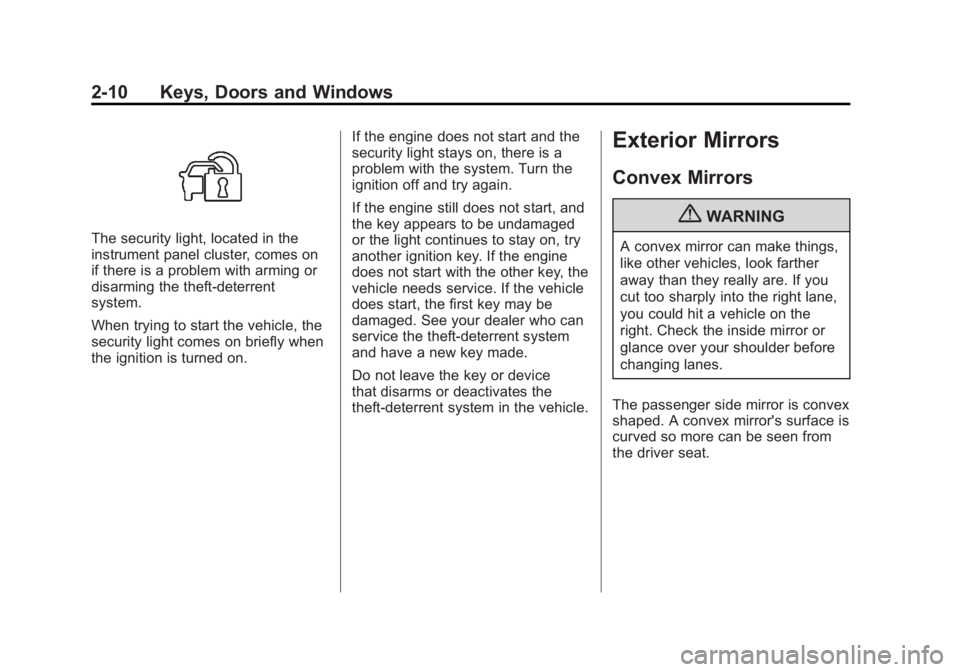
The security light, located in the
instrument panel cluster, comes on
if there is a problem with arming or
disarming the theft-deterrent
system.
When trying to start the vehicle, the
security light comes on briefly when
the ignition is turned on.If the engine does not start and the
security light stays on, there is a
problem with the system. Turn the
ignition off and try again.
If the engine still does not start, and
the key appears to be undamaged
or the light continues to stay on, try
another ignition key. If the engine
does not start with the other key, the
vehicle needs service. If the vehicle
does start, the first key may be
damaged. See your dealer who can
service the theft-deterrent system
and have a new key made.
Do not leave the key or device
that disarms or deactivates the
theft-deterrent system in the vehicle.
Exterior Mirrors
Convex Mirrors
{WARNING
A convex mirror can make things,
like other vehicles, look farther
away than they really are. If you
cut too sharply into the right lane,
you could hit a vehicle on the
right. Check the inside mirror or
glance over your shoulder before
changing lanes.
The passenger side mirror is convex
shaped. A convex mirror's surface is
curved so more can be seen from
the driver seat.
Page 38 of 368
Black plate (12,1)Buick Regal Owner Manual - 2011
2-12 Keys, Doors and Windows
Windows
{WARNING
Leaving children, helpless adults,
or pets in a vehicle with the
windows closed is dangerous.
They can be overcome by the
extreme heat and suffer
permanent injuries or even death
from heat stroke. Never leave a
child, a helpless adult, or a pet
alone in a vehicle, especially with
the windows closed in warm or
hot weather.
The vehicle aerodynamics are
designed to improve fuel economy
performance. This may result in a
pulsing sound when either rear
window is down and the front
windows are up. To reduce the
sound, open either a front window
or the sunroof (if equipped).
Power Windows
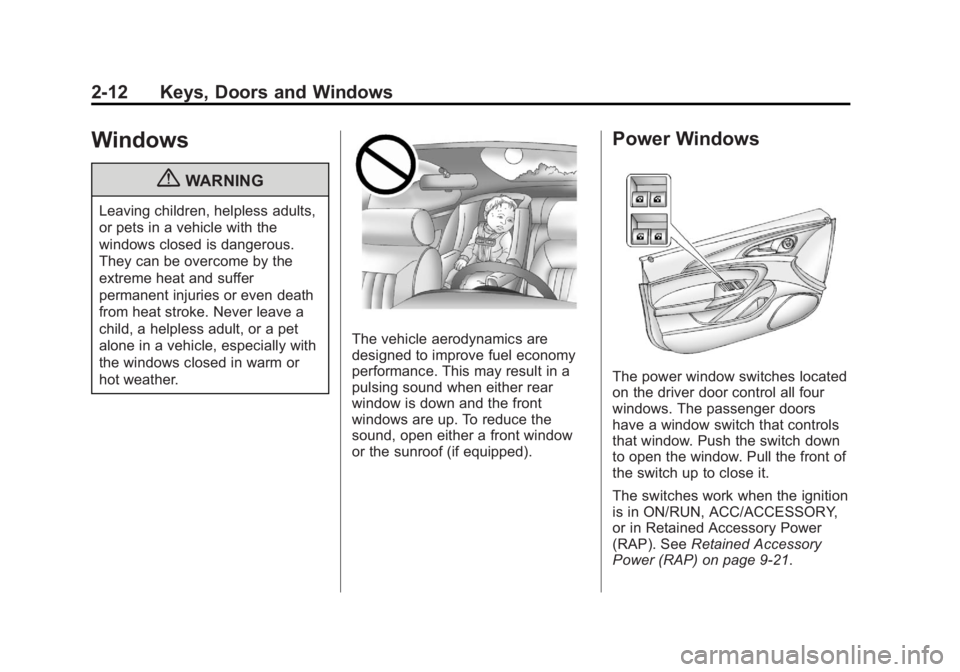
The power window switches located
on the driver door control all four
windows. The passenger doors
have a window switch that controls
that window. Push the switch down
to open the window. Pull the front of
the switch up to close it.
The switches work when the ignition
is in ON/RUN, ACC/ACCESSORY,
or in Retained Accessory Power
(RAP). SeeRetained Accessory
Power (RAP) on page 9‑21.
Page 40 of 368
Black plate (14,1)Buick Regal Owner Manual - 2011
2-14 Keys, Doors and Windows
Pressvto activate the rear window
lockout switch. A LED comes on
when activated.
Press
vagain to deactivate the
lockout switch.
If the LED flashes, the feature may
not be working properly.
Programming the Power
Windows
If the battery on the vehicle has
been recharged, disconnected, or is
not working, you will need to
reprogram each front power window
for the express-up feature to work.
Before reprogramming, replace or
recharge the vehicle's battery. To program each front window,
follow these steps:
1. With the ignition in ACC/
ACCESSORY or ON/RUN,
or when Retained Accessory
Power (RAP) is active.
2. Press and hold the power window switch until the window
is fully open.
3. Pull the power window switch up until the window is fully closed.
4. Continue holding the switch up for approximately two seconds
after the window is completely
closed.
The window is now reprogrammed.
Repeat the process for the other
windows.
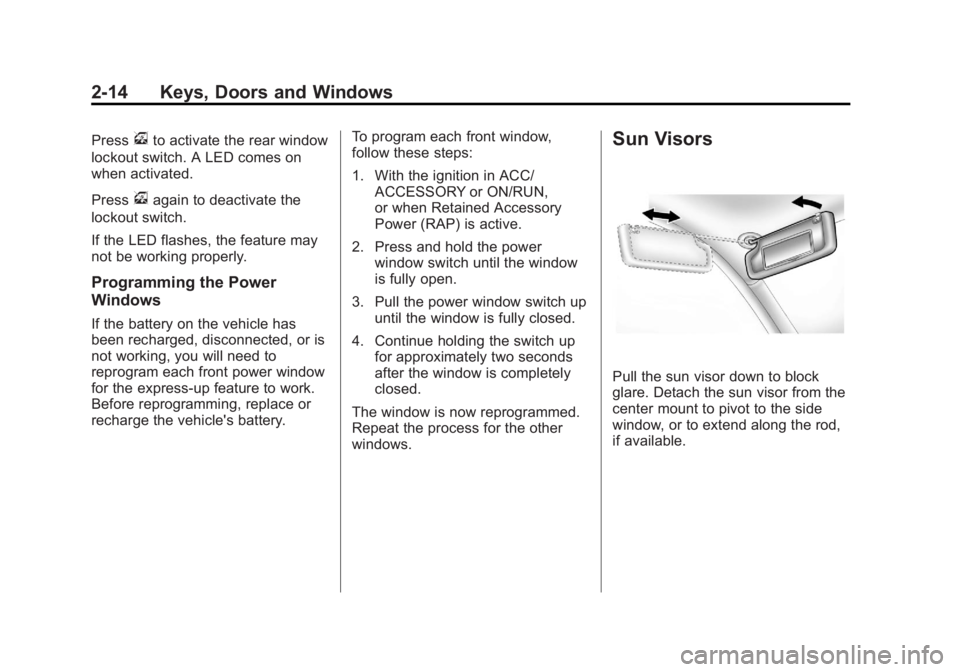
Sun Visors
Pull the sun visor down to block
glare. Detach the sun visor from the
center mount to pivot to the side
window, or to extend along the rod,
if available.
Page 41 of 368
Black plate (15,1)Buick Regal Owner Manual - 2011
Keys, Doors and Windows 2-15
Roof
Sunroof
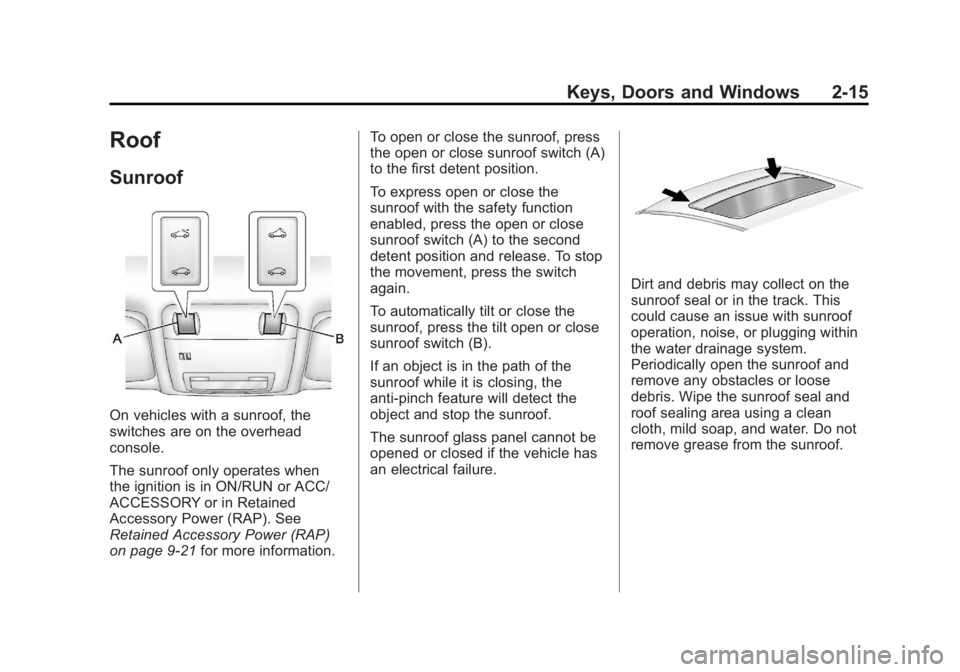
On vehicles with a sunroof, the
switches are on the overhead
console.
The sunroof only operates when
the ignition is in ON/RUN or ACC/
ACCESSORY or in Retained
Accessory Power (RAP). See
Retained Accessory Power (RAP)
on page 9‑21for more information. To open or close the sunroof, press
the open or close sunroof switch (A)
to the first detent position.
To express open or close the
sunroof with the safety function
enabled, press the open or close
sunroof switch (A) to the second
detent position and release. To stop
the movement, press the switch
again.
To automatically tilt or close the
sunroof, press the tilt open or close
sunroof switch (B).
If an object is in the path of the
sunroof while it is closing, the
anti-pinch feature will detect the
object and stop the sunroof.
The sunroof glass panel cannot be
opened or closed if the vehicle has
an electrical failure.
Dirt and debris may collect on the
sunroof seal or in the track. This
could cause an issue with sunroof
operation, noise, or plugging within
the water drainage system.
Periodically open the sunroof and
remove any obstacles or loose
debris. Wipe the sunroof seal and
roof sealing area using a clean
cloth, mild soap, and water. Do not
remove grease from the sunroof.
Page 50 of 368
Black plate (8,1)Buick Regal Owner Manual - 2011
3-8 Seats and Restraints
Heated Front Seats
{WARNING
If you cannot feel temperature
change or pain to the skin, the
seat heater may cause burns
even at low temperatures. To
reduce the risk of burns, people
with such a condition should use
care when using the seat heater,
especially for long periods of
time. Do not place anything on
the seat that insulates against
heat, such as a blanket, cushion,
cover, or similar item. This may
cause the seat heater to
overheat. An overheated seat
heater may cause a burn or may
damage the seat.
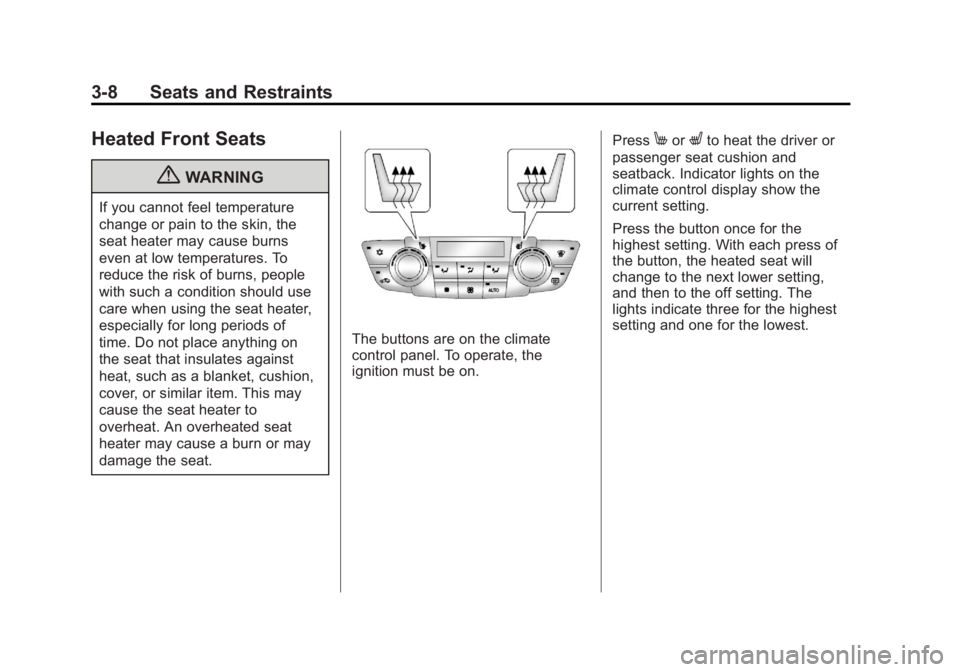
The buttons are on the climate
control panel. To operate, the
ignition must be on.Press
MorLto heat the driver or
passenger seat cushion and
seatback. Indicator lights on the
climate control display show the
current setting.
Press the button once for the
highest setting. With each press of
the button, the heated seat will
change to the next lower setting,
and then to the off setting. The
lights indicate three for the highest
setting and one for the lowest.
Page 80 of 368
Black plate (38,1)Buick Regal Owner Manual - 2011
3-38 Seats and Restraints
A thick layer of additional material,
such as a blanket or cushion,
or aftermarket equipment such
as seat covers, seat heaters, and
seat massagers can affect how well
the passenger sensing system
operates. We recommend that you
not use seat covers or other
aftermarket equipment except when
approved by GM for your specific
vehicle. SeeAdding Equipment to
the Airbag-Equipped Vehicle on
page 3‑38 for more information
about modifications that can affect
how the system operates.
{WARNING
Stowing of articles under the
passenger seat or between the
passenger seat cushion and
seatback may interfere with the
proper operation of the passenger
sensing system.
Servicing the
Airbag-Equipped Vehicle
Airbags affect how the vehicle
should be serviced. There are parts
of the airbag system in several
places around the vehicle. Your
dealer and the service manual have
information about servicing the
vehicle and the airbag system. To
purchase a service manual, see
Service Publications Ordering
Information on page 13‑11.
{WARNING
For up to 10 seconds after the
ignition is turned off and the
battery is disconnected, an airbag
can still inflate during improper
service. You can be injured if you
are close to an airbag when it
inflates. Avoid yellow connectors.
They are probably part of the
airbag system. Be sure to follow
(Continued)
WARNING (Continued)
proper service procedures, and
make sure the person performing
work for you is qualified to do so.
Adding Equipment to the
Airbag-Equipped Vehicle
Q: Is there anything I might addto or change about the vehicle
that could keep the airbags
from working properly?
A: Yes. If you add things that
change the vehicle's frame,
bumper system, height, front
end, or side sheet metal, they
may keep the airbag system
from working properly. Changing
or moving any parts of the seats,
safety belts, the airbag sensing
and diagnostic module, steering
wheel, instrument panel, roof-rail
airbag modules, ceiling headliner
or pillar garnish trim, front
Page 111 of 368

Black plate (3,1)Buick Regal Owner Manual - 2011
Instruments and Controls 5-3
Windshield Wiper/Washer
The windshield wiper lever is
on the side of the steering
column. With the ignition in ACC/
ACCESSORY or ON/RUN, move
the windshield wiper lever to select
the wiper speed.
2:Use for fast wipes.
1: Use for slow wipes.
&(Adjustable Interval Wipes):
Turn the band up for more frequent
wipes or down for less frequent
wipes.
9(Off): Use to turn the windshield
wipers off.
3(Mist): For a single wipe,
briefly move the wiper lever down.
For several wipes, hold the wiper
lever down.
Clear ice and snow from the wiper
blades before using them. If they
are frozen to the windshield,
carefully loosen or thaw them. Damaged wiper blades should
be replaced. See
Wiper Blade
Replacement on page 10‑30.
Heavy snow or ice can overload the
wipers. A circuit breaker stops them
until the motor cools.
Wipe Parking
If the ignition is turned to LOCK/
OFF while the wipers are on 1, 2,
or
&, they will immediately stop.
If the windshield wiper lever
is then moved to OFF before the
driver door is opened, or within
10 minutes, the wipers will restart
and move to the base of the
windshield.
If the ignition is turned to LOCK/
OFF during a windshield wash, the
wipers will stop when they reach the
base of the windshield.
Page 113 of 368
Black plate (5,1)Buick Regal Owner Manual - 2011
Instruments and Controls 5-5
Clock
The infotainment system controls
are used to access the time and
date settings through the menu
system. SeeOperation on page 7‑4
for information about how to use the
menu system.
Setting the Time and Date
1. Press the CONFIG button and select Time and Date Settings.
2. Select Set Time or Set Date.
3. Turn the
Zknob to adjust
the highlighted value.
4. Press the
Zknob to select
the next value.
5. To save the time and return to the Time Settings menu, press
the BACK button at any time or
press the
Zknob after
adjusting the minutes.
Setting the 12/24 Hour Format
1. Press the CONFIG button and select Time and Date Settings.
2. Highlight 12/24 HR Format.
3. Press the
Zknob to select
the 12 hour or 24 hour display
format.
Setting the Month and Day
Format
1. Press the CONFIG button and select Time and Date Settings.
2. Highlight Month & Day format.
3. Press the
Zknob to select
DD/MM/YYYY (day/month/year),
MM/DD/YYYY (month/day/year),
or YYYY/MM/DD (year/month/
day) display format.
Power Outlets
The accessory power outlet can be
used to plug in electrical equipment,
such as a cell phone or MP3 player.
This outlet is located under the
armrest inside the center console
storage.
The outlet is powered when the
ignition is in ON/RUN or ACC/
ACCESSORY, or until the driver
door is opened within 10 minutes of
turning off the vehicle. See Retained
Accessory Power (RAP) on
page 9‑21.
Open the protective cover to use the
accessory power outlet.
Page 114 of 368
Black plate (6,1)Buick Regal Owner Manual - 2011
5-6 Instruments and Controls
Certain electrical accessories
may not be compatible with the
accessory power outlets and could
overload vehicle or adapter fuses.
If there is a problem, see your
dealer.
When adding electrical equipment,
be sure to follow the installation
instructions included with the
equipment. SeeAdd-On Electrical
Equipment on page 9‑50.
Notice: Hanging heavy
equipment from the power
outlet can cause damage not
covered by the vehicle warranty.
The power outlets are designed
for accessory power plugs only,
such as cell phone charge cords. Power Outlet 110 Volt Alternating
Current
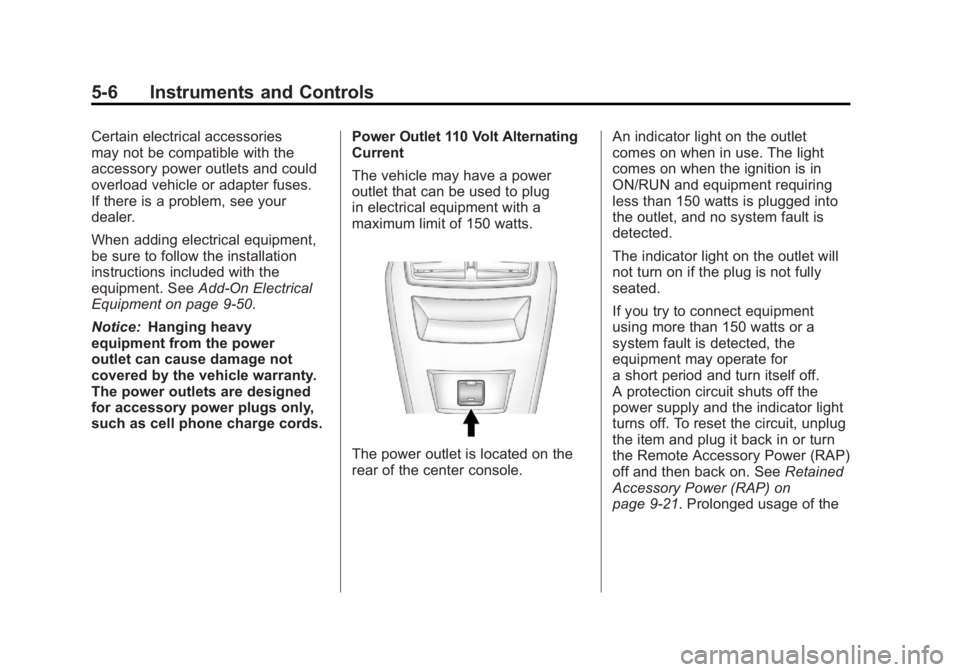
The vehicle may have a power
outlet that can be used to plug
in electrical equipment with a
maximum limit of 150 watts.
The power outlet is located on the
rear of the center console.An indicator light on the outlet
comes on when in use. The light
comes on when the ignition is in
ON/RUN and equipment requiring
less than 150 watts is plugged into
the outlet, and no system fault is
detected.
The indicator light on the outlet will
not turn on if the plug is not fully
seated.
If you try to connect equipment
using more than 150 watts or a
system fault is detected, the
equipment may operate for
a short period and turn itself off.
A protection circuit shuts off the
power supply and the indicator light
turns off. To reset the circuit, unplug
the item and plug it back in or turn
the Remote Accessory Power (RAP)
off and then back on. See
Retained
Accessory Power (RAP) on
page 9‑21. Prolonged usage of the