cruise control BUICK REGAL 2014 Owner's Manual
[x] Cancel search | Manufacturer: BUICK, Model Year: 2014, Model line: REGAL, Model: BUICK REGAL 2014Pages: 404, PDF Size: 4.61 MB
Page 1 of 404
Black plate (1,1)Buick Regal Owner Manual (GMNA-Localizing-U.S./Canada/Mexico-
6081497) - 2014 - CRC 2nd Edition - 11/27/13
2014 Buick Regal Owner ManualM
In Brief. . . . . . . . . . . . . . . . . . . . . . . . 1-1
Instrument Panel . . . . . . . . . . . . . . 1-2
Initial Drive Information . . . . . . . . 1-4
Vehicle Features . . . . . . . . . . . . . 1-15
eAssist Features . . . . . . . . . . . . . 1-19
Performance and
Maintenance . . . . . . . . . . . . . . . . 1-21
Keys, Doors, and Windows . . . . . . . . . . . . . . . . . . . . 2-1
Keys and Locks . . . . . . . . . . . . . . . 2-1
Doors . . . . . . . . . . . . . . . . . . . . . . . . 2-14
Vehicle Security . . . . . . . . . . . . . . 2-16
Exterior Mirrors . . . . . . . . . . . . . . . 2-19
Interior Mirrors . . . . . . . . . . . . . . . . 2-20
Windows . . . . . . . . . . . . . . . . . . . . . 2-20
Roof . . . . . . . . . . . . . . . . . . . . . . . . . . 2-23
Seats and Restraints . . . . . . . . . 3-1
Head Restraints . . . . . . . . . . . . . . . 3-2
Front Seats . . . . . . . . . . . . . . . . . . . . 3-3
Rear Seats . . . . . . . . . . . . . . . . . . . . 3-9
Safety Belts . . . . . . . . . . . . . . . . . . 3-10
Airbag System . . . . . . . . . . . . . . . . 3-19
Child Restraints . . . . . . . . . . . . . . 3-31 Storage
. . . . . . . . . . . . . . . . . . . . . . . 4-1
Storage Compartments . . . . . . . . 4-1
Additional Storage Features . . . 4-3
Instruments and Controls . . . . 5-1
Controls . . . . . . . . . . . . . . . . . . . . . . . 5-2
Warning Lights, Gauges, and
Indicators . . . . . . . . . . . . . . . . . . . . 5-7
Information Displays . . . . . . . . . . 5-31
Vehicle Messages . . . . . . . . . . . . 5-39
Vehicle Personalization . . . . . . . 5-48
Universal Remote System . . . . 5-54
Lighting . . . . . . . . . . . . . . . . . . . . . . . 6-1
Exterior Lighting . . . . . . . . . . . . . . . 6-1
Interior Lighting . . . . . . . . . . . . . . . . 6-4
Lighting Features . . . . . . . . . . . . . . 6-6
Infotainment System . . . . . . . . . 7-1
Introduction . . . . . . . . . . . . . . . . . . . . 7-1 Climate Controls
. . . . . . . . . . . . . 8-1
Climate Control Systems . . . . . . 8-1
Air Vents . . . . . . . . . . . . . . . . . . . . . . . 8-6
Maintenance . . . . . . . . . . . . . . . . . . . 8-6
Driving and Operating . . . . . . . . 9-1
Driving Information . . . . . . . . . . . . . 9-2
Starting and Operating . . . . . . . 9-15
Engine Exhaust . . . . . . . . . . . . . . 9-26
Automatic Transmission . . . . . . 9-27
Manual Transmission . . . . . . . . . 9-30
Drive Systems . . . . . . . . . . . . . . . . 9-32
Brakes . . . . . . . . . . . . . . . . . . . . . . . 9-32
Ride Control Systems . . . . . . . . 9-36
Cruise Control . . . . . . . . . . . . . . . . 9-39
Driver Assistance Systems . . . 9-49
Fuel . . . . . . . . . . . . . . . . . . . . . . . . . . 9-60
Towing . . . . . . . . . . . . . . . . . . . . . . . 9-65
Conversions and Add-Ons . . . 9-65
Page 5 of 404
Black plate (5,1)Buick Regal Owner Manual (GMNA-Localizing-U.S./Canada/Mexico-
6081497) - 2014 - CRC 2nd Edition - 11/27/13
Introduction v
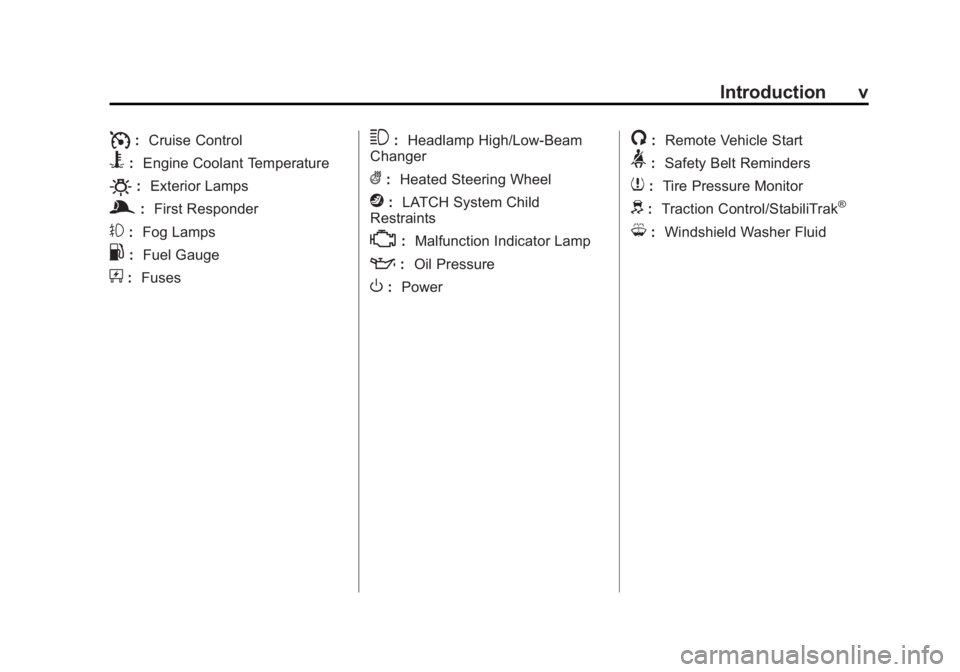
I:Cruise Control
B: Engine Coolant Temperature
O:Exterior Lamps
g:First Responder
#:Fog Lamps
.: Fuel Gauge
+:Fuses
3: Headlamp High/Low-Beam
Changer
(: Heated Steering Wheel
j:LATCH System Child
Restraints
*: Malfunction Indicator Lamp
::Oil Pressure
O:Power
/:Remote Vehicle Start
>:Safety Belt Reminders
7:Tire Pressure Monitor
d:Traction Control/StabiliTrak®
M:Windshield Washer Fluid
Page 7 of 404
Black plate (1,1)Buick Regal Owner Manual (GMNA-Localizing-U.S./Canada/Mexico-
6081497) - 2014 - CRC 2nd Edition - 11/22/13
In Brief 1-1
In Brief
Instrument Panel
Instrument Panel . . . . . . . . . . . . . . 1-2
Initial Drive Information
Initial Drive Information . . . . . . . . 1-4
Remote Keyless Entry (RKE)System . . . . . . . . . . . . . . . . . . . . . . 1-4
Remote Vehicle Start . . . . . . . . . 1-6
Door Locks . . . . . . . . . . . . . . . . . . . 1-6
Trunk Release . . . . . . . . . . . . . . . . 1-7
Windows . . . . . . . . . . . . . . . . . . . . . . 1-7
Seat Adjustment . . . . . . . . . . . . . . 1-7
Memory Features . . . . . . . . . . . . . 1-9
Heated Seats . . . . . . . . . . . . . . . . . 1-9
Head Restraint Adjustment . . . . 1-9
Safety Belts . . . . . . . . . . . . . . . . . . 1-10
Passenger Sensing System . . . . . . . . . . . . . . . . . . . . . 1-10
Mirror Adjustment . . . . . . . . . . . . 1-10
Steering Wheel Adjustment . . . . . . . . . . . . . . . . . 1-11
Interior Lighting . . . . . . . . . . . . . . 1-11 Exterior Lighting . . . . . . . . . . . . . 1-12
Windshield Wiper/Washer . . . . 1-13
Climate Controls . . . . . . . . . . . . . 1-14
Transmission . . . . . . . . . . . . . . . . 1-15
Vehicle Features
Steering Wheel Controls . . . . . 1-15
Cruise Control . . . . . . . . . . . . . . . 1-15
Infotainment System . . . . . . . . . 1-16
Driver Information
Center (DIC) . . . . . . . . . . . . . . . 1-16
Forward Collision Alert (FCA) System . . . . . . . . . . . . . . . . . . . . . 1-16
Lane Departure Warning (LDW) . . . . . . . . . . . . . 1-17
Lane Change Alert (LCA) . . . . 1-17
Rear Vision Camera (RVC) . . . . . . . . . . . . . 1-17
Ultrasonic Parking Assist . . . . 1-17
Active Emergency Braking System . . . . . . . . . . . . . . . . . . . . . 1-17
Power Outlets . . . . . . . . . . . . . . . 1-18
Universal Remote System . . . 1-18
Sunroof . . . . . . . . . . . . . . . . . . . . . . 1-18
eAssist Features
eAssist®Overview . . . . . . . . . . . 1-19
High Voltage Safety Information . . . . . . . . . . . . . . . . . 1-20
Automatic Engine Start/Stop Feature . . . . . . . . . . . . . . . . . . . . . 1-20
Regenerative Braking . . . . . . . . 1-20
Battery . . . . . . . . . . . . . . . . . . . . . . . 1-21
Service . . . . . . . . . . . . . . . . . . . . . . 1-21
Performance and Maintenance
Traction Control/Electronic Stability Control . . . . . . . . . . . . 1-21
Tire Pressure Monitor . . . . . . . . 1-22
Engine Oil Life System . . . . . . 1-22
E85 or FlexFuel . . . . . . . . . . . . . . 1-23
Driving for Better Fuel Economy . . . . . . . . . . . . . . . . . . . 1-23
Roadside Assistance Program . . . . . . . . . . . . . . . . . . . . 1-23
OnStar
®. . . . . . . . . . . . . . . . . . . . . 1-23
Page 9 of 404
Black plate (3,1)Buick Regal Owner Manual (GMNA-Localizing-U.S./Canada/Mexico-
6081497) - 2014 - CRC 2nd Edition - 11/22/13
In Brief 1-3
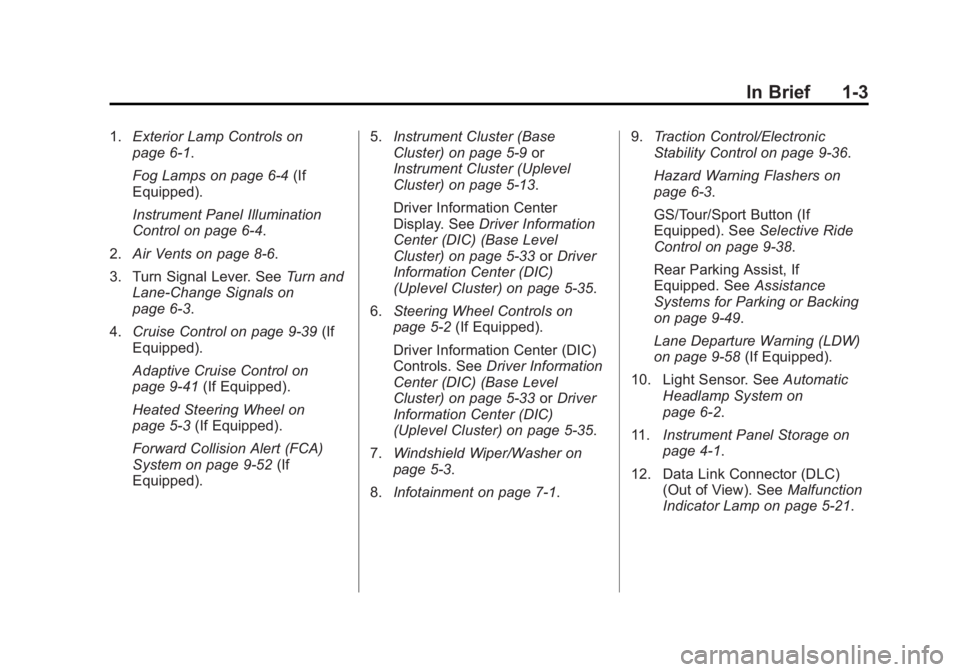
1.Exterior Lamp Controls on
page 6-1.
Fog Lamps on page 6-4 (If
Equipped).
Instrument Panel Illumination
Control on page 6-4.
2. Air Vents on page 8-6.
3. Turn Signal Lever. See Turn and
Lane-Change Signals on
page 6-3.
4. Cruise Control on page 9-39 (If
Equipped).
Adaptive Cruise Control on
page 9-41 (If Equipped).
Heated Steering Wheel on
page 5-3 (If Equipped).
Forward Collision Alert (FCA)
System on page 9-52 (If
Equipped). 5.
Instrument Cluster (Base
Cluster) on page 5-9 or
Instrument Cluster (Uplevel
Cluster) on page 5-13.
Driver Information Center
Display. See Driver Information
Center (DIC) (Base Level
Cluster) on page 5-33 orDriver
Information Center (DIC)
(Uplevel Cluster) on page 5-35.
6. Steering Wheel Controls on
page 5-2 (If Equipped).
Driver Information Center (DIC)
Controls. See Driver Information
Center (DIC) (Base Level
Cluster) on page 5-33 orDriver
Information Center (DIC)
(Uplevel Cluster) on page 5-35.
7. Windshield Wiper/Washer on
page 5-3.
8. Infotainment on page 7-1. 9.
Traction Control/Electronic
Stability Control on page 9-36.
Hazard Warning Flashers on
page 6-3.
GS/Tour/Sport Button (If
Equipped). See Selective Ride
Control on page 9-38.
Rear Parking Assist, If
Equipped. See Assistance
Systems for Parking or Backing
on page 9-49.
Lane Departure Warning (LDW)
on page 9-58 (If Equipped).
10. Light Sensor. See Automatic
Headlamp System on
page 6-2.
11. Instrument Panel Storage on
page 4-1.
12. Data Link Connector (DLC) (Out of View). See Malfunction
Indicator Lamp on page 5-21.
Page 21 of 404
Black plate (15,1)Buick Regal Owner Manual (GMNA-Localizing-U.S./Canada/Mexico-
6081497) - 2014 - CRC 2nd Edition - 11/22/13
In Brief 1-15
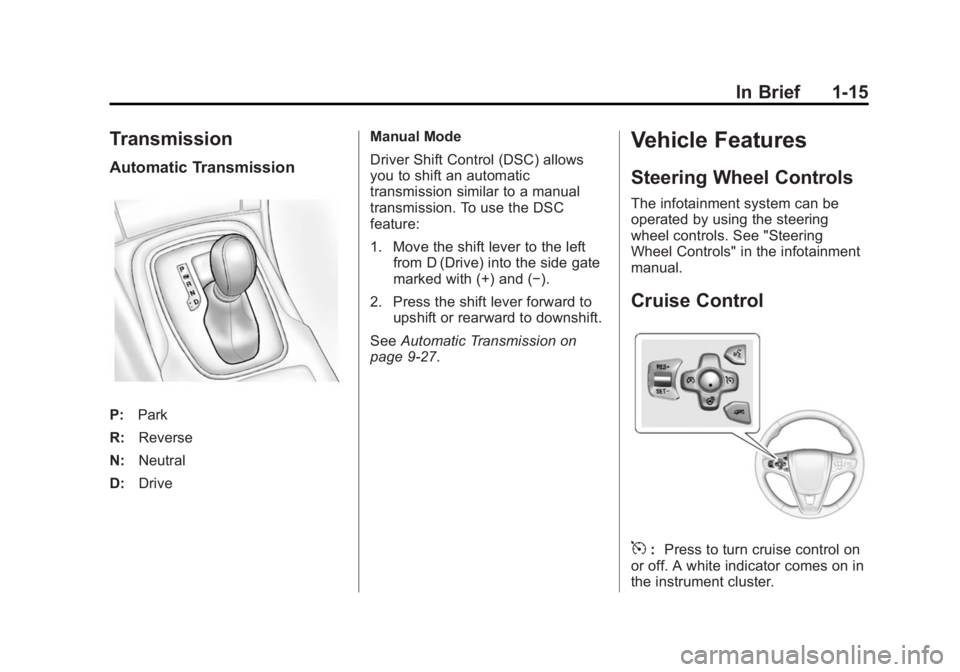
Transmission
Automatic Transmission
P:Park
R: Reverse
N: Neutral
D: Drive Manual Mode
Driver Shift Control (DSC) allows
you to shift an automatic
transmission similar to a manual
transmission. To use the DSC
feature:
1. Move the shift lever to the left
from D (Drive) into the side gate
marked with (+) and (−).
2. Press the shift lever forward to upshift or rearward to downshift.
See Automatic Transmission on
page 9-27.
Vehicle Features
Steering Wheel Controls
The infotainment system can be
operated by using the steering
wheel controls. See "Steering
Wheel Controls" in the infotainment
manual.
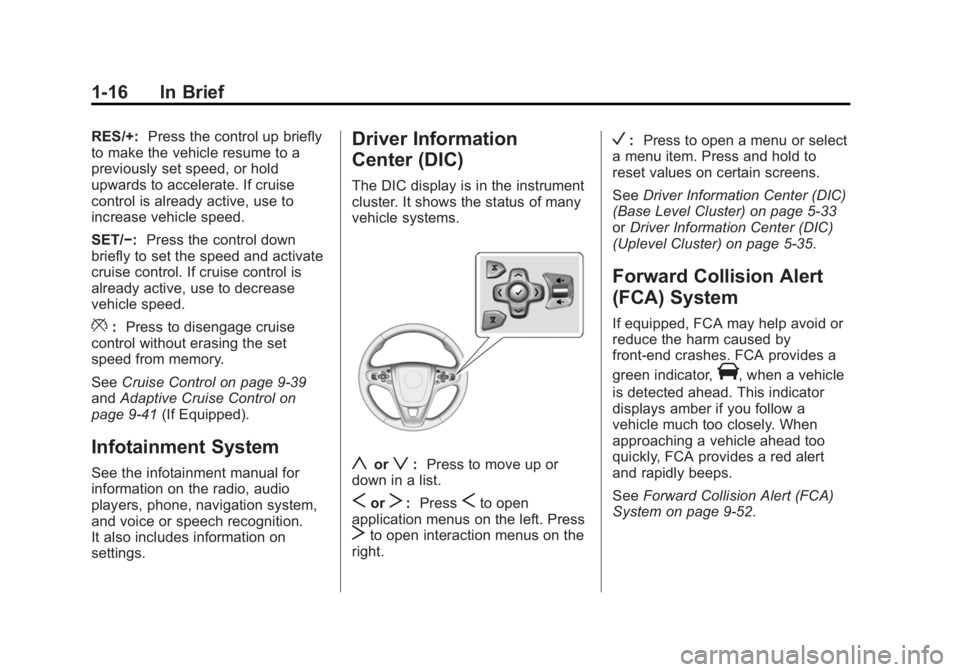
Cruise Control
5: Press to turn cruise control on
or off. A white indicator comes on in
the instrument cluster.
Page 22 of 404
Black plate (16,1)Buick Regal Owner Manual (GMNA-Localizing-U.S./Canada/Mexico-
6081497) - 2014 - CRC 2nd Edition - 11/22/13
1-16 In Brief
RES/+:Press the control up briefly
to make the vehicle resume to a
previously set speed, or hold
upwards to accelerate. If cruise
control is already active, use to
increase vehicle speed.
SET/−: Press the control down
briefly to set the speed and activate
cruise control. If cruise control is
already active, use to decrease
vehicle speed.
*: Press to disengage cruise
control without erasing the set
speed from memory.
See Cruise Control on page 9-39
and Adaptive Cruise Control on
page 9-41 (If Equipped).
Infotainment System
See the infotainment manual for
information on the radio, audio
players, phone, navigation system,
and voice or speech recognition.
It also includes information on
settings.
Driver Information
Center (DIC)
The DIC display is in the instrument
cluster. It shows the status of many
vehicle systems.
yorz:Press to move up or
down in a list.
SorT: PressSto open
application menus on the left. Press
Tto open interaction menus on the
right.
V: Press to open a menu or select
a menu item. Press and hold to
reset values on certain screens.
See Driver Information Center (DIC)
(Base Level Cluster) on page 5-33
or Driver Information Center (DIC)
(Uplevel Cluster) on page 5-35.
Forward Collision Alert
(FCA) System
If equipped, FCA may help avoid or
reduce the harm caused by
front-end crashes. FCA provides a
green indicator,
V, when a vehicle
is detected ahead. This indicator
displays amber if you follow a
vehicle much too closely. When
approaching a vehicle ahead too
quickly, FCA provides a red alert
and rapidly beeps.
See Forward Collision Alert (FCA)
System on page 9-52.
Page 23 of 404
Black plate (17,1)Buick Regal Owner Manual (GMNA-Localizing-U.S./Canada/Mexico-
6081497) - 2014 - CRC 2nd Edition - 11/22/13
In Brief 1-17
Lane Departure
Warning (LDW)
If equipped, LDW is intended to help
avoid unintentional lane departures
at speeds of 56 km/h (35 mph) or
greater. LDW uses a camera sensor
to detect the lane markings. The
LDW indicator,
@, appears green if
a lane marking is detected. If the
vehicle departs the lane, the
indicator will change to amber and
flash. In addition, beeps will sound.
See Lane Departure Warning (LDW)
on page 9-58.
Lane Change Alert (LCA)
If equipped, the LCA system is a
lane-changing aid that assists
drivers with avoiding lane change
crashes that occur with vehicles in
the side blind zone (or spot) areas
or with vehicles rapidly approaching
these areas from behind. The LCA
warning display will light up in the
corresponding outside side mirror
and will flash if the turn signal is on. The Side Blind Zone Alert (SBZA)
system is included as part of the
LCA system.
See
Side Blind Zone Alert (SBZA)
on page 9-55 andLane Change
Alert on page 9-56.
Rear Vision
Camera (RVC)
If equipped, RVC displays a view of
the area behind the vehicle on the
center stack display when the
vehicle is shifted into R (Reverse).
See Assistance Systems for Parking
or Backing on page 9-49.
Ultrasonic Parking Assist
If equipped, Ultrasonic Rear Parking
Assist (URPA) uses sensors on the
rear bumper to assist with parking
and avoiding objects while in
R (Reverse). It operates at speeds
less than 8 km/h (5 mph). URPA
may display a warning triangle on
the Rear Vision Camera screen and
a graphic on the instrument cluster to provide the object distance. In
addition, multiple beeps may occur
if very close to an object.
The vehicle may also have the Front
Parking Assist system.
See
Driver Assistance Systems on
page 9-49.
Active Emergency
Braking System
If the vehicle has Adaptive Cruise
Control (ACC) it also has the Active
Emergency Braking System, which
includes Intelligent Brake
Assist (IBA) and the Automatic
Collision Preparation (ACP) System.
These systems can provide a boost
to braking or automatically brake the
vehicle to help avoid or lessen the
severity of crashes while moving
forward.
See Active Emergency Braking
System on page 9-54.
Page 29 of 404
Black plate (23,1)Buick Regal Owner Manual (GMNA-Localizing-U.S./Canada/Mexico-
6081497) - 2014 - CRC 2nd Edition - 11/22/13
In Brief 1-23
E85 or FlexFuel
Vehicles with a yellow fuel cap can
use either unleaded gasoline or
ethanol fuel containing up to 85%
ethanol (E85). SeeE85 or FlexFuel
on page 9-62. For all other vehicles,
use only the unleaded gasoline
described under Recommended
Fuel on page 9-60.
Driving for Better Fuel
Economy
Driving habits can affect fuel
mileage. Here are some driving tips
to get the best fuel economy
possible.
.Avoid fast starts and accelerate
smoothly.
.Brake gradually and avoid
abrupt stops.
.Avoid idling the engine for long
periods of time.
.When road and weather
conditions are appropriate, use
cruise control.
.Always follow posted speed
limits or drive more slowly when
conditions require.
.Keep vehicle tires properly
inflated.
.Combine several trips into a
single trip.
.Replace the vehicle's tires with
the same TPC Spec number
molded into the tire's sidewall
near the size.
.Follow recommended scheduled
maintenance.
Roadside Assistance
Program
U.S.: 1-800-252-1112
TTY Users (U.S. Only):
1-888-889-2438
Canada: 1-800-268-6800
New Buick owners are automatically
enrolled in the Roadside Assistance
Program. See
Roadside Assistance Program
on page 13-5.
OnStar®
If equipped, this vehicle has a
comprehensive, in-vehicle system
that can connect to a live Advisor
for Emergency, Security, Navigation,
Connection, and Diagnostic
Services. See OnStar Overview on
page 14-1.
Page 111 of 404
Black plate (1,1)Buick Regal Owner Manual (GMNA-Localizing-U.S./Canada/Mexico-
6081497) - 2014 - CRC 2nd Edition - 11/22/13
Instruments and Controls 5-1
Instruments and
Controls
Controls
Steering Wheel Adjustment . . . 5-2
Steering Wheel Controls . . . . . . 5-2
Heated Steering Wheel . . . . . . . 5-3
Horn . . . . . . . . . . . . . . . . . . . . . . . . . . 5-3
Windshield Wiper/Washer . . . . . 5-3
Compass . . . . . . . . . . . . . . . . . . . . . 5-4
Clock . . . . . . . . . . . . . . . . . . . . . . . . . 5-4
Power Outlets . . . . . . . . . . . . . . . . . 5-5
Cigarette Lighter . . . . . . . . . . . . . . 5-6
Ashtrays . . . . . . . . . . . . . . . . . . . . . . 5-7
Warning Lights, Gauges, and
Indicators
Warning Lights, Gauges, andIndicators . . . . . . . . . . . . . . . . . . . . 5-7
Instrument Cluster (Base Cluster) . . . . . . . . . . . . . . . . . . . . . . 5-9
Instrument Cluster (Uplevel Cluster) . . . . . . . . . . . . . . . . . . . . 5-13
Speedometer . . . . . . . . . . . . . . . . 5-16
Odometer . . . . . . . . . . . . . . . . . . . . 5-16
Trip Odometer . . . . . . . . . . . . . . . 5-16
Tachometer . . . . . . . . . . . . . . . . . . 5-16 Fuel Gauge . . . . . . . . . . . . . . . . . . 5-17
Engine Coolant Temperature
Gauge . . . . . . . . . . . . . . . . . . . . . . 5-18
Safety Belt Reminders . . . . . . . 5-19
Airbag Readiness Light . . . . . . 5-20
Passenger Airbag Status Indicator . . . . . . . . . . . . . . . . . . . . 5-20
Charging System Light . . . . . . 5-21
Malfunction Indicator Lamp . . . . . . . . . . . . . 5-21
Brake System Warning Light . . . . . . . . . . . . . . . . . . . . . . . 5-24
Electric Parking Brake Light . . . . . . . . . . . . . . . . . . . . . . . 5-24
Service Electric Parking Brake Light . . . . . . . . . . . . . . . . . . . . . . . 5-25
Antilock Brake System (ABS) Warning Light . . . . . . . . . . . . . . 5-25
Up-Shift Light . . . . . . . . . . . . . . . . 5-26
Lane Departure Warning (LDW) Light . . . . . . . . . . . . . . . . 5-26
Vehicle Ahead Indicator . . . . . . 5-26
Traction Off Light . . . . . . . . . . . . 5-27
StabiliTrak
®OFF Light . . . . . . . 5-27
Traction Control System (TCS)/StabiliTrak
®Light . . . . 5-27
Engine Coolant Temperature Warning Light . . . . . . . . . . . . . . 5-28
Tire Pressure Light . . . . . . . . . . 5-28 Engine Oil Pressure Light . . . . 5-29
Low Fuel Warning Light . . . . . . 5-29
Security Light . . . . . . . . . . . . . . . . 5-30
High-Beam On Light . . . . . . . . . 5-30
Front Fog Lamp Light . . . . . . . . 5-30
Lamps On Reminder . . . . . . . . . 5-30
Cruise Control Light . . . . . . . . . 5-31
Door Ajar Light . . . . . . . . . . . . . . 5-31
Information Displays
Power Flows
(eAssist Only) . . . . . . . . . . . . . . 5-31
Energy Information (eAssist Only) . . . . . . . . . . . . . . 5-33
Driver Information Center (DIC) (Base Level
Cluster) . . . . . . . . . . . . . . . . . . . . 5-33
Driver Information Center (DIC) (Uplevel Cluster) . . . . . 5-35
Vehicle Messages
Vehicle Messages . . . . . . . . . . . 5-39
Battery Voltage and ChargingMessages . . . . . . . . . . . . . . . . . . 5-39
Brake System Messages . . . . 5-39
Compass Messages . . . . . . . . . 5-40
Cruise Control Messages . . . . 5-40
Door Ajar Messages . . . . . . . . . 5-41
Page 141 of 404
Black plate (31,1)Buick Regal Owner Manual (GMNA-Localizing-U.S./Canada/Mexico-
6081497) - 2014 - CRC 2nd Edition - 11/22/13
Instruments and Controls 5-31
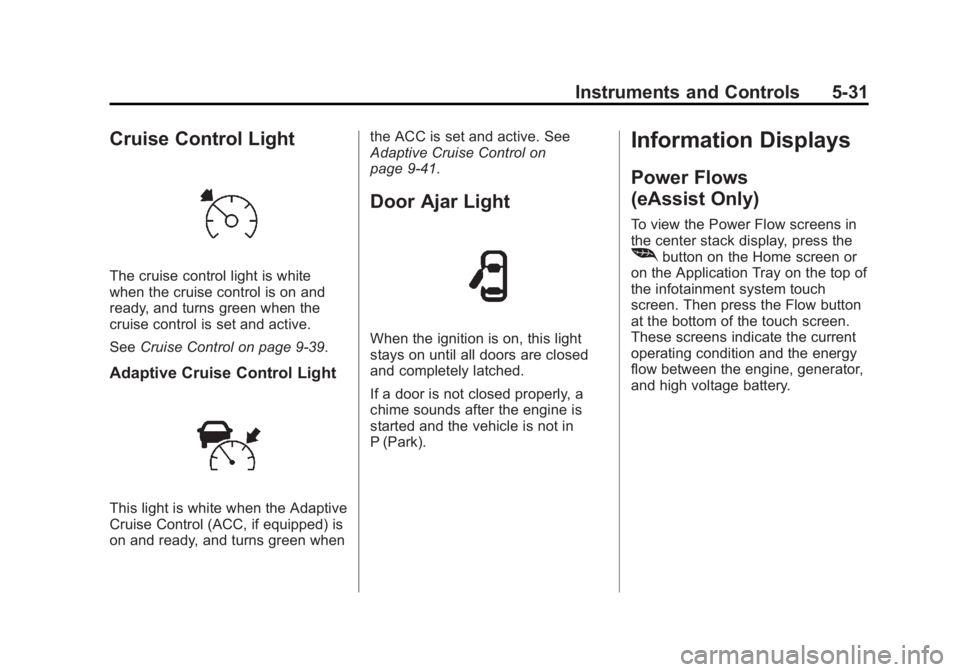
Cruise Control Light
The cruise control light is white
when the cruise control is on and
ready, and turns green when the
cruise control is set and active.
SeeCruise Control on page 9-39.
Adaptive Cruise Control Light
This light is white when the Adaptive
Cruise Control (ACC, if equipped) is
on and ready, and turns green when the ACC is set and active. See
Adaptive Cruise Control on
page 9-41.
Door Ajar Light
When the ignition is on, this light
stays on until all doors are closed
and completely latched.
If a door is not closed properly, a
chime sounds after the engine is
started and the vehicle is not in
P (Park).
Information Displays
Power Flows
(eAssist Only)
To view the Power Flow screens in
the center stack display, press the
[button on the Home screen or
on the Application Tray on the top of
the infotainment system touch
screen. Then press the Flow button
at the bottom of the touch screen.
These screens indicate the current
operating condition and the energy
flow between the engine, generator,
and high voltage battery.