infotainment BUICK REGAL 2016 User Guide
[x] Cancel search | Manufacturer: BUICK, Model Year: 2016, Model line: REGAL, Model: BUICK REGAL 2016Pages: 357, PDF Size: 5.37 MB
Page 145 of 357
Buick Regal Owner Manual (GMNA-Localizing-U.S./Canada/Mexico-
9159380) - 2016 - CRC - 2/23/16
144 Instruments and Controls
Bluetooth
Select and the following may be
display:
.Pair New Device
. Device Management
. Ringtones
. Voice Mail Numbers
Pair New Device
Select to pair a new device. See
“Pairing” under“Bluetooth
(Infotainment Controls)” in the
infotainment manual.
Device Management
Select to connect to a different
phone source, disconnect a phone,
or delete a phone.
Ringtones
Press to change the ring tone for
the specific phone. The phone does
not need to be connected to change
the ring. Voice Mail Numbers
This feature displays the voice mail
number for all connected phones.
To change the voice mail number,
select EDIT or press the EDIT
button. Type a new number, then
select SAVE or press the SAVE
button.
Apple CarPlay™
Select and the following may
display:
.
Apple CarPlay
. Manage Apple CarPlay Devices
Apple CarPlay
This feature allows Apple devices to
be connected to the infotainment
system through a USB port. See
“Apple CarPlay and Android Auto”
under “Phone” in the infotainment
manual.
Select Off or On. Manage Apple CarPlay Devices
Select to manage Apple devices.
Apple CarPlay must be on for this
feature to be accessed. See
“Apple
CarPlay and Android Auto” under
“Phone” in the infotainment manual.
Android Auto™
Select and the following may
display:
.
Android Auto
. Manage Android Auto Devices
Android Auto
This feature allows Android devices
to be connected to the infotainment
system through a USB port. See
“Apple CarPlay and Android Auto”
under “Phone” in the infotainment
manual.
Select Off or On.
Manage Android Auto Devices
Select to manage Android devices.
Android Auto must be on for this
feature to be accessed. See “Apple
CarPlay and Android Auto” under
“Phone” in the infotainment manual.
Page 147 of 357
Buick Regal Owner Manual (GMNA-Localizing-U.S./Canada/Mexico-
9159380) - 2016 - CRC - 2/23/16
146 Instruments and Controls
Restore Vehicle Settings
This allows selection of restoring
vehicle settings.
Select Restore or Cancel.
Clear All Private Data
This allows selection to clear all
private information from the vehicle.
Select Delete or Cancel.
Restore Radio Settings
This allows selection to restore
radio settings.
Select Restore or Cancel.
Software Information
Select to view the infotainment
system current software information.
Universal Remote
System
SeeRadio Frequency
Statement 0332.
Universal Remote System
Programming
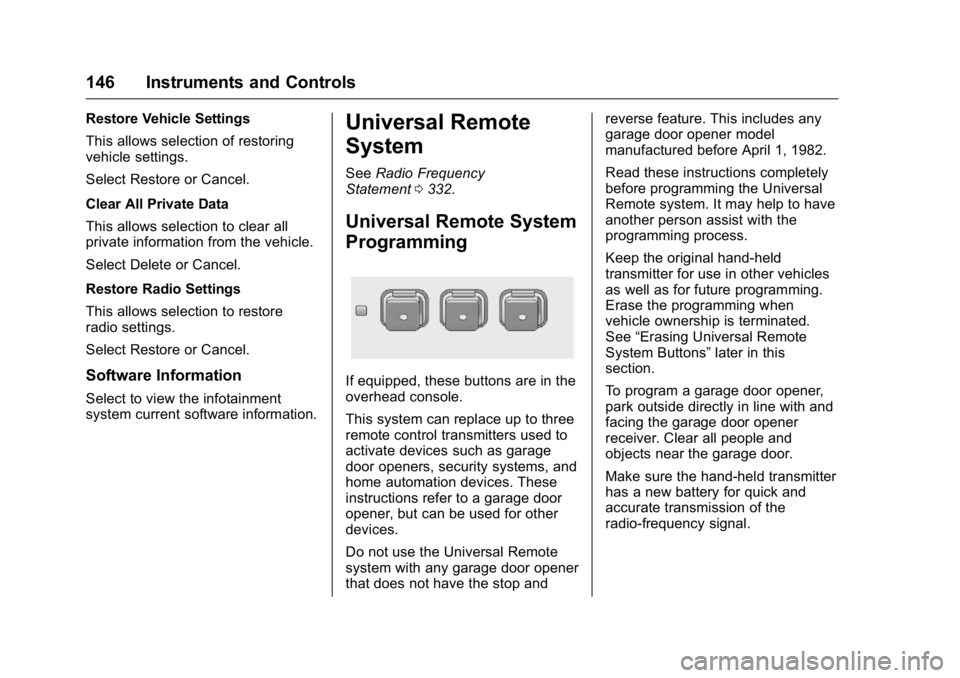
If equipped, these buttons are in the
overhead console.
This system can replace up to three
remote control transmitters used to
activate devices such as garage
door openers, security systems, and
home automation devices. These
instructions refer to a garage door
opener, but can be used for other
devices.
Do not use the Universal Remote
system with any garage door opener
that does not have the stop and reverse feature. This includes any
garage door opener model
manufactured before April 1, 1982.
Read these instructions completely
before programming the Universal
Remote system. It may help to have
another person assist with the
programming process.
Keep the original hand-held
transmitter for use in other vehicles
as well as for future programming.
Erase the programming when
vehicle ownership is terminated.
See
“Erasing Universal Remote
System Buttons” later in this
section.
To program a garage door opener,
park outside directly in line with and
facing the garage door opener
receiver. Clear all people and
objects near the garage door.
Make sure the hand-held transmitter
has a new battery for quick and
accurate transmission of the
radio-frequency signal.
Page 157 of 357
Buick Regal Owner Manual (GMNA-Localizing-U.S./Canada/Mexico-
9159380) - 2016 - CRC - 2/23/16
156 Infotainment System
Infotainment
System
Introduction
Infotainment . . . . . . . . . . . . . . . . . . 156
Introduction
Infotainment
See the infotainment manual for
information on the radio, audio
players, phone, navigation system,
and voice or speech recognition.
It also includes information on
settings.
Page 166 of 357
Buick Regal Owner Manual (GMNA-Localizing-U.S./Canada/Mexico-
9159380) - 2016 - CRC - 2/23/16
Driving and Operating 165
Refer to the infotainment section for
more information on using that
system and the navigation system,
if equipped, including pairing and
using a cell phone.
Defensive Driving
Defensive driving means“always
expect the unexpected.” The first
step in driving defensively is to wear
the safety belt. See Safety
Belts 058.
. Assume that other road users
(pedestrians, bicyclists, and
other drivers) are going to be
careless and make mistakes.
Anticipate what they might do
and be ready.
. Allow enough following distance
between you and the driver in
front of you.
. Focus on the task of driving.
Drunk Driving
Death and injury associated with
drinking and driving is a global
tragedy.
{Warning
Drinking and then driving is very
dangerous. Your reflexes,
perceptions, attentiveness, and
judgment can be affected by even
a small amount of alcohol. You
can have a serious —or even
fatal —collision if you drive after
drinking.
Do not drink and drive or ride with
a driver who has been drinking.
Ride home in a cab; or if you are
with a group, designate a driver
who will not drink.
Control of a Vehicle
Braking, steering, and accelerating
are important factors in helping to
control a vehicle while driving.
Braking
Braking action involves perception
time and reaction time. Deciding to
push the brake pedal is perception
time. Actually doing it is
reaction time. Average driver reaction time is
about three-quarters of a second. In
that time, a vehicle moving at
100 km/h (60 mph) travels 20 m
(66 ft), which could be a lot of
distance in an emergency.
Helpful braking tips to keep in mind
include:
.
Keep enough distance between
you and the vehicle in front
of you.
. Avoid needless heavy braking.
. Keep pace with traffic.
If the engine ever stops while the
vehicle is being driven, brake
normally but do not pump the
brakes. Doing so could make the
pedal harder to push down. If the
engine stops, there will be some
power brake assist but it will be
used when the brake is applied.
Once the power assist is used up, it
can take longer to stop and the
brake pedal will be harder to push.
Page 207 of 357
Buick Regal Owner Manual (GMNA-Localizing-U.S./Canada/Mexico-
9159380) - 2016 - CRC - 2/23/16
206 Driving and Operating
Warning (Continued)
speeds greater than 8 km/h
(5 mph). To prevent injury, death,
or vehicle damage, even with
parking assist, always check the
area around the vehicle and
check all mirrors before moving
forward or backing.
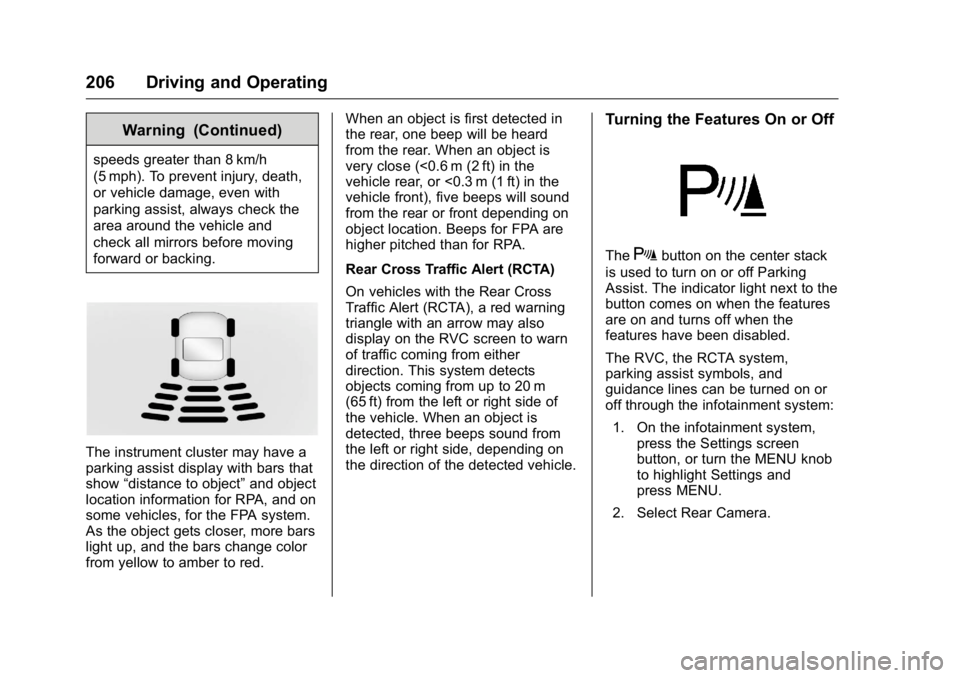
The instrument cluster may have a
parking assist display with bars that
show“distance to object” and object
location information for RPA, and on
some vehicles, for the FPA system.
As the object gets closer, more bars
light up, and the bars change color
from yellow to amber to red. When an object is first detected in
the rear, one beep will be heard
from the rear. When an object is
very close (<0.6 m (2 ft) in the
vehicle rear, or <0.3 m (1 ft) in the
vehicle front), five beeps will sound
from the rear or front depending on
object location. Beeps for FPA are
higher pitched than for RPA.
Rear Cross Traffic Alert (RCTA)
On vehicles with the Rear Cross
Traffic Alert (RCTA), a red warning
triangle with an arrow may also
display on the RVC screen to warn
of traffic coming from either
direction. This system detects
objects coming from up to 20 m
(65 ft) from the left or right side of
the vehicle. When an object is
detected, three beeps sound from
the left or right side, depending on
the direction of the detected vehicle.
Turning the Features On or Off
TheXbutton on the center stack
is used to turn on or off Parking
Assist. The indicator light next to the
button comes on when the features
are on and turns off when the
features have been disabled.
The RVC, the RCTA system,
parking assist symbols, and
guidance lines can be turned on or
off through the infotainment system:
1. On the infotainment system, press the Settings screen
button, or turn the MENU knob
to highlight Settings and
press MENU.
2. Select Rear Camera.
Page 252 of 357
Buick Regal Owner Manual (GMNA-Localizing-U.S./Canada/Mexico-
9159380) - 2016 - CRC - 2/23/16
Vehicle Care 251
FuseUsage
24 Front power windows
25 Power outlets
26 ABS pump
27 Electric parking brake
28 Rear window defogger
29 Driver seat lumbar
30 Passenger seat lumbar
31 A/C Clutch
32 Body control module 6
33 Heated front seats
34 Sunroof
35 Infotainment system
36 Adaptive cruise
37 Right high-beam headlamp
38 Left high-beam headlamp Fuse
Usage
39 AWD
40 –
41 Vacuum pump
42 Radiator fan
43 Passive entry/ Passive start
44 Transmission auxiliary pump
(eAssist only)
45 Radiator fan
46 Terminal 87/Main relay
47 O2 Sensor
48 Fog lamps
49 Right low-beam HID headlamp
50 Left low-beam HID headlamp
51 Horn
52 Motor indicator lamp
53 Inside rearview mirror Fuse
Usage
54 Rear vision camera
55 Power windows/ Mirrors
56 Windshield washer
57 –
58 –
59 Secondary air induction
(eAssist only)
60 Heated mirrors
61 –
62 Canister vent solenoid
63 –
64 HVAC pump (eAssist only)
65 –
66 SAI check valve (eAssist only)
67 Fuel system control module
68 –
Page 254 of 357
Buick Regal Owner Manual (GMNA-Localizing-U.S./Canada/Mexico-
9159380) - 2016 - CRC - 2/23/16
Vehicle Care 253
ItemUsage
2 Body control module 1
3 Body control module 5
4 Radio
5 Radio displays/ Parking assist/
Infotainment/Module
tunnel control
6 Instrument panel power outlet
7 Console power outlet
8 Body control module 3
9 Body control module 4
10 Body control module 8
11 Front HVAC blower
12 Right front seat
13 Left front seat Item
Usage
14 Diagnostic link connector
15 Airbag
16 Steering wheel controls
17 HVAC controller
18 Service fuse/ Logistics relay
19 Memory seats
20 Automatic occupant sensing
21 Instrument cluster
22 Discrete logic ignition switch/
Passive entry/
Passive start
23 Body control module 6
24 Body control module 2
25 OnStar
26 –Wheels and Tires
Tires
Every new GM vehicle has
high-quality tires made by a
leading tire manufacturer. See
the warranty manual for
information regarding the tire
warranty and where to get
service. For additional
information refer to the tire
manufacturer.
{Warning
.Poorly maintained and
improperly used tires are
dangerous.
.Overloading the tires can
cause overheating as a
result of too much
flexing. There could be a
blowout and a serious
crash. See Vehicle Load
Limits 0171.
(Continued)
Page 323 of 357
Buick Regal Owner Manual (GMNA-Localizing-U.S./Canada/Mexico-
9159380) - 2016 - CRC - 2/23/16
322 Customer Information
Customer
Information
Customer Information
Customer SatisfactionProcedure . . . . . . . . . . . . . . . . . . . 322
Customer Assistance Offices . . . . . . . . . . . . . . . . . . . . . . 324
Customer Assistance for Text Telephone (TTY) Users . . . . . 324
Online Owner Center . . . . . . . . . 325
GM Mobility Reimbursement Program . . . . . . . . . . . . . . . . . . . . 325
Roadside Assistance Program . . . . . . . . . . . . . . . . . . . . 326
Scheduling Service Appointments . . . . . . . . . . . . . . . 328
Courtesy Transportation Program . . . . . . . . . . . . . . . . . . . . 328
Collision Damage Repair . . . . . 329
Service Publications Ordering Information . . . . . . . . . . . . . . . . . . 331
Radio Frequency Statement . . . . . . . . . . . . . . . . . . . 332
Reporting Safety Defects
Reporting Safety Defects tothe United States
Government . . . . . . . . . . . . . . . . . 332
Reporting Safety Defects to the Canadian
Government . . . . . . . . . . . . . . . . . 333
Reporting Safety Defects to General Motors . . . . . . . . . . . . . 333
Vehicle Data Recording and
Privacy
Vehicle Data Recording andPrivacy . . . . . . . . . . . . . . . . . . . . . . 333
Event Data Recorders . . . . . . . . 334
OnStar
®. . . . . . . . . . . . . . . . . . . . . . 334
Infotainment System . . . . . . . . . . 335
Customer Information
Customer Satisfaction
Procedure
Your satisfaction and goodwill are
important to your dealer and to
Buick. Normally, any concerns with
the sales transaction or the
operation of the vehicle will be
resolved by your dealer's sales or
service departments. Sometimes,
however, despite the best intentions
of all concerned, misunderstandings
can occur. If your concern has not
been resolved to your satisfaction,
the following steps should be taken:
STEP ONE : Discuss your concern
with a member of dealership
management. Normally, concerns
can be quickly resolved at that level.
If the matter has already been
reviewed with the sales, service,
or parts manager, contact the owner
of your dealership or the general
manager.
STEP TWO : If after contacting a
member of dealership management,
it appears your concern cannot be
Page 336 of 357
Buick Regal Owner Manual (GMNA-Localizing-U.S./Canada/Mexico-
9159380) - 2016 - CRC - 2/23/16
Customer Information 335
OnStar Terms and Conditions and
Privacy Statement on the OnStar
website.
SeeOnStar Additional
Information 0340.
Infotainment System
If the vehicle is equipped with a
navigation system as part of the
infotainment system, use of the
system may result in the storage of
destinations, addresses, telephone
numbers, and other trip information.
See the infotainment manual for
information on stored data and for
deletion instructions.
Page 351 of 357

Buick Regal Owner Manual (GMNA-Localizing-U.S./Canada/Mexico-
9159380) - 2016 - CRC - 2/23/16
350 Index
FusesEngine Compartment Fuse
Block . . . . . . . . . . . . . . . . . . . . . . . . 249
Fuses and Circuit Breakers . . . 249
Instrument Panel Fuse Block . . . . . . . . . . . . . . . . . . . . . . . . 252
G
Garage Door Opener . . . . . . . . . . . 146Programming . . . . . . . . . . . . . . . . . 146
Gauges Engine Coolant
Temperature . . . . . . . . . . . . . . . . .112
Fuel . . . . . . . . . . . . . . . . . . . . . . . . . . . 111
Odometer . . . . . . . . . . . . . . . . . . . . . .110
Speedometer . . . . . . . . . . . . . . . . . .110
Tachometer . . . . . . . . . . . . . . . . . . . . 111
Trip Odometer . . . . . . . . . . . . . . . . . 111
Warning Lights and Indicators . . . . . . . . . . . . . . . . . . . 103
General Information
Service and Maintenance . . . . . 304
Towing . . . . . . . . . . . . . . . . . . . . . . . . 218
Vehicle Care . . . . . . . . . . . . . . . . . . 220
Glove Box . . . . . . . . . . . . . . . . . . . . . . . 95
GM Mobility Reimbursement Program . . . . . . . . . . . . . . . . . . . . . . . 325
H
Halogen Bulbs . . . . . . . . . . . . . . . . . . 245
Hazard Warning Flashers . . . . . . . 152
Head Restraints . . . . . . . . . . . . . . . . . 50
HeadlampsAiming . . . . . . . . . . . . . . . . . . . . . . . . 245
Automatic . . . . . . . . . . . . . . . . . . . . . 151
Bulb Replacement . . . . . . . . . . . . 245
Daytime RunningLamps (DRL) . . . . . . . . . . . . . . . . 151
Flash-to-Pass . . . . . . . . . . . . . . . . . 151
High Intensity Discharge (HID) Lighting . . . . . . . . . . . . . . . 245
High-Beam On Light . . . . . . . . . . 122
High/Low Beam Changer . . . . . 150
Lamps On Reminder . . . . . . . . . 123
Heated Steering Wheel . . . . . . . . . . . . . . . . . 99
Heated Front Seats . . . . . . . . . . . . . . 55
Heated Mirrors . . . . . . . . . . . . . . . . . . . 44
Heater
Engine . . . . . . . . . . . . . . . . . . . . . . . . 181
High Voltage Devices and Wiring . . . . . . . . . . . . . . . . . . . . . . . . . 248
High-Beam On Light . . . . . . . . . . . . 122
High-Speed Operation . . . . . . . . . . 262
Hill and Mountain Roads . . . . . . . . 169
Hill Start Assist (HSA) . . . . . . . . . . 191 Hood . . . . . . . . . . . . . . . . . . . . . . . . . . . 222
Horn . . . . . . . . . . . . . . . . . . . . . . . . . . . . 100
How to Wear Safety Belts
Properly . . . . . . . . . . . . . . . . . . . . . . . . 59
I
Ignition Positions . . . . . . . . . . 175, 177
Ignition Transmission LockCheck . . . . . . . . . . . . . . . . . . . . . . . . . 243
Immobilizer . . . . . . . . . . . . . . . . . . . . . . 42
Indicator Vehicle Ahead . . . . . . . . . . . . . . . . .119
Infants and Young Children, Restraints . . . . . . . . . . . . . . . . . . . . . . 77
Information Energy . . . . . . . . . . . . . . . . . . . . . . . 125
Infotainment . . . . . . . . . . . . . . . . . . . . 156
Infotainment System . . . . . . . . . . . . 335
Instrument Cluster . . . . . . . . . 104, 108
Instrument Panel Storage Area . . . . . . . . . . . . . . . . . . . 95
Interior Rearview Mirrors . . . . . . . . . 44
Introduction . . . . . . . . . . . . . . . . . . . . . . . 2
J
Jump Starting - North America . . . . . . . . . . . . . . . . . . 288, 289