power steering BUICK REGAL 2020 User Guide
[x] Cancel search | Manufacturer: BUICK, Model Year: 2020, Model line: REGAL, Model: BUICK REGAL 2020Pages: 378, PDF Size: 6.91 MB
Page 178 of 378
Buick Regal Owner Manual (GMNA-Localizing-U.S./Canada-13557849) -
2020 - CRC - 6/25/19
Driving and Operating 177
{Warning
Turning off the vehicle while
moving may cause loss of power
assist in the brake and steering
systems and disable the airbags.
While driving, only shut the
vehicle off in an emergency.
If the vehicle cannot be pulled over,
and must be shut off while driving,
press and hold ENGINE START/
STOP for longer than two seconds,
or press twice in five seconds.
ACC/ACCESSORY (Amber
Indicator Light) : This mode allows
you to use some electrical
accessories when the engine is off.
With the ignition off, pressing
ENGINE START/STOP one time
without the brake pedal applied will
place the ignition system in ACC/
ACCESSORY.
The ignition will switch from ACC/
ACCESSORY to OFF after
five minutes to prevent battery
run down. ON/RUN/START (Green Indicator
Light) :
This mode is for driving and
starting. With the ignition off, and
the brake pedal applied, pressing
ENGINE START/STOP once will
place the ignition system in ON/
RUN/START. Once engine cranking
begins, release the button. Engine
cranking will continue until the
engine starts. See Starting the
Engine 0177. The ignition will then
remain in ON/RUN.
Service Mode
This power mode is available for
service and diagnostics, and to
verify the proper operation of the
malfunction indicator lamp as may
be required for emission inspection
purposes. With the vehicle off, and
the brake pedal not applied,
pressing and holding ENGINE
START/STOP for more than
five seconds will place the vehicle in
Service Mode. The instruments and
audio systems will operate as they
do in ON/RUN, but the vehicle will
not be able to be driven. The engine will not start in Service Mode. Press
ENGINE START/STOP again to turn
the vehicle off.
Starting the Engine
Place the transmission in the
proper gear.
Caution
If you add electrical parts or
accessories, you could change
the way the engine operates. Any
resulting damage would not be
covered by the vehicle warranty.
See
Add-On Electrical Equipment
0 229.
Move the shift lever to P (Park) or
N (Neutral). To restart the vehicle
when it is already moving, use
N (Neutral) only.
Page 189 of 378
Buick Regal Owner Manual (GMNA-Localizing-U.S./Canada-13557849) -
2020 - CRC - 6/25/19
188 Driving and Operating
Brakes
Antilock Brake
System (ABS)
The Antilock Brake System (ABS)
helps prevent a braking skid and
maintain steering while
braking hard.
ABS performs a system check when
the vehicle is first driven.
A momentary motor or clicking noise
may be heard while this test is going
on, and the brake pedal may move
slightly. This is normal.
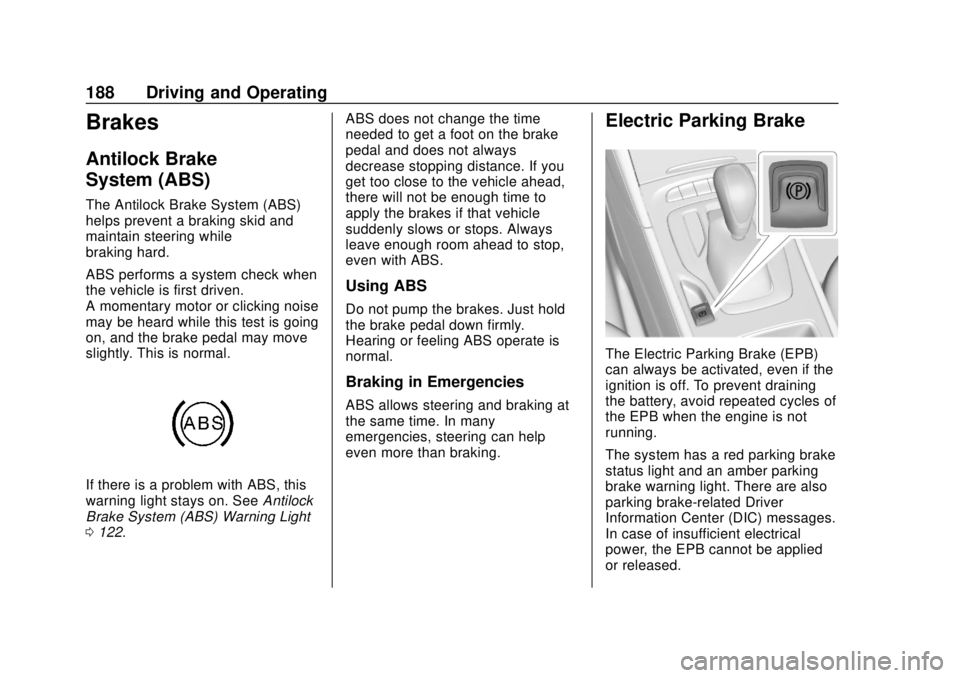
If there is a problem with ABS, this
warning light stays on. SeeAntilock
Brake System (ABS) Warning Light
0 122. ABS does not change the time
needed to get a foot on the brake
pedal and does not always
decrease stopping distance. If you
get too close to the vehicle ahead,
there will not be enough time to
apply the brakes if that vehicle
suddenly slows or stops. Always
leave enough room ahead to stop,
even with ABS.
Using ABS
Do not pump the brakes. Just hold
the brake pedal down firmly.
Hearing or feeling ABS operate is
normal.
Braking in Emergencies
ABS allows steering and braking at
the same time. In many
emergencies, steering can help
even more than braking.
Electric Parking Brake
The Electric Parking Brake (EPB)
can always be activated, even if the
ignition is off. To prevent draining
the battery, avoid repeated cycles of
the EPB when the engine is not
running.
The system has a red parking brake
status light and an amber parking
brake warning light. There are also
parking brake-related Driver
Information Center (DIC) messages.
In case of insufficient electrical
power, the EPB cannot be applied
or released.
Page 194 of 378
Buick Regal Owner Manual (GMNA-Localizing-U.S./Canada-13557849) -
2020 - CRC - 6/25/19
Driving and Operating 193
The following electronic systems
have been calibrated for each
driving mode:
.Continuous Damping
Control (CDC)
. Power Steering Assist
. Automatic Transmission
. All-Wheel Drive (AWD)
When the vehicle is started, Normal
mode comes on automatically. Sport
mode or GS mode can be selected
by pressing and releasing SPORT
or GS button. The light on the
selected button will illuminate,
indicating the driving mode. To
return to Normal mode, press and
release the illuminated button.
When both button lights are off, the
vehicle is in Normal mode. The
driving mode can be changed at any
time, whether the vehicle is
stationary or moving.
Normal : This is the default mode
used for normal city driving and
long-distance highway driving. This
setting provides a smooth, soft ride. .
Shock absorbers are in the
comfort setting.
. Power steering assist is normal.
Sport : Use this mode when
personal preference or road
conditions demand more control.
This setting provides responsive,
controlled steering and handling.
It also modifies the automatic
transmission shift feel and the AWD
torque distribution for sportier
performance.
. Shock absorbers stiffen to
provide better contact with the
road surface and increase body
control.
. Power steering assist is reduced
for sportier feel.
. The automatic transmission
shifts more aggressively for
sportier feel and improved
acceleration.*
. The AWD system distributes
more AWD engine torque to the
rear axle. GS :
Use this mode for additional
control and responsiveness, and
sportiest performance.
. Shock absorbers stiffen to the
firmest setting for increased
control.
. Power steering assist is reduced
for sportier feel.
. The automatic transmission
shifts more aggressively for
sportier feel and improved
acceleration.*
. The AWD system distributes
more AWD engine torque to the
rear axle.
* Performance Shifting is enabled in
Sport mode and GS mode.
Performance Shifting detects
spirited driving and adapts
transmission shifts to maximize
vehicle acceleration.
Personalized Settings in
Sport Mode
The driver can customize the Sport
Mode settings to fit their preference.
See Vehicle Personalization 0138.
Page 262 of 378
Buick Regal Owner Manual (GMNA-Localizing-U.S./Canada-13557849) -
2020 - CRC - 6/25/19
Vehicle Care 261
FusesUsage
12 Rear window defogger
13 Heated mirrors
14 –
15 –
16 Front wipers
17 Passenger power seat
18 Sunshade
19 Driver power seat
21 Sunroof
22 Rear wiper
23 Auto headlamp leveling
24 –
26 Transmission control module/Ignition
27 Instrument panel/ Ignition
28 –
29 Rear vision camera/ Ventilation Fuses
Usage
30 Malfunction indicator lamp/Shift solenoid
32 Canister vent/Video processing module
33 Front heated seats
34 Rear heated seats
35 All wheel drive damping control
36 Fuel module
38 –
39 –
40 Steering column lock
41 –
43 Heated steering wheel
44 Headlamp leveling
45 –
46 Engine control module/Ignition
47 –
48 Cooling fan/DC DC converter 2 Fuses
Usage
49 RDCM
50 –
51 –
52 –
53 –
54 –
55 –
56 Starter
57 –
58 –
59 Left LED lamps
60 Cooling fan
61 –
62 –
63 –
65 A/C HEV
67 –
68 –
Page 265 of 378
Buick Regal Owner Manual (GMNA-Localizing-U.S./Canada-13557849) -
2020 - CRC - 6/25/19
264 Vehicle Care
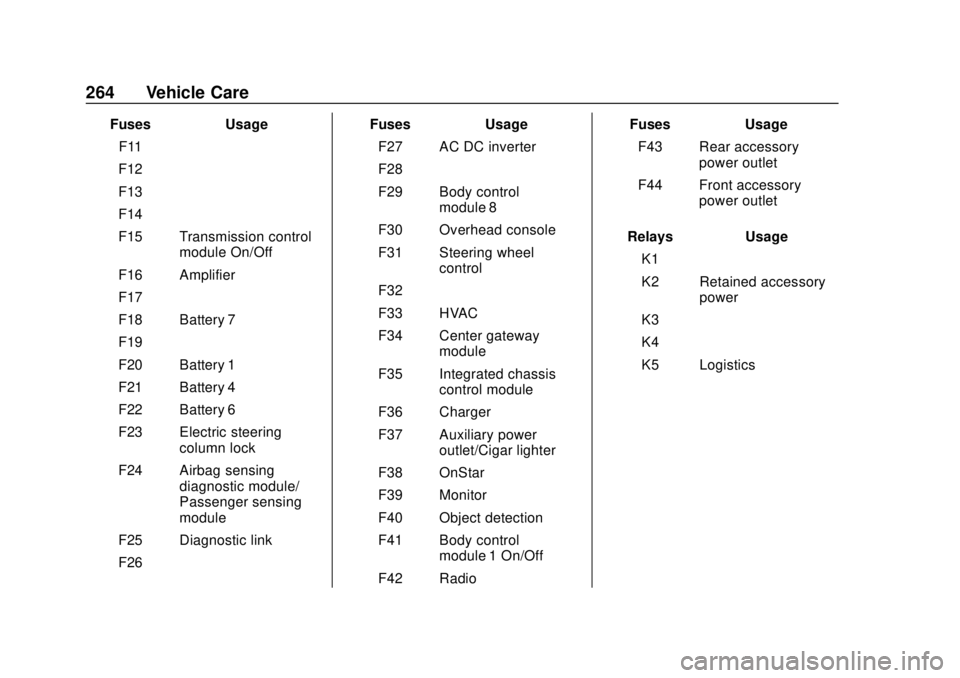
FusesUsage
F11 –
F12 –
F13 –
F14 –
F15 Transmission control module On/Off
F16 Amplifier
F17 –
F18 Battery 7
F19 –
F20 Battery 1
F21 Battery 4
F22 Battery 6
F23 Electric steering column lock
F24 Airbag sensing diagnostic module/
Passenger sensing
module
F25 Diagnostic link
F26 – Fuses
Usage
F27 AC DC inverter
F28 –
F29 Body control module 8
F30 Overhead console
F31 Steering wheel control
F32 –
F33 HVAC
F34 Center gateway module
F35 Integrated chassis control module
F36 Charger
F37 Auxiliary power outlet/Cigar lighter
F38 OnStar
F39 Monitor
F40 Object detection
F41 Body control module 1 On/Off
F42 Radio Fuses
Usage
F43 Rear accessory power outlet
F44 Front accessory power outlet
Relays Usage
K1 –
K2 Retained accessory power
K3 –
K4 –
K5 Logistics
Page 317 of 378
Buick Regal Owner Manual (GMNA-Localizing-U.S./Canada-13557849) -
2020 - CRC - 6/25/19
316 Vehicle Care
can be removed by rubbing with a
clean cloth. SeeRecommended
Fluids and Lubricants 0333.
Tires
Use a stiff brush with tire cleaner to
clean the tires.
Caution
Using petroleum-based tire
dressing products on the vehicle
may damage the paint finish and/
or tires. When applying a tire
dressing, always wipe off any
overspray from all painted
surfaces on the vehicle.
Wheels and Wheel Trim
Use a soft, clean cloth with mild
soap and water to clean the wheels.
After rinsing thoroughly with clean
water, dry with a soft, clean towel.
A wax may then be applied.
Caution
Chrome wheels and chrome
wheel trim may be damaged if the
vehicle is not washed after driving
on roads that have been sprayed
with magnesium chloride or
calcium chloride. These are used
on roads for conditions such as
dust and ice. Always wash the
chrome with soap and water after
exposure.
Caution
To avoid surface damage on
wheels and wheel trim, do not
use strong soaps, chemicals,
abrasive polishes, cleaners,
or brushes. Use only GM
approved cleaners. Do not drive
the vehicle through an automatic
car wash that uses silicon carbide
tire/wheel cleaning brushes.
(Continued)
Caution (Continued)
Damage could occur and the
repairs would not be covered by
the vehicle warranty.
Brake System
Visually inspect brake lines and
hoses for proper hook-up, binding,
leaks, cracks, chafing, etc. Inspect
disc brake pads for wear and rotors
for surface condition. Inspect drum
brake linings/shoes for wear or
cracks. Inspect all other brake parts.
Steering, Suspension, and
Chassis Components
Visually inspect steering,
suspension, and chassis
components for damaged, loose,
or missing parts or signs of wear at
least once a year.
Inspect power steering for proper
attachment, connections, binding,
leaks, cracks, chafing, etc.
Visually check constant velocity joint
boots and axle seals for leaks.
Page 326 of 378

Buick Regal Owner Manual (GMNA-Localizing-U.S./Canada-13557849) -
2020 - CRC - 6/25/19
Service and Maintenance 325
parts, or signs of wear at least
once a year. SeeExterior Care
0 313.
. Inspect power steering for
proper attachment, connections,
binding, leaks, cracks,
chafing, etc.
. Visually inspect halfshafts and
drive shafts for excessive wear,
lubricant leaks, and/or damage
including: tube dents or cracks,
constant velocity joint or
universal joint looseness,
cracked or missing boots, loose
or missing boot clamps, center
bearing excessive looseness,
loose or missing fasteners, and
axle seal leaks.
. Check restraint system
components. See Safety System
Check 058.
. Visually inspect fuel system for
damage or leaks.
. Visually inspect exhaust system
and nearby heat shields for
loose or damaged parts. .
Lubricate body components. See
Exterior Care 0313.
. Check starter switch. See Starter
Switch Check 0252.
. Check automatic transmission
shift lock control function. See
Automatic Transmission Shift
Lock Control Function Check
0252.
. Check parking brake and
automatic transmission park
mechanism. See Park Brake and
P (Park) Mechanism Check
0 252.
. Check accelerator pedal for
damage, high effort, or binding.
Replace if needed.
. Visually inspect gas strut for
signs of wear, cracks, or other
damage. Check the hold open
ability of the strut. If the hold
open is low, service the gas
strut. See Gas Strut(s) 0254. .
Check tire sealant expiration
date, if equipped. See Tire
Sealant and Compressor Kit
0 287 or
Tire Sealant and Compressor Kit
0 293.
. Inspect sunroof track and seal,
if equipped. See Sunroof035.