park assist BUICK REGAL 2020 Owners Manual
[x] Cancel search | Manufacturer: BUICK, Model Year: 2020, Model line: REGAL, Model: BUICK REGAL 2020Pages: 378, PDF Size: 6.91 MB
Page 5 of 378
Buick Regal Owner Manual (GMNA-Localizing-U.S./Canada-13557849) -
2020 - CRC - 6/25/19
4 Introduction
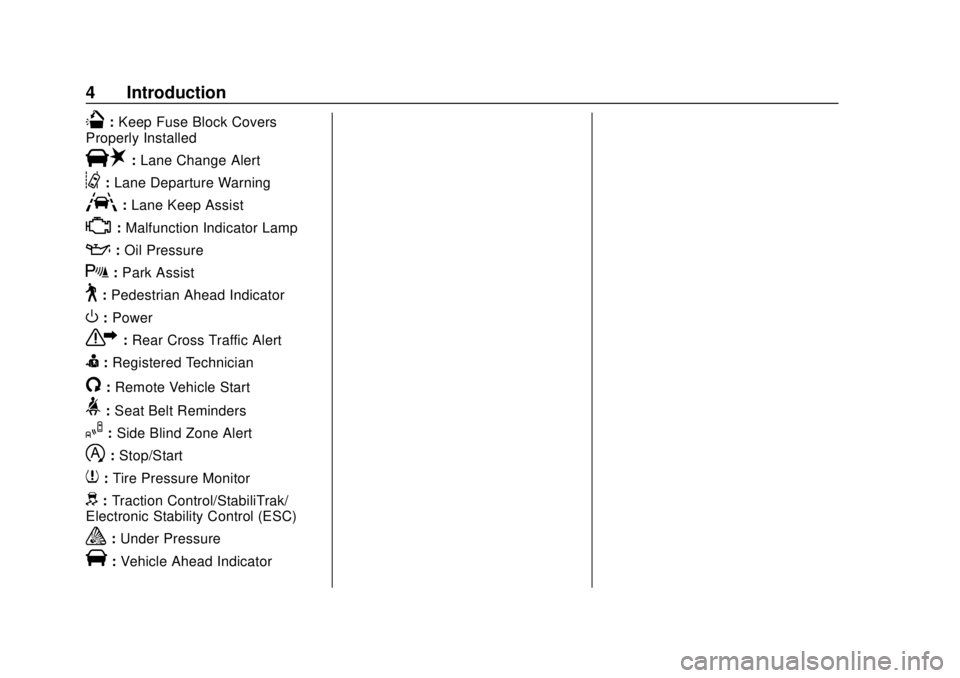
Q:Keep Fuse Block Covers
Properly Installed
|: Lane Change Alert
@:Lane Departure Warning
A:Lane Keep Assist
*:Malfunction Indicator Lamp
::Oil Pressure
X:Park Assist
~:Pedestrian Ahead Indicator
O:Power
7: Rear Cross Traffic Alert
I:Registered Technician
/:Remote Vehicle Start
>: Seat Belt Reminders
I:Side Blind Zone Alert
h:Stop/Start
7: Tire Pressure Monitor
d:Traction Control/StabiliTrak/
Electronic Stability Control (ESC)
a: Under Pressure
V:Vehicle Ahead Indicator
Page 7 of 378

Buick Regal Owner Manual (GMNA-Localizing-U.S./Canada-13557849) -
2020 - CRC - 6/25/19
6 Introduction
1.Air Vents 0161.
2. Turn and Lane-Change Signals
0150.
3. Instrument Cluster 0107.
Driver Information Center (DIC)
Display. See Driver Information
Center (DIC) 0128.
4. Windshield Wiper/Washer
0100.
5. Hazard Warning Flashers
0150.
6. Light Sensor. See Automatic
Headlamp System 0148.
7. Infotainment 0155.
8. Traction Control/Electronic
Stability Control 0191.
9. Dual Automatic Climate Control
System 0156.
10. Transmitter Pocket. See Remote Keyless Entry (RKE)
System Operation 08. 11.
Lane Keep Assist (LKA) 0215
(If Equipped).
Park Assist Button (If
Equipped). See Driver
Assistance Systems 0203.
Selective Ride Control (GS
Models Only) 0192.
12. Wireless Charging 0103 (If
Equipped).
13. Shift Lever. See Automatic
Transmission 0184.
14. Electric Parking Brake 0188.
15. ENGINE START/STOP Button (Out of View). See Ignition
Positions 0176.
16. Steering Wheel Controls 0100.
Driver Information Center (DIC)
Controls. See Driver
Information Center (DIC) 0128.
17. Horn 0100.
18. Steering Wheel Adjustment
0100 (Out of View). 19.
Cruise Control 0194 (If
Equipped).
Adaptive Cruise Control 0196
(If Equipped).
Forward Collision Alert (FCA)
System 0207 (If Equipped).
Heated Steering Wheel 0100
(If Equipped).
20. Hood Release. See Hood
0 233.
21. Exterior Lamp Controls 0147.
Fog Lamps 0150.
22. Instrument Panel Fuse Block Cover. See Instrument Panel
Fuse Block 0263.
23. Data Link Connector (DLC) (Out of View). See Malfunction
Indicator Lamp (Check Engine
Light) 0119.
24. Head-Up Display (HUD) 0133
(If Equipped).
25. Instrument Panel Illumination
Control 0151.
Page 100 of 378
Buick Regal Owner Manual (GMNA-Localizing-U.S./Canada-13557849) -
2020 - CRC - 6/25/19
Instruments and Controls 99
Instruments and
Controls
Controls
Steering Wheel Adjustment . . . 100
Steering Wheel Controls . . . . . . 100
Heated Steering Wheel . . . . . . . 100
Horn . . . . . . . . . . . . . . . . . . . . . . . . . . 100
Windshield Wiper/Washer . . . . 100
Rear Window Wiper/Washer . . . . . . . . . . . . . . . . . . . . . 102
Compass . . . . . . . . . . . . . . . . . . . . . 102
Clock . . . . . . . . . . . . . . . . . . . . . . . . . 102
Power Outlets . . . . . . . . . . . . . . . . 103
Wireless Charging . . . . . . . . . . . . 103
Warning Lights, Gauges, and
Indicators
Warning Lights, Gauges, and Indicators . . . . . . . . . . . . . . . . . . . 106
Instrument Cluster . . . . . . . . . . . . 107
Speedometer . . . . . . . . . . . . . . . . . 113
Odometer . . . . . . . . . . . . . . . . . . . . . 113
Tachometer . . . . . . . . . . . . . . . . . . . 113
Fuel Gauge . . . . . . . . . . . . . . . . . . . 113
Engine Oil Temperature Gauge
(Uplevel) . . . . . . . . . . . . . . . . . . . . 115 Engine Coolant Temperature
Gauge . . . . . . . . . . . . . . . . . . . . . . 115
Voltmeter Gauge (Uplevel) . . . . 116
Seat Belt Reminders . . . . . . . . . . 117
Airbag Readiness Light . . . . . . . 118
Passenger Airbag Status Indicator . . . . . . . . . . . . . . . . . . . . . 118
Charging System Light . . . . . . . 119
Malfunction Indicator Lamp (Check Engine Light) . . . . . . . . 119
Brake System Warning Light . . . . . . . . . . . . . . . . . . . . . . . . 121
Electric Parking Brake Light . . . . . . . . . . . . . . . . . . . . . . . . 122
Service Electric Parking Brake Light . . . . . . . . . . . . . . . . . . . . . . . . 122
Antilock Brake System (ABS) Warning Light . . . . . . . . . . . . . . . 122
Lane Keep Assist (LKA) Light . . . . . . . . . . . . . . . . . . . . . . . . 123
Vehicle Ahead Indicator . . . . . . 123
Pedestrian Ahead Indicator . . . 124
Traction Off Light . . . . . . . . . . . . . 124
StabiliTrak OFF Light . . . . . . . . . 124
Traction Control System (TCS)/ StabiliTrak Light . . . . . . . . . . . . . 125
Engine Coolant Temperature Warning Light (Uplevel) . . . . . 125
Tire Pressure Light . . . . . . . . . . . 125
Engine Oil Pressure Light . . . . 126 Low Fuel Warning Light . . . . . . 126
Security Light . . . . . . . . . . . . . . . . . 127
High-Beam On Light . . . . . . . . . . 127
Adaptive Forward Lighting
(AFL) Light . . . . . . . . . . . . . . . . . . 127
Front Fog Lamp Light . . . . . . . . . 127
Lamps On Reminder . . . . . . . . . 128
Cruise Control Light . . . . . . . . . . 128
Door Ajar Light . . . . . . . . . . . . . . . 128
Information Displays
Driver Information Center (DIC) . . . . . . . . . . . . . . . . 128
Head-Up Display (HUD) . . . . . . 133
Vehicle Messages
Vehicle Messages . . . . . . . . . . . . 137
Engine Power Messages . . . . . 137
Vehicle Speed Messages . . . . . 138
Vehicle Personalization
Vehicle Personalization . . . . . . . 138
Universal Remote System
Universal Remote System . . . . 143
Universal Remote System Programming . . . . . . . . . . . . . . . 143
Universal Remote System Operation . . . . . . . . . . . . . . . . . . . 146
Page 135 of 378
Buick Regal Owner Manual (GMNA-Localizing-U.S./Canada-13557849) -
2020 - CRC - 6/25/19
134 Instruments and Controls
Warning (Continued)
dark outside. Be sure to keep the
HUD image dim and placed low in
your field of view.
If equipped with HUD, some
information concerning the
operation of the vehicle is projected
onto the windshield. The information
is projected through the HUD lens
on the driver side of the instrument
panel and focused out toward the
front of the vehicle.
Caution
If you try to use the HUD image
as a parking aid, you may
misjudge the distance and
damage your vehicle. Do not use
the HUD image as a parking aid.
The HUD information can be
displayed in various languages. The
speedometer reading and other
numerical values can be displayed
in either English or metric units. The language selection is changed
through the radio and the units of
measurement is changed through
the instrument cluster. See
“Settings”
in the Infotainment
Manual and “Options”under
Instrument Cluster 0107.
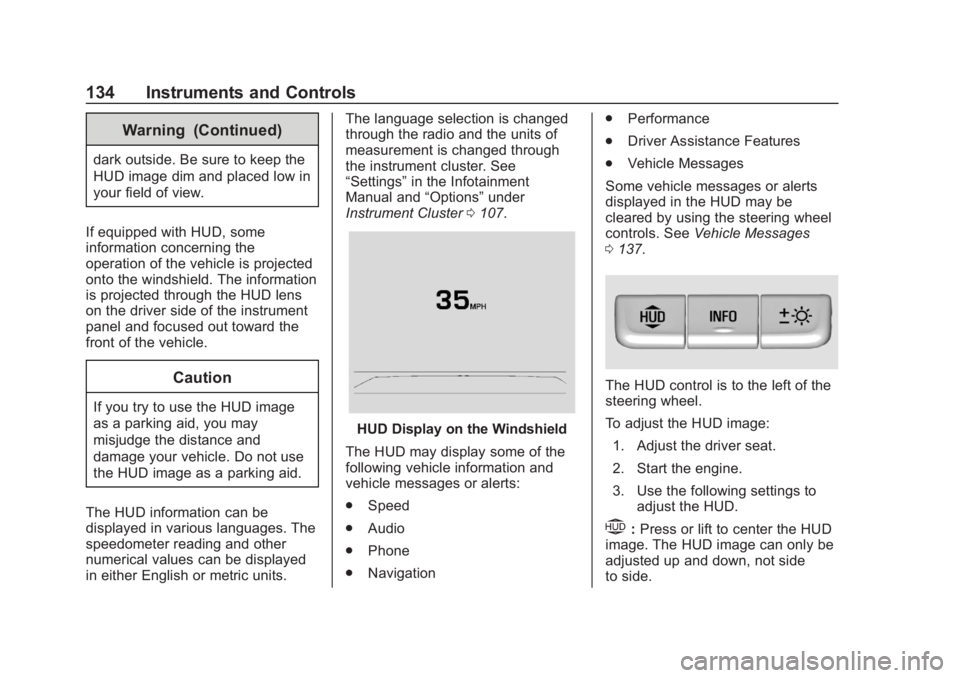
HUD Display on the Windshield
The HUD may display some of the
following vehicle information and
vehicle messages or alerts:
. Speed
. Audio
. Phone
. Navigation .
Performance
. Driver Assistance Features
. Vehicle Messages
Some vehicle messages or alerts
displayed in the HUD may be
cleared by using the steering wheel
controls. See Vehicle Messages
0 137.
The HUD control is to the left of the
steering wheel.
To adjust the HUD image:
1. Adjust the driver seat.
2. Start the engine.
3. Use the following settings to adjust the HUD.
$:Press or lift to center the HUD
image. The HUD image can only be
adjusted up and down, not side
to side.
Page 136 of 378
Buick Regal Owner Manual (GMNA-Localizing-U.S./Canada-13557849) -
2020 - CRC - 6/25/19
Instruments and Controls 135
!:Press to select the display
view. Each press will change the
display view.
D: Lift and hold to brighten the
display. Press and hold to dim the
display. Continue to hold to turn the
display off.
The HUD image will automatically
dim and brighten to compensate for
outside lighting. The HUD
brightness control can also be
adjusted as needed.
The HUD image can temporarily
light up depending on the angle and
position of sunlight on the HUD
display. This is normal.
Polarized sunglasses could make
the HUD image harder to see.
Head-Up Display (HUD) Rotation
Option
If equipped, this feature allows the
angle of the HUD image to be
adjusted. Press
Von the steering wheel
controls while Head-up Display
Rotation is highlighted to enter
Adjust Mode. Press
yorzto
adjust the angle of the HUD display.
Press
SorTto highlight OK, then
press
Vto save the setting.
CANCEL can also be selected to
cancel the setting. The vehicle must
be in P (Park).
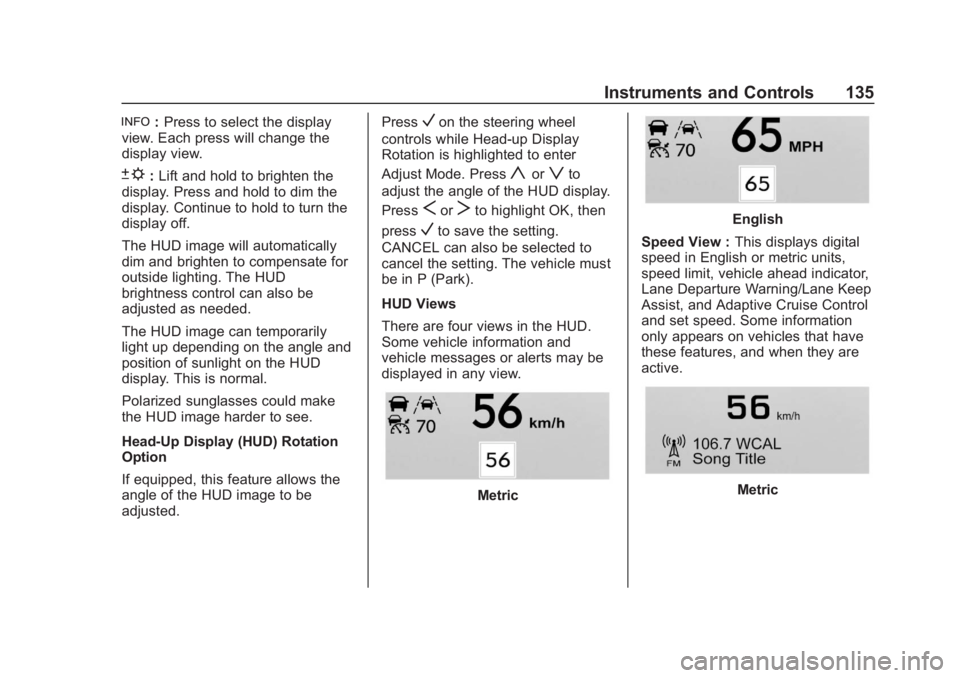
HUD Views
There are four views in the HUD.
Some vehicle information and
vehicle messages or alerts may be
displayed in any view.
Metric
English
Speed View : This displays digital
speed in English or metric units,
speed limit, vehicle ahead indicator,
Lane Departure Warning/Lane Keep
Assist, and Adaptive Cruise Control
and set speed. Some information
only appears on vehicles that have
these features, and when they are
active.
Metric
Page 141 of 378
Buick Regal Owner Manual (GMNA-Localizing-U.S./Canada-13557849) -
2020 - CRC - 6/25/19
140 Instruments and Controls
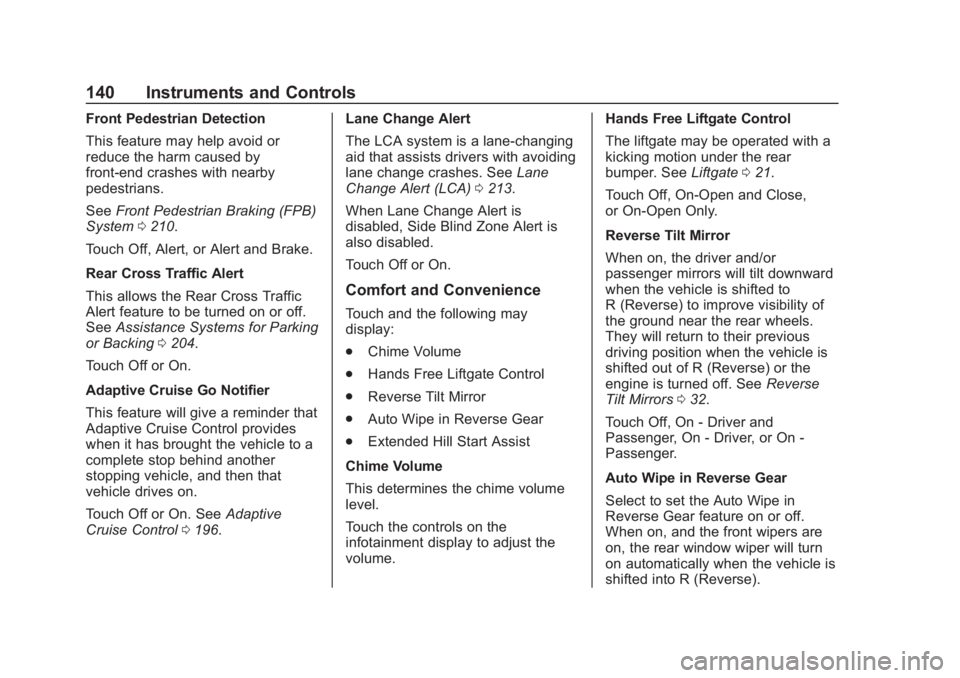
Front Pedestrian Detection
This feature may help avoid or
reduce the harm caused by
front-end crashes with nearby
pedestrians.
SeeFront Pedestrian Braking (FPB)
System 0210.
Touch Off, Alert, or Alert and Brake.
Rear Cross Traffic Alert
This allows the Rear Cross Traffic
Alert feature to be turned on or off.
See Assistance Systems for Parking
or Backing 0204.
Touch Off or On.
Adaptive Cruise Go Notifier
This feature will give a reminder that
Adaptive Cruise Control provides
when it has brought the vehicle to a
complete stop behind another
stopping vehicle, and then that
vehicle drives on.
Touch Off or On. See Adaptive
Cruise Control 0196. Lane Change Alert
The LCA system is a lane-changing
aid that assists drivers with avoiding
lane change crashes. See
Lane
Change Alert (LCA) 0213.
When Lane Change Alert is
disabled, Side Blind Zone Alert is
also disabled.
Touch Off or On.
Comfort and Convenience
Touch and the following may
display:
. Chime Volume
. Hands Free Liftgate Control
. Reverse Tilt Mirror
. Auto Wipe in Reverse Gear
. Extended Hill Start Assist
Chime Volume
This determines the chime volume
level.
Touch the controls on the
infotainment display to adjust the
volume. Hands Free Liftgate Control
The liftgate may be operated with a
kicking motion under the rear
bumper. See
Liftgate021.
Touch Off, On-Open and Close,
or On-Open Only.
Reverse Tilt Mirror
When on, the driver and/or
passenger mirrors will tilt downward
when the vehicle is shifted to
R (Reverse) to improve visibility of
the ground near the rear wheels.
They will return to their previous
driving position when the vehicle is
shifted out of R (Reverse) or the
engine is turned off. See Reverse
Tilt Mirrors 032.
Touch Off, On - Driver and
Passenger, On - Driver, or On -
Passenger.
Auto Wipe in Reverse Gear
Select to set the Auto Wipe in
Reverse Gear feature on or off.
When on, and the front wipers are
on, the rear window wiper will turn
on automatically when the vehicle is
shifted into R (Reverse).
Page 142 of 378
Buick Regal Owner Manual (GMNA-Localizing-U.S./Canada-13557849) -
2020 - CRC - 6/25/19
Instruments and Controls 141
Touch Off or On.
Extended Hill Start Assist
This allows the duration of the Hill
Start Assist to be changed. SeeHill
Start Assist (HSA) 0190.
Touch Extended Hold or
Standard Hold.
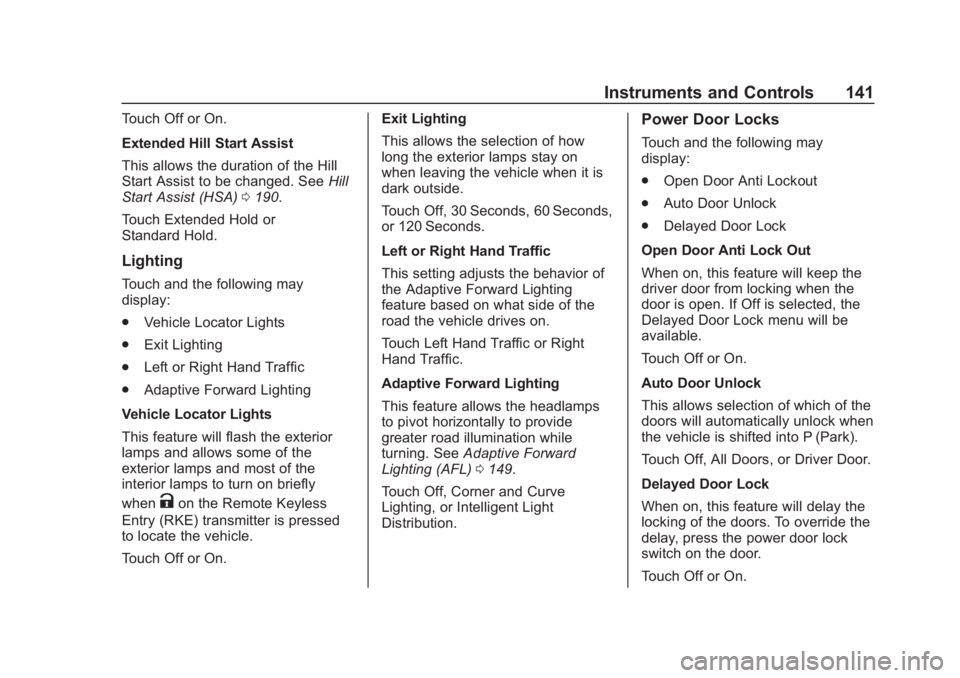
Lighting
Touch and the following may
display:
. Vehicle Locator Lights
. Exit Lighting
. Left or Right Hand Traffic
. Adaptive Forward Lighting
Vehicle Locator Lights
This feature will flash the exterior
lamps and allows some of the
exterior lamps and most of the
interior lamps to turn on briefly
when
Kon the Remote Keyless
Entry (RKE) transmitter is pressed
to locate the vehicle.
Touch Off or On. Exit Lighting
This allows the selection of how
long the exterior lamps stay on
when leaving the vehicle when it is
dark outside.
Touch Off, 30 Seconds, 60 Seconds,
or 120 Seconds.
Left or Right Hand Traffic
This setting adjusts the behavior of
the Adaptive Forward Lighting
feature based on what side of the
road the vehicle drives on.
Touch Left Hand Traffic or Right
Hand Traffic.
Adaptive Forward Lighting
This feature allows the headlamps
to pivot horizontally to provide
greater road illumination while
turning. See
Adaptive Forward
Lighting (AFL) 0149.
Touch Off, Corner and Curve
Lighting, or Intelligent Light
Distribution.
Power Door Locks
Touch and the following may
display:
. Open Door Anti Lockout
. Auto Door Unlock
. Delayed Door Lock
Open Door Anti Lock Out
When on, this feature will keep the
driver door from locking when the
door is open. If Off is selected, the
Delayed Door Lock menu will be
available.
Touch Off or On.
Auto Door Unlock
This allows selection of which of the
doors will automatically unlock when
the vehicle is shifted into P (Park).
Touch Off, All Doors, or Driver Door.
Delayed Door Lock
When on, this feature will delay the
locking of the doors. To override the
delay, press the power door lock
switch on the door.
Touch Off or On.
Page 145 of 378
Buick Regal Owner Manual (GMNA-Localizing-U.S./Canada-13557849) -
2020 - CRC - 6/25/19
144 Instruments and Controls
instructions refer to a garage door
opener, but can be used for other
devices.
Do not use the Universal Remote
system with any garage door opener
that does not have the stop and
reverse feature. This includes any
garage door opener model
manufactured before April 1, 1982.
Read these instructions completely
before programming the Universal
Remote system. It may help to have
another person assist with the
programming process.
Keep the original hand-held
transmitter for use in other vehicles
as well as for future programming.
Erase the programming when
vehicle ownership is terminated.
See“Erasing Universal Remote
System Buttons” later in this
section.
To program a garage door opener,
park outside directly in line with and
facing the garage door opener
receiver. Clear all people and
objects near the garage door. Make sure the hand-held transmitter
has a new battery for quick and
accurate transmission of the
radio-frequency signal.
Programming the Universal
Remote System
For questions or programming help,
see www.homelink.com/gm or call
1-800-355-3515.
Programming involves
time-sensitive actions, and may time
out causing the procedure to be
repeated.
To program up to three devices:
1. Hold the end of the hand-held transmitter about 3 to 8 cm
(1 to 3 in) away from the
Universal Remote system
buttons with the indicator light
in view. The hand-held
transmitter was supplied by the
manufacturer of the garage
door opener receiver.
2. At the same time, press and hold both the hand-held
transmitter button and one of
the three Universal Remote system buttons to be used to
operate the garage door. Do
not release either button until
the indicator light changes from
a slow to a rapid flash. Then
release both buttons.
Some garage door openers
may require substitution of
Step 2 with the procedure
under
“Radio Signals for
Canada and Some Gate
Operators” later in this section.
3. Press and hold the newly programmed Universal Remote
system button for five seconds
while watching the indicator
light and garage door
activation.
.If the indicator light stays on
continuously or the garage
door moves when the
button is pressed, then
programming is complete.
There is no need to
complete Steps 4–6.
. If the indicator light does
not come on or the garage
door does not move, a
Page 164 of 378
Buick Regal Owner Manual (GMNA-Localizing-U.S./Canada-13557849) -
2020 - CRC - 6/25/19
Driving and Operating 163
Driving and
Operating
Driving Information
Driving for Better FuelEconomy . . . . . . . . . . . . . . . . . . . . 164
Distracted Driving . . . . . . . . . . . . 164
Defensive Driving . . . . . . . . . . . . . 165
Drunk Driving . . . . . . . . . . . . . . . . . 165
Control of a Vehicle . . . . . . . . . . . 166
Braking . . . . . . . . . . . . . . . . . . . . . . . 166
Steering . . . . . . . . . . . . . . . . . . . . . . 166
Off-Road Recovery . . . . . . . . . . . 167
Loss of Control . . . . . . . . . . . . . . . 168
Driving on Wet Roads . . . . . . . . 168
Hill and Mountain Roads . . . . . 169
Winter Driving . . . . . . . . . . . . . . . . 170
If the Vehicle Is Stuck . . . . . . . . 171
Vehicle Load Limits . . . . . . . . . . . 171
Starting and Operating
New Vehicle Break-In . . . . . . . . . 175
Ignition Positions . . . . . . . . . . . . . 176
Starting the Engine . . . . . . . . . . . 177
Stop/Start System . . . . . . . . . . . . 178
Engine Heater . . . . . . . . . . . . . . . . 179
Retained Accessory Power (RAP) . . . . . . . . . . . . . . . . 181 Shifting Into Park . . . . . . . . . . . . . 181
Shifting out of Park . . . . . . . . . . . 182
Parking over Things
That Burn . . . . . . . . . . . . . . . . . . . 182
Active Fuel Management . . . . . 182
Extended Parking . . . . . . . . . . . . 183
Engine Exhaust
Engine Exhaust . . . . . . . . . . . . . . 183
Running the Vehicle While
Parked . . . . . . . . . . . . . . . . . . . . . . 184
Automatic Transmission
Automatic Transmission . . . . . . 184
Manual Mode . . . . . . . . . . . . . . . . . 186
Drive Systems
All-Wheel Drive . . . . . . . . . . . . . . . 187
Brakes
Antilock BrakeSystem (ABS) . . . . . . . . . . . . . . . 188
Electric Parking Brake . . . . . . . . 188
Brake Assist . . . . . . . . . . . . . . . . . . 190
Hill Start Assist (HSA) . . . . . . . . 190
Ride Control Systems
Traction Control/Electronic Stability Control . . . . . . . . . . . . . 191
Selective Ride Control (GS Models Only) . . . . . . . . . . . . . . . . 192
Cruise Control
Cruise Control . . . . . . . . . . . . . . . . 194
Adaptive Cruise Control . . . . . . 196
Driver Assistance Systems
Driver Assistance Systems . . . 203
Assistance Systems forParking or Backing . . . . . . . . . . 204
Assistance Systems for Driving . . . . . . . . . . . . . . . . . . . . . . 207
Forward Collision Alert (FCA) System . . . . . . . . . . . . . . . . . . . . . . 207
Automatic Emergency Braking (AEB) . . . . . . . . . . . . . . . 209
Front Pedestrian Braking (FPB) System . . . . . . . . . . . . . . . 210
Side Blind Zone Alert (SBZA) . . . . . . . . . . . . . . . . 213
Lane Change Alert (LCA) . . . . . 213
Lane Keep Assist (LKA) . . . . . . 215
Fuel
Top Tier Fuel . . . . . . . . . . . . . . . . . 217
Recommended Fuel (2.0L Turbo Engine) . . . . . . . . . . . . . . . 217
Recommended Fuel (3.6L Engine) . . . . . . . . . . . . . . . . . . . . . 217
Prohibited Fuels . . . . . . . . . . . . . . 218
Fuels in Foreign Countries . . . 218
Fuel Additives . . . . . . . . . . . . . . . . 218
Filling the Tank . . . . . . . . . . . . . . . 218
Page 167 of 378
Buick Regal Owner Manual (GMNA-Localizing-U.S./Canada-13557849) -
2020 - CRC - 6/25/19
166 Driving and Operating
Control of a Vehicle
Braking, steering, and accelerating
are important factors in helping to
control a vehicle while driving.
Braking
Braking action involves perception
time and reaction time. Deciding to
push the brake pedal is perception
time. Actually doing it is
reaction time.
Average driver reaction time is
about three-quarters of a second. In
that time, a vehicle moving at
100 km/h (60 mph) travels 20 m
(66 ft), which could be a lot of
distance in an emergency.
Helpful braking tips to keep in mind
include:
.Keep enough distance between
you and the vehicle in front
of you.
. Avoid needless heavy braking.
. Keep pace with traffic. If the engine ever stops while the
vehicle is being driven, brake
normally but do not pump the
brakes. Doing so could make the
pedal harder to push down. If the
engine stops, there will be some
power brake assist but it will be
used when the brake is applied.
Once the power assist is used up, it
can take longer to stop and the
brake pedal will be harder to push.
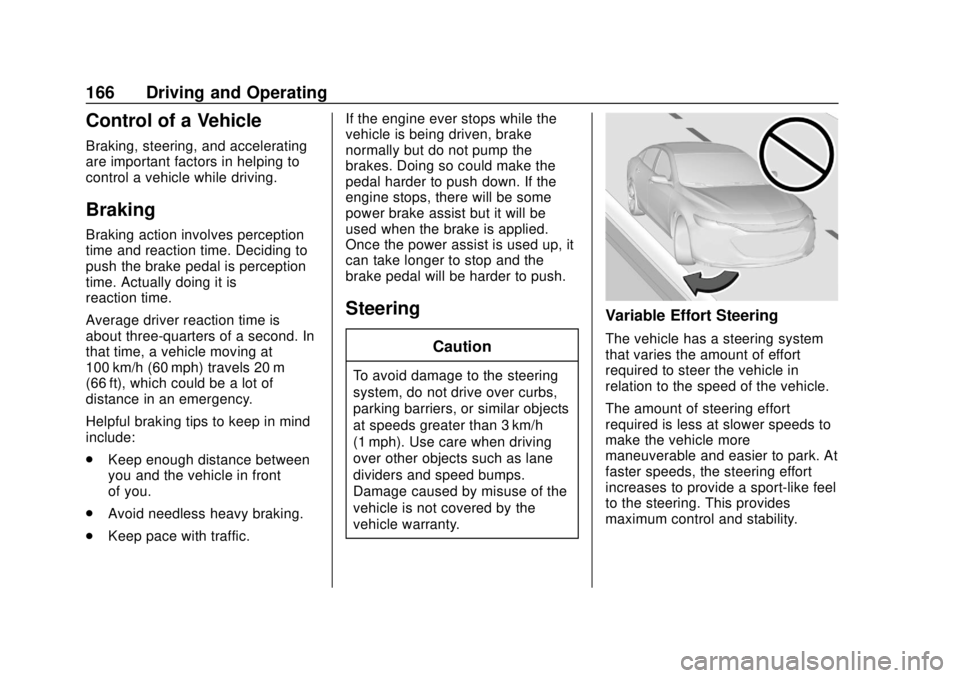
Steering
Caution
To avoid damage to the steering
system, do not drive over curbs,
parking barriers, or similar objects
at speeds greater than 3 km/h
(1 mph). Use care when driving
over other objects such as lane
dividers and speed bumps.
Damage caused by misuse of the
vehicle is not covered by the
vehicle warranty.
Variable Effort Steering
The vehicle has a steering system
that varies the amount of effort
required to steer the vehicle in
relation to the speed of the vehicle.
The amount of steering effort
required is less at slower speeds to
make the vehicle more
maneuverable and easier to park. At
faster speeds, the steering effort
increases to provide a sport-like feel
to the steering. This provides
maximum control and stability.