headlamp BUICK REGAL SPORTBACK 2019 Owner's Manual
[x] Cancel search | Manufacturer: BUICK, Model Year: 2019, Model line: REGAL SPORTBACK, Model: BUICK REGAL SPORTBACK 2019Pages: 391, PDF Size: 5.95 MB
Page 8 of 391

Buick Regal Owner Manual (GMNA-Localizing-U.S./Canada-12163021) -
2019 - CRC - 11/14/18
In Brief 7
1.Air Vents 0176.
2. Turn and Lane-Change Signals
0165.
3. Instrument Cluster 0124.
Driver Information Center (DIC)
Display. See Driver Information
Center (DIC) 0144.
4. Windshield Wiper/Washer
0117.
5. Hazard Warning Flashers
0165.
6. Light Sensor. See Automatic
Headlamp System 0163.
7. Infotainment 0170.
8. Traction Control/Electronic
Stability Control 0205.
9. Dual Automatic Climate Control
System 0171.
10. Transmitter Pocket. See Remote Keyless Entry (RKE)
System Operation 029.
11. Lane Keep Assist (LKA) 0229
(If Equipped). Park Assist Button (If
Equipped). See
Driver
Assistance Systems 0217.
Selective Ride Control (GS
Models Only) 0207.
12. Wireless Charging 0120 (If
Equipped).
13. Shift Lever. See Automatic
Transmission 0198.
14. Electric Parking Brake 0202.
15. ENGINE START/STOP Button (Out of View). See Ignition
Positions 0190.
16. Steering Wheel Controls 0117.
Driver Information Center (DIC)
Controls. See Driver
Information Center (DIC) 0144.
17. Horn 0117.
18. Steering Wheel Adjustment
0117 (Out of View).
19. Cruise Control 0208 (If
Equipped).
Adaptive Cruise Control 0210
(If Equipped). Forward Collision Alert (FCA)
System
0221 (If Equipped).
Heated Steering Wheel 0117
(If Equipped).
20. Hood Release. See Hood
0 247.
21. Exterior Lamp Controls 0162.
Fog Lamps 0166.
22. Instrument Panel Fuse Block Cover. See Instrument Panel
Fuse Block 0276.
23. Data Link Connector (DLC) (Out of View). See Malfunction
Indicator Lamp (Check Engine
Light) 0135.
24. Head-Up Display (HUD) 0149
(If Equipped).
25. Instrument Panel Illumination
Control 0166.
Page 16 of 391
Buick Regal Owner Manual (GMNA-Localizing-U.S./Canada-12163021) -
2019 - CRC - 11/14/18
In Brief 15
Mirror Adjustment
Interior Mirrors
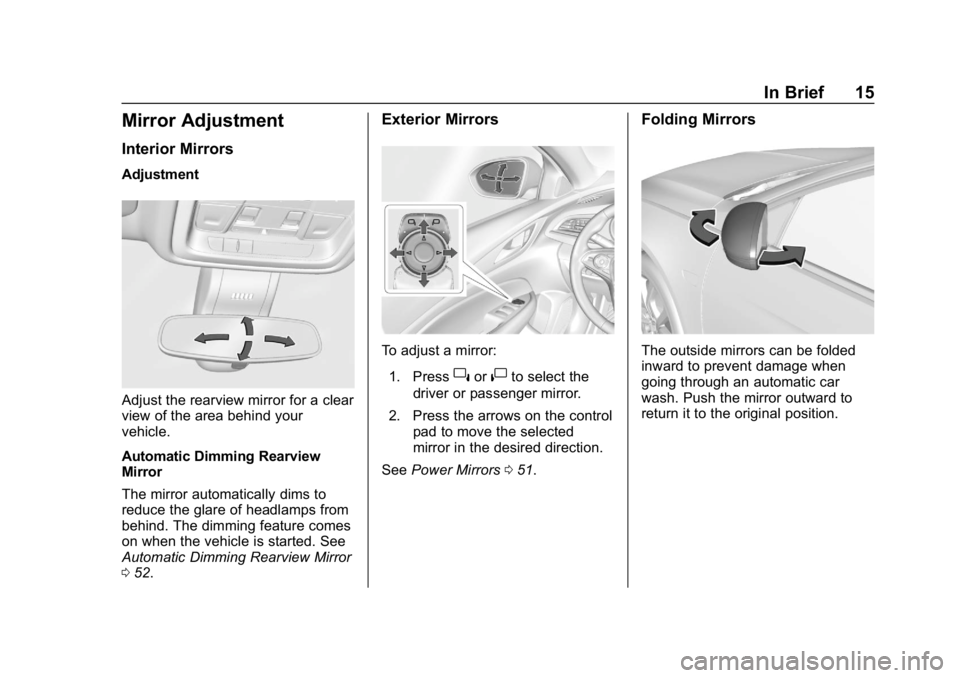
Adjustment
Adjust the rearview mirror for a clear
view of the area behind your
vehicle.
Automatic Dimming Rearview
Mirror
The mirror automatically dims to
reduce the glare of headlamps from
behind. The dimming feature comes
on when the vehicle is started. See
Automatic Dimming Rearview Mirror
052.
Exterior Mirrors
To adjust a mirror:
1. Press
}or|to select the
driver or passenger mirror.
2. Press the arrows on the control pad to move the selected
mirror in the desired direction.
See Power Mirrors 051.
Folding Mirrors
The outside mirrors can be folded
inward to prevent damage when
going through an automatic car
wash. Push the mirror outward to
return it to the original position.
Page 18 of 391
Buick Regal Owner Manual (GMNA-Localizing-U.S./Canada-12163021) -
2019 - CRC - 11/14/18
In Brief 17
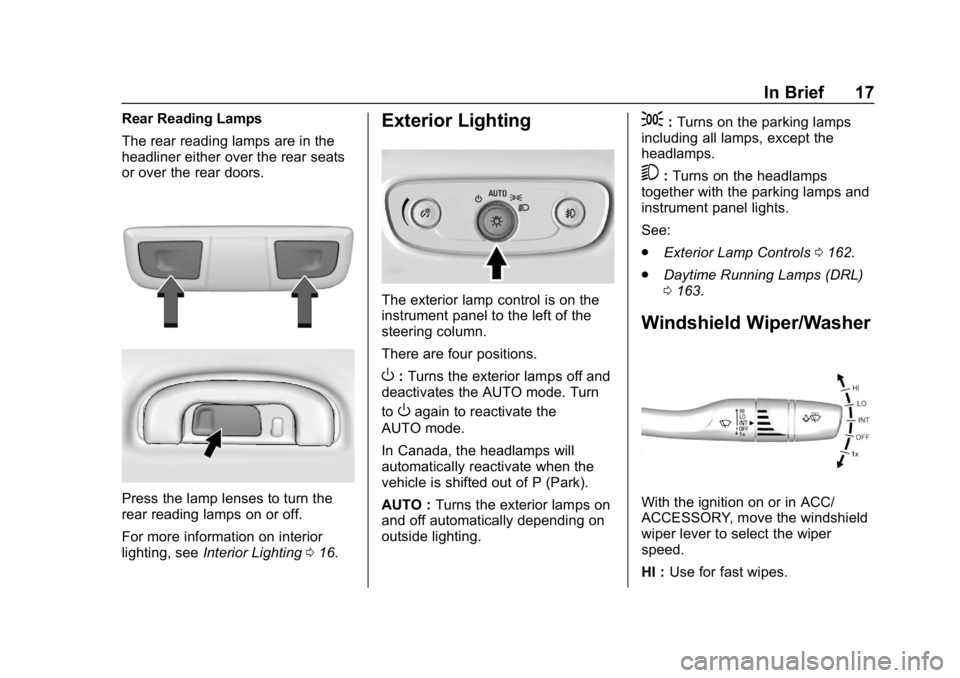
Rear Reading Lamps
The rear reading lamps are in the
headliner either over the rear seats
or over the rear doors.
Press the lamp lenses to turn the
rear reading lamps on or off.
For more information on interior
lighting, seeInterior Lighting 016.
Exterior Lighting
The exterior lamp control is on the
instrument panel to the left of the
steering column.
There are four positions.
O:Turns the exterior lamps off and
deactivates the AUTO mode. Turn
to
Oagain to reactivate the
AUTO mode.
In Canada, the headlamps will
automatically reactivate when the
vehicle is shifted out of P (Park).
AUTO : Turns the exterior lamps on
and off automatically depending on
outside lighting.
;: Turns on the parking lamps
including all lamps, except the
headlamps.
5: Turns on the headlamps
together with the parking lamps and
instrument panel lights.
See:
. Exterior Lamp Controls 0162.
. Daytime Running Lamps (DRL)
0163.
Windshield Wiper/Washer
With the ignition on or in ACC/
ACCESSORY, move the windshield
wiper lever to select the wiper
speed.
HI : Use for fast wipes.
Page 53 of 391
Buick Regal Owner Manual (GMNA-Localizing-U.S./Canada-12163021) -
2019 - CRC - 11/14/18
52 Keys, Doors, and Windows
Folding Mirrors
Manual Folding Mirrors
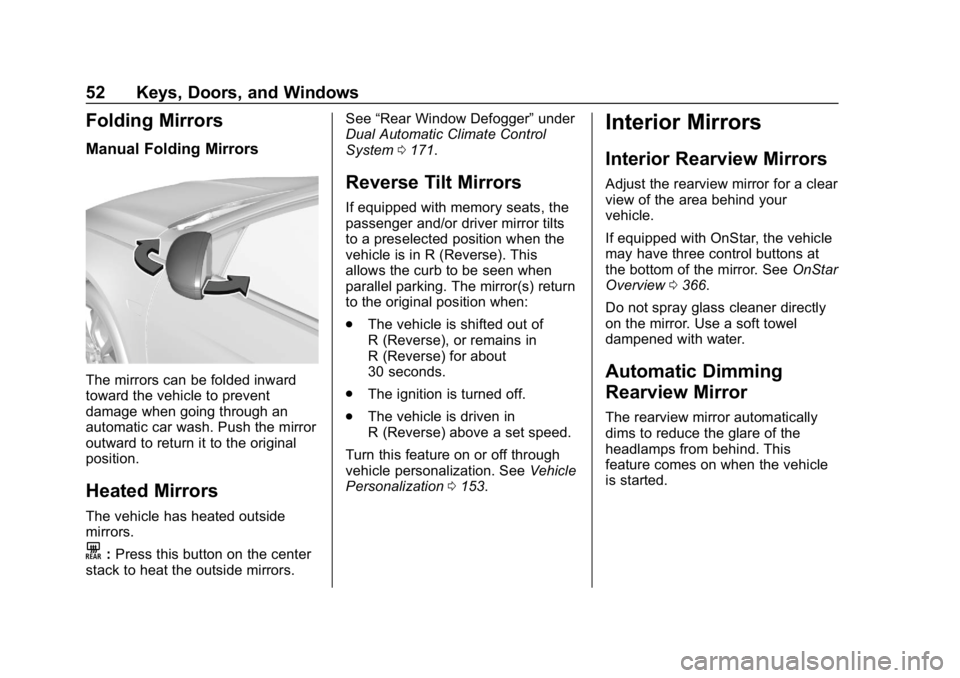
The mirrors can be folded inward
toward the vehicle to prevent
damage when going through an
automatic car wash. Push the mirror
outward to return it to the original
position.
Heated Mirrors
The vehicle has heated outside
mirrors.
K:Press this button on the center
stack to heat the outside mirrors. See
“Rear Window Defogger” under
Dual Automatic Climate Control
System 0171.
Reverse Tilt Mirrors
If equipped with memory seats, the
passenger and/or driver mirror tilts
to a preselected position when the
vehicle is in R (Reverse). This
allows the curb to be seen when
parallel parking. The mirror(s) return
to the original position when:
.
The vehicle is shifted out of
R (Reverse), or remains in
R (Reverse) for about
30 seconds.
. The ignition is turned off.
. The vehicle is driven in
R (Reverse) above a set speed.
Turn this feature on or off through
vehicle personalization. See Vehicle
Personalization 0153.
Interior Mirrors
Interior Rearview Mirrors
Adjust the rearview mirror for a clear
view of the area behind your
vehicle.
If equipped with OnStar, the vehicle
may have three control buttons at
the bottom of the mirror. See OnStar
Overview 0366.
Do not spray glass cleaner directly
on the mirror. Use a soft towel
dampened with water.
Automatic Dimming
Rearview Mirror
The rearview mirror automatically
dims to reduce the glare of the
headlamps from behind. This
feature comes on when the vehicle
is started.
Page 143 of 391
Buick Regal Owner Manual (GMNA-Localizing-U.S./Canada-12163021) -
2019 - CRC - 11/14/18
142 Instruments and Controls
If the light comes on and stays on, it
means that oil is not flowing through
the engine properly. The vehicle
could be low on oil and might have
some other system problem. See
your dealer.
Low Fuel Warning Light
This light is near the fuel gauge and
comes on briefly when the ignition is
turned on as a check to show it is
working.
It also comes on when the fuel tank
is low on fuel. The light turns off
when fuel is added. If it does not,
have the vehicle serviced.
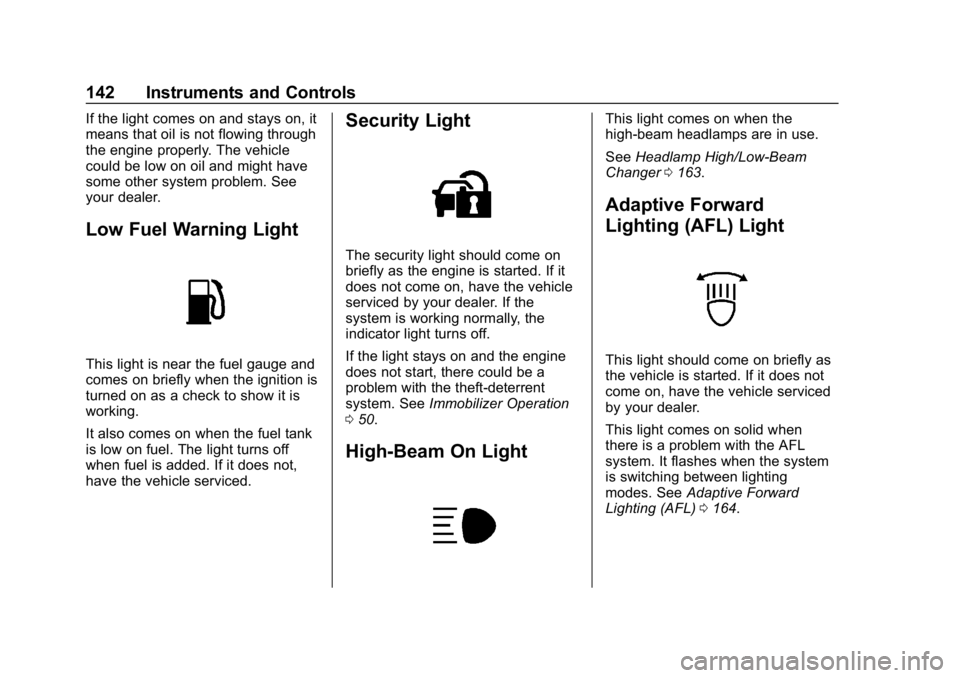
Security Light
The security light should come on
briefly as the engine is started. If it
does not come on, have the vehicle
serviced by your dealer. If the
system is working normally, the
indicator light turns off.
If the light stays on and the engine
does not start, there could be a
problem with the theft-deterrent
system. SeeImmobilizer Operation
0 50.
High-Beam On Light
This light comes on when the
high-beam headlamps are in use.
See Headlamp High/Low-Beam
Changer 0163.
Adaptive Forward
Lighting (AFL) Light
This light should come on briefly as
the vehicle is started. If it does not
come on, have the vehicle serviced
by your dealer.
This light comes on solid when
there is a problem with the AFL
system. It flashes when the system
is switching between lighting
modes. See Adaptive Forward
Lighting (AFL) 0164.
Page 157 of 391
Buick Regal Owner Manual (GMNA-Localizing-U.S./Canada-12163021) -
2019 - CRC - 11/14/18
156 Instruments and Controls
Touch Off or On.
Extended Hill Start Assist
This allows the duration of the Hill
Start Assist to be changed. SeeHill
Start Assist (HSA) 0204.
Touch Extended Hold or
Standard Hold.
Lighting
Touch and the following may
display:
. Vehicle Locator Lights
. Exit Lighting
. Left or Right Hand Traffic
. Adaptive Forward Lighting
Vehicle Locator Lights
This feature will flash the exterior
lamps and allows some of the
exterior lamps and most of the
interior lamps to turn on briefly
when
Kon the Remote Keyless
Entry (RKE) transmitter is pressed
to locate the vehicle.
Touch Off or On. Exit Lighting
This allows the selection of how
long the exterior lamps stay on
when leaving the vehicle when it is
dark outside.
Touch Off, 30 Seconds, 60 Seconds,
or 120 Seconds.
Left or Right Hand Traffic
This setting adjusts the behavior of
the Adaptive Forward Lighting
feature based on what side of the
road the vehicle drives on.
Touch Left Hand Traffic or Right
Hand Traffic.
Adaptive Forward Lighting
This feature allows the headlamps
to pivot horizontally to provide
greater road illumination while
turning. See
Adaptive Forward
Lighting (AFL) 0164.
Touch Off, Corner and Curve
Lighting, or Intelligent Light
Distribution.
Power Door Locks
Touch and the following may
display:
. Open Door Anti Lockout
. Auto Door Unlock
. Delayed Door Lock
Open Door Anti Lock Out
When on, this feature will keep the
driver door from locking when the
door is open. If Off is selected, the
Delayed Door Lock menu will be
available.
Touch Off or On.
Auto Door Unlock
This allows selection of which of the
doors will automatically unlock when
the vehicle is shifted into P (Park).
Touch Off, All Doors, or Driver Door.
Delayed Door Lock
When on, this feature will delay the
locking of the doors. To override the
delay, press the power door lock
switch on the door.
Touch Off or On.
Page 163 of 391
Buick Regal Owner Manual (GMNA-Localizing-U.S./Canada-12163021) -
2019 - CRC - 11/14/18
162 Lighting
Lighting
Exterior Lighting
Exterior Lamp Controls . . . . . . . 162
Exterior Lamps OffReminder . . . . . . . . . . . . . . . . . . . 163
Headlamp High/Low-Beam Changer . . . . . . . . . . . . . . . . . . . . 163
Flash-to-Pass . . . . . . . . . . . . . . . . 163
Daytime Running Lamps (DRL) . . . . . . . . . . . . . . . 163
Automatic Headlamp System . . . . . . . . . . . . . . . . . . . . . . 163
Adaptive Forward Lighting (AFL) . . . . . . . . . . . . . . . 164
Hazard Warning Flashers . . . . . 165
Turn and Lane-Change Signals . . . . . . . . . . . . . . . . . . . . . . 165
Fog Lamps . . . . . . . . . . . . . . . . . . . 166
Interior Lighting
Instrument Panel Illumination Control . . . . . . . . . . . . . . . . . . . . . . 166
Dome Lamps . . . . . . . . . . . . . . . . . 166
Reading Lamps . . . . . . . . . . . . . . 167
Lighting Features
Entry Lighting . . . . . . . . . . . . . . . . 167
Exit Lighting . . . . . . . . . . . . . . . . . . 167
Battery Load Management . . . 168
Battery Power Protection . . . . . 168
Exterior Lighting Battery Saver . . . . . . . . . . . . . . . . . . . . . . . 168Exterior Lighting
Exterior Lamp Controls
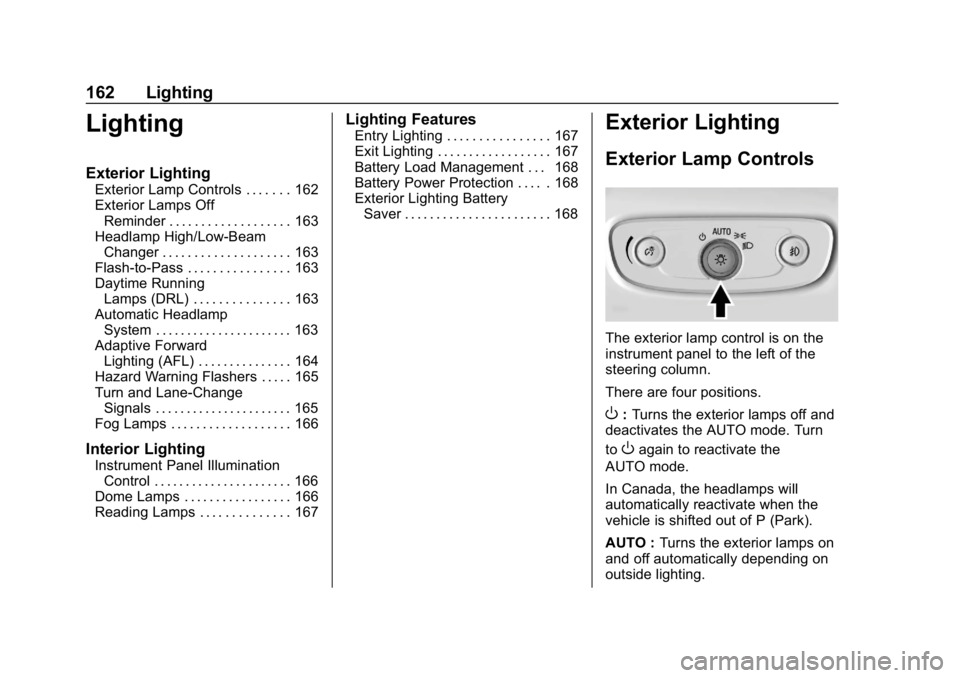
The exterior lamp control is on the
instrument panel to the left of the
steering column.
There are four positions.
O: Turns the exterior lamps off and
deactivates the AUTO mode. Turn
to
Oagain to reactivate the
AUTO mode.
In Canada, the headlamps will
automatically reactivate when the
vehicle is shifted out of P (Park).
AUTO : Turns the exterior lamps on
and off automatically depending on
outside lighting.
Page 164 of 391
Buick Regal Owner Manual (GMNA-Localizing-U.S./Canada-12163021) -
2019 - CRC - 11/14/18
Lighting 163
;:Turns on the parking lamps
including all lamps, except the
headlamps.
5: Turns on the headlamps
together with the parking lamps and
instrument panel lights.
Exterior Lamps Off
Reminder
A warning chime sounds if the driver
door is opened while the ignition is
off and the exterior lamps are on.
Headlamp High/
Low-Beam Changer
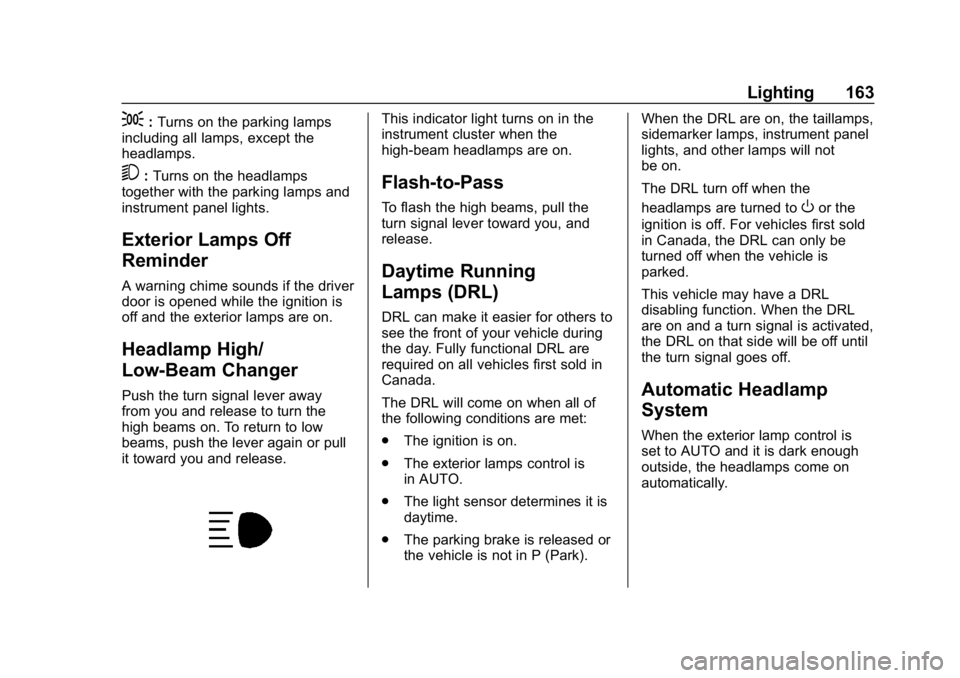
Push the turn signal lever away
from you and release to turn the
high beams on. To return to low
beams, push the lever again or pull
it toward you and release.
This indicator light turns on in the
instrument cluster when the
high-beam headlamps are on.
Flash-to-Pass
To flash the high beams, pull the
turn signal lever toward you, and
release.
Daytime Running
Lamps (DRL)
DRL can make it easier for others to
see the front of your vehicle during
the day. Fully functional DRL are
required on all vehicles first sold in
Canada.
The DRL will come on when all of
the following conditions are met:
. The ignition is on.
. The exterior lamps control is
in AUTO.
. The light sensor determines it is
daytime.
. The parking brake is released or
the vehicle is not in P (Park). When the DRL are on, the taillamps,
sidemarker lamps, instrument panel
lights, and other lamps will not
be on.
The DRL turn off when the
headlamps are turned to
Oor the
ignition is off. For vehicles first sold
in Canada, the DRL can only be
turned off when the vehicle is
parked.
This vehicle may have a DRL
disabling function. When the DRL
are on and a turn signal is activated,
the DRL on that side will be off until
the turn signal goes off.
Automatic Headlamp
System
When the exterior lamp control is
set to AUTO and it is dark enough
outside, the headlamps come on
automatically.
Page 165 of 391
Buick Regal Owner Manual (GMNA-Localizing-U.S./Canada-12163021) -
2019 - CRC - 11/14/18
164 Lighting
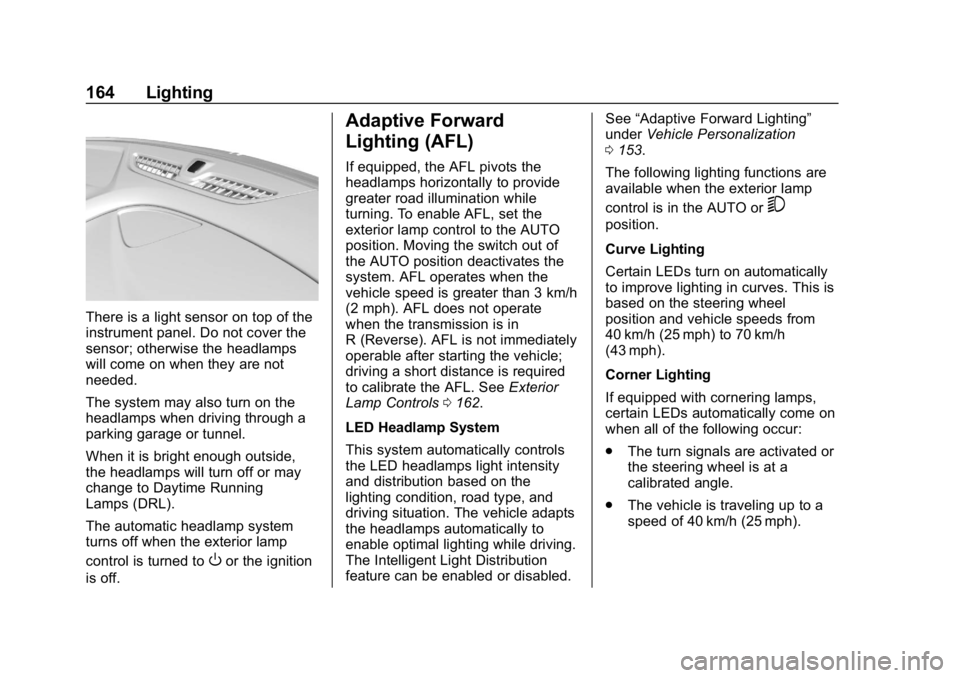
There is a light sensor on top of the
instrument panel. Do not cover the
sensor; otherwise the headlamps
will come on when they are not
needed.
The system may also turn on the
headlamps when driving through a
parking garage or tunnel.
When it is bright enough outside,
the headlamps will turn off or may
change to Daytime Running
Lamps (DRL).
The automatic headlamp system
turns off when the exterior lamp
control is turned to
Oor the ignition
is off.
Adaptive Forward
Lighting (AFL)
If equipped, the AFL pivots the
headlamps horizontally to provide
greater road illumination while
turning. To enable AFL, set the
exterior lamp control to the AUTO
position. Moving the switch out of
the AUTO position deactivates the
system. AFL operates when the
vehicle speed is greater than 3 km/h
(2 mph). AFL does not operate
when the transmission is in
R (Reverse). AFL is not immediately
operable after starting the vehicle;
driving a short distance is required
to calibrate the AFL. See Exterior
Lamp Controls 0162.
LED Headlamp System
This system automatically controls
the LED headlamps light intensity
and distribution based on the
lighting condition, road type, and
driving situation. The vehicle adapts
the headlamps automatically to
enable optimal lighting while driving.
The Intelligent Light Distribution
feature can be enabled or disabled. See
“Adaptive Forward Lighting”
under Vehicle Personalization
0 153.
The following lighting functions are
available when the exterior lamp
control is in the AUTO or
5
position.
Curve Lighting
Certain LEDs turn on automatically
to improve lighting in curves. This is
based on the steering wheel
position and vehicle speeds from
40 km/h (25 mph) to 70 km/h
(43 mph).
Corner Lighting
If equipped with cornering lamps,
certain LEDs automatically come on
when all of the following occur:
. The turn signals are activated or
the steering wheel is at a
calibrated angle.
. The vehicle is traveling up to a
speed of 40 km/h (25 mph).
Page 167 of 391
Buick Regal Owner Manual (GMNA-Localizing-U.S./Canada-12163021) -
2019 - CRC - 11/14/18
166 Lighting
Fog Lamps
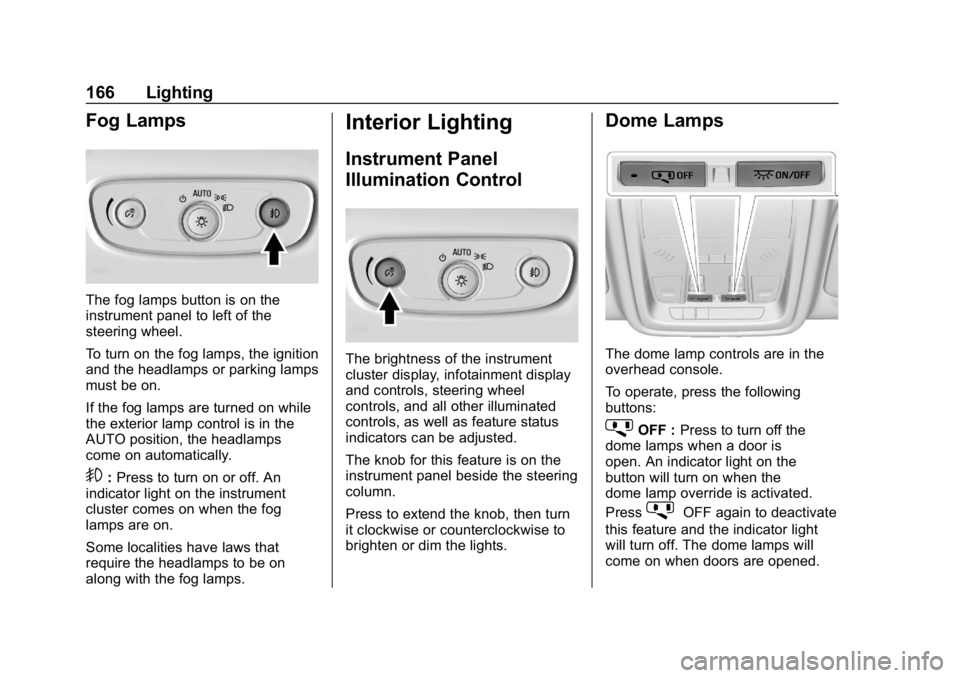
The fog lamps button is on the
instrument panel to left of the
steering wheel.
To turn on the fog lamps, the ignition
and the headlamps or parking lamps
must be on.
If the fog lamps are turned on while
the exterior lamp control is in the
AUTO position, the headlamps
come on automatically.
9:Press to turn on or off. An
indicator light on the instrument
cluster comes on when the fog
lamps are on.
Some localities have laws that
require the headlamps to be on
along with the fog lamps.
Interior Lighting
Instrument Panel
Illumination Control
The brightness of the instrument
cluster display, infotainment display
and controls, steering wheel
controls, and all other illuminated
controls, as well as feature status
indicators can be adjusted.
The knob for this feature is on the
instrument panel beside the steering
column.
Press to extend the knob, then turn
it clockwise or counterclockwise to
brighten or dim the lights.
Dome Lamps
The dome lamp controls are in the
overhead console.
To operate, press the following
buttons:
jOFF : Press to turn off the
dome lamps when a door is
open. An indicator light on the
button will turn on when the
dome lamp override is activated.
Press
jOFF again to deactivate
this feature and the indicator light
will turn off. The dome lamps will
come on when doors are opened.