clock BUICK SKYLARK 1993 Owners Manual
[x] Cancel search | Manufacturer: BUICK, Model Year: 1993, Model line: SKYLARK, Model: BUICK SKYLARK 1993Pages: 306, PDF Size: 15.84 MB
Page 16 of 306
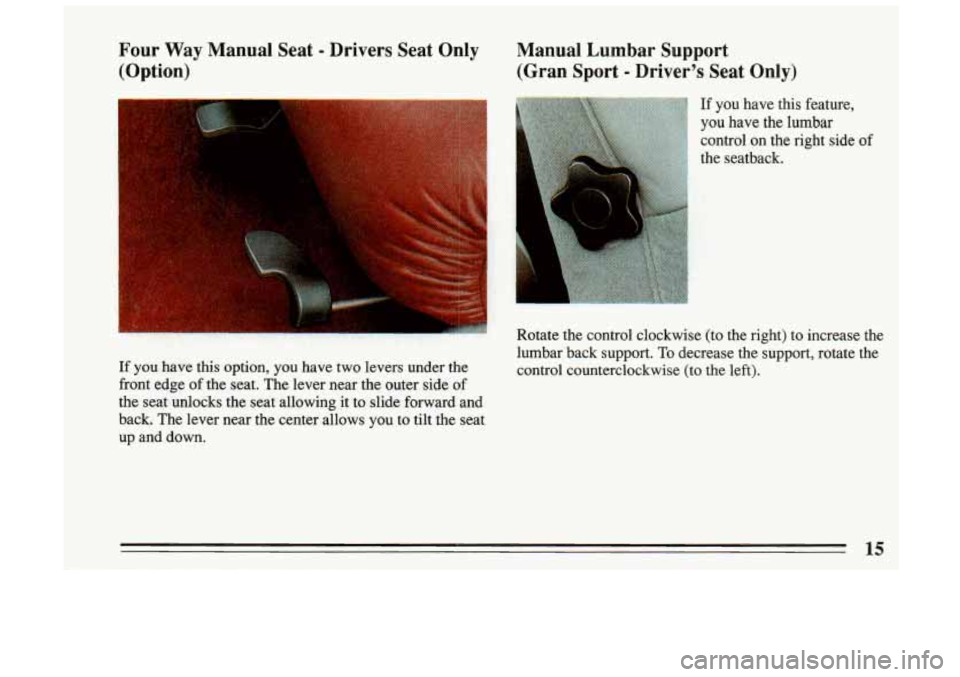
Four Way Manual Seat - Drivers Seat Only
(Option) Manual Lumbar Support
(Gran Sport
- Driver's Seat Only)
If you have this feature,
you have the lumbar
control on the right side
of
the seatback.
Rotate the control clockwise (to the right) to increase the
lumbar back support.
To decrease the SUDDO~~. rotate the
If you have this option, you have two levers under the
control counterciockwise (to the left).
front edge of the seat. The lever near the outer side
of
the seat unlocks the seat allowing it to slide forward and
backs The lever near the center allows
you to tilt the seat
up and down.
11 '
15
Page 120 of 306
@ Part 3 Comfort Controls and Audio Systems
In this part you’ll find out how to operate the comfort control systems and audio systems offered with your Buick .
Be sure to read about the particular system supplied with your vehicle \
.
Part 3 includes:
Comfort Control System
............................................................ 120
Heater and Defroster
........................................................... 121
Air Conditioner
............................................................... 122
RearWindowDefogger
........................................................ 121
Ventilation
................................................................... 121
Audiosystems
.................................................................... 122
SeaingtheClock
................................................... 125.127. 124
RadioControls
.................................................... 124.126. 128
TapePlayerControls
........................................................... 127
CDPlayerControls
............................................................ 130
Care of Cassette Tape Player
& Tapes ............................................. 133
CareofCompactDiscs
......................................................... 133
Antennacare
................................................................ 134
Understanding Radio Reception
.................................................. 122
119
Page 126 of 306
Pushbuttons
The four pushbuttons let you return to favorite stations.
You can set the pushbuttons for up to fourteen stations
(7 AM and 7 FM).
0 Tune in the desired station.
0 Press the SET pushbutton. (SET appears in the
display.)
Within 5 seconds, push one of the four pushbuttons
to store a station. Whenever you press that button,
the. preset station will return.
Three additional stations may be preset on each band by
pressing two adjoining buttons at the same time.
0 Tune in the desired station.
0 Press the SET pushbutton. (SET appears in the
0 Within 5 seconds, push any two adjoining
display.)
pushbuttons at the same time. (The station will return
when the same two buttons are pressed again.)
Clock
To set the clock:
0 Press the SET button.
0 Within 5 seconds, press and hold SCAN until the
correct hour appears on the display.
0 Press and hold SEEK until the correct minute
appears on the display.
Treble
Slide the treble lever up to increase the treble response.
If station is weak or noisy, slide the treble lever down to
reduce the noise.
Bass
Slide the bass lever up to increase the bass response.
Adjust the bass lever to give a pleasing sound
to your
ear.
Page 128 of 306
0 Tune in the station you want.
e Press the SET pushbutton. (SET appears in the
display.)
0 Within 5 seconds, push one of the four pushbuttons
to store the station. Whenever you press that button,
the preset station will return.
Three additional stations may be preset on each band by
pressing two adjoining buttons at the same time.
0 Tune in the desired station.
0 Press the SET pushbutton. (SET appears in the
display.)
0 Within 5 seconds, push any two adjoining
pushbuttons at the same time. (The station will return
when the same two buttons are pressed again.)
Clock
To set the clock:
0 Press the SET button.
0 Within 5 seconds, press and hold SCAN until the
0 Press and hold SEEK until the correct minute
correct hour appears on
the display.
appears on the display.
Treble
Slide the treble lever up to increase the treble response.
If the station is weak or noisy, slide the treble lever
down to reduce the noise.
Bass
Slide the bass lever up to increase the bass response.
Adjust the bass lever to give a pleasing sound to your
ear.
To Play A Cassette
Your tape player is built to work best with tapes that are
30 to 45 minutes long on each side. Tapes longer than
that are
so thin that they may not work well in this
player.
Once the tape
is playing, use the upper and lower knobs
for volume balance and fade just as you do for the radio.
The lighted arrow shows which side
of the tape is being
played.
Forward
To advance the tape, press and the tape will advance
rapidly until you press the STOP-EJECT button lightly.
127
Page 130 of 306
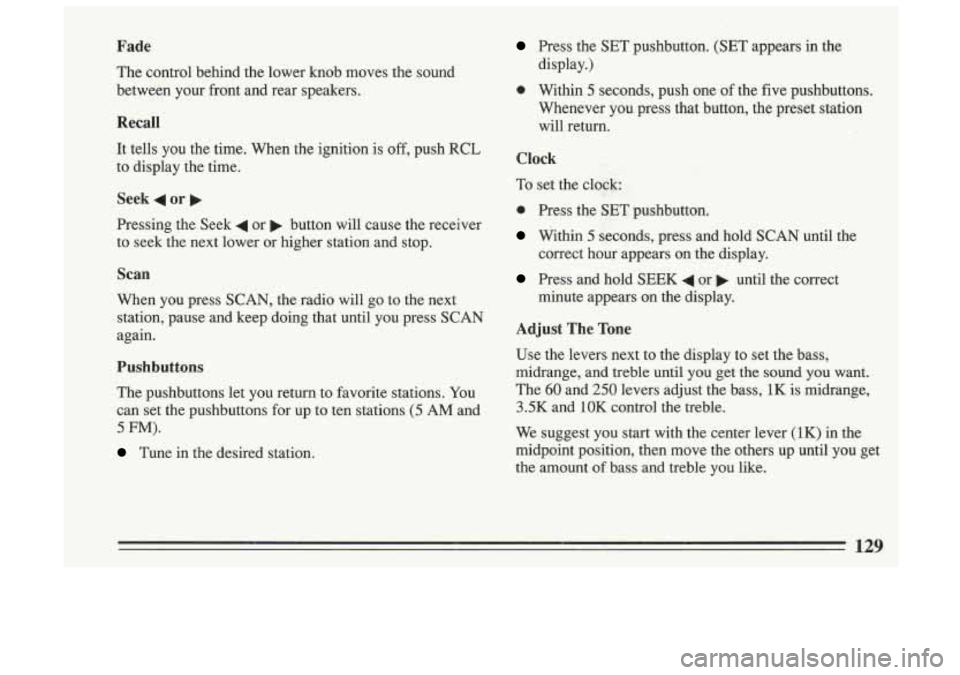
Fade
The control behind the lower knob moves the sound
between your front and rear speakers.
Recall
It tells you the time. When the ignition is off, push RCL
to display the time.
Seek 4 or
Pressing the Seek 4 or b button will cause the receiver
to seek the next lower or higher station and stop.
Scan
When you press SCAN, the radio will go to the next
station, pause and keep doing that until you press
SCAN
again.
Pushbuttons
The pushbuttons let you return to favorite stations. You
can set the pushbuttons for up to ten stations
(5 AM and
5 FM).
Tune in the desired station.
Press the SET pushbutton. (SET appears in the
display.)
0 Within 5 seconds, push one of the five pushbuttons.
Whenever you press that button, the preset station
will return.
Clock
To set the clock; :
0 Press the SET pushbutton.
Within 5 seconds, press and hold SCAN until the
correct
hour appears on the display.
Press and hold SEEK 4 or b until the correct
minute appears on the display.
Adjust The Tone
Use the levers next to the display to set the bass,
midrange, and treble until you get the sound you want.
The
60 and 250 levers adjust the bass, 1K is midrange,
3.5K and 1OK control the treble.
We suggest you start with the center lever (1K) in the
midpoint position, then move the others up until you get
the amount
of bass and treble you like.
129
Page 156 of 306
When you drive into a curve at night, it's harder to see
the road ahead
of you because it bends away from the
straight beams
of your lights. This is one good reason to
drive slower.
Steering in Emergencies
There are times when steering can be more effective
than braking. For example,
you come over a hill and
find a truck stopped in your lane, or a car suddenly pulls
out from nowhere, or a child darts out from between
parked cars and stops right in front
Qf you. You can
avoid these problems by braking
-- if you can stop in
time. But sometimes you can't; there isn't room. That's
the time for evasive action
-- steering around the
problem.
Your Buick can perform very well in emergencies like
these. First apply your brakes. It is better to remove as
much speed as you can from a possible collision. Then
steer around the problem, to the left or right depending
on the space available.
An emergency like this requires close attention and a
quick decision.
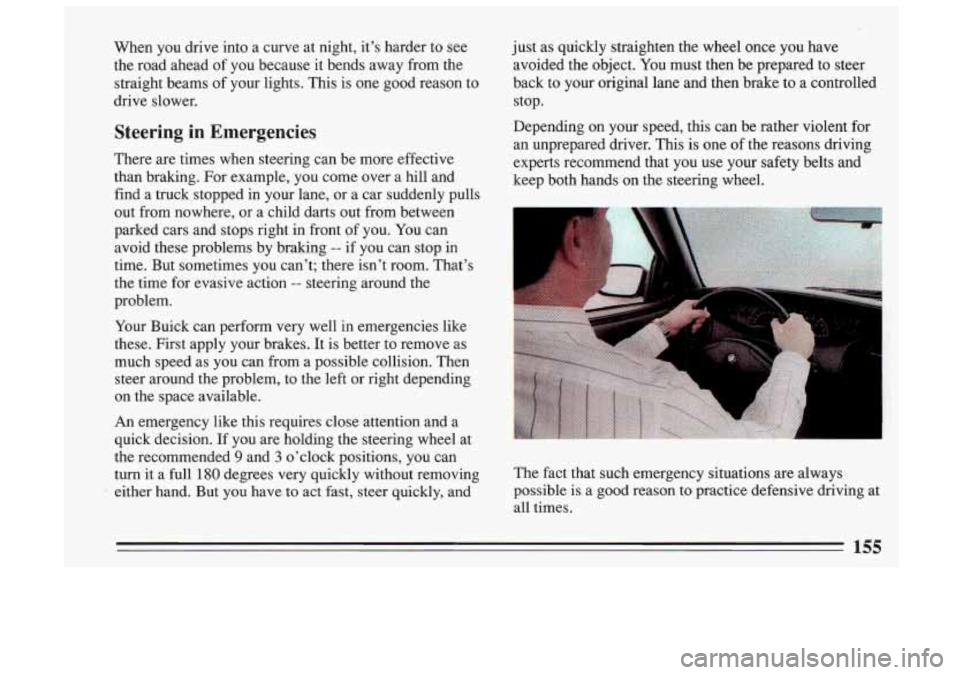
If you are holding the steering wheel at
the recommended
9 and 3 o'clock positions, you can
turn it a full
180 degrees very quickly without removing
either hand. But you have to act fast, steer quickly, and just as
quickly straighten the wheel once you have
avoided the object. You must then be prepared to steer
back to your original lane and then brake to a controlled
stop.
Depending
on your speed, this can be rather violent for
an unprepared driver. This is one of the reasons driving
experts recommend that you use your safety belts and
keep both hands on the steering wheel.
-1
3'
The fact that such emergency situations are always
possible is a good
reason to practice defensive driving at
all times.
155
Page 211 of 306
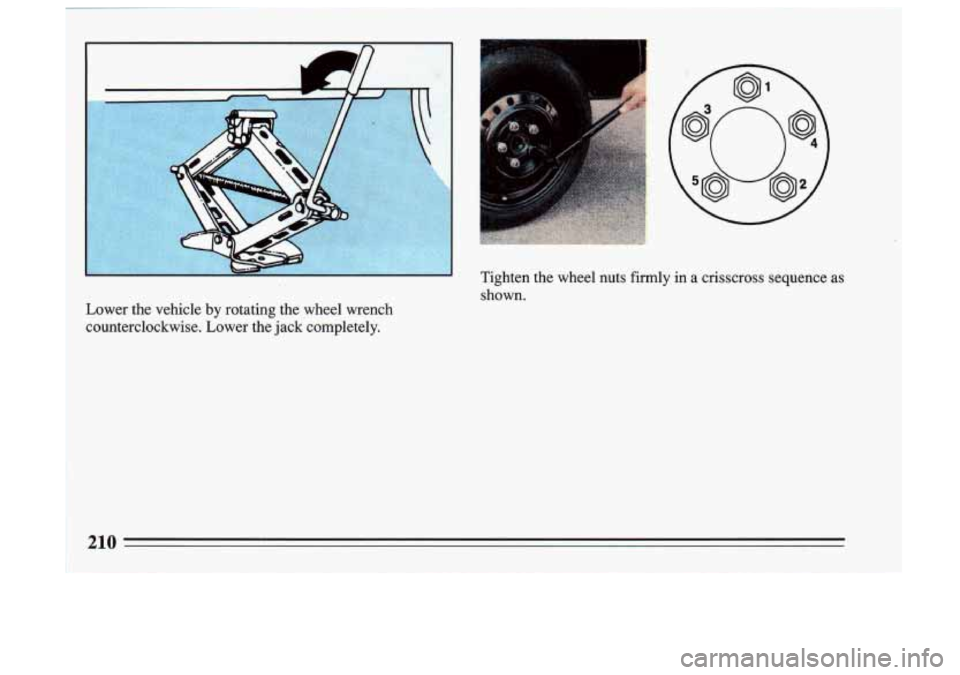
Tighten the wheel nuts firmly in a crisscross sequence as
shown.
Lower the vehicle by rotating the wheel wrench
counterclockwise. Lower the jack completely.
210
Page 221 of 306
A CAUTION:
If you get gasoline on you and then something
ignites
it, you could be badly burned. Gasoline
can spray out on you if you open the fuel filler
cap too quickly. This spray can happen
if your
tank is nearly full, and is more likely
in hot
weather. Open the fuel filler cap slowly and wait
for any “hiss” noise to stop. Then unscrew the
cap all the way.
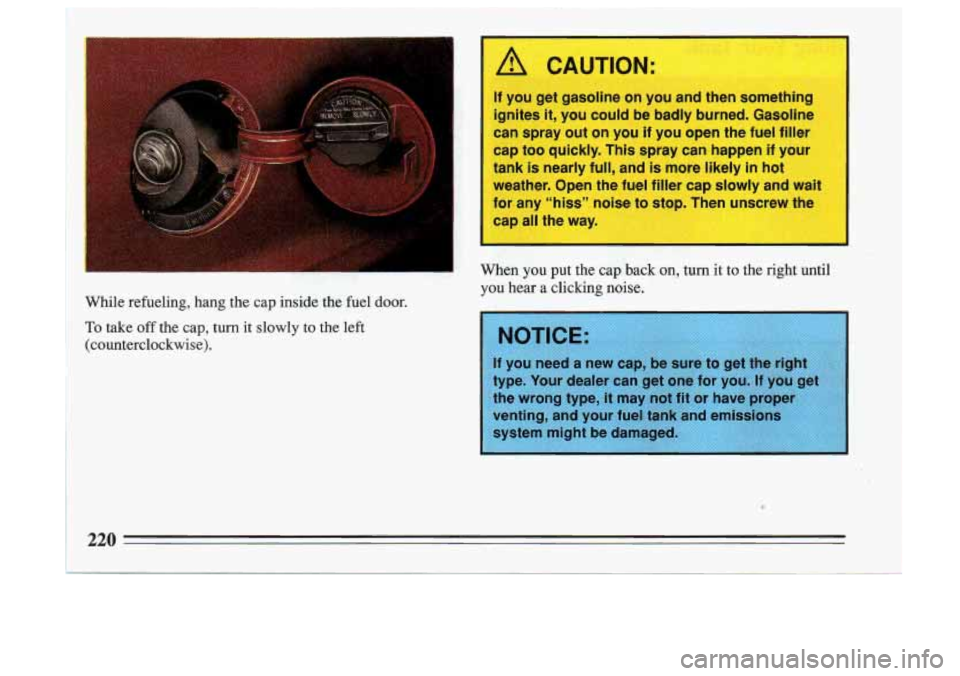
m Y, When you put the cay ----I on, turn it to the right until a- .~ : _, .. . I. ’
YOU hear a clicking noise.
While refueling, hang the cap inside the fuel
door. .
To take off the cap, turn it slowly to the left
(counterclockwise).
4 Y
pe. Your dealer can get one for you. If you get
e wrong type,
it may not fit or have prope
enting, and your fuel tank and emissions
220
Page 296 of 306
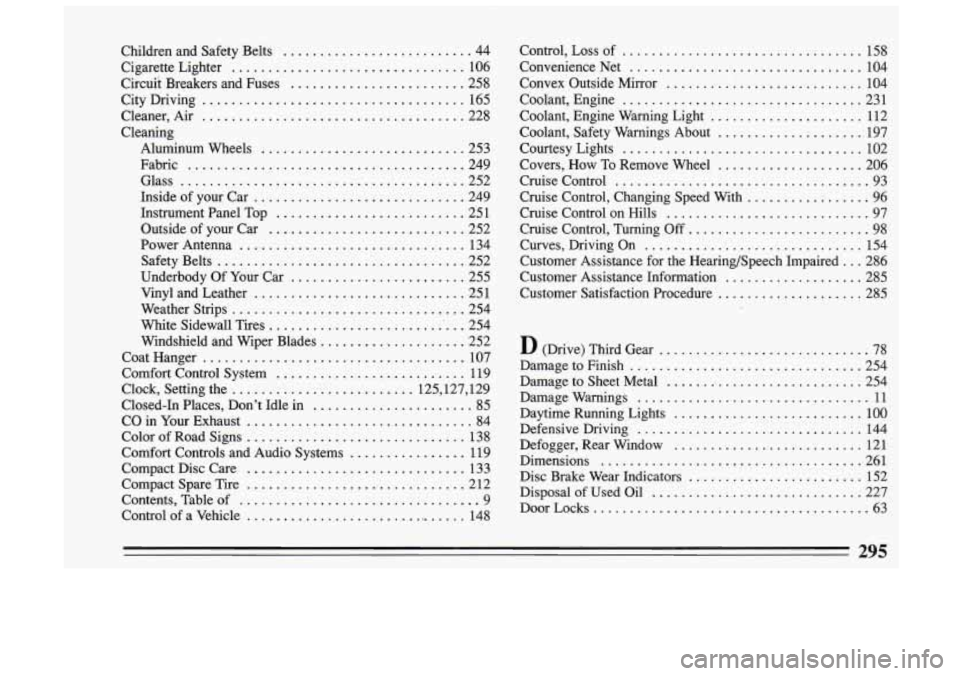
Children and Safety Belts .......................... 44
Cigarette Lighter
................................ 106
Circuit Breakers and Fuses
........................ 258
City Driving
.................................... 165
Cleaner. Air
.................................... 228
Cleaning Aluminum Wheels
............................ 253
Fabric
...................................... 249
Glass
....................................... 252
InsideofyourCar
............................. 249
Instrument Panel Top
.......................... 251
Power Antenna
............................... 134
Safety Belts
.................................. 252
Underbody Of Your Car
........................ 255
Vinyl and Leather ............................. 251
Weather Strips
................................ 254
White Sidewall Tires
............................ 254
Windshield and Wiper Blades
.................... 252
Coat Hanger
.................................... 107
Comfort Control System
.......................... 119
Clock. Setting the
......................... 125.127. 129
Closed-In Places. Don’t Idle in
...................... 85
CO in Your Exhaust ............................... 84
Color of Road Signs
.............................. 138
Comfort Controls and Audio Systems
................ 119
Compact Disc Care
.............................. 133
Compact Spare Tire
.............................. 2 12
Contents. Table of
................................. 9
Control of a Vehicle ............................... 148
Outside
of your Car
........................... 252 Control. Loss
of
................................. 158
Convenience Net
................................ 104
Convex Outside Mirror
............................ 104
Coolant. Engine
................................. 231
Coolant. Engine Warning Light
..................... 112
Coolant. Safety Warnings About
.................... 197
Courtesy Lights
................................. 102
Covers. How To Remove Wheel
.................... 206
Cruise Control
................................... 93
Cruise Control. Changing Speed With
................. 96
Cruise Control on Hills
............................ 97
Cruise Control. Turning
Off ......................... 98
Curves. Driving On
............................... 154
Customer Assistance for the Hearing/Speech Impaired
... 286
Customer Assistance Information
................... 285
Customer Satisfaction Procedure
.................... 285
D (Drive) Third Gear ............................. 78
Damage to Finish
................................ 254
Damage to Sheet Metal
............................ 254
Damage Warnings
................................ 11
Daytime Running Lights
.......................... 100
Defensive Driving
............................... 144
Defogger. Rear Window
.......................... 121
Dimensions
.................................... 261
Disc Brake Wear Indicators
........................ 152
Disposal of Used Oil
............................. 227
DoorLocks
...................................... 63
295
Page 302 of 306
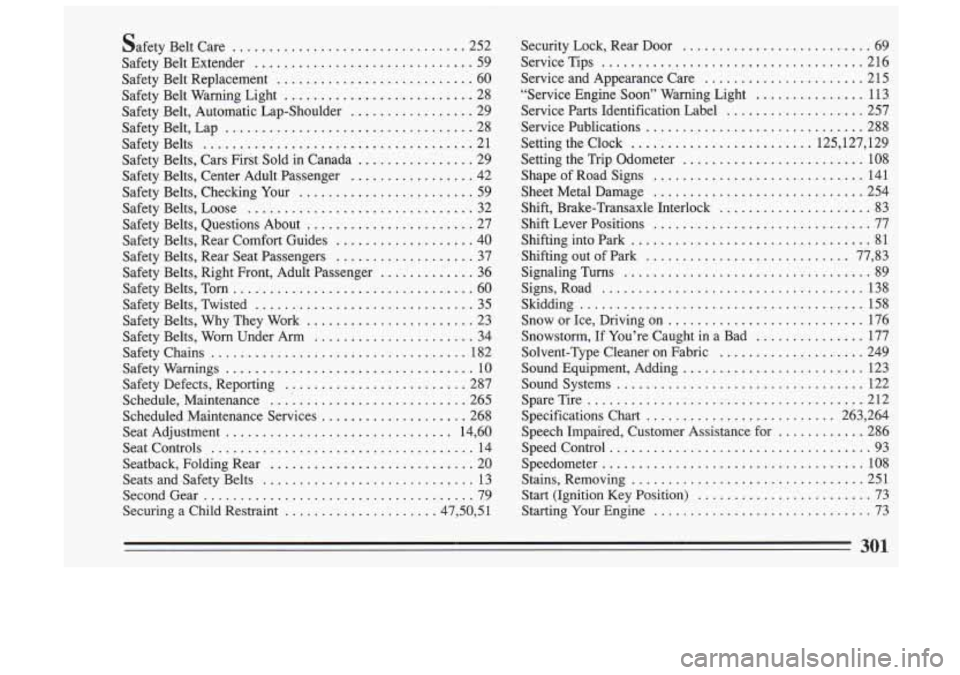
Safety Belt Care ................................ 252
Safety Belt Extender
.............................. 59
Safety Belt Replacement
........................... 60
Safety Belt Warning Light
.......................... 28
Safety Belt. Automatic Lap-Shoulder
................. 29
Safety Belt. Lap
.................................. 28
Safety Belts
..................................... 21
Safety Belts. Cars First Sold in Canada
................ 29
Safety Belts. Center Adult Passenger
................. 42
Safety Belts. Loose
............................... 32
Safety Belts. Questions About
....................... 27
Safety Belts. Rear Comfort Guides
................... 40
Safety Belts. Rear Seat Passengers
................... 37
Safety Belts. Right Front. Adult Passenger
............. 36
Safety Belts. Tom
................................. 60
Safety Belts. Twisted
.............................. 35
Safety Belts. Why They Work
....................... 23
Safety Chains
................................... 182
Safety Warnings
.................................. 10
Safety Defects. Reporting ......................... 287
Schedule. Maintenance
........................... 265
Scheduled Maintenance Services
.................... 268
Seat Adjustment
............................... 14. 60
Seat Controls
.................................... 14
Seatback. Folding Rear
............................ 20
Seats and Safety Belts
............................. 13
SecondGear
..................................... 79
Securing a Child Restraint
..................... 47.50. 5 1
Safety Belts. Checking Your ........................ 59
Safety Belts. Worn Under Arm
...................... 34 Security
Lock. Rear Door
.......................... 69
Service Tips
.................................... 216
Service and Appearance Care
...................... 215
“Service Engine
Soon” Warning Light ............... 113
Service Parts Identification Label
.................... 257
Service Publications
.............................. 288
Setting the Clock
......................... 125.127. 129
Setting the Trip Odometer
......................... 108
ShapeofRoadSigns
............................. 141
Sheet Metal Damage
............................. 254
Shift. Brake-Transaxle Interlock
..................... 83
Shift Lever Positions
.............................. 77
Shifting into Park
................................. 81
Shifting out of Park
............................ 77. 83
Signaling Turns .................................. 89
Signs. Road
.................................... 138
Skidding
....................................... 158
Snow or Ice. Driving
on ........................... 176
Solvent-Type Cleaner
on Fabric .................... 249
Soundsystems
.................................. 122
SpareTire
...................................... 212
Specifications Chart
.......................... 263. 264
Speech Impaired. Customer Assistance for
............ 286
Speed Control
.................................... 93
Speedometer
.................................... 108
Stains. Removing
................................ 251
Start (Ignition Key Position)
........................ 73
Starting Your Engine
.............................. 73
Snowstorm.
If You’re Caught in a Bad
............... 177
Sound Equipment. Adding
......................... 123
301