lock BUICK TERRAZA 2006 Workshop Manual
[x] Cancel search | Manufacturer: BUICK, Model Year: 2006, Model line: TERRAZA, Model: BUICK TERRAZA 2006Pages: 454, PDF Size: 2.7 MB
Page 131 of 454
Reprogramming a Single Universal
Home Remote Button
To program a device to Universal Home Remote using
a Universal Home Remote button previously trained,
follow these steps:
1. Press and hold the desired Universal Home
Remote button. Do not release the button.
2. The indicator light will begin to ash after
20 seconds. While still holding the Universal Home
Remote button, proceed with Step 2 under
“Programming Universal Home Remote” shown
earlier in this section.
For additional information on Universal Home Remote,
seeCustomer Assistance Offices on page 7-4.
Storage Areas
Your vehicle’s large carrying capacity can store many
items. If the vehicle has an extended wheelbase, it can
carry even larger items. The oor pins that are used
to attach the seats, can be used to secure larger loads.
There may be additional storage areas behind the
seats. Pull the lid towards you to open the storage.
Glove Box
If the glove box has a lock, put your key into the lock
and turn the key counterclockwise. To open the
glove box, pull the latch release.
The glove box door has a detent to prevent the door
from lowering too far. Open the glove box until the door
is partway open, then pull the door down if you need
it fully opened.
To close the glove box, the door must be pushed up
past the detent. To lock the glove box, put your key into
the lock and turn the key clockwise.
Cupholder(s)
There are cupholders located below the center
instrument panel switchbank. The cupholders have a
rubber liner that can be removed, so that larger cups can
t into the cupholders. You can also remove the liner
to clean it.
To use the cupholders, pull the tray out. Push the tray
back when not in use.
Your vehicle may be equipped with cupholders in the
second row.
2-51
Page 134 of 454
Folding Tray
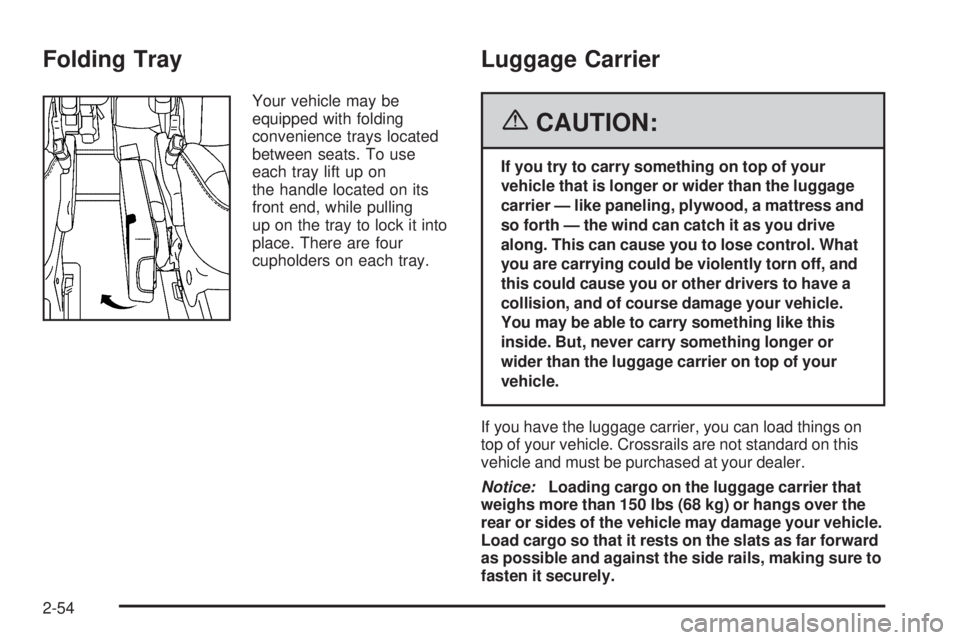
Your vehicle may be
equipped with folding
convenience trays located
between seats. To use
each tray lift up on
the handle located on its
front end, while pulling
up on the tray to lock it into
place. There are four
cupholders on each tray.
Luggage Carrier
{CAUTION:
If you try to carry something on top of your
vehicle that is longer or wider than the luggage
carrier — like paneling, plywood, a mattress and
so forth — the wind can catch it as you drive
along. This can cause you to lose control. What
you are carrying could be violently torn off, and
this could cause you or other drivers to have a
collision, and of course damage your vehicle.
You may be able to carry something like this
inside. But, never carry something longer or
wider than the luggage carrier on top of your
vehicle.
If you have the luggage carrier, you can load things on
top of your vehicle. Crossrails are not standard on this
vehicle and must be purchased at your dealer.
Notice:Loading cargo on the luggage carrier that
weighs more than 150 lbs (68 kg) or hangs over the
rear or sides of the vehicle may damage your vehicle.
Load cargo so that it rests on the slats as far forward
as possible and against the side rails, making sure to
fasten it securely.
2-54
Page 136 of 454
Convenience Center
{CAUTION:
If any removable convenience item is not
secured properly, it can move around in a
collision or sudden stop. People in the vehicle
could be injured. Be sure to secure any such
item properly.
Your vehicle may have a convenience center. It provides
extra storage space for the rear of the vehicle.
To open the convenience center, pull up on the door
latch located on the front of the cover. The convenience
center cover has two automatic prop rods to hold it
up and in place.
To close the convenience center cover, you must pull
one of the prop rod linkages toward you while holding
onto the door latch and lower the convenience
center cover to close it.
Removing the Convenience Center
1. Make sure that all items are off the convenience
center and that it is empty.
2. Turn the hand knob, located at the rear of the
convenience center, counterclockwise until the
knob is loose.
3. Lift up on the hand knob, then grip and pull up on
the convenience center to remove it from the
vehicle.
Replacing the Convenience Center
1. Make sure the third row seat is properly installed in
the vehicle. SeeThird Row Seat on page 1-11for
more information. If the third row seat is not in the
vehicle with the convenience center, the
convenience center will not be locked into the correct
position in the vehicle.
2. Make sure that the convenience center is empty
and closed.
3. Lift the convenience center up and into the rear of
the vehicle.
4. Slide the convenience center in and align it to the
rear seat.
5. Press down on the front of the convenience center
so the center is aligned on the sill mounting
bracket.
2-56
Page 137 of 454

6. Turn the hand knob clockwise until it is tight.
7. Pull up on the convenience center to make sure it
is locked into place.
The cover of the convenience center can be left in its
upright position while the vehicle is moving.
The convenience center and the third row seat both
have a maximum weight capacity of 400 lbs (181.6 kg).
Notice:Overloading your vehicle may cause
damage. Repairs would not be covered by your
warranty. Do not overload your vehicle.
Vehicle Personalization
In addition to the following features, your vehicle may
also have features that can be programmed through the
Driver Information Center (DIC). SeeDIC Vehicle
Personalization (Uplevel Only) on page 3-72for more
information.
Memory Seat
If your vehicle has this
feature, the controls for the
memory function are
located on the driver’s door.
These buttons are used to program and recall memory
settings for the driver’s seating position. The settings
for these features can be personalized for both driver 1
and driver 2. Driver 1 or driver 2 corresponds to the
memory buttons labelled 1 and 2 on the driver’s door.
2-57
Page 140 of 454
Anti-Lock Brake System Warning Light.............3-42
Traction Control System (TCS) Warning Light . . .3-43
Engine Coolant Temperature Gage..................3-43
Malfunction Indicator Lamp.............................3-44
Oil Pressure Light.........................................3-46
Security Light...............................................3-47
Cruise Control Light......................................3-47
Highbeam On Light.......................................3-48
Fuel Gage...................................................3-48
Low Fuel Warning Light.................................3-48
Driver Information Center (DIC).......................3-49
DIC Operation and Displays...........................3-50
DIC Warnings and Messages.........................3-56
DIC Vehicle Personalization
(Uplevel Only)...........................................3-72Audio System(s).............................................3-80
Setting the Time...........................................3-81
Radio with CD..............................................3-82
Navigation/Radio System..............................3-101
Rear Seat Entertainment System...................3-101
Rear Seat Audio (RSA)................................3-115
Theft-Deterrent Feature................................3-117
Audio Steering Wheel Controls......................3-117
Radio Reception.........................................3-118
Care of Your CDs and DVDs........................3-119
Care of the CD and DVD Player...................3-119
Fixed Mast Antenna....................................3-119
XM™ Satellite Radio Antenna System............3-119
Chime Level Adjustment...............................3-119
Section 3 Instrument Panel
3-2
Page 144 of 454
Hazard Warning Flashers
Your hazard warning ashers let you warn others. They
also let police know you have a problem. Your front
and rear turn signal lamps will ash on and off.
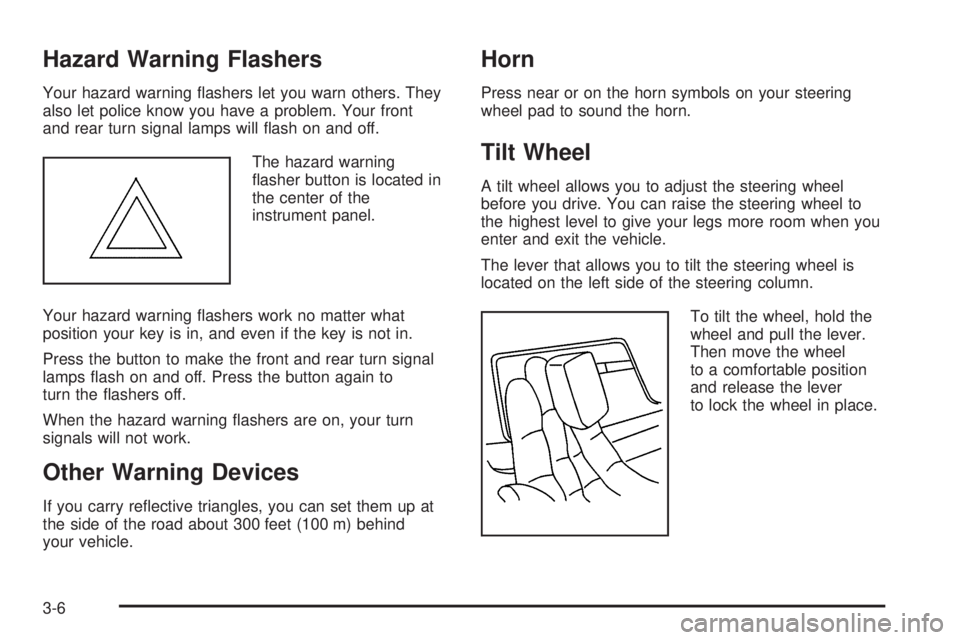
The hazard warning
asher button is located in
the center of the
instrument panel.
Your hazard warning ashers work no matter what
position your key is in, and even if the key is not in.
Press the button to make the front and rear turn signal
lamps ash on and off. Press the button again to
turn the ashers off.
When the hazard warning ashers are on, your turn
signals will not work.
Other Warning Devices
If you carry reective triangles, you can set them up at
the side of the road about 300 feet (100 m) behind
your vehicle.
Horn
Press near or on the horn symbols on your steering
wheel pad to sound the horn.
Tilt Wheel
A tilt wheel allows you to adjust the steering wheel
before you drive. You can raise the steering wheel to
the highest level to give your legs more room when you
enter and exit the vehicle.
The lever that allows you to tilt the steering wheel is
located on the left side of the steering column.
To tilt the wheel, hold the
wheel and pull the lever.
Then move the wheel
to a comfortable position
and release the lever
to lock the wheel in place.
3-6
Page 147 of 454

Windshield Wipers
You control the windshield wipers by turning the band
with the wiper symbol on it.
8(Mist):For a single wiping cycle, turn the band to
mist. Hold it there until the wipers start. Then let go. The
wipers will stop after one wipe. If you want more
wipes, hold the band on mist longer.
9(Off):To stop the wipers, move the band to off.
N(Delay):You can set the wiper speed for a long or
short delay between wipes. This can be very useful
in light rain or snow. Turn the band to choose the delay
time. The closer to the top of the lever, the shorter
the delay.
6(Low Speed):For steady wiping at low speed,
turn the band away from you to the rst solid band past
the delay settings. For high-speed wiping, turn the
band further, to the second solid band past the delay
settings. To stop the wipers, move the band to off.
1(High Speed):For high-speed wiping, turn
the band further, to the second solid band past the
delay settings.Be sure to clear ice and snow from the wiper blades
before using them. If they are frozen to the windshield,
carefully loosen or thaw them. If your blades do
become worn or damaged, get new blades or blade
inserts.
Windshield Washer
LQ(Windshield Washer):Press and hold the
windshield washer paddle with this symbol on it to wash
your windshield. The washers and wipers will operate.
When you release the paddle, the washers will stop, and
the wipers will continue to operate for two cycles,
unless your wipers had already been on. In that case,
the wipers will resume the wiper speed you had selected
earlier.
{CAUTION:
In freezing weather, do not use your washer
until the windshield is warmed. Otherwise the
washer uid can form ice on the windshield,
blocking your vision.
3-9
Page 148 of 454
Rear Window Wiper/Washer
{CAUTION:
In freezing weather, do not use your washer
until the windshield is warmed. Otherwise the
washer uid can form ice on the windshield,
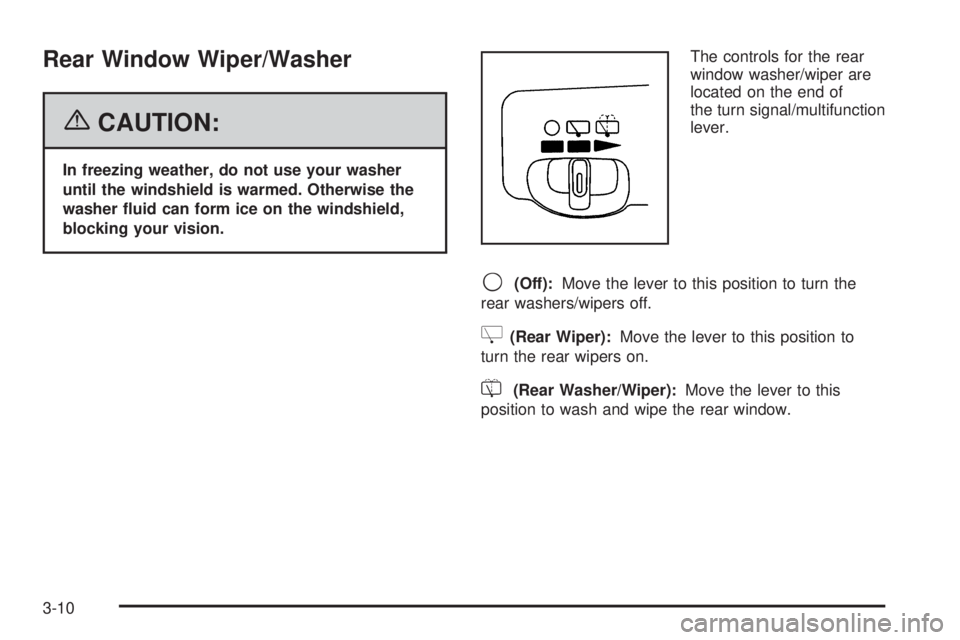
blocking your vision.The controls for the rear
window washer/wiper are
located on the end of
the turn signal/multifunction
lever.
9(Off):Move the lever to this position to turn the
rear washers/wipers off.
Z(Rear Wiper):Move the lever to this position to
turn the rear wipers on.
=(Rear Washer/Wiper):Move the lever to this
position to wash and wipe the rear window.
3-10
Page 154 of 454

Wiper Activated Headlamps
This feature, if equipped, will automatically activate the
headlamps and parking lamps after the windshield
wipers have been in use for about 30 seconds and when
all of the following conditions are met.
The exterior lamp control is in AUTO.
The headlamps have not already been activated by
automatic lighting.
The automatic lighting feature has not been
disabled using the exterior lamp control.
SeeExterior Lamps on page 3-15for additional
information.
If the wipers are activated for over 30 seconds and the
exterior lamp control is in the parking lamps position,
or the automatic lighting feature has been disabled using
the exterior lamp control, a HEADLAMPS SUGGESTED
message will appear on the Driver Information Center,
if equipped.
Headlamps on Reminder
If you turn the ignition to LOCK while leaving the lamps
on, you will hear a warning chime once the driver’s
door is opened.
Daytime Running Lamps (DRL)/
Automatic Headlamp System
Daytime Running Lamps (DRL) can make it easier for
others to see the front of your vehicle during the
day. DRL can be helpful in many different driving
conditions, but they can be especially helpful in the short
periods after dawn and before sunset. Fully functional
Daytime Running Lamps are required on all vehicles rst
sold in Canada.
A light sensor on top of the instrument panel makes the
DRL work, so be sure it is not covered. The DRL
system will make front parking and turn signal lamps
come on in daylight when the following conditions
are met:
The ignition is on.
The exterior lamps control is off.
When the DRL are on, only your front turn signal lamps
will be on. Your instrument panel will not be lit up.
3-16
Page 155 of 454
When it is dark enough outside, the exterior lamps will
come on automatically. When it is bright enough
outside, the exterior lamps will turn off and the DRL will
turn on. Of course, you may still turn on the headlamps
any time you need to.
If you start your vehicle in a dark garage, the automatic
headlamp system will come on immediately. Once
you leave the garage, it will take approximately
30 seconds for the automatic headlamp system to
change to DRL if it is light outside. During that delay,
your instrument panel cluster may not be as bright
as usual. Make sure your instrument panel brightness
control is in the full bright position. SeeInstrument Panel
Brightness on page 3-17.
To idle your vehicle with the DRL and automatic
headlamps off, toggle the exterior lamp control to off
after starting the vehicle.
As with any vehicle, you should turn on the regular
headlamp system when you need it.Instrument Panel Brightness
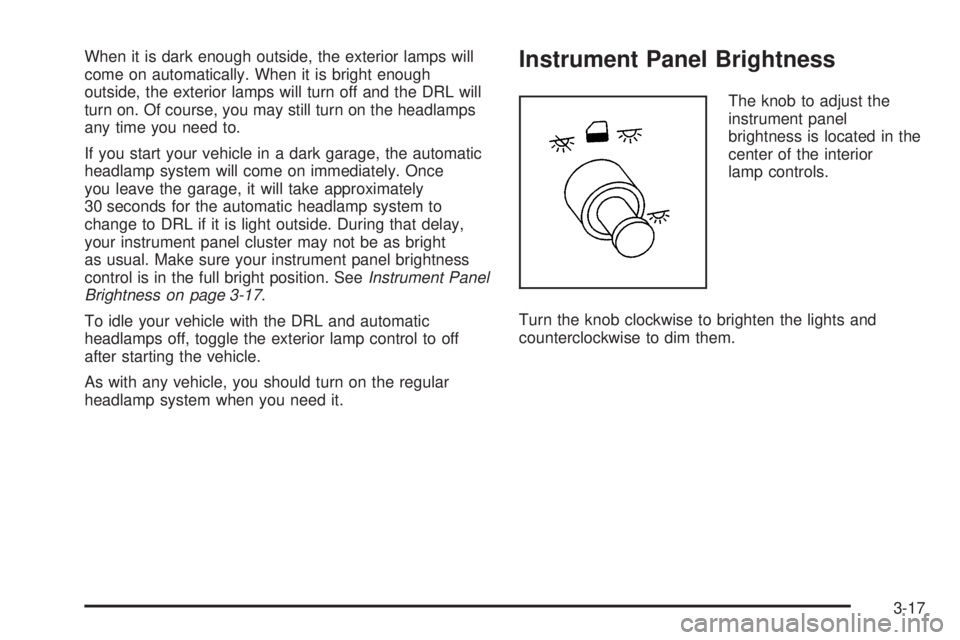
The knob to adjust the
instrument panel
brightness is located in the
center of the interior
lamp controls.
Turn the knob clockwise to brighten the lights and
counterclockwise to dim them.
3-17