traction control BUICK TERRAZA 2006 Owner's Manual
[x] Cancel search | Manufacturer: BUICK, Model Year: 2006, Model line: TERRAZA, Model: BUICK TERRAZA 2006Pages: 454, PDF Size: 2.7 MB
Page 140 of 454
Anti-Lock Brake System Warning Light.............3-42
Traction Control System (TCS) Warning Light . . .3-43
Engine Coolant Temperature Gage..................3-43
Malfunction Indicator Lamp.............................3-44
Oil Pressure Light.........................................3-46
Security Light...............................................3-47
Cruise Control Light......................................3-47
Highbeam On Light.......................................3-48
Fuel Gage...................................................3-48
Low Fuel Warning Light.................................3-48
Driver Information Center (DIC).......................3-49
DIC Operation and Displays...........................3-50
DIC Warnings and Messages.........................3-56
DIC Vehicle Personalization
(Uplevel Only)...........................................3-72Audio System(s).............................................3-80
Setting the Time...........................................3-81
Radio with CD..............................................3-82
Navigation/Radio System..............................3-101
Rear Seat Entertainment System...................3-101
Rear Seat Audio (RSA)................................3-115
Theft-Deterrent Feature................................3-117
Audio Steering Wheel Controls......................3-117
Radio Reception.........................................3-118
Care of Your CDs and DVDs........................3-119
Care of the CD and DVD Player...................3-119
Fixed Mast Antenna....................................3-119
XM™ Satellite Radio Antenna System............3-119
Chime Level Adjustment...............................3-119
Section 3 Instrument Panel
3-2
Page 143 of 454
The main components of the instrument panel are the following:
A. Air Outlets. SeeOutlet Adjustment on page 3-29.
B. Turn Signal/Multifunction Lever. SeeTurn
Signal/Multifunction Lever on page 3-7.
C. Audio Steering Wheel Controls (If Equipped). See
Audio Steering Wheel Controls on page 3-117.
D. Instrument Panel Cluster. SeeInstrument Panel
Cluster on page 3-35.
E. DIC Controls (If Equipped). SeeDriver Information
Center (DIC) on page 3-49.
F. Traction Control System Button. SeeTraction
Control System (TCS) on page 4-9.
G. Hazard Warning Flasher Switch. SeeHazard
Warning Flashers on page 3-6.
H. Passenger Airbag Status Indicator and Passenger
Safety Belt Reminder Light. SeePassenger
Airbag Status Indicator on page 3-39
andPassenger Safety Belt Reminder Light on
page 3-37.I. Audio System. SeeAudio System(s) on page 3-80.
J. Exterior Lamps Control. SeeExterior Lamps on
page 3-15.
K. Interior Lamps Control. SeeInterior Lamps Control
on page 3-18. Instrument Panel Brightness Control.
SeeInstrument Panel Brightness on page 3-17.
L. Hood Release. SeeHood Release on page 5-11.
M. Parking Brake. SeeParking Brake on page 2-39.
N. Horn. SeeHorn on page 3-6.
O. Cruise Controls (If Equipped). SeeCruise Control on
page 3-11.
P. Climate Controls. SeeDual Climate Control System
on page 3-26.
Q. Heated Seat Controls (If Equipped). SeeHeated
Seats on page 1-3.
R. Glove Box. SeeGlove Box on page 2-51.
3-5
Page 149 of 454
Cruise Control
{CAUTION:
Cruise control can be dangerous where you
cannot drive safely at a steady speed. So, do
not use your cruise control on winding roads
or in heavy traffic.
Cruise control can be dangerous on slippery
roads. On such roads, fast changes in tire
traction can cause needless wheel spinning,
and you could lose control. Do not use cruise
control on slippery roads.The cruise control lever is
located below the
windshield wiper control on
the right side of the
steering wheel.
QRES + (Resume/Accelerate):Push the lever up to
resume the cruise control speed, or to accelerate
when passing another vehicle.
J(CRUISE CONTROL) ON/OFFq:Press the
button on the end of the lever to turn the cruise control
on. Press it again to turn cruise control off.
RSET — (Set/Coast/Decelerate):Push the lever
down to set the cruise speed. If the cruise speed
is already set this position can be used to coast or
decelerate from a higher speed.
CANCEL
R:Pull the lever to cancel the cruise control
speed.
3-11
Page 150 of 454
Cruise control allows a speed of approximately 25 mph
(40 km/h) or more to be maintained without keeping
your foot on the accelerator. This is helpful on long trips.
Cruise control does not work at speeds below about
25 mph (40 km/h).
When the brakes are applied, the cruise control
shuts off.
If the vehicle is in cruise control and the Traction
Control System (TCS) begins to limit wheel spin, the
cruise control will automatically disengage. SeeTraction
Control System (TCS) on page 4-9. When road
conditions allow, the cruise control can be used again.
Setting Cruise Control
{CAUTION:
If you leave your cruise control on when you
are not using cruise, you might hit a button
and go into cruise when you do not want to.
You could be startled and even lose control.
Keep the cruise control switch off until you
want to use cruise control.1. Push the button at the end of the cruise control
lever to turn the cruise control on.
2. Accelerate to the desired speed.
3. Push down on the cruise control lever and release
it. This will set the speed in cruise control.
4. Remove your foot from the accelerator pedal.
This symbol will appear on
the instrument panel
cluster when the cruise
control is set.
This symbol will disappear when the brakes are applied
or the cruise control is cancelled. It will reappear
when the set cruise speed is resumed.
3-12
Page 181 of 454
Traction Control System (TCS)
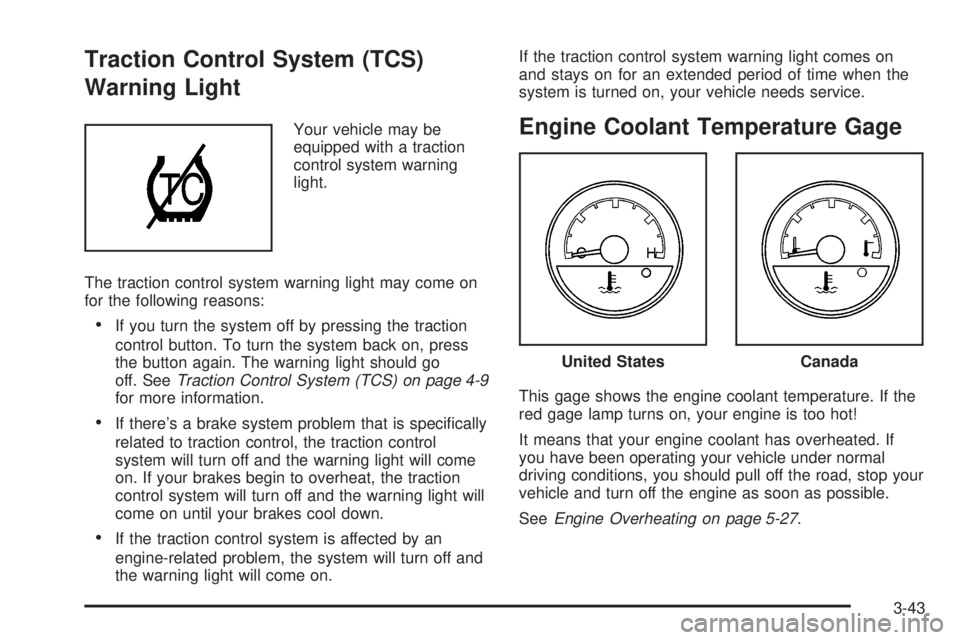
Warning Light
Your vehicle may be
equipped with a traction
control system warning
light.
The traction control system warning light may come on
for the following reasons:
If you turn the system off by pressing the traction
control button. To turn the system back on, press
the button again. The warning light should go
off. SeeTraction Control System (TCS) on page 4-9
for more information.
If there’s a brake system problem that is specically
related to traction control, the traction control
system will turn off and the warning light will come
on. If your brakes begin to overheat, the traction
control system will turn off and the warning light will
come on until your brakes cool down.
If the traction control system is affected by an
engine-related problem, the system will turn off and
the warning light will come on.If the traction control system warning light comes on
and stays on for an extended period of time when the
system is turned on, your vehicle needs service.
Engine Coolant Temperature Gage
This gage shows the engine coolant temperature. If the
red gage lamp turns on, your engine is too hot!
It means that your engine coolant has overheated. If
you have been operating your vehicle under normal
driving conditions, you should pull off the road, stop your
vehicle and turn off the engine as soon as possible.
SeeEngine Overheating on page 5-27.
United StatesCanada
3-43
Page 207 of 454

This message will continue to display for two seconds if
it has not been acknowledged when the engine is
turned off. It will also re-display for two seconds if the
message has been acknowledged, but the condition still
exists when the engine is turned off.
If the condition still exists, the message will re-appear
when the engine is turned on.
SERVICE TRACTION SYSTEM
If your vehicle has the traction control system, this
message will display when the system is not functioning
properly. A warning light will also appear on the
instrument panel cluster. SeeTraction Control System
(TCS) Warning Light on page 3-43. SeeTraction Control
System (TCS) on page 4-9for more information.
Have the traction control system serviced by your GM
dealer as soon as possible.
This message will display only while the ignition is in
RUN. Press any of the DIC buttons to acknowledge this
message and to clear it from the screen.
This message will continue to display for two seconds if
it has not been acknowledged when the engine is
turned off. It will also re-display for two seconds if the
message has been acknowledged, but the condition still
exists when the engine is turned off.
If the condition still exists, the message will re-appear
when the engine is turned on.
SERVICE VEHICLE SOON
This message will display when a non-emissions related
malfunction occurs. Have the vehicle serviced by your
GM dealer as soon as possible.
This message will display only while the ignition is in
RUN. Press any of the DIC buttons to acknowledge this
message and to clear it from the screen.
This message will continue to display for two seconds if
it has not been acknowledged when the engine is
turned off. It will also re-display for two seconds if the
message has been acknowledged, but the condition still
exists when the engine is turned off.
If the condition still exists, the message will re-appear
when the engine is turned on.
3-69
Page 208 of 454

STABILITY CONTROL ACTIVE
If your vehicle has StabiliTrak®, this message will
display when StabiliTrak®is actively assisting you with
directional control of the vehicle. Slippery road
conditions may exist when this message is displayed,
so adjust your driving accordingly. SeeStabiliTrak
®
System on page 4-10.
This message will display only while the ignition is in
RUN. This message stays on until road conditions
change and StabiliTrak
®is not active.
This message cannot be acknowledged and cleared
from the screen.
STABILITY CONTROL OFF
If your vehicle has StabiliTrak®, this message will
display any time the system turns off. When this
message has been displayed, StabiliTrak
®is no longer
available to assist you with directional control of the
vehicle. Adjust your driving accordingly. SeeStabiliTrak
®
System on page 4-10.
This message will display only while the ignition is
in RUN.
Any of the following conditions may cause the
StabiliTrak
®system to turn off:
The battery is low.
There is a StabiliTrak®system failure. See your
GM dealer for service.
STARTING DISABLED
This message will display if the starting of the engine is
disabled due to the electronic throttle control system
or vehicle theft-deterrent system. Have your vehicle
serviced by your GM dealer immediately.
This message will only appear while the ignition is in
RUN, and will not disappear until the problem is
resolved.
This message cannot be acknowledged.
TRACTION CONTROL ACTIVE
If your vehicle has the traction control system, this
message will display when the system is on. Slippery
road conditions may exist if this message is displayed,
so adjust your driving accordingly. SeeTraction
Control System (TCS) on page 4-9for more information.
This message only displays while the ignition is in
RUN and will not disappear until driving conditions
change and the traction control is no longer active.
This message cannot be acknowledged or cleared from
the screen.
3-70
Page 209 of 454

TRACTION CONTROL OFF
If your vehicle has the traction control system, this
message will display when the traction control system
turns off. SeeTraction Control System (TCS) on
page 4-9for more information.
This message will only display while the ignition is in
RUN and will disappear after two seconds.
Any of the following conditions may cause the traction
control system to turn off:
The traction control system is turned off by pressing
the traction control button located on the center of
the instrument panel. SeeTraction Control
System (TCS) on page 4-9.
The battery is low.
There is a traction control system failure. See your
GM dealer for service.
TRANSMISSION FLUID HOT
This message will display when the transaxle uid in
your vehicle is too hot. Stop the vehicle and allow it to
idle until it cools down. If the warning message
continues to display, have the vehicle serviced by your
GM dealer as soon as possible.This message will display and a chime will sound only
while the ignition is in RUN. Press any of the DIC
buttons to acknowledge this message and to clear it
from the screen.
This message will continue to display for two seconds if
it has not been acknowledged when the engine is
turned off. It will also re-display for two seconds if the
message has been acknowledged, but the condition still
exists when the engine is turned off.
If the condition still exists, the message will re-appear
when the engine is turned on.
TURN SIGNAL ON
This message will display as a reminder to turn off the
turn signal if you drive your vehicle for more than
about 0.75 mile (1.2 km) with a turn signal on. SeeTurn
Signal/Multifunction Lever on page 3-7.
This message displays and a chime sounds only when
the ignition is in RUN. This message will clear from
the screen if the turn signal is manually turned off, a turn
is completed, or the message is acknowledged.
3-71
Page 218 of 454
Exiting the Personal Program Menu
The personal program menu will be exited when any of
the following occurs:
The vehicle is shifted out of PARK (P).
The vehicle is no longer in RUN.
The end of the personal program menu is reached.
Audio System(s)
Determine which radio your vehicle has and then read
the pages following to familiarize yourself with its
features.
Driving without distraction is a necessity for a safer
driving experience. SeeDefensive Driving on page 4-2.
By taking a few moments to read this manual and
get familiar with your vehicle’s audio system, you can
use it with less effort, as well as take advantage of
its features. While your vehicle is parked, set up your
audio system by presetting your favorite radio stations,
setting the tone and adjusting the speakers. Then,
when driving conditions permit, you can tune to your
favorite stations using the presets and steering
wheel controls (if equipped).
{CAUTION:
This system provides you with a far greater
access to audio stations and song listings.
Giving extended attention to entertainment
tasks while driving can cause a crash and you
or others can be injured or killed. Always keep
your eyes on the road and your mind on the
drive — avoid engaging in extended searching
while driving.
Keeping your mind on the drive is important for safe
driving. For more information, seeDefensive Driving on
page 4-2. Get familiar with your vehicle’s audio
system so you can use it with less effort and take full
advantage of its features.
3-80
Page 219 of 454
Here are some ways in which you can help avoid
distraction while driving.
While your vehicle is parked:
Familiarize yourself with all of its controls.
Familiarize yourself with its operation.
Set up your audio system by presetting your
favorite radio stations, setting the tone, and
adjusting the speakers. Then, when driving
conditions permit, you can tune to your favorite
radio stations using the presets and steering wheel
controls (if equipped).
Notice:Before adding any sound equipment to
your vehicle, such as an audio system, CD player,
CB radio, mobile telephone, or two-way radio, make
sure that it can be added by checking with your
dealer. Also, check federal rules covering mobile
radio and telephone units. If sound equipment can
be added, it is very important to do it properly.
Added sound equipment may interfere with
the operation of your vehicle’s engine, radio, or
other systems, and even damage them. Your
vehicle’s systems may interfere with the operation
of sound equipment that has been added.Your vehicle has a feature called Retained Accessory
Power (RAP). With RAP, the audio system can be
played even after the ignition is turned off. SeeRetained
Accessory Power (RAP) on page 2-33for more
information.Setting the Time
Press the H or the M button to enter clock mode. Press
and hold H until the correct hour appears on the
display. Press and hold M until the correct minute
appears on the display.
To change the time default setting from 12 hour to
24 hour, press either the H or the M button to enter the
clock mode, then press the tune knob to select
between the 12 or 24 hour display format. The clock
mode will automatically time out with the changed
display format set as the current default setting.
3-81