lock BUICK TERRAZA 2007 Owners Manual
[x] Cancel search | Manufacturer: BUICK, Model Year: 2007, Model line: TERRAZA, Model: BUICK TERRAZA 2007Pages: 562, PDF Size: 2.96 MB
Page 266 of 562
If TA is on the display, press the TRAF button to
turn off the traffic announcements.
The radio plays the traffic announcement even if the
volume is low. The radio interrupts the play of a CD
if the last tuned station broadcasts traffic
announcements.
This function does not apply to XM™ Satellite
Radio Service.
Radio Messages
CAL ERR (Calibration Error):The audio system
has been calibrated for your vehicle from the
factory. If CAL ERR appears on the display, it
means that the radio has not been congured
properly for your vehicle and must be returned to
your dealer for service.
LOCKED:This message is displayed when the
THEFTLOCK
®system has locked up. Take
the vehicle to your dealer for service.
If any error occurs repeatedly or if an error cannot
be corrected, contact your dealer. If the radio
displays an error message, write it down
and provide it to your dealer when reporting the
problem.
Radio Messages for XM™ Only
SeeXM Radio Messages on page 280later in this
section for further detail.
Playing a CD (Single CD Player)
Insert a CD partway into the slot, label side up. The
player pulls it in and the CD should begin playing.
If the ignition or radio is turned off with a CD in the
player, it stays in the player. When the ignition or
radio is turned on, the CD starts playing where it
stopped, if it was the last selected audio source.
When a CD is inserted, CD and the CD symbol
appears on the display. As each new track starts to
play the track number appears on the display.
The CD player can play the smaller 3 inch (8 cm)
single CDs with an adapter ring. Full-size CDs and
the smaller CDs are loaded in the same manner.
If playing a CD-R, the sound quality (and playback
performance) may be reduced due to the CD-R
quality, method of recording, the quality of
the music that has been recorded, and the way
the CD-R has been handled. For better playback
performance when home burning audio discs,
use brand named CD media showing the Compact
Disc™, and a burn rate no faster than 12X.
266
Page 280 of 562
XM Radio Messages
Radio Display Message Condition Action Required
XL (Explicit Language
Channels)XL on the radio display,
after the channel name,
indicates content with
explicit language.These channels, or any others, can be blocked at a
customer’s request, by calling 1-800-852-XMXM (9696).
Updating Updating encryption code The encryption code in the receiver is being updated, and
no action is required. This process should take no longer
than 30 seconds.
No Signal Loss of signal The system is functioning correctly, but the vehicle is in a
location that is blocking the XM™ signal. When you move
into an open area, the signal should return.
Loading XM Acquiring channel audio
(after 4 second delay)The audio system is acquiring and processing audio and
text data. No action is needed. This message should
disappear shortly.
CH Off Air Channel not in service This channel is not currently in service. Tune to another
channel.
CH Unavail Channel no longer
availableThis previously assigned channel is no longer assigned.
Tune to another station. If this station was one of the
presets, choose another station for that preset button.
No Info Artist Name/Feature
not availableNo artist information is available at this time on this channel.
The system is working properly.
280
Page 281 of 562
Radio Display Message Condition Action Required
No Info Song/Program Title
not availableNo song title information is available at this time on this
channel. The system is working properly.
No Info Category Name
not availableNo category information is available at this time on this
channel. The system is working properly.
No Info No Text/Informational
message availableNo text or informational messages are available at this time
on this channel. The system is working properly.
Not Found No channel available for
the chosen categoryThere are no channels available for the selected category.
The system is working properly.
XM Locked Theft lock active The XM™ receiver in the vehicle may have previously been
in another vehicle. For security purposes, XM™ receivers
cannot be swapped between vehicles. If this message is
received after having your vehicle serviced, check with your
GM dealer.
Radio ID Radio ID label
(channel 0)If tuned to channel 0, this message will alternate with the
XM™ Radio eight digit radio ID label. This label is needed
to activate the service.
Unknown Radio ID not known
(should only be if
hardware failure)If this message is received when tuned to channel 0, there
may be a receiver fault. Consult with your GM dealer.
Chk XMRcvr Hardware failure If this message does not clear within a short period of
time, your receiver may have a fault. Consult with your
GM dealer.
281
Page 290 of 562
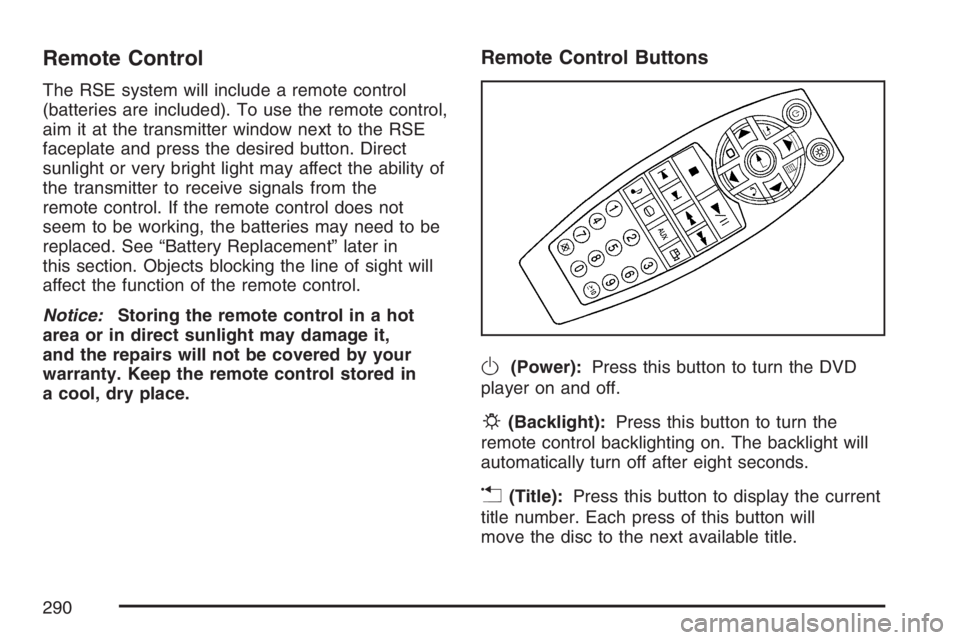
Remote Control
The RSE system will include a remote control
(batteries are included). To use the remote control,
aim it at the transmitter window next to the RSE
faceplate and press the desired button. Direct
sunlight or very bright light may affect the ability of
the transmitter to receive signals from the
remote control. If the remote control does not
seem to be working, the batteries may need to be
replaced. See “Battery Replacement” later in
this section. Objects blocking the line of sight will
affect the function of the remote control.
Notice:Storing the remote control in a hot
area or in direct sunlight may damage it,
and the repairs will not be covered by your
warranty. Keep the remote control stored in
a cool, dry place.
Remote Control Buttons
O(Power):Press this button to turn the DVD
player on and off.
P(Backlight):Press this button to turn the
remote control backlighting on. The backlight will
automatically turn off after eight seconds.
v(Title):Press this button to display the current
title number. Each press of this button will
move the disc to the next available title.
290
Page 306 of 562
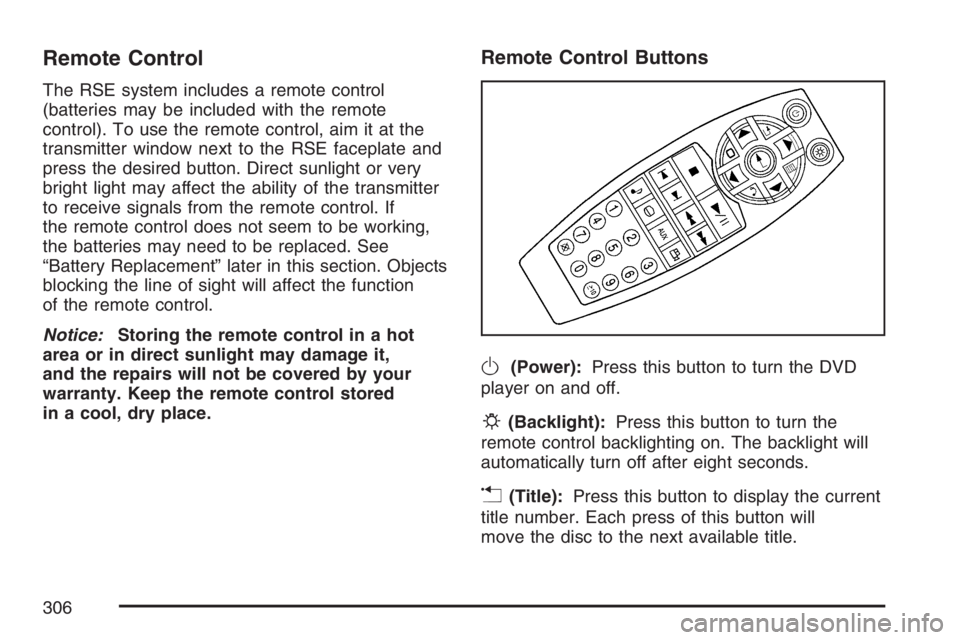
Remote Control
The RSE system includes a remote control
(batteries may be included with the remote
control). To use the remote control, aim it at the
transmitter window next to the RSE faceplate and
press the desired button. Direct sunlight or very
bright light may affect the ability of the transmitter
to receive signals from the remote control. If
the remote control does not seem to be working,
the batteries may need to be replaced. See
“Battery Replacement” later in this section. Objects
blocking the line of sight will affect the function
of the remote control.
Notice:Storing the remote control in a hot
area or in direct sunlight may damage it,
and the repairs will not be covered by your
warranty. Keep the remote control stored
in a cool, dry place.
Remote Control Buttons
O(Power):Press this button to turn the DVD
player on and off.
P(Backlight):Press this button to turn the
remote control backlighting on. The backlight will
automatically turn off after eight seconds.
v(Title):Press this button to display the current
title number. Each press of this button will
move the disc to the next available title.
306
Page 332 of 562
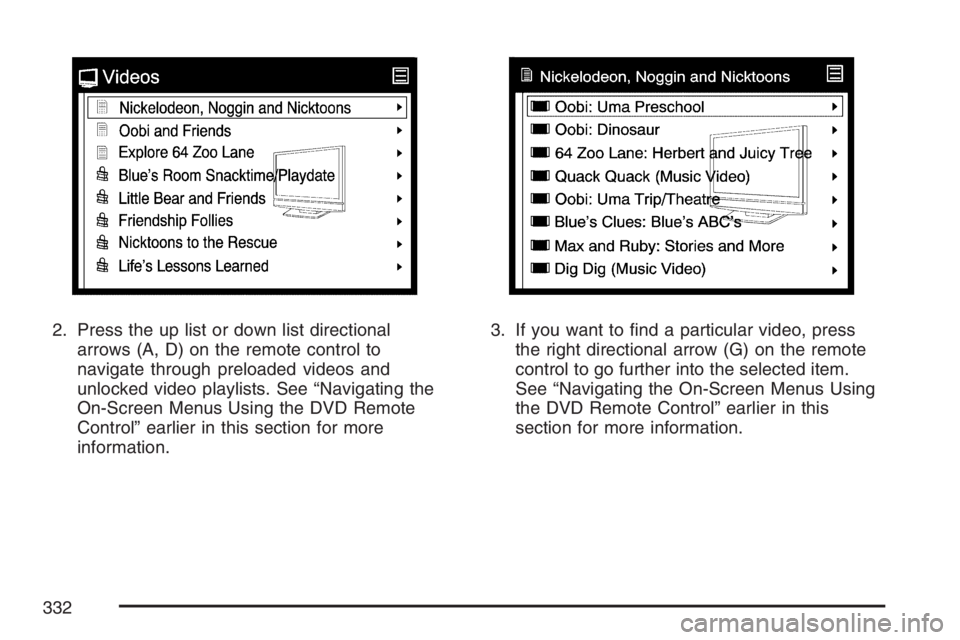
2. Press the up list or down list directional
arrows (A, D) on the remote control to
navigate through preloaded videos and
unlocked video playlists. See “Navigating the
On-Screen Menus Using the DVD Remote
Control” earlier in this section for more
information.3. If you want to nd a particular video, press
the right directional arrow (G) on the remote
control to go further into the selected item.
See “Navigating the On-Screen Menus Using
the DVD Remote Control” earlier in this
section for more information.
332
Page 333 of 562
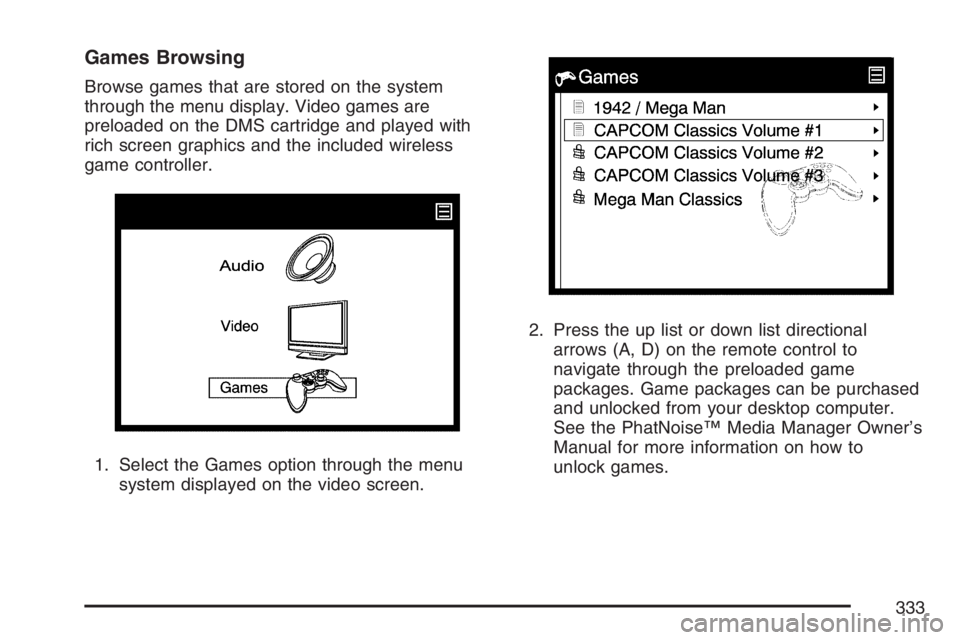
Games Browsing
Browse games that are stored on the system
through the menu display. Video games are
preloaded on the DMS cartridge and played with
rich screen graphics and the included wireless
game controller.
1. Select the Games option through the menu
system displayed on the video screen.2. Press the up list or down list directional
arrows (A, D) on the remote control to
navigate through the preloaded game
packages. Game packages can be purchased
and unlocked from your desktop computer.
See the PhatNoise™ Media Manager Owner’s
Manual for more information on how to
unlock games.
333
Page 340 of 562
Tips and Troubleshooting Chart (cont’d)
Problem Cause and Solution
Voice prompts are missing in the vehicle. Check your voice prompt settings on your desktop
computer:
Insert the DMS.
Open the Device view and select the DMS.
Press the Hardware Options button.
Open the DMS Database/Voice Prompts tab and
click Fix Voice Prompts.
Customer Assistance Center
For customer assistance in the United States,
call 1-877-GM-PHATN (877-467-4286) or contact
the Customer Assistance Center through the
internet at gmmobilemediasupportgedas.com
For customer assistance in Canada, see
the Customer Assistance Offices in the index of
your vehicle’s owner manual.
Theft-Deterrent Feature
THEFTLOCK®is designed to discourage theft
of your vehicle’s radio. The feature works
automatically by learning a portion of the Vehicle
Identication Number (VIN). If the radio is
moved to a different vehicle, it will not operate and
LOCKED will appear on the display.
With THEFTLOCK
®activated, the radio will not
operate if stolen.
340
Page 345 of 562
Your Driving, the Road, and
Your Vehicle............................................ 346
Defensive Driving...................................... 346
Drunken Driving........................................ 347
Control of a Vehicle.................................. 350
Braking...................................................... 350
Anti-Lock Brake System (ABS).................. 351
Braking in Emergencies............................. 353
Traction Control System (TCS).................. 353
StabiliTrak
®System................................... 355
Steering.................................................... 357
Off-Road Recovery.................................... 360
Passing..................................................... 360
Loss of Control.......................................... 362
Driving at Night......................................... 363
Driving in Rain and on Wet Roads............ 365City Driving............................................... 368
Freeway Driving........................................ 369
Before Leaving on a Long Trip.................. 370
Highway Hypnosis..................................... 371
Hill and Mountain Roads........................... 371
Winter Driving........................................... 373
If Your Vehicle is Stuck in Sand, Mud,
Ice, or Snow.......................................... 377
Rocking Your Vehicle to Get It Out........... 378
Loading Your Vehicle................................ 378
Towing........................................................ 384
Towing Your Vehicle ................................. 384
Recreational Vehicle Towing...................... 384
Level Control............................................. 385
Towing a Trailer........................................ 386
Section 4 Driving Your Vehicle
345
Page 351 of 562
Avoid needless heavy braking. Some people drive
in spurts — heavy acceleration followed by
heavy braking — rather than keeping pace with
traffic. This is a mistake. The brakes may not have
time to cool between hard stops. The brakes
will wear out much faster if you do a lot of heavy
braking. If you keep pace with the traffic and
allow realistic following distances, you will
eliminate a lot of unnecessary braking. That means
better braking and longer brake life.
If your vehicle’s engine ever stops while you are
driving, brake normally but do not pump the
brakes. If you do, the pedal may get harder to
push down. If the engine stops, you will still have
some power brake assist. But you will use it
when you brake. Once the power assist is used
up, it may take longer to stop and the brake pedal
will be harder to push.
Adding non-GM accessories can affect your
vehicle’s performance. SeeAccessories and
Modications on page 400.Anti-Lock Brake System (ABS)
Your vehicle has the Anti-Lock Brake System
(ABS), an advanced electronic braking system that
will help prevent a braking skid.
When you start your engine and begin to drive
away, ABS will check itself. You may hear a
momentary motor or clicking noise while this test
is going on, and you may even notice that
your brake pedal moves or pulses a little. This is
normal.
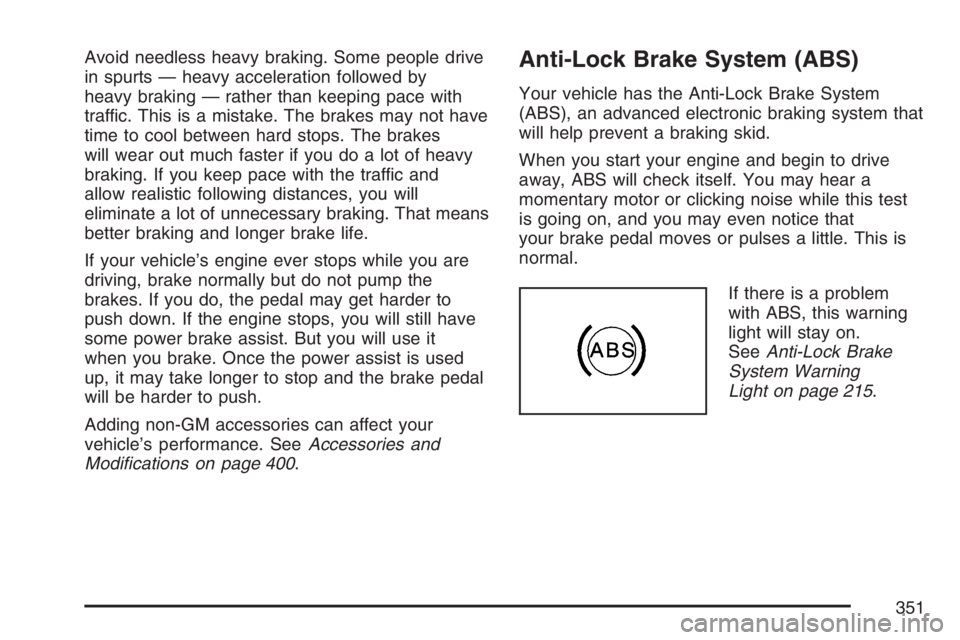
If there is a problem
with ABS, this warning
light will stay on.
SeeAnti-Lock Brake
System Warning
Light on page 215.
351