lock BUICK VERANO 2014 Workshop Manual
[x] Cancel search | Manufacturer: BUICK, Model Year: 2014, Model line: VERANO, Model: BUICK VERANO 2014Pages: 392, PDF Size: 4.27 MB
Page 112 of 392
Black plate (6,1)Buick Verano Owner Manual (GMNA-Localizing-U.S./Canada/Mexico-
6042574) - 2014 - crc - 10/18/13
5-6 Instruments and Controls
2. Press + or−to increase or
decrease the Hours and Minutes
displayed on the clock.
If auto timing is set, the time
displayed on the clock may not
update immediately when driving
into a new time zone.
12/24 HR Format: Press the 12 HR
screen button for standard time;
press the 24 HR screen button for
military time.
Day + or Day −:Press the Day +
or Day −display buttons to increase
or decrease the day.
Display: Press Display to turn the
display of the time on the screen on
or off.Power Outlets
The accessory power outlets can be
used to plug in electrical equipment,
such as a cell phone or MP3 player.
There is one accessory power outlet
located on the center stack below
the climate control and one on the
rear of the center floor console.
These outlets are powered when the
key is in ON/RUN or ACC/
ACCESSORY, or until the driver
door is opened within 10 minutes of
turning off the vehicle. See Retained
Accessory Power (RAP) on
page 9-21.{Caution
Leaving electrical equipment
plugged in for an extended period
of time while the vehicle is off will
drain the battery. Always unplug
electrical equipment when not in
use and do not plug in equipment
that exceeds the maximum
20 amp rating.
Certain electrical accessories may
not be compatible with the
accessory power outlet and could
overload vehicle or adapter fuses.
If a problem is experienced, see
your dealer.
When adding electrical equipment,
be sure to follow the installation
instructions included with the
equipment. See Add-On Electrical
Equipment on page 9-57.
Page 113 of 392
Black plate (7,1)Buick Verano Owner Manual (GMNA-Localizing-U.S./Canada/Mexico-
6042574) - 2014 - crc - 10/18/13
Instruments and Controls 5-7
{Caution
Hanging heavy equipment from
the power outlet can cause
damage not covered by the
vehicle warranty. The power
outlets are designed for
accessory power plugs only, such
as cell phone charge cords.
Cigarette Lighter
If equipped with a cigarette lighter, it
is located on the instrument panel
below the climate control system.
To activate the cigarette lighter,
push it into the heating element and
let go. When the lighter is ready it
will pop back out.
{Caution
Holding a cigarette lighter in while
it is heating does not let the
lighter back away from the
heating element when it is hot.
Damage from overheating can
occur to the lighter or heating
element, or a fuse could be
blown. Do not hold a cigarette
lighter in while it is heating.
Ashtrays
If equipped with a removable
ashtray, the ashtray can be placed
into the front console cupholders.
To open the ashtray, lift the lid of the
ashtray. After using, close the lid.
To empty the ashtray for cleaning,
slightly turn the upper part of the
ashtray counterclockwise and
remove it.
{Caution
Holding a cigarette lighter in while
it is heating does not let the
lighter back away from the
heating element when it is hot.
Damage from overheating can
occur to the lighter or heating
element, or a fuse could be
blown. Do not hold a cigarette
lighter in while it is heating.
Page 124 of 392
Black plate (18,1)Buick Verano Owner Manual (GMNA-Localizing-U.S./Canada/Mexico-
6042574) - 2014 - crc - 10/18/13
5-18 Instruments and Controls
taken to a dealer as soon as
possible. SeeParking Brake on
page 9-31 for more information.
Antilock Brake System
(ABS) Warning Light
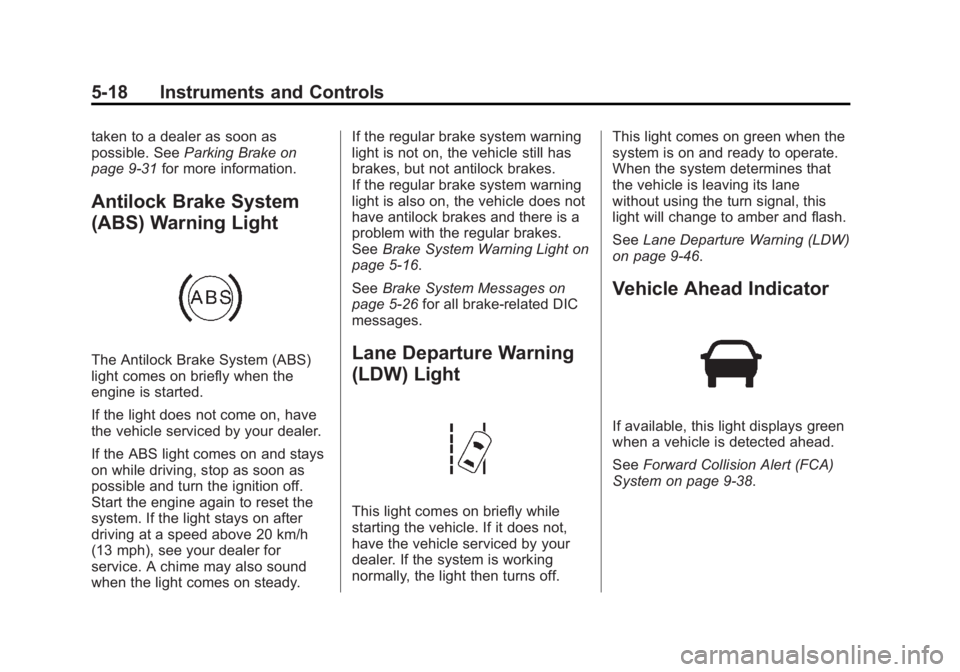
The Antilock Brake System (ABS)
light comes on briefly when the
engine is started.
If the light does not come on, have
the vehicle serviced by your dealer.
If the ABS light comes on and stays
on while driving, stop as soon as
possible and turn the ignition off.
Start the engine again to reset the
system. If the light stays on after
driving at a speed above 20 km/h
(13 mph), see your dealer for
service. A chime may also sound
when the light comes on steady. If the regular brake system warning
light is not on, the vehicle still has
brakes, but not antilock brakes.
If the regular brake system warning
light is also on, the vehicle does not
have antilock brakes and there is a
problem with the regular brakes.
See
Brake System Warning Light on
page 5-16.
See Brake System Messages on
page 5-26 for all brake‐related DIC
messages.Lane Departure Warning
(LDW) Light
This light comes on briefly while
starting the vehicle. If it does not,
have the vehicle serviced by your
dealer. If the system is working
normally, the light then turns off. This light comes on green when the
system is on and ready to operate.
When the system determines that
the vehicle is leaving its lane
without using the turn signal, this
light will change to amber and flash.
See
Lane Departure Warning (LDW)
on page 9-46.
Vehicle Ahead Indicator
If available, this light displays green
when a vehicle is detected ahead.
See Forward Collision Alert (FCA)
System on page 9-38.
Page 135 of 392
Black plate (29,1)Buick Verano Owner Manual (GMNA-Localizing-U.S./Canada/Mexico-
6042574) - 2014 - crc - 10/18/13
Instruments and Controls 5-29
message stays on, the vehicle
should be taken to your dealer for
service as soon as possible.
Fuel System Messages
FUEL LEVEL LOW
This message displays when the
vehicle is low on fuel. Refuel as
soon as possible.
Key and Lock Messages
NO REMOTE DETECTED
This message displays when the
transmitter battery is weak on
vehicles with Keyless Access. See
“Starting the Vehicle with a Low
Transmitter Battery”underRemote
Keyless Entry (RKE) System
Operation on page 2-3.
REPLACE BATTERY IN
REMOTE KEY
This message displays when the
battery in the Remote Keyless Entry
(RKE) transmitter needs to be
replaced. See “Battery Replacement”
underRemote
Keyless Entry (RKE) System
Operation on page 2-3.
USE TRANSMITTER POCKET
TO START
This message displays when trying
to start the vehicle if an RKE
transmitter is not detected. The
transmitter battery may be weak.
See “Starting the Vehicle with a Low
Transmitter Battery” underRemote
Keyless Entry (RKE) System
Operation on page 2-3.
Object Detection System
Messages
FORWARD COLLISION
ALERT OFF
If your vehicle has the Forward
Collision Alert (FCA) system, this
message may display if the FCA
system cannot activate due to a
temporary condition. See Forward
Collision Alert (FCA) System on
page 9-38.
FRONT CAMERA BLOCKED,
CLEAN WINDSHIELD
This message displays when the
Lane Departure Warning (LDW) and
Forward Collision Alert (FCA)
systems are disabled because the
camera view is blocked and cannot
operate properly. It may also
activate during heavy rain or due to
road spray. To clean the system,
clean the outside of the windshield
area in front of the LDW/FCA
camera sensor.
LANE DEPARTURE SYSTEM
UNAVAILABLE
If your vehicle has the Lane
Departure Warning (LDW) system,
this message may display if the
LDW system cannot activate due to
a temporary condition. See Lane
Departure Warning (LDW) on
page 9-46 for more information.
PARK ASSIST OFF
This message displays when the
park assist system has been turned
off or when there is a temporary
Page 136 of 392

Black plate (30,1)Buick Verano Owner Manual (GMNA-Localizing-U.S./Canada/Mexico-
6042574) - 2014 - crc - 10/18/13
5-30 Instruments and Controls
condition causing the system to be
disabled. SeeUltrasonic Parking
Assist on page 9-39.
SERVICE FRONT CAMERA
This message displays when the
Lane Departure Warning (LDW) and
Forward Collision Alert (FCA)
systems are disabled and need
service. See your dealer.
SERVICE PARK ASSIST
This message displays if there is a
problem with the Ultrasonic Rear
Parking Assist (URPA) system. Do
not use this system to help you
park. See Ultrasonic Parking Assist
on page 9-39 for more information.
SERVICE BLIND ZONE ALERT
SYSTEM
If this message appears, there is a
problem with the SBZA system.
If the message persists after
continued driving, the system needs
service. Take the vehicle to your
dealer.
SIDE BLIND ZONE ALERT
SYSTEM OFF
This message indicates that the
driver has turned the system off.
SIDE BLIND ZONE SYS.
UNAVAILABLE
This message indicates that the
SBZA system is disabled because
the sensor is blocked and cannot
detect vehicles in the blind zone.
The sensor may be blocked by mud,
dirt, snow, ice, or slush. This
message may also activate during
heavy rain or due to road spray. The
vehicle does not need service. For
cleaning, seeSide Blind Zone Alert
(SBZA) on page 9-41.
Ride Control System
Messages
SERVICE TRACTION
CONTROL
This message displays when there
is a problem with the Traction
Control System (TCS). When this message is displayed, the system
will not limit wheel spin. Adjust your
driving accordingly. See your dealer
for service.
SERVICE STABILITRAK
This message displays if there is a
problem with the StabiliTrak system.
If this message appears, try to reset
the system. Stop; turn off the engine
for at least 15 seconds; then start
the engine again. If this message
still comes on, it means there is a
problem. See your dealer for
service. The vehicle is safe to drive;
however, you do not have the
benefit of StabiliTrak, so reduce
your speed and drive accordingly.
TRACTION CONTROL OFF
This message displays when the
Traction Control System (TCS) is
turned off. Adjust your driving
accordingly.
Page 138 of 392

Black plate (32,1)Buick Verano Owner Manual (GMNA-Localizing-U.S./Canada/Mexico-
6042574) - 2014 - crc - 10/18/13
5-32 Instruments and Controls
Washer Fluid Messages
WASHER FLUID LOW ADD
FLUID
This message may display when the
washer fluid level is low. See
Washer Fluid on page 10-21.
Window Messages
OPEN, THEN CLOSE DRIVER/
PASSENGER WINDOW
This message is displayed when the
window needs to be reprogrammed.
If the vehicle's battery has been
recharged or disconnected, you will
need to program each front window
for the express-up feature to work.
SeePower Windows on page 2-21.
Vehicle
Personalization
Use the audio system controls to
access the personalization menus
for customizing vehicle features.
The following are all possible
personalization features. Depending
on the vehicle, some may not be
available.
CONFIG (Configuration): Press to
access the Configuration
Settings menu.
TUNE/MENU: Press the center of
this knob to enter the menus and
select menu items. This feature is
unavailable with navigation radios.
Turn the knob to scroll through the
menus.
/BACK: Press to exit or move
backward in a menu.
Entering the Personalization
Menus
1. Press CONFIG to access the Configuration Settings menu. 2. Turn the TUNE/MENU knob to
highlight Vehicle Settings. Press
the CONFIG button until Vehicle
is highlighted on vehicles with a
navigation system only.
3. Press the center of the TUNE/ MENU knob to select the Vehicle
Settings menu. The key must be
in the ON/RUN position.
The following list of menu items may
be available:
.Climate and Air Quality
.Comfort and Convenience
.Collision Detection Systems
.Lighting
.Power Door Locks
.Remote Lock/Unlock/Start
.Return to Factory Settings?
Turn the TUNE/MENU knob to
highlight the menu. Press the
TUNE/MENU knob to select it. Each
of the menus is detailed in the
following information.
Page 140 of 392

Black plate (34,1)Buick Verano Owner Manual (GMNA-Localizing-U.S./Canada/Mexico-
6042574) - 2014 - crc - 10/18/13
5-34 Instruments and Controls
Chime Volume
This allows the selection of the
chime volume level.
Press the TUNE/MENU knob when
Chime Volume is highlighted. Turn
the knob to select Normal or High.
Press
/BACK to confirm and go
back to the last menu.
Collision Detection Systems
If equipped, select the Collision
Detection Systems menu and Park
Assist may be displayed.
.Park Assist
.Side Blind Zone Alert
Park Assist
This allows the Ultrasonic Rear
Parking Assist feature to be turned
on or off.
Press the TUNE/MENU knob when
Park Assist is highlighted. Turn the
knob to select On or Off. Press the
TUNE/MENU knob to confirm and
go back to the last menu. Side Blind Zone Alert
This allows the Side Blind Zone
Alert feature to be turned on or off.
Press the TUNE/MENU knob when
Side Blind Zone Alert is highlighted.
Turn the knob to select On or Off.
Press the TUNE/MENU knob to
confirm and go back to the
last menu.
Lighting
Select the Lighting menu and the
following may be displayed:
.Exit Lighting
.Vehicle Locator Lights
Exit Lighting
This allows the selection of how
long the exterior lamps stay on
when leaving the vehicle when it is
dark outside.
Press the TUNE/MENU knob when
Exit Lighting is highlighted. Turn the
knob to select Off, 30 Seconds, ,
or . Press
/BACK to confirm and
go back to the last menu. Vehicle Locator Lights
This allows the vehicle locator lights
to be turned on or off. When on, the
headlamps and back-up lamps turn
on and the turn signals will flash
when
Kis pressed.
Press the TUNE/MENU knob when
Vehicle Locator Lights is highlighted
to open the menu. Turn the TUNE/
MENU knob to highlight On or Off.
Press TUNE/MENU to select On or
Off. Press
/BACK to confirm the
selection and move back to the
last menu.
Power Door Locks
Select Power Door Locks and the
following may be displayed:
.Open Door Anti Lock Out
.Auto Door Unlock
.Delay Door Lock
Page 141 of 392

Black plate (35,1)Buick Verano Owner Manual (GMNA-Localizing-U.S./Canada/Mexico-
6042574) - 2014 - crc - 10/18/13
Instruments and Controls 5-35
Open Door Anti Lock Out
When on, all doors will lock. The
driver door will then unlock if door
locking is requested while the driver
door is open, and disable the Delay
Door Lock feature.
Even when this feature is off, the
driver is protected from accidental
lockouts when the key is in the
ignition.
If Off is selected, the Open Door
Anti Lock Out feature may be
enabled through an additional menu
selection.
Press the TUNE/MENU knob when
Open Door Anti Lock Out is
highlighted to select On or Off.
Press
/BACK to return to the
last menu.
Auto Door Unlock
This allows selection of which of the
doors will automatically unlock when
the vehicle is shifted into P (Park). Press the TUNE/MENU knob when
Auto Door Unlock is highlighted.
Turn the knob to select All Doors,
Driver Door, or Off. Press the TUNE/
MENU knob to confirm and press
BACK to go back to the last menu.
Press
/BACK to return to the
last menu.
Delay Door Lock
When on, this feature will delay the
locking of the doors until
five seconds after the last door is
closed. Press either the power lock
button or
Qon the RKE transmitter
twice to override the delay locking
feature and immediately lock all of
the doors.
Press the TUNE/MENU knob when
Delay Door Lock is highlighted to
select On or Off. Press
/BACK to
return to the last menu.
Remote Lock/Unlock/Start
Select Remote Lock/Unlock/Start
and the following may be displayed
(depending on the system):
.Remote Lock Feedback
.Remote Door Unlock
.Remote Unlock Feedback
Remote Lock Feedback
This allows selection of what type of
feedback is given when locking the
vehicle with the RKE transmitter.
Press the TUNE/MENU knob when
Remote Lock Feedback is
highlighted. Turn the knob to select
Lights and Horn, Lights Only, Horn
Only, or Off. Press the TUNE/MENU
knob to confirm and go back to the
last menu.
Page 142 of 392
Black plate (36,1)Buick Verano Owner Manual (GMNA-Localizing-U.S./Canada/Mexico-
6042574) - 2014 - crc - 10/18/13
5-36 Instruments and Controls
Remote Door Unlock
This allows selection of which doors
will unlock when pressing
Kon the
RKE transmitter.
Press the TUNE/MENU knob when
Remote Door Unlock is highlighted.
Turn the knob to select All Doors or
Driver Door Only. When set to
Driver Door Only, the driver door will
unlock the first time
Kis pressed
and all doors will unlock when
Kis
pressed a second time. When set to
All Doors, all of the doors will unlock
at the first press of
K. Press the
TUNE/MENU knob to confirm and
go back to the last menu. Remote Unlock Feedback
If equipped, this allows selection of
what type of feedback is given when
unlocking the vehicle with the RKE
transmitter.
Press the TUNE/MENU knob when
Remote Unlock Feedback is
highlighted. Turn the knob to select
Flash Lights or Off. Press the
TUNE/MENU knob to confirm and
go back to the last menu.
Return to Factory Settings?
Select Return to Factory Settings?
to return all vehicle personalization
to the default settings. Turn the
knob to select Yes or No. Press the
TUNE/MENU knob to confirm and
go back to the last menu.
Universal Remote
System
See
Radio Frequency Statement on
page 13-15.
Universal Remote System
Programming
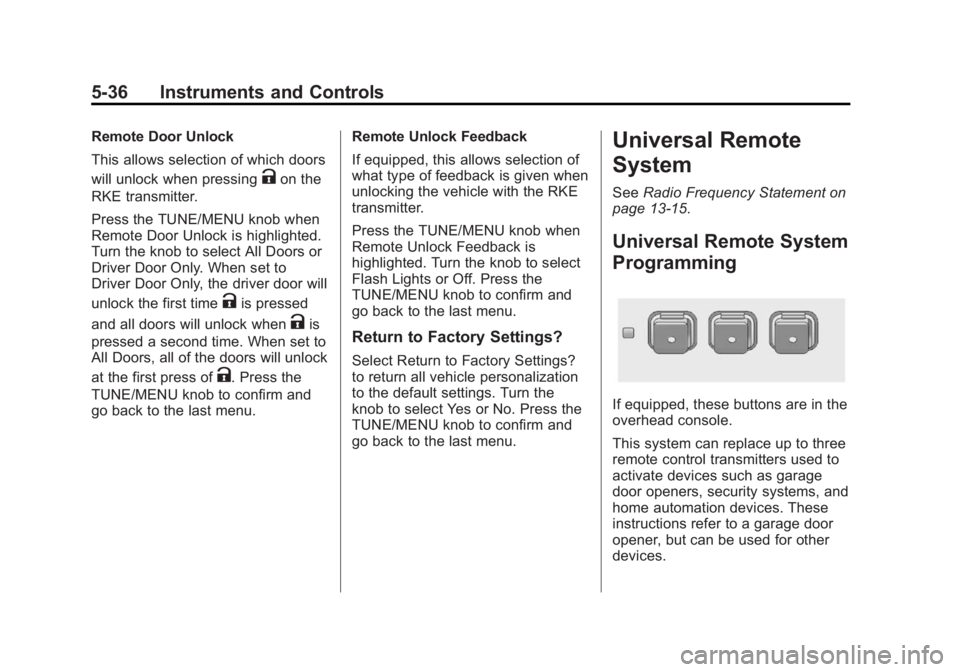
If equipped, these buttons are in the
overhead console.
This system can replace up to three
remote control transmitters used to
activate devices such as garage
door openers, security systems, and
home automation devices. These
instructions refer to a garage door
opener, but can be used for other
devices.
Page 157 of 392
Black plate (3,1)Buick Verano Owner Manual (GMNA-Localizing-U.S./Canada/Mexico-
6042574) - 2014 - crc - 10/18/13
Infotainment System 7-3
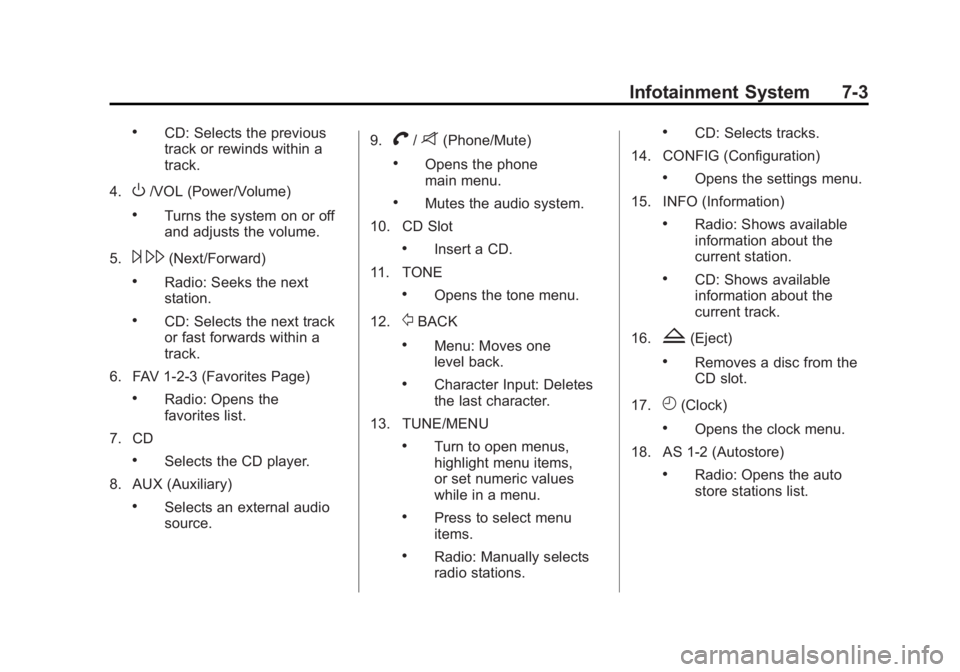
.CD: Selects the previous
track or rewinds within a
track.
4.
O/VOL (Power/Volume)
.Turns the system on or off
and adjusts the volume.
5.
¨ \(Next/Forward)
.Radio: Seeks the next
station.
.CD: Selects the next track
or fast forwards within a
track.
6. FAV 1-2-3 (Favorites Page)
.Radio: Opens the
favorites list.
7. CD
.Selects the CD player.
8. AUX (Auxiliary)
.Selects an external audio
source. 9.
V/8(Phone/Mute)
.Opens the phone
main menu.
.Mutes the audio system.
10. CD Slot
.Insert a CD.
11. TONE
.Opens the tone menu.
12.
/BACK
.Menu: Moves one
level back.
.Character Input: Deletes
the last character.
13. TUNE/MENU
.Turn to open menus,
highlight menu items,
or set numeric values
while in a menu.
.Press to select menu
items.
.Radio: Manually selects
radio stations.
.CD: Selects tracks.
14. CONFIG (Configuration)
.Opens the settings menu.
15. INFO (Information)
.Radio: Shows available
information about the
current station.
.CD: Shows available
information about the
current track.
16.
Z(Eject)
.Removes a disc from the
CD slot.
17.
H(Clock)
.Opens the clock menu.
18. AS 1-2 (Autostore)
.Radio: Opens the auto
store stations list.