cruise control BUICK VERANO 2016 User Guide
[x] Cancel search | Manufacturer: BUICK, Model Year: 2016, Model line: VERANO, Model: BUICK VERANO 2016Pages: 355, PDF Size: 5.16 MB
Page 182 of 355
Buick Verano Owner Manual (GMNA-Localizing-U.S./Canada/Mexico-
9085356) - 2016 - crc - 10/19/15
Driving and Operating 181
than when on dry pavement.
SeeAntilock Brake System
(ABS) 0201.
. Allow greater following distance
and watch for slippery spots. Icy
patches can occur on otherwise
clear roads in shaded areas.
The surface of a curve or an
overpass can remain icy when
the surrounding roads are clear.
Avoid sudden steering
maneuvers and braking while
on ice.
. Turn off cruise control.
Blizzard Conditions
Stop the vehicle in a safe place and
signal for help. Stay with the vehicle
unless there is help nearby.
If possible, use Roadside
Assistance. See Roadside
Assistance Program 0324. To get
help and keep everyone in the
vehicle safe:
. Turn on the hazard warning
flashers.
. Tie a red cloth to an outside
mirror.
{Warning
Snow can trap engine exhaust
under the vehicle. This may
cause exhaust gases to get
inside. Engine exhaust contains
carbon monoxide (CO), which
cannot be seen or smelled. It can
cause unconsciousness and even
death.
If the vehicle is stuck in snow:
. Clear snow from the base of
the vehicle, especially any
blocking the exhaust pipe.
. Open a window about 5 cm
(2 in) on the vehicle side
that is away from the wind,
to bring in fresh air.
. Fully open the air outlets on
or under the instrument
panel.
. Adjust the climate control
system to circulate the air
inside the vehicle and set
(Continued)
Warning (Continued)
the fan speed to the highest
setting. See“Climate
Control Systems.”
For more information about CO,
see Engine Exhaust 0195.
To save fuel, run the engine for
short periods to warm the vehicle
and then shut the engine off and
partially close the window. Moving
about to keep warm also helps.
If it takes time for help to arrive,
when running the engine, push the
accelerator pedal slightly so the
engine runs faster than the idle
speed. This keeps the battery
charged to restart the vehicle and to
signal for help with the headlamps.
Do this as little as possible, to
save fuel.
Page 205 of 355
Buick Verano Owner Manual (GMNA-Localizing-U.S./Canada/Mexico-
9085356) - 2016 - crc - 10/19/15
204 Driving and Operating
A pop noise might be heard when
the brakes release. This is normal.
It will not activate if the vehicle is in
a drive gear and facing downhill or if
the vehicle is facing uphill and in
R (Reverse).Ride Control Systems
Traction Control/
Electronic Stability
Control
System Operation
The vehicle has a Traction Control
System (TCS) and StabiliTrak®, an
electronic stability control system.
These systems help limit wheel slip
and assist the driver in maintaining
control, especially on slippery road
conditions.
TCS activates if it senses that any
of the drive wheels are spinning or
beginning to lose traction. When this
happens, TCS applies the brakes to
the spinning wheels and reduces
engine power to limit wheel spin.
StabiliTrak activates when the
vehicle senses a difference between
the intended path and the direction
the vehicle is actually traveling.
StabiliTrak selectively applies
braking pressure to any one of the vehicle wheel brakes to assist the
driver in keeping the vehicle on the
intended path.
If cruise control is being used and
traction control or StabiliTrak begins
to limit wheel spin, cruise control will
disengage. Cruise control may be
turned back on when road
conditions allow.
Both systems come on
automatically when the vehicle is
started and begins to move. The
systems may be heard or felt while
they are operating or while
performing diagnostic checks. This
is normal and does not mean there
is a problem with the vehicle.
It is recommended to leave both
systems on for normal driving
conditions, but it may be necessary
to turn TCS off if the vehicle gets
stuck in sand, mud, ice, or snow.
See
If the Vehicle Is Stuck 0182
and “Turning the Systems Off and
On” later in this section.
Page 207 of 355
Buick Verano Owner Manual (GMNA-Localizing-U.S./Canada/Mexico-
9085356) - 2016 - crc - 10/19/15
206 Driving and Operating
To turn TCS and StabiliTrak on
again, press and release the
g
button. The traction off lightiand
StabiliTrak OFF light
gin the
instrument cluster turn off. The
appropriate message will display in
the DIC.
Adding accessories can affect the
vehicle performance. See
Accessories and
Modifications 0228.
Cruise Control
The cruise control lets the vehicle
maintain a speed of about 40 km/h
(25 mph) or more without keeping
your foot on the accelerator. Cruise
control does not work at speeds
below 40 km/h (25 mph).
{Warning
Cruise control can be dangerous
where you cannot drive safely at
a steady speed. Do not use
cruise control on winding roads or
in heavy traffic.
Cruise control can be dangerous
on slippery roads. On such roads,
fast changes in tire traction can
cause excessive wheel slip, and
you could lose control. Do not use
cruise control on slippery roads.
The vehicle has a Traction Control
System (TCS) or StabiliTrak system
that begins to limit wheel spin while
using cruise control and the cruise
control will automatically disengage. See
Traction Control/Electronic
Stability Control 0204. If a collision
alert occurs when cruise control is
activated, cruise control is
disengaged. See Forward Collision
Alert (FCA) System 0212. When
road conditions allow you to safely
use it again, cruise control can be
turned back on.
If the brakes are applied, cruise
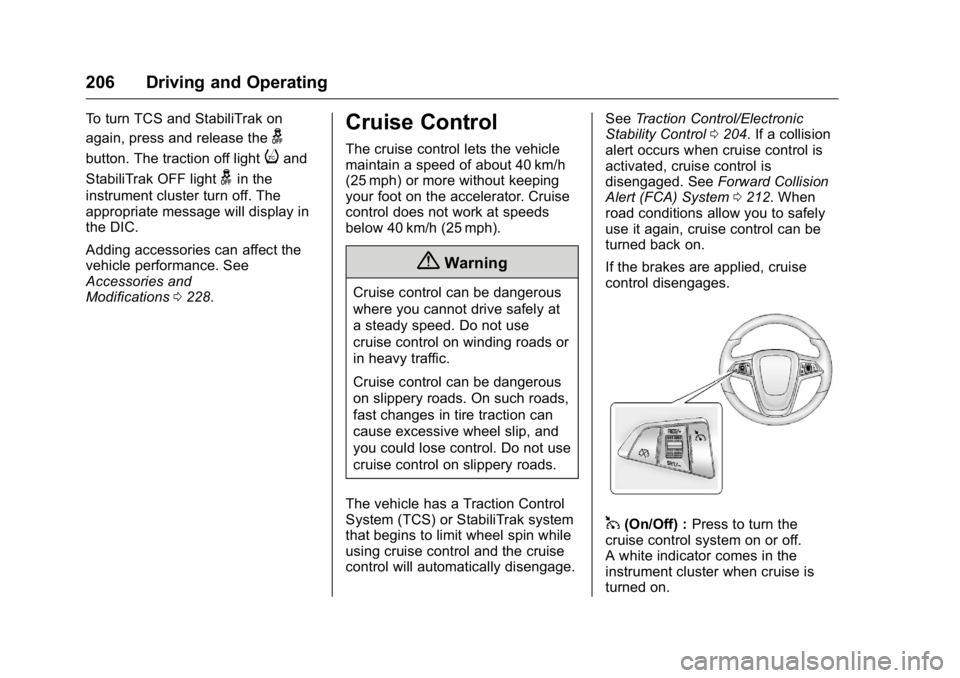
control disengages.
1(On/Off) : Press to turn the
cruise control system on or off.
A white indicator comes in the
instrument cluster when cruise is
turned on.
Page 208 of 355
Buick Verano Owner Manual (GMNA-Localizing-U.S./Canada/Mexico-
9085356) - 2016 - crc - 10/19/15
Driving and Operating 207
RES/+ (Resume/Accel) :If there is
a set speed in memory, move the
thumbwheel up briefly to resume to
that speed or hold upward to
accelerate. If cruise control is
already active, use to increase
vehicle speed.
SET/− (Set/Coast) : Move the
thumbwheel down briefly to set the
speed and activate cruise control.
If cruise control is already active,
use to decrease speed.
*(Cancel) : Press to disengage
cruise control without erasing the
set speed from memory.
Setting Cruise Control
If
1is on when not in use, SET/− or
RES/+ could get bumped and go
into cruise when not desired.
Keep
1off when cruise control is
not being used.
To set a speed:
1. Press
1to turn cruise
control on.
2. Get up to the speed desired. 3. Move the thumbwheel down
toward SET/− and release it.
4. Remove your foot from the accelerator.
The cruise control indicator on the
instrument cluster turns green after
cruise control has been set to the
desired speed. See Instrument
Cluster 0102.
Resuming a Set Speed
If the cruise control is set at a
desired speed and then the brakes
are applied or
*is pressed, the
cruise control is disengaged without
erasing the set speed from memory.
Once the vehicle speed is about
40 km/h (25 mph) or greater, move
the thumbwheel up toward RES/+
briefly. The vehicle returns to the
previously set speed.
Increasing Speed While Using
Cruise Control
If the cruise control system is
already activated: .
Move the thumbwheel up toward
RES/+ and hold it until the
desired speed is reached, then
release it.
. To increase vehicle speed in
small increments, move the
thumbwheel up toward RES/+
briefly. For each press, the
vehicle goes about 1.6 km/h
(1 mph) faster.
The speedometer reading can be
displayed in either English or metric
units. See Driver Information Center
(DIC) 0114. The increment value
used depends on the units
displayed.
Reducing Speed While Using
Cruise Control
If the cruise control system is
already activated:
. Move the thumbwheel toward
SET/− and hold until the desired
lower speed is reached, then
release it.
. To decrease the vehicle speed in
small increments, move the
thumbwheel toward SET/−
Page 209 of 355
Buick Verano Owner Manual (GMNA-Localizing-U.S./Canada/Mexico-
9085356) - 2016 - crc - 10/19/15
208 Driving and Operating
briefly. For each press, the
vehicle goes about 1.6 km/h
(1 mph) slower.
The speedometer reading can be
displayed in either English or metric
units. See Driver Information Center
(DIC) 0114. The increment value
used depends on the units
displayed.
Passing Another Vehicle While
Using Cruise Control
Use the accelerator pedal to
increase the vehicle speed. When
you take your foot off the pedal, the
vehicle slows down to the previous
set cruise control speed. While
pressing the accelerator pedal or
shortly following the release to
override cruise control, briefly
moving the thumbwheel toward
SET/− will result in cruise set to the
current vehicle speed.
Using Cruise Control on Hills
How well cruise control works on
hills depends on the vehicle speed,
load, and the steepness of the hills.
When going up steep hills, you
might have to step on the accelerator pedal to maintain the
vehicle speed. When going
downhill, you might have to brake or
shift to a lower gear to keep your
speed down. If the brake pedal is
applied, cruise control will
disengage.
Ending Cruise Control
There are four ways to end cruise
control:
.
To disengage cruise control,
step lightly on the brake pedal or
the clutch pedal for manual
transmissions.
. Press
*.
. Shift the transmission to
N (Neutral).
. To turn off cruise control,
press
1.
Erasing Speed Memory
The cruise control set speed is
erased from memory if
1is pressed
or if the vehicle is turned off.
Driver Assistance
Systems
Rear Vision
Camera (RVC)
If equipped, the RVC system can
assist the driver when backing up by
displaying a view of the area behind
the vehicle.
{Warning
The camera(s) do not display
children, pedestrians, bicyclists,
crossing traffic, animals, or any
other object outside of the
cameras’ field of view, below the
bumper, or under the vehicle.
Shown distances may be different
from actual distances. Do not
drive or park the vehicle using
only these camera(s). Always
check behind and around the
vehicle before driving. Failure to
use proper care may result in
injury, death, or vehicle damage.
Page 214 of 355
Buick Verano Owner Manual (GMNA-Localizing-U.S./Canada/Mexico-
9085356) - 2016 - crc - 10/19/15
Driving and Operating 213
detected on curves, highway exit
ramps, or hills, due to poor visibility;
or if a vehicle ahead is partially
blocked by pedestrians or other
objects. FCA will not detect another
vehicle ahead until it is completely
in the driving lane.
{Warning
FCA does not provide a warning
to help avoid a crash, unless it
detects a vehicle. FCA may not
detect a vehicle ahead if the FCA
sensor is blocked by dirt, snow,
or ice, or if the windshield is
damaged. It may also not detect a
vehicle on winding or hilly roads,
or in conditions that can limit
visibility such as fog, rain,
or snow, or if the headlamps or
windshield are not cleaned or in
proper condition. Keep the
windshield, headlamps, and FCA
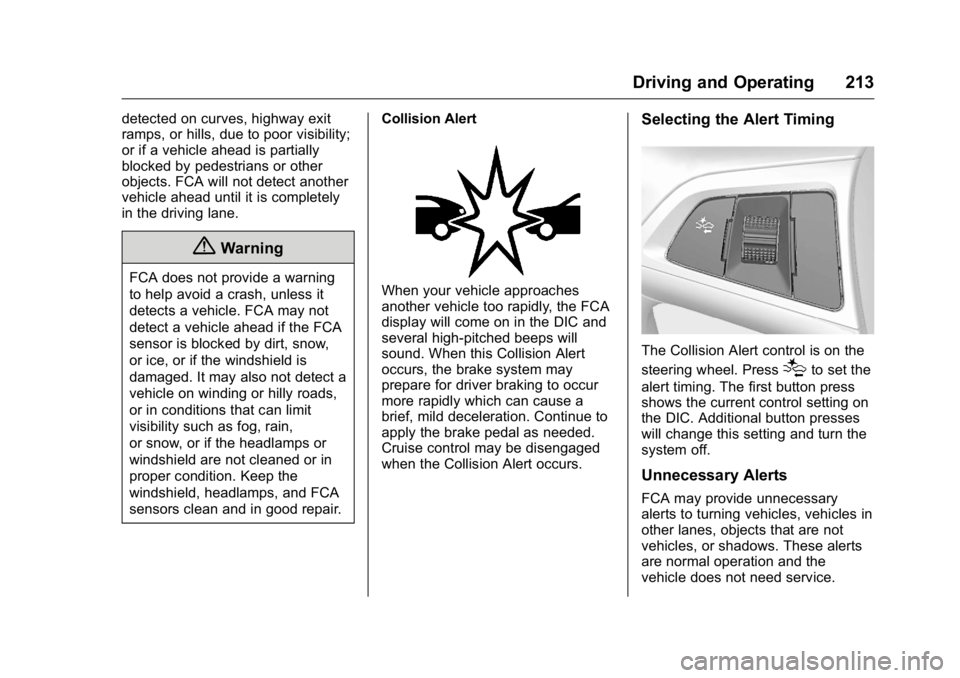
sensors clean and in good repair.Collision AlertWhen your vehicle approaches
another vehicle too rapidly, the FCA
display will come on in the DIC and
several high-pitched beeps will
sound. When this Collision Alert
occurs, the brake system may
prepare for driver braking to occur
more rapidly which can cause a
brief, mild deceleration. Continue to
apply the brake pedal as needed.
Cruise control may be disengaged
when the Collision Alert occurs.
Selecting the Alert Timing
The Collision Alert control is on the
steering wheel. Press
[to set the
alert timing. The first button press
shows the current control setting on
the DIC. Additional button presses
will change this setting and turn the
system off.
Unnecessary Alerts
FCA may provide unnecessary
alerts to turning vehicles, vehicles in
other lanes, objects that are not
vehicles, or shadows. These alerts
are normal operation and the
vehicle does not need service.
Page 347 of 355

Buick Verano Owner Manual (GMNA-Localizing-U.S./Canada/Mexico-
9085356) - 2016 - crc - 10/19/15
346 Index
Child Restraints (cont'd)Older Children . . . . . . . . . . . . . . . . . . 74
Securing . . . . . . . . . . . . . . . . . . . . 87, 90
Systems . . . . . . . . . . . . . . . . . . . . . . . . 78
Circuit Breakers . . . . . . . . . . . . . . . . 255
Cleaning Exterior Care . . . . . . . . . . . . . . . . . 295
Interior Care . . . . . . . . . . . . . . . . . . 300
Climate Control Systems
Dual Automatic . . . . . . . . . . . . . . . 170
Clock . . . . . . . . . . . . . . . . . . . . . . . . . . . . 99
Cluster, Instrument . . . . . . . . . . . . . 102
Clutch, Hydraulic . . . . . . . . . . . . . . . 238
Collision Damage Repair . . . . . . . 327
Compact Spare Tire . . . . . . . . . . . . 289
Compartments Storage . . . . . . . . . . . . . . . . . . . . . . . . . 93
Compass . . . . . . . . . . . . . . . . . . . . . . . . 99
Messages . . . . . . . . . . . . . . . . . . . . .118
Connections OnStar
®. . . . . . . . . . . . . . . . . . . . . . 336
Control Traction and Electronic
Stability . . . . . . . . . . . . . . . . . . . . . 204
Control of a Vehicle . . . . . . . . . . . . . 177
Convex Mirrors . . . . . . . . . . . . . . . . . . 42
Coolant Engine . . . . . . . . . . . . . . . . . . . . . . . . 241 Coolant (cont'd)
Engine Temperature Gauge . . 104
Cooling System . . . . . . . . . . . . . . . . . 240 Engine Messages . . . . . . . . . . . . .119
Courtesy Lamps . . . . . . . . . . . . . . . . 136
Courtesy Transportation Program . . . . . . . . . . . . . . . . . . . . . . . 326
Cruise Control . . . . . . . . . . . . . . . . . . 206 Light . . . . . . . . . . . . . . . . . . . . . . . . . . .113
Cupholders . . . . . . . . . . . . . . . . . . . . . . 94
Customer Assistance . . . . . . . . . . . 322 Offices . . . . . . . . . . . . . . . . . . . . . . . . 322
Text Telephone (TTY)Users . . . . . . . . . . . . . . . . . . . . . . . 322
Customer Information Service PublicationsOrdering Information . . . . . . . . 329
Customer Satisfaction
Procedure . . . . . . . . . . . . . . . . . . . . . 320D
Damage Repair, Collision . . . . . . . 327
Danger, Warning, and Caution . . . . 2
Data Recorders, Event . . . . . . . . . 332
Daytime RunningLamps (DRL) . . . . . . . . . . . . . . . . . . 133
Defensive Driving . . . . . . . . . . . . . . . 176
Delayed Locking . . . . . . . . . . . . . . . . . 35 Devices
Auxiliary . . . . . . . . . . . . . . . . . . . . . . 153
Diagnostics OnStar
®. . . . . . . . . . . . . . . . . . . . . . 338
Distracted Driving . . . . . . . . . . . . . . . 176
Dome Lamps . . . . . . . . . . . . . . . . . . . 136
Door Ajar Light . . . . . . . . . . . . . . . . . . . . . .113
Ajar Messages . . . . . . . . . . . . . . . .118
Delayed Locking . . . . . . . . . . . . . . . . 35
Locks . . . . . . . . . . . . . . . . . . . . . . . . . . . 34
Power Locks . . . . . . . . . . . . . . . . . . . . 35
Drive Belt Routing, Engine . . . . . . 319
Driver Information Center (DIC) . . . . . . . . . . . . . . . . . . 114
Driving
Characteristics andTowing Tips . . . . . . . . . . . . . . . . . 221
Defensive . . . . . . . . . . . . . . . . . . . . . 176
Drunk . . . . . . . . . . . . . . . . . . . . . . . . . 176
For Better Fuel Economy . . . . . . . 23
Hill and Mountain Roads . . . . . . 180
If the Vehicle is Stuck . . . . . . . . . 182
Loss of Control . . . . . . . . . . . . . . . 178
Off-Road Recovery . . . . . . . . . . . 178
Vehicle Load Limits . . . . . . . . . . . 182
Wet Roads . . . . . . . . . . . . . . . . . . . 179
Winter . . . . . . . . . . . . . . . . . . . . . . . . 180
Page 350 of 355

Buick Verano Owner Manual (GMNA-Localizing-U.S./Canada/Mexico-
9085356) - 2016 - crc - 10/19/15
Index 349
L
Labeling, Tire Sidewall . . . . . . . . . . 264
LampsCourtesy . . . . . . . . . . . . . . . . . . . . . . 136
Daytime Running (DRL) . . . . . . 133
Dome . . . . . . . . . . . . . . . . . . . . . . . . . 136
Exterior Controls . . . . . . . . . . . . . . 132
Exterior Lighting BatterySaver . . . . . . . . . . . . . . . . . . . . . . . 138
Front Fog . . . . . . . . . . . . . . . . . . . . . 135
Headlamps, Front Turn
Signal, and Parking
Lamps . . . . . . . . . . . . . . . . . . . . . . 251
License Plate . . . . . . . . . . . . . . . . . 254
Malfunction Indicator . . . . . . . . . 106
On Reminder . . . . . . . . . . . . . . . . . .113
Reading . . . . . . . . . . . . . . . . . . . . . . 136
Lane Departure Warning (LDW) . . . . . . . . . . . . . . . . 216
Lane Departure Warning Light . . . . . . . . . . . . . . . . . . . . . . . . . . 110
Lap-Shoulder Belt . . . . . . . . . . . . . . . 58
LATCH System Replacing Parts after a
Crash . . . . . . . . . . . . . . . . . . . . . . . . . 87
LATCH, Lower Anchors and Tethers for Children . . . . . . . . . . . . 80 Lighting
Entry . . . . . . . . . . . . . . . . . . . . . . . . . 137
Exit . . . . . . . . . . . . . . . . . . . . . . . . . . . 137
Illumination Control . . . . . . . . . . . 136
Lights . . . . . . . . . . . . . . . . . . . . . . . . . . . 110 Airbag Readiness . . . . . . . . . . . . . 105
Antilock Brake System(ABS) Warning . . . . . . . . . . . . . . 109
Brake System Warning . . . . . . . 108
Charging System . . . . . . . . . . . . . 106
Cruise Control . . . . . . . . . . . . . . . . .113
Door Ajar . . . . . . . . . . . . . . . . . . . . . .113
Electric Parking Brake . . . . . . . . 109
Engine Oil Pressure . . . . . . . . . . .112
Flash-to-Pass . . . . . . . . . . . . . . . . . 133
Front Fog Lamp . . . . . . . . . . . . . . .113
High-Beam On . . . . . . . . . . . . . . . . .113
High/Low Beam Changer . . . . . 132
Lane Departure Warning . . . . . . .110
Low Fuel Warning . . . . . . . . . . . . .112
Safety Belt Reminders . . . . . . . . 104
Security . . . . . . . . . . . . . . . . . . . . . . .112
StabiliTrak
®OFF . . . . . . . . . . . . . .110
Tire Pressure . . . . . . . . . . . . . . . . . . 111
Traction Control System (TCS)/StabiliTrak
®. . . . . . . . . . . 111
Traction Off . . . . . . . . . . . . . . . . . . . .110 Locks
Automatic Door . . . . . . . . . . . . . . . . . 36
Delayed Locking . . . . . . . . . . . . . . . . 35
Door . . . . . . . . . . . . . . . . . . . . . . . . . . . . 34
Lockout Protection . . . . . . . . . . . . . . 36
Power Door . . . . . . . . . . . . . . . . . . . . . 35
Safety . . . . . . . . . . . . . . . . . . . . . . . . . . 37
Loss of Control . . . . . . . . . . . . . . . . . 178
Low Fuel Warning Light . . . . . . . . . 112
Low-Profile Tires . . . . . . . . . . . . . . . . 264
Lower Anchors and Tethers for Children (LATCH
System) . . . . . . . . . . . . . . . . . . . . . . . . 80
Lumbar Adjustment . . . . . . . . . . . . . . 52 Front Seats . . . . . . . . . . . . . . . . . . . . . 52
M
MaintenanceRecords . . . . . . . . . . . . . . . . . . . . . . 316
Maintenance and Care Additional . . . . . . . . . . . . . . . . . . . . . .311
Maintenance Schedule . . . . . . . . . 305 Recommended Fluids andLubricants . . . . . . . . . . . . . . . . . . . 314
Malfunction Indicator Lamp . . . . . 106
Manual Mode . . . . . . . . . . . . . . . . . . . 198
Manual Transmission . . . . . . . . . . . 199 Fluid . . . . . . . . . . . . . . . . . . . . . . . . . . 238