ECO mode BUICK VERANO 2016 Owner's Manual
[x] Cancel search | Manufacturer: BUICK, Model Year: 2016, Model line: VERANO, Model: BUICK VERANO 2016Pages: 355, PDF Size: 5.16 MB
Page 3 of 355
Buick Verano Owner Manual (GMNA-Localizing-U.S./Canada/Mexico-
9085356) - 2016 - crc - 10/19/15
2 Introduction
Introduction
The names, logos, emblems,
slogans, vehicle model names, and
vehicle body designs appearing in
this manual including, but not limited
to, GM, the GM logo, BUICK, the
BUICK Emblem, and VERANO are
trademarks and/or service marks of
General Motors LLC, its
subsidiaries, affiliates, or licensors.
For vehicles first sold in Canada,
substitute the name“General
Motors of Canada Limited” for Buick
Motor Division wherever it appears
in this manual. This manual describes features that
may or may not be on the vehicle
because of optional equipment that
was not purchased on the vehicle,
model variants, country
specifications, features/applications
that may not be available in your
region, or changes subsequent to
the printing of this owner manual.
Refer to the purchase
documentation relating to your
specific vehicle to confirm the
features.
Keep this manual in the vehicle for
quick reference.
Canadian Vehicle Owners
A French language manual can be
obtained from your dealer, at
www.helminc.com, or from:
Propriétaires Canadiens
On peut obtenir un exemplaire de
ce guide en français auprès du
concessionnaire ou à l'adresse
suivante:Helm, Incorporated
Attention: Customer Service
47911 Halyard Drive
Plymouth, MI 48170
USA
Using this Manual
To quickly locate information about
the vehicle, use the Index in the
back of the manual. It is an
alphabetical list of what is in the
manual and the page number where
it can be found.
Danger, Warning, and
Caution
Warning messages found on vehicle
labels and in this manual describe
hazards and what to do to avoid or
reduce them.
Litho in U.S.A.
Part No. 23446831 B Second Printing©2015 General Motors LLC. All Rights Reserved.
Page 18 of 355
Buick Verano Owner Manual (GMNA-Localizing-U.S./Canada/Mexico-
9085356) - 2016 - crc - 10/19/15
In Brief 17
Transmission
Driver Shift Control (DSC)
DSC allows you to shift an
automatic transmission similar to a
manual transmission. To use the
DSC feature:1. Move the shift lever from D (Drive) to the left into the (+)
or (−) manual position.
2. Press the shift lever forward (+) to upshift or rearward (−) to
downshift. An M and the
current gear will be displayed
in the Driver Information
Center (DIC).
See Manual Mode 0198.
While using the DSC feature, the
vehicle will have firmer, quicker
shifting. You can use this for sport
driving or when climbing or
descending hills, to stay in gear
longer, or to downshift for more
power or engine braking.
Vehicle Features
Infotainment System
See the infotainment manual for
information on the radio, audio
players, phone, navigation system,
and voice or speech recognition.
There is also information on settings
and downloadable applications (if
equipped).
Radio(s)
O
/VOL : Press to turn the system
on and off. Turn to increase or
decrease the volume.
RADIO/BAND : Press to choose
between FM, AM, or SiriusXM
®,
if equipped.
TUNE/MENU : Turn to select radio
stations. Press to select a menu.
s ©:Press to seek the previous
station or track.
¨ \:Press to seek the next
station or track.
Buttons 1 to 6 : Press to save and
select favorite stations. INFO (Information) :
Press to show
available information about the
current station or track.
For more information about these
and other radio features, see
Operation 0142.
Storing a Station as a Favorite
Stations from all bands can be
stored in the favorite lists in any
order. Up to six stations can be
stored in each favorite page and the
number of available favorite pages
can be set.
To store the station to a position in
the list, press the FAV 1-2-3 button,
then press the corresponding
numeric button 1 to 6 for more than
two seconds.
For more information, see “Storing a
Station as a Favorite” inAM-FM
Radio 0145.
Setting the Clock (Radio
with CD)
The clock menu can be only be
used with the radio on while in ON/
RUN or ACC/ACCESSORY.
Page 23 of 355
Buick Verano Owner Manual (GMNA-Localizing-U.S./Canada/Mexico-
9085356) - 2016 - crc - 10/19/15
22 In Brief
SeeUniversal Remote
System 0129.
Sunroof
For vehicles with a sunroof, the
sunroof only operates when the
ignition is in ON/RUN or ACC/
ACCESSORY, or in Retained
Accessory Power (RAP). See
Retained Accessory Power
(RAP) 0192.
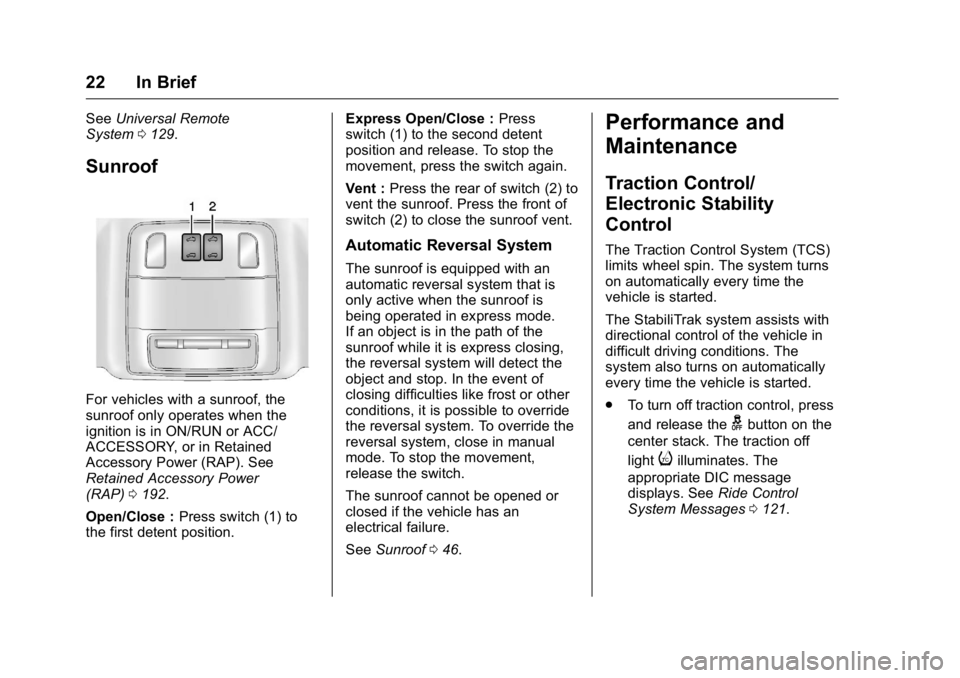
Open/Close : Press switch (1) to
the first detent position. Express Open/Close :
Press
switch (1) to the second detent
position and release. To stop the
movement, press the switch again.
Vent : Press the rear of switch (2) to
vent the sunroof. Press the front of
switch (2) to close the sunroof vent.
Automatic Reversal System
The sunroof is equipped with an
automatic reversal system that is
only active when the sunroof is
being operated in express mode.
If an object is in the path of the
sunroof while it is express closing,
the reversal system will detect the
object and stop. In the event of
closing difficulties like frost or other
conditions, it is possible to override
the reversal system. To override the
reversal system, close in manual
mode. To stop the movement,
release the switch.
The sunroof cannot be opened or
closed if the vehicle has an
electrical failure.
See Sunroof 046.
Performance and
Maintenance
Traction Control/
Electronic Stability
Control
The Traction Control System (TCS)
limits wheel spin. The system turns
on automatically every time the
vehicle is started.
The StabiliTrak system assists with
directional control of the vehicle in
difficult driving conditions. The
system also turns on automatically
every time the vehicle is started.
.
To turn off traction control, press
and release the
gbutton on the
center stack. The traction off
light
iilluminates. The
appropriate DIC message
displays. See Ride Control
System Messages 0121.
Page 32 of 355

Buick Verano Owner Manual (GMNA-Localizing-U.S./Canada/Mexico-
9085356) - 2016 - crc - 10/19/15
Keys, Doors, and Windows 31
3. Place the new transmitter intothe transmitter pocket with the
buttons facing up. The
transmitter pocket is inside the
center console cupholder. The
cupholder liner will need to be
removed to access the
transmitter pocket. Use a finger
or a tool in the notch at the rear
of the cupholders to remove
the liner. See Cupholders094.
4. Press the ENGINE START/ STOP button. When the
transmitter is learned, the DIC
will show that it is ready to
program the next transmitter. 5. Remove the transmitter from
the transmitter pocket and
press
K.
To program additional
transmitters, repeat Steps 3–5.
When all additional transmitters
are programmed, press and
hold the ignition for at least
10 seconds to exit
programming mode.
Programming without a
Recognized Transmitter (Keyless
Access Vehicles Only)
Program a new key to the vehicle
when a recognized key is not
available. Canadian regulations
require that owners see their dealer. 1. Insert the vehicle key of the transmitter into the key lock
cylinder on the outside of the
driver door and turn the key to
the unlock position five times
within 10 seconds.
The Driver Information Center
(DIC) displays REMOTE
LEARN PENDING,
PLEASE WAIT. 2. Wait for 10 minutes until the
DIC displays PRESS ENGINE
START BUTTON TO LEARN
and then press the ignition.
The DIC display will again
show REMOTE LEARN
PENDING, PLEASE WAIT.
3. Repeat Step 2 two additional times. After the third time all
previously known transmitters
will no longer work with the
vehicle. Remaining transmitters
can be relearned during the
next steps.
The DIC display should now
show READY FOR REMOTE
# 1.
Page 33 of 355
Buick Verano Owner Manual (GMNA-Localizing-U.S./Canada/Mexico-
9085356) - 2016 - crc - 10/19/15
32 Keys, Doors, and Windows
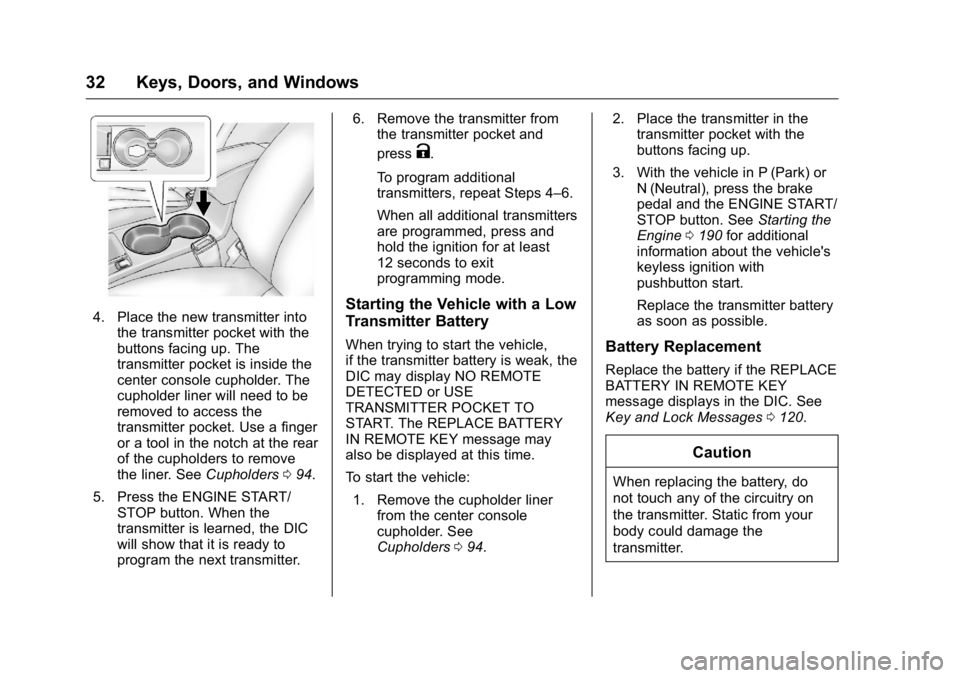
4. Place the new transmitter intothe transmitter pocket with the
buttons facing up. The
transmitter pocket is inside the
center console cupholder. The
cupholder liner will need to be
removed to access the
transmitter pocket. Use a finger
or a tool in the notch at the rear
of the cupholders to remove
the liner. See Cupholders094.
5. Press the ENGINE START/ STOP button. When the
transmitter is learned, the DIC
will show that it is ready to
program the next transmitter. 6. Remove the transmitter from
the transmitter pocket and
press
K.
To program additional
transmitters, repeat Steps 4–6.
When all additional transmitters
are programmed, press and
hold the ignition for at least
12 seconds to exit
programming mode.
Starting the Vehicle with a Low
Transmitter Battery
When trying to start the vehicle,
if the transmitter battery is weak, the
DIC may display NO REMOTE
DETECTED or USE
TRANSMITTER POCKET TO
START. The REPLACE BATTERY
IN REMOTE KEY message may
also be displayed at this time.
To start the vehicle: 1. Remove the cupholder liner from the center console
cupholder. See
Cupholders 094. 2. Place the transmitter in the
transmitter pocket with the
buttons facing up.
3. With the vehicle in P (Park) or N (Neutral), press the brake
pedal and the ENGINE START/
STOP button. See Starting the
Engine 0190 for additional
information about the vehicle's
keyless ignition with
pushbutton start.
Replace the transmitter battery
as soon as possible.Battery Replacement
Replace the battery if the REPLACE
BATTERY IN REMOTE KEY
message displays in the DIC. See
Key and Lock Messages 0120.
Caution
When replacing the battery, do
not touch any of the circuitry on
the transmitter. Static from your
body could damage the
transmitter.
Page 47 of 355
Buick Verano Owner Manual (GMNA-Localizing-U.S./Canada/Mexico-
9085356) - 2016 - crc - 10/19/15
46 Keys, Doors, and Windows
Sun Visors
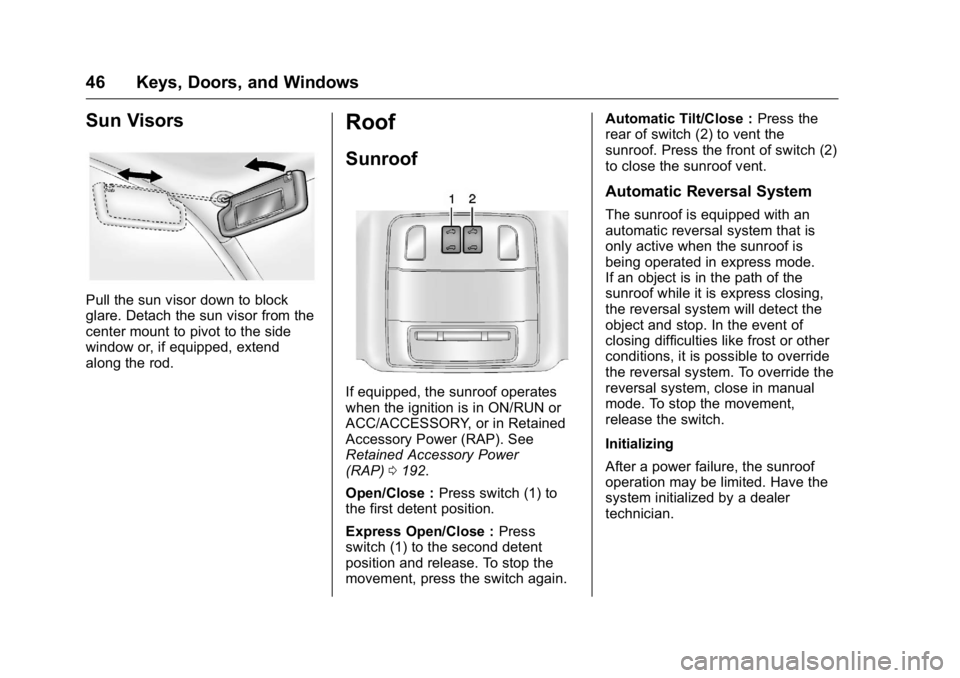
Pull the sun visor down to block
glare. Detach the sun visor from the
center mount to pivot to the side
window or, if equipped, extend
along the rod.
Roof
Sunroof
If equipped, the sunroof operates
when the ignition is in ON/RUN or
ACC/ACCESSORY, or in Retained
Accessory Power (RAP). See
Retained Accessory Power
(RAP)0192.
Open/Close : Press switch (1) to
the first detent position.
Express Open/Close : Press
switch (1) to the second detent
position and release. To stop the
movement, press the switch again. Automatic Tilt/Close :
Press the
rear of switch (2) to vent the
sunroof. Press the front of switch (2)
to close the sunroof vent.
Automatic Reversal System
The sunroof is equipped with an
automatic reversal system that is
only active when the sunroof is
being operated in express mode.
If an object is in the path of the
sunroof while it is express closing,
the reversal system will detect the
object and stop. In the event of
closing difficulties like frost or other
conditions, it is possible to override
the reversal system. To override the
reversal system, close in manual
mode. To stop the movement,
release the switch.
Initializing
After a power failure, the sunroof
operation may be limited. Have the
system initialized by a dealer
technician.
Page 66 of 355
Buick Verano Owner Manual (GMNA-Localizing-U.S./Canada/Mexico-
9085356) - 2016 - crc - 10/19/15
Seats and Restraints 65
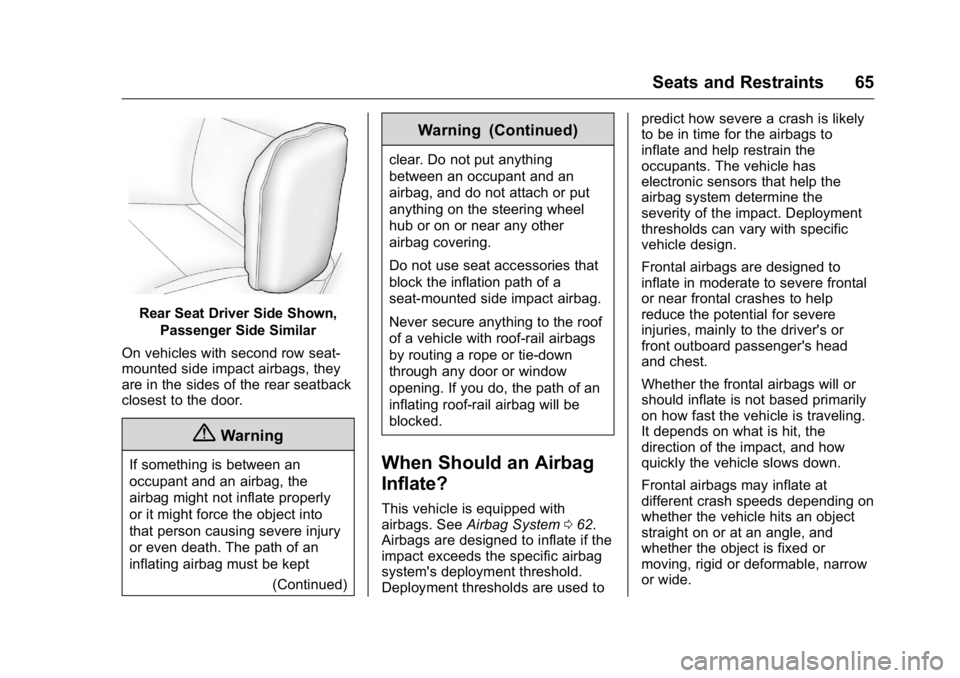
Rear Seat Driver Side Shown,Passenger Side Similar
On vehicles with second row seat‐
mounted side impact airbags, they
are in the sides of the rear seatback
closest to the door.
{Warning
If something is between an
occupant and an airbag, the
airbag might not inflate properly
or it might force the object into
that person causing severe injury
or even death. The path of an
inflating airbag must be kept (Continued)
Warning (Continued)
clear. Do not put anything
between an occupant and an
airbag, and do not attach or put
anything on the steering wheel
hub or on or near any other
airbag covering.
Do not use seat accessories that
block the inflation path of a
seat-mounted side impact airbag.
Never secure anything to the roof
of a vehicle with roof-rail airbags
by routing a rope or tie‐down
through any door or window
opening. If you do, the path of an
inflating roof-rail airbag will be
blocked.
When Should an Airbag
Inflate?
This vehicle is equipped with
airbags. SeeAirbag System 062.
Airbags are designed to inflate if the
impact exceeds the specific airbag
system's deployment threshold.
Deployment thresholds are used to predict how severe a crash is likely
to be in time for the airbags to
inflate and help restrain the
occupants. The vehicle has
electronic sensors that help the
airbag system determine the
severity of the impact. Deployment
thresholds can vary with specific
vehicle design.
Frontal airbags are designed to
inflate in moderate to severe frontal
or near frontal crashes to help
reduce the potential for severe
injuries, mainly to the driver's or
front outboard passenger's head
and chest.
Whether the frontal airbags will or
should inflate is not based primarily
on how fast the vehicle is traveling.
It depends on what is hit, the
direction of the impact, and how
quickly the vehicle slows down.
Frontal airbags may inflate at
different crash speeds depending on
whether the vehicle hits an object
straight on or at an angle, and
whether the object is fixed or
moving, rigid or deformable, narrow
or wide.
Page 67 of 355

Buick Verano Owner Manual (GMNA-Localizing-U.S./Canada/Mexico-
9085356) - 2016 - crc - 10/19/15
66 Seats and Restraints
Frontal airbags are not intended to
inflate during vehicle rollovers, in
rear impacts, or in many side
impacts.
In addition, the vehicle has
advanced technology frontal
airbags. Advanced technology
frontal airbags adjust the restraint
according to crash severity.
Knee airbags are designed to inflate
in moderate to severe frontal or
near frontal impacts. Knee airbags
are not designed to inflate during
vehicle rollovers, in rear impacts,
or in many side impacts.
Seat-mounted side impact airbags
are designed to inflate in moderate
to severe side crashes depending
on the location of the impact.
Seat-mounted side impact airbags
are not designed to inflate in frontal
impacts, near frontal impacts,
rollovers, or rear impacts.
A seat-mounted side impact airbag
is designed to inflate on the side of
the vehicle that is struck.
Roof-rail airbags are designed to
inflate in moderate to severe side
crashes depending on the locationof the impact. In addition, these
roof-rail airbags are designed to
inflate during a rollover or in a
severe frontal impact. Roof-rail
airbags are not designed to inflate in
rear impacts. Both roof-rail airbags
will inflate when either side of the
vehicle is struck, if the sensing
system predicts that the vehicle is
about to roll over on its side, or in a
severe frontal impact.
In any particular crash, no one can
say whether an airbag should have
inflated simply because of the
vehicle damage or repair costs.
What Makes an Airbag
Inflate?
In a deployment event, the sensing
system sends an electrical signal
triggering a release of gas from the
inflator. Gas from the inflator fills the
airbag causing the bag to break out
of the cover. The inflator, the airbag,
and related hardware are all part of
the airbag module.
For airbag locations, see
Where Are
the Airbags? 064.
How Does an Airbag
Restrain?
In moderate to severe frontal or
near frontal collisions, even belted
occupants can contact the steering
wheel or the instrument panel. In
moderate to severe side collisions,
even belted occupants can contact
the inside of the vehicle.
Airbags supplement the protection
provided by safety belts by
distributing the force of the impact
more evenly over the
occupant's body.
Rollover capable roof-rail airbags
are designed to help contain the
head and chest of occupants in the
outboard seating positions in the
first and second rows. The rollover
capable roof-rail airbags are
designed to help reduce the risk of
full or partial ejection in rollover
events, although no system can
prevent all such ejections.
Page 107 of 355
Buick Verano Owner Manual (GMNA-Localizing-U.S./Canada/Mexico-
9085356) - 2016 - crc - 10/19/15
106 Instruments and Controls
If, after several seconds, both status
indicator lights remain on, or if there
are no lights at all, there may be a
problem with the lights or the
passenger sensing system. See
your dealer for service.
{Warning
If the airbag readiness light ever
comes on and stays on, it means
that something may be wrong
with the airbag system. To help
avoid injury to yourself or others,
have the vehicle serviced right
away. SeeAirbag Readiness
Light 0105 for more information,
including important safety
information.
Charging System Light
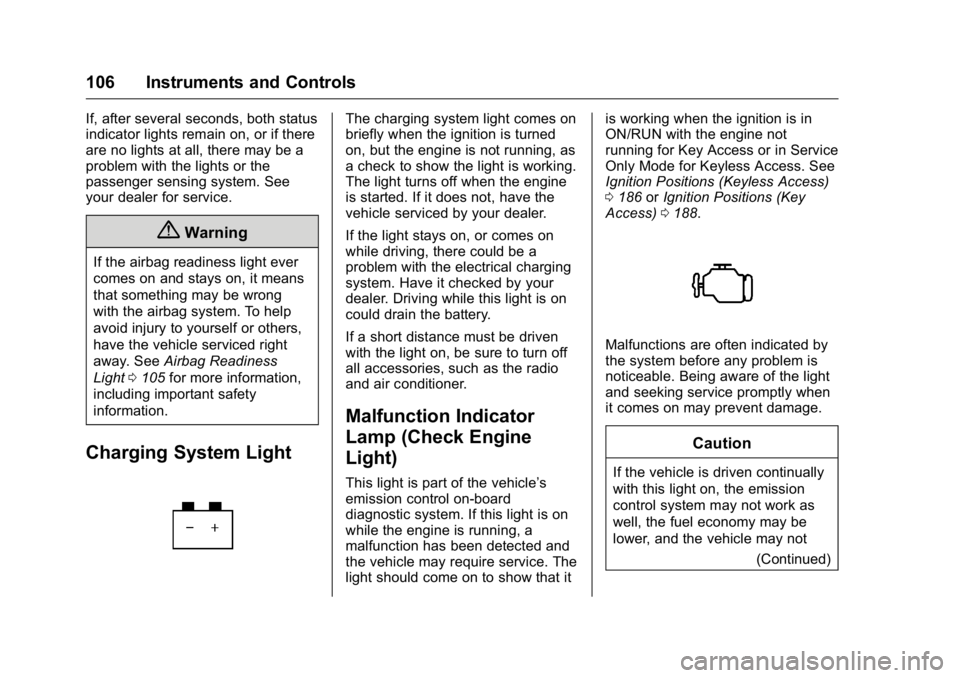
The charging system light comes on
briefly when the ignition is turned
on, but the engine is not running, as
a check to show the light is working.
The light turns off when the engine
is started. If it does not, have the
vehicle serviced by your dealer.
If the light stays on, or comes on
while driving, there could be a
problem with the electrical charging
system. Have it checked by your
dealer. Driving while this light is on
could drain the battery.
If a short distance must be driven
with the light on, be sure to turn off
all accessories, such as the radio
and air conditioner.
Malfunction Indicator
Lamp (Check Engine
Light)
This light is part of the vehicle’s
emission control on-board
diagnostic system. If this light is on
while the engine is running, a
malfunction has been detected and
the vehicle may require service. The
light should come on to show that it is working when the ignition is in
ON/RUN with the engine not
running for Key Access or in Service
Only Mode for Keyless Access. See
Ignition Positions (Keyless Access)
0
186 orIgnition Positions (Key
Access) 0188.
Malfunctions are often indicated by
the system before any problem is
noticeable. Being aware of the light
and seeking service promptly when
it comes on may prevent damage.
Caution
If the vehicle is driven continually
with this light on, the emission
control system may not work as
well, the fuel economy may be
lower, and the vehicle may not
(Continued)
Page 115 of 355
Buick Verano Owner Manual (GMNA-Localizing-U.S./Canada/Mexico-
9085356) - 2016 - crc - 10/19/15
114 Instruments and Controls
Information Displays
Driver Information
Center (DIC)
The Driver Information Center (DIC)
displays information about the
vehicle. It also displays warning
messages if a system problem is
detected. SeeVehicle Messages
0 117. All messages appear in the
DIC display in the center of the
instrument cluster.
On some models, the DIC may have
some warning lights or indicators
shown in the top portion of the
display. See Warning Lights,
Gauges, and Indicators 0101.
The vehicle may also have features
that can be customized through the
controls on the radio. See Vehicle
Personalization 0123.
DIC Operation and Displays
The DIC has different displays
which can be accessed by using the
DIC buttons on the turn signal lever.
The DIC displays trip, fuel, and vehicle system information, and
warning messages if a system
problem is detected.
The bottom of the DIC display
shows the position of the shift lever
and the odometer. It may also show
the direction the vehicle is driving.
In cold weather the DIC display may
change slowly. This is normal and
will move more quickly as the
vehicle's interior temperature rises.
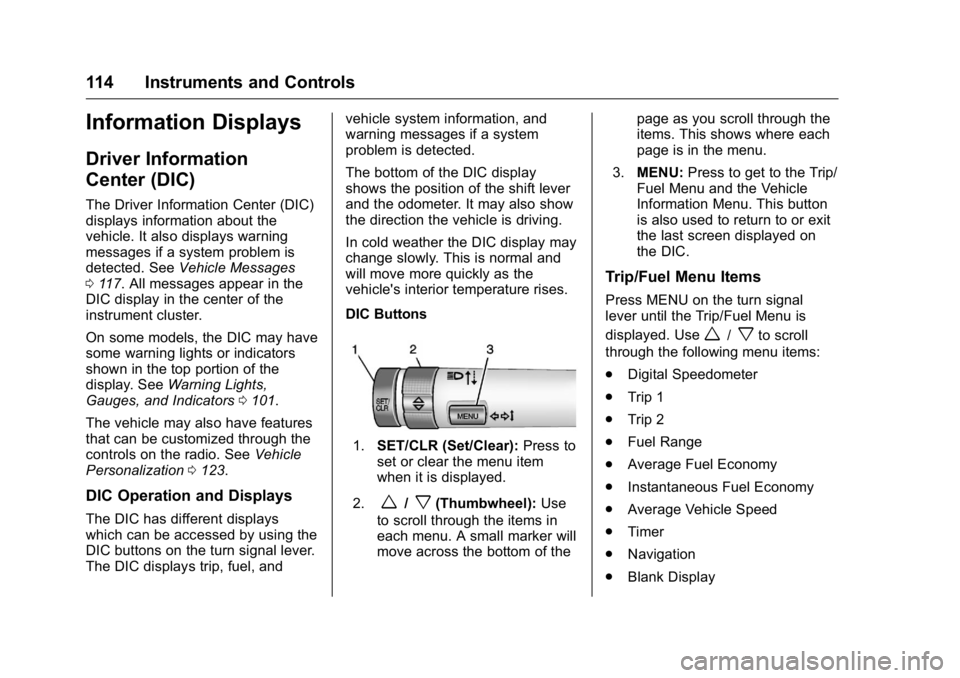
DIC Buttons
1.
SET/CLR (Set/Clear): Press to
set or clear the menu item
when it is displayed.
2.
w/x(Thumbwheel): Use
to scroll through the items in
each menu. A small marker will
move across the bottom of the page as you scroll through the
items. This shows where each
page is in the menu.
3. MENU: Press to get to the Trip/
Fuel Menu and the Vehicle
Information Menu. This button
is also used to return to or exit
the last screen displayed on
the DIC.
Trip/Fuel Menu Items
Press MENU on the turn signal
lever until the Trip/Fuel Menu is
displayed. Use
w/xto scroll
through the following menu items:
. Digital Speedometer
. Trip 1
. Trip 2
. Fuel Range
. Average Fuel Economy
. Instantaneous Fuel Economy
. Average Vehicle Speed
. Timer
. Navigation
. Blank Display