amp BUICK VERANO 2017 User Guide
[x] Cancel search | Manufacturer: BUICK, Model Year: 2017, Model line: VERANO, Model: BUICK VERANO 2017Pages: 354, PDF Size: 4.92 MB
Page 45 of 354
Buick Verano Owner Manual (GMNA- Localizing-U.S./Canada-10122753) -
2017 - crc - 5/16/16
44 Keys, Doors, and Windows
Folding Mirrors
Manual Folding Mirrors
The vehicle has manual folding
mirrors. These mirrors can be folded
inward to prevent damage when
going through an automatic car
wash. To fold, pull the mirror toward
the vehicle. Push the mirror outward
to return it to the original position.
Heated Mirrors
If equipped with heated mirrors:
=:The rear window defogger also
heats the outside mirrors.
See Dual Automatic Climate Control
System 0171.
Interior Mirrors
Interior Rearview Mirrors
Adjust the rearview mirror for a clear
view of the area behind your
vehicle.
If equipped with OnStar, there are
three buttons at the bottom of the
mirror. See your dealer for more
information on the system and how
to subscribe to OnStar. See OnStar
Overview 0333.
To avoid accidental OnStar calls,
clean the mirror with the ignition off.
Do not spray glass cleaner directly
on the mirror. Use a soft towel
dampened with water.
Manual Rearview Mirror
If equipped, push the tab forward for
daytime use and pull it rearward for
nighttime use to avoid glare of the
headlamps from behind.
Automatic Dimming
Rearview Mirror
If equipped, automatic dimming
reduces the glare of headlamps
from behind. The dimming feature
comes on when the vehicle is
started.
Page 69 of 354
Buick Verano Owner Manual (GMNA- Localizing-U.S./Canada-10122753) -
2017 - crc - 5/16/16
68 Seats and Restraints
How Does an Airbag
Restrain?
In moderate to severe frontal or
near frontal collisions, even belted
occupants can contact the steering
wheel or the instrument panel. In
moderate to severe side collisions,
even belted occupants can contact
the inside of the vehicle.
Airbags supplement the protection
provided by safety belts by
distributing the force of the impact
more evenly over the
occupant's body.
Rollover capable roof-rail airbags
are designed to help contain the
head and chest of occupants in the
outboard seating positions in the
first and second rows. The rollover
capable roof-rail airbags are
designed to help reduce the risk of
full or partial ejection in rollover
events, although no system can
prevent all such ejections.But airbags would not help in many
types of collisions, primarily
because the occupant's motion is
not toward those airbags. See
When
Should an Airbag Inflate? 066.
Airbags should never be regarded
as anything more than a supplement
to safety belts.
What Will You See after
an Airbag Inflates?
After the frontal, knee, and
seat-mounted side impact airbags
inflate, they quickly deflate, so
quickly that some people may not
even realize an airbag inflated.
Roof-rail airbags may still be at least
partially inflated for some time after
they inflate. Some components of
the airbag module may be hot for
several minutes. For location of the
airbags, see Where Are the
Airbags? 065.
The parts of the airbag that come
into contact with you may be warm,
but not too hot to touch. There may
be some smoke and dust coming
from the vents in the deflated
airbags. Airbag inflation does not prevent the driver from seeing out of
the windshield or being able to steer
the vehicle, nor does it prevent
people from leaving the vehicle.
{Warning
When an airbag inflates, there
may be dust in the air. This dust
could cause breathing problems
for people with a history of
asthma or other breathing trouble.
To avoid this, everyone in the
vehicle should get out as soon as
it is safe to do so. If you have
breathing problems but cannot
get out of the vehicle after an
airbag inflates, then get fresh air
by opening a window or a door.
If you experience breathing
problems following an airbag
deployment, you should seek
medical attention.
The vehicle has a feature that may
automatically unlock the doors, turn
on the interior lamps and hazard
warning flashers, and shut off the
fuel system after the airbags inflate.
Page 70 of 354
Buick Verano Owner Manual (GMNA- Localizing-U.S./Canada-10122753) -
2017 - crc - 5/16/16
Seats and Restraints 69
The feature may also activate,
without airbag inflation, after an
event that exceeds a predetermined
threshold. You can lock the doors,
turn off the interior lamps, and turn
off the hazard warning flashers by
using the controls for those
features.
{Warning
A crash severe enough to inflate
the airbags may have also
damaged important functions in
the vehicle, such as the fuel
system, brake and steering
systems, etc. Even if the vehicle
appears to be drivable after a
moderate crash, there may be
concealed damage that could
make it difficult to safely operate
the vehicle.
Use caution if you should attempt
to restart the engine after a crash
has occurred.
In many crashes severe enough to
inflate the airbag, windshields are
broken by vehicle deformation. Additional windshield breakage may
also occur from the front outboard
passenger airbag.
.
Airbags are designed to inflate
only once. After an airbag
inflates, you will need some new
parts for the airbag system.
If you do not get them, the
airbag system will not be there
to help protect you in another
crash. A new system will include
airbag modules and possibly
other parts. The service manual
for the vehicle covers the need
to replace other parts.
. The vehicle has a crash sensing
and diagnostic module which
records information after a
crash. See Vehicle Data
Recording and Privacy 0330
and Event Data
Recorders 0331.
. Let only qualified technicians
work on the airbag systems.
Improper service can mean that
an airbag system will not work
properly. See your dealer for
service.
Passenger Sensing
System
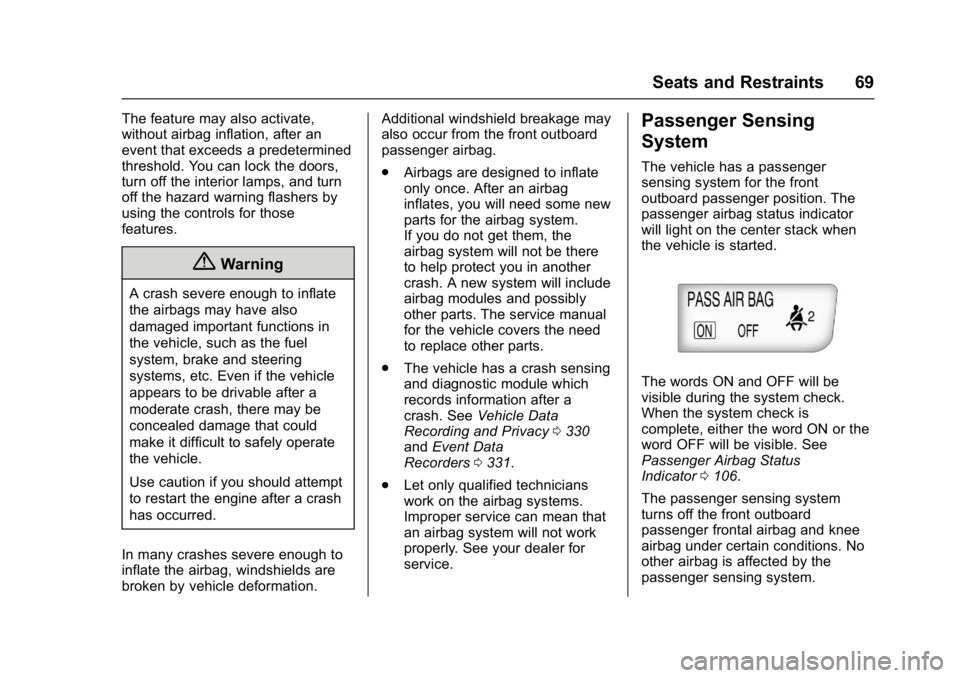
The vehicle has a passenger
sensing system for the front
outboard passenger position. The
passenger airbag status indicator
will light on the center stack when
the vehicle is started.
The words ON and OFF will be
visible during the system check.
When the system check is
complete, either the word ON or the
word OFF will be visible. See
Passenger Airbag Status
Indicator 0106.
The passenger sensing system
turns off the front outboard
passenger frontal airbag and knee
airbag under certain conditions. No
other airbag is affected by the
passenger sensing system.
Page 78 of 354

Buick Verano Owner Manual (GMNA- Localizing-U.S./Canada-10122753) -
2017 - crc - 5/16/16
Seats and Restraints 77
Warning (Continued)
That could cause serious or fatal
injuries. The shoulder belt should
go over the shoulder and across
the chest.
Infants and Young
Children
Everyone in a vehicle needs
protection! This includes infants and
all other children. Neither the
distance traveled nor the age and
size of the traveler changes the
need, for everyone, to use safetyrestraints. In fact, the law in every
state in the United States and in
every Canadian province says
children up to some age must be
restrained while in a vehicle.
{Warning
Children can be seriously injured
or strangled if a shoulder belt is
wrapped around their neck. The
shoulder belt can tighten but
cannot be loosened if it is locked.
The shoulder belt locks when it is
pulled all the way out of the
retractor. It unlocks when the
shoulder belt is allowed to go all
the way back into the retractor,
but it cannot do this if it is
wrapped around a child’s neck.
If the shoulder belt is locked and
tightened around a child’s neck,
the only way to loosen the belt is
to cut it.
Never leave children unattended
in a vehicle and never allow
children to play with the safety
belts.
Every time infants and young
children ride in vehicles, they should
have the protection provided by
appropriate child restraints. Neither
the vehicle's safety belt system nor
its airbag system is designed
for them.
Children who are not restrained
properly can strike other people,
or can be thrown out of the vehicle.
{Warning
Never hold an infant or a child
while riding in a vehicle. Due to
crash forces, an infant or a child
will become so heavy it is not
possible to hold it during a crash.
For example, in a crash at only
40 km/h (25 mph), a 5.5 kg (12 lb)
infant will suddenly become a
110 kg (240 lb) force on a person's
arms. An infant or child should be
secured in an appropriate
restraint.
Page 98 of 354
Buick Verano Owner Manual (GMNA- Localizing-U.S./Canada-10122753) -
2017 - crc - 5/16/16
Instruments and Controls 97
Instruments and
Controls
Controls
Steering Wheel Adjustment . . . . 98
Steering Wheel Controls . . . . . . . 98
Heated Steering Wheel . . . . . . . . 99
Horn . . . . . . . . . . . . . . . . . . . . . . . . . . . 99
Windshield Wiper/Washer . . . . . . 99
Compass . . . . . . . . . . . . . . . . . . . . . 100
Clock . . . . . . . . . . . . . . . . . . . . . . . . . 100
Power Outlets . . . . . . . . . . . . . . . . 101
Warning Lights, Gauges, and
Indicators
Warning Lights, Gauges, andIndicators . . . . . . . . . . . . . . . . . . . 102
Instrument Cluster . . . . . . . . . . . . 103
Speedometer . . . . . . . . . . . . . . . . . 104
Odometer . . . . . . . . . . . . . . . . . . . . . 104
Trip Odometer . . . . . . . . . . . . . . . . 104
Tachometer . . . . . . . . . . . . . . . . . . . 104
Fuel Gauge . . . . . . . . . . . . . . . . . . . 104
Engine Coolant Temperature Gauge . . . . . . . . . . . . . . . . . . . . . . 105
Safety Belt Reminders . . . . . . . . 105
Airbag Readiness Light . . . . . . . 106
Passenger Airbag Status Indicator . . . . . . . . . . . . . . . . . . . . 106 Charging System Light . . . . . . . 107
Malfunction Indicator Lamp
(Check Engine Light) . . . . . . . . 107
Brake System Warning Light . . . . . . . . . . . . . . . . . . . . . . . . 109
Electric Parking Brake Light . . . . . . . . . . . . . . . . . . . . . . . . 110
Antilock Brake System (ABS) Warning Light . . . . . . . . . . . . . . . 110
Lane Departure Warning (LDW) Light . . . . . . . . . . . . . . . . . . . . . . . . . 111
Vehicle Ahead Indicator . . . . . . . 111
Traction Off Light . . . . . . . . . . . . . 111
StabiliTrak
®OFF Light . . . . . . . . 111
Traction Control System (TCS)/ StabiliTrak
®Light . . . . . . . . . . . . 112
Tire Pressure Light . . . . . . . . . . . 112
Engine Oil Pressure Light . . . . . 113
Low Fuel Warning Light . . . . . . . 113
Security Light . . . . . . . . . . . . . . . . . 113
High-Beam On Light . . . . . . . . . . 114
Front Fog Lamp Light . . . . . . . . . 114
Lamps On Reminder . . . . . . . . . . 114
Cruise Control Light . . . . . . . . . . 114
Door Ajar Light . . . . . . . . . . . . . . . 114
Information Displays
Driver Information Center (DIC) . . . . . . . . . . . . . . . . 115
Vehicle Messages
Vehicle Messages . . . . . . . . . . . . 118
Battery Voltage and ChargingMessages . . . . . . . . . . . . . . . . . . . 118
Brake System Messages . . . . . 119
Compass Messages . . . . . . . . . . 119
Door Ajar Messages . . . . . . . . . . 119
Engine Cooling System Messages . . . . . . . . . . . . . . . . . . . 120
Engine Oil Messages . . . . . . . . . 120
Engine Power Messages . . . . . 121
Fuel System Messages . . . . . . . 121
Key and Lock Messages . . . . . 121
Object Detection System Messages . . . . . . . . . . . . . . . . . . . 121
Ride Control System Messages . . . . . . . . . . . . . . . . . . . 122
Security Messages . . . . . . . . . . . 123
Tire Messages . . . . . . . . . . . . . . . . 123
Transmission Messages . . . . . . 123
Washer Fluid Messages . . . . . . 124
Window Messages . . . . . . . . . . . 124
Vehicle Personalization
Vehicle Personalization . . . . . . . 124
Page 102 of 354
Buick Verano Owner Manual (GMNA- Localizing-U.S./Canada-10122753) -
2017 - crc - 5/16/16
Instruments and Controls 101
5. To save the time and return tothe Time and Date menu, press
/BACK at any time or press
the TUNE/MENU knob after
adjusting the minutes.
Setting the 12/24 Hour Format 1. Press the CONFIG button and select Time and Date or
press
H.
2. Highlight 12/24 Hour Format.
3. Press TUNE/MENU to select the 12 hour or 24 hour display
format.
Setting the Clock (Radio with
CD and Touch Screen)
The clock is in the center stack
display.
To set the time:
1. Press the CONFIG button to enter the menu options or
press
H. Turn the TUNE/
MENU knob to scroll through
the available setup features
and select Time and Date.
Press TUNE/MENU or press the Time screen button to
display other options within that
feature.
2. Press + or −to increase or
decrease the Hours and
Minutes displayed on the clock.
If auto timing is set, the time
displayed on the clock may not
update immediately when driving
into a new time zone.
12/24 HR Format : Press the 12 HR
screen button for standard time;
press the 24 HR screen button for
military time.
Day + or Day −:Press the Day +
or Day −display buttons to increase
or decrease the day.
Display : Press Display to turn the
display of the time on the screen on
or off.
Power Outlets
The accessory power outlets can be
used to plug in electrical equipment,
such as a cell phone or MP3 player.
There is one accessory power outlet
on the center stack below the
climate controls and one on the rear
of the center floor console. These
outlets are powered when the key is
in ON/RUN or ACC/ACCESSORY,
or until the driver door is opened
within 10 minutes of turning off the
vehicle. See Retained Accessory
Power (RAP) 0193.
Caution
Leaving electrical equipment
plugged in for an extended period
of time while the vehicle is off will
drain the battery. Always unplug
electrical equipment when not in
use and do not plug in equipment
that exceeds the maximum
20 amp rating.
Page 105 of 354
Buick Verano Owner Manual (GMNA- Localizing-U.S./Canada-10122753) -
2017 - crc - 5/16/16
104 Instruments and Controls
Speedometer
The speedometer shows the vehicle
speed in kilometers per hour (km/h)
and miles per hour (mph).
Odometer
The odometer shows how far the
vehicle has been driven, in either
kilometers or miles.
Trip Odometer
The trip odometer shows how far
the vehicle has been driven since
the trip odometer was last reset.
The trip odometer is accessed and
reset through the Driver Information
Center (DIC). SeeDriver
Information Center (DIC) 0115.
Tachometer
The tachometer displays the engine
speed in revolutions per
minute (rpm).
Caution
If the engine is operated with the
rpm’s in the warning area at the
high end of the tachometer, the
vehicle could be damaged, and
the damage would not be covered
by the vehicle warranty. Do not
operate the engine with the rpm’s
in the warning area.
Fuel Gauge
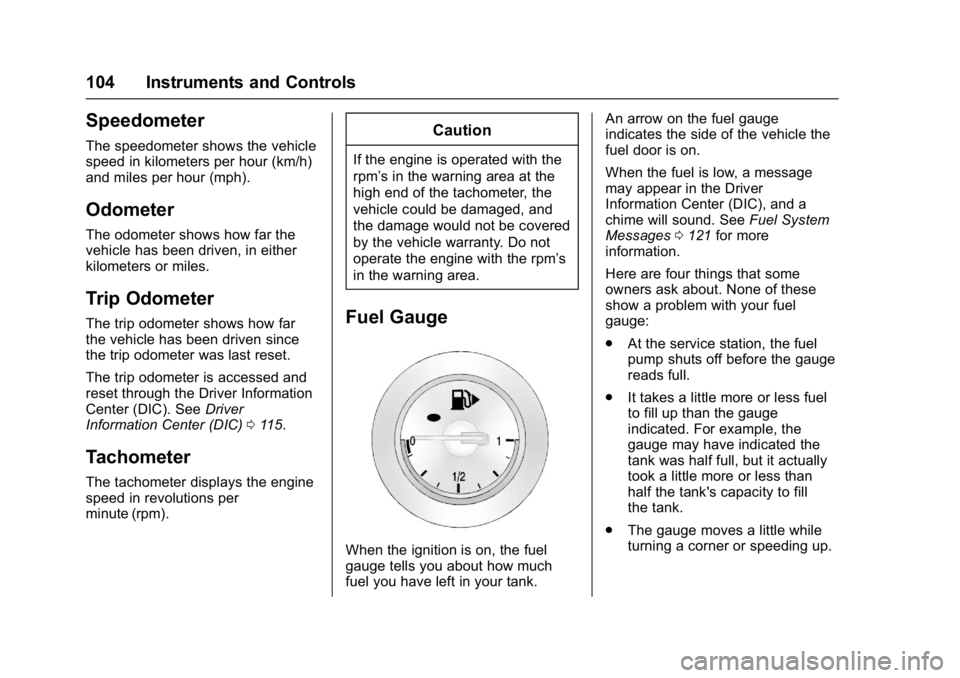
When the ignition is on, the fuel
gauge tells you about how much
fuel you have left in your tank. An arrow on the fuel gauge
indicates the side of the vehicle the
fuel door is on.
When the fuel is low, a message
may appear in the Driver
Information Center (DIC), and a
chime will sound. See
Fuel System
Messages 0121 for more
information.
Here are four things that some
owners ask about. None of these
show a problem with your fuel
gauge:
. At the service station, the fuel
pump shuts off before the gauge
reads full.
. It takes a little more or less fuel
to fill up than the gauge
indicated. For example, the
gauge may have indicated the
tank was half full, but it actually
took a little more or less than
half the tank's capacity to fill
the tank.
. The gauge moves a little while
turning a corner or speeding up.
Page 108 of 354
Buick Verano Owner Manual (GMNA- Localizing-U.S./Canada-10122753) -
2017 - crc - 5/16/16
Instruments and Controls 107
problem with the lights or the
passenger sensing system. See
your dealer for service.
{Warning
If the airbag readiness light ever
comes on and stays on, it means
that something may be wrong
with the airbag system. To help
avoid injury to yourself or others,
have the vehicle serviced right
away. SeeAirbag Readiness
Light 0106 for more information,
including important safety
information.
Charging System Light
The charging system light comes on
briefly when the ignition is turned
on, but the engine is not running, as
a check to show the light is working. The light turns off when the engine
is started. If it does not, have the
vehicle serviced by your dealer.
If the light stays on, or comes on
while driving, there could be a
problem with the electrical charging
system. Have it checked by your
dealer. Driving while this light is on
could drain the battery.
If a short distance must be driven
with the light on, be sure to turn off
all accessories, such as the radio
and air conditioner.
Malfunction Indicator
Lamp (Check Engine
Light)
This light is part of the vehicle’s
emission control on-board
diagnostic system. If this light is on
while the engine is running, a
malfunction has been detected and
the vehicle may require service. The
light should come on to show that it
is working when the ignition is in
ON/RUN with the engine not
running for Key Access or in Service
Only Mode for Keyless Access.
See
Ignition Positions (Keyless
Access) 0189 orIgnition Positions
(Key Access) 0187.
Malfunctions are often indicated by
the system before any problem is
noticeable. Being aware of the light
and seeking service promptly when
it comes on may prevent damage.
Caution
If the vehicle is driven continually
with this light on, the emission
control system may not work as
well, the fuel economy may be
lower, and the vehicle may not
run smoothly. This could lead to
costly repairs that might not be
covered by the vehicle warranty.
Page 115 of 354

Buick Verano Owner Manual (GMNA- Localizing-U.S./Canada-10122753) -
2017 - crc - 5/16/16
114 Instruments and Controls
High-Beam On Light
The high‐beam on light comes on
when the high-beam headlamps are
in use.
SeeHeadlamp High/Low-Beam
Changer 0134 for more information.
Front Fog Lamp Light
For vehicles with front fog lamps,
this light comes on when the front
fog lamps are in use. The light goes out when the front
fog lamps are turned off. See
Front
Fog Lamps 0136 for more
information.
Lamps On Reminder
This light comes on when the
exterior lamps are in use. See
Exterior Lamp Controls 0133.
Cruise Control Light
For vehicles with cruise control, the
cruise control light is white when the
cruise control is on and ready, and
turns green when the cruise control
is set and active.
The light turns off when the cruise
control is turned off. See Cruise
Control 0205.
Door Ajar Light
If equipped, this light comes on
when a door is open or not securely
latched. Before driving, check that
all doors are properly closed. See
Door Ajar Messages 0119.
Page 118 of 354

Buick Verano Owner Manual (GMNA- Localizing-U.S./Canada-10122753) -
2017 - crc - 5/16/16
Instruments and Controls 117
Navigation
This display is used for the
Navigation System Turn-by-Turn
guidance. See the infotainment
manual, if the vehicle has
navigation, for more information.
Blank Display
This display shows no information.
Vehicle Information Menu
Items
Press MENU on the turn signal
lever until the Vehicle Information
Menu is displayed. Use
w/xto
scroll through the following menu
items:
. Unit
. Tire Pressure
. Remaining Oil Life
. Battery Voltage
Unit
Press SET/CLR to set. Move
w/
xto switch between metric or US
when the set Unit display is active.
Press SET/CLR to confirm the
setting. This will change the displays on the cluster and DIC to
either metric or English (US)
measurements.
Tire Pressure
The display will show a vehicle with
the approximate pressures of all
four tires. Tire pressure is displayed
in either kilopascal (kPa) or pounds
per square inch (psi). See
Tire
Pressure Monitor System 0267 and
Tire Pressure Monitor Operation
0 268 for more information.
Remaining Oil Life
This display shows an estimate of
the oil's remaining useful life.
If REMAINING OIL LIFE 99% is
displayed, that means 99% of the
current oil life remains.
When the remaining oil life is low,
the CHANGE ENGINE OIL SOON
message will appear on the display.
See Engine Oil Messages 0120.
The oil should be changed as soon
as possible. See Engine Oil0232.
In addition to the Engine Oil Life
System monitoring the oil life,
additional maintenance is
recommended in the Maintenance Schedule in this manual. See
Maintenance Schedule
0303 for
more information.
Remember, the Remaining Oil Life
display must be reset after each oil
change. It will not reset itself. Also,
be careful not to reset the
Remaining Oil Life display
accidentally at any time other than
when the oil has just been changed.
It cannot be reset accurately until
the next oil change. To reset the
Engine Oil Life System, press SET/
CLR while the Remaining Oil Life
display is active. See Engine Oil
Life System 0234.
Battery Voltage
This display shows the current
battery voltage. If the voltage is in
the normal range, the value will
display. For example, the display
may read Battery Voltage 15.0
Volts. The vehicle's charging system
regulates voltage based on the state
of the battery. The battery voltage
can fluctuate while viewing this
information on the DIC. This is
normal. See Charging System Light
0 107 for more information. If there